
[GPU REVIEW] MSI GTX 1070 Gaming X, with the all new Twin Frozr VI!

royfrosty

High Supremacy Member
Joined
Jul 23, 2009
Messages
27,509
Reaction score
1,384
Introduction

MSI Twin Frozr, a cooler that has gone through many generations since 2008. Back then it was called the Hybrid Frozr, which fan blades will only start spinning when it hit a certain temperature threshold. It was then never used till lately the Twin Frozr V debut.

Some history back then...


Twin Frozr V has been a very successful cooler ever made in Twin Frozr history. This season, MSI has introduced the all new Twin Frozr VI cooler that has been strapped on with the GTX1080 and GTX1070.


So what are the real differences in between Twin Frozr V and VI?

The Twin Frozr VI has some minor improvements as compared to the older Twin Frozr V. The first thing you will noticed is the much larger cooler. It is about the same length, but however it is much broader than before.

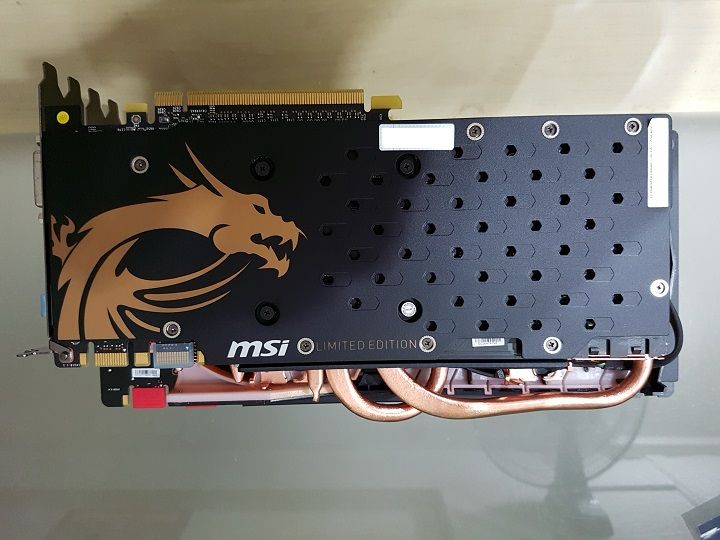
The below pic actually shows the size difference between the GTX970 Golden Edition and the GTX1070 (below). Noticed the cooler and the shrouds? It is a lot larger than the Twin Frozr V.


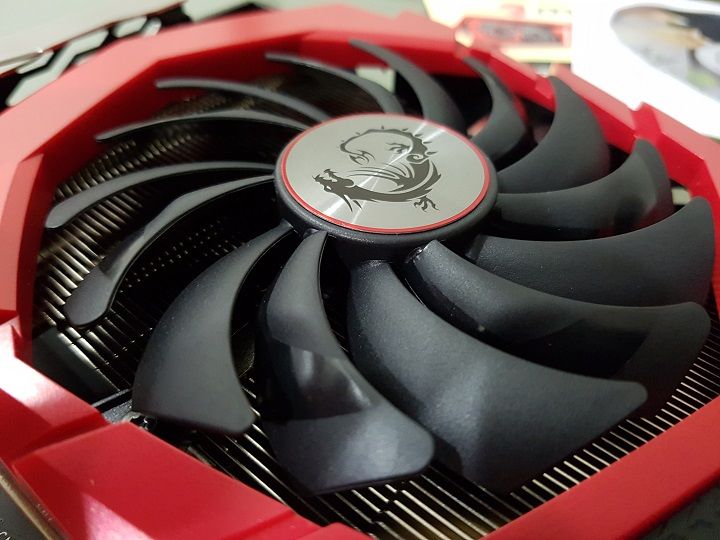
Another difference would be the new Torx 2.0 fans. They did not increase the size of it, but what they actually did was they placed the fan blades much closer to each other. They have implemented dual ball bearing with the new fans.


That is all for the physical outlook of the cooler. More on what is inside later.


Unboxing

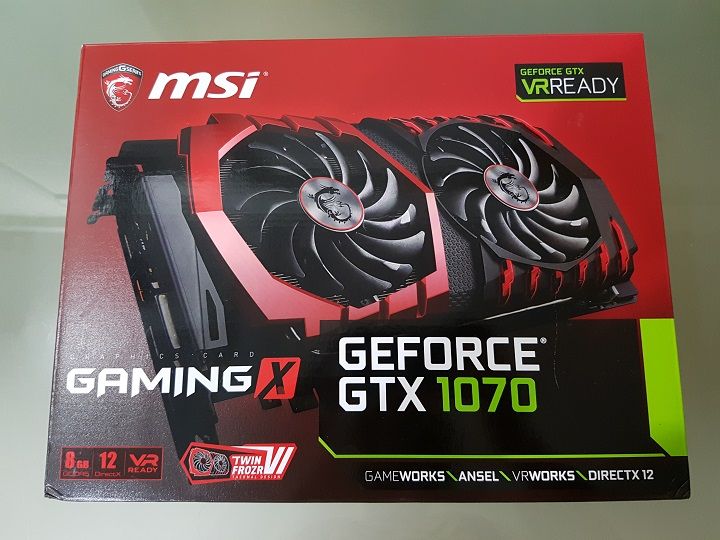
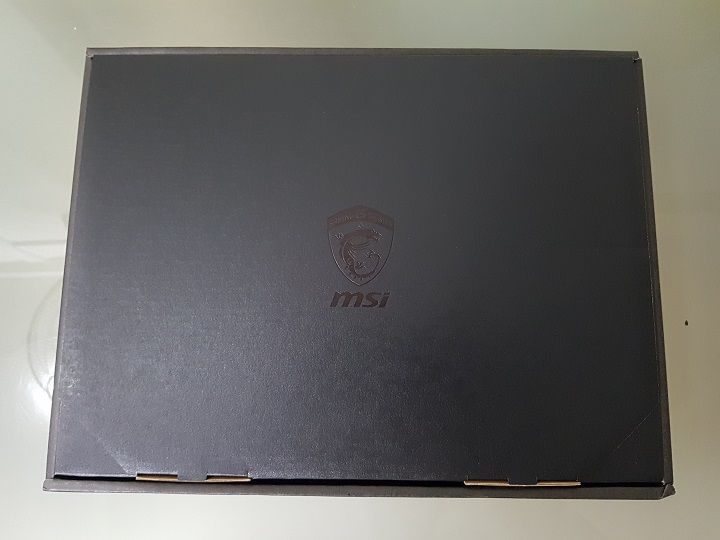
The MSI GTX1070 Gaming X packaging is no difference since a few gen back. It is a pretty standard affair, and there isn't a wao! factor when unboxing it. It is packed in a couple of layered card box.


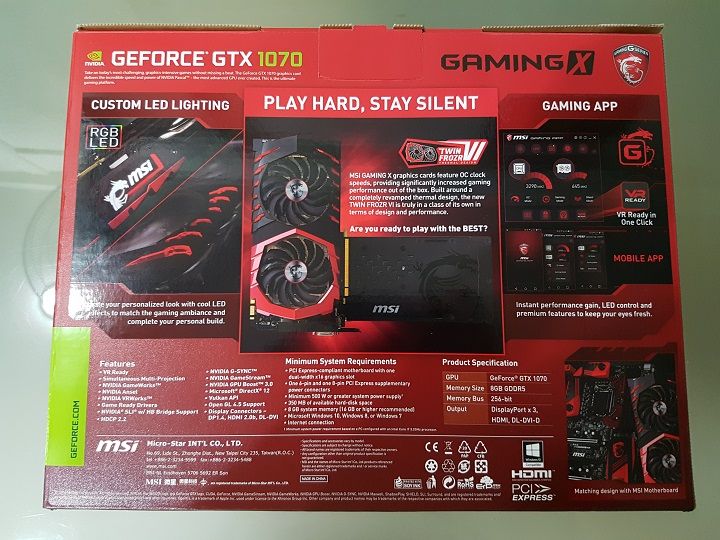
The back shows the overall features of the GPU.


Removing the box, its the same accessories box with GPU under it.


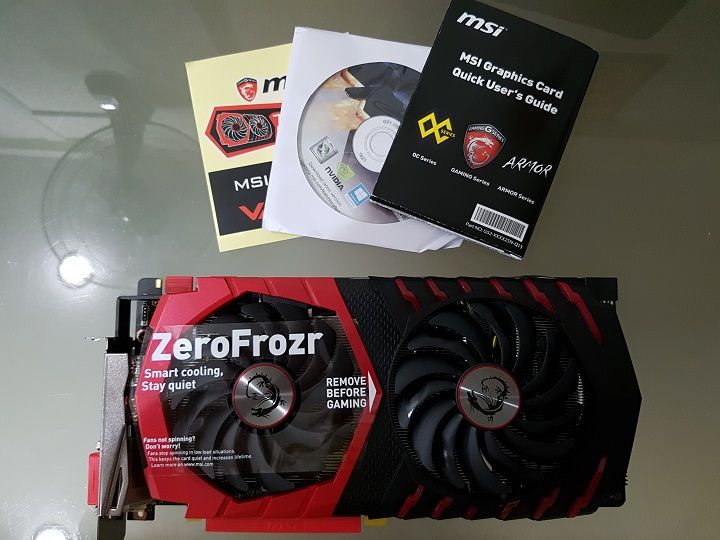
But i'm kinda disappointed by the accessories they have provided. It is close to none. The accessories box is large, but there were only a product manual, a set of Twin Frozr VI stickers and a driver disc.
 
Last edited:

royfrosty

High Supremacy Member
Joined
Jul 23, 2009
Messages
27,509
Reaction score
1,384
Physical Appearance/Outlook of the card

At the side of the card, the shroud is still made of plastic, however it is much more sturdier than the previous Twin Frozr V shroud. It is thicker, and much more material being used. If you kind of noticed, the shroud and the SLI connectors are being flush together.

Just like the Twin Frozr V, the current MSI dragon insignia has LED to lit up. And yes it is RGB!


Further down is the three sexy heatpipes (more on their thickness later on), and at the far end is the power connector, it requires a 6pin + 8pin to power it up.


At the other side of the card (where the PCIE connector is).


Further down is the fan connectors and the LED power.


At the back I/O, it has all the connections that one would ever need, from left to right.

- Display port 1.4
- HDMI 2.0
- Display port 1.4
- DVI-D
- Display port 1.4


Lastly the back plate. This back plate has a slight difference than the Twin Frozr V. It has a much larger air vent for the back plate. Also not forgetting that the back plate purpose, it did add the overall rigidness of the GPU.


Physical Measurements

The length of the card is about 275mm


The width of the card is about 127.3mm

 
Last edited:

royfrosty

High Supremacy Member
Joined
Jul 23, 2009
Messages
27,509
Reaction score
1,384
....

And lastly the thickness of the card is at 38.7mm. And yes it is still a 2 slots gpu.


What's inside, and Hardware Specifications

Opening up the back plate reveals the back of the card. Unlike the older Titan X which has memory VRAM located at the back of the card. There is simply nothing on the back of the GTX1070.


Removing the core screws and the cooler will just detach from the card itself. Noticed that there is a mid plate? This mid plate helps to cool the VRAM. On top of that, it adds more rigidness to the card to prevent the PCB from bending/sag downwards. Further right there is the power delivery area, there is a piece of black aluminium heatsink that actually helps to dissipate heat from the power delivery area.


- GP104
- 1920 Cuda Cores
- 64ROPs
- Base clock of 1582MHz and a boost clock of 1771MHz
- Memory clock at 8Gbps
- GDDR5
- 8GB VRAM
- 256bit Bus width
- 10 Power phases

More hardware specifications can be found here

The heatsink design is slightly different than before. It is mainly "U" shape pipes. Unlike the older Twin Frozr V which has a "SSUU" config.


The heatpipes are well soldered to the fins.


Measurement of heatpipes

The thickest heatpipe is approx 8mm thick.


The 2nd and the 3rd heatpipe were about the same thickness.


Last edited:

royfrosty

High Supremacy Member
Joined
Jul 23, 2009
Messages
27,509
Reaction score
1,384
Test Setup

Hardware used:

MSI X99S SLI Plus
Intel i7-5820k Overclocked at 4.5ghz
Klevv 4x4gb 2666mhz DDR4 kit
Samsung 950 Pro 512gb
Crucial M550 512gb SSD
Seasonic P1050 XP3 PSU

GPU tested would be:

- MSI GTX970 4gb Golden Edition
- MSI GTX1070 8gb Gaming X
- Sapphire R9 4gb HBM Fury X
- Sapphire R9 4gb HBM Fury X in Crossfire

GPU drivers used:

- Nvidia 368.39 WHQL
- AMD Crimson Edition 16.6.1 Hotfix

Synthetic benchmark

- 3DMark

Games that will be benchmark

- Ashes of the Singularity DX12
- Rise of the Tomb Raider DX11 & DX12
- Hitman 2016 DX 11 & DX12
- Shadow of Mordor - Middle Earth
- Thief
- Metro Last Light
- Crysis 3

GPU Boost 3.0 killed OC fun?

For stock/overclocked settings

Stock settings are pretty much standard. But however MSI GTX 1070 Gaming X stated that their boost clock can go up to 1797mhz. But that would not be the case, thanks to GPU Boost 3.0, the MSI GTX 1070 Gaming X boosted its way up to 1979mhz on the core clock. That's nearly free 200mhz on the core clock. It is effortless and everything just works by itself.


However on the other hand, when i tried to push further, i did not get much of a OC headroom, i added in 150mhz to the core clock and it went wonky immediately. So the actual settings for overclocking is at +100mhz to the core clock and mem clock. But GPU Boost 3.0 take it all the way to 2076mhz for the core clock. In all, the difference between base clock to boost clock is an astonishing 469mhz!

OC


Results taken will be put into graph form.

Benchmarks

Firestrike/Extreme/Ultra

Would like to start of with 3DMark Firestrike scores. The MSI GTX 1070 Gaming X did remarkably well. It boosted all the way with GPU Boost 3.0 and hit 2000Mhz on the core clock and went down after being heated up. It then stabilized at 1972Mhz region. Which is still pretty darn good. Scores were surprisingly exceeded the normal Founders Edition in most external benchmarks that i have seen. What sorcery is this?


Ashes of the Singularity

Next we have Ashes of the Singularity, the MSI GTX 1070 Gaming X just managed to beat the R9 Fury X with a shy 1% performance gap.


Rise of the Tomb Raider

Now moving on to another DX12 title game, Rise of the Tomb Raider. This game really made my R9 Fury X run out of VRAM badly. In most scenario, the R9 Fury X was stuttering like nobody businesses. Here we can see the MSI GTX 1070 Gaming X flexing its muscle with its massive 8gb VRAM on this title. On DX12 both camps aren't really gaining much performance.


Last edited:

royfrosty

High Supremacy Member
Joined
Jul 23, 2009
Messages
27,509
Reaction score
1,384
....

Hitman 2016

Being an AMD title, this game really work extremely well on the R9 Fury X. One moment i thought that the MSI GTX 1070 was damaged. But i rerun the test several times and results were the same. On the other hand the MSI GTX 1070 Gaming X actually gain quite a small amount of performance when switching to DX12 API.


Shadow of Mordor (With HD Textures)

The MSI GTX 1070 Gaming X did managed to surpass the R9 Fury X by a bit. However, this game the R9 Fury X was a little wonky. There are times when it had a spike stuttering during benchmark running. While the MSI GTX 1070 Gaming X was able to deliver smoother experience than the R9 Fury X.


Thief

Thief, the MSI GTX 1070 Gaming X did just slightly better than the R9 Fury X. But overall both GPU handle the game pretty well and satisfactory.


Crysis 3

Can it run Crysis 3? Yes it does. In fact with above 60fps on 1440p res and most of the time at a smooth frame rate.

* For Crysis 3 since there is no in game benchmark, here are the benchmark scene that i recorded and benchmark taken by FRAPS.


Metro Last Light

Another game title that is very harsh on AA settings. Most of the GPUS that are in market right now will be brought to their knees with this game. At 4K my R9 Fury X in XFire just hit the 33fps mark. So using a single card for 4K be it the MSI GTX 1070 Gaming X or R9 Fury X would not be a good idea after all, unless one would tone down the settings, and also tone done the AA settings.

However the MSI GTX 1070 Gaming X performs slightly better in 1440p. Giving an average of 43fps target range and deemed playable. But if one wants to achieve 60fps, it is still doable with just 2x SSAA.


Temperature and Power Consumption

Nvidia did really well on the power consumption for the Pascal line up. But for the MSI GTX 1070 Gaming X, instead of a single 8pin power connector, it has a 8+6pin power connector, in general it did consumed much more power than the Founders Edition, however by not much. The R9 Fury X consumed that much more power than the MSI GTX 1070 Gaming Edition. It managed to shave off a solid 100w away from the R9 Fury X. No doubt Pascal is indeed very power efficient. On idle, all of it (except the R9 Fury X in Xfire) consumed about the same power.


Pascal with a node shrink and yet consumed lesser power, with the aid of the all new Twin Frozr VI cooler, the card indeed performed extremely well. If one wants a much cooler temperature, one need to set their very own fan curve. Cause the MSI GTX 1070 Gaming X performs extremely quiet. It is geared towards silent operation. Fans were spinning at a extremely low rpm, and each time it hits 50DegC or more, the fans will start spinning slowly.

If noise is not a concern, and you indeed want a much cooling option, you can set the fan curve and expect the card to perform slightly better with GPU Boost 3.0.


Final Thoughts and Conclusion

The MSI GTX 1070 Gaming X is indeed a solid performance card. It is meant to performed the same level as the Titan X together along with the 980ti and the R9 Fury X. As you can see, the R9 Fury X came neck to neck against the GTX 1070. But that is not the end of it, knowing that Pascal has a high overclocking room, this MSI GTX 1070 Gaming X would have a much shear performance level against any of the current tiered GPU. Not forgetting that it consumed much lesser power than the older gen worth of GPUS.

Lastly not forgetting the current GTX 970 users, in most benchmark, the MSI GTX 1070 Gaming X was twice as fast as the GTX 970.

Performance aside, the Twin Frozr VI cooler is indeed a very solid cooler. It performed really well. Although it is massive, it did performed extremely well and quiet. In fact even if it ran at 100% fan load, you can barely hear it from inside the chassis.

So who this GPU really for? For those coming in from GTX 980 and 970. This card performs really well, it will be a huge upgrade for both GTX 970 and 980 users.

Advantages
- Solid performance, performs just like the Titan X or the R9 Fury X
- Performs twice (Or more) as fast as the GTX 970.
- Good upgrade point for those coming in from GTX 970
- Extremely quiet Twin Frozr VI
- Very well cooled
- Shroud became better and thicker
- Solid contender for 1440p

Disadvantages
- The overall size of the card is generally broader and may not fit in certain casing.
- Plastic shroud
- Consumed a little more power than usual Founders Edition
- Not a good card for 4k

For that i would rate the card a solid 8.5/10
 
Last edited:

Maximus_XXVIII

Senior Member
Joined
Jan 13, 2015
Messages
1,009
Reaction score
56
Resizing.... and not sure why photobucket is sooooo sloooooow to upload. :s11:

I gave up on photobucket awhile back. Sometimes very slow and not responsive, damn frustrating. Now using flickr, been working fine so far. Smooth and pretty easy to use.
 

royfrosty

High Supremacy Member
Joined
Jul 23, 2009
Messages
27,509
Reaction score
1,384
Log as of 11/6/16 0200hrs:

- Introduction
- Unboxing
- Hardware specifiations
- Physical measurements
- Test setup

What will be done later at night:

- All benchmarks to be completed
- Review to be completed


All right guys, its getting late and i got to work later in the morning. I will stop for now. Thanks all for coming in and read/support!
 

wad3v3r

Arch-Supremacy Member
Joined
Nov 21, 2003
Messages
12,743
Reaction score
8
wahhhhhhhhhhhhhhhhhhhhhhhhhhhhhhhhhhhhhhhhhhhh

Ish jin sexy but my pocket not deep enuff
 

watzup_ken

High Supremacy Member
Joined
Nov 21, 2003
Messages
25,672
Reaction score
2,123
Looks cool. However, I think the raised height may be a problem for some casing. Especially when the power points are on top, which further increases the height.
 
Important Forum Advisory Note
This forum is moderated by volunteer moderators who will react only to members' feedback on posts. Moderators are not employees or representatives of HWZ. Forum members and moderators are responsible for their own posts.

Please refer to our Community Guidelines and Standards, Terms of Service and Member T&Cs for more information.
Top