
You are using an out of date browser. It may not display this or other websites correctly.
You should upgrade or use an alternative browser.
You should upgrade or use an alternative browser.
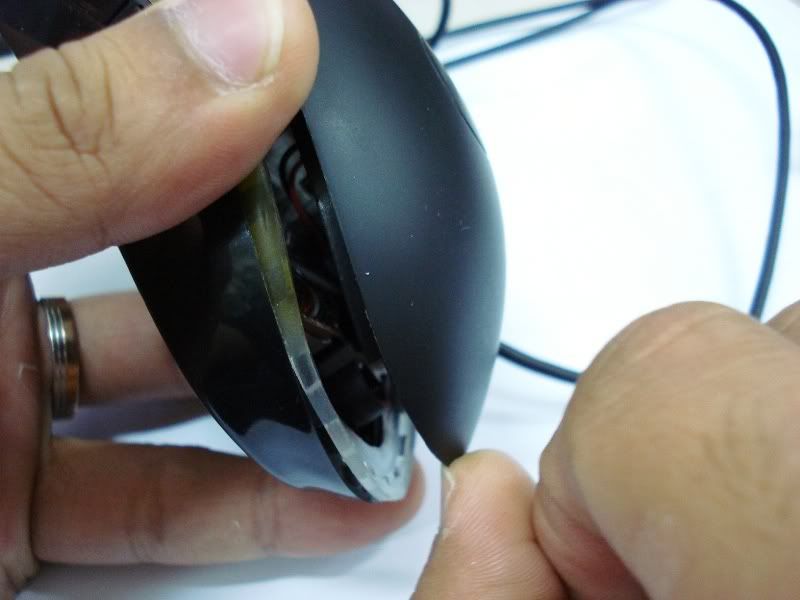
Guide to clean your Razer Mouse... solve double click issue
- Thread starter denniszz
- Start date
More options
Who Replied?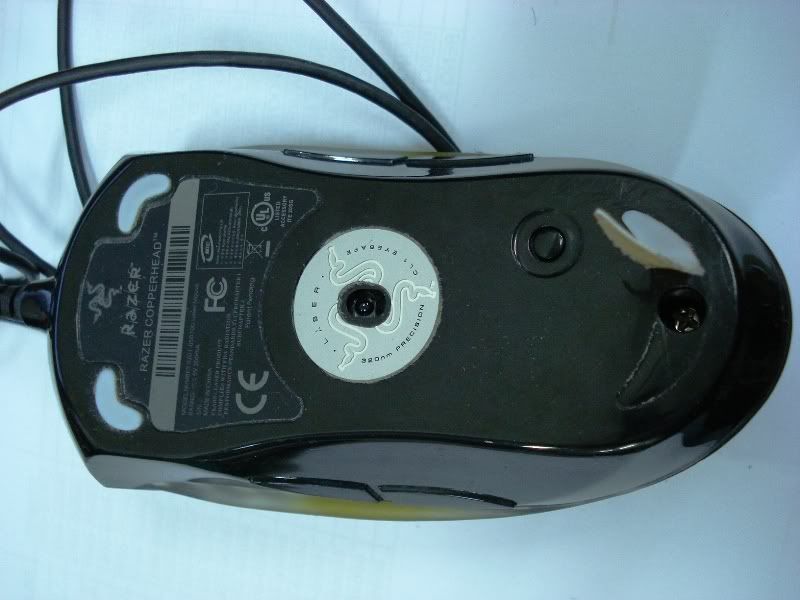

denniszz
Arch-Supremacy Member
- Joined
- Jul 24, 2000
- Messages
- 20,926
- Reaction score
- 0
Step 3
Drop WD40 or contact cleaner on the click, use your nail to press on the click few times and do it twice...
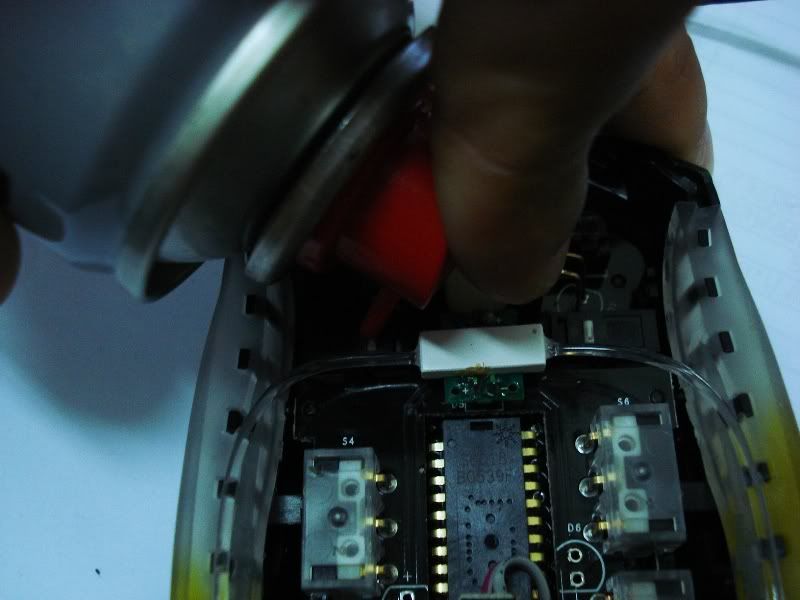
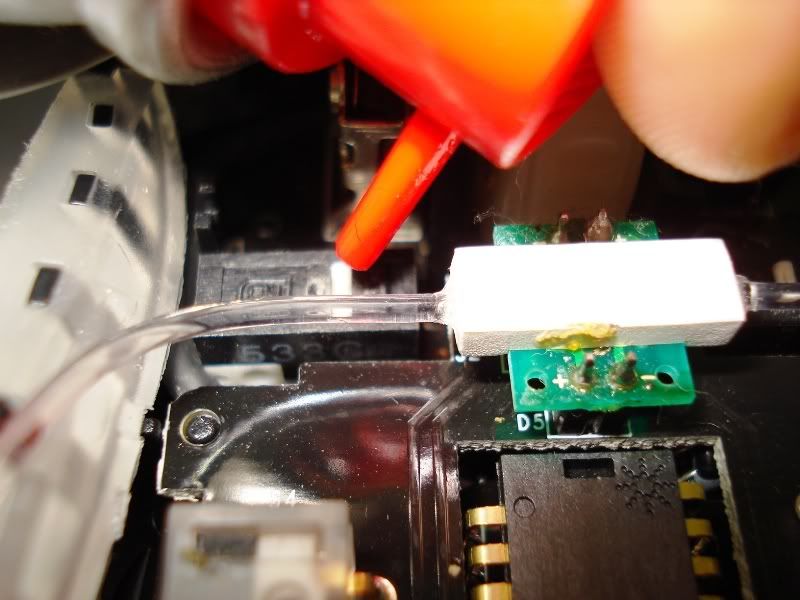
With this should be able to solve the double click issue... if still cannot, please RMA your mouse.
Drop WD40 or contact cleaner on the click, use your nail to press on the click few times and do it twice...
With this should be able to solve the double click issue... if still cannot, please RMA your mouse.


jtchoy
High Supremacy Member
- Joined
- Apr 4, 2006
- Messages
- 28,000
- Reaction score
- 7
WD40 is a oil lubricant/cleaner in a can. Both WD40 and contact cleaner can be purchased at DIY shops and most supermarkets.tglim7 said:Step 3: Drop WD40 or contact cleaner on the click.....
what is tat ah? such a chimology term to me...=)
anyway, thanks for the effort dennis...great job....
Nice guide denniszz!


moldavite87
Senior Member
- Joined
- Mar 13, 2005
- Messages
- 591
- Reaction score
- 1
nice one la!! it works!
denniszz
Arch-Supremacy Member
- Joined
- Jul 24, 2000
- Messages
- 20,926
- Reaction score
- 0
KWSW said:
eh then the white colour thing can put back nicely one right? afraid later i take out cannot put back
Still can put back nicely... just peel off slowly...


KWSW
High Supremacy Member
- Joined
- Jan 1, 2000
- Messages
- 31,429
- Reaction score
- 2
denniszz said:Still can put back nicely... just peel off slowly...
ok later i try with my out of warranty diamond back with the double click problem...
NightRaven
Arch-Supremacy Member
- Joined
- Apr 23, 2003
- Messages
- 10,780
- Reaction score
- 24
hmmm my mouse has been around since 2004 but no problems yet? someone can tell me more abt the double click issue please?
KWSW
High Supremacy Member
- Joined
- Jan 1, 2000
- Messages
- 31,429
- Reaction score
- 2
NightRaven said:hmmm my mouse has been around since 2004 but no problems yet? someone can tell me more abt the double click issue please?
its like sometimes i single click but it registers as double click
denniszz
Arch-Supremacy Member
- Joined
- Jul 24, 2000
- Messages
- 20,926
- Reaction score
- 0
noobified said:where to rma my mouse ah? I bought last year in dec and the right click dont seem to be working anymore.
Please rma @ Ban Leong Serice Centre...
denniszz
Arch-Supremacy Member
- Joined
- Jul 24, 2000
- Messages
- 20,926
- Reaction score
- 0
i got a razer krait. i remove the mouse feet and there is no screw. does this apply to a krait?
If you can open Krait... the cleaning part is the same...
Does this really works?!? I mean i don't want to spray my mouse interior with WD40 and than nothing will change!!
Is it safe because in Slovenia new mouse like this is 63€, which is equal to $84!!
How much do, you think, will it cost if I take the mice to repair service?!?


Is it safe because in Slovenia new mouse like this is 63€, which is equal to $84!!
How much do, you think, will it cost if I take the mice to repair service?!?
Important Forum Advisory Note
This forum is moderated by volunteer moderators who will react only to members' feedback on posts. Moderators are not employees or representatives of HWZ. Forum members and moderators are responsible for their own posts.
Please refer to our Community Guidelines and Standards, Terms of Service and Member T&Cs for more information.
Please refer to our Community Guidelines and Standards, Terms of Service and Member T&Cs for more information.
