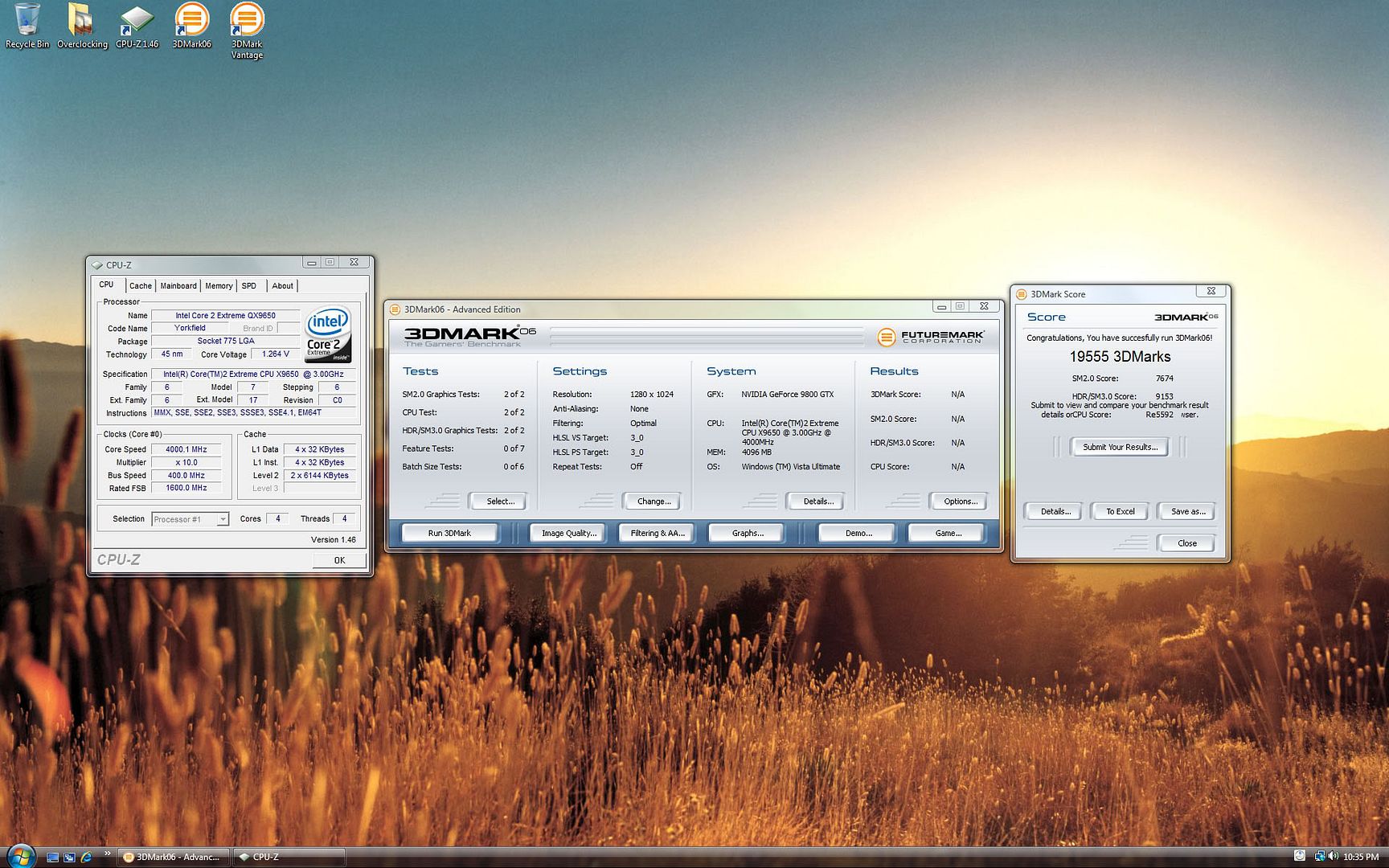
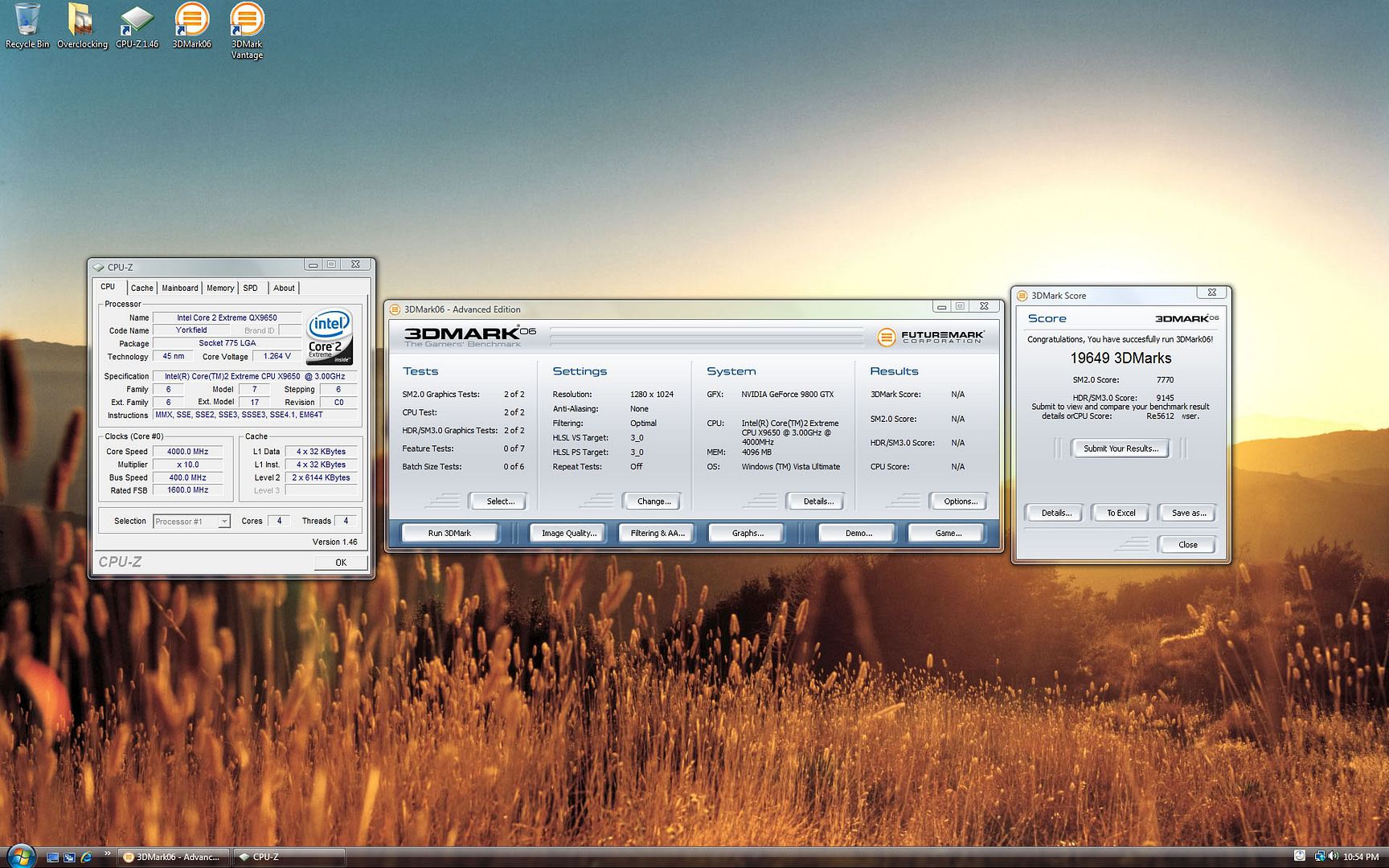
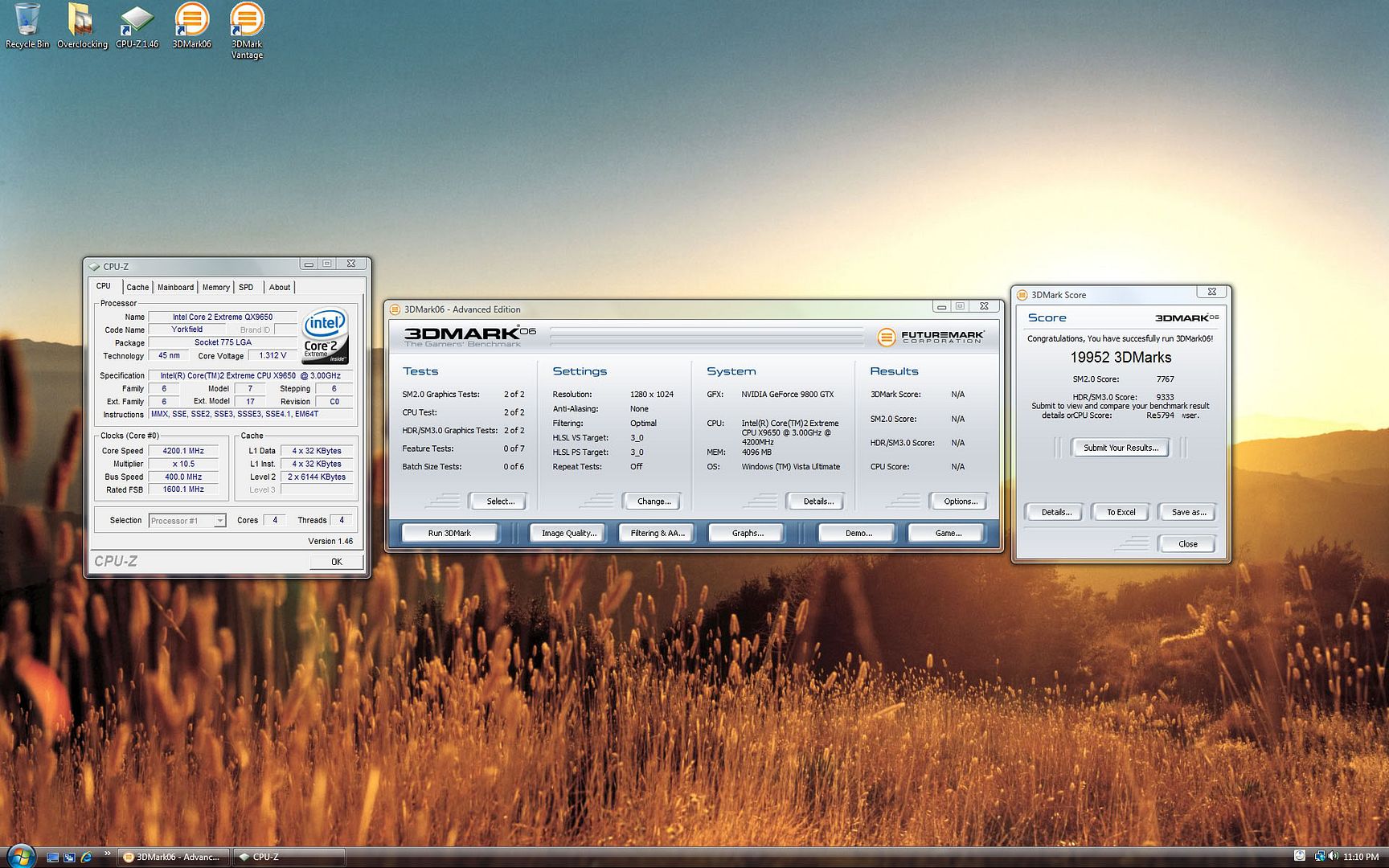
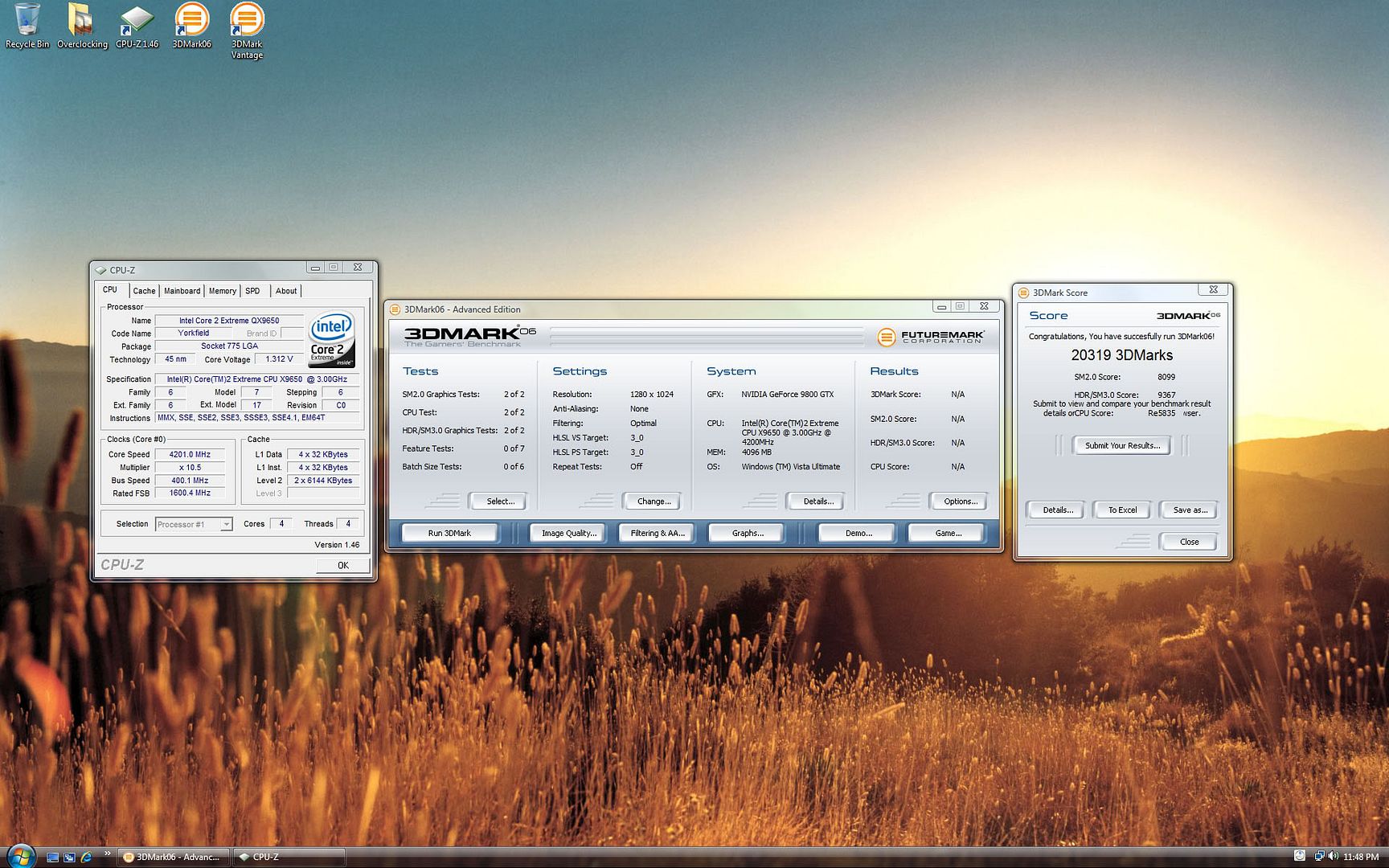
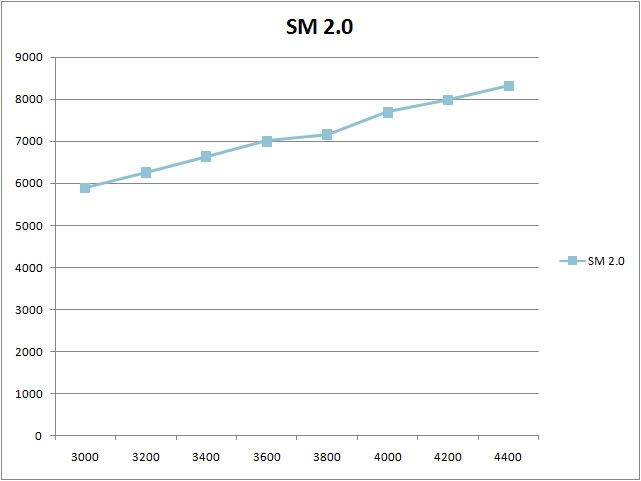
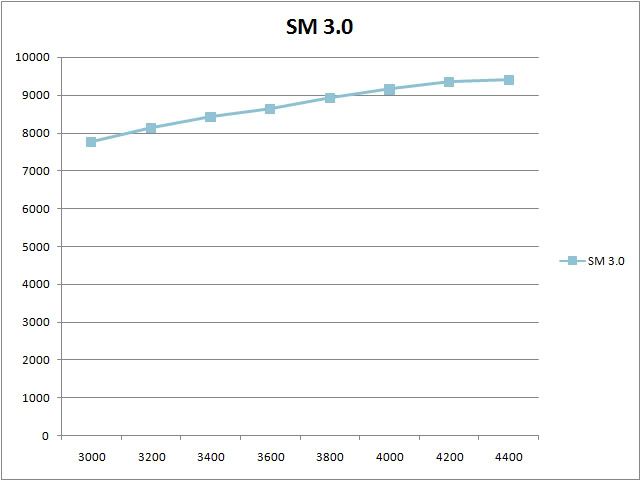
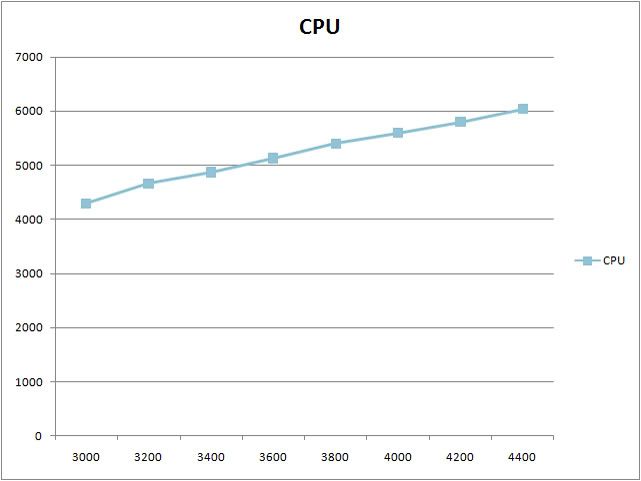
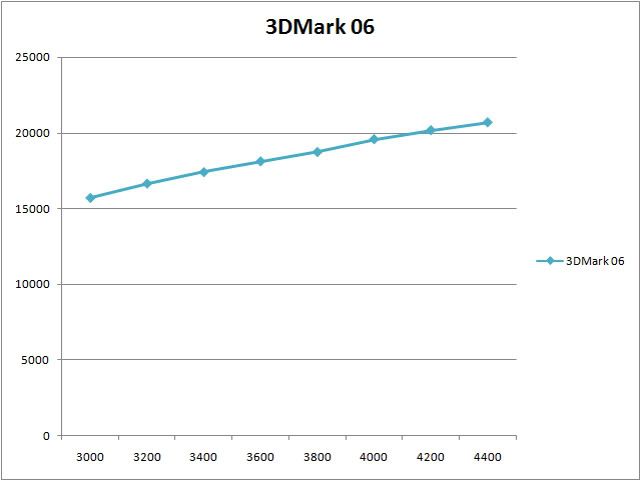
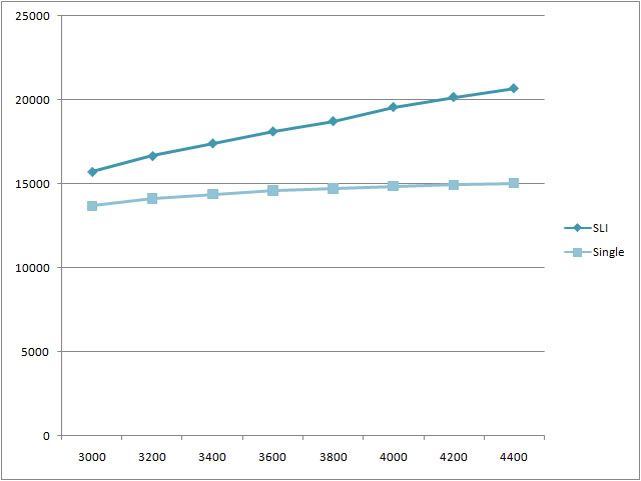
Review 003 - Effects of CPU frequency on 3DMark 06 Scores (SLI)
Components
Processor: Intel Core 2 Extreme QX9650 C0 L744B174
Motherboard: Asus Striker 2 Formula 780i Bios 1401
Ram: 2 x 2GB DDR2 800 Crucial Ballistix Red Tracers
GPU: Asus 9800GTX 512MB x 2
HDD: VelociRaptor 300GB
PSU: Silverstone Zeus ST85ZF 850W
Casing: Silverstone TJ09-BW
CPU Cooling: Swiftech H20 120 Compact TX-2 (Silverstone FM121)
GPU Cooling: Thermalright HR-03GT TX-2 (Zalman ZM-F3RL) x 2
OS: Windows Vista Ultimate 64 Bit
Video driver: 175.16
Software: 3DMark 06 Advanced Edition
Software: CPU-Z 1.45
Voltages
All voltages are set in bios.
Ram: 1.92V
1.2V HT: 1.23V
NB: 1.52V
SB: 1.5V
PLL: 1.52V
VTT: 1.24V
CPU @ 3.0 Ghz: 1.1V
CPU @ 3.2 - 4.0 Ghz: 1.34V
CPU @ 4.2 Ghz: 1.4V
CPU @ 4.4 Ghz: 1.45V
Overclocking
All overclocking are done in the bios.
Only the CPU is being overclocked.
GPU at stock frequency.
3.0 Ghz - 333 x 9
3.2 Ghz - 400 x 8
3.4 Ghz - 400 x 8.5
3.6 Ghz - 400 x 9
3.8 Ghz - 400 x 9.5
4.0 Ghz - 400 x 10
4.2 Ghz - 400 x 10.5
4.4 Ghz - 400 x 11
Ram is at 800 Mhz 4 4 4 12 Timings.
Review 003 - Effects of CPU frequency on 3DMark 06 Scores (SLI)
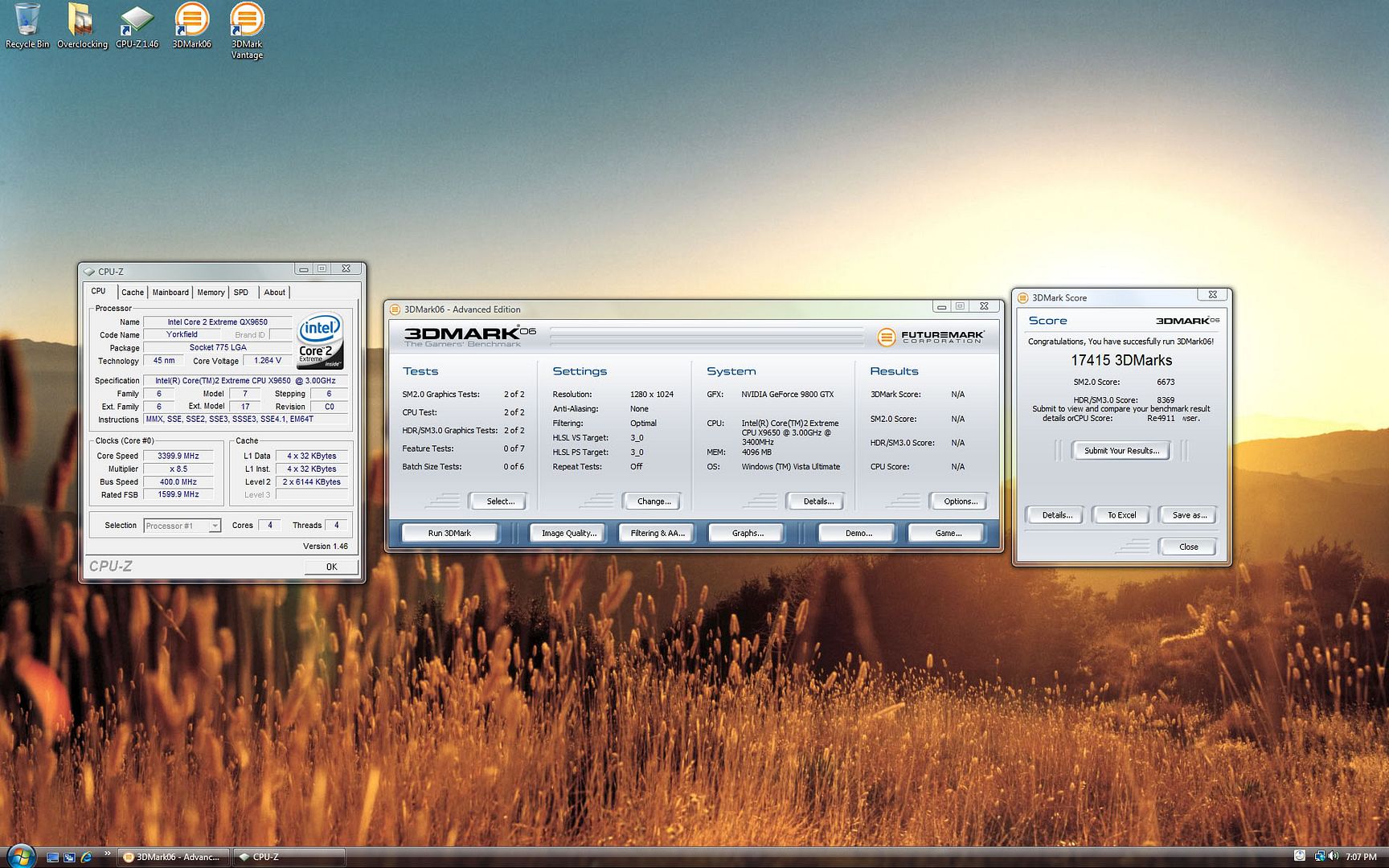
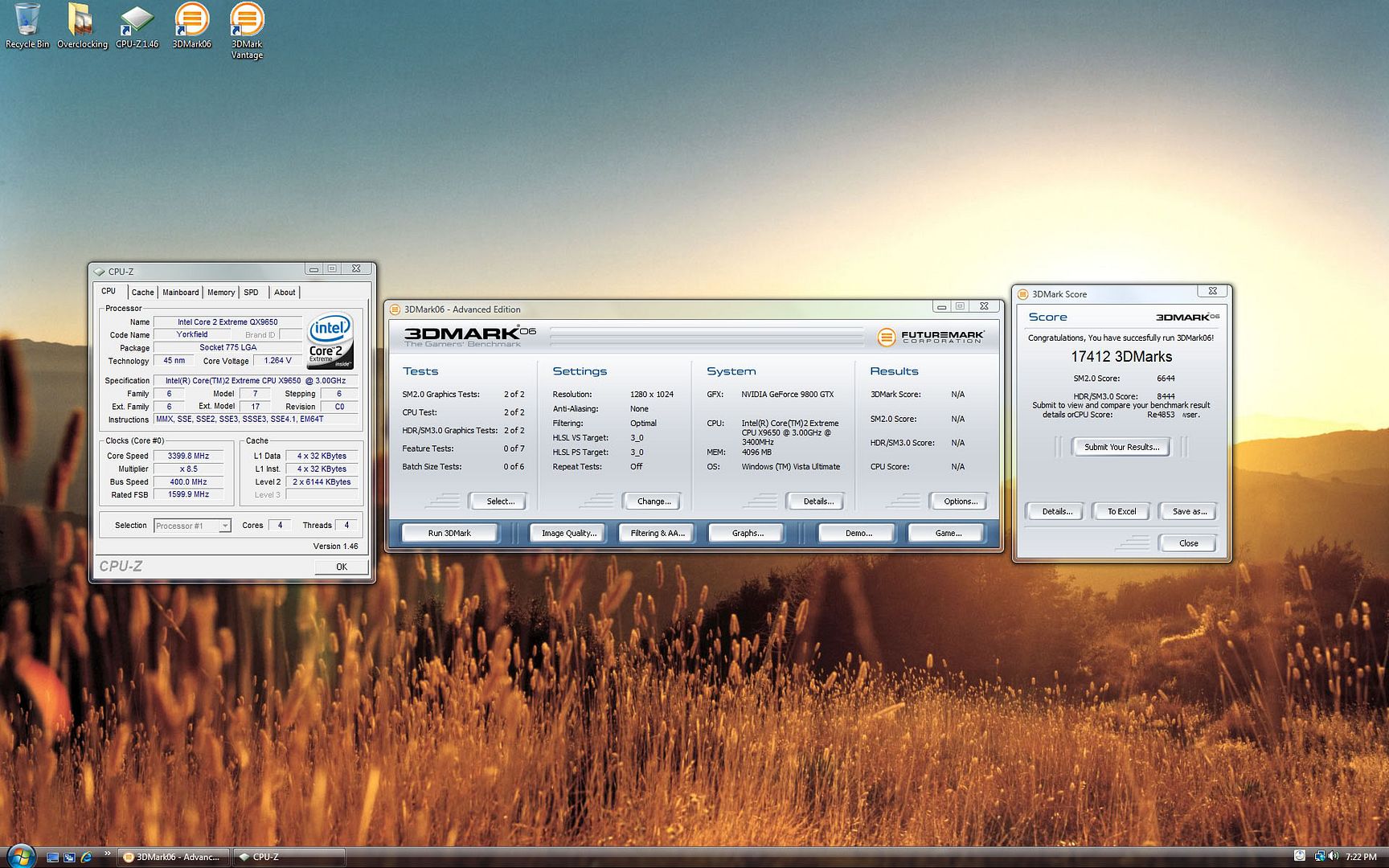
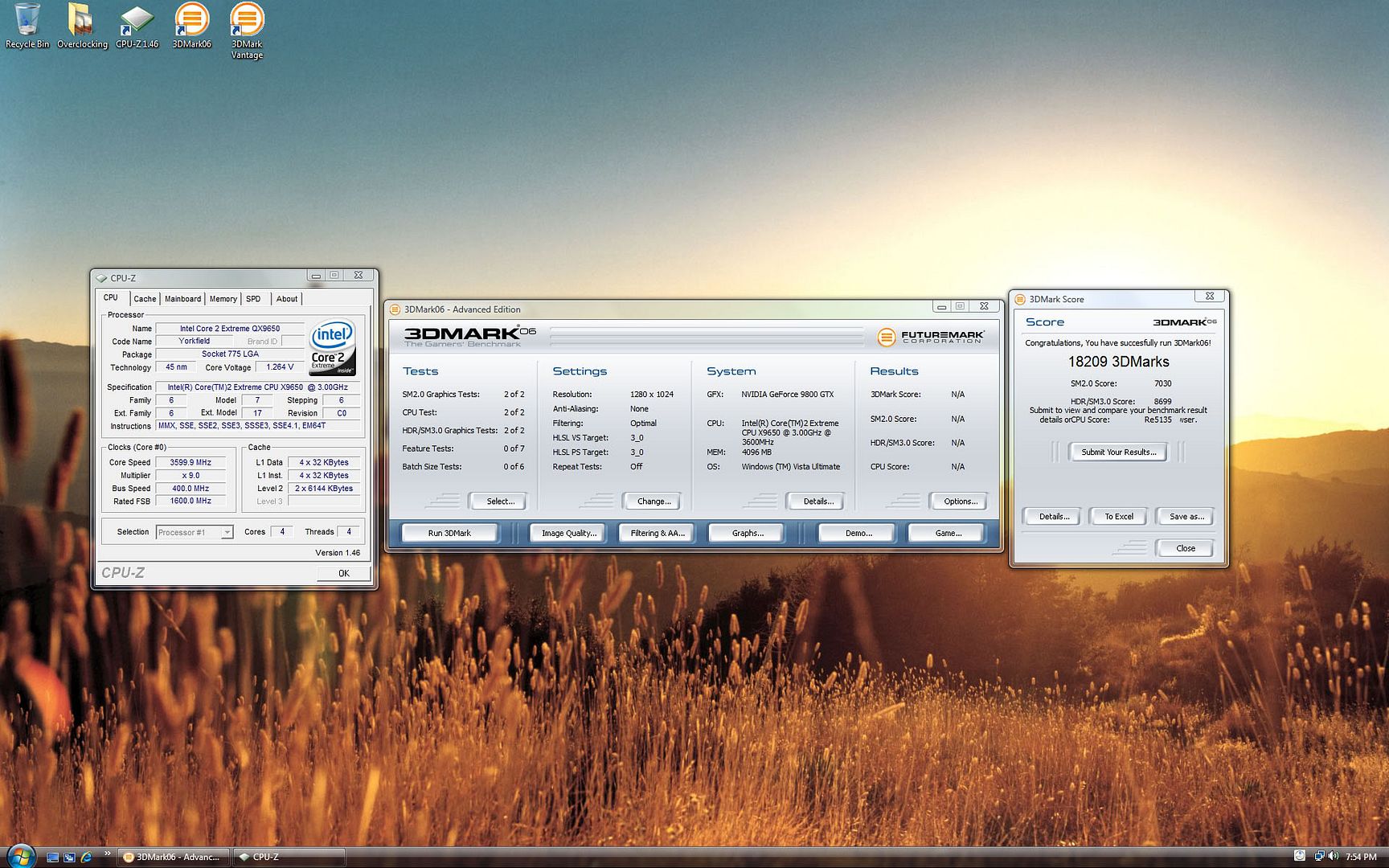
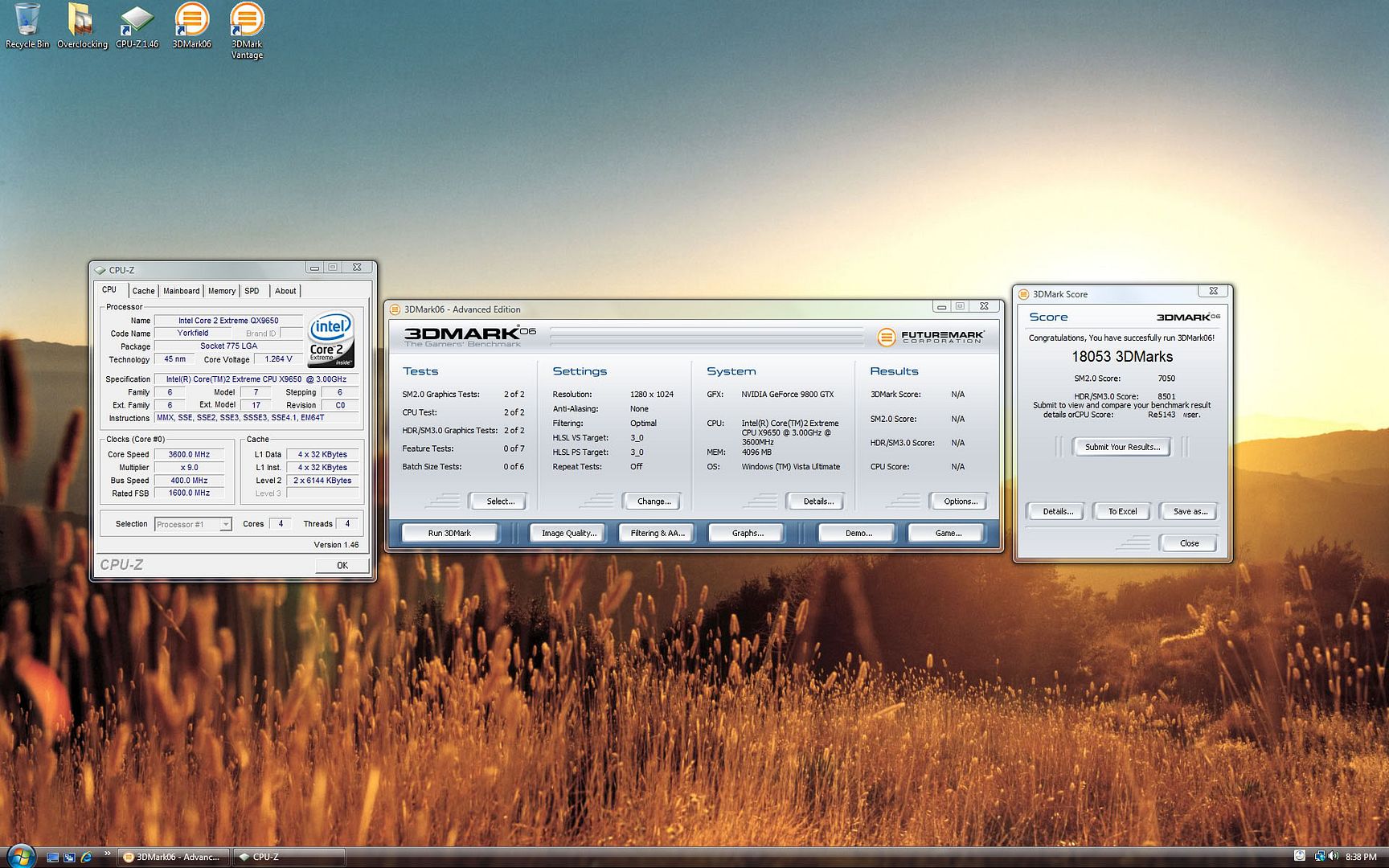
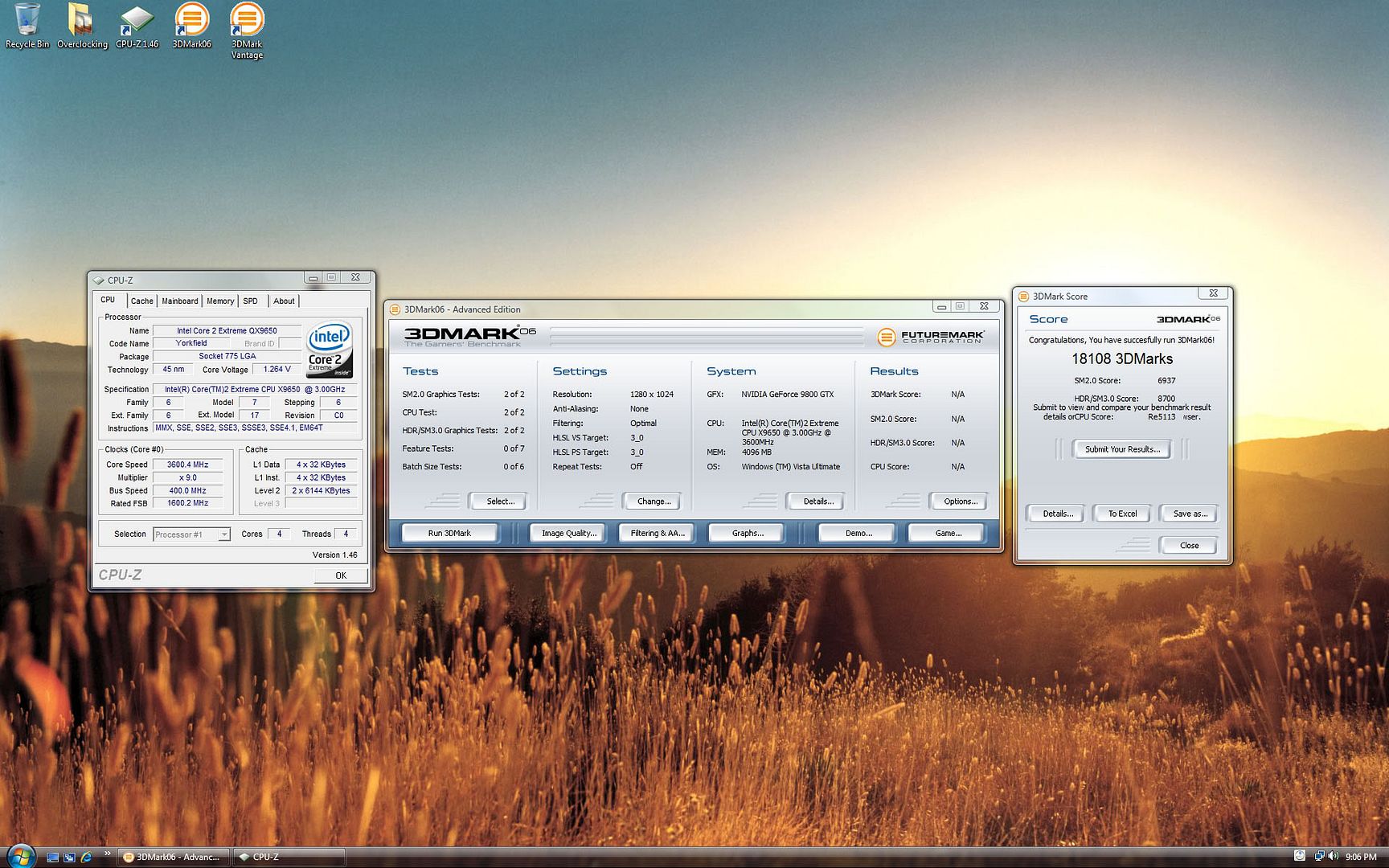
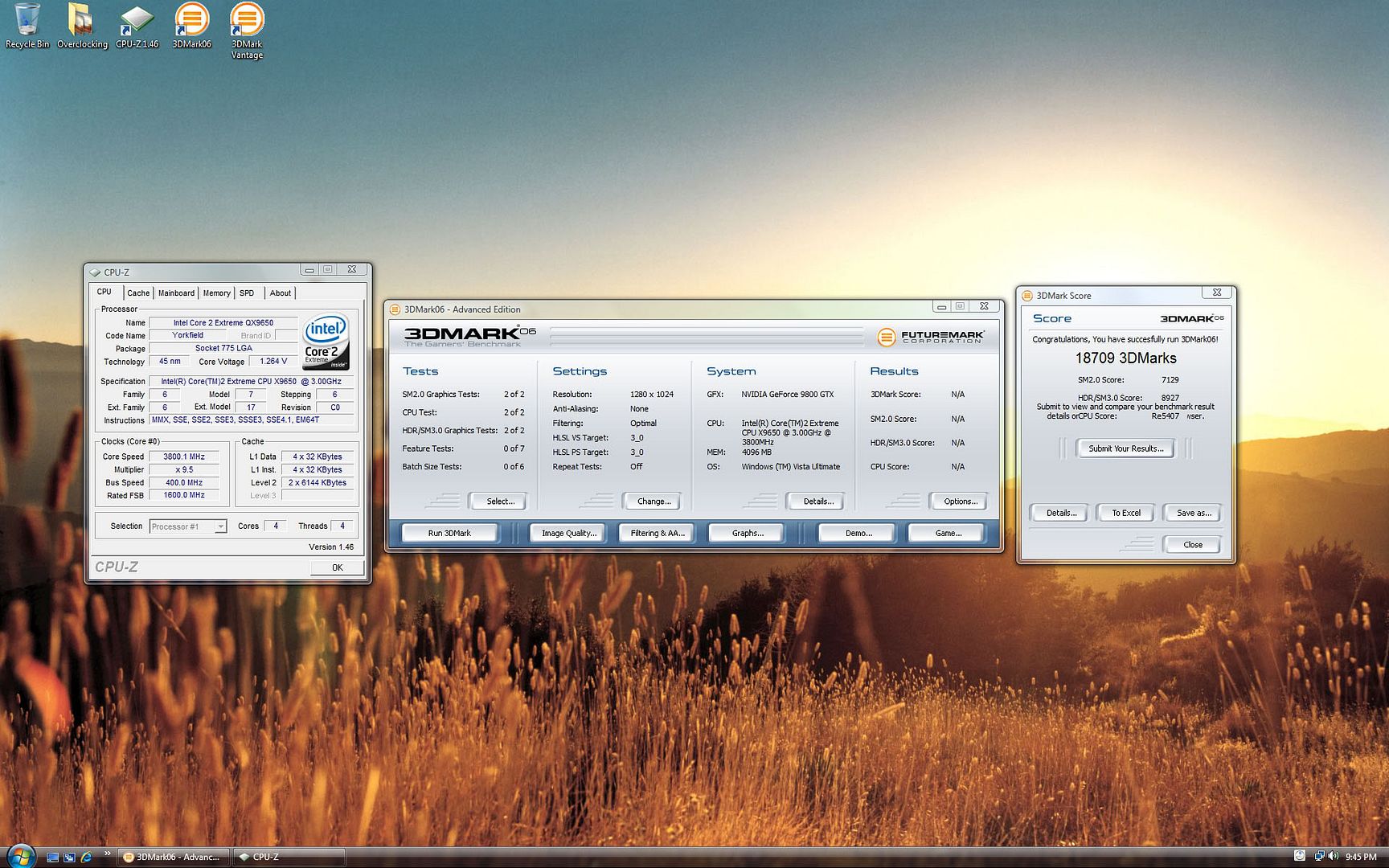
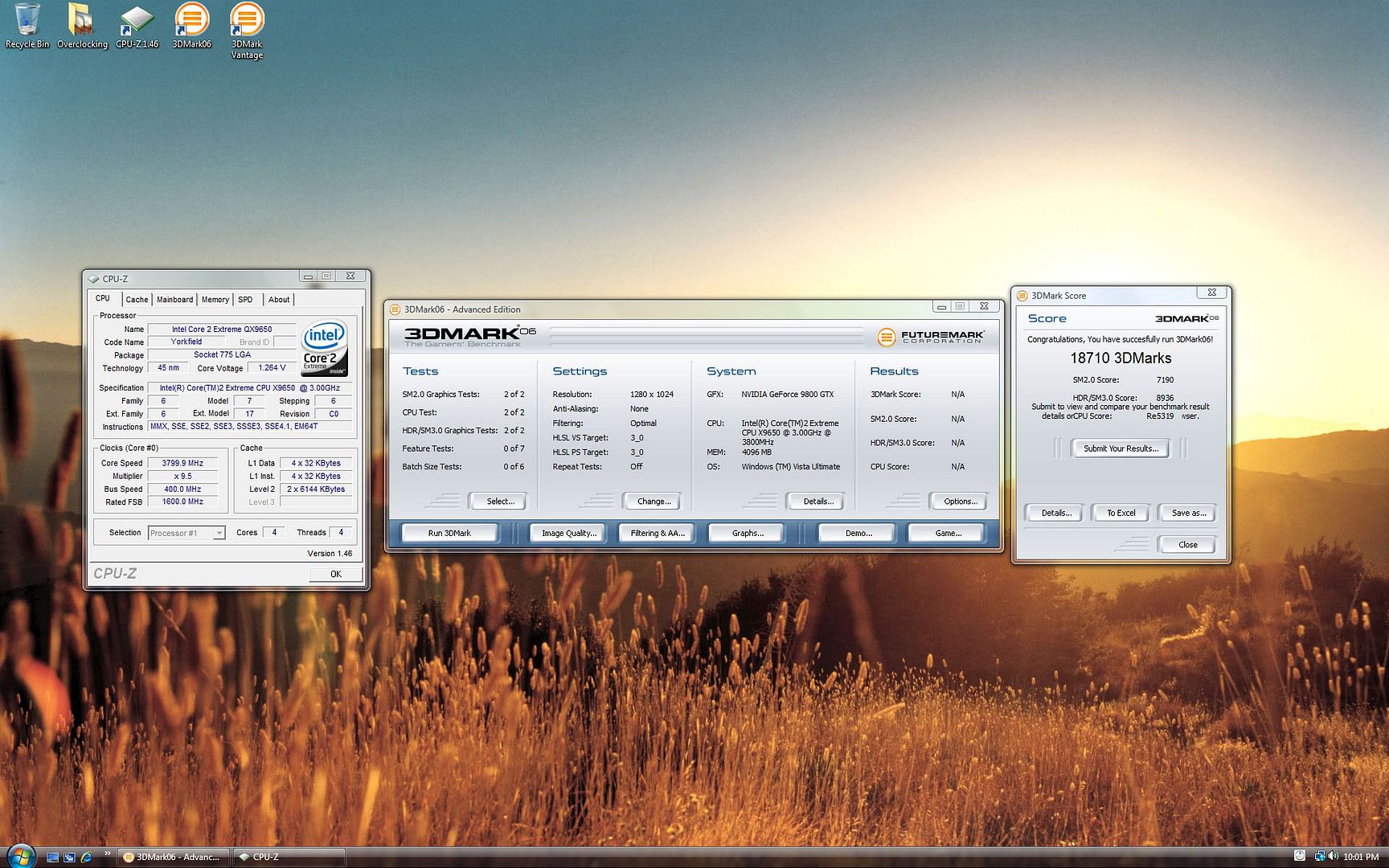
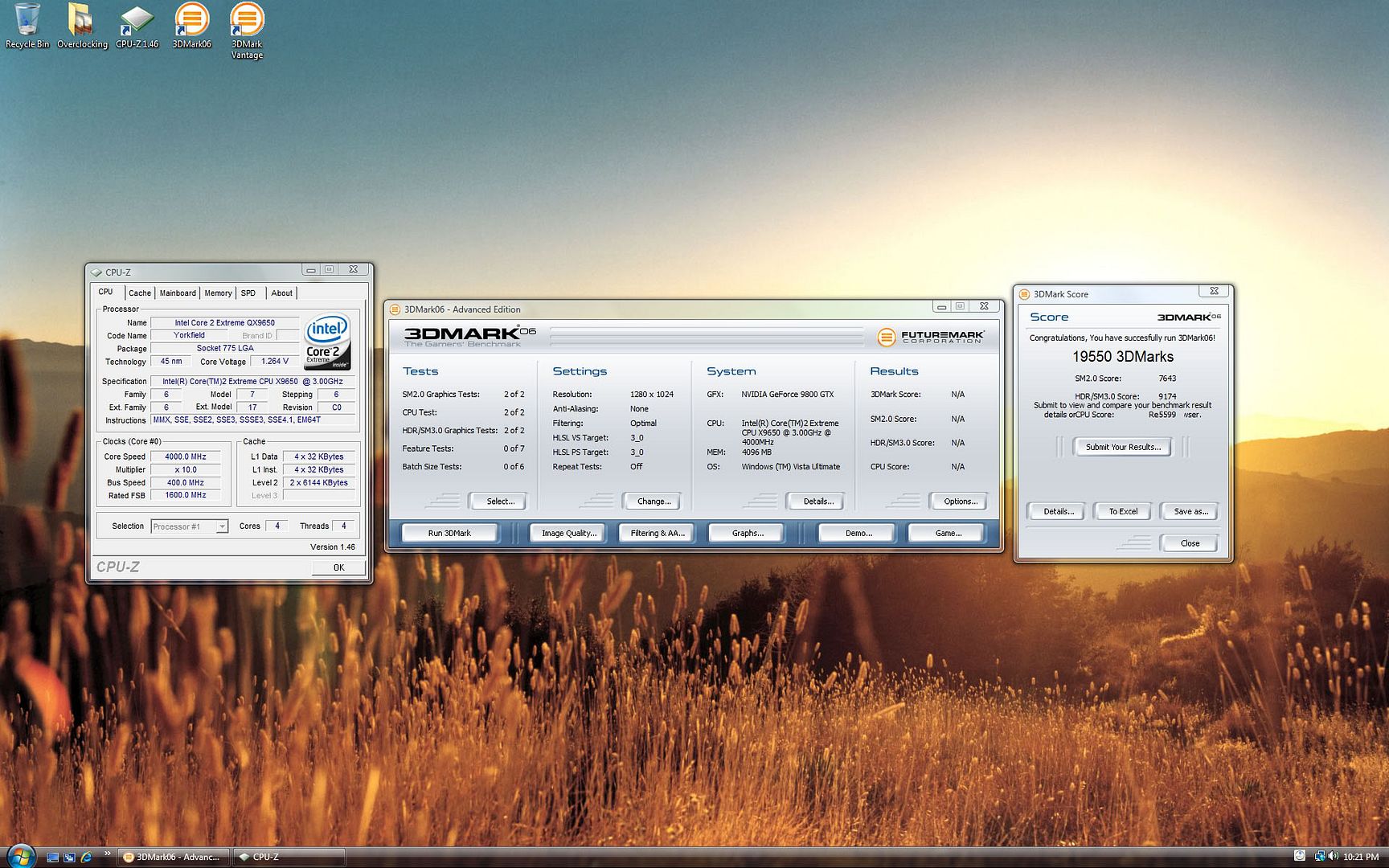
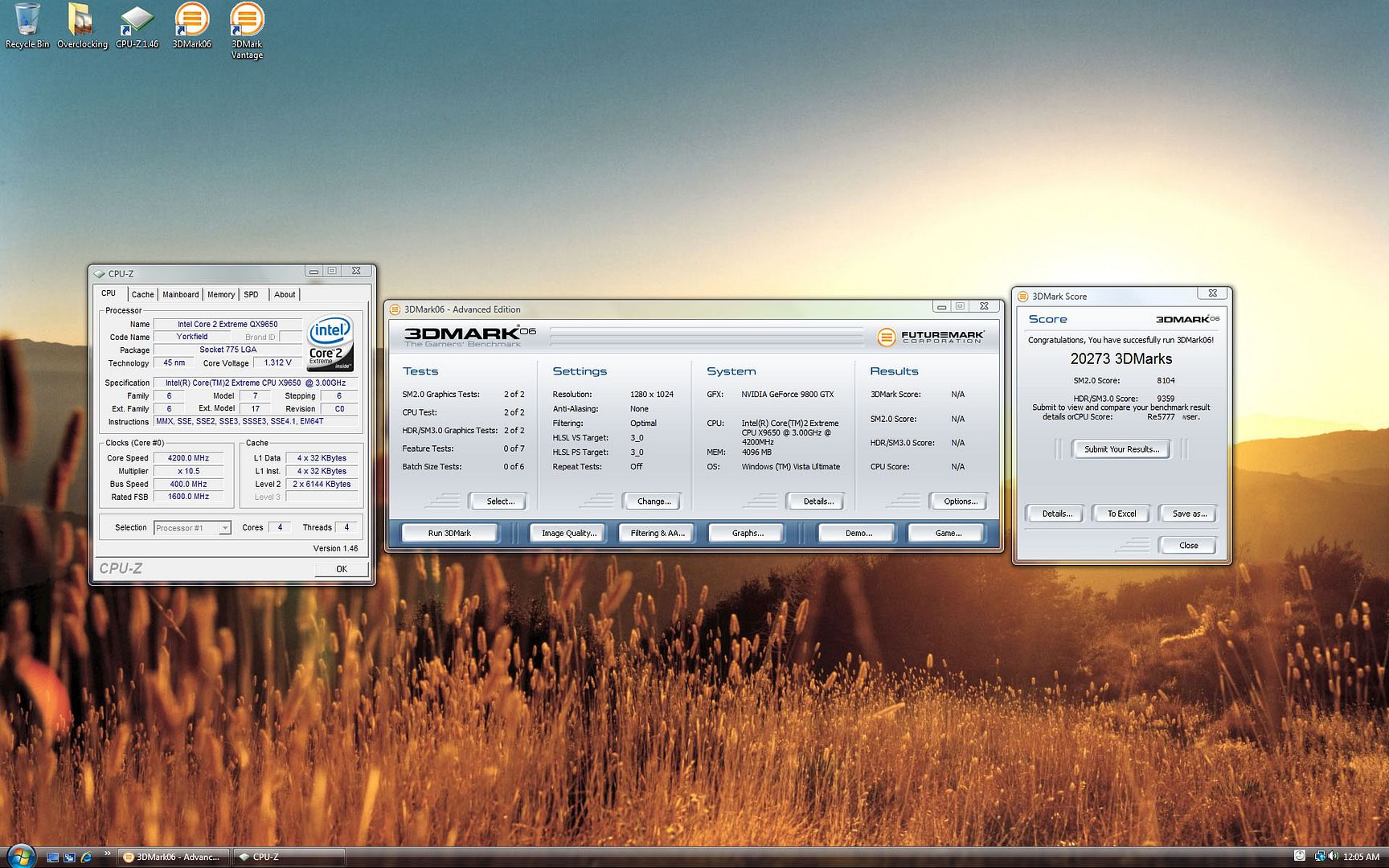
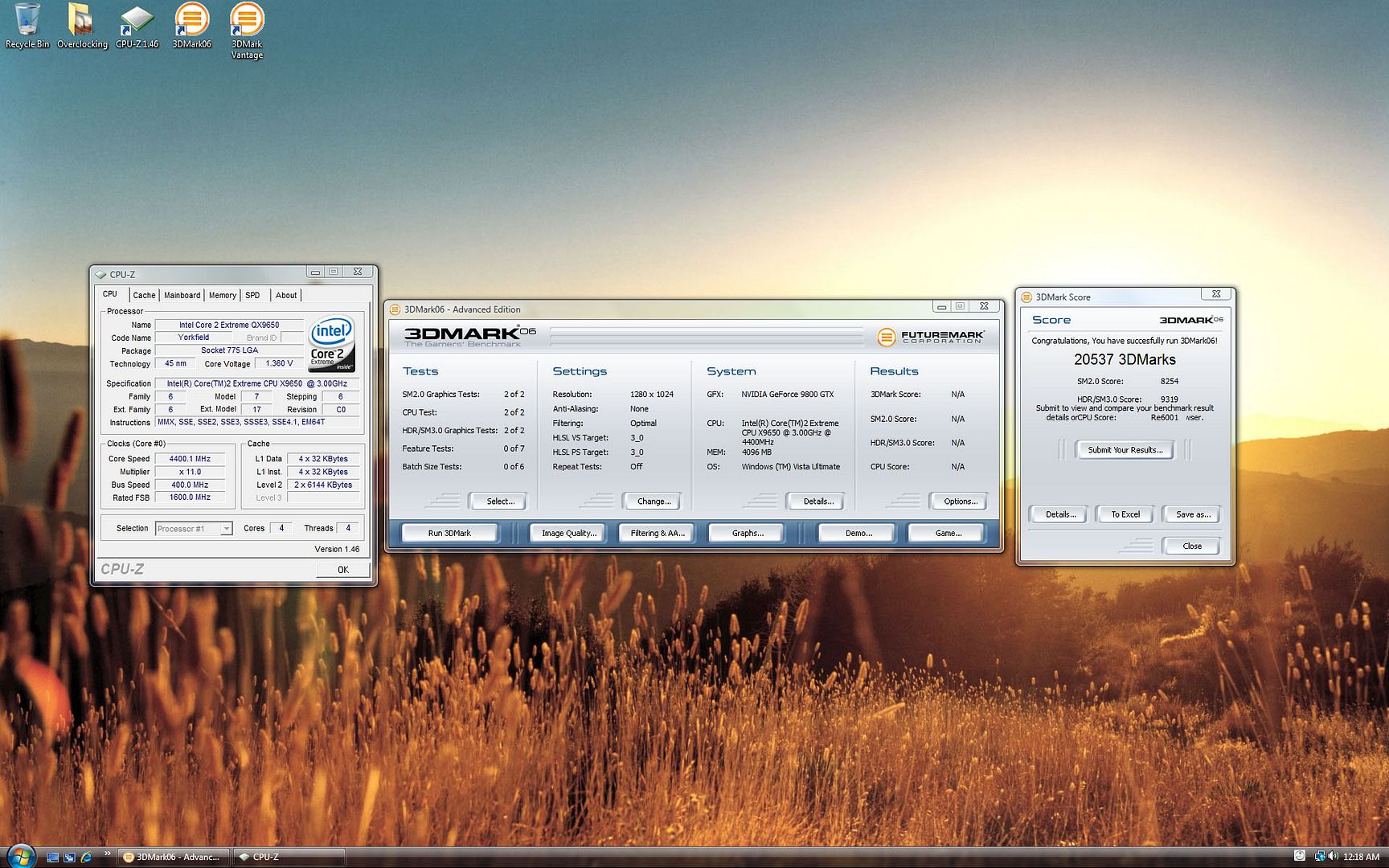
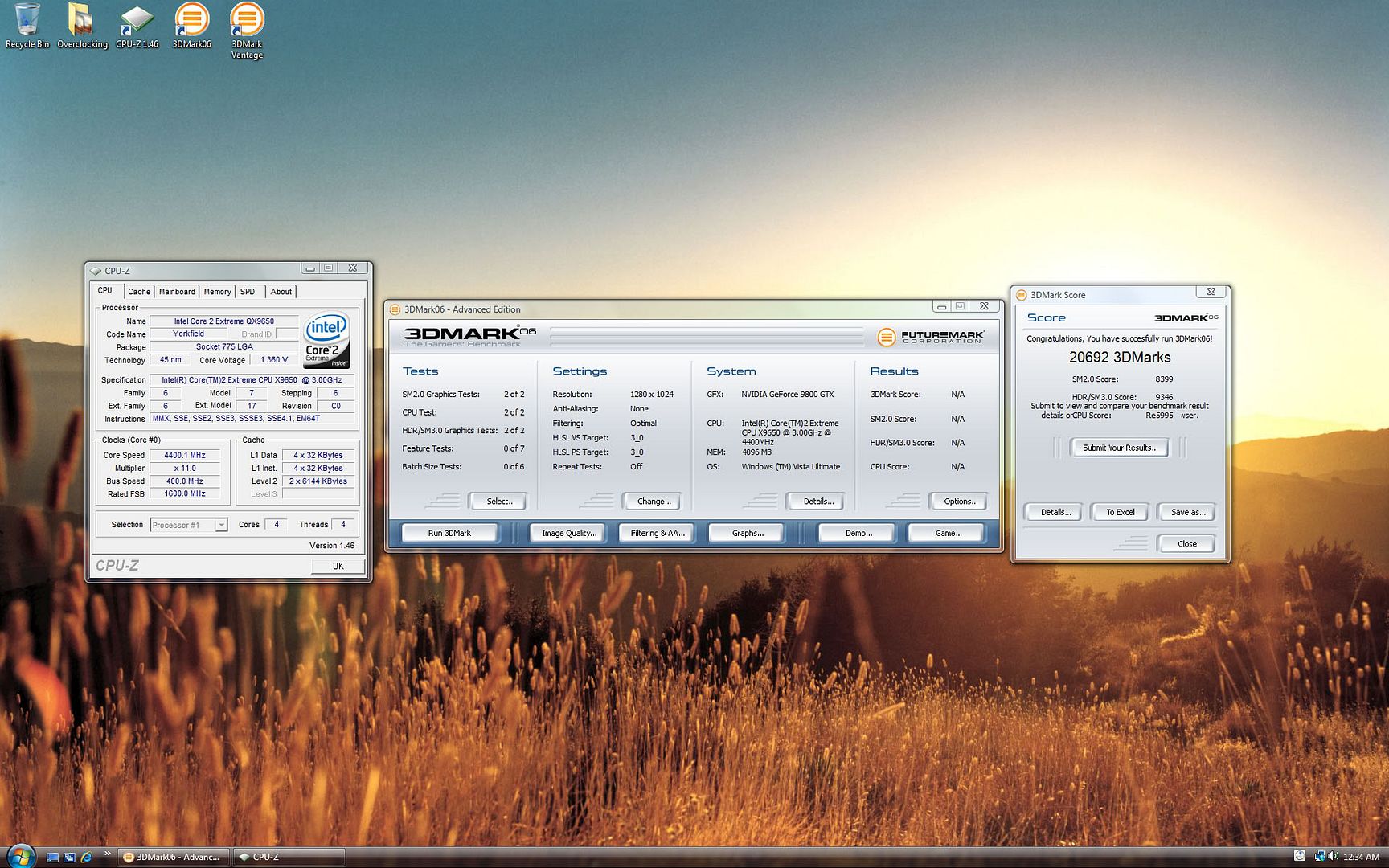
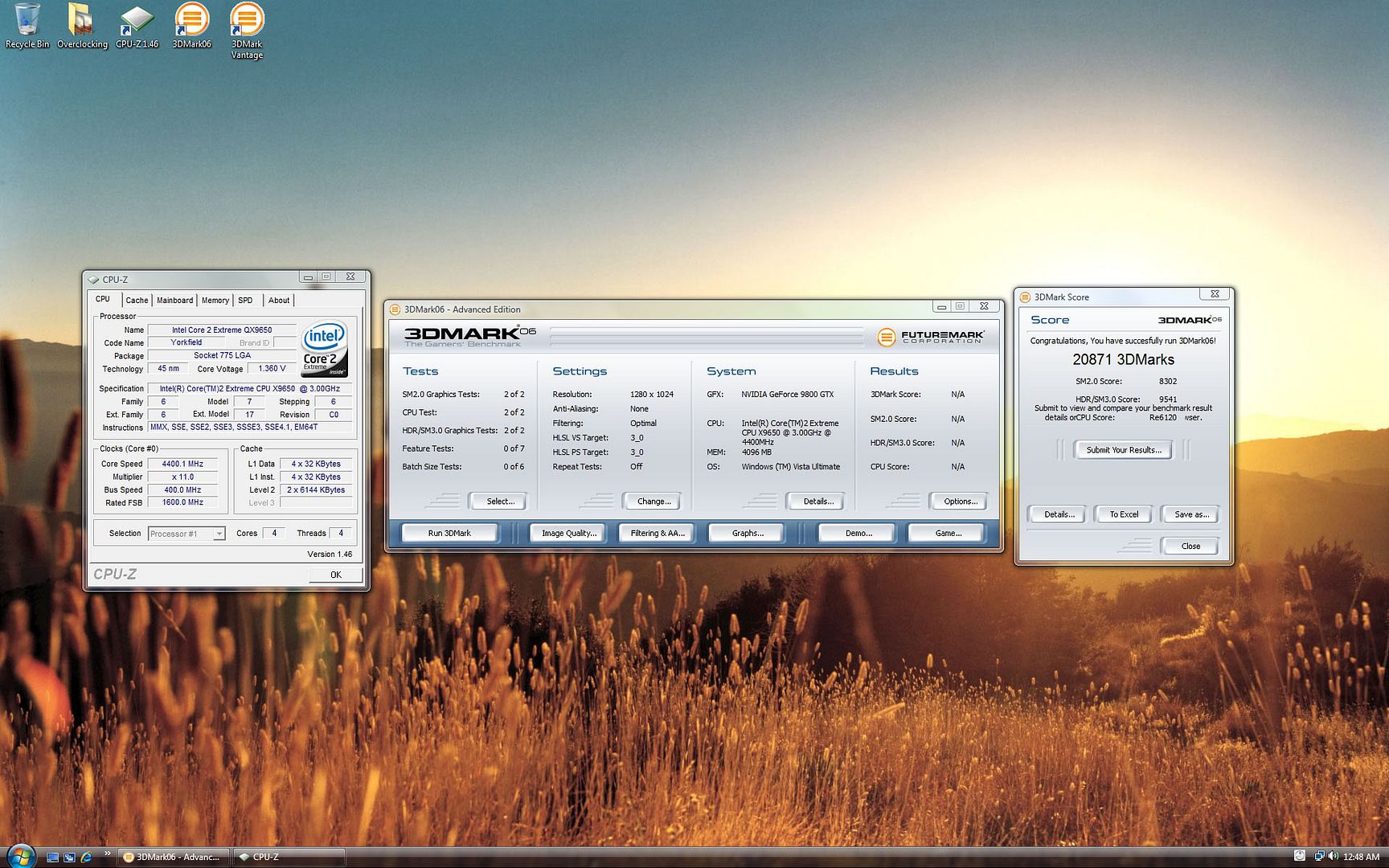
- This review is on the effects of CPU frequency on 3DMark 06 Scores.
- To allow for a more accurate results, 3DMark 06 will be run three times for the each set of CPU frequency.
- Each indiviual test will be carried out after a fresh restart of the system and allow a 5-10 min waiting time for the memory to be cached before 3DMark 06 is run.
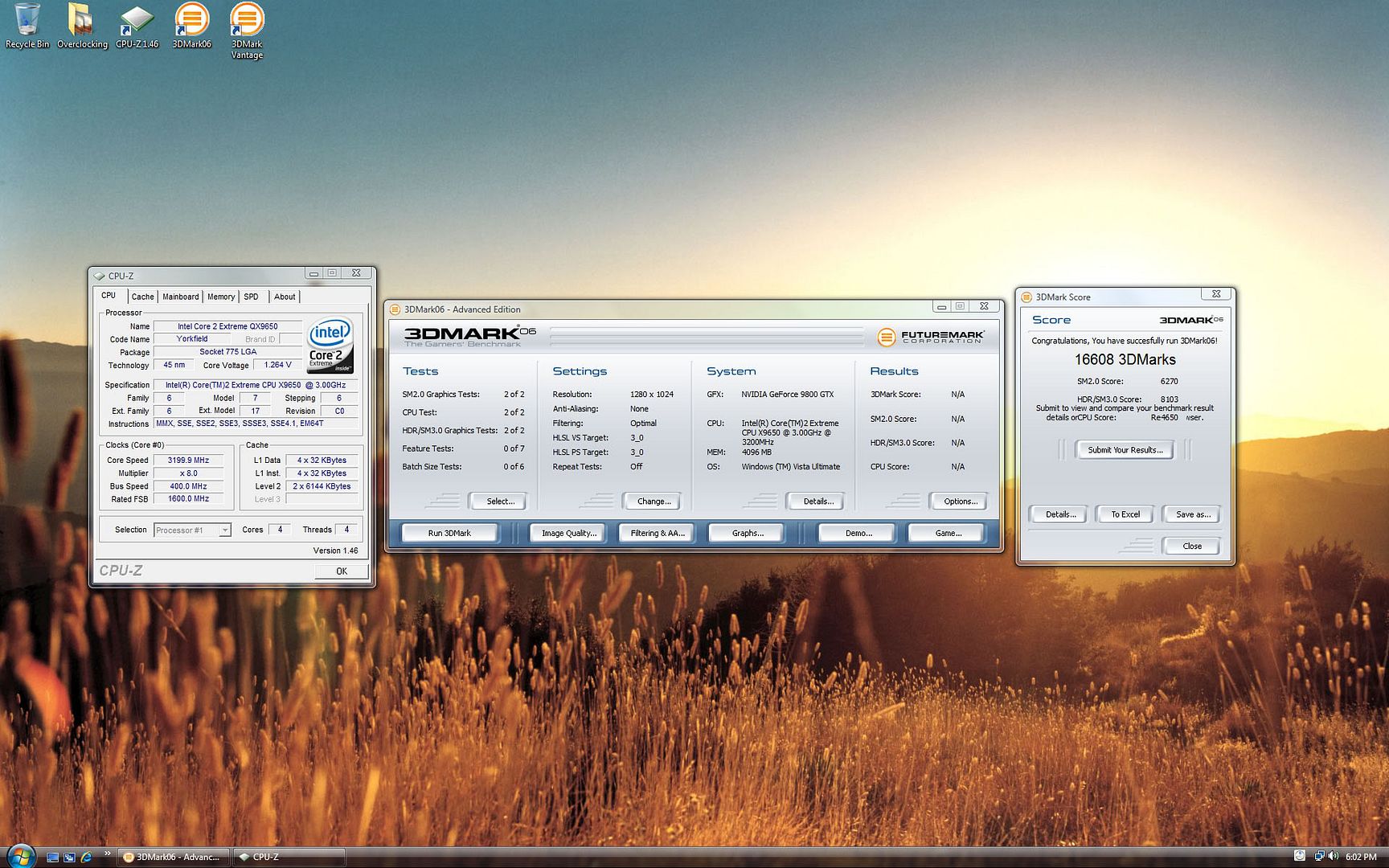
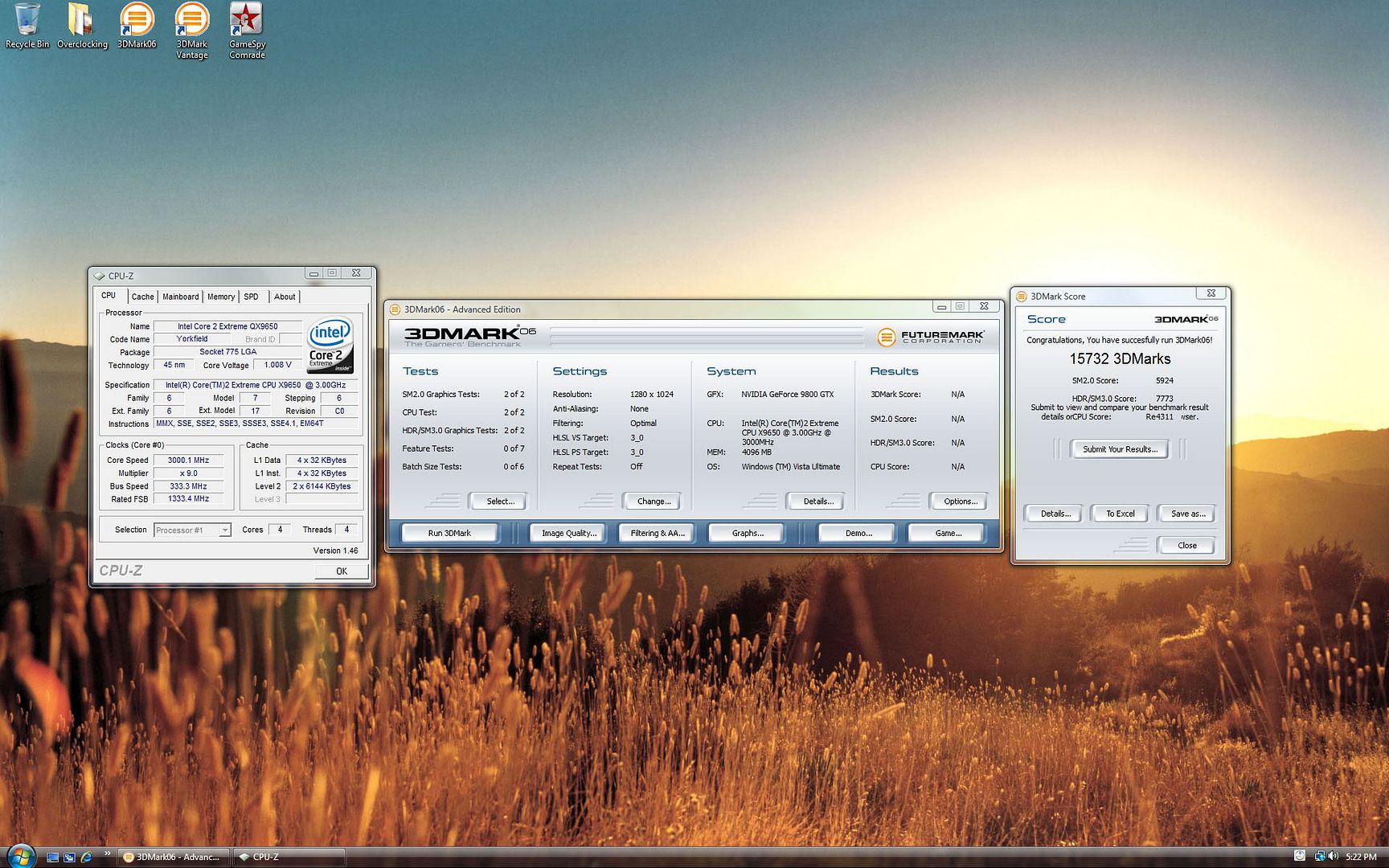
QX9650 @ 3.0 Ghz + 9800GTX SLI @ Stock

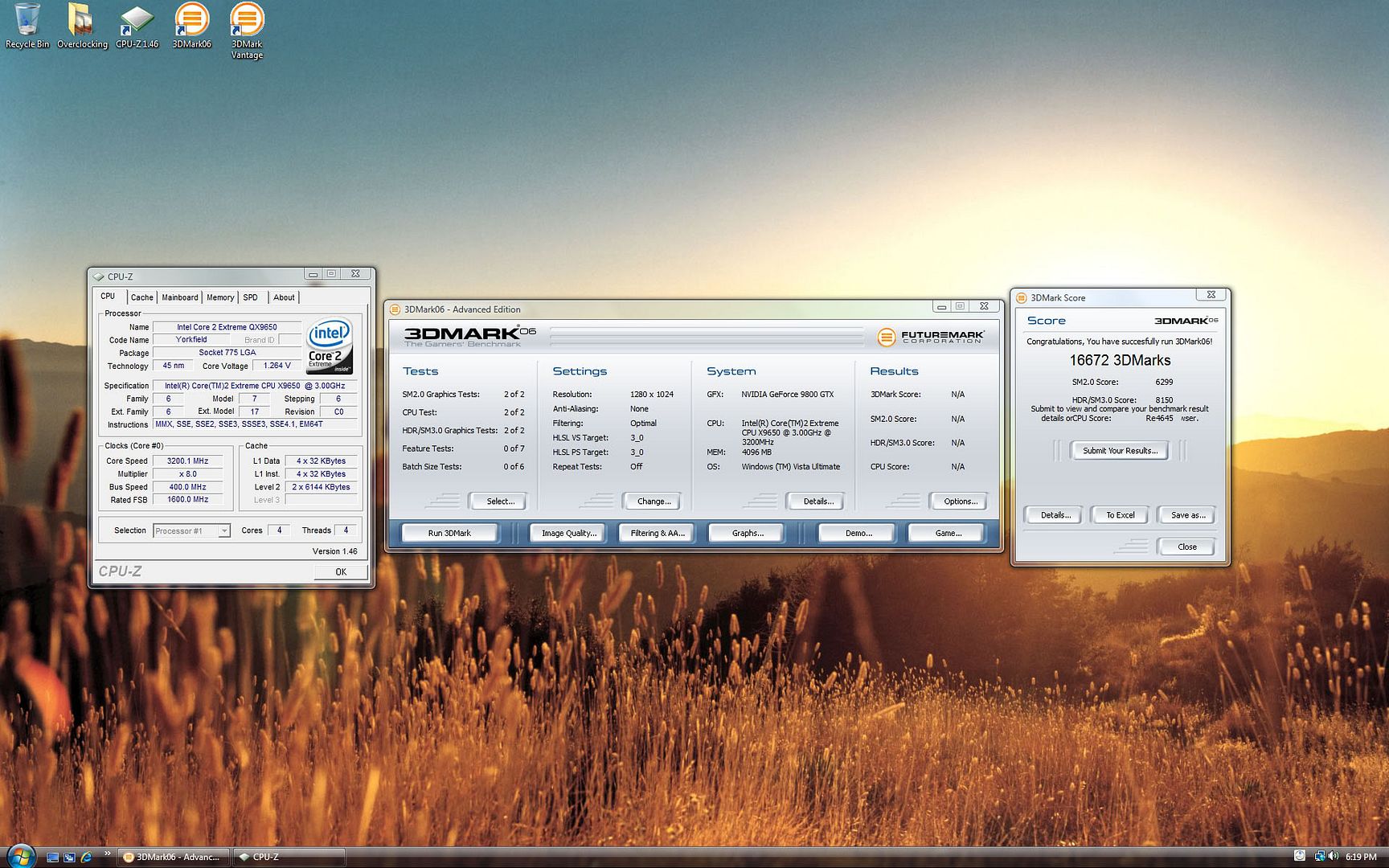
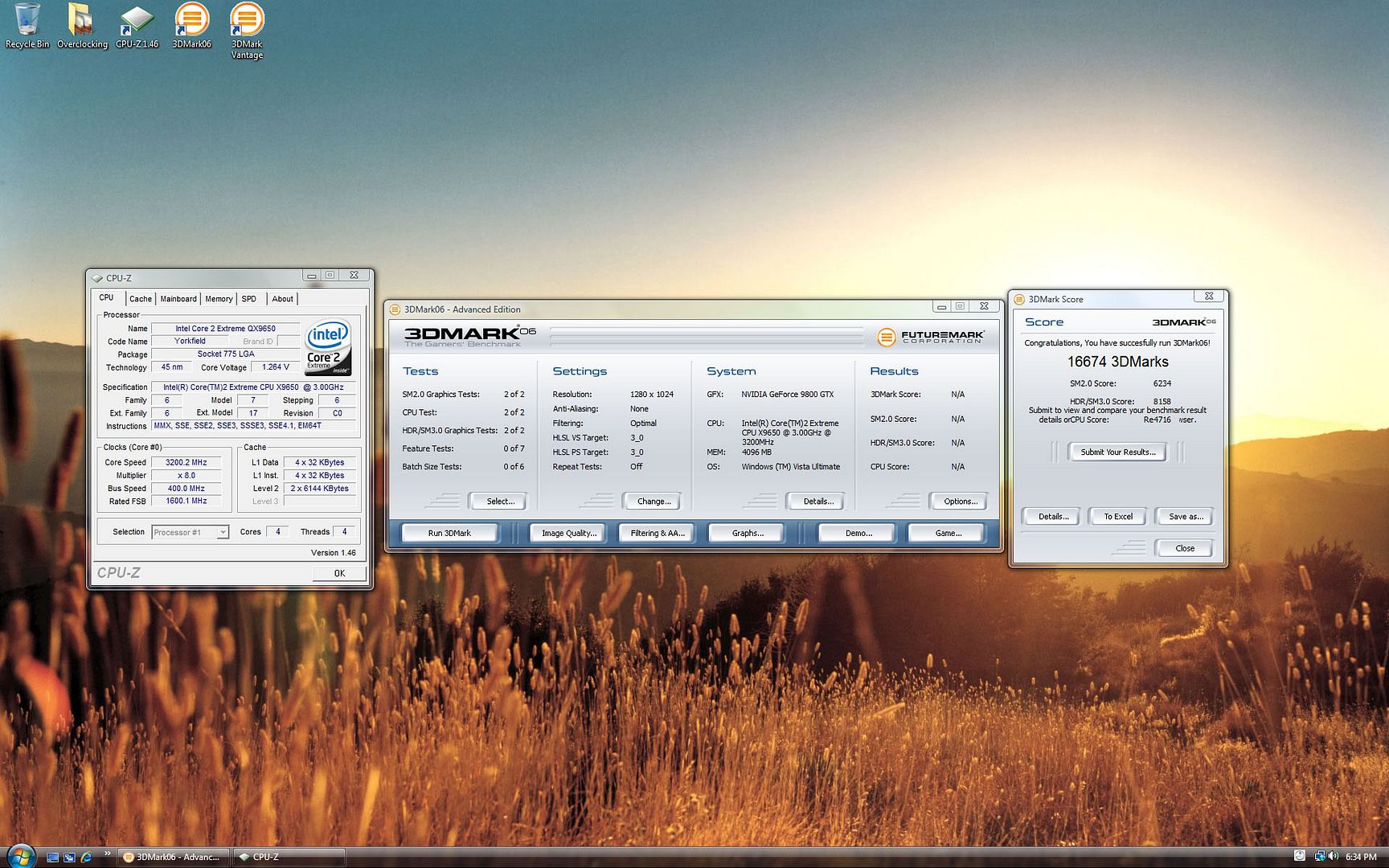
QX9650 @ 3.2 Ghz + 9800GTX SLI @ Stock

Components
Processor: Intel Core 2 Extreme QX9650 C0 L744B174
Motherboard: Asus Striker 2 Formula 780i Bios 1401
Ram: 2 x 2GB DDR2 800 Crucial Ballistix Red Tracers
GPU: Asus 9800GTX 512MB x 2
HDD: VelociRaptor 300GB
PSU: Silverstone Zeus ST85ZF 850W
Casing: Silverstone TJ09-BW
CPU Cooling: Swiftech H20 120 Compact TX-2 (Silverstone FM121)
GPU Cooling: Thermalright HR-03GT TX-2 (Zalman ZM-F3RL) x 2
OS: Windows Vista Ultimate 64 Bit
Video driver: 175.16
Software: 3DMark 06 Advanced Edition
Software: CPU-Z 1.45
Voltages
All voltages are set in bios.
Ram: 1.92V
1.2V HT: 1.23V
NB: 1.52V
SB: 1.5V
PLL: 1.52V
VTT: 1.24V
CPU @ 3.0 Ghz: 1.1V
CPU @ 3.2 - 4.0 Ghz: 1.34V
CPU @ 4.2 Ghz: 1.4V
CPU @ 4.4 Ghz: 1.45V
Overclocking
All overclocking are done in the bios.
Only the CPU is being overclocked.
GPU at stock frequency.
3.0 Ghz - 333 x 9
3.2 Ghz - 400 x 8
3.4 Ghz - 400 x 8.5
3.6 Ghz - 400 x 9
3.8 Ghz - 400 x 9.5
4.0 Ghz - 400 x 10
4.2 Ghz - 400 x 10.5
4.4 Ghz - 400 x 11
Ram is at 800 Mhz 4 4 4 12 Timings.
Review 003 - Effects of CPU frequency on 3DMark 06 Scores (SLI)
- This review is on the effects of CPU frequency on 3DMark 06 Scores.
- To allow for a more accurate results, 3DMark 06 will be run three times for the each set of CPU frequency.
- Each indiviual test will be carried out after a fresh restart of the system and allow a 5-10 min waiting time for the memory to be cached before 3DMark 06 is run.
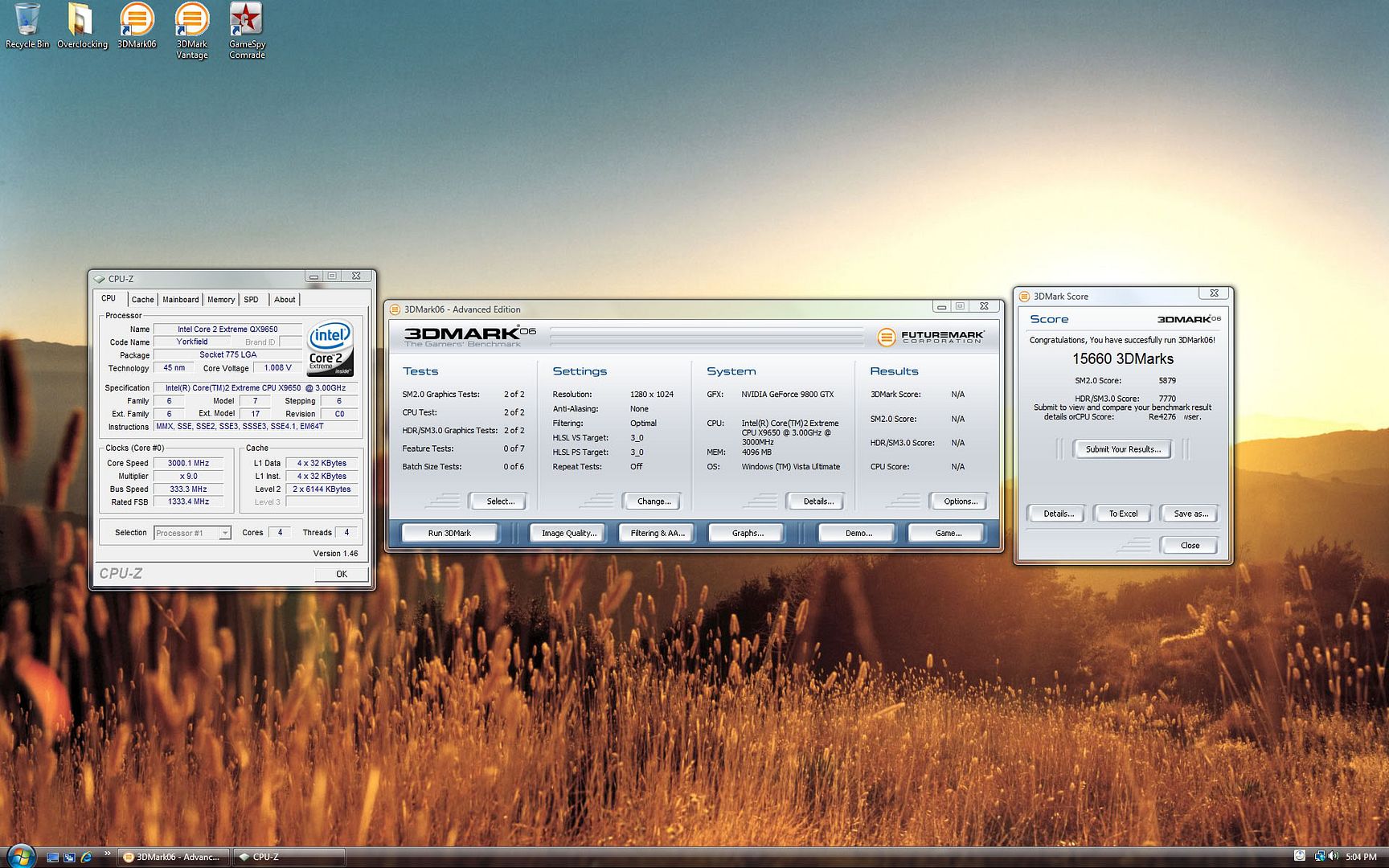
QX9650 @ 3.0 Ghz + 9800GTX SLI @ Stock
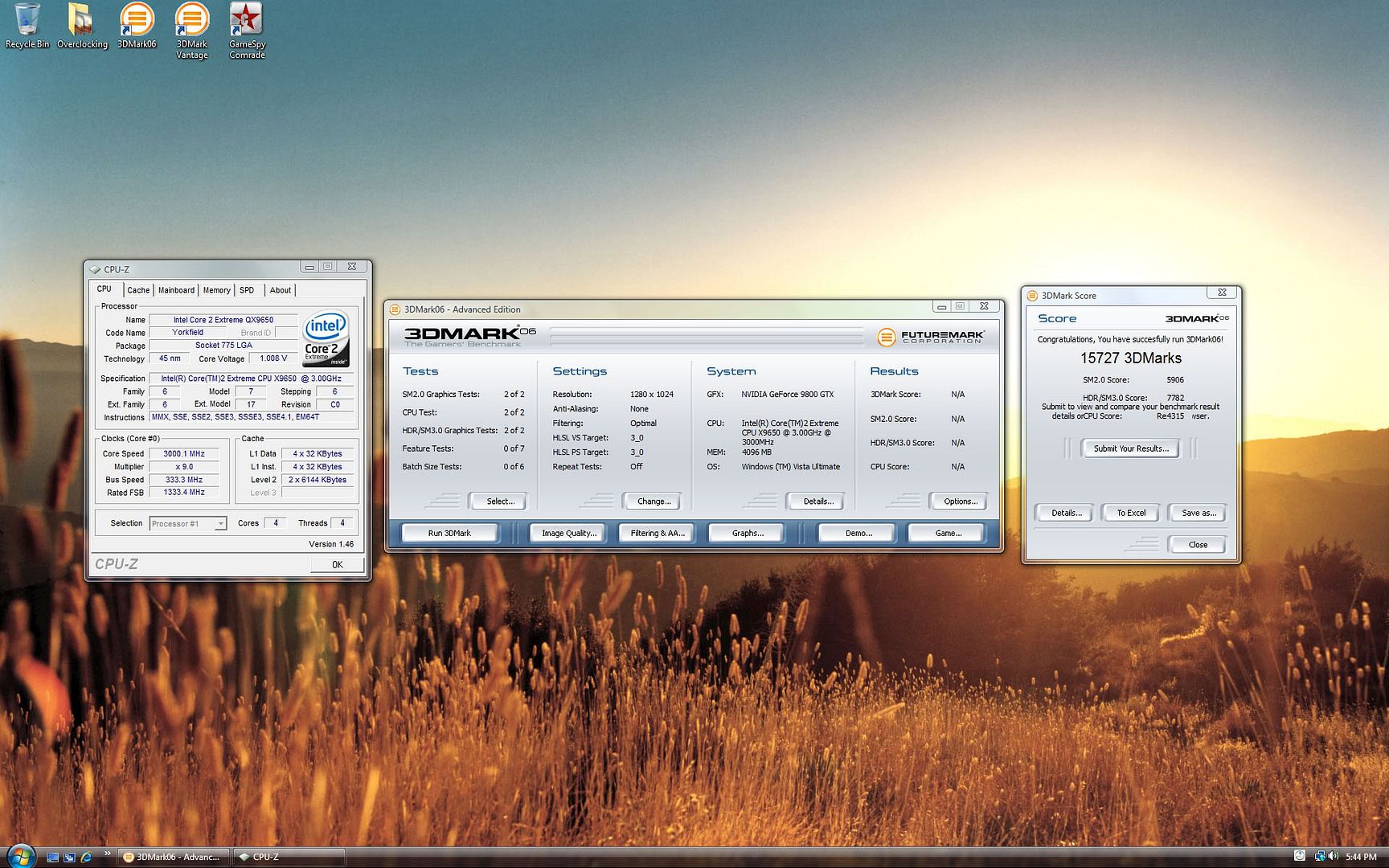
QX9650 @ 3.2 Ghz + 9800GTX SLI @ Stock