

Starhub 1Gbps Fibre Review

xiaofan

High Supremacy Member
Joined
Sep 16, 2018
Messages
32,358
Reaction score
9,412
Recently replaced my dead Starhub-issued router with a store-bought AX1800. Have been on the broadband as per thread title for 4 years.

All was fine for 3 weeks after the replacement, but since then we keep getting cut off ("connected, but no internet" stated on devices) and having to reboot the damn router every 6 hours or so.

How do I go about diagnosing the root cause ?

What is the router you bought?

Check the ONT connection as well -- Fibre cable and Ethernet cable to your router.
 

LWZ

High Supremacy Member
Joined
Jul 9, 2016
Messages
36,730
Reaction score
13,772
What is the router you bought?

Check the ONT connection as well -- Fibre cable and Ethernet cable to your router.
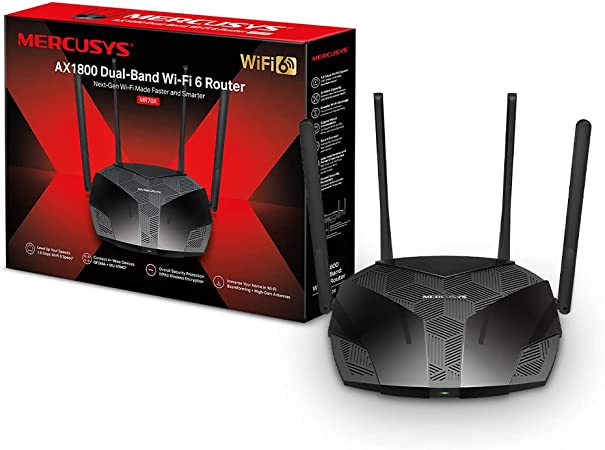
Mercusys AX1800

c31c7ebe08c9adf2fd42aad0664472f9.jpg
 

xiaofan

High Supremacy Member
Joined
Sep 16, 2018
Messages
32,358
Reaction score
9,412
Mercusys AX1800

c31c7ebe08c9adf2fd42aad0664472f9.jpg

I see. No idea about this router. Better avoid such no brand low end router in general.

TP-Link Archer AX72 AX5400 is at about S$80 BNIB from Carousell and it is much better.

But you may check the Fibre cable and Ethernet cable between the router and ONT first.
 

UptheToon

High Supremacy Member
Joined
Mar 6, 2008
Messages
37,687
Reaction score
5,189
Starhub dns is down? Website can't load and extremely slow. How to resolve?
 

xiaofan

High Supremacy Member
Joined
Sep 16, 2018
Messages
32,358
Reaction score
9,412

sp0inK

Senior Member
Joined
Nov 17, 2004
Messages
1,262
Reaction score
33
In view of this Starhub down issue on 20 Aug, seems like the issue is due to Starhub DNS and those connected to google/cloudflare no issue.

Is it better to input the DNS directly into router settings rather than manually setting up on each device to connect to google/cloudflare DNS? Does doing this affect Starhub IPTV?
 

sghound2

Junior Member
Joined
Feb 1, 2021
Messages
6
Reaction score
1
In view of this Starhub down issue on 20 Aug, seems like the issue is due to Starhub DNS and those connected to google/cloudflare no issue.

Is it better to input the DNS directly into router settings rather than manually setting up on each device to connect to google/cloudflare DNS? Does doing this affect Starhub IPTV?
IPTV unaffected currently
 

HiHelloBye

Senior Member
Joined
Oct 8, 2010
Messages
1,312
Reaction score
380
In view of this Starhub down issue on 20 Aug, seems like the issue is due to Starhub DNS and those connected to google/cloudflare no issue.

Is it better to input the DNS directly into router settings rather than manually setting up on each device to connect to google/cloudflare DNS? Does doing this affect Starhub IPTV?
configure @ router level, so that you don't have to manually enter the configuration at each end-device

i'm using SH's TV+ Pro and had no issues using (1.1.1.1, 8.8.8.8) for the DNS
 

xiaofan

High Supremacy Member
Joined
Sep 16, 2018
Messages
32,358
Reaction score
9,412
never, never use ISP's DNS:super:

Starhub's DNS is notoriously problematic --> they have been fined by IMDA due to the DNS related issues.

https://corporate.starhub.com/about...ome-broadband-service-disruption-apology.html

Information on what transpired on 15 April is as follows:

At around 11am, some customers limited to the North and North-East regions faced a brief 20-minute disruption to their fibre services. This was due to an isolated fault in a piece of network equipment. Back-up equipment took over immediately, and affected services resumed progressively for customers. The faulty equipment was forthwith replaced with a new unit, and services were closely monitored for stability.

In a separate and unrelated incident, at about 3:50pm, StarHub discovered a network issue with its Domain Name Servers (DNS) that serve home broadband customers. There was an intermittent issue in performing queries to the DNS, which resulted in some customers experiencing slow or no internet access. The issue was rectified and affected services were fully restored at 8:20pm the same day. Mobile broadband, TV, and services to enterprise customers were not impacted.
 

xiaofan

High Supremacy Member
Joined
Sep 16, 2018
Messages
32,358
Reaction score
9,412
I am not affected since I use the following filtering DNS servers with my Starhub 500Mbps service.

Cloudflare 1.1.1.2
Quad: 9.9.9.9

For my main SingTel 5Gbps service, I use 1.1.1.3 and 9.9.9.9 with the SingTel ONR, then use Adguard Home DNS server on the Asus router behind Singtel ONR (Double NAT), and Adblock-fast with the OpenWRT virtual router behind SingTel ONR (Double NAT). If I use pfSense virtual router, I will use pfBlockerNG-devel.
 
Last edited:

cyberet

Senior Member
Joined
May 28, 2001
Messages
2,481
Reaction score
314
I am not affected since I use the following filtering DNS servers with my Starhub 500Mbps service.

Cloudflare 1.1.1.2
Quad: 9.9.9.9

For my main SingTel 5Gbps service, I use 1.1.1.3 and 9.9.9.9 with the SingTel ONR, then use Adguard Home DNS server on the Asus router behind Singtel ONR (Double NAT), and Adblock-fast with the OpenWRT virtual router behind SingTel ONR (Double NAT). If I use pfSense virtual router, I will use pfBlockerNG-devel.
ST's DNS is quite fast, 1 of the fastest of all the ISPs in SG, but not up to date
 
Important Forum Advisory Note
This forum is moderated by volunteer moderators who will react only to members' feedback on posts. Moderators are not employees or representatives of HWZ. Forum members and moderators are responsible for their own posts.

Please refer to our Community Guidelines and Standards, Terms of Service and Member T&Cs for more information.
Top