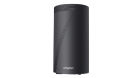
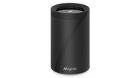
Starhub UltraSpeed 3Gbps/5Gbps/10Gbps plans

charvin83

Senior Member
Joined
Sep 11, 2004
Messages
774
Reaction score
5
Realised this thread has more people discussing on Starhub 5Gbps plan. Transfer my query to this thread.

I was thinking of changing my existing m1 500Mbps Homepac plan ($30.45/mth) to other telco. Recently, the internet signal keep dropping off. I have to restart each time the ONT and routers to get back the connection. Not sure if the ONT or routers malfunctioning. The ONT is the Huawei one, using the Asus RT-AX86U directly next to the ONT and Asus RT-AX82U in my studyroom via Ethernet Backhaul.

Previously saw the Singtel 3Gbps Mesh offer at the March IT fair at $39.70/mth with $50 Vouchers.
- 12mths Broadband Protect
- 12mths Disney+ Premium
- 6mth Amazon Prime
- 2 Wifi-7 (BE11000) (Tri-band) routers

But didnt go with them as it is on ONR.
Was also thinking to keep my ASUS gundam routers as I bought it last time for aesthetic purpose as well.

Recently my contact give me this three offers to push to my tenants, I am thinking of signing up myself:
1) 10Gbps Broadband ONT
(24 months contract)

- 1x TP-Link EB810v Wifi 7 Router: Free
- Disney+ Standard (Free for 12 months, can be remove after 12 months if don’t wish to continue)
- Free 3 months of Amazon Prime
- Free installation and activation
- 1 time free relocation service within 24 months contract period
- $200 Shopping E-Voucher
(Starhub will send E-Voucher via Email within 1 month after installation)

Monthly Payment:
1st ~ 24th mth: $59.34/mth

2)
5Gbps Broadband ONT
(24 months contract)

- 1x TP-Link HB710 Wifi 7 router: Free
- Free installation and activation
- 1 time free relocation service within 24 months contract period

Monthly payment:
1st ~ 24th month: $29.55/mth

3)
5Gbps Broadband ONR
(24 month contract)

- 1 Nokia ONR (WiFi 6): Free
- 1 Nokia Beacon2 router: Free
- Free installation and activation
- 1 free broadband transfer service within 24 months
(Transfer broadband from old address to new address)

Monthly payment:
1st month ~ 24th month: $29.55 per month

Was keen on the 5Gbps ONT which come with a HB710. But heard some say the EB810v very powerful, but some say no good.
 

leogeo

Master Member
Joined
Mar 16, 2006
Messages
3,744
Reaction score
3
I just had the starhub guy install Hb710 router. How do I ensure my router WPS is on? I saw the manual it’s supposed to flash blue. But no matter how I press the WPS button on the router doesn’t seem to work. Anyone has any tips how to enable WPS?
 

kashix

Arch-Supremacy Member
Joined
Dec 27, 2007
Messages
12,046
Reaction score
2,694
I just had the starhub guy install Hb710 router. How do I ensure my router WPS is on? I saw the manual it’s supposed to flash blue. But no matter how I press the WPS button on the router doesn’t seem to work. Anyone has any tips how to enable WPS?
As per regulations for security, WPS is disbanded by default. Install Aginet app on your iPhone or Android. Login, navigate to WPS to enable it.
 

kashix

Arch-Supremacy Member
Joined
Dec 27, 2007
Messages
12,046
Reaction score
2,694
Btw, the link for $29.9 for 5Gbps became invalid. They removed it? I’m going to sign it for my new house, any way to get it? Wah they really quietly removed it.
 

xiaofan

High Supremacy Member
Joined
Sep 16, 2018
Messages
32,362
Reaction score
9,417
Btw, the link for $29.9 for 5Gbps became invalid. They removed it? I’m going to sign it for my new house, any way to get it? Wah they really quietly removed it.

The direct link is gone but the indirect link is still there.

Offer link:
https://www.starhub.com/personal/forms/hubbing/exclusive-5g-promo.html
pJosXzQ.png
 

Henry Ng

Arch-Supremacy Member
Joined
Aug 9, 2011
Messages
17,071
Reaction score
975
Realised this thread has more people discussing on Starhub 5Gbps plan. Transfer my query to this thread.

I was thinking of changing my existing m1 500Mbps Homepac plan ($30.45/mth) to other telco. Recently, the internet signal keep dropping off. I have to restart each time the ONT and routers to get back the connection. Not sure if the ONT or routers malfunctioning. The ONT is the Huawei one, using the Asus RT-AX86U directly next to the ONT and Asus RT-AX82U in my studyroom via Ethernet Backhaul.

Previously saw the Singtel 3Gbps Mesh offer at the March IT fair at $39.70/mth with $50 Vouchers.
- 12mths Broadband Protect
- 12mths Disney+ Premium
- 6mth Amazon Prime
- 2 Wifi-7 (BE11000) (Tri-band) routers

But didnt go with them as it is on ONR.
Was also thinking to keep my ASUS gundam routers as I bought it last time for aesthetic purpose as well.

Recently my contact give me this three offers to push to my tenants, I am thinking of signing up myself:
1) 10Gbps Broadband ONT
(24 months contract)

- 1x TP-Link EB810v Wifi 7 Router: Free
- Disney+ Standard (Free for 12 months, can be remove after 12 months if don’t wish to continue)
- Free 3 months of Amazon Prime
- Free installation and activation
- 1 time free relocation service within 24 months contract period
- $200 Shopping E-Voucher
(Starhub will send E-Voucher via Email within 1 month after installation)

Monthly Payment:
1st ~ 24th mth: $59.34/mth

2)
5Gbps Broadband ONT
(24 months contract)

- 1x TP-Link HB710 Wifi 7 router: Free
- Free installation and activation
- 1 time free relocation service within 24 months contract period

Monthly payment:
1st ~ 24th month: $29.55/mth

3)
5Gbps Broadband ONR
(24 month contract)

- 1 Nokia ONR (WiFi 6): Free
- 1 Nokia Beacon2 router: Free
- Free installation and activation
- 1 free broadband transfer service within 24 months
(Transfer broadband from old address to new address)

Monthly payment:
1st month ~ 24th month: $29.55 per month

Was keen on the 5Gbps ONT which come with a HB710. But heard some say the EB810v very powerful, but some say no good.
EB810v very good.
 

charvin83

Senior Member
Joined
Sep 11, 2004
Messages
774
Reaction score
5
Is HB710 compatible with EB810v for easymesh? I am thinking of getting Starhub 5gbps or 2 EB810v for better compatibility? But I am mainly Wifi devices with maybe the ethernet backhaul for a wired connection to my laptop for gaming (DOTA2)
 

charvin83

Senior Member
Joined
Sep 11, 2004
Messages
774
Reaction score
5
I am working with this vendor. I get a small referral fee for introducing him signup.
Interested pls PM me.

5Gbps Broadband ONT
(24 months contract)

- 1x TP-Link HB710 Wifi 7 router: Free
- Free installation and activation
- 1 time free relocation service within 24 months contract period

Monthly payment:
1st ~ 24th month: $29.55/mth

-------------------------------------------------------------------------------------------------------------------------------------------
10Gbps Broadband ONT
(24 months contract)

- 1x TP-Link EB810v Wifi 7 Router: Free
- Disney+ Standard (Free for 12 months, can be remove after 12 months if don’t wish to continue)
- Free 3 months of Amazon Prime
- Free installation and activation
- 1 time free relocation service within 24 months contract period
- $200 Shopping E-Voucher
(Starhub will send E-Voucher via Email within 1 month after installation)

Monthly Payment:
1st ~ 24th mth: $59.34/mth
------------------------------------------------------------------------------------------------------------------------------------------

5Gbps Broadband ONR
(24 month contract)

- 1 Nokia ONR (WiFi 6): Free
- 1 Nokia Beacon2 router: Free
- Free installation and activation
- 1 free broadband transfer service within 24 months
(Transfer broadband from old address to new address)

Monthly payment:
1st month ~ 24th month: $29.55 per month
 

charvin83

Senior Member
Joined
Sep 11, 2004
Messages
774
Reaction score
5
Hi Xiaofan,

I am using the Asus RT-AX86U as my main router and RT-AX82U as my satelite. They are the gundam series router.
Thinking of signing up the Starhub 5gbps $29.55 promo, giving one HB710 for free. Should I get a second HB710 to complement or continue using my current setup and sell the HB710 away. Am on M1 500mbps now.

Seem like you have the experience of using AX82U and HB710
 

xiaofan

High Supremacy Member
Joined
Sep 16, 2018
Messages
32,362
Reaction score
9,417
Is HB710 compatible with EB810v for easymesh? I am thinking of getting Starhub 5gbps or 2 EB810v for better compatibility? But I am mainly Wifi devices with maybe the ethernet backhaul for a wired connection to my laptop for gaming (DOTA2)

Yes, HB710 is compatible with EB810v.

https://www.starhub.com/personal/support/article.html?id=LfNB5odcBt0mTG6Pr7GSB7

4. How does the TP-Link HB710 mesh work?
The TP-Link HB710 uses Easymesh* technology and is compatible with another TP-Link HB710. For the best performance and compatibility, we recommend meshing with another HB710 or EB810v.

* Mesh nodes that are available from other brands would not be compatible with the TP-Link HB710. We strongly recommend using another TP-Link HB710 or EB810v for best performance.

5. I need more coverage on my home network with the TP-Link HB710, what can I do?
You can extend the coverage by purchasing another TP-Link HB710 or EB810v from StarHub. Additional units can be purchased at $8 per month for HB710, $15 per month for EB810v (for 24 months) during initial sign-up or cash & carry from our retail store and Hub Troopers at $192 or $360 respectively.
 

xiaofan

High Supremacy Member
Joined
Sep 16, 2018
Messages
32,362
Reaction score
9,417
I am using the Asus RT-AX86U as my main router and RT-AX82U as my satelite. They are the gundam series router.
Thinking of signing up the Starhub 5gbps $29.55 promo, giving one HB710 for free. Should I get a second HB710 to complement or continue using my current setup and sell the HB710 away. Am on M1 500mbps now.

Seem like you have the experience of using AX82U and HB710

This one depends on your preference.

You can keep using your existing Asus setup and sell the HB710 if you do not want to be able to "fully utilize the 5Gbps bandwidth given". You can change the RT-AX86U main router to use the 2.5G port as WAN port to enjoy a bit more bandwidth.

If you want to be able to "fully utilize the 5Gbps bandwidth given", then you have to keep the HB710 and get another HB710 to form the mesh. Single HB710 has worse wireless coverage than single RT-AX86U based on my own testing.

I tend to think it is a good idea to keep the existing setup since usually Asus users may not be happy with the FW features of HB710 (eg: no support of Wireguard VPN server/client and no support of OpenVPN client). You can upgrade the main RT-AX86U to something better later, like RT-BE92U.

M1 starts to offer RT-BE92U for free (as an alternative to Archer BE805), so the price may drop.

I do not use AImesh so I have retired my RT-AX82U quite some time ago. I am using RT-AX86U as an AP after OpenWRT main router.
 

xiaofan

High Supremacy Member
Joined
Sep 16, 2018
Messages
32,362
Reaction score
9,417
is this an ONR plan or ONT ?
i guess if want ONT have to go to the Selina route....

Starhub itself only offers ONT now, S$29.55 per month with ONT + HB710.

Only some 3rd party Starhub partners still offer the ONR option. In general, it is not really a good idea to go with the ONR option, unless one really needs a mesh and yet does not want to spend any money and can live with the lower performance of Nokia Beacon 2 mesh node.

it seems to me Starhub still has some Nokia ONR and Nokia Beacon 2 stocks and ask 3rd party vendors to clear the stocks.
 
Last edited:

xiaofan

High Supremacy Member
Joined
Sep 16, 2018
Messages
32,362
Reaction score
9,417
Something new from Starhub: I guess most of the ONR users may not care though.

For new users, in general it is not a good idea to go with the ONR option -- it seems to me Starhub still has some stocks and ask 3rd party vendors to clear the stocks.

Starhub Broadband Routers FAQ
https://www.starhub.com/personal/support/article.html?id=LfNB5odcBt0mTG6Pr7GSB7

Why am I unable to view the status of my Nokia 2426 ONR, Nokia Beacon 2 and Nokia Beacon 1 outside the home?

As part of a Nokia WiFi app update to simplify your user experience, we have streamlined certain network management features to prioritise the features that are most frequently accessed by users, such as the ability to manage your home network setup within your home. As a result, managing your home network setup will no longer be possible remotely/outside the home.

This change will take effect on 7 April 2025 for Nokia (ONR) 2426, Nokia Beacon 2 and Nokia Beacon 1 users. You may need to re-login to your app after the update. Rest assured, you will still be able to manage your routers from home. Please follow the steps in Qn 2 to re-establish connection to your router from your home network.
 
Last edited:

xiaofan

High Supremacy Member
Joined
Sep 16, 2018
Messages
32,362
Reaction score
9,417
For Starhub users, it is good to bookmark the BroadBand Router FAQ page mentioned earlier. Starhub keeps updating the page so it is good to check out the page from time to time.
https://www.starhub.com/personal/support/article.html?id=LfNB5odcBt0mTG6Pr7GSB7

There are also two overview pages worth reading.

1) 10Gbps capable router comparisons.
https://www.starhub.com/personal/broadband/routers.html

10Gbps Routers at-a-Glance​


Type of router
tp-link-wifi7-thumb.png

TP-Link EB810v
router-hb710-v2.png

TP-Link HB710
ultraspeed-onr-router-thumbnail.png

Nokia Optical Network Router
WiFi StandardBE / WiFi 7BE / WiFi 7AX / WiFi 6
Max WiFi Combined BandwidthBE22000 Mbps
(Tri-Band)
BE18000 Mbps
(Tri-Band)
6000Mbps (Dual Band)
Concurrent Transmission Streams2.4GHz: 4x4 @40Mhz,
1376 Mbps
5GHz: 4x4 @240Mhz, 8640 Mbps
6GHz: 4x4 @320Mhz,
11520 Mbps
2.4GHz: 2x2 @40Mhz, 688 Mbps
5GHz: 4x4 @160Mhz, 5760 Mbps
6GHz: 4x4 @320Mhz, 11520 Mbps
2.4GHz: 4x4 @ 40MHz, up to 1200Mbps
5GHz: 4x4 @ 160MHz, up to 4800Mbps
Internet WAN Port10Gbps10Gbps10Gbps
10Gbps LAN Port111
2.5Gbps LAN Port30-
1Gbps LAN Ports-03
USB Port111
Recommended minimum number of units based on housing type
  • 1-2 Bedroom: 1-2 units
  • 3-4 Bedroom: 2-3 units
  • 5 Bedroom: 3-4 units
  • 1- 2 Bedroom: 1-2 units
  • 3-4 Bedroom: 2-3 units
  • 5 Bedroom: 3-4 units
  • 1- 2 Bedroom:
    1x 10Gbps router and 1 Nokia Beacon 2
  • 3- 4 Bedroom:
    1x 10Gbps router and 1 - 2 Nokia Beacon 2
  • 5 Bedroom:
    1x 10Gbps router and 2 - 3 Nokia Beacon 2
Note:
Wireless speeds indicated are aggregated wireless bandwidth speeds across all respective bands on the router.
Please check with your end device manufacturer for more details on supported WiFi capability, bandwidth and configuration for supported speeds.

2) Other WiFi 6/7 routers comparisons
https://www.starhub.com/personal/broadband/routers/smart-wifi-series.html

WiFi 6 & 7 Routers at-a-Glance​

Type of router
smart-wifi-thumb.png

Smart WiFi
Nokia Beacon 2
smart-wifi-mx2-thumb.png

Smart WiFi MX2
Linksys MX2001 Velop
linksys-mx4200-velop2.jpg

Smart WiFi Pro
Linksys MX4200 Velop

smart-wifi-ex510.jpg

TP-Link EX510
router-hb410-wifi7-router-thumbnail.jpg

TP-Link HB410
WiFi StandardAX / WiFi 6AX / WiFi 6AX / WiFi 6AX / WiFi 6BE / WiFi 7
Max WiFi Combined Bandwidth1,800 Mbps
(Dual Band)
3,000 Mbps
(Dual Band)
4,200 Mbps
(Tri Band)
3,000 Mbps
(Dual Band)
6,500 Mbps
(Dual Band)
Concurrent Transmission Streams2.4GHz: 2x2 @ 40MHz, up to 600Mbps
5GHz: 2x2 @ 80MHz, up to 1200Mbps
2.4GHz: 2x2 @ 40MHz, up to 600Mbps
5GHz: 2x2 @ 160MHz, up to 2400Mbps
2.4GHz: 2x2 @ 40MHz, up to 600Mbps
5GHz: 2x2 @ 80MHz, up to 1200Mbps
5GHz: 4x4 @ 80MHz, up to 2400Mbps
2.4GHz: 2x2 @ 40MHz, up to 600Mbps
5GHz: 2x2 @ 160MHz, up to 2400Mbps
2.4GHz: 2x2 @ 40MHz, up to 688Mbps
5GHz: 4x4 @ 160MHz, up to 5760Mbps
Internet WAN Port1Gbps1Gbps1Gbps1Gbps2.5Gbps
10Gbps LAN Port-----
2.5Gbps LAN Port----1
1Gbps LAN Ports13342
USB Port--11-
Recommended minimum number of units based on housing type
  • 1-2 bedrooms: 1 unit
  • 3-4 bedrooms: 2 units
  • 5 bedrooms: 3 units
  • 1-2 bedrooms: 1 unit
  • 3-4 bedrooms: 2 units
  • 5 bedrooms: 3 units
  • 1-3 bedrooms: 1 unit
  • 4-5 bedrooms: 2 units
  • 5 bedrooms and above, landed & multi-storey home: 3 units or more
  • 1-2 bedrooms: 1 unit
  • 3-4 bedrooms: 2 units
  • 5 bedrooms: 3 or more units
  • 1-2 bedrooms: 1 unit
  • 3-4 bedrooms: 2 units
  • 5 bedrooms: 3 or more units
Note:
Wireless speeds indicated are aggregated wireless bandwidth speeds across all respective bands on the router.
Please check with your end device manufacturer for more details on supported WiFi capability, bandwidth and configuration for supported speeds.
 
Last edited:
Important Forum Advisory Note
This forum is moderated by volunteer moderators who will react only to members' feedback on posts. Moderators are not employees or representatives of HWZ. Forum members and moderators are responsible for their own posts.

Please refer to our Community Guidelines and Standards, Terms of Service and Member T&Cs for more information.
Top