Drive names missing in Windows 10

JAson1980

High Supremacy Member
Joined
Feb 27, 2006
Messages
43,278
Reaction score
3,069
Hi, recently reinstalled my windows 10 on my home PC.

Solved my sound issues thanks to help in this thread.

Now i am facing another issue.

My drive names are not appearing in my computer.
something like the pic below.

j94hw2.jpg


In Windows 7, the names like favorites, downloads etc.. will appear beside their icons.

However in windows 10, the names do not appear. is this windows 10 default or there is something wrong with my display?

Even in MS edge browser, was browsing through some sites, the words are black on black background. i need to drag and highlight to read them.

Any ideas what is going on?
 

tungsten2

Master Member
Joined
May 30, 2000
Messages
4,147
Reaction score
1
Either you got a corrupted OS or corrupted User Profile.
Try create a new windows user id and login with the new id.
 

JAson1980

High Supremacy Member
Joined
Feb 27, 2006
Messages
43,278
Reaction score
3,069
655tsp.jpg


Hi as you can see, my folder names are all intact. just that the mouse cursor area, it only shows me the name "downloads" when i hover my cursor over.

And in my edge browser, the background is black on some websites like yahoo finance, i need to highlight the text in order to read.
2cmm0lg.jpg
 

JAson1980

High Supremacy Member
Joined
Feb 27, 2006
Messages
43,278
Reaction score
3,069
Basically, this is a fresh install on a new SSD.
Checked for graphics updates, i have the latest installed already.
I am running Zotac G45 mini ITX with E5200. everything elase is on board, sound and graphics.

run out of ideas already.
 

ngbc

Master Member
Joined
Jan 1, 2000
Messages
3,604
Reaction score
218
Basically, this is a fresh install on a new SSD.
Checked for graphics updates, i have the latest installed already.
I am running Zotac G45 mini ITX with E5200. everything elase is on board, sound and graphics.

run out of ideas already.

IF post #5 didn't help, likely Win10 graphics driver issue...
Try install the latest W7 drivers (should also work on Win10) from Intel, are you on x86 or x64 ?

https://downloadcenter.intel.com/product/81515/Graphics-Drivers-for-Intel-G45-Express-Chipset
 
Last edited:

JAson1980

High Supremacy Member
Joined
Feb 27, 2006
Messages
43,278
Reaction score
3,069
Thanks, when i tried the intel driver,
The installation failed and it prompted that my computer do not meet the minimum requirement
 

ngbc

Master Member
Joined
Jan 1, 2000
Messages
3,604
Reaction score
218
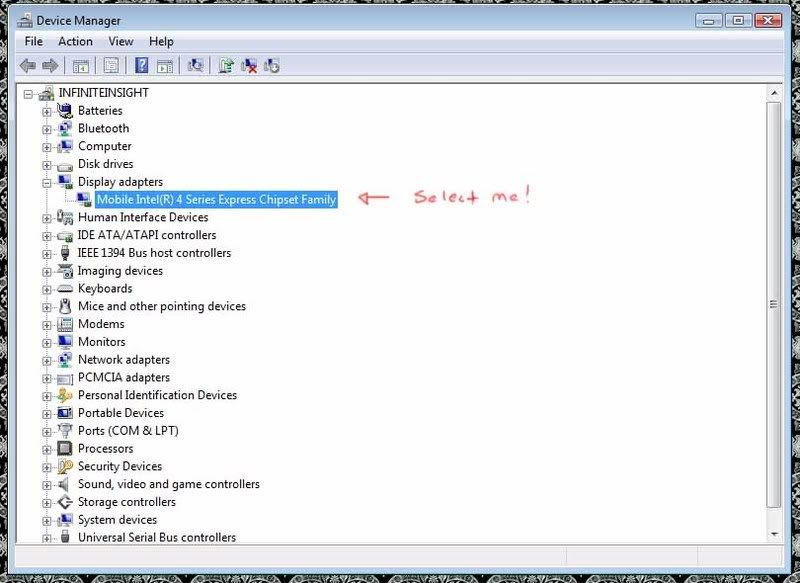
What's your display adapter :
gma_Devicemgr.jpg


What's your system type :
Windows-10-x64.png
 

JAson1980

High Supremacy Member
Joined
Feb 27, 2006
Messages
43,278
Reaction score
3,069
Hi there, the info below.

2zejsi8.png


I tried a update of the driver, it mentioned that i have the best driver installed.

2i8elxz.png
 

JAson1980

High Supremacy Member
Joined
Feb 27, 2006
Messages
43,278
Reaction score
3,069
I guess i am screwed, no driver updates for G45/43 anymore.
Maybe i need to get a dinosaur PCIE GPU card that can function in windows 10 to run in this rig?
 

ngbc

Master Member
Joined
Jan 1, 2000
Messages
3,604
Reaction score
218
Hi there, the info below.

2zejsi8.png


I tried a update of the driver, it mentioned that i have the best driver installed.

2i8elxz.png

The graphics driver was detected correctly wat... Have you try other browser like Firefox or Google Chrome to access Yahoo Finance to see if it display correctly?
If it does, then probably you unknownly changed some setting and caused it ...

EDIT: BTW, this driver 4500-setup.exe was reported working fine in Win10 :
http://danielkawakami.blogspot.sg/2014/08/gma-4500-series-feature-pack-for.html
 
Last edited:

JAson1980

High Supremacy Member
Joined
Feb 27, 2006
Messages
43,278
Reaction score
3,069
The graphics driver was detected correctly wat... Have you try other browser like Firefox or Google Chrome to access Yahoo Finance to see if it display correctly?
If it does, then probably you unknownly changed some setting and caused it ...

EDIT: BTW, this driver 4500-setup.exe was reported working fine in Win10 :
http://danielkawakami.blogspot.sg/2014/08/gma-4500-series-feature-pack-for.html

Yeah, Edge and IE both do not work. black screen with words seen only when i select all or highlight the texts i want to read.

For firefox and chrome, the SGX pages work as per normal. but input fields like search box, userids and passwords, the texts are invisible, only can be seen when i highlight them. :s22:

really a weird ass problem. :s22:

I will give the driver a try tonight. thanks for your help. last resort is to buy a simple GPU and stick it in. i only have a 300W PSU in my mitx. :o
 

JAson1980

High Supremacy Member
Joined
Feb 27, 2006
Messages
43,278
Reaction score
3,069
FML, bought a GT610, and my problem persists.

Seeking help at MS website now...
 

tungsten2

Master Member
Joined
May 30, 2000
Messages
4,147
Reaction score
1
If OS issue, you will still need to reformat it and re-install your OS.
 

JAson1980

High Supremacy Member
Joined
Feb 27, 2006
Messages
43,278
Reaction score
3,069
Have done a clean install, in upgrade installation as well.
all done on a new SSD.
Unless the bootable OS i downloaded from the Win10 update thing is flawed.
 

hlots123

Supremacy Member
Joined
Apr 5, 2006
Messages
5,207
Reaction score
11
wonder if its related to hardware acceleration, see if can disable for desktop & for browser to test...
 

JAson1980

High Supremacy Member
Joined
Feb 27, 2006
Messages
43,278
Reaction score
3,069
wonder if its related to hardware acceleration, see if can disable for desktop & for browser to test...

How do i disable hardware acceleration? BIOS or thru device manager?

MS guru asked me to uninstall existing graphics driver and reinstall in compatible mode, something that i have done previously
 
Important Forum Advisory Note
This forum is moderated by volunteer moderators who will react only to members' feedback on posts. Moderators are not employees or representatives of HWZ Forums. Forum members and moderators are responsible for their own posts. Please refer to our Community Guidelines and Standards and Terms and Conditions for more information.
Top