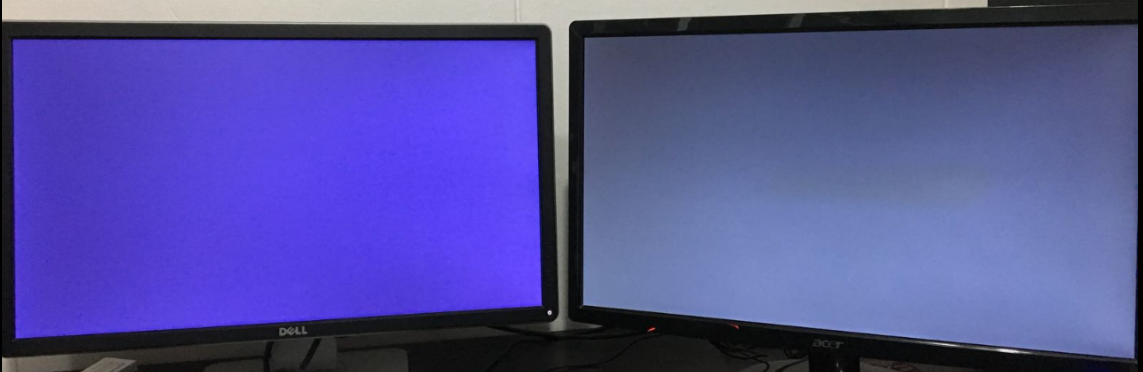
[Help] PC crash with grey/blue screen

chapster

Member
Joined
May 6, 2014
Messages
307
Reaction score
0
4fd82df71e0893281351fa1fb8f0b280.png
463ecc66a46bc5a7d7a5b7fe72d81b7a.png

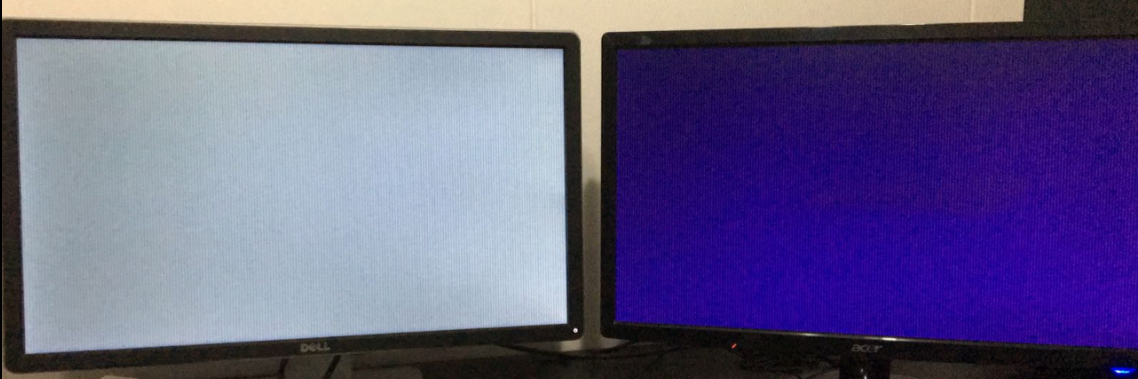
Hi, today my pc kept crashing when I was about to start gaming(Dota2). I use 2 monitors so sometimes it will show plain purple/grey/dark blue on each screen as from my previous crashes. Previously it only crash(not frequent) when I was running PUBG which I felt that the game is straining my card too much. I'm using a Powercolour R9 280x(3years+), temps are idle 50deg, Dota2 70~75deg and PUBG 78~80deg. I was able to run both games at decent smooth fps @1080p, any experts can advise?
 
Last edited:

undead102

Senior Member
Joined
Apr 20, 2006
Messages
1,173
Reaction score
0
Looks like vertical lines on screen. Quite a common problem with amd radeon cards.Had a r9 270 that crashes with vertical lines on screen looks quite similar to yours apparently found out that gpu card is faulty.

Early symptoms of vertical lines crash happens only when playing more graphics intensive games then it starts to slowly appearing also when playing less demanding games like cs:go etc. Problems was solve after replacing the gpu. Sadly gpu was also 3 years+ just after warranty period is over. It's a powercolor r9 270.

Downclocking the gpu clock could temporarily fixes the vertical lines crashes but its only temporary as it will get worse and then eventually dies. All this is based on past experience just sharing.
 
Last edited:

chapster

Member
Joined
May 6, 2014
Messages
307
Reaction score
0
Looks like vertical lines on screen. Quite a common problem with amd radeon cards.Had a r9 270 that crashes with vertical lines on screen looks quite similar to yours apparently found out that gpu card is faulty.

Early symptoms of vertical lines crash happens only when playing more graphics intensive games then it starts to slowly appearing also when playing less demanding games like cs:go etc. Problems was solve after replacing the gpu. Sadly gpu was also 3 years+ just after warranty period is over. It's a powercolor r9 270.

Downclocking the gpu clock could temporarily fixes the vertical lines crashes but its only temporary as it will get worse and then eventually dies. All this is based on past experience just sharing.

yeah similar to my situation. thanks for sharing
 

hlots123

Supremacy Member
Joined
Apr 5, 2006
Messages
5,207
Reaction score
11
how abt lowering the mem clock, or raising vddc abit?
also try if setting a fps limit helps...
 

chapster

Member
Joined
May 6, 2014
Messages
307
Reaction score
0
I lowered the mem clock by abit and didn't crash for now, guess this is the solution for now till i upgrade my rig :)
 

hlots123

Supremacy Member
Joined
Apr 5, 2006
Messages
5,207
Reaction score
11
btw, do new radeon drivers & overdrive come with "extra" power saving settings?
if have, try disabling to test, in case the vddc fluctuate & drop too low / or dun increase fast enuff - which potentially may cause crash
also try increase power limit, to see if tat can allow vddc to hold steadier...
 

chapster

Member
Joined
May 6, 2014
Messages
307
Reaction score
0
btw, do new radeon drivers & overdrive come with "extra" power saving settings?
if have, try disabling to test, in case the vddc fluctuate & drop too low / or dun increase fast enuff - which potentially may cause crash
also try increase power limit, to see if tat can allow vddc to hold steadier...
8bf153e6eb9d67a4d4e56d95898070f7.png


I don't think so, just redl the drivers ytd. ps quite noob at this stuff, around how much power limit would be suitable?
 

chapster

Member
Joined
May 6, 2014
Messages
307
Reaction score
0
1ac931de48d2d399a246a3e8070536a0.png

f216e339ef0984a4f71046ab3b1df6fb.png


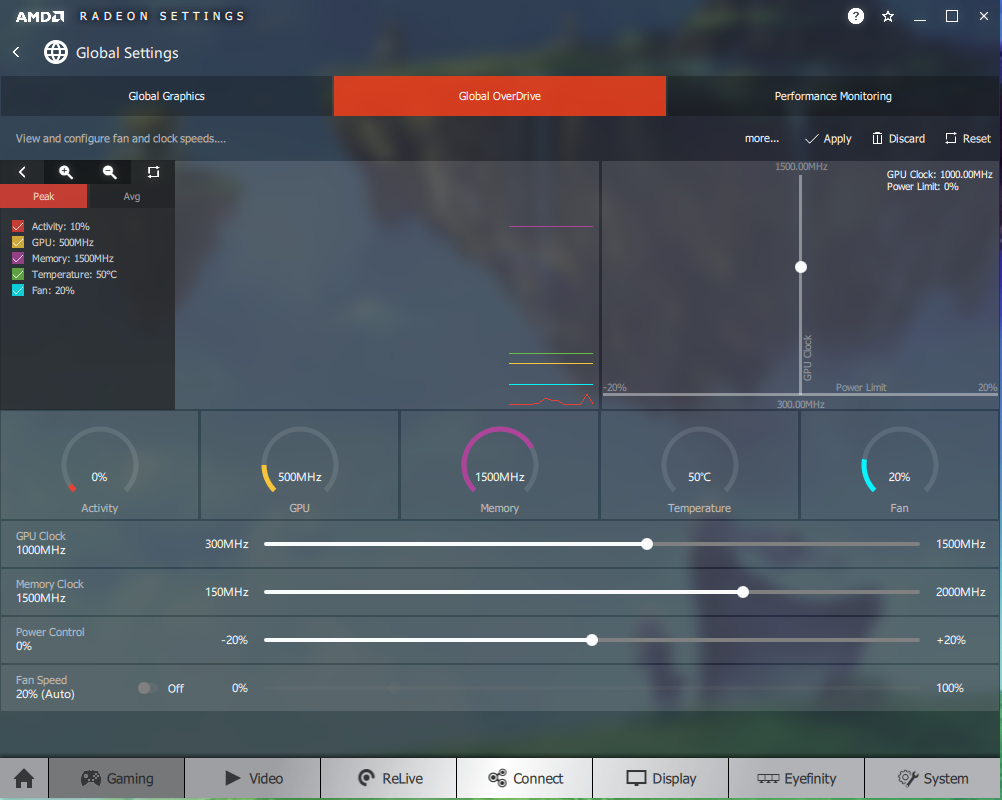
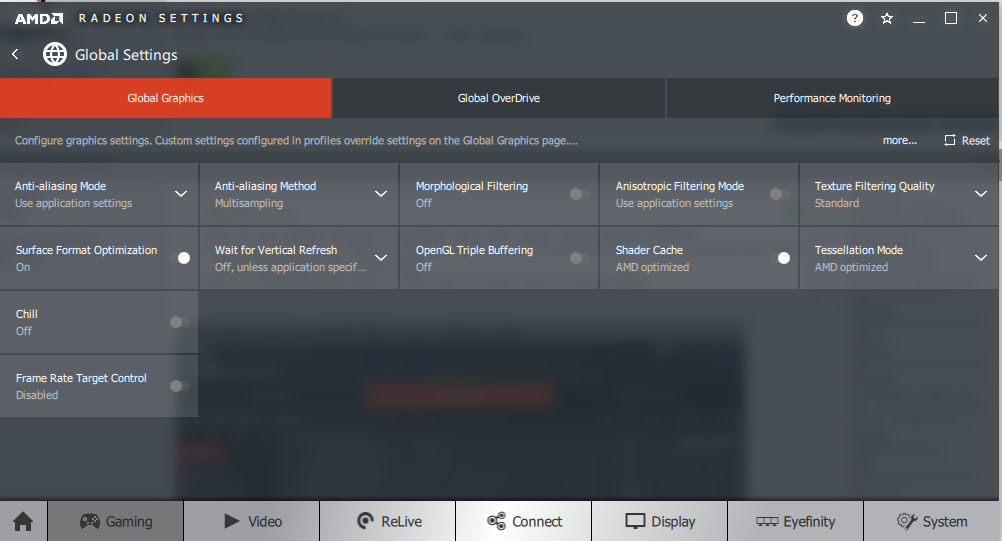
nth much just some graphic tweaks for my games i guess, so I set power limit to 20% and fan to 20% manual. hopefully it can tahan for a bit now :s13:
 

hlots123

Supremacy Member
Joined
Apr 5, 2006
Messages
5,207
Reaction score
11
huh fan speed definitely NOT 20% manual! TOO LOW!!
if it dun allow u to set a custom fan speed curve, then at least set 75-90% depending on ur ears...
or put back to auto (< usually speed too low), then use 3rd party app like msi afterburner to set custom fan speed curve...
 

chapster

Member
Joined
May 6, 2014
Messages
307
Reaction score
0
huh fan speed definitely NOT 20% manual! TOO LOW!!
if it dun allow u to set a custom fan speed curve, then at least set 75-90% depending on ur ears...
or put back to auto (< usually speed too low), then use 3rd party app like msi afterburner to set custom fan speed curve...

ok got it, thanks alot for ur help!

edit: I tried 80% manual fan speed and got around 66-68deg while running pubg compared to previously 78-80deg with auto fan speed(42-45%), does it mean that the lifespan of GPU's fan decrease faster as it is working harder?
 
Last edited:

undead102

Senior Member
Joined
Apr 20, 2006
Messages
1,173
Reaction score
0
Not recommended to set your fan speed too high 80% as it can create alot of dust, make alot of noise and also shorten the life span of the fan and might damage the fan in the long run. Recommend to just set to auto fan mode then lower mem clock or gpu clock speed will do.

But if you want you can set a manual fan curve to speed up the fan speed to 80% only when gaming but lower then 50% when not gaming or idling. But not necessary to do that is up to you. I don't really bother with this and usually just set to auto. If you don't want your gpu to be so hot when playing pubg can try lower settings and limiting your fps to 60 as well for lower temp.

Glad that it temporary fixes the problem for you as what this does is telling the gpu not to work so hard but trade off is that you will get some performance loss few FPS drops.

But will fix your crashes. Just be prepare to change your gpu soon as your gpu is dying and this is only a temporary fix. I remember my gpu get to a point whereby I can even crash with vertical lines even when I downclock my mem and gpu clock to a whopping 400 - 500 mhz. Until I give up and just replace my GPU entirely.
 
Last edited:

hlots123

Supremacy Member
Joined
Apr 5, 2006
Messages
5,207
Reaction score
11
well, best if u use msi afterburner & set custom fan speed curve - low speed when low temp, higher speed at higher temp
if u only want to use overdrive, then when gaming set high fan speed (or set profile for ur games), after gaming set back to auto

ur kdk fan, do u only use speed 1 & 2? use speed 3 will spoil faster?
i'd rather prioritize keeping the gpu core, vram & vrm cooler
 

chapster

Member
Joined
May 6, 2014
Messages
307
Reaction score
0
thanks for all the advice, I setup msi afterburner with a custom fan speed curve. 20% @<55deg(idle) and then up to 80% when temp hits 80deg. Will also lower clock speed if it crashes again. Just hoping to prolong this card's lifespan before I change my rig in few mths time;)
 

hlots123

Supremacy Member
Joined
Apr 5, 2006
Messages
5,207
Reaction score
11
usually for overclock or fan control, better to use only 1 instead of 2 apps so won't clash or confuse
if ur ok with msi afterburner, see if u can reset amd overdrive to default settings then uninstall overdrive...

gud luk!
 
Important Forum Advisory Note
This forum is moderated by volunteer moderators who will react only to members' feedback on posts. Moderators are not employees or representatives of HWZ. Forum members and moderators are responsible for their own posts.

Please refer to our Community Guidelines and Standards, Terms of Service and Member T&Cs for more information.
Top