draken413o
Junior Member
- Joined
- Apr 19, 2015
- Messages
- 5
- Reaction score
- 0
Hello everyone! I'm new to the forums and pretty much a total newbie in computer building but I need to build up a new pc for my work.
The basis and requirement for my pc would be to handle very large photoshop files can be as large as 15gb or more sometimes and also have large storage capabilities.
I've asked around for pc specs and what should I get for the components.
casing : C.M HAF 912 ADVANCE USB3.0 CASE
Motherboard (Standard) : Asus Sabertooth Z97
Central Processing Unit (Desktop) : Intel i7 4790 Processor (Quad Core) (8MB Cache 3.6-4.0 GHZ)
Thermal Compound : IC Diamond Thermal Compound CPU + GPU
Cooling System : Standard Stock Fan Cooling (CPU)
Random Access Memory (RAM) (Desktop) : G.SKILL RIPJAWS-X 2400MHZ ( 8GBx4pcs ) CL11
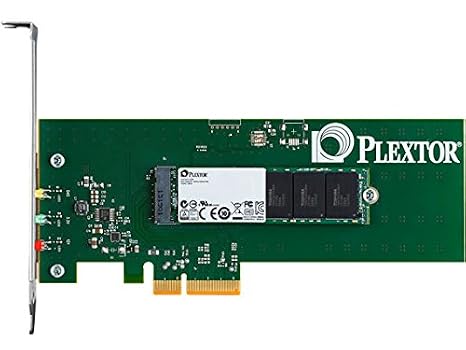
M.2 SSD Bay (PCIE 2X/4X) : 512GB Plextor PCI Express M2 SSD
Graphics Card (Desktop) : MSI GTX 970 4GB Gaming O.C
Hard Drive (Desktop) : SAMSUNG EVO 850 500GB SSD
Second Hard Drive (Desktop) : TOSHIBA 4TB 3.5 INCH HDD (Buffer Size 128MB)
Operating System (Desktop) : Windows 8.1 64 Bit
Chassis Fans : Noctua fans
External Optical Disk Drive : External CD/DVD RW Drive
power supply : SEASONIC X SERIES 750W
I'm not even sure if these parts can work well together or if I will get complications (which I surely would not know how to solve)
My budget is currently about $3000 sgd but if a component is much better and cost abit more I dont mind considering it.
Also, I would like to know of any shops that will be able to do such a system and preferably build it for me.
Any help would be greatly appreciated! thank you everyone!
The basis and requirement for my pc would be to handle very large photoshop files can be as large as 15gb or more sometimes and also have large storage capabilities.
I've asked around for pc specs and what should I get for the components.
casing : C.M HAF 912 ADVANCE USB3.0 CASE
Motherboard (Standard) : Asus Sabertooth Z97
Central Processing Unit (Desktop) : Intel i7 4790 Processor (Quad Core) (8MB Cache 3.6-4.0 GHZ)
Thermal Compound : IC Diamond Thermal Compound CPU + GPU
Cooling System : Standard Stock Fan Cooling (CPU)
Random Access Memory (RAM) (Desktop) : G.SKILL RIPJAWS-X 2400MHZ ( 8GBx4pcs ) CL11
M.2 SSD Bay (PCIE 2X/4X) : 512GB Plextor PCI Express M2 SSD
Graphics Card (Desktop) : MSI GTX 970 4GB Gaming O.C
Hard Drive (Desktop) : SAMSUNG EVO 850 500GB SSD
Second Hard Drive (Desktop) : TOSHIBA 4TB 3.5 INCH HDD (Buffer Size 128MB)
Operating System (Desktop) : Windows 8.1 64 Bit
Chassis Fans : Noctua fans
External Optical Disk Drive : External CD/DVD RW Drive
power supply : SEASONIC X SERIES 750W
I'm not even sure if these parts can work well together or if I will get complications (which I surely would not know how to solve)
My budget is currently about $3000 sgd but if a component is much better and cost abit more I dont mind considering it.
Also, I would like to know of any shops that will be able to do such a system and preferably build it for me.
Any help would be greatly appreciated! thank you everyone!