

86technie
High Supremacy Member
- Joined
- Jun 8, 2006
- Messages
- 39,066
- Reaction score
- 5,105
Most will let Windows Update do the driver update.
Especially for those do not know how to install drivers
and I hope this thread could be useful.
Updating driver through MS Windows Update there's nothing wrong
but the issue is the driver installed could be not compatible
with the hardware.
Here are the steps how to Install Windows 10 than Driver update.
- Download a copy of Windows 10 ISO from MS website
Download all drivers from manufacturer
- Create a USB Thumbdrive than boot using UEFI.
*Some mobo will need to press boot menu in order to
boot UEFI.
UEFI boot and legacy boot
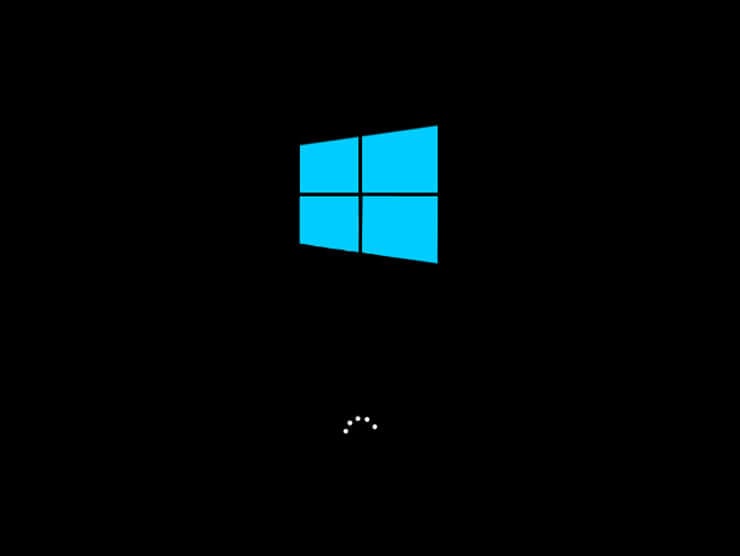
Legacy Boot - Windows logo

UEFI Boot - Brand of mobo/desktop, example Asus
Difference is that UEFI boot faster than Legacy.
*Some PC in UEFI will show Windows logo but after restart it should show the manufacturer logo.
- Disconnect Internet during Win 10 installation.
This not only speeds installation up but allow you to install driver
- After Windows is setup probably, skipping the connect to internet step.
Install/Run all the drivers for the motherboard/PC.
- Recommend to disable Windows 10 Fast Startup, many do not know
Windows 10 shutdown isn't a full shutdown.
It basically put the PC in hibernate mode so when you on the PC, it will boot faster.
- After drivers have been installed run Windows Update.
Windows Update may update drivers like LAN, Wifi that are out of date.
- Update Windows Store
Hope this helps, this is how to setup Windows 10 properly and load drivers.
For those who want to update the driver like for graphic card,
disconnect the internet first before updating.
Especially for those do not know how to install drivers
and I hope this thread could be useful.
Updating driver through MS Windows Update there's nothing wrong
but the issue is the driver installed could be not compatible
with the hardware.
Here are the steps how to Install Windows 10 than Driver update.
- Download a copy of Windows 10 ISO from MS website
Download all drivers from manufacturer
- Create a USB Thumbdrive than boot using UEFI.
*Some mobo will need to press boot menu in order to
boot UEFI.
UEFI boot and legacy boot
Legacy Boot - Windows logo
UEFI Boot - Brand of mobo/desktop, example Asus
Difference is that UEFI boot faster than Legacy.
*Some PC in UEFI will show Windows logo but after restart it should show the manufacturer logo.
- Disconnect Internet during Win 10 installation.
This not only speeds installation up but allow you to install driver
- After Windows is setup probably, skipping the connect to internet step.
Install/Run all the drivers for the motherboard/PC.
- Recommend to disable Windows 10 Fast Startup, many do not know
Windows 10 shutdown isn't a full shutdown.
It basically put the PC in hibernate mode so when you on the PC, it will boot faster.
- After drivers have been installed run Windows Update.
Windows Update may update drivers like LAN, Wifi that are out of date.
- Update Windows Store
Hope this helps, this is how to setup Windows 10 properly and load drivers.
For those who want to update the driver like for graphic card,
disconnect the internet first before updating.
Last edited:


