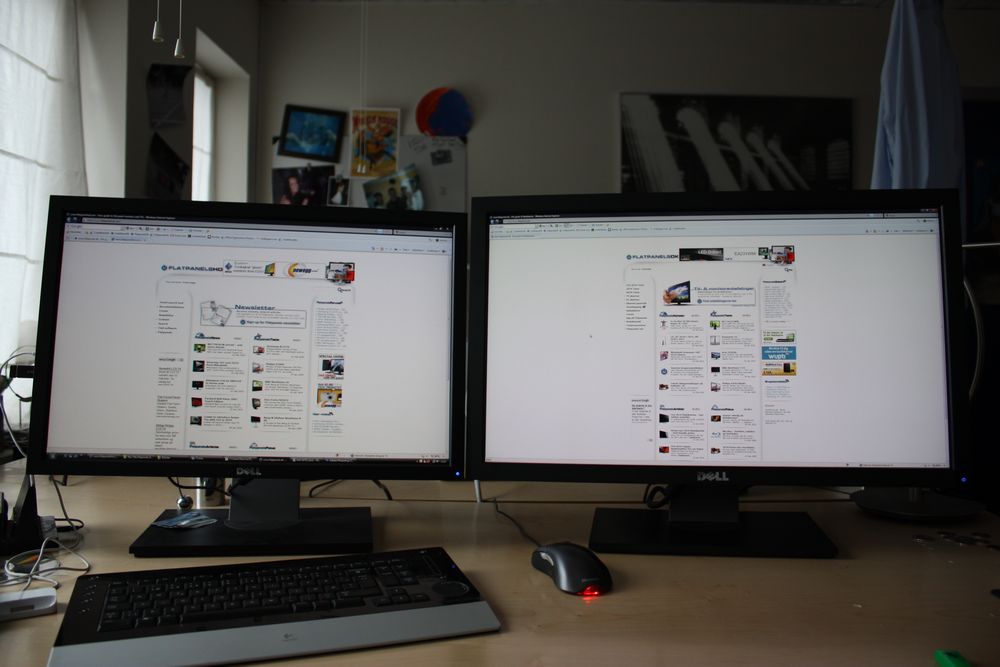
Is 24 inch monitor big enough to display 2 windows side by side to use and read comfortably?

super365

Master Member
Joined
Nov 24, 2008
Messages
4,011
Reaction score
35
I am using dell u2311h 1920x1080 and I find that it is too small to use 2 windows side by side easily (split screen into left and right part), 2 windows are quite small and need to scroll sideways also, so I do not use 2 windows split screen often.

You guys using 24 inch 1920x1080, is it too small to use 2 windows?

I thinking of getting a 24 inch or 27 inch monitor. 27 inch should be easily fit 2 window with good size each, but not sure about 24 inch so asking.

Thanks
 

moveman69

Senior Member
Joined
Feb 6, 2009
Messages
1,372
Reaction score
2
Using 24 inch now. Find it not big enough if you wanna split screen and read documents side by side. I'm contemplating buying a 27 inches soon, only can't decide if it should remain at 1080p or 1440p resolution. Need the bros here for more advice

I am using dell u2311h 1920x1080 and I find that it is too small to use 2 windows side by side easily (split screen into left and right part), 2 windows are quite small and need to scroll sideways also, so I do not use 2 windows split screen often.

You guys using 24 inch 1920x1080, is it too small to use 2 windows?

I thinking of getting a 24 inch or 27 inch monitor. 27 inch should be easily fit 2 window with good size each, but not sure about 24 inch so asking.

Thanks
 

The_Undead

Member
Joined
Sep 12, 2010
Messages
448
Reaction score
0
even if you upgrade to 24", 27", 32" 1920 x 1080 will be same as your 23" leh....

you need to upgrade your resolution size....
 

xonix

Arch-Supremacy Member
Joined
Mar 24, 2001
Messages
17,592
Reaction score
1,688
Increase monitor resolution, not just the size.
 

super365

Master Member
Joined
Nov 24, 2008
Messages
4,011
Reaction score
35
i'm using 27 inch @ 1440p and 2 windows fit nicely

Do you find 27" 1440p text too small even if normal single window?

Can you help me try something,
27" 1440p if you put 2 browser windows hardwarezone forum side by side, will that bottom left/right scrolling bar appear?
27" 1080p (switch to 1080p in resolutions) if you put 2 browser windows hardwarezone forum side by side, will that bottom left/right scrolling bar appear?

Anyone can also help me try if you have 24" 1080p if you put 2 browser windows hardwarezone forum side by side, will that bottom left/right scrolling bar appear?

If 2 windows got bottom left/right scrolling bar, and right most area hidden need to scroll, very hard to use.
This is how the 2 windows look side by side in my 23 inch monitor.
BLDsiUF.png
 

The_Undead

Member
Joined
Sep 12, 2010
Messages
448
Reaction score
0
Do you find 27" 1440p text too small even if normal single window?

Can you help me try something,
27" 1440p if you put 2 browser windows hardwarezone forum side by side, will that bottom left/right scrolling bar appear?
27" 1080p (switch to 1080p in resolutions) if you put 2 browser windows hardwarezone forum side by side, will that bottom left/right scrolling bar appear?

Anyone can also help me try if you have 24" 1080p if you put 2 browser windows hardwarezone forum side by side, will that bottom left/right scrolling bar appear?

If 2 windows got bottom left/right scrolling bar, and right most area hidden need to scroll, very hard to use.
This is how the 2 windows look side by side in my 23 inch monitor.

same resolution will display the same, just bigger only, whether it is 23", 24", 27" or bigger.....

you need to buy 1440 or higher resolution monitor....
 

gld998

High Supremacy Member
Joined
Feb 21, 2008
Messages
37,964
Reaction score
2,040
Just get an ultrawide 34" 1440p. Dont waste time on the rest.

Sent from Old Man Pressing For Retirement using GAGT
 

super365

Master Member
Joined
Nov 24, 2008
Messages
4,011
Reaction score
35
or consider ultrawide monitor....

Just get an ultrawide 34" 1440p. Dont waste time on the rest.

Sent from Old Man Pressing For Retirement using GAGT

Not practical. Size too big for bedroom. Price too high. I no need use 2 windows all the time, will have large empty unused left and right areas when using 1 window browser.

I find 27" is about the max size I can accept.
 
Last edited:

xonix

Arch-Supremacy Member
Joined
Mar 24, 2001
Messages
17,592
Reaction score
1,688
Not practical. Size too big for bedroom. Price too high. I no need use 2 windows all the time, will have large empty unused left and right areas when using 1 window browser.

I find 27" is about the max size I can accept.

I went from 24" 1920x1200 to 27" 1440p ( only because I can't find any 27" with 16:10 aspect ratio )

Example ( not my monitors ) what you lose or gain:

dellu2711_large7.JPG
 
Last edited:

super365

Master Member
Joined
Nov 24, 2008
Messages
4,011
Reaction score
35
I went from 24" 1920x1200 to 27" 1440p ( only because I can't find any 27" with 16:10 aspect ratio )

Example ( not my monitors ) what you lose or gain:

dellu2711_large7.JPG

I tried before 27" 1440p everything too small for me, eyestrain, it displays more area but everything even smaller than 23" 1080p.

1440p for me I guess need 30" to 32" then comfortable size.

27" 1440p I research is like depends on individual if can accept the too small size.

I want 1080p enough, either 24" or 27".
 

xonix

Arch-Supremacy Member
Joined
Mar 24, 2001
Messages
17,592
Reaction score
1,688
I tried before 27" 1440p everything too small for me, eyestrain, it displays more area but everything even smaller than 23" 1080p.

1440p for me I guess need 30" to 32" then comfortable size.

27" 1440p I research is like depends on individual if can accept the too small size.

I want 1080p enough, either 24" or 27".

Use the DPI scaling options to enlarge the smaller elements.
For me I find the default DPI just nice for me.
 

royfrosty

High Supremacy Member
Joined
Jul 23, 2009
Messages
27,508
Reaction score
1,382
Read side by side window on a single screen? Go 32inch 1440p. This is the so call optimal viewing experience. Text are bigger and also much comfortable to look at.

Lastly if you have money, go ultrawide.
 

dreamer_toons

Master Member
Joined
Jan 2, 2003
Messages
3,688
Reaction score
107
I use a 27inch 1440p display and split screen all the time.

On a split screen with Edge on this forum page, there is no horizontal scroll bar. Viewing distance is estimate to be at 45cm and it is comfortable for me. Anyway, my ClearType setting is on with 100% scaling and the text looks crisp and clear to me at this viewing distance.
 

ragnarok95

Senior Moderator
Senior Moderator
Joined
Mar 9, 2004
Messages
124,709
Reaction score
6,046
Cheapest option: Buy another cheap 23in.

Obvious option: Buy a 27in 1440P.

Obvious option but can afford a bit more: Buy a 32in 1440P.

Willing to spend: Buy a 34in 1440P.

If you do not have the space, 1st and 4rd option out.

Just get a 27in 1440P. Don't waste time on what 34in 1440P.
 

super365

Master Member
Joined
Nov 24, 2008
Messages
4,011
Reaction score
35
I use a 27inch 1440p display and split screen all the time.

On a split screen with Edge on this forum page, there is no horizontal scroll bar. Viewing distance is estimate to be at 45cm and it is comfortable for me. Anyway, my ClearType setting is on with 100% scaling and the text looks crisp and clear to me at this viewing distance.

Thanks. Can you try changing to 1920x1080 to see if there is any horizontal scroll bar on this forum page split 2 windows side by side?

Search box type resolution can easily access resolution panel
KeIxgg8.png
 

The_Undead

Member
Joined
Sep 12, 2010
Messages
448
Reaction score
0
you still don't understand same resolution 1920 x 1080 will show the same, no matter how big is your screen size....

another thing you can do is to zoom out in both browsers till the bottom scrolling bar disappear....
 

eting72

Senior Member
Joined
Jun 10, 2006
Messages
2,076
Reaction score
128
Do you find 27" 1440p text too small even if normal single window?

Can you help me try something,
27" 1440p if you put 2 browser windows hardwarezone forum side by side, will that bottom left/right scrolling bar appear?
27" 1080p (switch to 1080p in resolutions) if you put 2 browser windows hardwarezone forum side by side, will that bottom left/right scrolling bar appear?

Anyone can also help me try if you have 24" 1080p if you put 2 browser windows hardwarezone forum side by side, will that bottom left/right scrolling bar appear?

If 2 windows got bottom left/right scrolling bar, and right most area hidden need to scroll, very hard to use.
This is how the 2 windows look side by side in my 23 inch monitor.
BLDsiUF.png

qPK864E.png

@1440p
VL0wSCu.png

@1080p
 

super365

Master Member
Joined
Nov 24, 2008
Messages
4,011
Reaction score
35
qPK864E.png

@1440p
VL0wSCu.png

@1080p

Thanks. Just wondering why my dell u2311h 1920x1080 on windows 10, two chrome windows (zoom 100% default settings) side by side does not appear like your 27" 1080p?
My chrome right most area some text is hidden, your chrome the text auto adjust to let all text appear on screen downwards.
IRuXxYH.png
 
Important Forum Advisory Note
This forum is moderated by volunteer moderators who will react only to members' feedback on posts. Moderators are not employees or representatives of HWZ. Forum members and moderators are responsible for their own posts.

Please refer to our Community Guidelines and Standards, Terms of Service and Member T&Cs for more information.
Top