Notebook is taking forever to update

Luffy Pirate King

Senior Member
Joined
Apr 18, 2011
Messages
1,680
Reaction score
0
Seeking help here.

Long story short. NB is asus zenbook, i5, 8gb ram, 256 ssd.

Initial os was 8.1, manage to update the os to win 10 but at a cost, cost is turning the nb on for almost 2 days until the dl is completed.

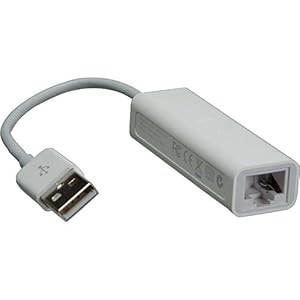
This is a refurbish NB bought at qoo. Everything else is working fine, just that the downloading of updates is taking forever to complete. No lan port hence unable to try direct connection with internet.

Is this a hardware issue, wifi issue, or whats the issue? Tried several methods i can find on google but the problem persist.

Please advise and Happy New Year to all :)
 

watzup_ken

High Supremacy Member
Joined
Nov 21, 2003
Messages
25,669
Reaction score
2,123
I had the same problem as you. Tried upgrading my laptop with Win 7 Pro to Win 10, but it keeps getting stuck at 99%. Even leaving it for half a day did not help. In the end, I gave up with the upgrade.
 

Luffy Pirate King

Senior Member
Joined
Apr 18, 2011
Messages
1,680
Reaction score
0
Why don't try clean install Win 10?

Was about to purchase win 10 from reddit to do a clean install when i was trying to update any patches or driver thru windows update at win 8.1. When its stuck at 0% for almost an hour, i try to google for help and notice i can do a free upgrade to win 10. That is where i completed my upgrade in two days.

I had the same problem as you. Tried upgrading my laptop with Win 7 Pro to Win 10, but it keeps getting stuck at 99%. Even leaving it for half a day did not help. In the end, I gave up with the upgrade.

Try leaving it for two days? Haha, i gave up waiting during the first few hours, hence i just leave it and hope miracle happens because the NB never hang. Win 10 installed, but never solve the root of the problem, long waiting time for updates.

but whats your notebook model and your router?

Asus ux303LA, Dlink 865 (starhub 100mbps)
 

Luffy Pirate King

Senior Member
Joined
Apr 18, 2011
Messages
1,680
Reaction score
0

Paiseh, which one is the lan port?

asus_zenbook_ux303la_1.jpg
 

jtjt00

Arch-Supremacy Member
Joined
Jan 1, 2000
Messages
17,713
Reaction score
530
TS, the Lan port is on the left side. Your picture is showing the right side.
 
Important Forum Advisory Note
This forum is moderated by volunteer moderators who will react only to members' feedback on posts. Moderators are not employees or representatives of HWZ Forums. Forum members and moderators are responsible for their own posts. Please refer to our Community Guidelines and Standards and Terms and Conditions for more information.
Top