Recommendation for laptop

MoneyFace =p

High Supremacy Member
Joined
Dec 17, 2010
Messages
35,380
Reaction score
402
Any recommendations?
I am looking for a laptop for my child.

Scope
PhotoShop work and Adobe Creative CC, have to handle very huge files of up to 1 GB.

Or should I go for AIO?

Budget 1.5k or cheaper.

Sent from Window 10 using GAGT
Select anything with the following:

Dell/HP/MSI/Aftershock

Core i7 HQ/MQ/EQ series
8GB RAM and above
GTX 850M/GTX 950M/GTX 960M/GTX 965M
1080p and above screen
 

Unknownx

Senior Member
Joined
Mar 29, 2010
Messages
1,955
Reaction score
16
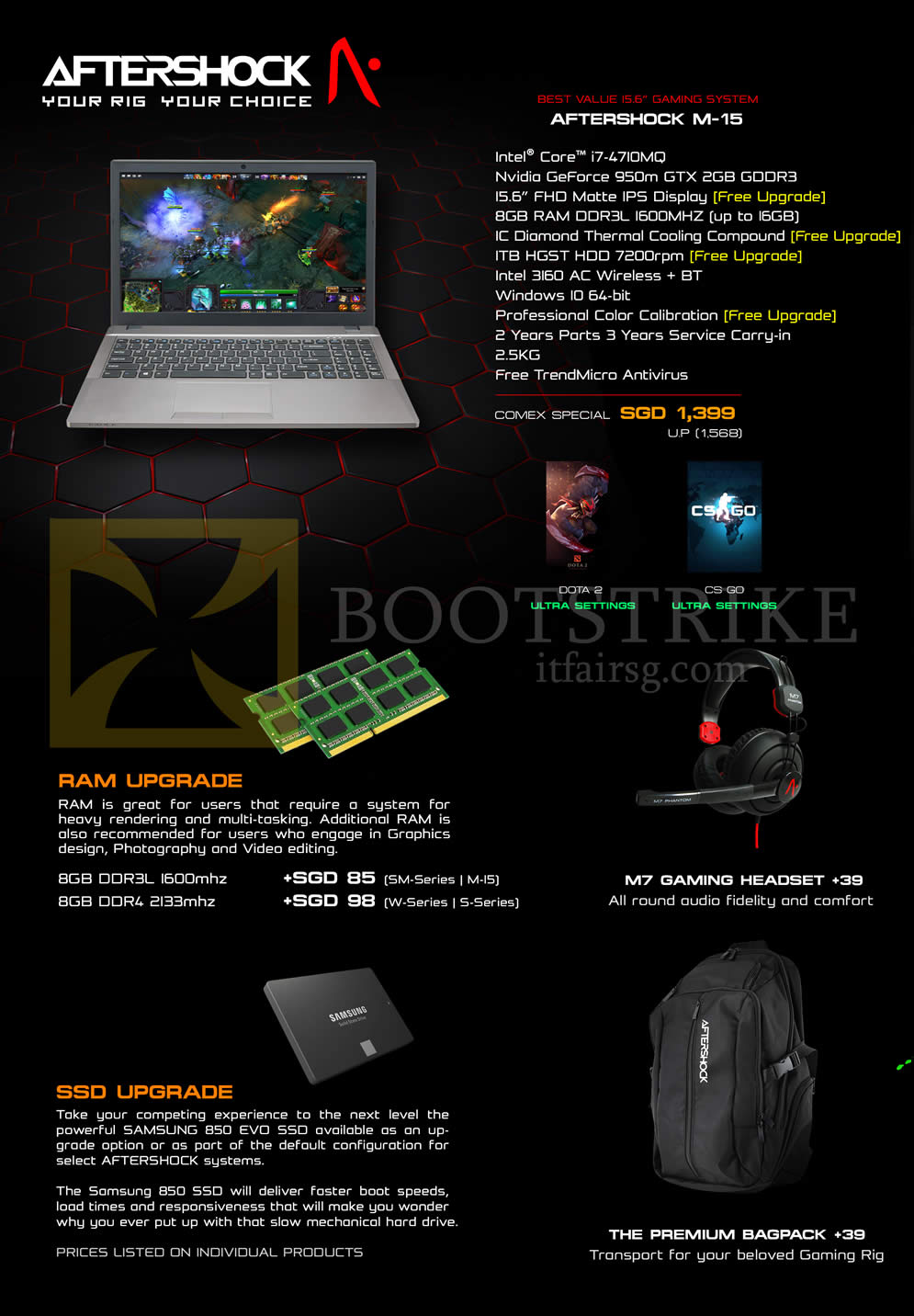
Aftershock M-15
Aftershock%20Notebook%20M-15%2C%20Features.jpg


Alternatively ask your child if he/she can get free Windows OS license from school, then get Aftershock SM-15 with base config for $1579. You can do so as well for Aftershock M-15 to get further discount.
 
Last edited:

razorlala

Banned
Joined
Jul 26, 2011
Messages
20,805
Reaction score
3,978
if u want bootup speed to be faster then get ssd. aside from that, if higher capacity ssd can run applications through it also lo. will be faster.
 

yusoffb01

Arch-Supremacy Member
Joined
Jun 17, 2008
Messages
16,848
Reaction score
1,786
Anything with i5 and 4gb ram enough. No need graphics card
 

Teo Ming Ern

Arch-Supremacy Member
Joined
Jan 1, 2000
Messages
12,329
Reaction score
293
For Photoshop, RAM is of the highest priority. Particularly since you're using Adobe CC which is cloud based. 8 GB is a minimum if you're manipulating files about 1 GB... 4 GB is doable but you just have to twiddle your thumbs. I do panoramas using a work laptop with just 4GB RAM and a dual core processor, likely just i3 type. It works but you have to wait.

Separate graphics card is not important unless you are off-loading the computation to the graphics card. But I don't think any student would really require something like that. The only occasion this will be necessary would be when you need to make videos with something like Premiere Pro and you're working with full HD raw files...

Finally any processor, i3 and upwards is good enough.

Photoshop is bottle necked by RAM not processor speed. I3 is plenty.

As with all things, more powerful is better... so if budget allows then i5. But to balance battery life, then cap the processor at i5, RAM more the merrier and do try to prioritize an SSD. It makes everything 10x zippier.... and that's the other bottle neck...
 
Important Forum Advisory Note
This forum is moderated by volunteer moderators who will react only to members' feedback on posts. Moderators are not employees or representatives of HWZ Forums. Forum members and moderators are responsible for their own posts. Please refer to our Community Guidelines and Standards and Terms and Conditions for more information.
Top