
ArcticCheetah
Banned
- Joined
- Apr 16, 2009
- Messages
- 35,817
- Reaction score
- 2,017
Yes this is another "I didn't know you could do that" thread by Me. 

Nowadays upgradable firmware is in all devices.
For those who don't know that USB 3.0 Firmware is actually upgradable, you should pay attention to this.
1)Why do you want to upgrade firmware?
There would be new features available to newer firmware and upgrading firmware is as easy as ABC.
For example new firmware from ASMedia for ASM1051 supports 3 TB HDD.
2)How to upgrade firmware?
I am not sure how to do that for USB 3.0 External Harddisk (Those sold as External Harddisk as a whole but I am sure they do use a particular USB 3.0 Controller) but here is how to update USB 3.0 Controller firmware for 3rd Party USB 3.0 Harddisk Enclosure.
Step1:
Open up the casing should be a no brainer if you are able to put a Harddisk Drive in.
Step2: Look at the controller IC.
There should be a Controller IC like the image below.
The IC is usually very distinct and obvious.
Read the Serial Model the picture below reads: ASMedia 1061

Step3: Find the firmware online.
Station-Drivers: le site de drivers, bios, firmwares avec un forum d'aide has all the harddisk controller firmware updates from JMicron and ASMedia.
Step4: Download and Flash.
The firmware update tools runs on Windows so download and flash it accordingly. Should be a no brainer to do so being a point and click application.
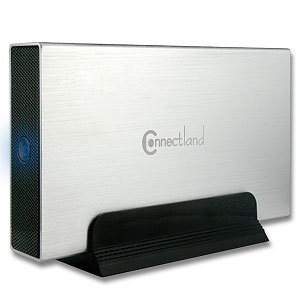
A few reference to the USB 3.0 controller used by certain External Harddisk Enclosure (Which I use).
Nowadays upgradable firmware is in all devices.
For those who don't know that USB 3.0 Firmware is actually upgradable, you should pay attention to this.
1)Why do you want to upgrade firmware?
There would be new features available to newer firmware and upgrading firmware is as easy as ABC.
For example new firmware from ASMedia for ASM1051 supports 3 TB HDD.
2)How to upgrade firmware?
I am not sure how to do that for USB 3.0 External Harddisk (Those sold as External Harddisk as a whole but I am sure they do use a particular USB 3.0 Controller) but here is how to update USB 3.0 Controller firmware for 3rd Party USB 3.0 Harddisk Enclosure.
Step1:
Open up the casing should be a no brainer if you are able to put a Harddisk Drive in.
Step2: Look at the controller IC.
There should be a Controller IC like the image below.
The IC is usually very distinct and obvious.
Read the Serial Model the picture below reads: ASMedia 1061
Step3: Find the firmware online.
Station-Drivers: le site de drivers, bios, firmwares avec un forum d'aide has all the harddisk controller firmware updates from JMicron and ASMedia.
Step4: Download and Flash.
The firmware update tools runs on Windows so download and flash it accordingly. Should be a no brainer to do so being a point and click application.
A few reference to the USB 3.0 controller used by certain External Harddisk Enclosure (Which I use).
Vantec NexStar 3 SuperSpeed NST-280S3-BK 2.5" harddisk enclosure uses
JMicron JMS 539 USB 3.0 Controller


Last edited:

