
Xiaomi WiFi 7 and WiFi 6 Routers

stevensp

Member
Joined
Jan 1, 2000
Messages
191
Reaction score
6
I just bought Xiaomi mesh system AX3000 NE (Model: RD28) from Xiaomi SG website.

I am able to use it fine but I realise that there is no option to set up VPN Server or client.
Now emailing xiaomi to find out.

I am using the latest firmware 1.0.25.
Anyone using the same router and can verify if this is also the firmware that you are using?
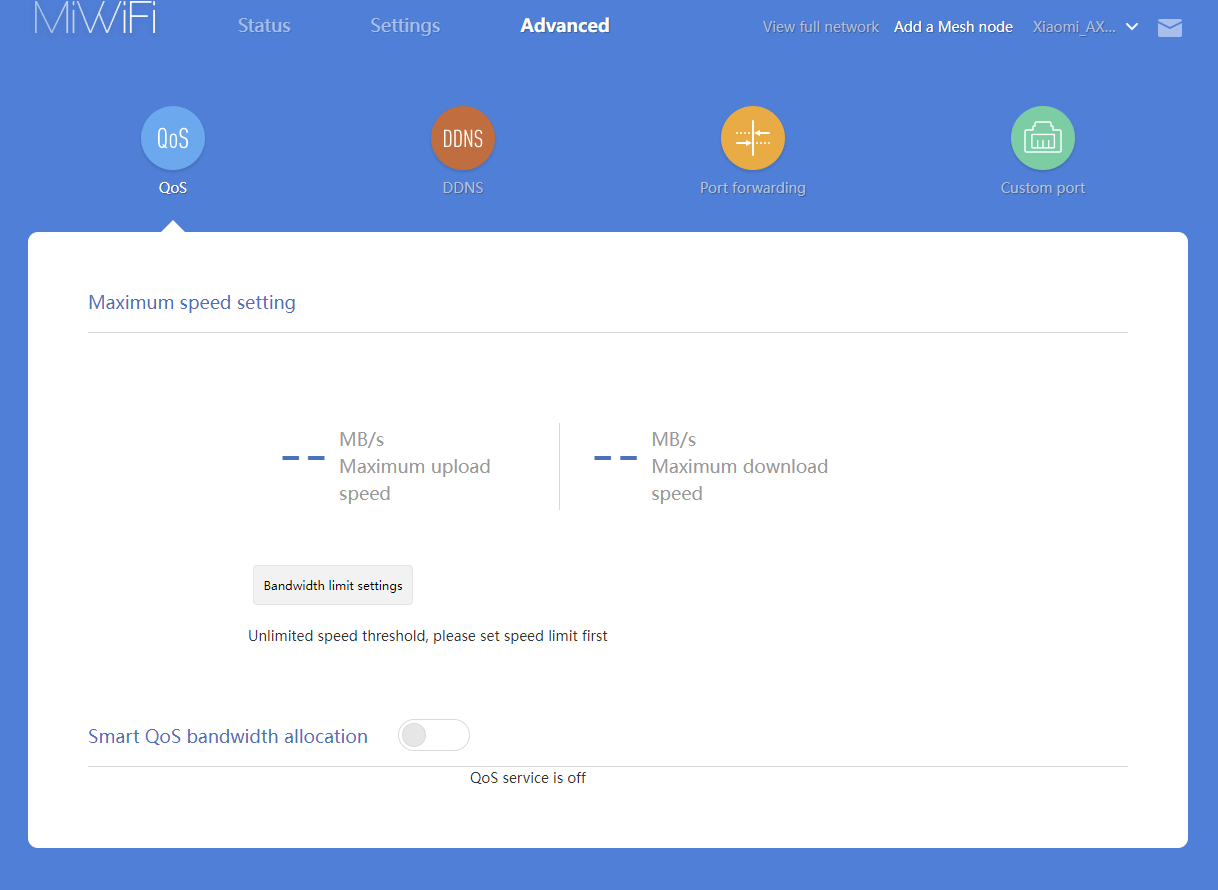
1.png

No option for VPN
 
Last edited:

xiaofan

High Supremacy Member
Joined
Sep 16, 2018
Messages
34,604
Reaction score
11,430
I just bought Xiaomi mesh system AX3000 NE (Model: RD28) from Xiaomi SG website.

I am able to use it fine but I realise that there is no option to set up VPN Server or client.
Now emailing xiaomi to find out.

I am using the latest firmware 1.0.25.
Anyone using the same router and can verify if this is also the firmware that you are using?

1.png

No option for VPN

What if you use Mi Home mobile app?
https://www.mi.com/global/product/xiaomi-mesh-system-ax3000-ne/specs

For Xiaomi, sometimes the Web UI lacks some feature in the app.
 

xiaofan

High Supremacy Member
Joined
Sep 16, 2018
Messages
34,604
Reaction score
11,430
For CLS Product List, Xiaomi has added Xiaomi AX3000T and Xiaomi Router BE3600 along with XIaomi Xiaomi Mesh System AX3000 NE to the CLS product list.

But I am not so sure if Xiaomi will bring in Xiaomi BE3600 and Xiaomi AX3000T global version to Singapore market anytime soon.

https://www.csa.gov.sg/our-programm...t-list?manufacturer=xiaomi&sort=newest-oldest

1) Xiaomi Mesh System AX3000 NE
Xiaomi Wi-Fi Mesh
Model No.: RD28
CLS Level: Level 1
Registration ID: CSA/IOTX0092
Date of Issuance: 21 November 2024
Date of Expiration: 20 November 2027

2) Xiaomi Router BE3600
Xiaomi Wi-Fi Router
Model No.: RN06
CLS Level: Level 1
Registration ID: CSA/IOTX0093
Date of Issuance: 21 November 2024
Date of Expiration: 20 November 2027

3) Xiaomi Router AX3000T
Xiaomi Wi-Fi Router
Model No.: RD23
CLS Level: Level 1
Registration ID: CSA/IOTX0084
Date of Issuance: 21 October 2024
Date of Expiration: 20 October 2027

The other two may not be worth buying.

4) Xiaomi Router AX1500
Xiaomi Wi-Fi Router
Model No.: RD12
CLS Level: Level 1
Registration ID: CSA/IOTX0090
Date of Issuance: 21 November 2024
Date of Expiration: 20 November 2027

5) Xiaomi Mesh System AC1200
Xiaomi Wi-Fi Mesh
Model No.: RD13
CLS Level: Level 1
Registration ID: CSA/IOTX0091
Date of Issuance: 21 November 2024
Date of Expiration: 20 November 2027
 

mantians

Junior Member
Joined
Mar 23, 2014
Messages
86
Reaction score
5
Anyone knows how to check router logs like the Xiaomi BE5000?

I'm having intermittent issue of handphone and laptop wifi showing connected but suddenly says 'no internet' for a short while then will recover. During this time Nokia ONT still showing 4 green LED as per normal. Wonder if router got any logs with some clues on what happened.
 
Last edited:

xiaofan

High Supremacy Member
Joined
Sep 16, 2018
Messages
34,604
Reaction score
11,430
Which Xiaomi mesh is better? BE3600 or BE6500?

Xiaofan recommended BE6500 Pro due to better 2.4ghz and cheaper as well.

Xiaomi BE6500 Pro is indeed better but maybe not cheaper. You can also go with Xiaomi BE6500 Pro as the main router and then use lower end one as mesh node. As long as you can use Ethernet Backhaul, the performance should be quite okay.

https://www.mi.com/shop/search?keyword=路由

Xiaomi BE3600 (with 2.5G port) x 2 --> RMB 219 x 2 = RMB 438

Xiaomi BE3600 Pro Mesh set --> RMB 699 (two-pack)

Xiaomi BE6500 x 2 --> RMB 469 x 2 = RMB 938

Xiaomi BE6500 Pro x 2 = RMB 599 x 2 = RMB 1198
 

xiaofan

High Supremacy Member
Joined
Sep 16, 2018
Messages
34,604
Reaction score
11,430
Xiaomi BE5000 (https://www.mi.com/xiaomi-routers/be-5000/specs ) in wireless bridge mode, using TP-Link Archer BE805 5GHz SSID as the up-link. The distance between the two routers is about 3.5m.

akWSoHd.png


ARugn90.png


EOOwtYU.png


Wired client of Xiaomi BE5000 2.5G LAN port --> Acer Swift 3 2021 model, Ugreen USB 3 to 2.5G NIC.

Bash:
PS C:\work\speedtest\ookla-speedtest-1.2.0-win64> .\speedtest.exe -s 13623

   Speedtest by Ookla

      Server: Singtel - Singapore (id: 13623)
         ISP: Singtel Fibre
Idle Latency:     4.94 ms   (jitter: 0.45ms, low: 3.83ms, high: 5.08ms)
    Download:  2011.39 Mbps (data used: 3.7 GB)
                 16.86 ms   (jitter: 7.47ms, low: 3.87ms, high: 64.37ms)
      Upload:  1725.78 Mbps (data used: 1.0 GB)
                 20.05 ms   (jitter: 9.12ms, low: 5.23ms, high: 56.28ms)
 Packet Loss:     0.0%
  Result URL: https://www.speedtest.net/result/c/db5c337d-8b57-428a-8f8f-263f2efed4ca

The price of Xiaomi BE3600 (one 2.5G LAN port) and Xiaomi BE5000 (one 2.5G port) are low enough so you can actually use them in wireless bridged mode as a network adapter for your desktop/laptop/etc. They may perform much better than a USB to WiFi 6/6E/7 adapter.
 

xiaofan

High Supremacy Member
Joined
Sep 16, 2018
Messages
34,604
Reaction score
11,430
Anyone knows how to check router logs like the Xiaomi BE5000?

I'm having intermittent issue of handphone and laptop wifi showing connected but suddenly says 'no internet' for a short while then will recover. During this time Nokia ONT still showing 4 green LED as per normal. Wonder if router got any logs with some clues on what happened.

Try the method mentioned here. Not so sure if it works for you or not. It does not seem to work for me but my XIaomi BE5000 is in WIreless Bridge mode.
https://www.chiphell.com/thread-2535927-1-1.html

First upload the log. Then go to the following web site and then get the file name of the log file. Replace STOK with your specific value.
192.168.31.1/cgi-bin/luci/;stok=STOK/api/misystem/sys_log
 
Last edited:

xiaofan

High Supremacy Member
Joined
Sep 16, 2018
Messages
34,604
Reaction score
11,430
Try the method mentioned here. Not so sure if it works for you or not. It does not seem to work for me but my XIaomi BE5000 is in WIreless Bridge mode.
https://www.chiphell.com/thread-2535927-1-1.html

First upload the log. Then go to the following web site and then get the file name of the log file. Replace STOK with your specific value.
192.168.31.1/cgi-bin/luci/;stok=STOK/api/misystem/sys_log

Just tried with the router mode of Xiaomi BE5000.

1) Upload the log
0V49oJg.png


2. Go to the following website (you need to use your own STOK value).
192.168.31.1/cgi-bin/luci/;stok=4c5520916242857b7ae0d43403f2f2db/api/misystem/sys_log

Note: You need to add "http://" in front of the above link. This forum software seems to block that.

The output is like this:
{"file":"2025-01-30--13:40:06.tar.gz","code":0}

3. Now the problem is that it does not mention the path. I have not figured out the location of the log.
192.168.31.1/backup/log/2025-01-30--13:40:06.tar.gz --> 404 Not Found
192.168.31.1/2025-01-30--13:40:06.tar.gz --> 404 Not Found
192.168.31.1/tmp/2025-01-30--13:40:06.tar.gz --> 404 Not Found
192.168.31.1/var/log/2025-01-30--13:40:06.tar.gz --> 404 Not Found
 

xiaofan

High Supremacy Member
Joined
Sep 16, 2018
Messages
34,604
Reaction score
11,430
Xiaomi BE5000 SSH Guide: YMMV, proceed at your own risk
https://dwd.moe/p/mi-router-be5000.html
https://github.com/z-jack/BE5000_GetShell
https://github.com/iamsxm/BE5000_SSh_UI (tried but not successful yet)

First method seems to work. Using Python 3.12 virtual environment under Windows 11 24H2.
https://github.com/z-jack/BE5000_GetShell

But I can not get SSH to be sticky, once reboot, SSH access will be gone. Need to enable SSH again.

Bash:
(py312x64venv) PS C:\work\speedtest\BE5000_GetShell> python .\crack.py
Start retriving SSH permission.
SSH Started. Login to 192.168.31.1:23323 with root and calculate the password from https://mi.tellme.top/

(py312x64venv) PS C:\work\speedtest\BE5000_GetShell> ssh root@192.168.31.1 -p 23323

root@192.168.31.1's password:


BusyBox v1.36.1 (2024-04-03 08:52:57 UTC) built-in shell (ash)

 -----------------------------------------------------
       Welcome to XiaoQiang!
 -----------------------------------------------------
  $$$$$$\  $$$$$$$\  $$$$$$$$\      $$\      $$\        $$$$$$\  $$\   $$\
 $$  __$$\ $$  __$$\ $$  _____|     $$ |     $$ |      $$  __$$\ $$ | $$  |
 $$ /  $$ |$$ |  $$ |$$ |           $$ |     $$ |      $$ /  $$ |$$ |$$  /
 $$$$$$$$ |$$$$$$$  |$$$$$\         $$ |     $$ |      $$ |  $$ |$$$$$  /
 $$  __$$ |$$  __$$< $$  __|        $$ |     $$ |      $$ |  $$ |$$  $$<
 $$ |  $$ |$$ |  $$ |$$ |           $$ |     $$ |      $$ |  $$ |$$ |\$$\
 $$ |  $$ |$$ |  $$ |$$$$$$$$\       $$$$$$$$$  |       $$$$$$  |$$ | \$$\
 \__|  \__|\__|  \__|\________|      \_________/        \______/ \__|  \__|


root@XiaoQiang:~#
root@XiaoQiang:~# uname -a
Linux XiaoQiang 5.4.55 #0 SMP Wed Apr 3 08:52:57 2024 armv7l GNU/Linux

root@XiaoQiang:~# df -h
Filesystem                Size      Used Available Use% Mounted on
/dev/root                26.5M     26.5M         0 100% /
tmpfs                   219.2M      2.5M    216.8M   1% /tmp
ubi1:cfg                 24.4M      5.5M     17.7M  24% /data
ubi1:cfg                 24.4M      5.5M     17.7M  24% /userdisk
/dev/root                26.5M     26.5M         0 100% /userdisk/data
ubi1:cfg                 24.4M      5.5M     17.7M  24% /etc/config
ubi1:cfg                 24.4M      5.5M     17.7M  24% /etc/datacenterconfig
ubi1:cfg                 24.4M      5.5M     17.7M  24% /etc/smartcontroller
ubi1:cfg                 24.4M      5.5M     17.7M  24% /etc/parentalctl
ubi1:cfg                 24.4M      5.5M     17.7M  24% /etc/smartvpn
ubi1:cfg                 24.4M      5.5M     17.7M  24% /etc/ppp
ubi1:cfg                 24.4M      5.5M     17.7M  24% /etc/crontabs
ubi1:cfg                 24.4M      5.5M     17.7M  24% /etc/mipctl
ubi1:cfg                 24.4M      5.5M     17.7M  24% /etc/antiy
tmpfs                   512.0K         0    512.0K   0% /dev

root@XiaoQiang:~# cp /tmp/dropbear /data/dropbear
root@XiaoQiang:~# echo "@reboot ( sleep 60 ; /data/dropbear -r /etc/config/dropbear/dropbear_rsa_host_key -p 23323 )" |
tee -a /etc/crontabs/root
@reboot ( sleep 60 ; /data/dropbear -r /etc/config/dropbear/dropbear_rsa_host_key -p 23323 )

root@XiaoQiang:~# reboot
root@XiaoQiang:~# client_loop: send disconnect: Connection reset
(py312x64venv) PS C:\work\speedtest\BE5000_GetShell> ssh root@192.168.31.1 -p 23323
ssh: connect to host 192.168.31.1 port 23323: Connection aborted

(py312x64venv) PS C:\work\speedtest\BE5000_GetShell> python .\crack.py
Start retriving SSH permission.
SSH Started. Login to 192.168.31.1:23323 with root and calculate the password from https://mi.tellme.top/
(py312x64venv) PS C:\work\speedtest\BE5000_GetShell> ssh root@192.168.31.1 -p 23323
root@192.168.31.1's password:


BusyBox v1.36.1 (2024-04-03 08:52:57 UTC) built-in shell (ash)

 -----------------------------------------------------
       Welcome to XiaoQiang!
 -----------------------------------------------------
  $$$$$$\  $$$$$$$\  $$$$$$$$\      $$\      $$\        $$$$$$\  $$\   $$\
 $$  __$$\ $$  __$$\ $$  _____|     $$ |     $$ |      $$  __$$\ $$ | $$  |
 $$ /  $$ |$$ |  $$ |$$ |           $$ |     $$ |      $$ /  $$ |$$ |$$  /
 $$$$$$$$ |$$$$$$$  |$$$$$\         $$ |     $$ |      $$ |  $$ |$$$$$  /
 $$  __$$ |$$  __$$< $$  __|        $$ |     $$ |      $$ |  $$ |$$  $$<
 $$ |  $$ |$$ |  $$ |$$ |           $$ |     $$ |      $$ |  $$ |$$ |\$$\
 $$ |  $$ |$$ |  $$ |$$$$$$$$\       $$$$$$$$$  |       $$$$$$  |$$ | \$$\
 \__|  \__|\__|  \__|\________|      \_________/        \______/ \__|  \__|


root@XiaoQiang:~# ls /data/
dropbear  etc       miio_ot   userdisk  usr

Edit to add: I forgot to follow the Python method to make SSH sticky. Now SSH works across reboot.

Bash:
(py312x64venv) PS C:\work\speedtest\BE5000_GetShell> python .\persist.py
Start persisting SSH permission.
SSH Persisted.

(py312x64venv) PS C:\work\speedtest\BE5000_GetShell> ssh root@192.168.31.1 -p 23323
root@192.168.31.1's password:


BusyBox v1.36.1 (2024-04-03 08:52:57 UTC) built-in shell (ash)

 -----------------------------------------------------
       Welcome to XiaoQiang!
 -----------------------------------------------------
  $$$$$$\  $$$$$$$\  $$$$$$$$\      $$\      $$\        $$$$$$\  $$\   $$\
 $$  __$$\ $$  __$$\ $$  _____|     $$ |     $$ |      $$  __$$\ $$ | $$  |
 $$ /  $$ |$$ |  $$ |$$ |           $$ |     $$ |      $$ /  $$ |$$ |$$  /
 $$$$$$$$ |$$$$$$$  |$$$$$\         $$ |     $$ |      $$ |  $$ |$$$$$  /
 $$  __$$ |$$  __$$< $$  __|        $$ |     $$ |      $$ |  $$ |$$  $$<
 $$ |  $$ |$$ |  $$ |$$ |           $$ |     $$ |      $$ |  $$ |$$ |\$$\
 $$ |  $$ |$$ |  $$ |$$$$$$$$\       $$$$$$$$$  |       $$$$$$  |$$ | \$$\
 \__|  \__|\__|  \__|\________|      \_________/        \______/ \__|  \__|


root@XiaoQiang:~# ls
root@XiaoQiang:~# uname -a
Linux XiaoQiang 5.4.55 #0 SMP Wed Apr 3 08:52:57 2024 armv7l GNU/Linux
root@XiaoQiang:~# reboot
root@XiaoQiang:~# client_loop: send disconnect: Connection reset

(py312x64venv) PS C:\work\speedtest\BE5000_GetShell> ssh root@192.168.31.1 -p 23323
root@192.168.31.1's password:


BusyBox v1.36.1 (2024-04-03 08:52:57 UTC) built-in shell (ash)

 -----------------------------------------------------
       Welcome to XiaoQiang!
 -----------------------------------------------------
  $$$$$$\  $$$$$$$\  $$$$$$$$\      $$\      $$\        $$$$$$\  $$\   $$\
 $$  __$$\ $$  __$$\ $$  _____|     $$ |     $$ |      $$  __$$\ $$ | $$  |
 $$ /  $$ |$$ |  $$ |$$ |           $$ |     $$ |      $$ /  $$ |$$ |$$  /
 $$$$$$$$ |$$$$$$$  |$$$$$\         $$ |     $$ |      $$ |  $$ |$$$$$  /
 $$  __$$ |$$  __$$< $$  __|        $$ |     $$ |      $$ |  $$ |$$  $$<
 $$ |  $$ |$$ |  $$ |$$ |           $$ |     $$ |      $$ |  $$ |$$ |\$$\
 $$ |  $$ |$$ |  $$ |$$$$$$$$\       $$$$$$$$$  |       $$$$$$  |$$ | \$$\
 \__|  \__|\__|  \__|\________|      \_________/        \______/ \__|  \__|


root@XiaoQiang:~# exit
Connection to 192.168.31.1 closed.
(py312x64venv) PS C:\work\speedtest\BE5000_GetShell>
 
Last edited:

xiaofan

High Supremacy Member
Joined
Sep 16, 2018
Messages
34,604
Reaction score
11,430
Just tried with the router mode of Xiaomi BE5000.

1) Upload the log
0V49oJg.png


2. Go to the following website (you need to use your own STOK value).
192.168.31.1/cgi-bin/luci/;stok=4c5520916242857b7ae0d43403f2f2db/api/misystem/sys_log

Note: You need to add "http://" in front of the above link. This forum software seems to block that.

The output is like this:
{"file":"2025-01-30--13:40:06.tar.gz","code":0}

3. Now the problem is that it does not mention the path. I have not figured out the location of the log.
192.168.31.1/backup/log/2025-01-30--13:40:06.tar.gz --> 404 Not Found
192.168.31.1/2025-01-30--13:40:06.tar.gz --> 404 Not Found
192.168.31.1/tmp/2025-01-30--13:40:06.tar.gz --> 404 Not Found
192.168.31.1/var/log/2025-01-30--13:40:06.tar.gz --> 404 Not Found

Now I can SSH into the router, it becomes easy to find the location.

Bash:
root@XiaoQiang:/tmp# find . -type f -name "2025-*"
./syslogbackup/2025-01-30--14:35:46.tar.gz

root@XiaoQiang:/tmp# cd syslogbackup/
root@XiaoQiang:/tmp/syslogbackup# ls
2025-01-30--14:35:46.tar.gz

root@XiaoQiang:/tmp/syslogbackup# tar zxvf 2025-01-30--14:35:46.tar.gz
./
./tmp/
./tmp/resolv.conf
./tmp/etc/
./tmp/etc/dnsmasq.conf.cfg01411c
./tmp/messages
./log/
./log/data/
./log/data/messages.5.gz
./log/data/messages.4.gz
./log/data/messages.3.gz
./log/data/messages.2.gz
./log/data/messages.1.gz
./log/data/messages.0.gz
./log/data/login_records
./log/var/
./log/var/wtmp
./log/var/lastlog
./log/var/mimesh.log
./stat/
./stat/wireless-03-whc.txt
./stat/wireless-02-mesh.txt
./stat/wireless-01-athstats.txt
./stat/system-09-sec_other.txt
./stat/system-08-dmesg.txt
./stat/system-07-crontab.txt
./stat/system-06-tmpdir.txt
./stat/system-05-uptime.txt
./stat/system-04-bootinfo.txt
./stat/system-03-memory.txt
./stat/system-02-ps.txt
./stat/system-01-top.txt
./stat/plugin-02-micloudbak.txt
./stat/plugin-01-install.txt
./stat/network-08-ccgame.txt
./stat/network-07-tbus.txt
./stat/network-06-trafficd.txt
./stat/network-05-vpn.txt
./stat/network-04-dhcp.txt
./stat/network-03-route.txt
./stat/network-02-netdev.txt
./stat/network-01-ifconfig.txt
./stat/hardware-05-phyhelper.txt
./stat/hardware-04-storage.txt
./stat/hardware-03-pci.txt
./stat/hardware-02-nvram.txt
./stat/hardware-01-bdata.txt
./stat/firewall-01-iptable.txt
./cfg/
./cfg/wireless
./cfg/network
./cfg/miqos
./cfg/macfilter
./cfg/ipv6

root@XiaoQiang:/tmp/syslogbackup# ls
2025-01-30--14:35:46.tar.gz  log                          tmp
cfg                          stat

But somehow I cannnot copy the file out using scp. Probably the installed dropbear is not complete.

Bash:
PS C:\work\speedtest> scp -P 23323 root@192.168.31.1:/tmp/syslogbackup/2025-01-30--14:35:46.tar.gz .
root@192.168.31.1's password:
ash: /usr/libexec/sftp-server: not found
C:\WINDOWS\System32\OpenSSH\scp.exe: Connection closed
PS C:\work\speedtest> scp -O -P 23323 root@192.168.31.1:/tmp/syslogbackup/2025-01-30--14:35:46.tar.gz .
root@192.168.31.1's password:
ash: scp: not found
 

xiaofan

High Supremacy Member
Joined
Sep 16, 2018
Messages
34,604
Reaction score
11,430
Hopefully we will see 3rd party OpenWRT implementation for Xiaomi WiFi 7 routers.

As of now, I know there are 3rd party OpenWRT version for Xiaomi BE1000 (IPQ9570), including one paid version by Lean (QWRT).

Maybe it is difficult to get for Xiaomi BE5000 which uses a different chipset from the rest (others are mostly using Qualcomm chipset). Not so sure when that will happen for Xiaomi BE7000 (IPQ9554). Then it will be more difficult for Xiaomi BE6500 Pro (IPQ5322) and Xiaomi BE6500 (IPQ5312). Let's wait and see.

One example mentioned before to install 3rd party OpenWRT for Xiaomi BE10000 (better not to use that as of now)..
 

xiaofan

High Supremacy Member
Joined
Sep 16, 2018
Messages
34,604
Reaction score
11,430
At least I am happy to have SSH access to the Xiaomi BE5000.

Bash:
root@XiaoQiang:~# uci show system
system.@system[0]=system
system.@system[0].hostname='XiaoQiang'
system.@system[0].log_type='file'
system.@system[0].log_size='1024'
system.@system[0].log_file='/tmp/messages'
system.@system[0].cronloglevel='9'
system.@system[0].timezone='CST-8'
system.@system[0].timezoneindex='2.84'
system.netdt=hostdns
system.netdt.cn_domain='www.baidu.com www.taobao.com'
system.netdt.cn_dns='180.76.76.76 114.114.114.114'
system.netdt.world_domain='www.google.com www.facebook.com www.amazon.com'
system.netdt.world_dns='8.8.8.8 8.8.4.4'
system.ntp=timeserver
system.ntp.server='0.pool.ntp.org' '1.pool.ntp.org' '2.pool.ntp.org' '3.pool.ntp.org' '0.cn.pool.ntp.org'
system.ntp.enabled='1'
system.ntp.enable_server='0'

root@XiaoQiang:~# iw list | grep 'TXQS\|AIRTIME_FAIRNESS\|AQL'
root@XiaoQiang:~# iw list
Wiphy phy1
        max # scan SSIDs: 1
        max scan IEs length: 2304 bytes
        max # sched scan SSIDs: 0
        max # match sets: 0
        Retry short long limit: 0
        Coverage class: 0 (up to 0m)
        Device supports AP-side u-APSD.
        Available Antennas: TX 0xf RX 0xf
        Configured Antennas: TX 0x7 RX 0x7
        Supported interface modes:
                 * IBSS
                 * managed
                 * AP
        Band 2:
                Capabilities: 0x1bff
                        RX LDPC
                        HT20/HT40
                        SM Power Save disabled
                        RX Greenfield
                        RX HT20 SGI
                        RX HT40 SGI
                        TX STBC
                        RX STBC 3-streams
                        Max AMSDU length: 7935 bytes
                        DSSS/CCK HT40
                Maximum RX AMPDU length 65535 bytes (exponent: 0x003)
                Minimum RX AMPDU time spacing: No restriction (0x00)
                HT Max RX data rate: 150 Mbps
                HT TX/RX MCS rate indexes supported: 0-7, 32
                VHT Capabilities (0x33981ffa):
                        Max MPDU length: 11454
                        Supported Channel Width: 160 MHz, 80+80 MHz
                        RX LDPC
                        short GI (80 MHz)
                        short GI (160/80+80 MHz)
                        TX STBC
                        SU Beamformer
                        SU Beamformee
                        MU Beamformer
                        MU Beamformee
                        RX antenna pattern consistency
                        TX antenna pattern consistency
                VHT RX MCS set:
                        1 streams: MCS 0-7
                        2 streams: MCS 0-7
                        3 streams: MCS 0-7
                        4 streams: MCS 0-7
                        5 streams: MCS 0-7
                        6 streams: MCS 0-7
                        7 streams: MCS 0-7
                        8 streams: MCS 0-7
                VHT RX highest supported: 0 Mbps
                VHT TX MCS set:
                        1 streams: MCS 0-9
                        2 streams: not supported
                        3 streams: not supported
                        4 streams: not supported
                        5 streams: not supported
                        6 streams: not supported
                        7 streams: not supported
                        8 streams: not supported
                VHT TX highest supported: 390 Mbps
                Frequencies:
                        * 5180 MHz [36] (0.0 dBm)
                        * 5200 MHz [40] (0.0 dBm)
                        * 5220 MHz [44] (0.0 dBm)
                        * 5240 MHz [48] (0.0 dBm)
                        * 5260 MHz [52] (0.0 dBm)
                        * 5280 MHz [56] (0.0 dBm)
                        * 5300 MHz [60] (0.0 dBm)
                        * 5320 MHz [64] (0.0 dBm)
                        * 5500 MHz [100] (disabled)
                        * 5520 MHz [104] (disabled)
                        * 5540 MHz [108] (disabled)
                        * 5560 MHz [112] (disabled)
                        * 5580 MHz [116] (disabled)
                        * 5600 MHz [120] (disabled)
                        * 5620 MHz [124] (disabled)
                        * 5640 MHz [128] (disabled)
                        * 5660 MHz [132] (disabled)
                        * 5680 MHz [136] (disabled)
                        * 5700 MHz [140] (disabled)
                        * 5720 MHz [144] (disabled)
                        * 5745 MHz [149] (0.0 dBm)
                        * 5765 MHz [153] (0.0 dBm)
                        * 5785 MHz [157] (0.0 dBm)
                        * 5805 MHz [161] (0.0 dBm)
                        * 5825 MHz [165] (0.0 dBm)
                        * 5845 MHz [169] (disabled)
                        * 5865 MHz [173] (disabled)
                        * 5885 MHz [177] (disabled)
                        * 4920 MHz [184] (disabled)
                        * 4940 MHz [188] (disabled)
                        * 4960 MHz [192] (disabled)
                        * 4980 MHz [196] (disabled)
                        * 6040 MHz [208] (disabled)
                        * 6060 MHz [212] (disabled)
                        * 6080 MHz [216] (disabled)
        valid interface combinations:
                 * #{ managed, AP } <= 16,
                   total <= 8, #channels <= 2
        max # scan plans: 1
        max scan plan interval: -1
        max scan plan iterations: 0
Wiphy phy0
        max # scan SSIDs: 1
        max scan IEs length: 2304 bytes
        max # sched scan SSIDs: 0
        max # match sets: 0
        Retry short long limit: 0
        Coverage class: 0 (up to 0m)
        Device supports AP-side u-APSD.
        Available Antennas: TX 0xf RX 0xf
        Configured Antennas: TX 0x3 RX 0x3
        Supported interface modes:
                 * IBSS
                 * managed
                 * AP
        Band 1:
                Capabilities: 0x1bff
                        RX LDPC
                        HT20/HT40
                        SM Power Save disabled
                        RX Greenfield
                        RX HT20 SGI
                        RX HT40 SGI
                        TX STBC
                        RX STBC 3-streams
                        Max AMSDU length: 7935 bytes
                        DSSS/CCK HT40
                Maximum RX AMPDU length 65535 bytes (exponent: 0x003)
                Minimum RX AMPDU time spacing: No restriction (0x00)
                HT Max RX data rate: 150 Mbps
                HT TX/RX MCS rate indexes supported: 0-7, 32
                Frequencies:
                        * 2412 MHz [1] (0.0 dBm)
                        * 2417 MHz [2] (0.0 dBm)
                        * 2422 MHz [3] (0.0 dBm)
                        * 2427 MHz [4] (0.0 dBm)
                        * 2432 MHz [5] (0.0 dBm)
                        * 2437 MHz [6] (0.0 dBm)
                        * 2442 MHz [7] (0.0 dBm)
                        * 2447 MHz [8] (0.0 dBm)
                        * 2452 MHz [9] (0.0 dBm)
                        * 2457 MHz [10] (0.0 dBm)
                        * 2462 MHz [11] (0.0 dBm)
                        * 2467 MHz [12] (0.0 dBm)
                        * 2472 MHz [13] (0.0 dBm)
                        * 2484 MHz [14] (disabled)
        valid interface combinations:
                 * #{ managed, AP } <= 16,
                   total <= 8, #channels <= 2
        max # scan plans: 1
        max scan plan interval: -1
        max scan plan iterations: 0
 

xiaofan

High Supremacy Member
Joined
Sep 16, 2018
Messages
34,604
Reaction score
11,430
Xiaomi BE5000 has a very slow Airoha AN7563PT dual core Arm Cortex A53 at 1GHz.

https://mao.fan/socpk.html (performance number for reference only)

oVrbXD8.png


The WAN speed (using 2.5G port as WAN) should be around 2.3x Gbps but it is much slower if I run iperf3 from the router.

Using "-P4" or even "-p10" does not help much.

Bash:
root@XiaoQiang:/tmp# iperf3 -c iperf3 -c speedtest.singnet.com.sg -p 5201 -R
Connecting to host speedtest.singnet.com.sg, port 5201
Reverse mode, remote host speedtest.singnet.com.sg is sending
[  5] local 192.168.18.116 port 5009 connected to 165.21.70.1 port 5201
[ ID] Interval           Transfer     Bitrate
[  5]   0.00-1.00   sec  35.6 MBytes   298 Mbits/sec
[  5]   1.00-2.00   sec  36.1 MBytes   302 Mbits/sec
[  5]   2.00-3.00   sec  35.8 MBytes   301 Mbits/sec
[  5]   3.00-4.00   sec  36.0 MBytes   302 Mbits/sec
[  5]   4.00-5.00   sec  36.2 MBytes   304 Mbits/sec
[  5]   5.00-6.00   sec  36.3 MBytes   304 Mbits/sec
[  5]   6.00-7.00   sec  36.0 MBytes   303 Mbits/sec
[  5]   7.00-8.00   sec  35.9 MBytes   301 Mbits/sec
[  5]   8.00-9.00   sec  35.8 MBytes   301 Mbits/sec
[  5]   9.00-10.00  sec  36.0 MBytes   302 Mbits/sec
- - - - - - - - - - - - - - - - - - - - - - - - -
[ ID] Interval           Transfer     Bitrate         Retr
[  5]   0.00-10.00  sec   360 MBytes   302 Mbits/sec   44             sender
[  5]   0.00-10.00  sec   360 MBytes   302 Mbits/sec                  receiver

iperf Done.

root@XiaoQiang:/tmp# iperf3 -c iperf3 -c speedtest.singnet.com.sg -p 5201
Connecting to host speedtest.singnet.com.sg, port 5201
[  5] local 192.168.18.116 port 5005 connected to 165.21.70.1 port 5201
[ ID] Interval           Transfer     Bitrate         Retr  Cwnd
[  5]   0.00-1.01   sec  70.1 MBytes   581 Mbits/sec    2    255 KBytes
[  5]   1.01-2.01   sec  69.4 MBytes   581 Mbits/sec    0    267 KBytes
[  5]   2.01-3.01   sec  71.7 MBytes   605 Mbits/sec    0    271 KBytes
[  5]   3.01-4.00   sec  71.6 MBytes   604 Mbits/sec    0    282 KBytes
[  5]   4.00-5.01   sec  72.8 MBytes   604 Mbits/sec    0    285 KBytes
[  5]   5.01-6.01   sec  69.2 MBytes   583 Mbits/sec    0    298 KBytes
[  5]   6.01-7.01   sec  69.7 MBytes   583 Mbits/sec    0    361 KBytes
[  5]   7.01-8.01   sec  71.1 MBytes   599 Mbits/sec    0    416 KBytes
[  5]   8.01-9.01   sec  71.5 MBytes   598 Mbits/sec    0    525 KBytes
[  5]   9.01-10.01  sec  72.5 MBytes   606 Mbits/sec    0    633 KBytes
- - - - - - - - - - - - - - - - - - - - - - - - -
[ ID] Interval           Transfer     Bitrate         Retr
[  5]   0.00-10.01  sec   709 MBytes   594 Mbits/sec    2             sender
[  5]   0.00-10.01  sec   709 MBytes   594 Mbits/sec                  receiver

iperf Done.
 
Last edited:

enimen

High Supremacy Member
Joined
Aug 25, 2018
Messages
25,014
Reaction score
11,948
Hi all, I have an issue requiring some help.

Router : Xiaomi BE6500 Pro
Firmware: 1.1.26
Wifi7
Wifi multi frequency unity: enabled
MLO settings : enabled
MU MIMO : enabled
Wifi5 compatible mode: disabled
DNS: I set to use 8.8.8.8 (primary) and 1.1.1.1 (secondary)

Sometimes, when I pick up my phone to use the Internet, my browser will take a long time trying to load internet page and will fail.

My wifi 7 is full strength and it doesn't appear there's any issues with my internet or router.
It simply unable to load up the internet page.

I realized I could quickly resolve this by turning off and on again the wifi on my phone. This will let me browse internet without any further issues.

Summary: often gets browser unable to browse internet after not using phone for a while (30min to 1hr). Wifi7 signal at full bar. Issue only appears during the initial attempt to use internet when picking up phone. Able to resolve it by turning off and on wifi on phone. No issues after initial attempt. But leave phone alone, issue will come back again later.

Any idea what's the underlying cause for this?
 

xiaofan

High Supremacy Member
Joined
Sep 16, 2018
Messages
34,604
Reaction score
11,430
Hi all, I have an issue requiring some help.

Router : Xiaomi BE6500 Pro
Firmware: 1.1.26
Wifi7
Wifi multi frequency unity: enabled
MLO settings : enabled
MU MIMO : enabled
Wifi5 compatible mode: disabled
DNS: I set to use 8.8.8.8 (primary) and 1.1.1.1 (secondary)

Sometimes, when I pick up my phone to use the Internet, my browser will take a long time trying to load internet page and will fail.

My wifi 7 is full strength and it doesn't appear there's any issues with my internet or router.
It simply unable to load up the internet page.

I realized I could quickly resolve this by turning off and on again the wifi on my phone. This will let me browse internet without any further issues.

Summary: often gets browser unable to browse internet after not using phone for a while (30min to 1hr). Wifi7 signal at full bar. Issue only appears during the initial attempt to use internet when picking up phone. Able to resolve it by turning off and on wifi on phone. No issues after initial attempt. But leave phone alone, issue will come back again later.

Any idea what's the underlying cause for this?

Interesting. No idea here.

But what is your phone? Is this only happening with a paticular phone or all of your mobile phone device? Does it happen for other devices like a laptop?

The only remote guess is related to TWT. I always disable TWT (which is often the default for most routers).

Target Wake Time (TWT) feature allows end devices to enter a sleep state when not transmitting data, thus saving battery consumption
 

enimen

High Supremacy Member
Joined
Aug 25, 2018
Messages
25,014
Reaction score
11,948
Interesting. No idea here.

But what is your phone? Is this only happening with a paticular phone or all of your mobile phone device? Does it happen for other devices like a laptop?

The only remote guess is related to TWT. I always disable TWT (which is often the default for most routers).

Target Wake Time (TWT) feature allows end devices to enter a sleep state when not transmitting data, thus saving battery consumption
My phone is RedMagic 8 Pro from Nubia. China brand gaming phone.

I have not observed anyone else in my family complaining of similar issues.

I guess u might be right. It could be specific to my phone only. I may change phone soon to a more mainstream model.

Will also try tweaking with TWT if possible
 
Important Forum Advisory Note
This forum is moderated by volunteer moderators who will react only to members' feedback on posts. Moderators are not employees or representatives of HWZ Forums. Forum members and moderators are responsible for their own posts. Please refer to our Community Guidelines and Standards and Terms and Conditions for more information.
Top