5070 ti no display

greatgreenman

Senior Member
Joined
May 19, 2016
Messages
566
Reaction score
16
When I try booting my pc using a 2x8 pcie to 16pin 12v-2x6 power connector for the GPU, I get no display. When I use a 1x8 pcie to 2x8pin 12vhpwr with a 12v-2x6 adapter, I get display, but after awhile the screen just dies.

based on what I’ve read online, others have recommended changing the pcie lane to gen 4, but my b450 tomahawk only supports gen 3.

I tried with gen 3, and still no display.
My previous gpu still works and I think I may have to stick with it since I can’t find a solution here.

anyone encountered the same issue before? Looks like I may have to just resell the 5070ti because I don’t have time to change the motherboard.
 

Rogue

Senior Member
Joined
Jan 1, 2000
Messages
5,369
Reaction score
116
How much power is your psu rated? Since you are using b450, I also assume you are using an ancient psu and have more than normal number of storage devices like x3 to x4.

Anyway I recommend a newish ATX 3.0 850W PSU which support the new 16-pin PCIe 5.0 cable connector.

FYI, pcie slot provides only up to 75w and a 1x8 pin does about 150w, total = 225w. 5070ti can spike up to 300w...
 
Last edited:

greatgreenman

Senior Member
Joined
May 19, 2016
Messages
566
Reaction score
16
How much power is your psu rated? Since you are using b450, I also assume you are using an ancient psu and have more than normal number of storage devices like x3 to x4.

Anyway I I recommend a newish ATX 3.0 850W PSU which support the new 16-pin PCIe 5.0 cable connector.
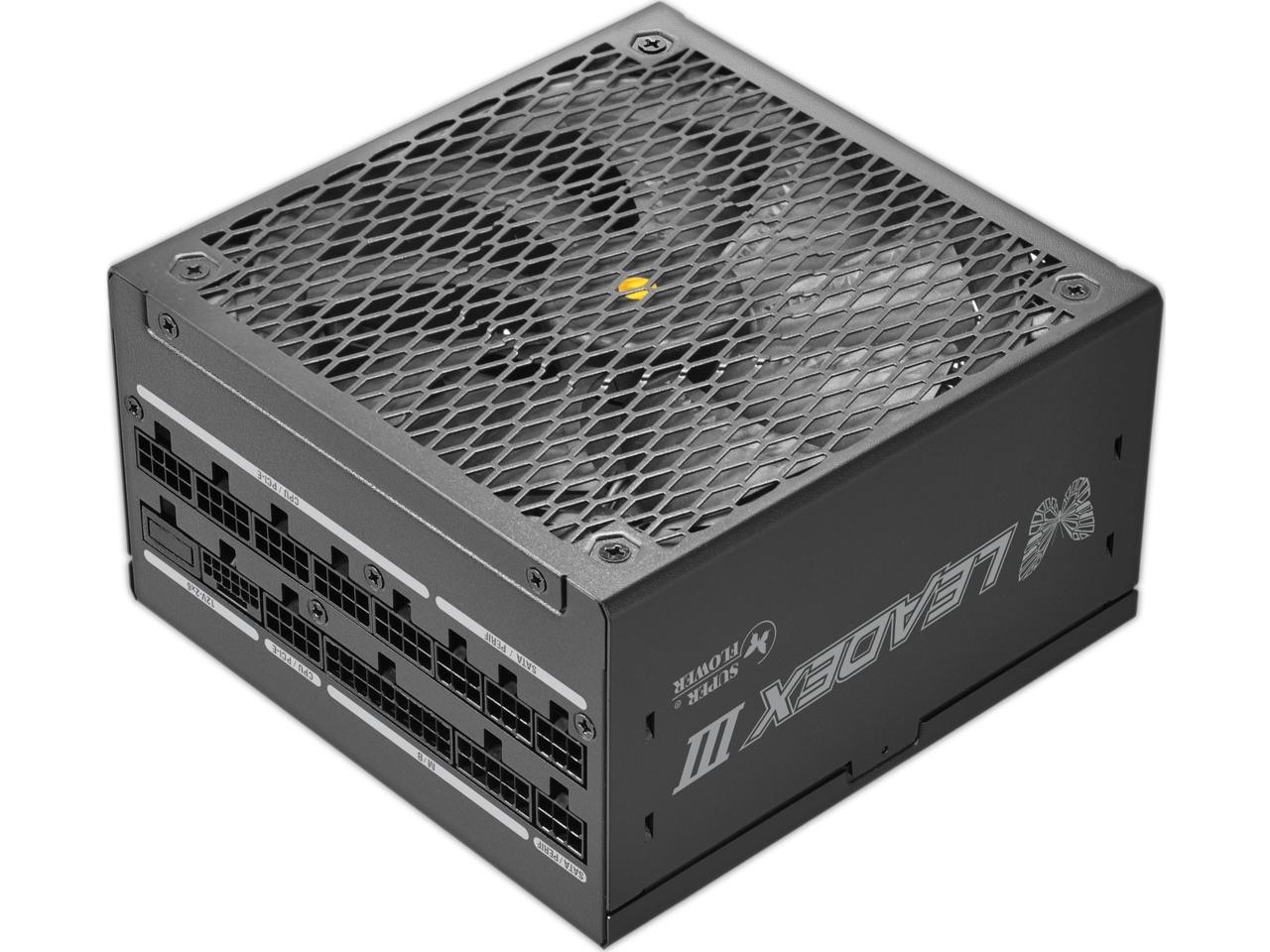
I just got a new psu. Superflower 850w ATX 3.1
 

Rogue

Senior Member
Joined
Jan 1, 2000
Messages
5,369
Reaction score
116
Not sure then. Try manually setting PCIe to 3.0 in bios, not auto. Also can try other output , either DP or HDMI.

Worst case lemon gpu or don't support pci-e 3.0 (which is strange since it should just downgrade from 5.0 to 3.0 manually).
 

ruster

Member
Joined
Apr 22, 2010
Messages
103
Reaction score
13
The last thing you could try is updating the motherboard bios and also remember to set the highest gen pcie at bios settings after updating it. If the issue still persist just change the motherboard, for me I just don't feel good when I know pcie gen 3 is a potential bottleneck for the 5070ti anyways.
 

greatgreenman

Senior Member
Joined
May 19, 2016
Messages
566
Reaction score
16
Not sure then. Try manually setting PCIe to 3.0 in bios, not auto. Also can try other output , either DP or HDMI.

Worst case lemon gpu or don't support pci-e 3.0 (which is strange since it should just downgrade from 5.0 to 3.0 manually).
Yeah tried that already. No difference on 3.0. Both DP and HDMI no go.
Very hard for me to tell if this is a lemon or if it’s a support issue since I see a lot of other similar complaints online…

I haven’t tried flashing bios yet so that will be my last try. Dunno if I should RMA or just resell
 

Bardiel

High Supremacy Member
Joined
Jul 9, 2006
Messages
34,789
Reaction score
8,670
try go rma see if its the card issue

what i kena before is i use the 12vphr direct from psu cannot work. end up i use the 3 x 8 pin converter provided by the gpu maker itself and it works smooth like butter
 

greatgreenman

Senior Member
Joined
May 19, 2016
Messages
566
Reaction score
16
Anyone here using only two 8-pin PCIe connectors? If it really needs three, then I don’t understand why a newer psu like Superflower 850w ATX 3.1 would only provide a single two 8-pin to 16pin 12v-2x6 cable.
 

86technie

High Supremacy Member
Joined
Jun 8, 2006
Messages
40,316
Reaction score
5,921
Anyone here using only two 8-pin PCIe connectors? If it really needs three, then I don’t understand why a newer psu like Superflower 850w ATX 3.1 would only provide a single two 8-pin to 16pin 12v-2x6 cable.


AMNPD240703061S7237.jpg

https://www.super-flower.com.tw/en/products/leadex-iii-ge-850w-atx-31-wh-20240812001621

Is by PSU design that this model doesn't give native 12vhpwr unless it is 1000watt and above.
I think you should sell away the RTX 5070 Ti.
Until next time upgrade the CPU and motherboard first than GPU.

Cuz B450 depending which motherboard BIOS may not be able to support it.
Especially if older BIOS, FYI in the past RTX 3060 also had similar issue.
That manufacturer have to release BIOS update to fix this issue.

Anyway with such old setup the RTX 5070 Ti will be definetely bottleneck by
the CPU which I think should a Ryzen 5 3600 with B450?
 

Yongkit

Supremacy Member
Joined
Oct 9, 2015
Messages
5,900
Reaction score
2,490
Option

1. Sell GPU at lost
2. Buy second hand x570 mobo with gen 4 support on the cost of GPU lost value
 

kimsix

Arch-Supremacy Member
Joined
Jan 6, 2009
Messages
20,268
Reaction score
10,146
https://forums.hardwarezone.com.sg/...-30-better-than-rtx4000-only.7011311/page-165

Read through the post by

Phen8210

from post #3,291

He fixed his card's issue by updating its firmware.

yes if TS only black screen during post and still can reach windows desktop, can try run the nvidia update tool

https://www.nvidia.com/en-us/geforc...-gpu-uefi-firmware-update-tool-v20-is-compat/

Else first try to update motherboard bios if got new version, b450 predates 5070 by many years
 

KleoZy

Supremacy Member
Joined
Jan 1, 2000
Messages
5,778
Reaction score
1,057
i would strongly advise TS to update bios of your board, if can't, take your 5070ti to SLS and see which kind shop can do a quick test for you. This is to narrow down if your card is faulty, instead of jumping into doing a firmware on your GPU. remember, once prick, there goes your GPU
 

xonix

Arch-Supremacy Member
Joined
Mar 24, 2001
Messages
17,587
Reaction score
1,689
Your motherboard set to which type of boot option ? CSM or UEFI ?
 

greatgreenman

Senior Member
Joined
May 19, 2016
Messages
566
Reaction score
16
I flashed BIOS and then tried 2x 8pin pcie to 12vhpwr and then used the 16pin 12v-2x6 adapter. Still no luck. Not sure how to update the gpu firmware when I don’t have onboard graphics.

I’m leaning more towards this being a faulty GPU because initially I managed to get it to display for a short time, but then now I’m not getting anything at all. Think RMA is my next best option.
 

abstrax

Senior Member
Joined
Nov 29, 2001
Messages
1,537
Reaction score
166
Anyone here using only two 8-pin PCIe connectors? If it really needs three, then I don’t understand why a newer psu like Superflower 850w ATX 3.1 would only provide a single two 8-pin to 16pin 12v-2x6 cable.
I use 2x8pins to 16pins too for my 5070 (the 16pins cable come with the card). Been using 2weeks now. So far no pbm. I am using Z690 mb - PCIe 5.0 x16
Btw, if u still using PCIe 3.0 to run ur 5070Ti, it will really bottleneck the GPU performance. Hope u can upgrade the mb at least PCIe 4.0
 
Last edited:

abstrax

Senior Member
Joined
Nov 29, 2001
Messages
1,537
Reaction score
166
I flashed BIOS and then tried 2x 8pin pcie to 12vhpwr and then used the 16pin 12v-2x6 adapter. Still no luck. Not sure how to update the gpu firmware when I don’t have onboard graphics.

I’m leaning more towards this being a faulty GPU because initially I managed to get it to display for a short time, but then now I’m not getting anything at all. Think RMA is my next best option.
If ur 5070Ti is brand new, should not spoilt so fast. See any of ur friend can test the GPU for u nearby ur house.
If really no solution den go to RMA.
 
Important Forum Advisory Note
This forum is moderated by volunteer moderators who will react only to members' feedback on posts. Moderators are not employees or representatives of HWZ Forums. Forum members and moderators are responsible for their own posts. Please refer to our Community Guidelines and Standards and Terms and Conditions for more information.
Top