Acer XB271HU

wacko

Arch-Supremacy Member
Joined
Jan 1, 2000
Messages
15,546
Reaction score
267
Is there an "adaptive" settings? It should be this instead of ON.

Edited,: you did mentioned adaptive. Damn. Smartphone is so difficult to read and type lol

from this comment, I'm guessing you do not use a G-Sync monitor? or never explored the NVIDIA Vertical Sync settings while using one?
 

twlee88

Senior Member
Joined
Oct 23, 2012
Messages
763
Reaction score
0
de43a381-d00b-4b89-9fcd-a7e69f334be7._CB325393438_.jpg

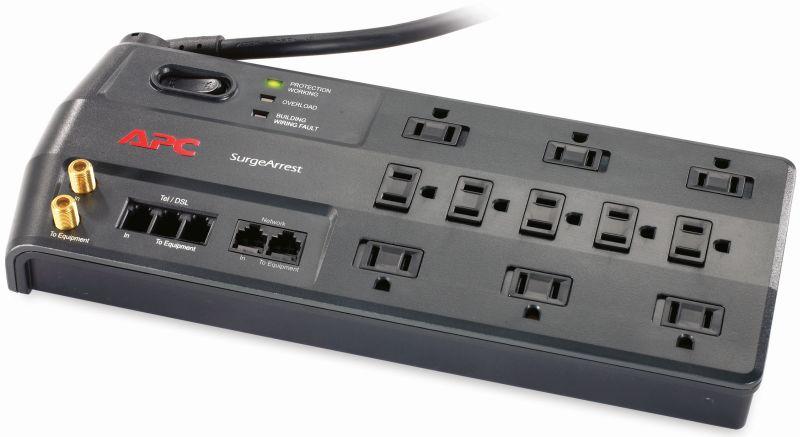
thanks for recommendation. got anything smaller and cheaper but perform the same?? :s22::s22:
 

TechZSG

Senior Member
Joined
Jan 31, 2015
Messages
793
Reaction score
5
Yeah now I'm totally confused as to the settings!

VSync in nvidia CP = off?
VSync In-game = off?
 

winnoe

Member
Joined
May 19, 2004
Messages
130
Reaction score
50
What's ur CPU, OS and video settings?

I am using i7-7770 (forgot if k or not) Windows 7 and ultra settings, including nvidia hair fx

FPS is usually in the 90's.
It reaches 110 when I am standing alone out on a grassy hill... But you can complete the game by standing on the hill!
 

winnoe

Member
Joined
May 19, 2004
Messages
130
Reaction score
50
thanks for recommendation. got anything smaller and cheaper but perform the same?? :s22::s22:

Harvey Norman has a Belkin brand surge protector (includes local SG surge insurance) that retails for about sgd68 I think.
 

winnoe

Member
Joined
May 19, 2004
Messages
130
Reaction score
50
it's not. imagine if it is. we would be paying upwards of 2k for this monitor maybe.

imagine. just imagine. The perfect monitor

OLED, 144hz, G/Free Sync, OC capable, Wide Gamut, 10bit SRC, 1ms GTG, 21:9 wide screen, 4k, 34"

yeap. just dreaming :)

This kind of monitor!? I am climaxing already...
 

mini_cow

Master Member
Joined
Aug 4, 2010
Messages
3,062
Reaction score
280
noticed that the screen is really dark. Do you guys use dark boost or adaptive contrast?
 

winnoe

Member
Joined
May 19, 2004
Messages
130
Reaction score
50
noticed that the screen is really dark. Do you guys use dark boost or adaptive contrast?

I find dark boost makes the blacks too grey.

Especially when playing a "dark" game like Assasin's Creed or The Division (in the sewers) everything looks so washed out.

Maybe you need to tweak your color/brightness/contrast settings. :s11:
 

mini_cow

Master Member
Joined
Aug 4, 2010
Messages
3,062
Reaction score
280
I find dark boost makes the blacks too grey.

Especially when playing a "dark" game like Assasin's Creed or The Division (in the sewers) everything looks so washed out.

Maybe you need to tweak your color/brightness/contrast settings. :s11:

i did. my reference image is the windows 10 lock screen :s13:

I'm now at 50% adaptive contrast and level 1 dark boost. its a fine balance. makes some things a bit too washed out but it does improve contrast some.
 

TechZSG

Senior Member
Joined
Jan 31, 2015
Messages
793
Reaction score
5
Hey guys, not sure if this is a GPU hardware, driver, cable or monitor issue...

The trouble is that replicating it is near impossible, its quite random. But once it's there, turning the monitor off and on doesn't seem to resolve it. I'm using the DP cable that came with the monitor. I'm going to try the HDMI port on my 980Ti for a few days and see how it fairs.

*****edit*****

Tested with HDMI cable, same issue, less of an issue, but still clearly visible.

*****edit*****

Tried upgrading to the latest nvidia drivers, but that didn't help.

http://imgur.com/a/Wlul1 All images are photos take from my phone (Nexus 6P)

Image1 - Video playing on screen. It's a very clear line right down the center of the monitor and the redness only appears on the right side.

Image2 - Close up shot of the wallpaper.

Image3 - MS Paint with dark maroon background clearly shows the line separating the right and left portion of the monitor.

Image4 - MS Paint with dark maroon background clearly shows the line separating the right and left portion of the monitor - even if you drag the window to one side of the monitor, the line remains.

 
Last edited:

mister38

Arch-Supremacy Member
Joined
Aug 15, 2002
Messages
15,006
Reaction score
575
Hey guys, not sure if this is a GPU hardware, driver, cable or monitor issue...

The trouble is that replicating it is near impossible, its quite random. But once it's there, turning the monitor off and on doesn't seem to resolve it. I'm using the DP cable that came with the monitor. I'm going to try the HDMI port on my 980Ti for a few days and see how it fairs.

Tried upgrading to the latest nvidia drivers, but that didn't help.

http://imgur.com/a/Wlul1 All images are photos take from my phone (Nexus 6P)

Image1 - Video playing on screen. It's a very clear line right down the center of the monitor and the redness only appears on the right side.

Image2 - Close up shot of the wallpaper.

Image3 - MS Paint with dark maroon background clearly shows the line separating the right and left portion of the monitor.

Image4 - MS Paint with dark maroon background clearly shows the line separating the right and left portion of the monitor - even if you drag the window to one side of the monitor, the line remains.

when did u buy it.. go for 1 for 1 exchange?
 

mini_cow

Master Member
Joined
Aug 4, 2010
Messages
3,062
Reaction score
280
I was the first to get it through the MO done in Dec 2015.

I am trying another monitor for a while to see if it's my 980Ti that's having an issue.

I highly doubt its the GPU. most likely the monitor issue
 

TechZSG

Senior Member
Joined
Jan 31, 2015
Messages
793
Reaction score
5
I highly doubt its the GPU. most likely the monitor issue

I'll call Acer on Monday morning and see if they will arrange an on-site check.

I made sure to do the online registration for warranty back in Dec '15.
 

winnoe

Member
Joined
May 19, 2004
Messages
130
Reaction score
50
Hey guys, not sure if this is a GPU hardware, driver, cable or monitor issue...

The trouble is that replicating it is near impossible, its quite random. But once it's there, turning the monitor off and on doesn't seem to resolve it. I'm using the DP cable that came with the monitor. I'm going to try the HDMI port on my 980Ti for a few days and see how it fairs.

*****edit*****

Tested with HDMI cable, same issue, less of an issue, but still clearly visible.

*****edit*****

Tried upgrading to the latest nvidia drivers, but that didn't help.

http://imgur.com/a/Wlul1 All images are photos take from my phone (Nexus 6P)

Image1 - Video playing on screen. It's a very clear line right down the center of the monitor and the redness only appears on the right side.

Image2 - Close up shot of the wallpaper.

Image3 - MS Paint with dark maroon background clearly shows the line separating the right and left portion of the monitor.

Image4 - MS Paint with dark maroon background clearly shows the line separating the right and left portion of the monitor - even if you drag the window to one side of the monitor, the line remains.


It looks like a monitor issue, chip is not translating the input from the GPU correctly.

It shouldn't be a GPU issue. If it is a GPU issue you will see artifacting or spotting across the whole screen, not neatly split down the middle.

Sorry looks like you got a lemon. :( :(
 

TechZSG

Senior Member
Joined
Jan 31, 2015
Messages
793
Reaction score
5
Acer support are quite responsive, even though the wait on their support line is quite long.

The agent called me back time and again to adjust the on-site visit based on my requirement, quite happy how diligent they were about this!

The tech came over today morning and checked the panel, naturally it wasn't happening when he came over, but he's taken the unit now and said to expect a 3-5 day wait.

Fingers crossed it happens on their end too!
 

Gattberserk

Arch-Supremacy Member
Joined
Jan 26, 2008
Messages
10,590
Reaction score
901
it's not. imagine if it is. we would be paying upwards of 2k for this monitor maybe.

imagine. just imagine. The perfect monitor

OLED, 144hz, G/Free Sync, OC capable, Wide Gamut, 10bit SRC, 1ms GTG, 21:9 wide screen, 4k, 34"

yeap. just dreaming :)

Before you dream you should at least make the effort to know the max. bandwidth of DP 1.3. Especially with HDRR thrown in.

You either live with 4K 60Hz with HDRR, 120Hz with SDR

or

You get 144Hz 1440p with HDRR.

And wide screen is overrated IMO. But anyway if its OLED den expect $4K as well. :s8:
 
Important Forum Advisory Note
This forum is moderated by volunteer moderators who will react only to members' feedback on posts. Moderators are not employees or representatives of HWZ Forums. Forum members and moderators are responsible for their own posts. Please refer to our Community Guidelines and Standards and Terms and Conditions for more information.
Top