Android XR

limmk

High Supremacy Member
Joined
Jul 5, 2001
Messages
40,923
Reaction score
8,157
TL;DR
  • The Play Store is making further preparations to identify apps designed for Android XR.
  • Apps will be able to display a “Made for XR” label with corresponding headset icon.
  • While few apps have declared this support already, Microsoft Edge is off to an early start.


Android is coming for your head. With last week’s announcement of Android XR, the door is now opening for a new generation of augmented, mixed, and virtual reality apps that will take full advantage of hardware like Samsung’s upcoming “Moohan” headset. While it’s sounding like Google is making it as easy as possible for developers to bring existing apps to XR, how will you know what software is really optimized for this new platform? We’ve spotted some changes Google is working on for the Play Store that may shine a little light on just that.

Back at the end of October we uncovered some early evidence of the Play Store’s preparations for XR apps. That included a text string warning about hardware compatibility, as well as an icon that looked like it would be used to designate XR headsets.

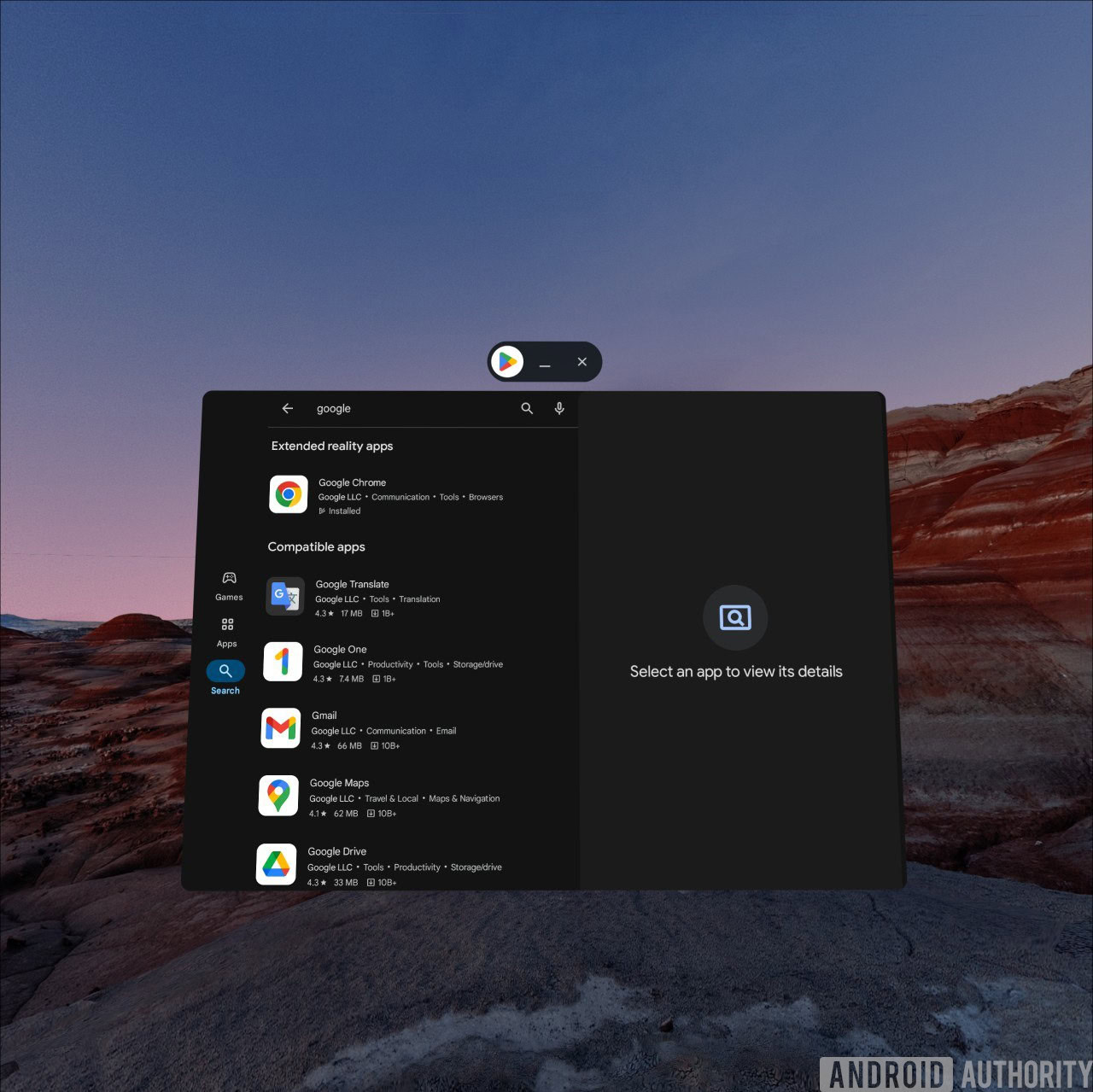
With our first hands-on look at the Android XR interface, we got to actually see how app discovery in Play would work, and that included highlighting apps with specific extended reality support, beyond just those that are merely compatible.

Google Play Store in Android XR


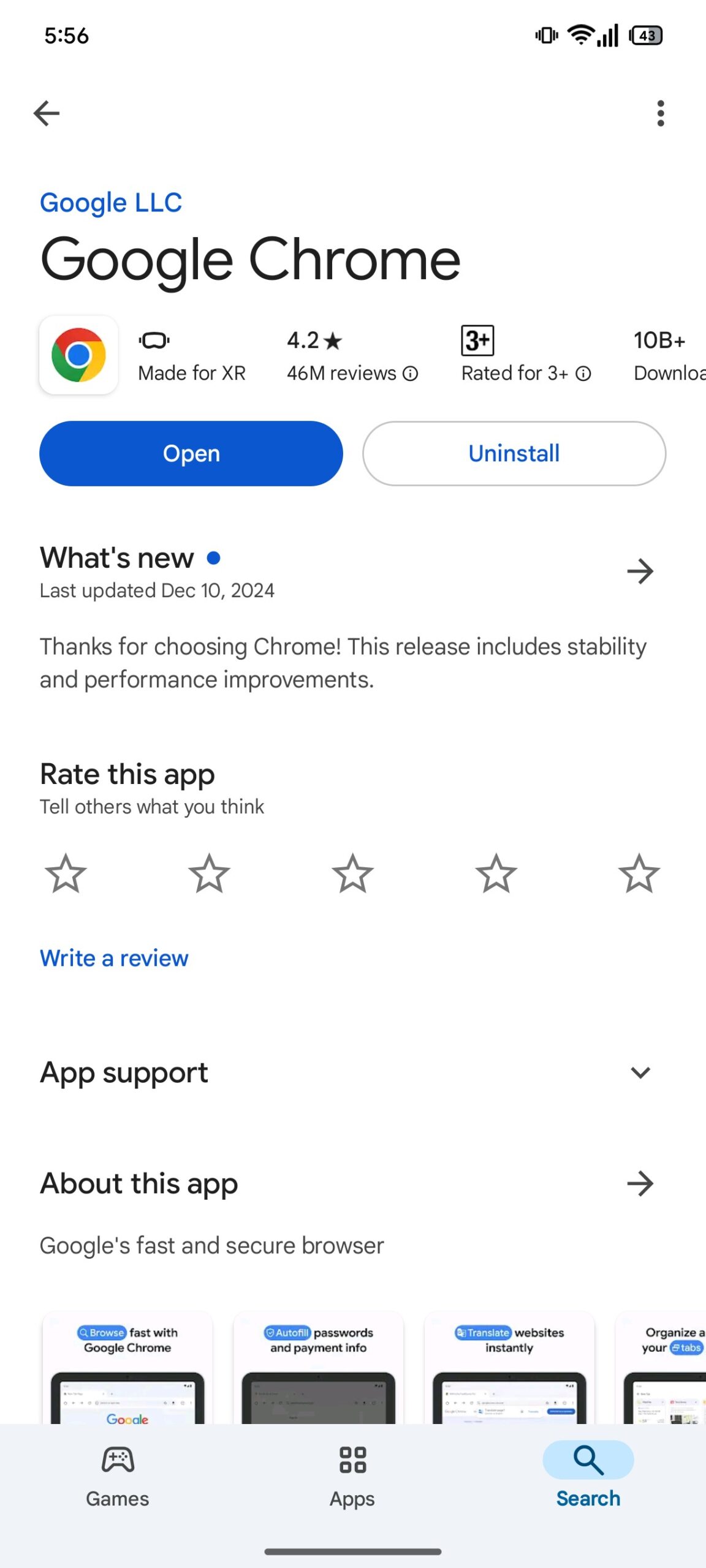
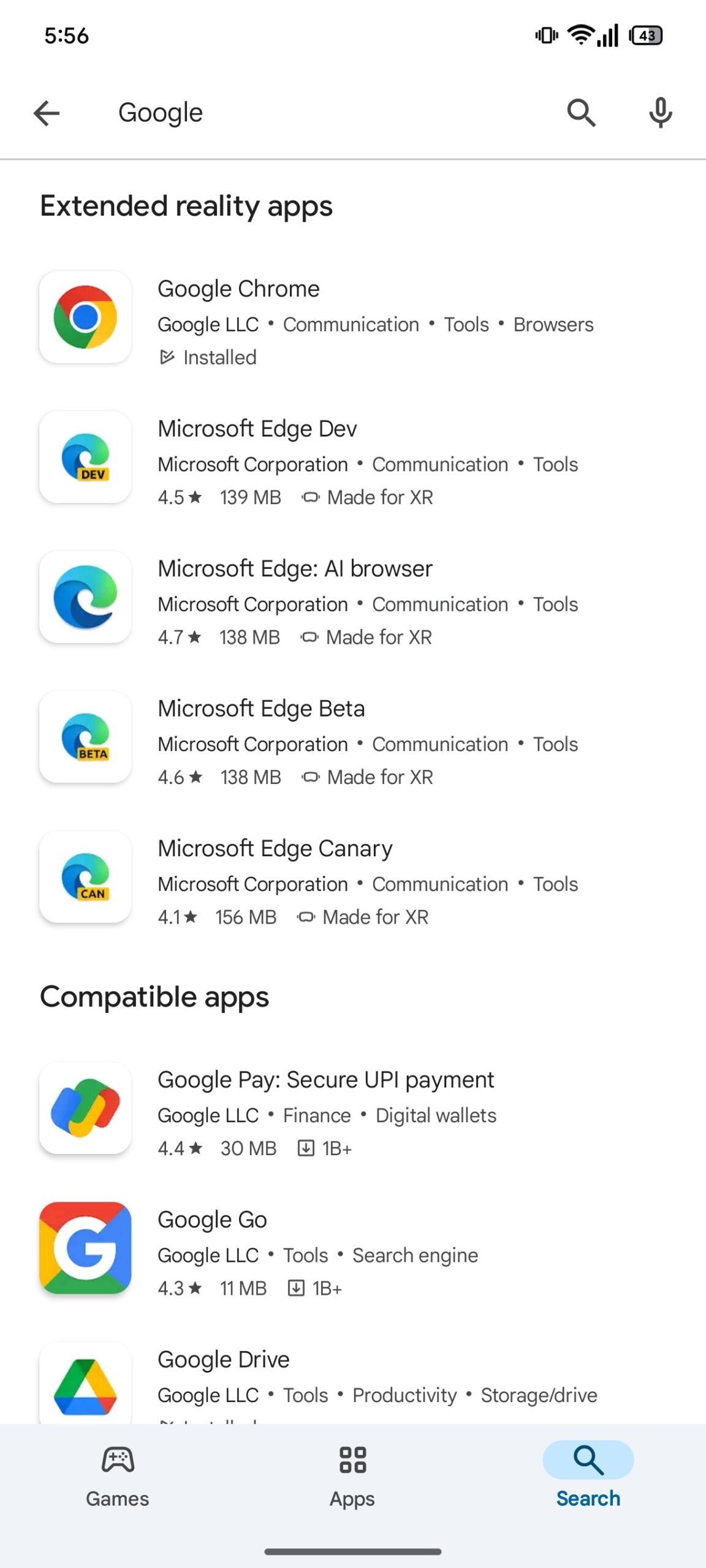
To that we can now add a little more detail. We’re looking at version 44.0.28-31 of the Google Play Store, and when we manage to convince it to start showing us the XR stuff, we begin seeing some new messages. Apps can display a “Made for XR” label accompanied by that very same icon we uncovered in October. We’re also able to get some additional apps to show up in that extended reality category, with Microsoft’s Edge browser appearing to declare the required support. And it looks like that “Made for XR” badge will appear in search, as well, for apps you don’t have already installed.

made for xr play store 1
made for xr play store 2


Of course, we can expect a whole lot more apps to start broadcasting their support for Android XR in the weeks and months to come as we wait for the first XR hardware to arrive.
 

limmk

High Supremacy Member
Joined
Jul 5, 2001
Messages
40,923
Reaction score
8,157


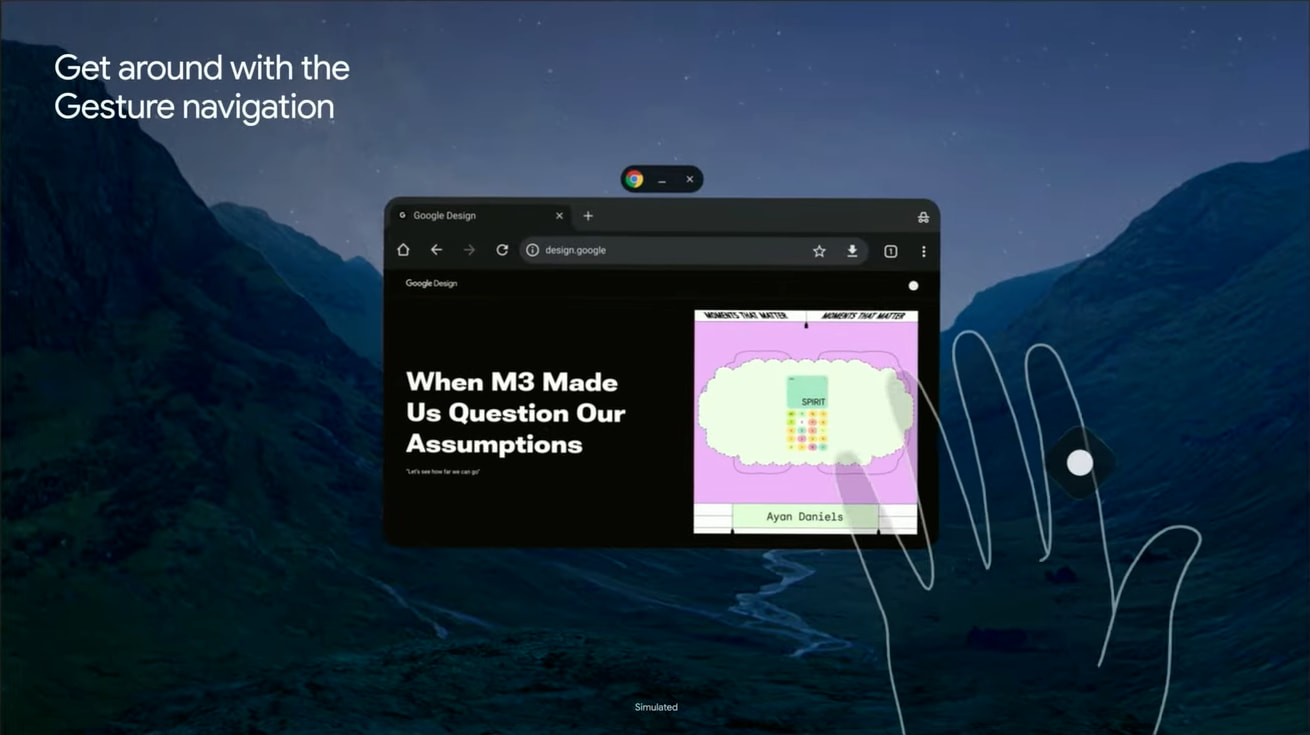
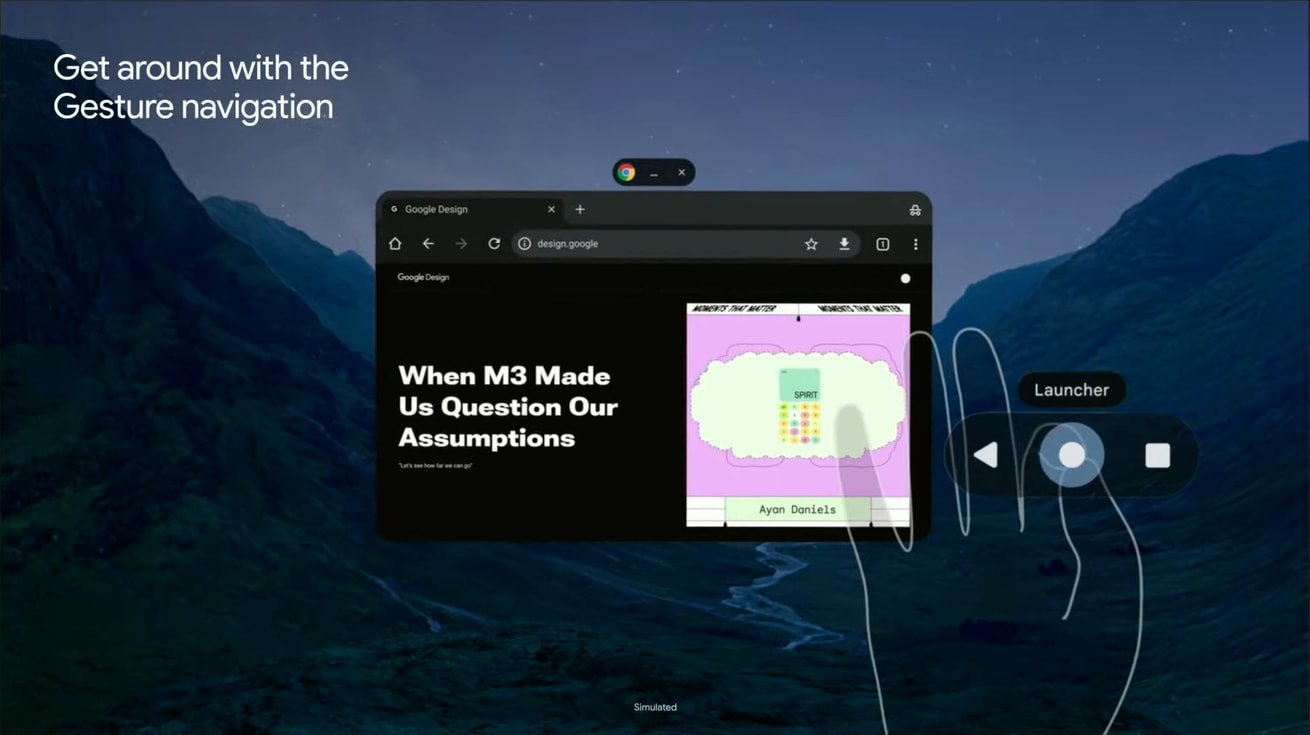
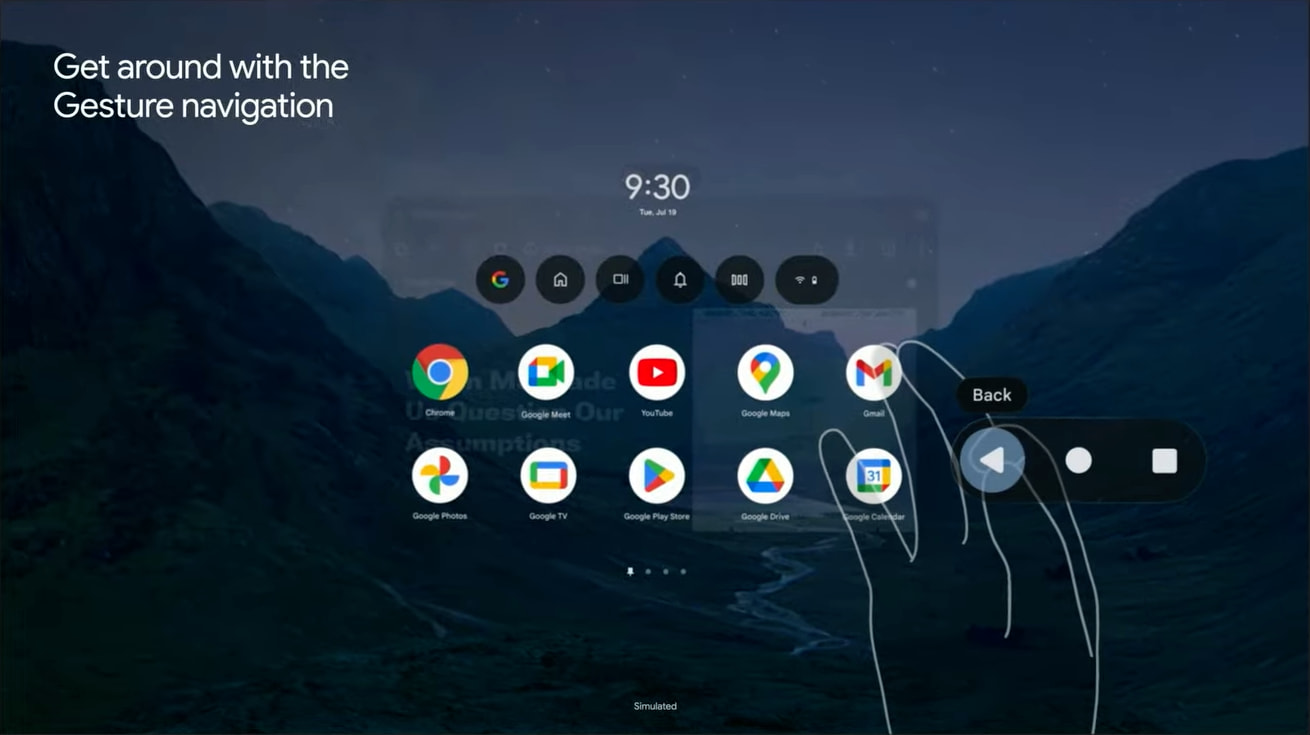
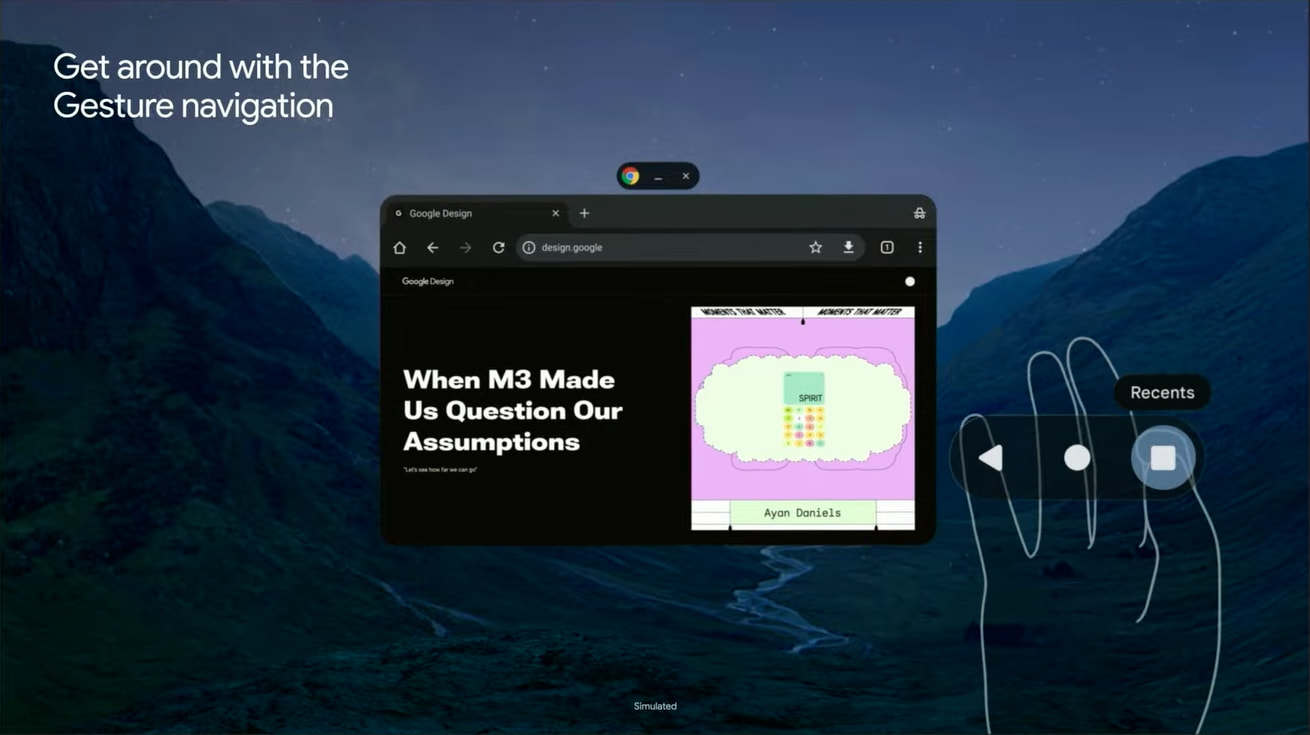
Android XR will support several input methods, with Google even building a “Gesture navigation” system that uses the familiar 3-button layout.

When you bring up your hand, a circle housed in a floating diamond container appears. If you bring your thumb and forefinger together to pinch it, you’ll get a pill with the familiar “Back” triangle, “Launcher” circle, and “Recents” square. You slide to the button you want and then let go to press down.

This is referred to as “Gesture navigation” in Android XR, even though it looks like 3-button navigation on phones. It looks more efficient than tapping a button on the headset to go back every time.


  • Android XR Gesture navigation
  • Android XR Gesture navigation
  • Android XR Gesture navigation
  • Android XR Gesture navigation

More broadly, Android XR supports Hand Tracking and Eye Tracking, with Google building an “Auto Detect” feature that allows users to easily switch between both. There’s also keyboard, mouse, and controller input, as well as voice with Gemini.

Android-XR-Home-Full-Space.jpg


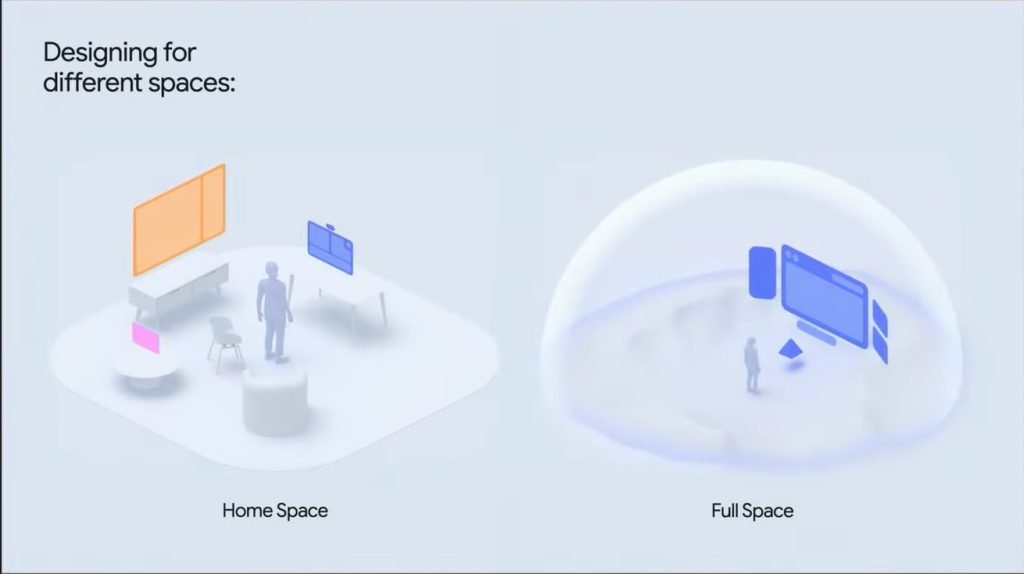
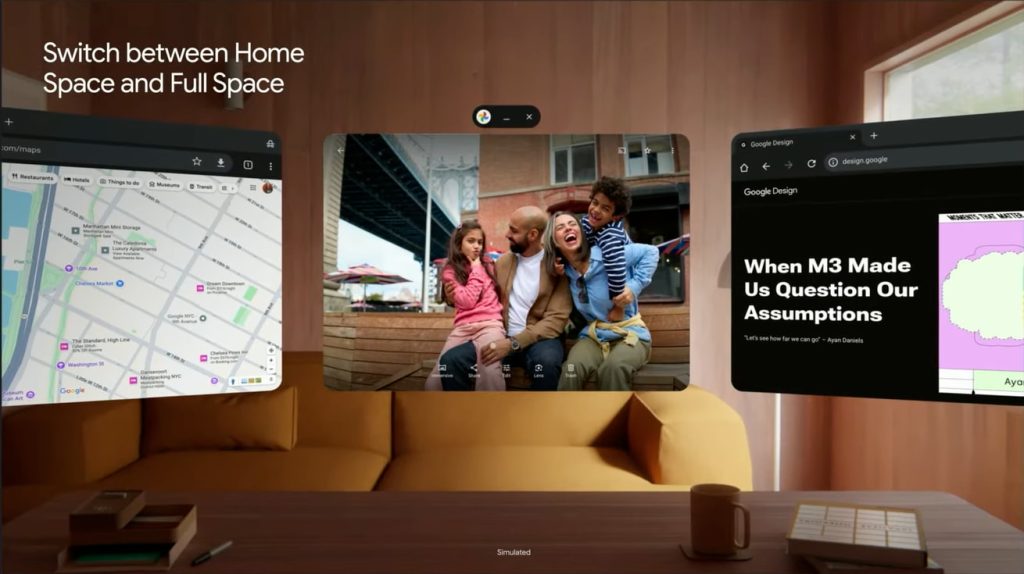
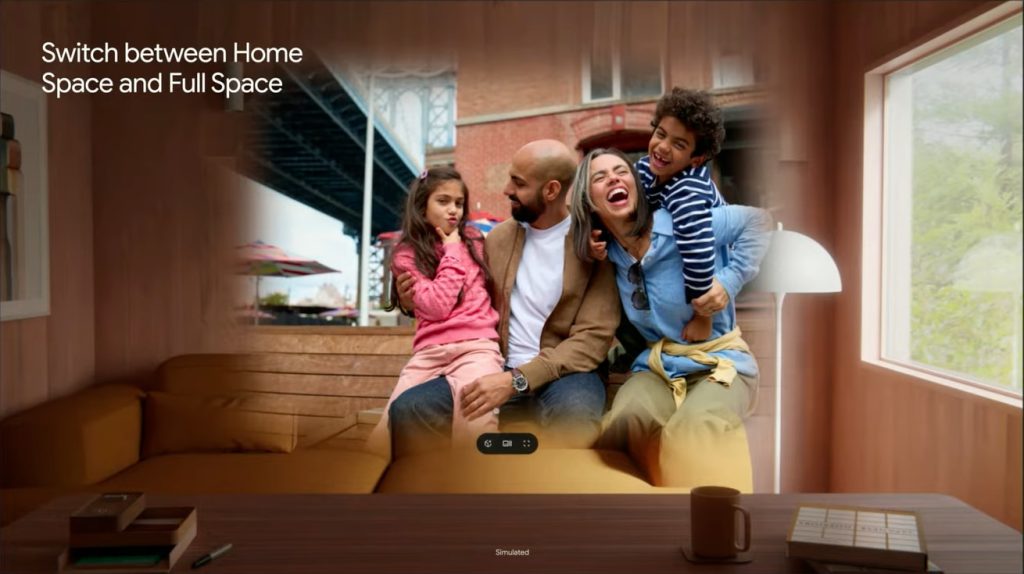
Meanwhile, apps in Android XR can open in one of two spaces. In Home Space, an application “coexists alongside other apps,” with this being the default way apps launch to allow for multitasking where everything has a “flat 2D UI.”

Android-XR-Home-Space.jpg
Android-XR-Full-Space.jpg


Developers can have software or specific features open in Full Space where the “app takes center stage, while other apps are optimized and minimized.” An example of this is jumping from a flat Google Photos slideshow to the faux 3D mode, or viewing 3D models that you access from Google Search.

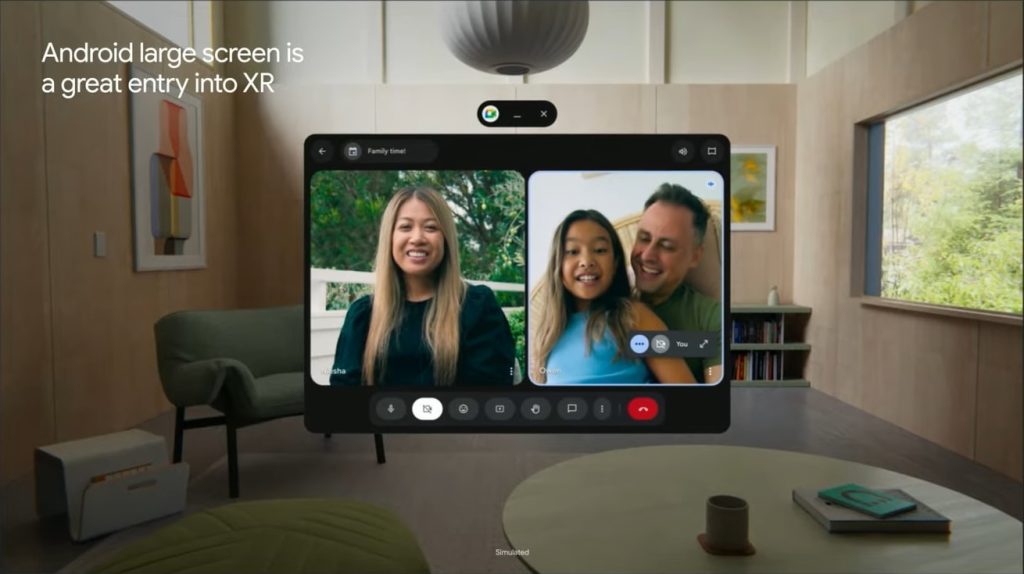
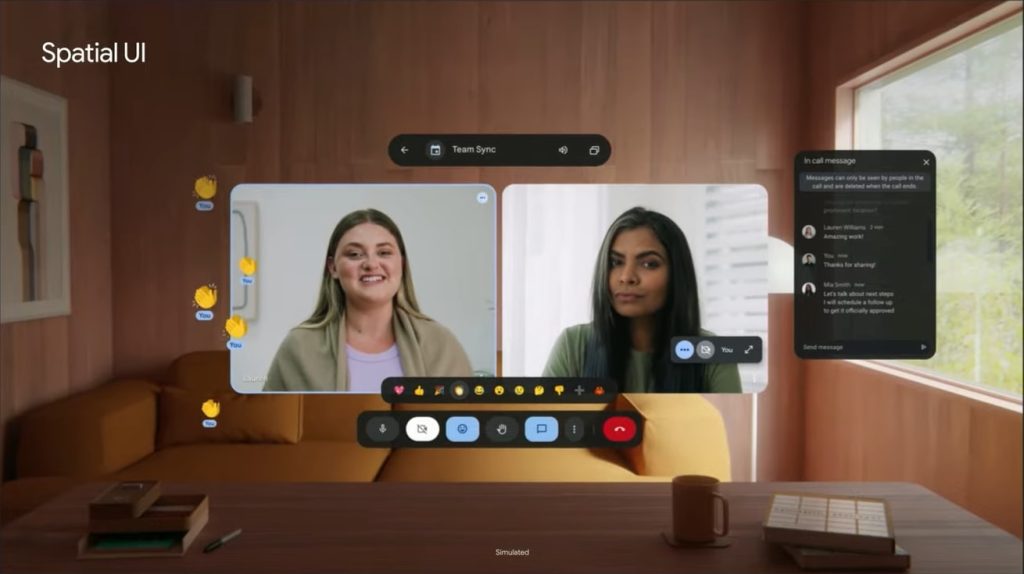
Google TV showcases a Full Space experience with a large carousel, while Google Meet has floating “orbiters” that separate from the main window.

You can break out navigation or action bars into orbiters to give more space to your content. And you can add spatial elevations to your components.
  • Android-XR-Home-Space-2a.jpg
  • Android-XR-Full-Space-2a.jpg

There’s also the ability to offer custom environments, which you don’t interact with, like the faux home theatre setting in Google TV.

It’s best to position primary content in the most comfortable area, centered in front of the user with a horizontal FOV of 41 degrees. Otherwise, if the UI panel is too large, users may get fatigued quickly if they’re having to move their heads too often. Android XR is designed to automatically adjust the UI size based on the user’s field of view. This ensures UI elements are easy to interact with no matter how near or far your app is positioned.

 

limmk

High Supremacy Member
Joined
Jul 5, 2001
Messages
40,923
Reaction score
8,157


When I got a chance to use Android XR in December, my favorite aspect was getting to use the Gemini experience powered by Project Astra and Gemini 2.0. There’s now an extended look at that from MKBHD.

When Google announced Android XR last month, we couldn’t photograph Samsung’s Project Moohan prototype. As we move closer to the 2025 launch, Google let MKBHD video the hands-on experience and shared what footage from inside the headset looks like. This starts at 6:13.

When you activate Gemini from Quick Settings, it will listen for commands and is aware of what you’re seeing on the virtual screen, as well as the real-world from the front-facing cameras.

If you’re watching a video and see something interesting, you can just ask Gemini. This includes translations, what a venue is home to in Google Maps, and explaining what’s happening in a YouTube video. Gemini can also answer questions about the real world. For example, if there’s someone in front of you wearing a soccer/football jersey, you can ask Gemini how that team is doing and get a Google Search Knowledge Panel with league rankings.
—9to5Google

What was most impressive to me at the time was how Gemini/Astra remains silent in the background until you explicitly ask a question. As such, you can seamlessly talk with other people while wearing the headset.

The naturalness of asking a question about what you’re viewing without any preface or specifying further is just like having another person next to you. Frankly, this justifies all the work and effort Google has put into Gemini as of late. Voice is how you’re supposed to interact with LLMs.
—9to5Google

Astra is currently a standalone app for trusted testers and is set to arrive in the Gemini app on Pixel and Galaxy S25 in the coming months.

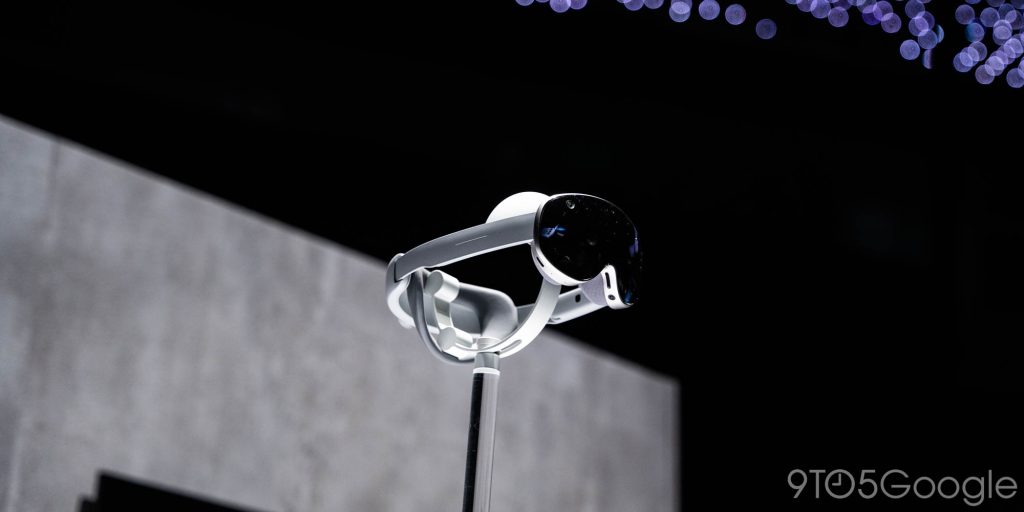
At last week’s S25 launch event, we got a closer look at the hardware. It does look like Vision Pro, but it’s lighter given the use of plastics instead of metal.

  • samsung-android-xr-moohan-headset-10.jpg
  • samsung-android-xr-moohan-headset-3.jpg
  • samsung-android-xr-moohan-headset-4.jpg

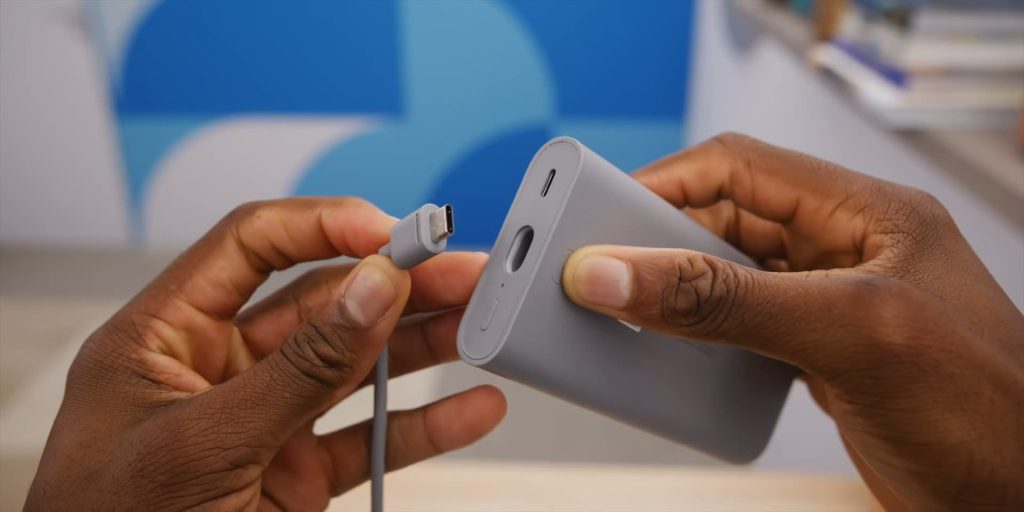
Additionally, I’d argue the “forehead rest” design is a meaningful improvement over Vision Pro as it better distributes the weight, likely reducing the need for a top strap. In today’s video, we also see how the cable attaches to the battery pack via USB-C, thus allowing you to use other units if you want extended usage.

Samsung-Moohan-battery-pack.jpg
 
Important Forum Advisory Note
This forum is moderated by volunteer moderators who will react only to members' feedback on posts. Moderators are not employees or representatives of HWZ Forums. Forum members and moderators are responsible for their own posts. Please refer to our Community Guidelines and Standards and Terms and Conditions for more information.
Top