Asus GT-AX11000/Pro, RT-AX89X, , GT-AX6000, RT-AX88U Pro, RT-AX86U/Pro, RT-AX86S, TUF-AX6000, RT-AX82U (V1/V2), TUF-AX5400, RT-AX5400 and TUF-AX4200

miloaisdino

Senior Member
Joined
Mar 25, 2016
Messages
843
Reaction score
26
Do you think it is possible with SingTel 1+1 plan? I believe the bridged ONR port has no VLAN and the other three ONR ports have no VLAN.

Or do you think the above VLAN thingy does not matter?

it does not matter. however for compatibility with certain games, dmz on the onr should also be configured for the asus router.
 

WestGuy

Banned
Joined
Mar 11, 2001
Messages
14,056
Reaction score
417
Setting Dual Wan seems very unstable for me on my 1+1 plan.

I connected a LAN cable from ONR port 4 and port 3 to the WAN and 2.5G WAN on the AX86U for Dual WAN.

Sometimes it can work successfully but when i reboot the router it stops working i.e. red Internet light on the AX86U, but most of the time it fails to work.

I wonder what could be wrong.


xiaofan

High Supremacy Member
Joined
Sep 16, 2018
Messages
31,488
Reaction score
8,897
it does not matter. however for compatibility with certain games, dmz on the onr should also be configured for the asus router.

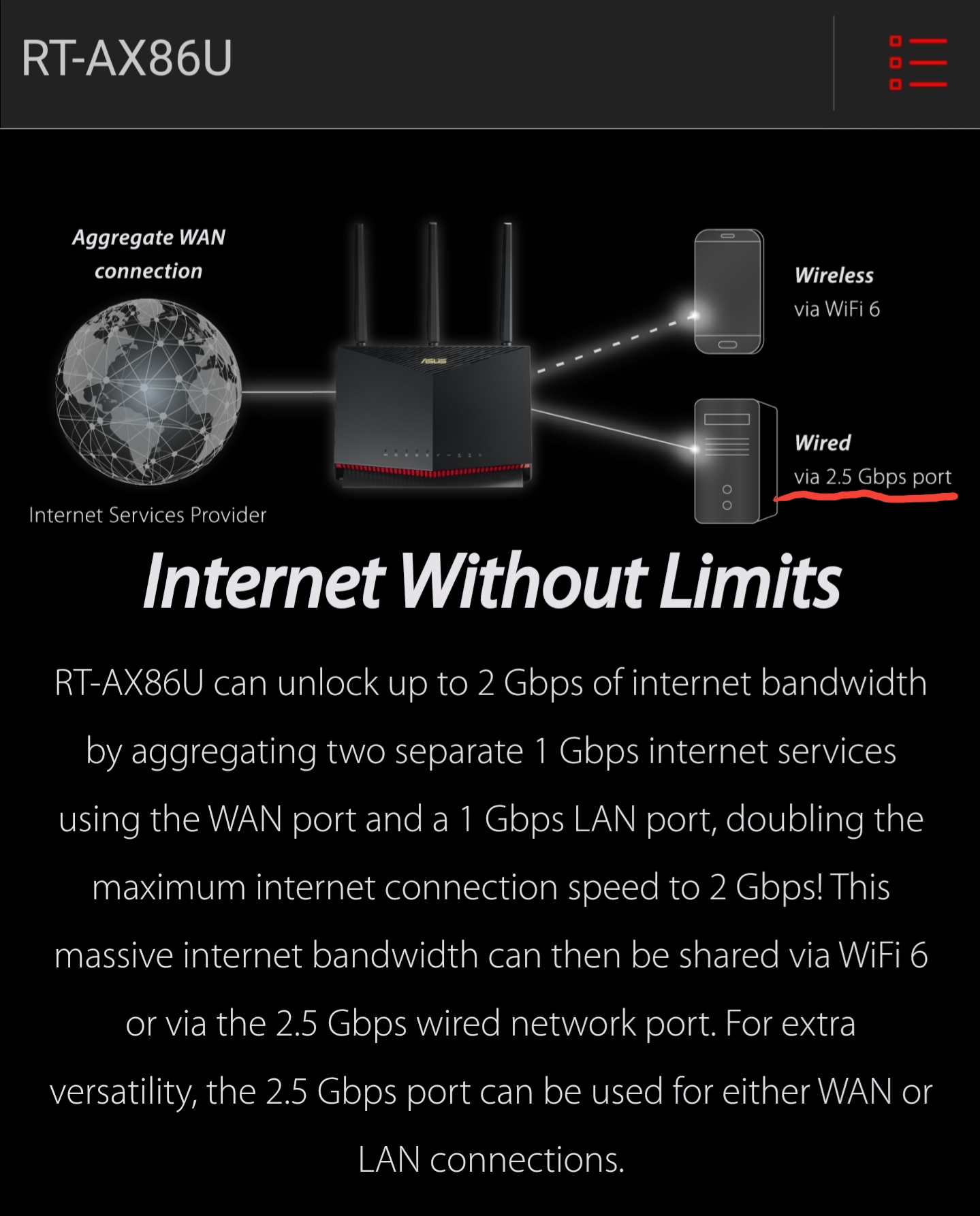
dual wan should be used to combine 2 different wan connections not link aggregation. link aggregation is strictly for LACP or static bonding only. dual wan will increase speedtest results beyond 1gbps also

In this case, how do you achieve beyond 1Gbps speed with AX86U and SingTel 1+1 plan?

So far nobody seems to be able to achieve above 1Gbps speed with Asus consumer routers with dual wan features. They are basically saying you need a better grade routers.
 
Last edited:

xiaofan

High Supremacy Member
Joined
Sep 16, 2018
Messages
31,488
Reaction score
8,897
Setting Dual Wan seems very unstable for me on my 1+1 plan.

I connected a LAN cable from ONR port 4 and port 3 to the WAN and 2.5G WAN on the AX86U for Dual WAN.

Sometimes it can work successfully but when i reboot the router it stops working i.e. red Internet light on the AX86U, but most of the time it fails to work.

I wonder what could be wrong.

What if you change the second WAN to another port and not the 2.5Gbps port?

Connect 2.5Gbps port to your PC with 2.5Gbps port or compatible 5Gbps/10Gbps port.
 

uthuth

Senior Member
Joined
Jun 11, 2008
Messages
2,150
Reaction score
0
Still looking for an AX86U if anyone is willing to offload from their singtel plan, willing to pay the full 24*$17 straight up. I hate contracts personally haha
 

miloaisdino

Senior Member
Joined
Mar 25, 2016
Messages
843
Reaction score
26
Setting Dual Wan seems very unstable for me on my 1+1 plan.

I connected a LAN cable from ONR port 4 and port 3 to the WAN and 2.5G WAN on the AX86U for Dual WAN.

Sometimes it can work successfully but when i reboot the router it stops working i.e. red Internet light on the AX86U, but most of the time it fails to work.

I wonder what could be wrong.

how about try 1:1 ratio and set static lease/ip and dmz for the router port thats connected to the "non dedicated 1gbps port" on the onr?
also the 1gbps wan port and another lan port should be used for load balance, not the 2.5gbps port

red light could mean the asus failed to obtain an ip from the onr. when rebooting its best to let the onr be up and running first before the asus is turned back on!
 
Last edited:

WestGuy

Banned
Joined
Mar 11, 2001
Messages
14,056
Reaction score
417
how about try 1:1 ratio and set static lease/ip and dmz for the router port thats connected to the "non dedicated 1gbps port" on the onr?
also the 1gbps wan port and another lan port should be used for load balance, not the 2.5gbps port

red light could mean the asus failed to obtain an ip from the onr. when rebooting its best to let the onr be up and running first before the asus is turned back on!

Tried using a LAN Port for secondary WAN and yup it's stable now.

Actually there was an option to use the 2.5G WAN port as the secondary WAN, but that was highly unstable. Wonder why.


xiaofan

High Supremacy Member
Joined
Sep 16, 2018
Messages
31,488
Reaction score
8,897
Tried using a LAN Port for secondary WAN and yup it's stable now.

Actually there was an option to use the 2.5G WAN port as the secondary WAN, but that was highly unstable. Wonder why.

Can you try out test to see if you can achieve higher than 1Gbps speed either from the 2.5Gbps port or from WiFi 6 clients?

You can buy 2.5Gbps adapter, either PCIE version, or USB 3 version (Type A or Type C).

7GAqxr.jpg
 
Last edited:

guards80

Senior Member
Joined
Jul 23, 2007
Messages
1,499
Reaction score
18
Thanks, got it yesterday. Online service really slow. Now my whole house is cover with just 1 wifi router. Even master bedroom which is 2 walls away also no problem. I stay in a condo, so the walls are thicker than hdb.

How much can i sell my tp-link ax50 bought in may. 3 years warranty minus about 5 month. Is 150 reasonable?
maybe can compare price on carousell see others selling how much.

and also for wifi Region i set to US the signal range will be better this what i normally set. maybe u can compare other Region too...
 

WestGuy

Banned
Joined
Mar 11, 2001
Messages
14,056
Reaction score
417
maybe can compare price on carousell see others selling how much.

and also for wifi Region i set to US the signal range will be better this what i normally set. maybe u can compare other Region too...

Any pros and cons for setting WiFi region to US instead of Asia?
 

Humster

Arch-Supremacy Member
Joined
Jul 15, 2000
Messages
23,104
Reaction score
2,478
Well the AX82U is selling for S$359, So high chance the AX86U would be between S$407 -S$429.
 

Kim1972

Senior Member
Joined
Jun 13, 2020
Messages
637
Reaction score
200
maybe can compare price on carousell see others selling how much.

and also for wifi Region i set to US the signal range will be better this what i normally set. maybe u can compare other Region too...

Thanks for the tips on region setting. It only affects signal strength and nothing else right? I will try that out in the morning. Seems like cant do it from asus app
 
Last edited:

xiaofan

High Supremacy Member
Joined
Sep 16, 2018
Messages
31,488
Reaction score
8,897
dual wan should be used to combine 2 different wan connections not link aggregation. link aggregation is strictly for LACP or static bonding only. dual wan will increase speedtest results beyond 1gbps also

From the Asus Dual WAN FAQ, dual wan load balance mode will not increase SpeedTest beyond 1Gbps for any single connection session. Take note of the last sentence.
https://www.asus.com/sg/support/FAQ/1011719/

****
Load Balance Mode:

While enabling the Load Balance Mode, you can distribute the load between the Primary WAN and Secondary WAN. In this mode, you can also configure a particular device to use either the Primary or Secondary WAN.

For example, you can configure your game console connected to your local network to use the primary WAN and the smart phone to use the secondary WAN. Additionally, you get more options to route requests through either the Primary or Secondary WAN.

By enabling routing rules and adding rules appropriately, you can route requests from a particular device through the Primary WAN or Secondary WAN.

Note: The system will separate Internet sessions based on the load between the Primary WAN and Secondary WAN, instead of the overall bandwidth or overall data rate.

 
Last edited:

miloaisdino

Senior Member
Joined
Mar 25, 2016
Messages
843
Reaction score
26
From the Asus Dual WAN FAQ, dual wan load balance mode will not increase SpeedTest beyond 1Gbps for any single connection session. Take note of the last sentence.
https://www.asus.com/sg/support/FAQ/1011719/

****
Load Balance Mode:

While enabling the Load Balance Mode, you can distribute the load between the Primary WAN and Secondary WAN. In this mode, you can also configure a particular device to use either the Primary or Secondary WAN.

For example, you can configure your game console connected to your local network to use the primary WAN and the smart phone to use the secondary WAN. Additionally, you get more options to route requests through either the Primary or Secondary WAN.

By enabling routing rules and adding rules appropriately, you can route requests from a particular device through the Primary WAN or Secondary WAN.

Note: The system will separate Internet sessions based on the load between the Primary WAN and Secondary WAN, instead of the overall bandwidth or overall data rate.

it will increase. speedtest on single thread will NOT increase as load balance is by connection session (ie, source and dest port/ip pair). however most high speed download clients eg bittorrent, steam, speedtest.net are multithreaded so overall speed will increase to over 1gbps. this has been illustrated in youtube demos
 

xiaofan

High Supremacy Member
Joined
Sep 16, 2018
Messages
31,488
Reaction score
8,897
it will increase. speedtest on single thread will NOT increase as load balance is by connection session (ie, source and dest port/ip pair). however most high speed download clients eg bittorrent, steam, speedtest.net are multithreaded so overall speed will increase to over 1gbps. this has been illustrated in youtube demos

Thanks for the clarifications. Sounds like correct to me. But I would like to see SpeedTest results here to confirm your theory.
 
Last edited:

guards80

Senior Member
Joined
Jul 23, 2007
Messages
1,499
Reaction score
18
Thanks for the tips on region setting. It only affects signal strength and nothing else right? I will try that out in the morning. Seems like cant do it from asus app
Nothing else just signal strength. Asus app cant do it.
 
Important Forum Advisory Note
This forum is moderated by volunteer moderators who will react only to members' feedback on posts. Moderators are not employees or representatives of HWZ. Forum members and moderators are responsible for their own posts.

Please refer to our Community Guidelines and Standards, Terms of Service and Member T&Cs for more information.
Top