[For developers] Android Canary 2512 build now available!

limmk

High Supremacy Member
Joined
Jul 5, 2001
Messages
38,224
Reaction score
7,830


Hi Android Fans,

Today, we are introducing the Android Canary Release Channel, an experimental new option for developers. Canary offers the latest, still-in-development version of Android build ZP11.250606.010.A1, giving you early access to new features and APIs.

While Canary builds undergo testing, they may contain bugs or issues that could affect your device's normal operation. For this reason, Canary builds are unsuitable for everyday use. Additionally, features introduced in Canary may not always make it into a stable Android release.

The Canary channel is specifically designed for developers who want to explore and test the newest Android APIs. If you're a developer eager to get a jump on the latest advancements, Canary is for you!

This first release includes an updated SDK with system images for testing on
Pixel 9a, Pixel 9, Pixel 9 Pro, Pixel 9 Pro XL, Pixel 9 Pro Fold, Pixel 8a, Pixel 8, Pixel 8 Pro, Pixel 7a, Pixel 7 Pro, Pixel 7, Pixel 6a, Pixel 6 Pro, Pixel 6, Pixel Fold, and Pixel Tablet devices. You can get started by flashing a Canary build, or by using the Android Emulator in Android Studio. Once you flash a Canary you will start receiving regular Canary OTA updates about once a month. To stop receiving Canary OTA updates, you will have to flash a non-canary build (prefix other than ZP11), which will require a data wipe.

We look forward to having you start using the new Android Canary features and APIs. Let us know what you think! Your feedback is essential for helping us build a better platform.

Happy testing!
 

limmk

High Supremacy Member
Joined
Jul 5, 2001
Messages
38,224
Reaction score
7,830


Google today is “announcing a significant evolution in [its] pre-release program” for Android. Instead of Developer Previews, we’re now getting an Android Canary release channel. The goal is to “provide earlier, more consistent access to in-development features.”

This change is designed to provide a more streamlined and continuous opportunity for you to try out new platform capabilities and provide feedback throughout the entire year, not just in the early months of a new release cycle.

Google says the structure of the current Developer Preview approach has “inherent limitations”:


  • Developer Previews were not tied to a release channel, and had to be manually flashed to devices every time the cycle would restart.
  • Because previews were tied to the next designated Android release, they were only available during the earliest part of the cycle. Once a platform version reached the Beta stage, the preview track would end, creating a gap where features that were promising but not yet ready for Beta had no official channel for feedback.

The new Android Canary channel for Pixel devices involves an initial flash (via the Android Flash Tool), but afterwards you get a “continuous, rolling stream of the latest platform builds via over-the-air (OTA) updates.”

To exit the channel, flash a Beta or Public build to your device. This will require a data partition wipe.

Android-Canary-channel.jpeg


  • You can try out and provide input on new features and planned behavior changes in their earliest stages. These changes may not always make it into a stable Android release.
  • The Canary release channel will run in parallel with the beta program. The beta program remains the way for you to try a more polished set of likely soon-to-be-released features.
  • You can use the Canary builds with your CI to see if any of our in-development features cause unexpected problems with your app, maximizing the time we have to address your concerns.

Notably, the more consumer-facing Android Beta Program remains in place (Beta 1 versus Developer Preview 1). The Canary channel is for developers that “want to explore and test with the earliest pre-release Android APIs and potential behavior changes.”

This is not for your primary device.

Builds from the Canary channel will have passed our automated tests as well as experienced a short test cycle with internal users. You should expect bugs and breaking changes. These bleeding-edge builds will not be the best choice for someone to use as their primary or only device.
 

limmk

High Supremacy Member
Joined
Jul 5, 2001
Messages
38,224
Reaction score
7,830


Google just announced the Android Canary release channel to replace the traditional developer previews. There are a lot of unknowns today, especially in regards to how often they will be released, but how’s everything new in the first Android Canary update.

The newest updates will be at the top of this list. Be sure to check back often and tell us what you find in the comments below.

Android 16 QPR1 Beta 2.1 screenshots appear on the left and the first Android Canary (July 10, 2025) update on the right.


Updating…

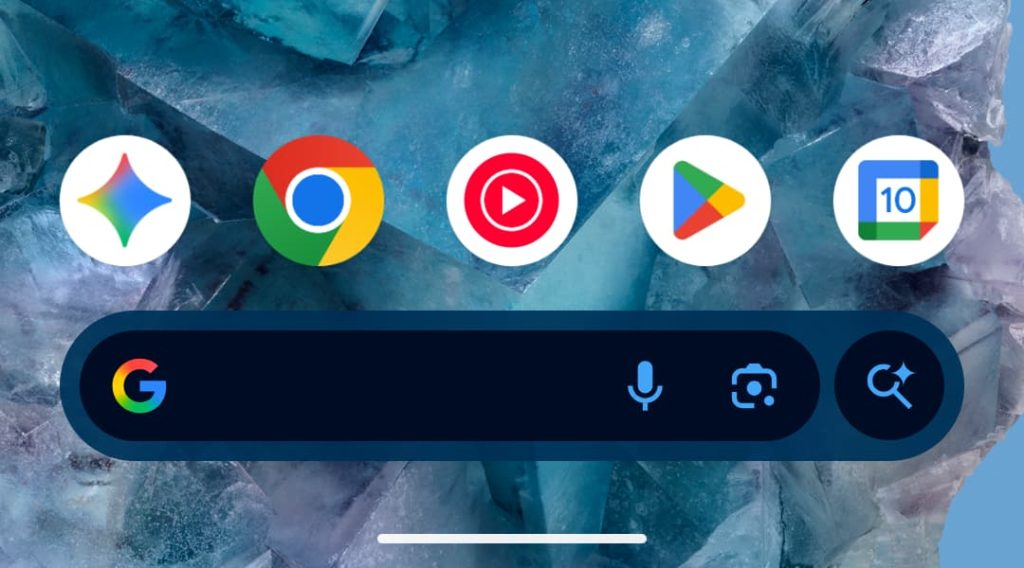
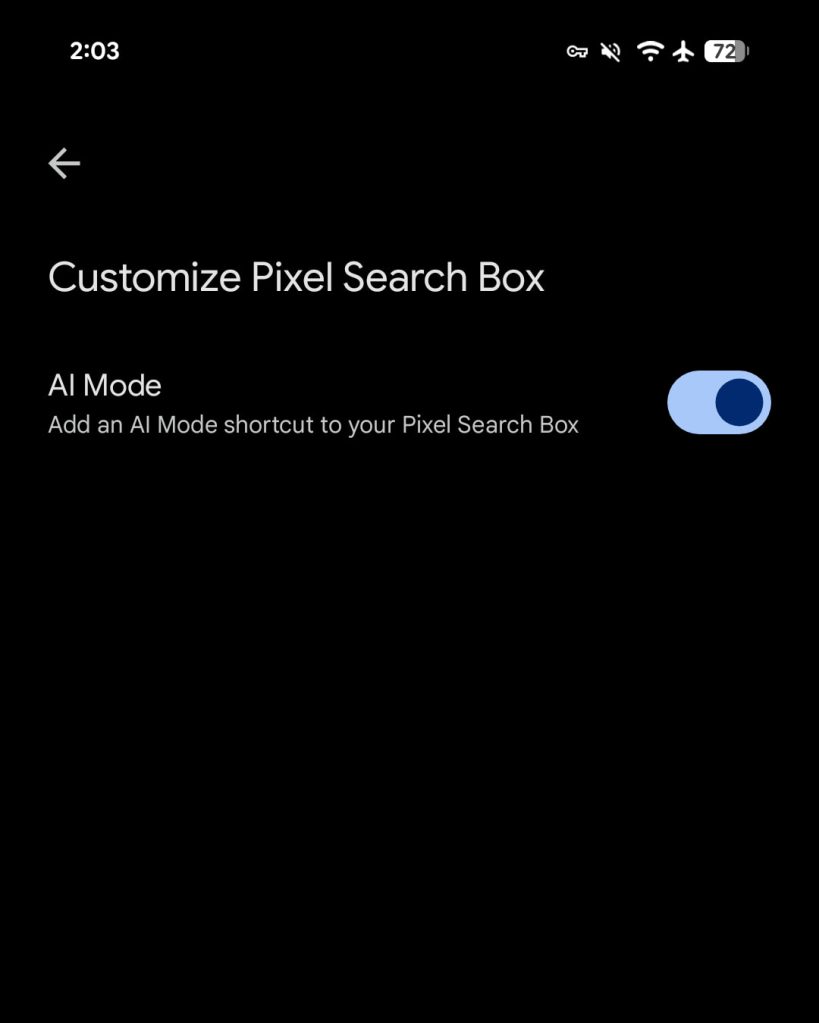
Remove AI Mode from Pixel Launcher search bar​

Android Canary Pixel Launcher

Android-Canary-Pixel-Launcher-AI-Mode-1.jpg

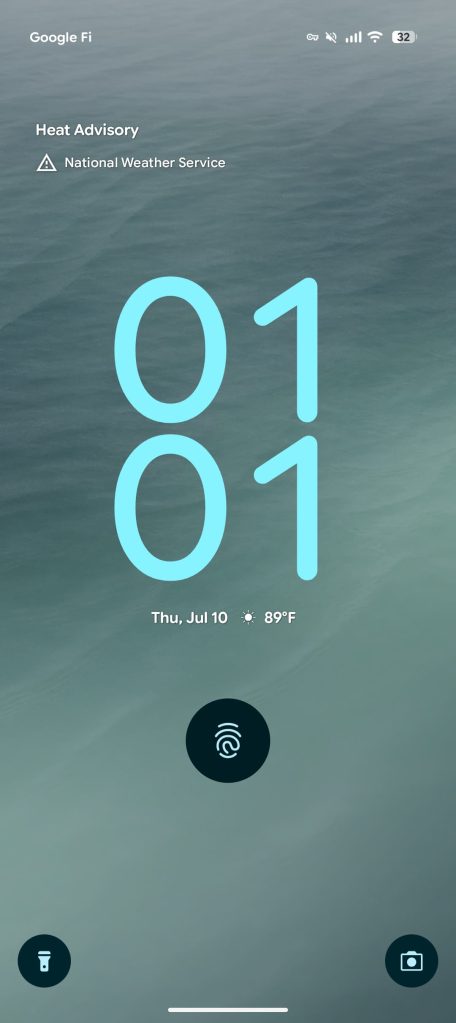
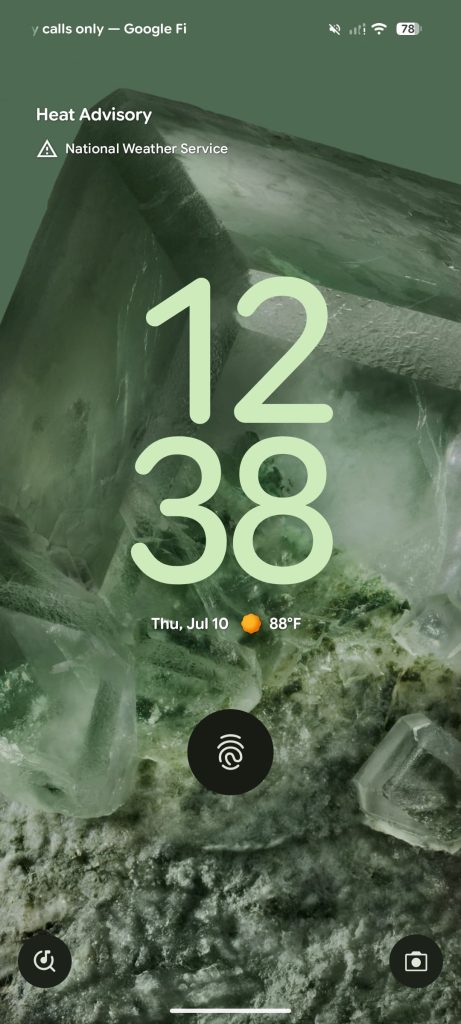
Colorful At a Glance weather icons return​

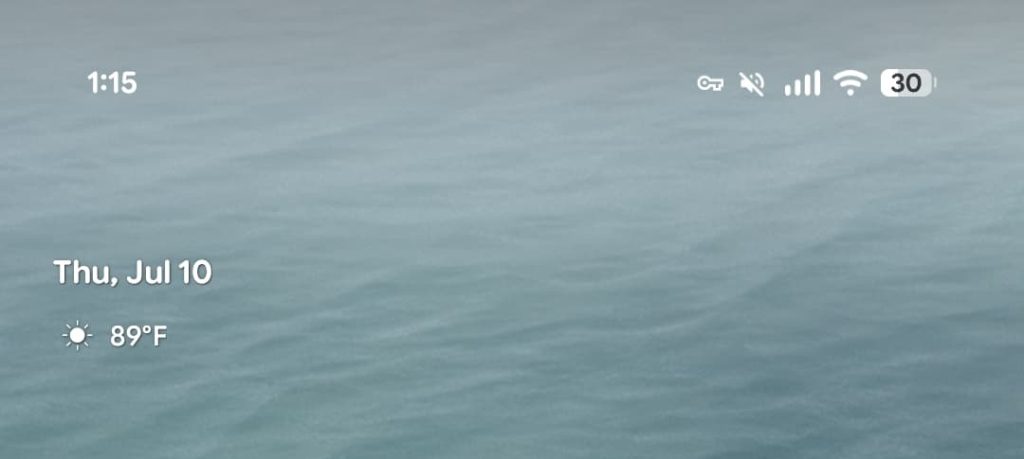
Android-16-QPR1-Beta-2-weather-icons-1.jpg

Android-Canary-July-10-weather-icon-1.jpg

Android-16-QPR1-Beta-2-weather-icons-2.jpg

Android-Canary-July-10-weather-icon-2.jpg

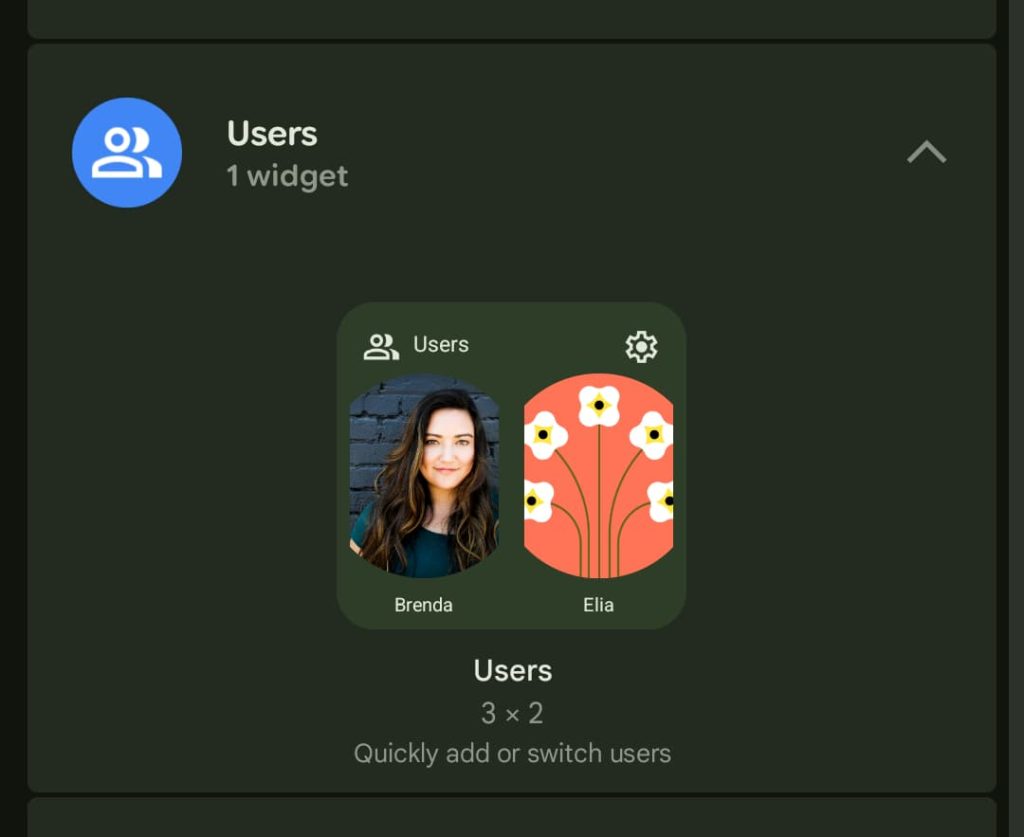
‘Users’ widget returns​

Android-Canary-July-10-users-widget.jpg

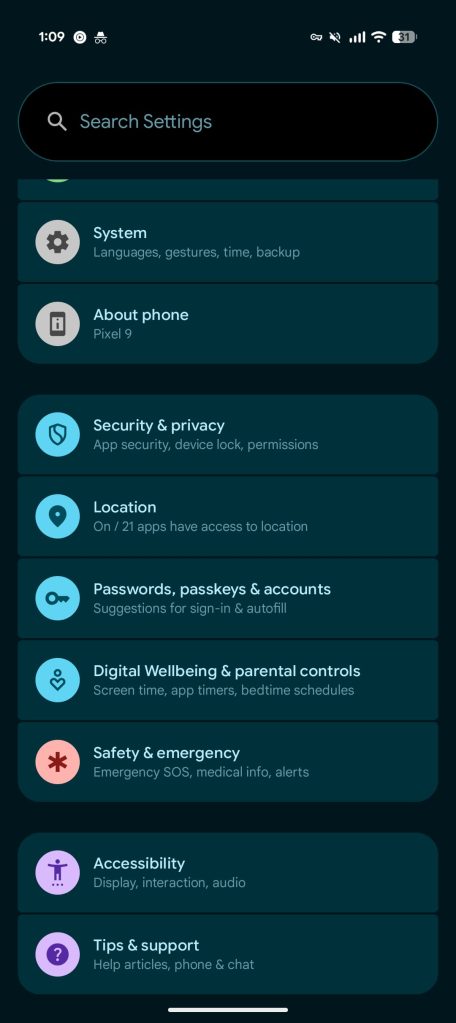
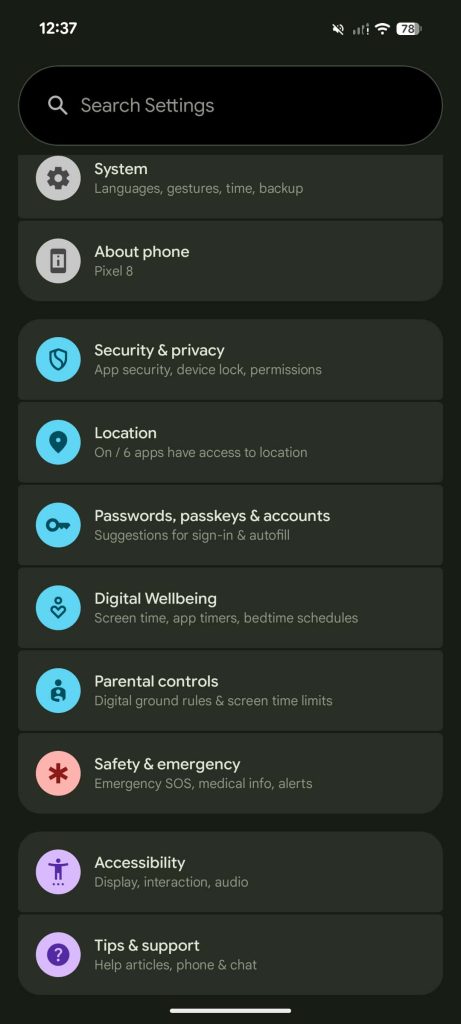
‘Parental controls’ split from ‘Digital Wellbeing’ in Settings​

Old vs. new
Android-16-QPR1-Beta-2.jpg

Android-Canary-July-10-settings-parental.jpg
 
Last edited:

limmk

High Supremacy Member
Joined
Jul 5, 2001
Messages
38,224
Reaction score
7,830

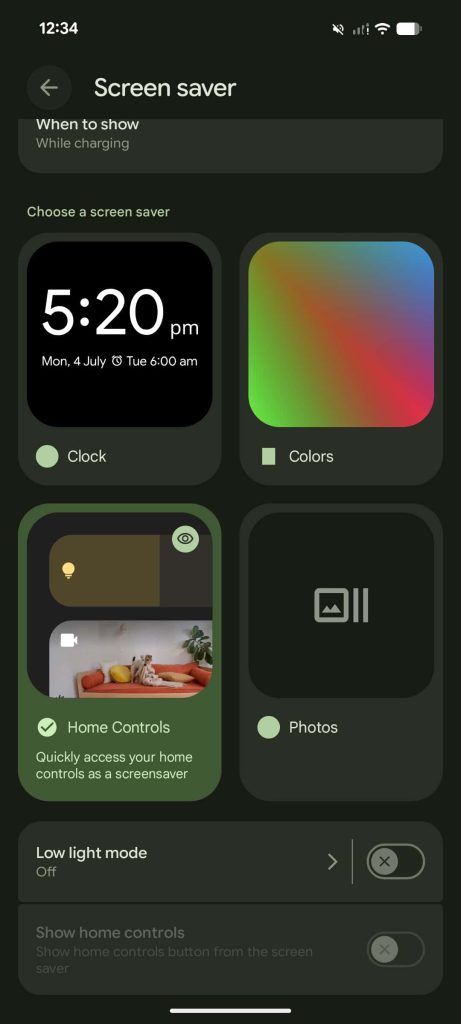
Screen saver: Low light mode​

  • Replaces “When to show: While charging” on Android 16 QPR1 Beta 2.1
Android-Canary-July-10-screen-saver-1.jpg

Android-Canary-July-10-screen-saver-2.jpg

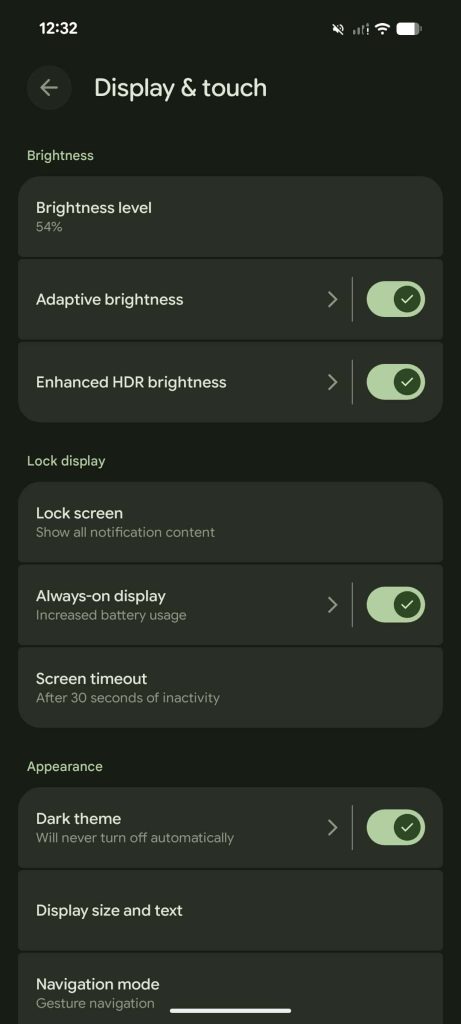
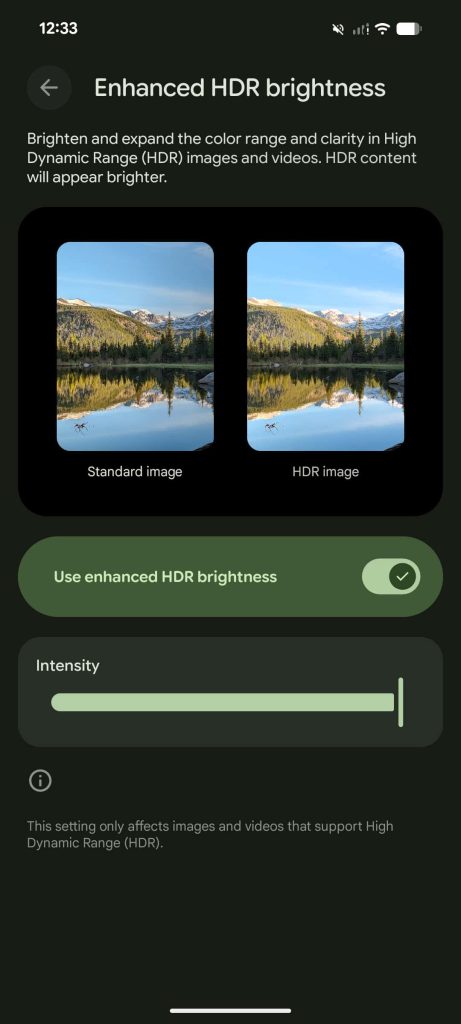
Enhanced HDR brightness​

  • Settings > Display & touch
  • “This setting only affects images and videos that support High Dynamic Range (HDR).”
Android-Canary-July-10-HDR-brightness-1.jpg

Android-Canary-July-10-HDR-brightness-2.jpg

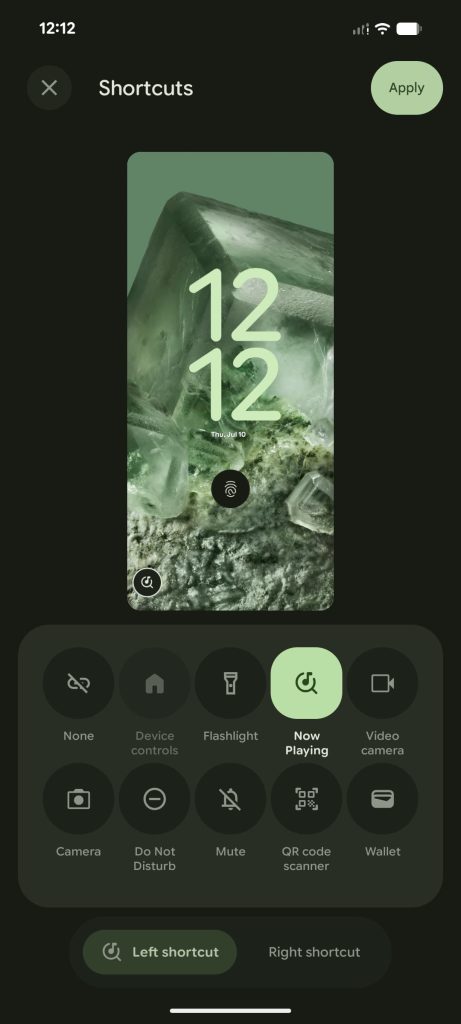
Pixel Now Playing lockscreen shortcut​

  • We haven’t been able to test if it works yet
Android-Canary-July-10-Now-Playing-1.jpg

Android-Canary-July-10-Now-Playing-2.jpg

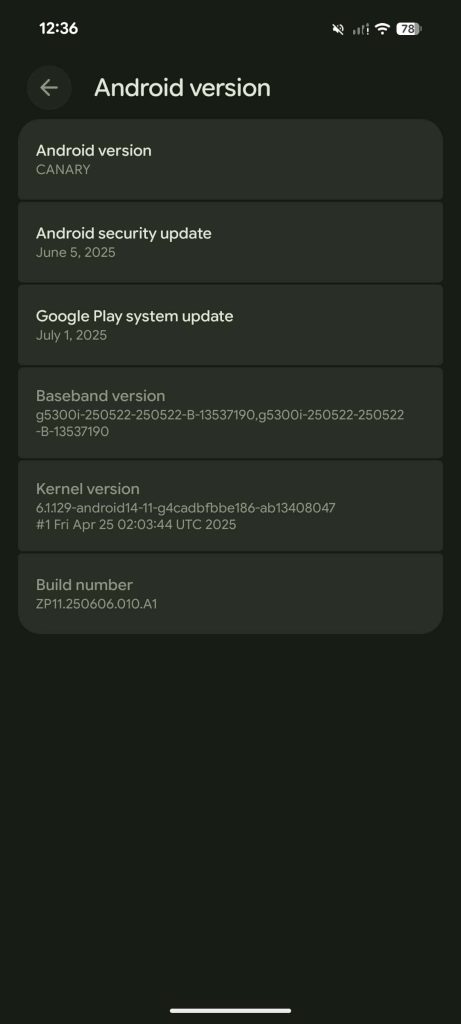
Android Canary version: ZP11.250606.010.A1​

  • “Android version: CANARY” appears throughout the OS
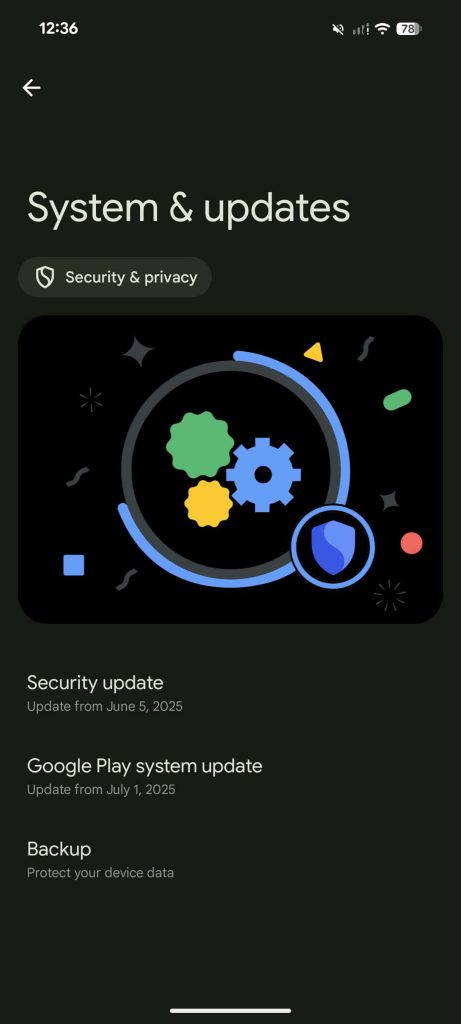
  • June 2025 security patch level
  • The Google Play system update is already July 1, 2025
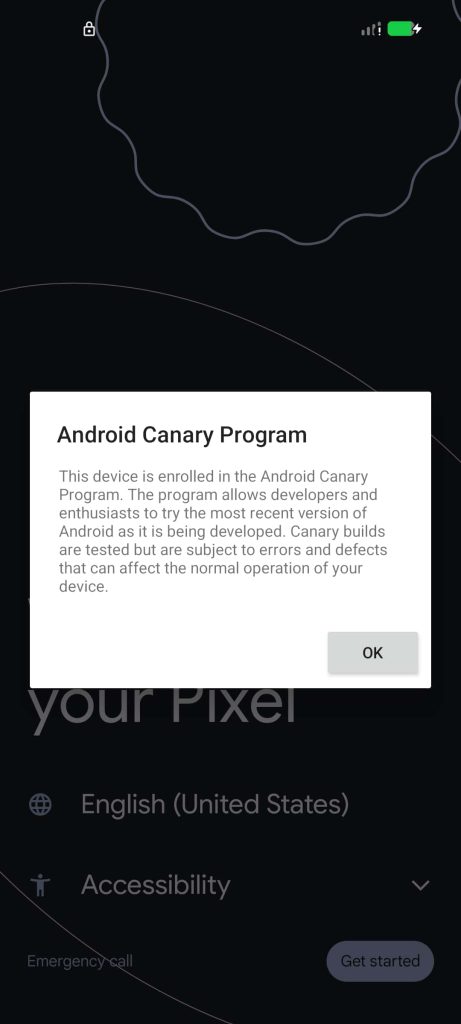
  • “Canary builds are tested but are subject to errors and defects that can affect the normal operation of your device.”
    • This is very not meant for your daily driver
Android-Canary-July-10-version-5.jpg

Android-Canary-July-10-version-3.jpg

Android-Canary-July-10-version-1.jpg
 

limmk

High Supremacy Member
Joined
Jul 5, 2001
Messages
38,224
Reaction score
7,830
TL;DR
  • A new 90/10 split-screen ratio is now available in the latest Android Canary release, allowing for more flexible multitasking on tall displays.
  • This feature lets a primary app use 90% of the screen while keeping a secondary app in a small sliver, which can be swapped with a single tap.
  • While previously in development, the final version adds the 90/10 option alongside the existing 70/30 split, rather than replacing it.


Most Android phones feature tall, rectangular displays that can comfortably fit only one app on the screen at a time. In a pinch, however, you can use Android’s split-screen mode to multitask with two apps side-by-side. This mode typically divides the screen, with one app on the top half and the other on the bottom, but you can also resize them to a 70/30 split. Now, with the first Android Canary release, a new 90/10 split-screen configuration is available.

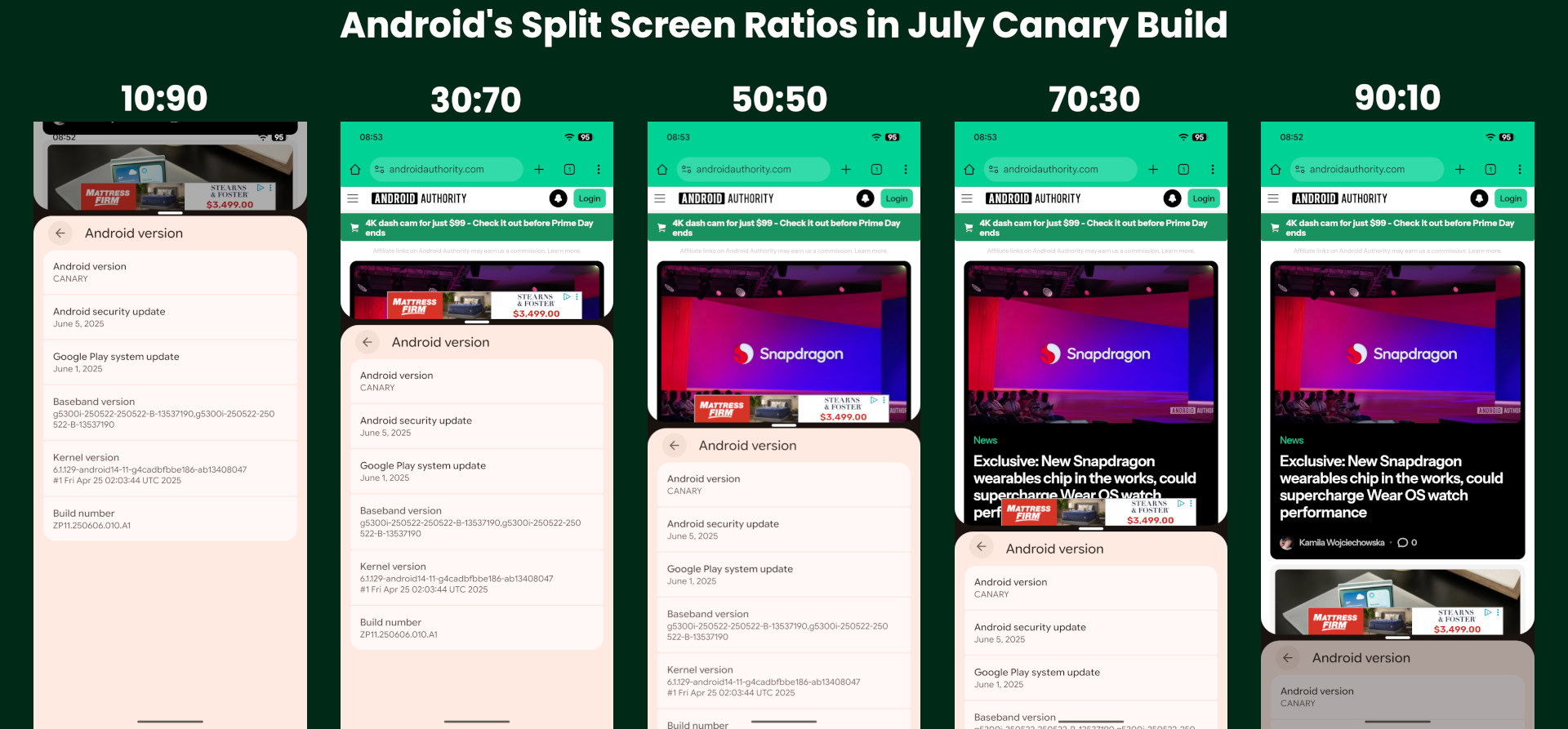
Android’s new 90:10 ratio lets you shrink one app to just 10% of the screen, leaving the other to occupy the remaining 90%. This setup allows you to focus on a primary app while keeping a secondary one within easy reach. Using an app that takes up 90% of the display feels nearly identical to full-screen mode. While the app in the 10% sliver is too small for active use, expanding it is simple: just tap on it, and it will swap places with the larger app, resizing to take up 90% of the screen.

Here’s a video we recorded earlier this year that demonstrates the new 90:10 split screen ratio:


Google has been developing the 90:10 split-screen feature since the beginning of the year, and we previously reported it might appear in a quarterly release of Android 16. When we first spotted the feature, it had one major downside: the 90:10 ratio replaced the existing 70:30 split instead of supplementing it. Fortunately, the Android Canary release includes both the 70:30 and 90:10 ratios, a welcome decision that avoids alienating users who prefer the old configuration.

Here’s an image that shows all the available split screen ratios in the July Android Canary release:

Android Split Screen ratios in July Canary build


Although the feature went live in July’s Android Canary release, this isn’t its first public appearance. It’s part of Android 16’s source code and is already shipping in some Android 16-based operating systems, such as Samsung’s One UI 8. In developing this feature, Google appears to have taken inspiration from OPPO’s Boundless View multitasking system, though OPPO has stated it did not directly contribute the feature to Android. Regardless, it’s great to see Google enhancing Android’s split-screen mode, as the stock experience has often felt lackluster compared to the more advanced multitasking features offered by OEMs.
 

limmk

High Supremacy Member
Joined
Jul 5, 2001
Messages
38,224
Reaction score
7,830
TL;DR
  • An upcoming Android update will significantly upgrade the Linux Terminal app, enabling it to run full-fledged graphical Linux programs on supported devices.
  • The feature is currently experimental, requiring a Pixel 6 or newer on a specific Android Canary build and manual steps to enable both the terminal and hardware acceleration for better performance.
  • This guide details how to install and run graphical apps like GIMP or LibreOffice using Flatpak, either by launching them manually or by setting up a complete desktop environment like XFCE.


The Linux Terminal app is set for some major upgrades in an upcoming Android release. If you’re unfamiliar, the Terminal app lets you run full-fledged Linux programs in a virtual machine, opening the door to running many powerful tools that aren’t natively available on Android. Initially, the Terminal app was limited to running command-line applications, but a recent Android update introduced support for graphical apps. Despite some lingering issues, we were surprised by how capable it already is. If you’re interested in trying this out, here’s how to get started.

First of all, you’ll need to have a Pixel 6 or later running the latest 2507 Android Canary release, as this is currently the only public build with support for running graphical Linux apps. While the second quarterly release of Android 16 (QPR2) might introduce this feature more broadly, we won’t know for sure until the public beta arrives.

Because this capability is not in the stable version of Android 16, other devices will have to wait. It’s possible some non-Pixel devices will receive it in the Android 16 QPR2 update, but it’s more likely to arrive as part of next year’s Android 17 release.

To see what’s possible, check out this video of several desktop Linux apps running on a Pixel:


limmk

High Supremacy Member
Joined
Jul 5, 2001
Messages
38,224
Reaction score
7,830
TL;DR
  • Android has finally added native flashlight brightness controls from the Quick Settings panel.
  • Google added support for controlling the flashlight brightness in Android 13, but there was no way to do so from Quick Settings.
  • This feature is available in the latest August 2025 Android Canary release and may arrive in Android 16 QPR2.


If you’re looking for something under a couch, bed, or other dimly lit area, then your phone’s built-in flashlight will come in handy. Nearly every phone has one, including every Google Pixel device. Unlike other devices, though, Pixels don’t let you adjust the brightness of the flashlight from the Quick Settings panel. That’s thankfully changed in the new August 2025 Android Canary release that Googel rolled out today.

After installing the new Canary release, I noticed that the flashlight tile was now expandable. Tapping it opened a dialog named “Flashlight Strength” that had a slider and buttons to turn off the flashlight or confirm the brightness level.

Flashlight Strength Controls in August 2025 Android Canary


The feature works exactly as you’d expect. Higher levels boost the intensity of the flashlight, while lower levels dim the intensity. Newer Pixel phones default to 50% brightness when the flashlight is toggled from the Quick Settings, so it’s nice to have the ability to quickly adjust the intensity.

Previously, in order to adjust the flashlight brightness on a Pixel phone, you had to use a separate app like FlashDim or Google’s Magnifier. This is because while Google added an API for controlling the flashlight brightness way back in Android 13, the company didn’t utilize this for the Quick Setting tile.

We first heard of this feature back in June, so we’re not too surprised to see it in the latest Canary release. That being said, we don’t know when this feature will actually roll out in the stable channel. Our guess is that it’ll appear in a future beta release of Android 16 QPR2 before rolling out with the stable release in December.
 

limmk

High Supremacy Member
Joined
Jul 5, 2001
Messages
38,224
Reaction score
7,830


The latest Android Canary release includes the ability to add URLs to captured screenshots when sharing them. The feature reportedly works with certain apps like Telegram, YouTube, and Google Chrome. There’s a tick box that users need to select to include the URL with screenshots.

Screenshots on Android may soon see an upgrade. For a while, Google has been working on including URLs to shared screenshots. A reference to this ability was first spotted two years back with Android 14. The latest Android Canary release reportedly brings the ability to include URLs to captured screenshots when sharing them. We now get a glimpse of this in action.

Screenshots on Android may see an upgrade​

Android Authority has spotted the ability to add URLs to captured screenshots. When you take a screenshot in a supported app and tap the share button, you will see the usual sharing sheet. Here, there’s now an option to attach a web link to the screenshot by ticking the “include link” box. The link is automatically added without needing users to copy it first.


The functionality reportedly works for screenshots taken in Google Chrome, YouTube, and Telegram. It’s possible that more apps might support this new function. This makes it convenient to share links, which otherwise would require users to manually copy/paste text from the source app.

The feature is present in the latest Android Canary release​

The text in the sharing sheet also changes from sharing image to sharing image with a link when you choose to add a link by ticking the box. This feature is quite useful if you have a screenshot with a link, which you can access later when needed. Since it’s present in the Android Canary build, the feature could be under testing with a closed group at the moment. There’s a chance that the ability to include links with screenshots may or may not find its way to the general public.
 
Important Forum Advisory Note
This forum is moderated by volunteer moderators who will react only to members' feedback on posts. Moderators are not employees or representatives of HWZ. Forum members and moderators are responsible for their own posts.

Please refer to our Community Guidelines and Standards, Terms of Service and Member T&Cs for more information.
Top