Google / Android Apps New Features, Tips & Tricks

limmk

High Supremacy Member
Joined
Jul 5, 2001
Messages
43,277
Reaction score
8,349


After the redesign started rolling out last month, Material 3 Expressive is now widely available for Google Keep on Android.

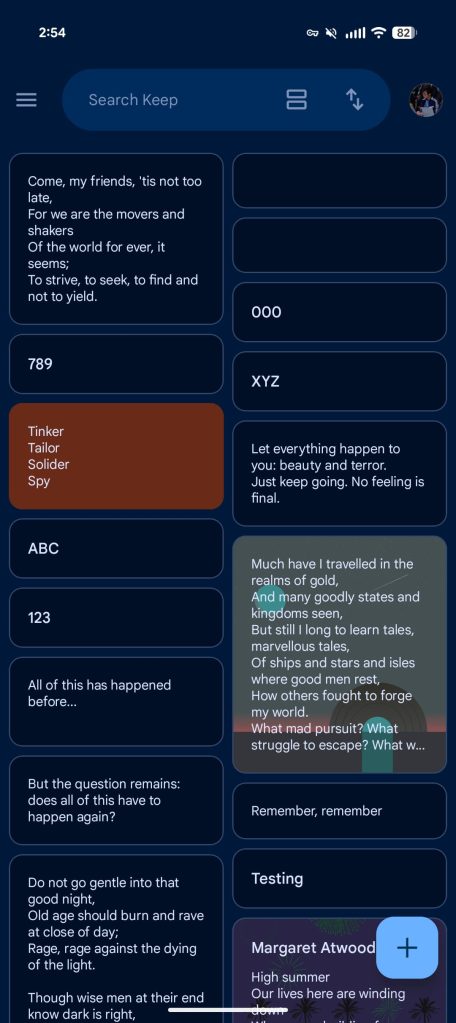
Besides background color changes, the main update is a search app bar. It’s thicker than before with “Google Keep” appearing initially and then getting replaced by a “Search Keep” hint. The single or multi-column switcher is next with the new “Sort by” option rounding things out. (Google says to not place more than two actions here.)

This field is flanked by your profile picture and hamburger button, with the navigation drawer remaining the same. Tapping to open the search interface reveals pill-shaped icons for everything.

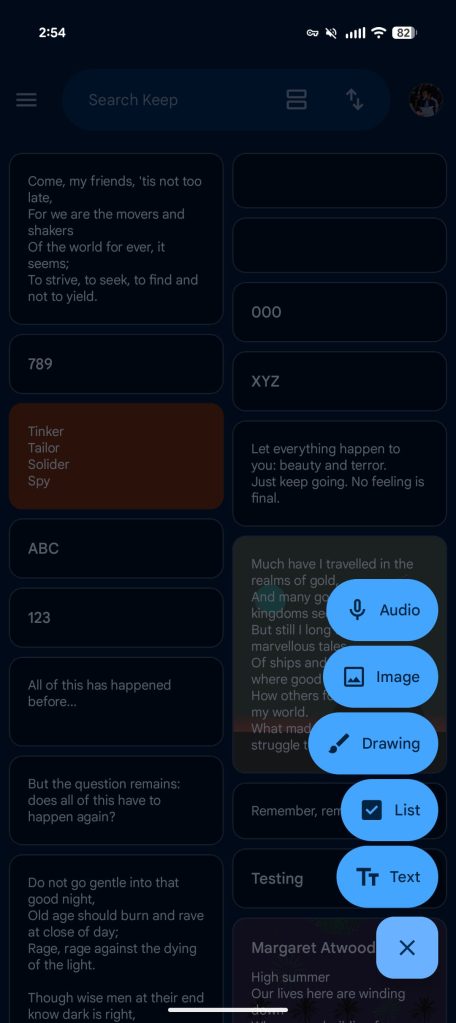
The corner FAB (floating action button) sees a small tweak where the icon for Audio, Image, Drawing, List, or Text now appears first.

Google Keep Expressive redesign


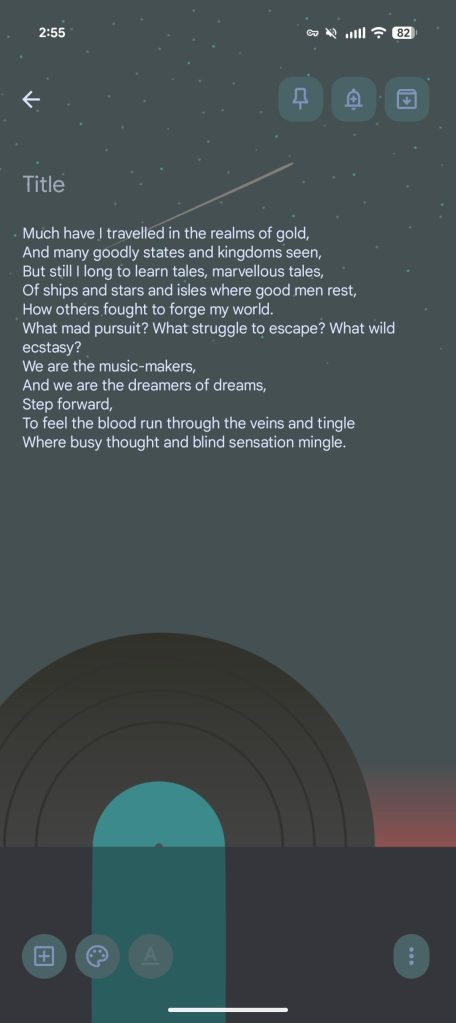
The actual notes interface sees the pin, reminders (still waiting for the Google Tasks upgrade), and archive buttons placed in rounded squares in the top-right corner.

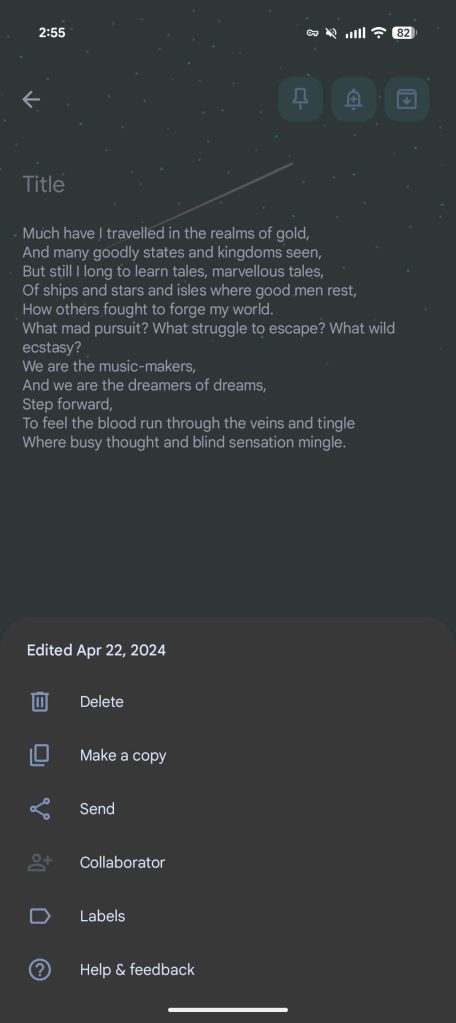
At the bottom, ‘plus,’ color/background, and formatting are placed in circles, while it’s a pill for the overflow menu where you’ll now find the last edited date/time at the top of that sheet.

Google Keep’s M3 Expressive redesign is widely rolling out via a server-side update, while version 5.25.332.00.90 went wide today.

Google Keep Expressive redesign
Google-Keep-Material-3-Expressive-redesign-5.jpg
 

limmk

High Supremacy Member
Joined
Jul 5, 2001
Messages
43,277
Reaction score
8,349
TL;DR
  • Android 16 adds a shortcut to open Google Wallet with a power button double-press, but Google has limited this feature to the Pixel 8 and newer devices.
  • Despite no apparent technical limitations, Google intentionally disabled the gesture on older phones like the Pixel 7 Pro, offering no clear reason for the decision.
  • The feature was manually enabled on an unsupported Pixel 7 Pro and worked perfectly, suggesting the hardware is capable and the limitation is artificial.


While Android 16 is light on new user-facing features, it delivers a few genuinely useful additions for Pixel owners. You can now double-press the power button to open Google Wallet (or your default wallet app), making it quicker to switch your active credit card or transit pass on the go. This is a simple quality-of-life improvement for frequent Google Wallet users, but strangely, Google has limited the feature to newer Pixels only.

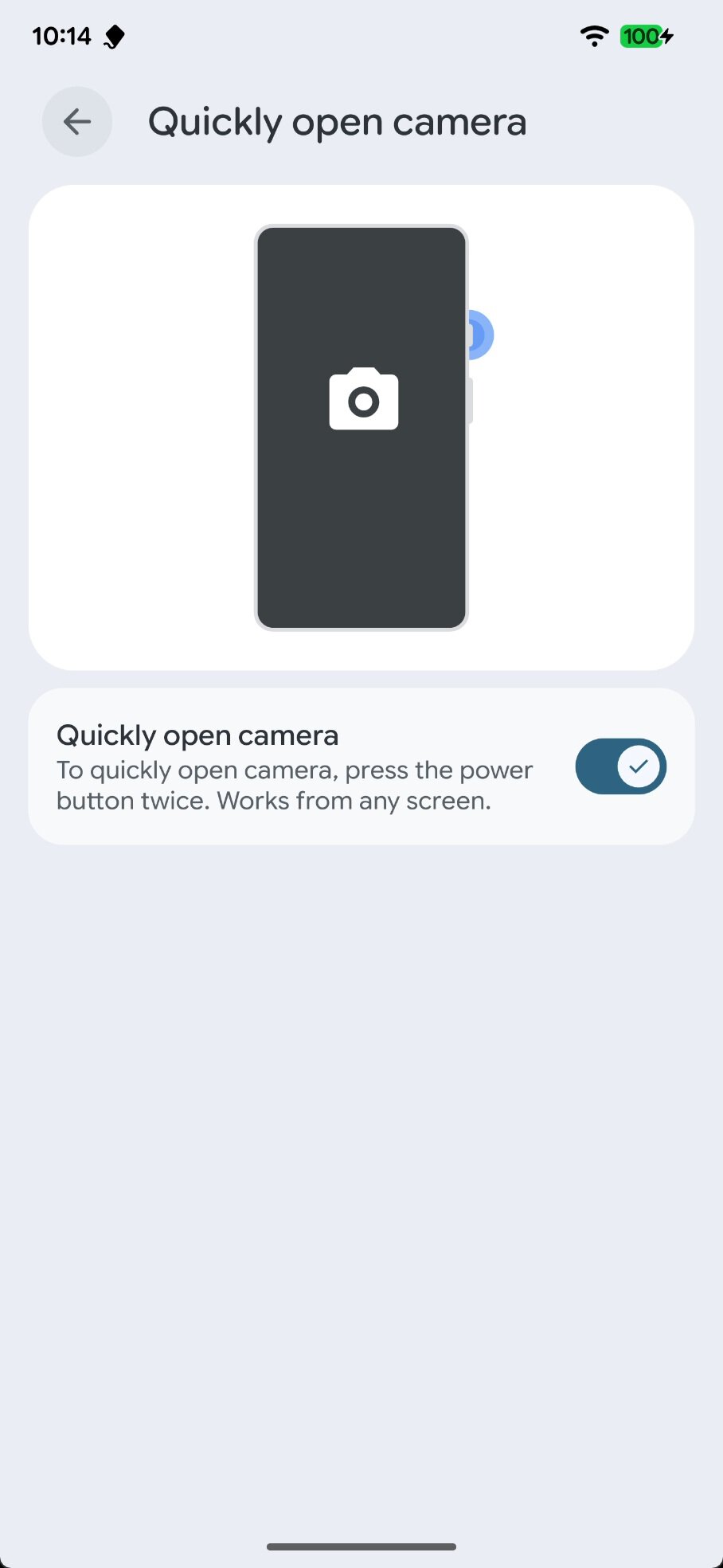
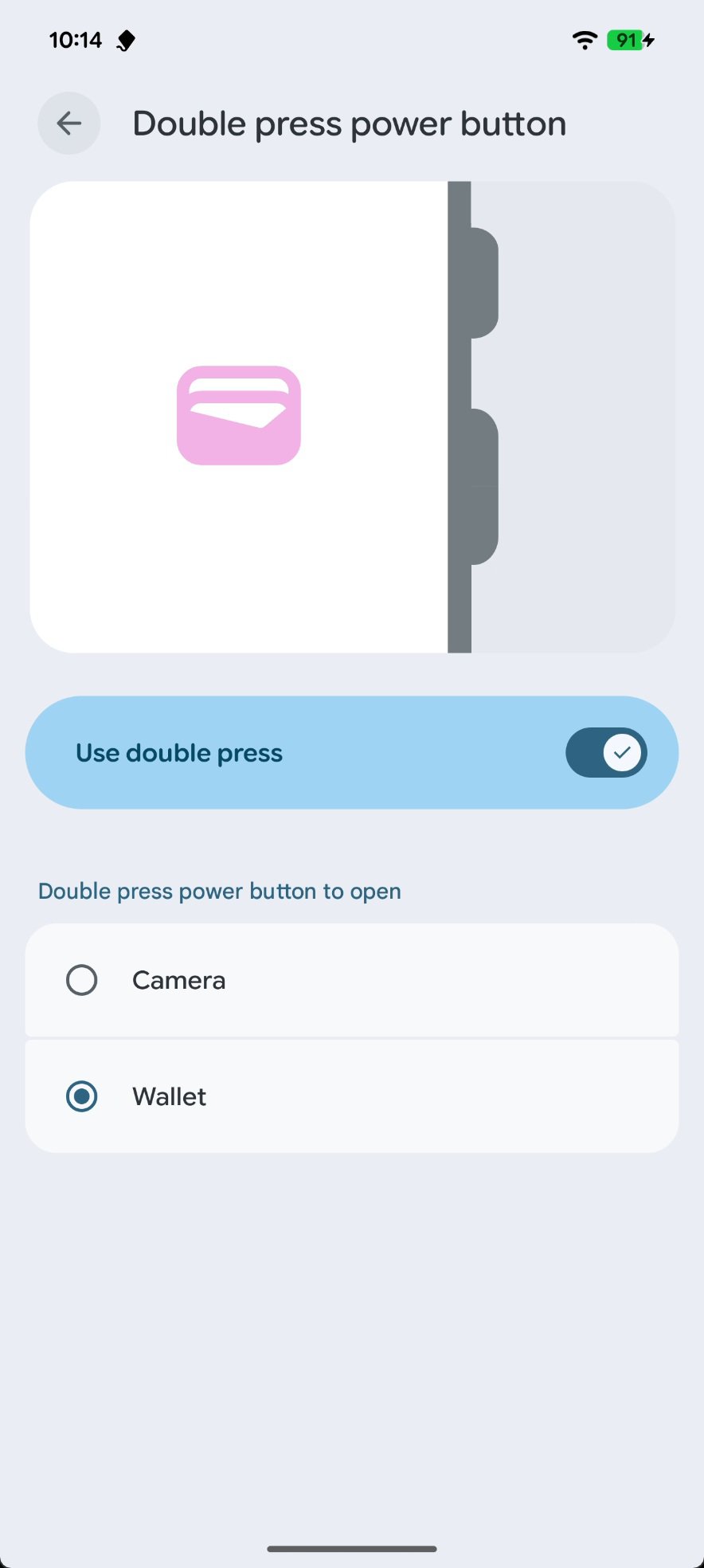
On my Pixel 8 Pro running Android 16 QPR2 Beta 1, a “Double press power button” page under Settings > System > Gestures lets me choose between launching the Pixel Camera app and Google Wallet. On my Pixel 7 Pro running the same software version, however, this page is absent. Instead, it only has the older “Quickly open camera” page, with a simple toggle for the camera shortcut.

Quickly open camera settings in Android 16 on Pixel 7 Pro

On my Pixel 7 Pro running Android 16, Settings > System > Gesture only has the old "quickly open camera" page.

Double press power button settings in Android 16 on Pixel 8 Pro

On my Pixel 8 Pro running Android 16, Settings > System > Gesture has the newer "double press power button" page.

This doesn’t appear to be isolated to my Pixel 7 Pro. My colleague, Hadlee Simons, is also missing the shortcut on his device, as are several users on Reddit and Telegram. When Hadlee reached out to Google, a spokesperson said the “new Wallet shortcut experience” is rolling out “in the coming weeks to Pixel 8 phones and up with Android 16 outside of India and Russia.” While the response didn’t explain why the feature is missing on the Pixel 7 Pro, it did confirm that it’s exclusive to the Pixel 8 and newer devices.


As for the odd timing mentioned in Google’s statement — telling us a feature is rolling out “in the coming weeks” when it’s been live in Android 16 for months — it’s because the company was referring to the new Wallet shortcut UI that was spotted last week. Curiously, this new UI won’t be available in India or Russia, though the shortcut itself functions there. We can only speculate on the reasons, but they could range from market-specific decisions in India to ongoing issues with Google services in Russia.

While Google’s statement confirmed the omission on older Pixels isn’t a bug, it didn’t rule out a technical limitation. However, my own investigation suggests there isn’t one. The open-source version of Android, AOSP, doesn’t hide the Wallet shortcut by default. Google intentionally disabled it on older Pixels by changing a configuration value (config_doubleTapPowerGestureMode) to restrict the double-press gesture to the camera app only.

When I manually overrode this value on my Pixel 7 Pro, the Wallet shortcut immediately became available and worked flawlessly in my testing. After all, if the hardware can handle launching the camera with a double-press, why not the Wallet app? We can’t think of any good technical reason for this limitation, and since Google didn’t provide one, your guess is as good as ours.

 

limmk

High Supremacy Member
Joined
Jul 5, 2001
Messages
43,277
Reaction score
8,349


Google Clock 8.1 is now widely rolling out with a Material 3 Expressive redesign. Meanwhile, the last remaining Pixel apps are also getting their revamps.

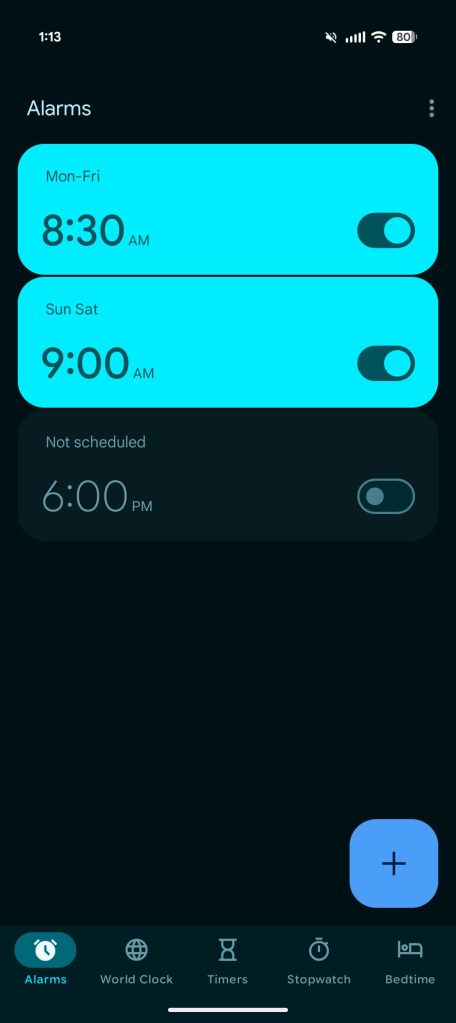
Besides the shorter bottom bar, icons feature an outline design until they’re selected. It’s now “Alarms” and “Timers,” while “World Clock” is a bit more descriptive.

The Alarms tab does a better job of noting what’s active with a bright background, while customization is now handled by a sheet instead of inline controls.

Stopwatch is the next major change with giant buttons for Stop, Reset, and Lap replacing the previous side-by-side icons. Instead of a list, you have cards for lap times, while the ring motif is gone.


Google Clock Material 3 Expressive


The same general design remains in place for World Clock and Timers, with a new font and corner square FAB. There are no changes to the Bedtime tab or homescreen widgets. Google Clock’s Material 3 Expressive redesign is rolling out to all Android devices.

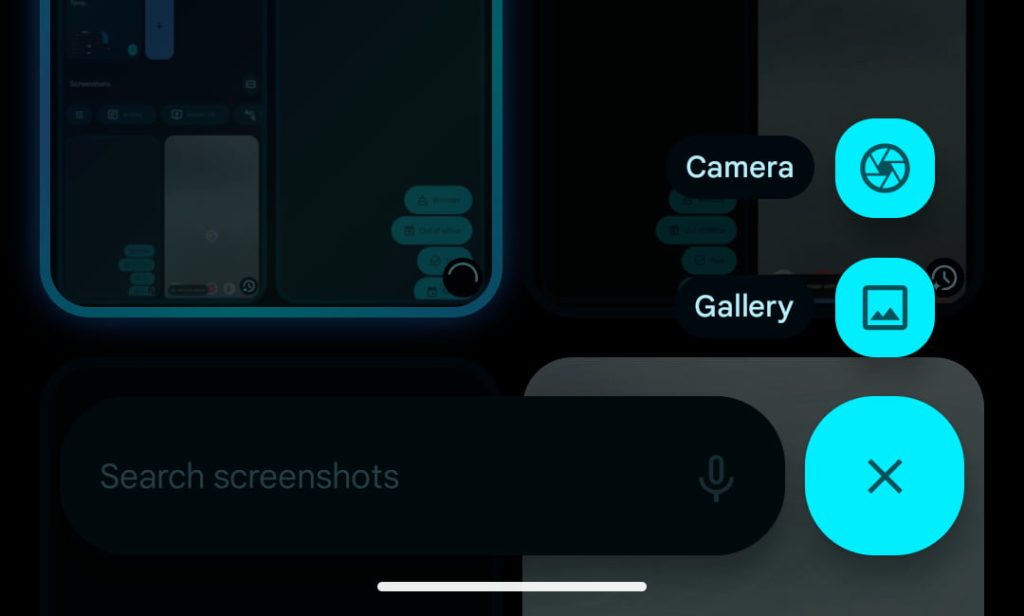
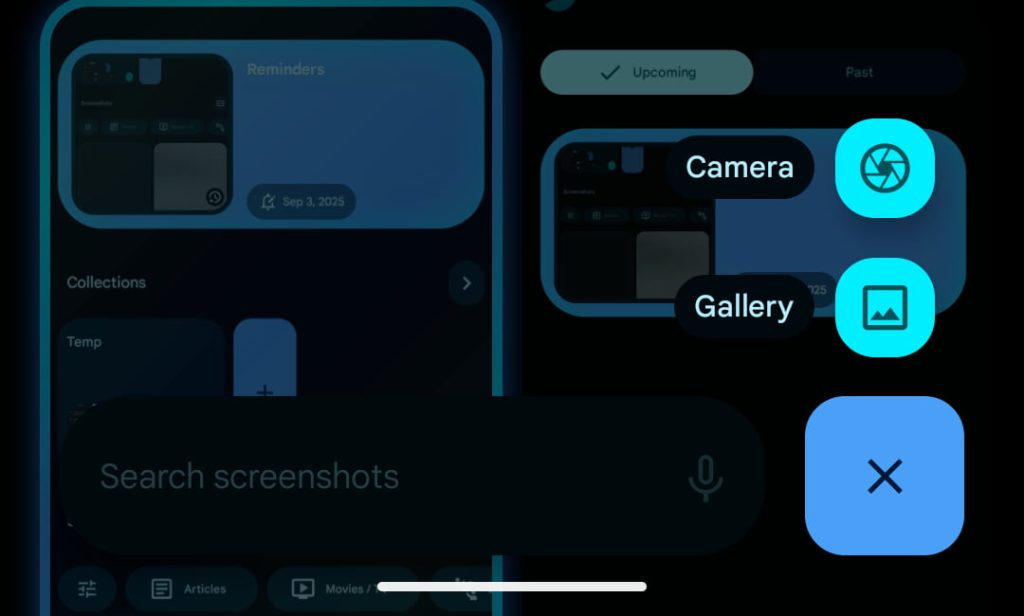
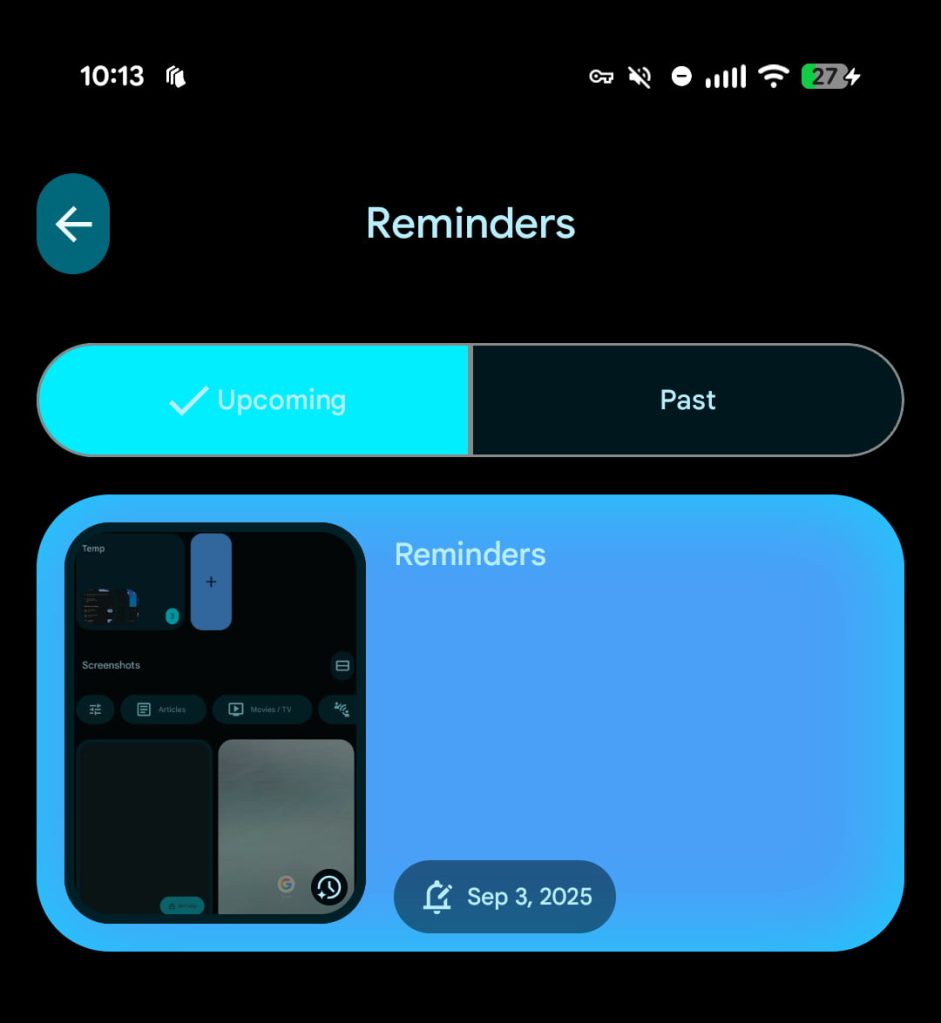
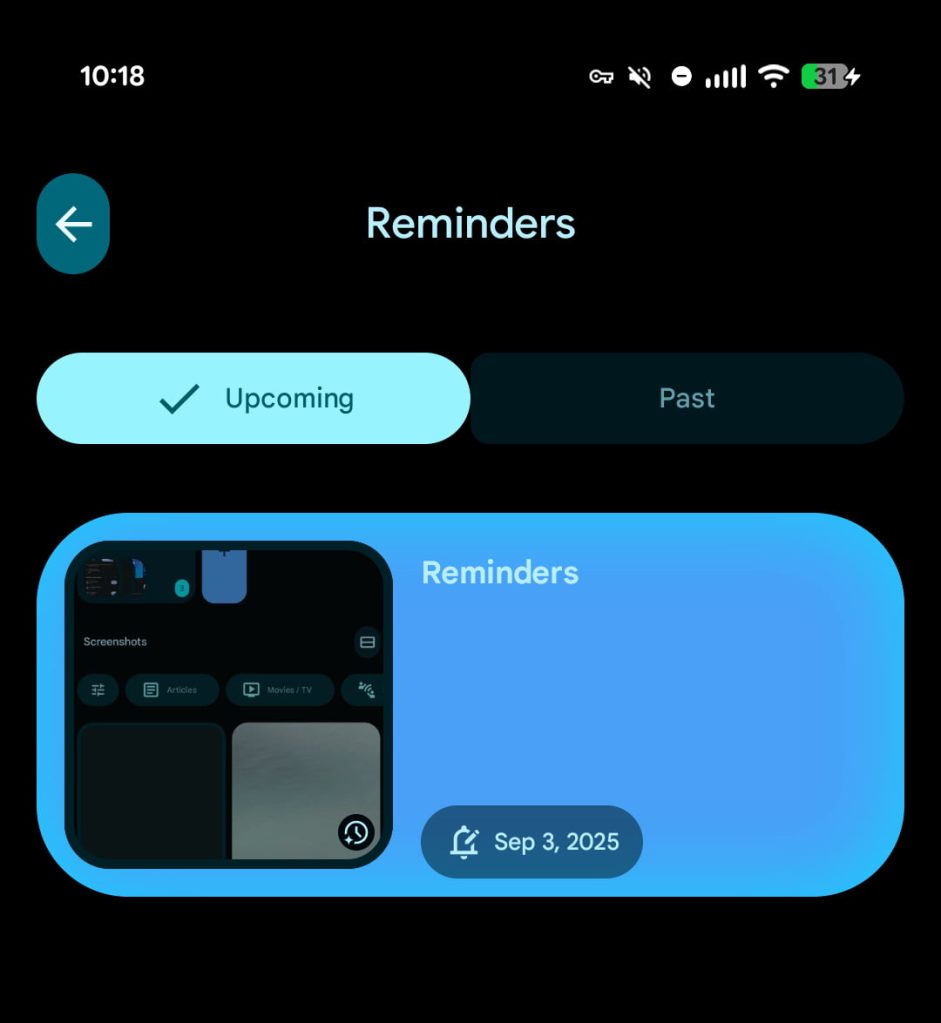
Pixel Screenshots only gets minor Material 3 Expressive tweaks. The FAB goes from its unique shape to a rounded square, while a button group is used for Upcoming/Past reminders. The shape for image previews has also been adjusted.

Old vs. new

Pixel-Screenshots-Material-You-1.jpg

Pixel-Screenshots-Material-3-Expressive-1-.jpg

Pixel-Screenshots-Material-You-2.jpg

Pixel-Screenshots-Material-3-Expressive-2.jpg


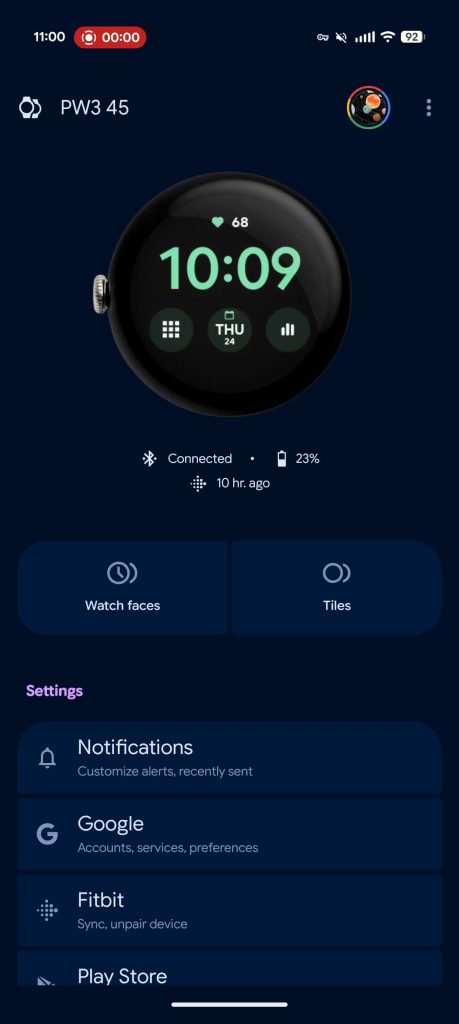
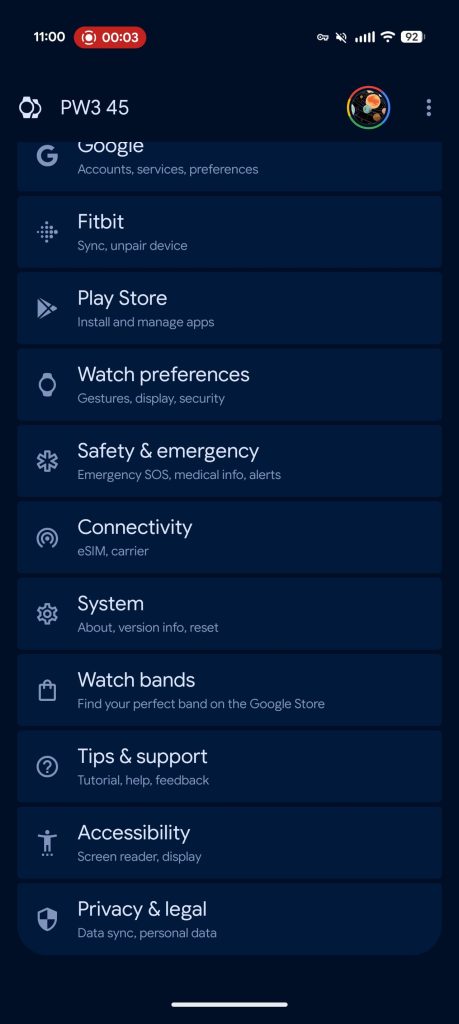
Updates to the Pixel Watch companion app are also pretty straightforward with containers for the main Settings list.

Pixel-Watch-app-Material-3-Expressive-1.jpg
Pixel-Watch-app-Material-3-Expressive-2.jpg
 

limmk

High Supremacy Member
Joined
Jul 5, 2001
Messages
43,277
Reaction score
8,349


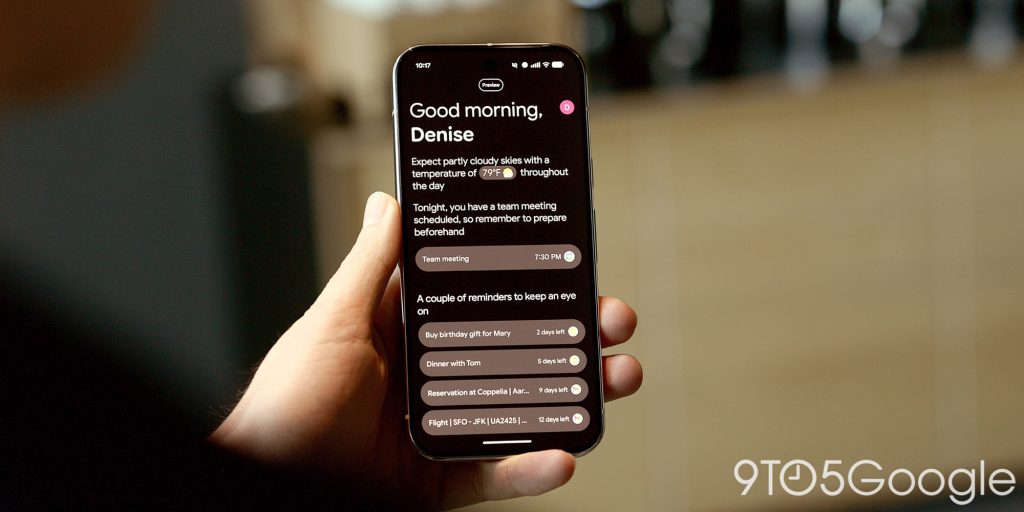
On the Pixel 10, Daily Hub brings together your calendar, Magic Cue, and other suggestions. Google is now pausing the public preview of Daily Hub to improve the experience.

Daily Hub launched in public preview on the Pixel 10 series. There was a badge at the top of your screen just above the greeting, with Pixel Studio in 2024 also launching as a “Preview.” (The image generation and editing app graduated with its big 2.0 update last month.)

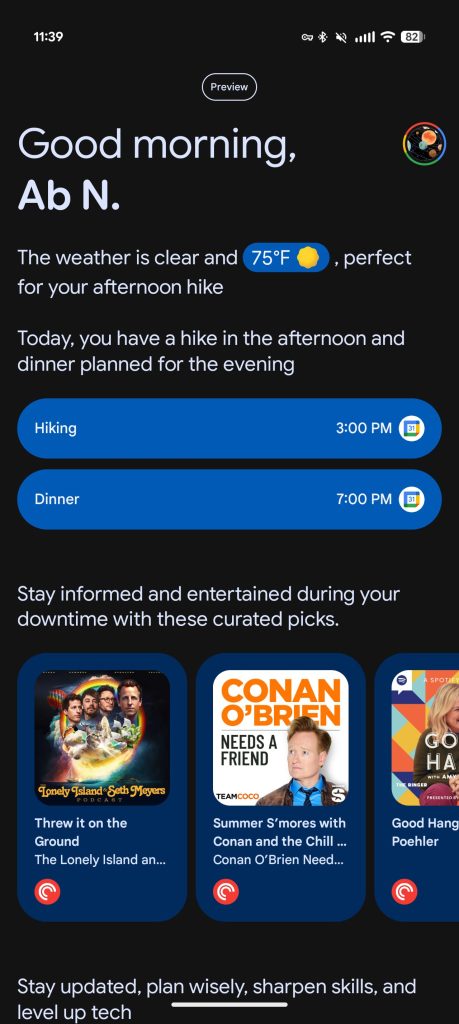
The weather and overview of your calendar worked as expected for users, while there’s also a “Keep these on your radar” section. This can surface emails (like bills), text messages (upcoming events), and Keep notes that would be useful. Aligned with Magic Cue, we’ve seen this section on some of our devices, but not very consistently.

Pixel-10-Daily-Hub-1.jpg

Pixel-10-Daily-Hub-2.jpg


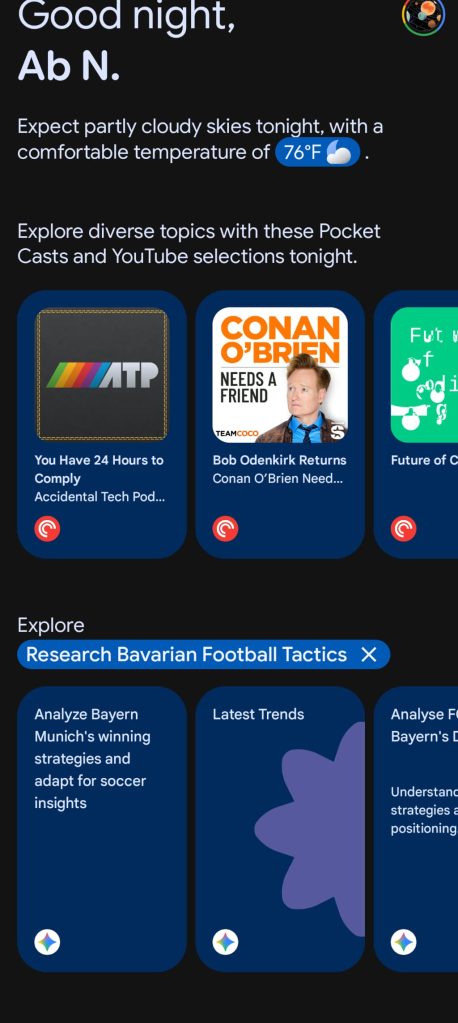
Meanwhile, Daily Hub surfaced media recommendations that are powered by the same system behind Google Play Collections for apps that have opted-in. This can include music and podcasts while there’s also YouTube content based on your interests. My recommendations for podcast episodes have been fine, but it’s been hit-or-miss (especially with YT Shorts) for my colleagues.

The final carousel shows topics that you might want to learn more about or things to plan for. Selecting one will open the Gemini app with a detailed prompt entered. The utility of this is a bit uneven.

Pixel-10-Pro-Daily-Hub-1.jpg

Pixel-10-Pro-Daily-Hub-2.jpg


Google today stopped showing Daily Hub at the top of your Discover feed and in At a Glance on your homescreen or lockscreen. This temporary pause will let Google “enhance [Daily Hub’s] performance and refine the personalized experience.” The company did share when the “improved Daily Hub” will launch beyond “when it’s ready.”

“To ensure the best possible experience on Pixel, we’re temporarily pausing the public preview of Daily Hub for users. Our teams are actively working to enhance its performance and refine the personalized experience. We look forward to reintroducing an improved Daily Hub when it’s ready.”
— Google spokesperson
 

xonix

Arch-Supremacy Member
Joined
Mar 24, 2001
Messages
17,587
Reaction score
1,689
The recent update for Google Photos is so bad I wonder if an actual person or AI wrote the code. Useful features like perspective cropping removed, some of the AI features doesn't work well or don't work at all. The 1 tap edit merged " crop, reframe and color edit " all in one, taking out the fun, flexibility and creativity of editing your own phots ! 😠

Seriously considering whether to save my money upgrading to a new Pixel Pro :cautious:
 

limmk

High Supremacy Member
Joined
Jul 5, 2001
Messages
43,277
Reaction score
8,349
The recent update for Google Photos is so bad I wonder if an actual person or AI wrote the code. Useful features like perspective cropping removed, some of the AI features doesn't work well or don't work at all. The 1 tap edit merged " crop, reframe and color edit " all in one, taking out the fun, flexibility and creativity of editing your own phots ! 😠

Seriously considering whether to save my money upgrading to a new Pixel Pro :cautious:
Totally agree, moi also prefer the old UI. Google Photos felt more fun and flexible before. now it’s like they’re forcing magic editor and other features into everything
 

xonix

Arch-Supremacy Member
Joined
Mar 24, 2001
Messages
17,587
Reaction score
1,689
FYI, remember the old magic eraser that was able to work offline ? That's gone with the new Photos update 😡 ( to clarify not saying the tool is gone but inability to use it offline with the new version )

2nd worst software upgrade after Google now was killed for Google Assistant and Gemini 🤨

I uninstalled all updates and reverted to old version. And magic eraser now works like it did in airplane mode !

EDIT: I take back my comment about the magic eraser being "only" online. Apparently, it will still just upload your pic to process if you have network. But if you put it into airplane mode, you will see the pop up again asking you to upload pic and it will then continue do it offline while "reminding" you to upload for better results. The constant nagging to feed their AI with data is damn annoying.
 
Last edited:

limmk

High Supremacy Member
Joined
Jul 5, 2001
Messages
43,277
Reaction score
8,349
FYI, remember the old magic eraser that was able to work offline ? That's gone with the new Photos update 😡

2nd worst software upgrade after Google now was killed for Google Assistant and Gemini 🤨
Edit > Actions > Magic Eraser
 

xonix

Arch-Supremacy Member
Joined
Mar 24, 2001
Messages
17,587
Reaction score
1,689
It works offline
I get a dialogue box telling me I need internet connection for the feature to work. In any case, I already uninstalled it. Lucky... i haven't spent any $ on upgrading my current pixel phones.
 

limmk

High Supremacy Member
Joined
Jul 5, 2001
Messages
43,277
Reaction score
8,349
I get a dialogue box telling me I need internet connection for the feature to work. In any case, I already uninstalled it. Lucky... i haven't spent any $ on upgrading my current pixel phones.
For best results, it suggests connecting to the internet, but Reimagine won't work offline
 

xonix

Arch-Supremacy Member
Joined
Mar 24, 2001
Messages
17,587
Reaction score
1,689
For best results, it suggests connecting to the internet, but Reimagine won't work offline
I only use magic eraser, don't really care about anything of the other features and it was advertised as "on device feature" leveraging on Tensor chip when it first launched on Pixel devices. Anyway, with my negative review and so many others on play store, it's unlikely they will push the update to my device again in the short term.

EDIT: I take back my comment about the magic eraser being "only" online. Apparently, it will still just upload your pic to process if you have network. But if you put it into airplane mode, you will see the pop up again asking you to upload pic and it will then continue do it offline while "reminding" you to upload for better results. The constant nagging to feed their AI with data is damn annoying.
 
Last edited:

limmk

High Supremacy Member
Joined
Jul 5, 2001
Messages
43,277
Reaction score
8,349
TL;DR
  • Google is rolling out an updated Photo Picker with a much-needed search bar, making it easier to find specific photos and videos to share with apps.
  • The new search functionality works for local media and integrates with Google Photos to search your cloud library and offer suggestions for people or places.
  • The “Albums” tab is also being renamed to “Collections” and now groups folders to better organize your media and separate personal albums from app-generated ones.


Android’s Photo Picker allows you to selectively share photos and videos with an app, rather than granting it access to your entire media gallery. It’s a privacy-preserving tool intended for apps that only have a one-time or infrequent need for your media. While its simple two-tab UI — one for a chronological view of your media and another for your albums — is straightforward, it’s also arguably too simple, lacking many of the convenient features of Android’s older file picker. Fortunately, Google is now rolling out an update to the Photo Picker that introduces some much-needed quality-of-life improvements.

Late last week, Google began pushing the August 2025 Google Play System Update. While the official changelog was sparse, we’ve observed that the update activates a major new feature in Android’s Photo Picker: a search bar.

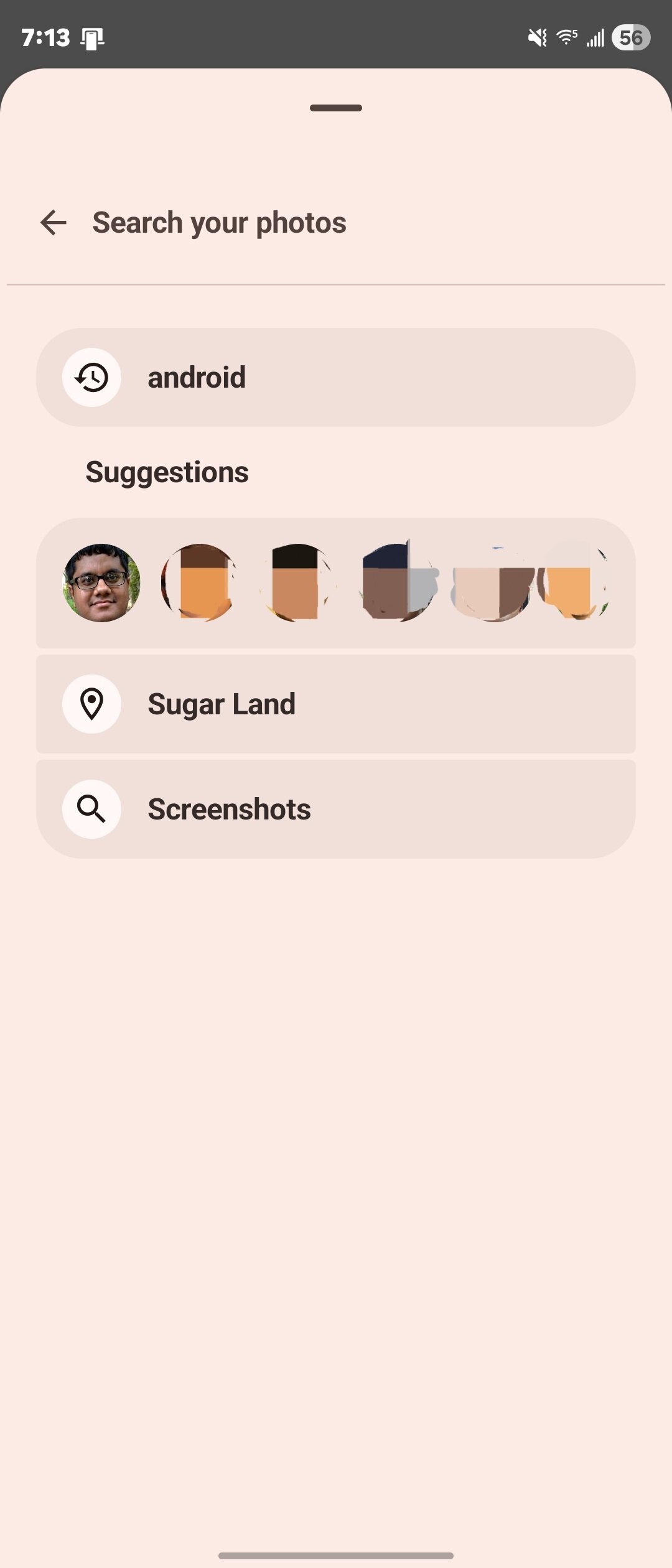
Following the update, I and several members of the Android Authority team noticed the new search bar appear at the top of the Photo Picker UI. As you’d expect, it lets you enter keywords to find specific images, GIFs, or videos in your local gallery. If you’ve granted the Photo Picker access to your Google Photos library, its capabilities expand further, showing recommended searches for people and places and pulling in matches from your cloud library.

Android Photo Picker with search bar
Search suggestions in Android Photo Picker


While a small number of users first spotted the search bar back in July, the feature has now started reaching a much wider audience. Many Pixel users in the Android Beta and Canary programs received it in recent weeks, but the August 2025 Google Play System Update is what’s making the new Photo Picker widely available to all Android users.
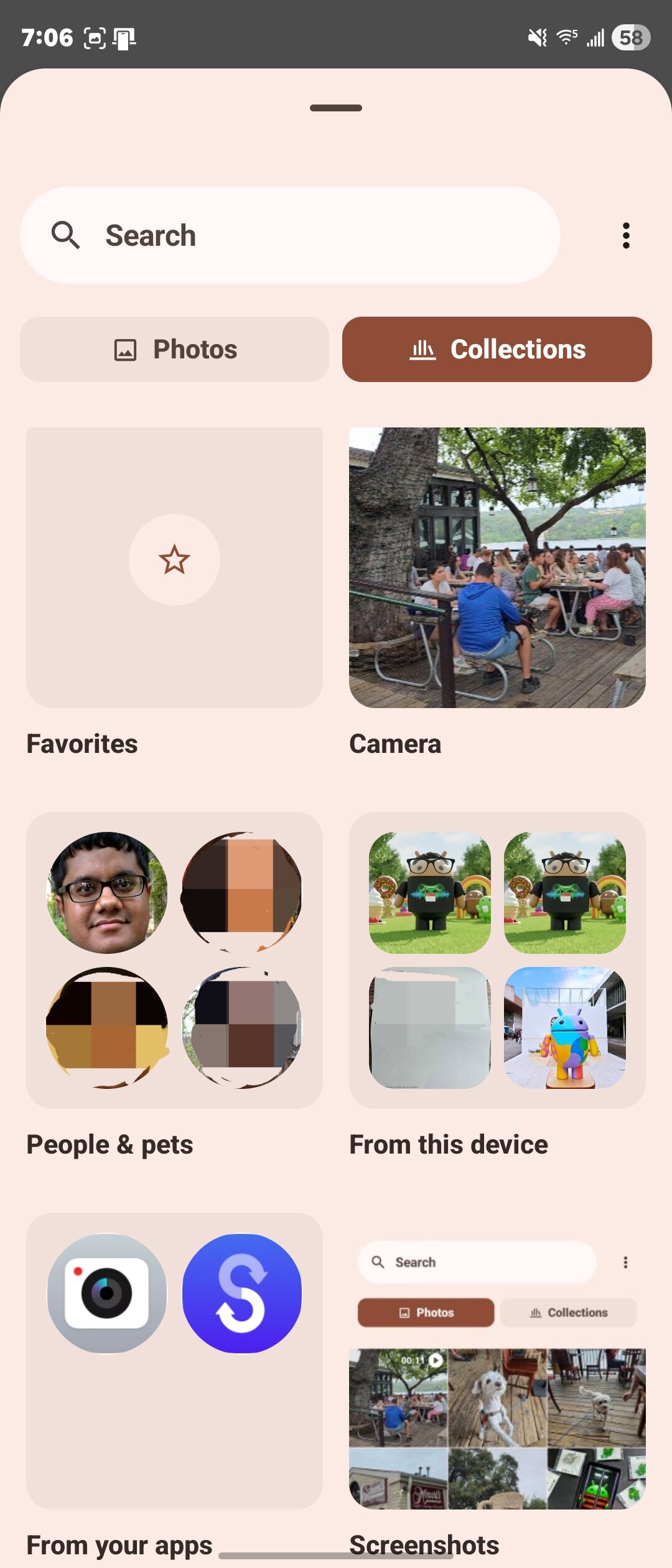
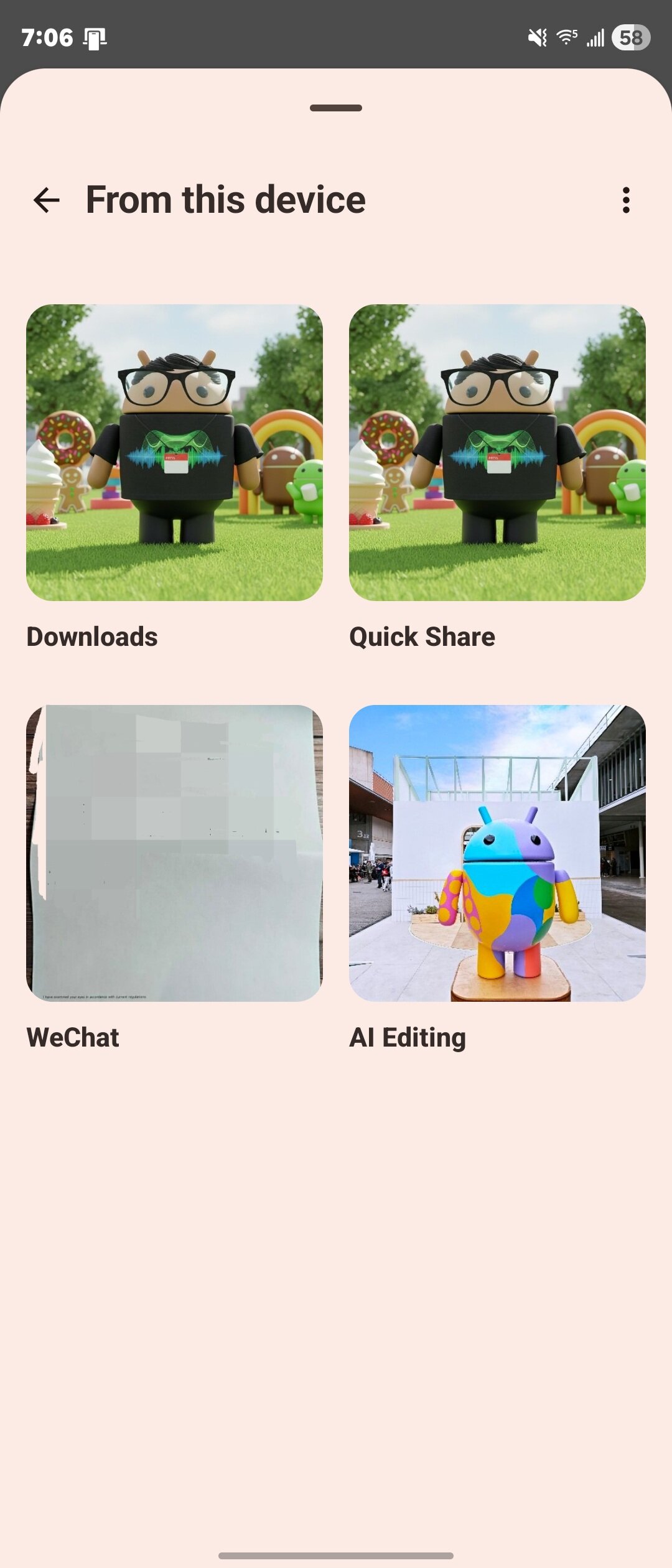
Furthermore, the Photo Picker’s Albums tab (now called “Collections”) is also getting a facelift. Instead of displaying every album on your phone in one long list, it now groups local albums into “From this device” and “From your apps.” While there can be some overlap, the goal is to separate your personal folders from those created by applications. This doesn’t fully declutter the tab, as albums like Screenshots, Downloads, and cloud albums remain in the main view, but it’s a solid step toward better organization.

Collections tab in Android Photo Picker
From this device collection in Android Photo
From your apps collection in Android Photo Picker


These changes, especially the search bar, are significant enhancements for a tool that struggled with developer adoption before Google mandated its use last year. Hopefully, Google continues to build on this momentum so users and developers won’t feel forced to use an inferior alternative to Android’s old file picker. Fortunately, we know more improvements are already in the pipeline, such as the ability to resize the photo grid, tap-and-drag to select multiple items, and quickly scroll through the gallery.
 

limmk

High Supremacy Member
Joined
Jul 5, 2001
Messages
43,277
Reaction score
8,349
TL;DR
  • Google appears to be backing down from its long-standing position against letting Pixel phones record voice calls.
  • The company has already updated support pages, indicating that the option may exist for Pixel 6 and later models.
  • So far we’ve only seen confirmation out of India, and it’s unclear which markets will ultimately get access.


Smartphones may do a million and one different things, but at their very core, these devices are still phones. You may not make a ton of voice calls anymore, but plenty of users still do, which just serves to make it all the more frustrating that voice calls haven’t routinely gotten the same kind of attention and feature upgrades as all the other corners of our phone.

One space where that’s noticeably true is in terms of call recording — these are fully digital devices, with mountains of storage, and it makes all the sense in the world to let us archive voice calls the same way we do text messages. The varying legalities behind doing so in different jurisdictions don’t help the problem any, and that’s left phones like Google’s Pixel series without the option — at least, Call Notes notwithstanding.

Recently, though, we’ve been noticing Google start paying more attention to call recordings, like the work it’s been doing to implement a new filter for finding recorded calls in the Phone app. And now the company looks like it’s finally ready to address the elephant in the room, and start bringing call recording to Pixel phones, too.

The most visible progress here is on Google’s support page for recording calls. Previously, Google explicitly wrote that you couldn’t use a Pixel phone for recording calls at all. Instead, the company now notes that Pixel 6 models and later may be able to record calls — so long as you’re in a region where it’s permitted.

So where is that exactly? Well, Google’s not really providing an exhaustive (or any) list there, but as far as we can tell, so far not the US. Over on a Reddit sub for Pixel users in India, 9a owner VermicelliObvious807 shares that recording options just appeared in the Phone app, but others aren’t seeing it yet.

pixel 9a call recording


Even if this is just getting started and access is still spotty, the updated support pages suggest we really are seeing a big shift from Google here, and we look forward to learning exactly where this long-overdue support will be rolling out.
 
Important Forum Advisory Note
This forum is moderated by volunteer moderators who will react only to members' feedback on posts. Moderators are not employees or representatives of HWZ Forums. Forum members and moderators are responsible for their own posts. Please refer to our Community Guidelines and Standards and Terms and Conditions for more information.
Top