
Did you manage to get 5G in Singapore with G8V0U? I have an unlocked G8V0U from US but unable to get 5G - stuck at LTE can't see 5G signal when using manual select network. However, same telco sim card able to get 5G on an iPhone.Thank you for the help. Finally managed to change the Model ID to G8VOU...
You are using an out of date browser. It may not display this or other websites correctly.
You should upgrade or use an alternative browser.
You should upgrade or use an alternative browser.
Google Pixel 6 series
- Thread starter limmk
- Start date
More options
Who Replied?
- Joined
- Jul 5, 2001
- Messages
- 45,503
- Reaction score
- 8,599
Google’s habit of sticking with Samsung for its Tensor chipsets is also the reason for their poor thermal performance
https://wccftech.com/pixel-6-pro-burned-heatsink-due-to-overheating-tensor/

- Joined
- Jul 5, 2001
- Messages
- 45,503
- Reaction score
- 8,599
- Joined
- Jul 5, 2001
- Messages
- 45,503
- Reaction score
- 8,599
When you see it

Loser
Arch-Supremacy Member
- Joined
- May 7, 2019
- Messages
- 23,878
- Reaction score
- 10,634
Pixel facing new storage issue, likely tied to January Google Play system update
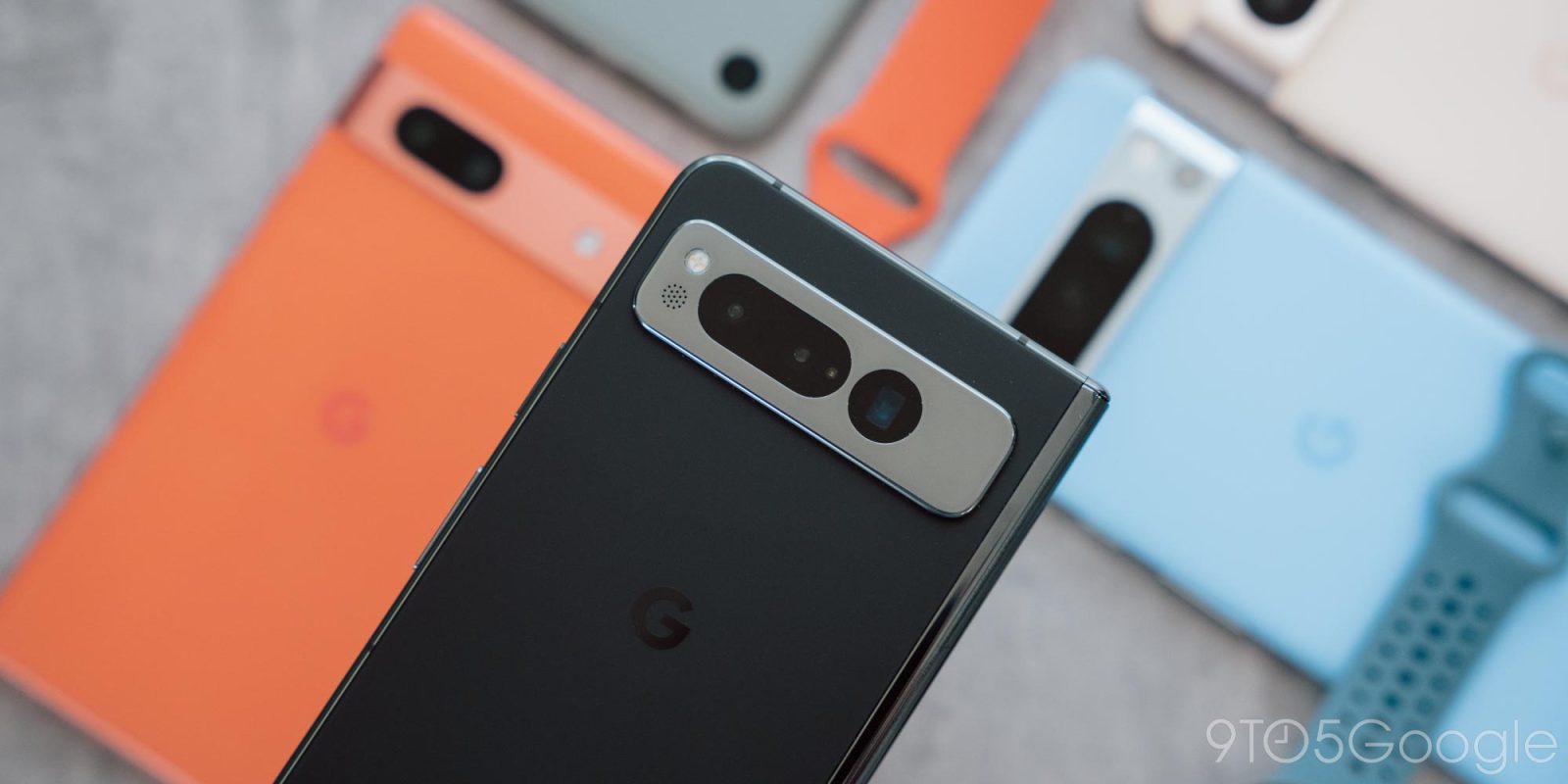
Following a storage access issue in October with the initial Android 14 release and multiple users, Pixel devices might be facing another problem related to the January 2024 Google Play System Update.
After updating to the January 2024 Google Play system update (which is different from the January 5, 2025 security update/patch), users report not being able to access data stored in internal storage across all apps. This results in various cascading issues, like not being able to play downloaded audio/video files or take new pictures, while the Files app appears empty. Other apps refuse to work.
This sounds similar to last year’s issue that impacted devices with multiple users enabled. However, the culprit today appears to be having that Google Play system update installed.
That said, the January 2024 update is not widely rolled out, with most Pixel (and other Android) users still on the November 2023 release. (You can check from the Settings app > Security & privacy > System & updates.) That will hopefully limit the issue from spreading to new users as Google can just halt the rollout.
Pixel 8, 7, and 6 series owners are all reporting this problem.
It remains to be seen how Google resolves the problem for those that have installed it. Last time, a system update was needed. If your device wasn’t stuck in a “Pixel is starting” boot loop, data could be recovered with the aforementioned OTA.
A Google spokesperson acknowledged the problem this evening:
“We’re aware of this issue and are looking into it.”
https://9to5google.com/2024/01/22/pixel-storage-issue-january-2024-update/
Following a storage access issue in October with the initial Android 14 release and multiple users, Pixel devices might be facing another problem related to the January 2024 Google Play System Update.
After updating to the January 2024 Google Play system update (which is different from the January 5, 2025 security update/patch), users report not being able to access data stored in internal storage across all apps. This results in various cascading issues, like not being able to play downloaded audio/video files or take new pictures, while the Files app appears empty. Other apps refuse to work.
This sounds similar to last year’s issue that impacted devices with multiple users enabled. However, the culprit today appears to be having that Google Play system update installed.
That said, the January 2024 update is not widely rolled out, with most Pixel (and other Android) users still on the November 2023 release. (You can check from the Settings app > Security & privacy > System & updates.) That will hopefully limit the issue from spreading to new users as Google can just halt the rollout.
Pixel 8, 7, and 6 series owners are all reporting this problem.
It remains to be seen how Google resolves the problem for those that have installed it. Last time, a system update was needed. If your device wasn’t stuck in a “Pixel is starting” boot loop, data could be recovered with the aforementioned OTA.
A Google spokesperson acknowledged the problem this evening:
“We’re aware of this issue and are looking into it.”
https://9to5google.com/2024/01/22/pixel-storage-issue-january-2024-update/

y2j
Master Member
- Joined
- Jan 1, 2000
- Messages
- 3,059
- Reaction score
- 0
anyone able to help? facing similar issues with Simba 5GDid you manage to get 5G in Singapore with G8V0U? I have an unlocked G8V0U from US but unable to get 5G - stuck at LTE can't see 5G signal when using manual select network. However, same telco sim card able to get 5G on an iPhone.
- Joined
- Jul 5, 2001
- Messages
- 45,503
- Reaction score
- 8,599


stillgottheblues
High Supremacy Member
- Joined
- Dec 31, 2011
- Messages
- 31,384
- Reaction score
- 3,526
Finally my Google Pixel 6 pro died lasting only 1.5 year. And it's not a main driver some more.
My $300 redmi phone still works and smooth after 3 years, compared to Google over $1k flagahip.
F****k you Google for the most problematic phone.
My $300 redmi phone still works and smooth after 3 years, compared to Google over $1k flagahip.
F****k you Google for the most problematic phone.
- Joined
- Jul 5, 2001
- Messages
- 45,503
- Reaction score
- 8,599

elvintay07
Suspended
- Joined
- Jan 4, 2022
- Messages
- 12,367
- Reaction score
- 4,442
The difference between google vs Xiaomi is really the bloatware. Google really really clean like Apple.Finally my Google Pixel 6 pro died lasting only 1.5 year. And it's not a main driver some more.
My $300 redmi phone still works and smooth after 3 years, compared to Google over $1k flagahip.
F****k you Google for the most problematic phone.
- Joined
- Jul 5, 2001
- Messages
- 45,503
- Reaction score
- 8,599
- Joined
- Jul 5, 2001
- Messages
- 45,503
- Reaction score
- 8,599
In a strange issue, some Google Pixel 6 series owners have noticed that their phones are bricking themselves following an attempt to factory reset the device.
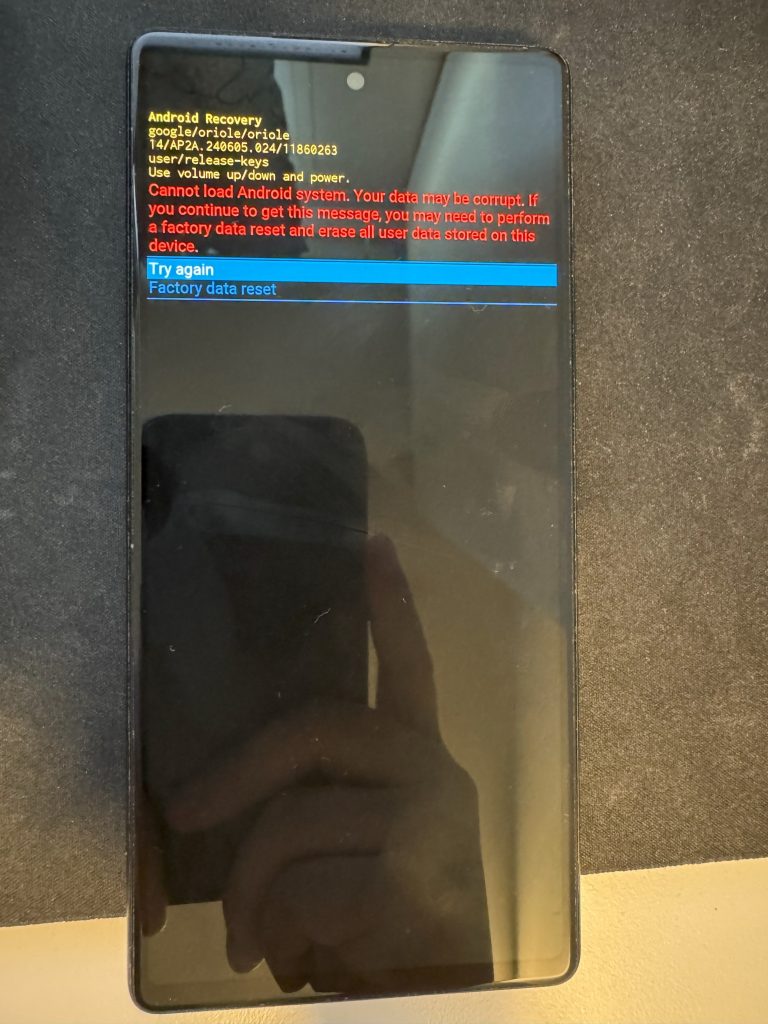
Seemingly caused by recent updates, a growing number of Pixel 6 series owners are seeing their devices no longer functioning after attempting a factory reset. The issue causes the device to fail to boot up and give an error message saying that the device “cannot load Android system” and advising a second factory reset.
One user on Google’s forums captured an image of the error message saying:
Cannot load Android system. Your data may be corrupt. If you continue to get this message, you may need to perform a factory data reset and erase all user data stored on this device.
The issue was first highlighted by the folks over at TechIssuesToday, who also noted a reply from a “Product Expert” on Google’s forums who claims this is a “known issue” under investigation. Google has yet to more formally acknowledge the issue beyond that comment.
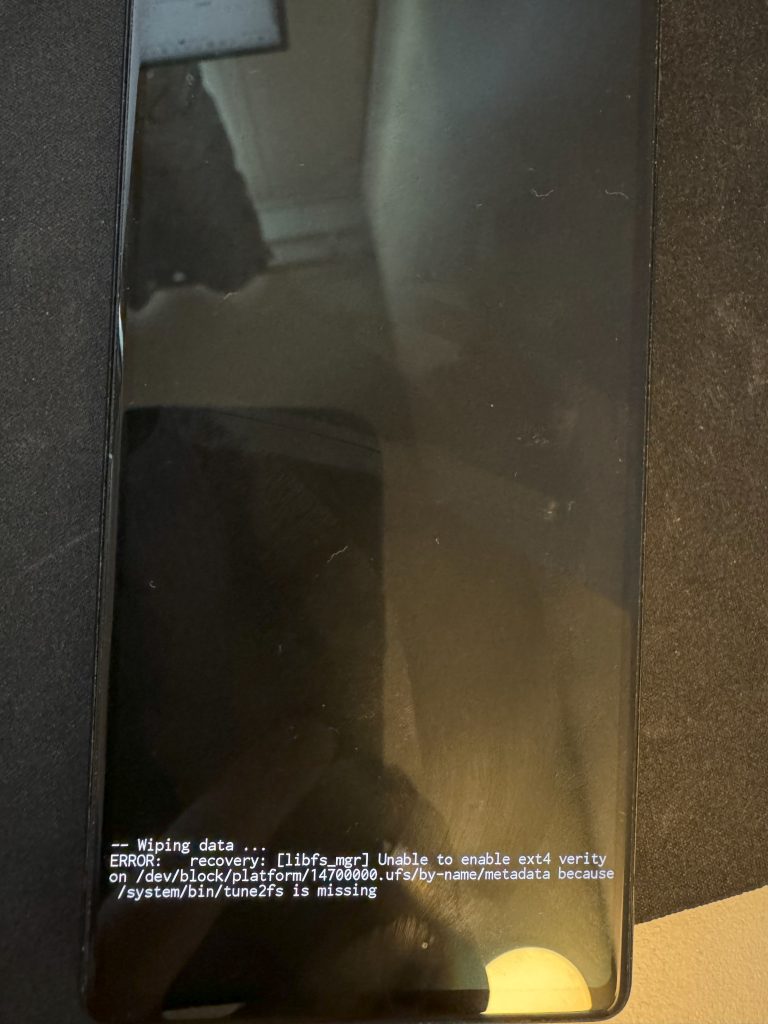
It’s also noted that affected devices are showing errors during boot that say the device is “unable to enable ext4 verity” and is missing a “tune2fs” file, as shown in a video that OF Tech posted to YouTube recently.
The issue has popped up across Pixel 6, Pixel 6 Pro, and Pixel 6a as well, but no newer Pixel models.
The underlying cause here seems to be updates, but it’s hard to know which update is the cause. While many claim to have been running the current stable update, but at least one Pixel 6 Pro owner who ran into this issue was running Android 15 Beta 3, while some other reports don’t mention the Android version at all.
There’s no word on a fix, though some have noted that the Android Flash Tool doesn’t recognize the device. It’s unclear if anyone has tried the Pixel Repair Tool.
We’ll update this post if any new details come to light. If you have an affected Pixel 6 series device, let us know in the comments below.
Images: Google forums
- Joined
- Jul 5, 2001
- Messages
- 45,503
- Reaction score
- 8,599
Post in thread 'Google Pixel 8 series [Mid Year Sale Now till 7/7]' https://forums.hardwarezone.com.sg/...year-sale-now-till-7-7.6827650/post-152940739
google the word chop off
- Joined
- Jul 5, 2001
- Messages
- 45,503
- Reaction score
- 8,599
After factory resetting, some Pixel 6, 6 Pro, or 6a owners have had their phones brick. Google is now out with steps on how to prevent this issue.
Before factory resetting your phone, which Google said today “isn’t something many users do regularly,” take into account whether you’ve recently installed a system update.
If you have, leave the device “powered on and idle for 15 minutes after it has rebooted following a system update.” You should be able to safely wipe the phone after that.
The alternative is to factory reset “before taking the latest system update.” Google does not specify which system update is responsible for this problem. Most people experiencing this bug are on Android 14.
For those that reset and have bricked devices (“Cannot load Android system”), Google says it has “identified the root cause of the issue and is working on developing the best possible solution.”
If you’ve already factory reset your Pixel 6, 6 Pro, or 6a and are experiencing issues, stay tuned to this thread for further information and updates.
As users set out to factory reset their device, lost data shouldn’t be an issue, but being without a phone is obviously highly inconvenient.
- Joined
- Jul 5, 2001
- Messages
- 45,503
- Reaction score
- 8,599


- Joined
- Jul 5, 2001
- Messages
- 45,503
- Reaction score
- 8,599
Important Forum Advisory Note
This forum is moderated by volunteer moderators who will react only to members' feedback on posts. Moderators are not employees or representatives of HWZ Forums. Forum members and moderators are responsible for their own posts.
Please refer to our Community Guidelines and Standards and Terms and Conditions for more information.

