Google Pixel Buds Pro 2

limmk

High Supremacy Member
Joined
Jul 5, 2001
Messages
41,191
Reaction score
8,166
TL;DR
  • The Google Pixel Buds Pro 2 feature a speaker in their charging case.
  • Right now, that speaker is used for Find My Device, and to sound audio alerts for things like when you’re battery’s low.
  • Google seems to be working on a new audio alert that would signal when you’ve put your earbuds back in their case correctly.


How many times has this happened to you: You’re done listening to music, or your earbuds just need a charge, and you take them off and pop them in their case, only to get their alignment completely wrong? Maybe you’re getting the left and right buds swapped around and putting them in the opposite spot, or maybe they’re in the right case position but are turned around and not making contact with charging pins.

Most of the time, we notice pretty quickly and there’s no harm other than momentarily feeling a bit embarrassed, but it can suck if you back later expecting to use your fully charged buds, only to still find them dead. Luckily for Pixel Buds owners, Google could be doing something about all this.

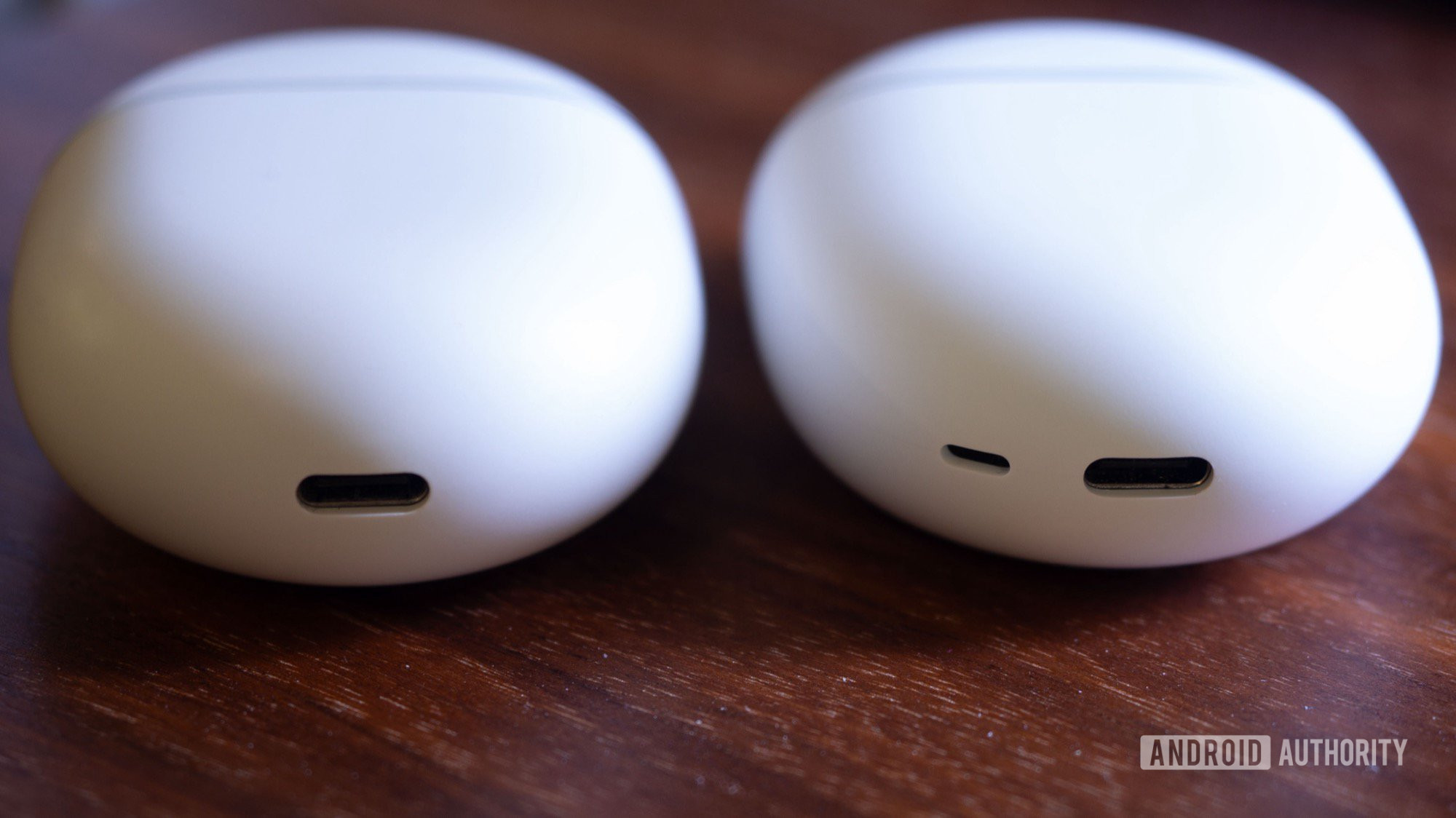
With the Pixel Buds Pro 2, Google introduced a handy new feature, giving the earbuds’ charging case a speaker of its own. This lets you use Find My Device to not just trigger individual earbuds to produce sound so you can track them down, but also to locate the entire package when the earbuds are stowed away for charging.

google pixel buds pro 2 vs pixel buds pro cases usb c speaker


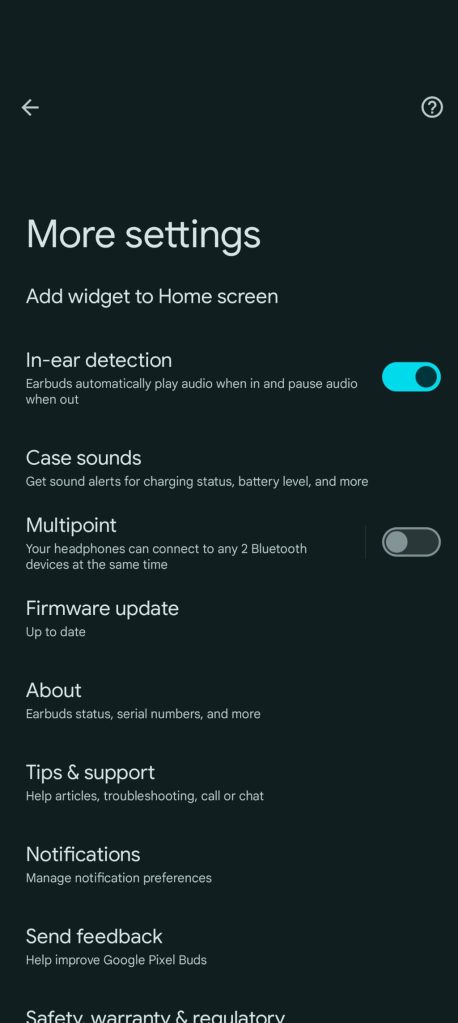
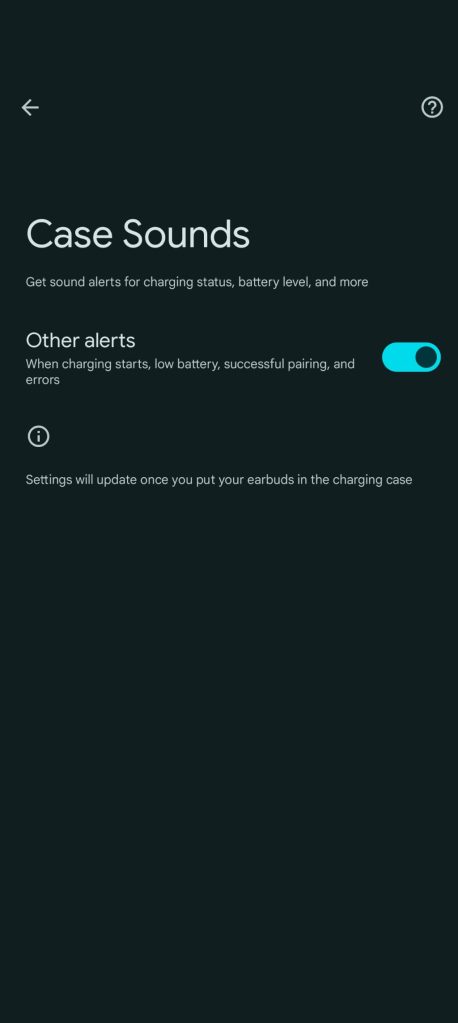
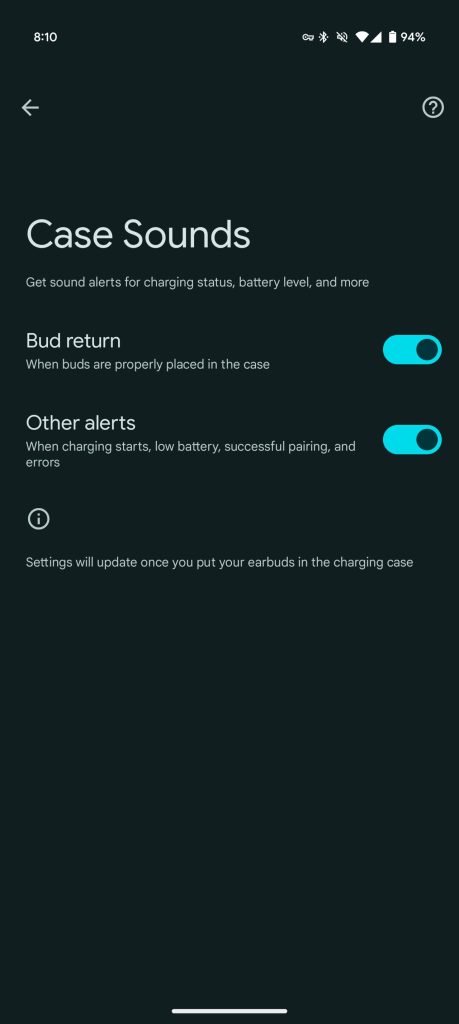
Beyond just that, you can enable the Other alerts option in Case Sounds settings to get audio alerts for things like when the battery’s running low or when you pair with a new device. Today we’re cracking open version 1.0.709452546 of the Pixel Buds app for Android, and poking around the code within, we discover what looks like work to bring an additional case sound to the Buds Pro 2: an audio alert when your earbuds are properly docked in the case.

Code:
<string name="summary_bud_return_switch">When buds are properly placed in the case</string>
<string name="title_bud_return_switch">Bud return</string>

In addition to those strings alerting us as to the nature of this feature, we also spot some markup that appears to indicate that the toggle for this option will appear in Case Sounds settings:

Code:
<?xml version="1.0" encoding="utf-8"?>
<PreferenceScreen
  xmlns:android="http://schemas.android.com/apk/res/android">
    <com.android.settingslib.widget.TopIntroPreference android:title="@string/title_case_sounds" android:key="@string/key_case_sounds" />
    <SwitchPreference android:enabled="false" android:title="@string/title_bud_return_switch" android:key="@string/key_bud_return_switch" android:summary="@string/summary_bud_return_switch" />
    <SwitchPreference android:enabled="false" android:title="@string/title_all_others_switch" android:key="@string/key_all_others_switch" android:summary="@string/summary_all_others_switch" />
    <com.android.settingslib.widget.FooterPreference android:title="@string/title_footer_case_sounds" android:selectable="false" android:key="@string/key_footer_case_sounds" />
</PreferenceScreen>

Right now, that option’s not yet visible, and sure enough — we’re not getting any new audio alerts from our Pixel Buds Pro 2 case when using it after installing this release.

Frankly, a feature like this makes a lot of sense with earbuds like these; while some manufacturers implement keyed design elements that physically prevent you from putting your earbuds in the case wrong, Google doesn’t seem to have prioritized such concerns when building the Pixel Buds Pro 2.

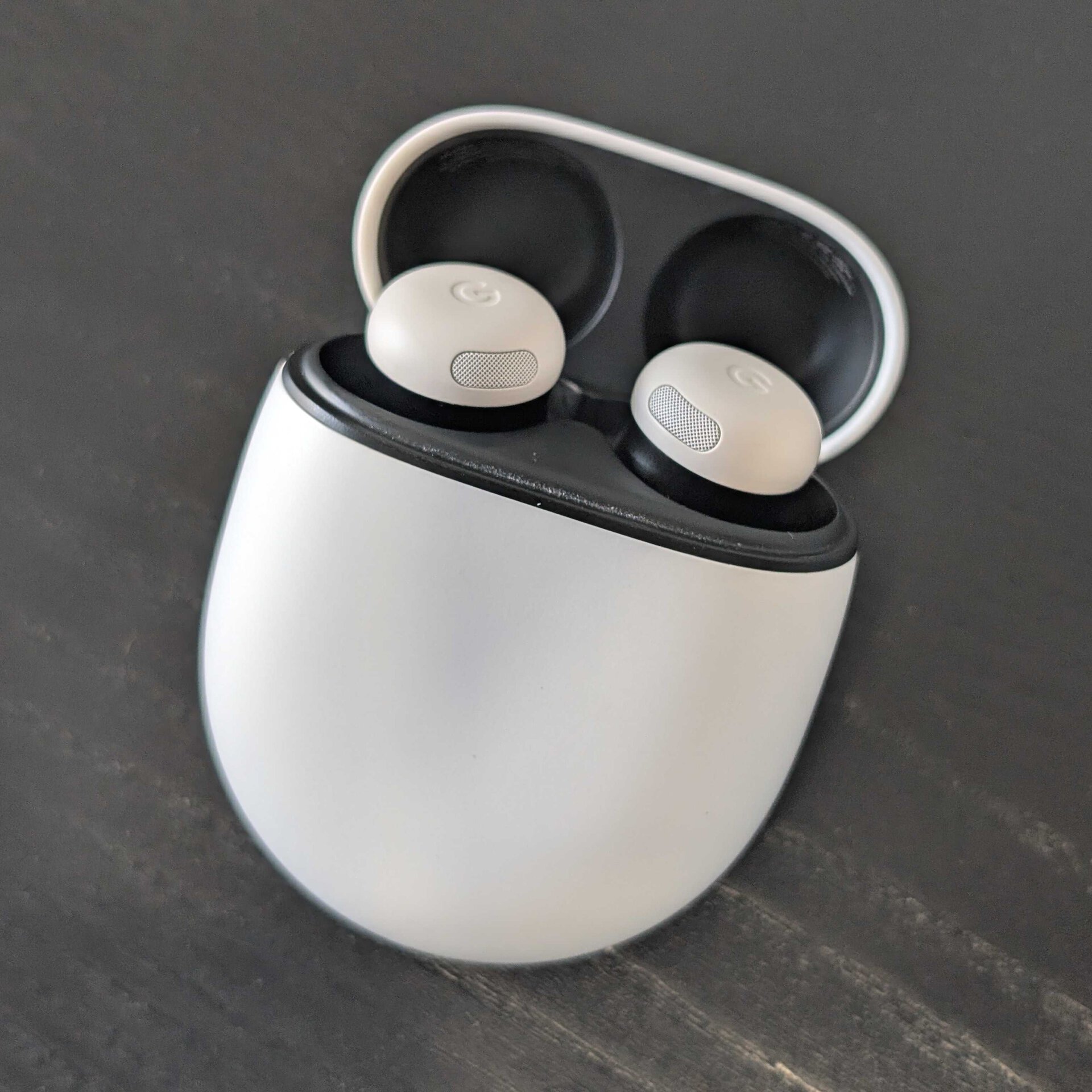
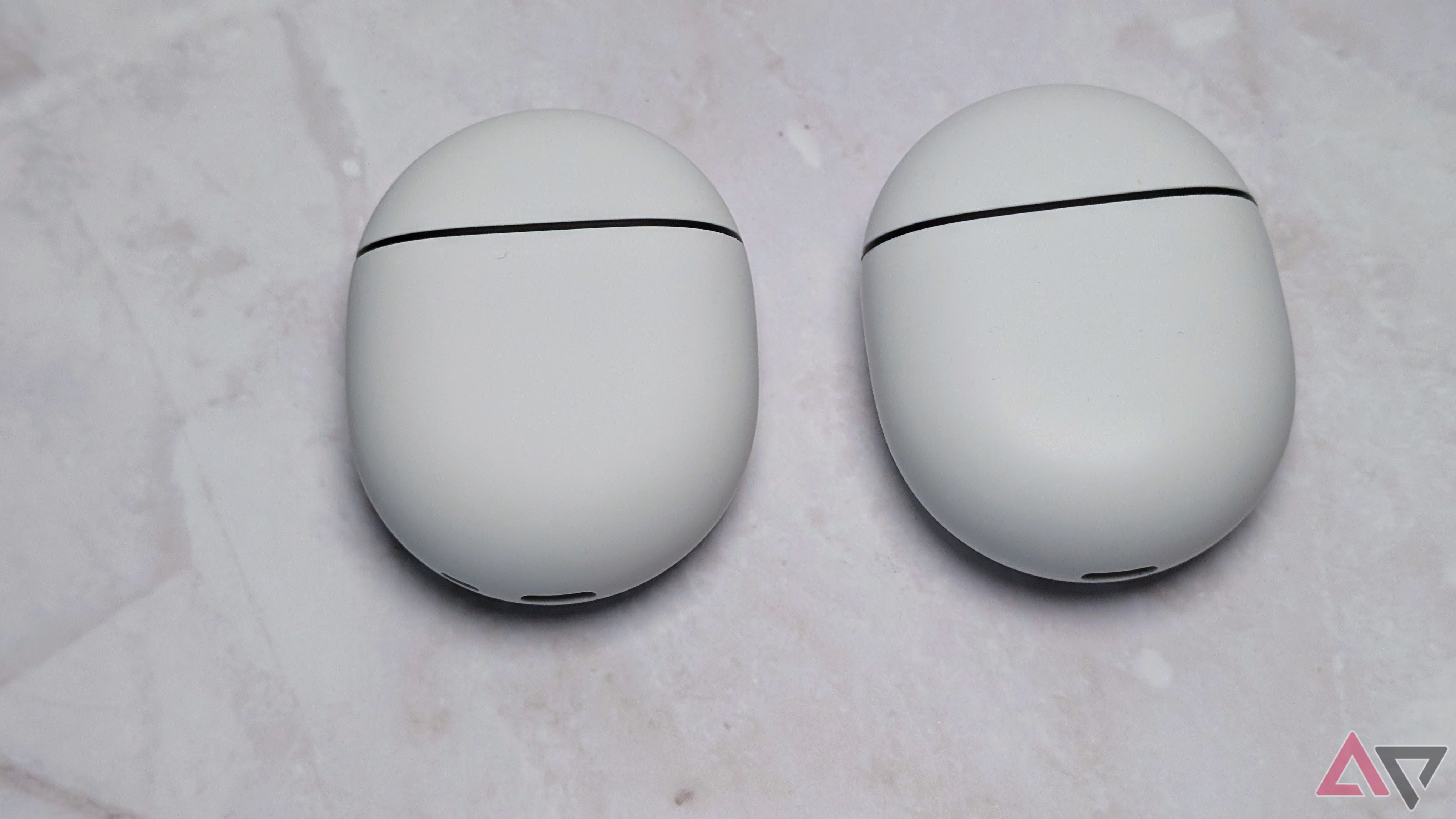
pixel buds pro 2 case one way
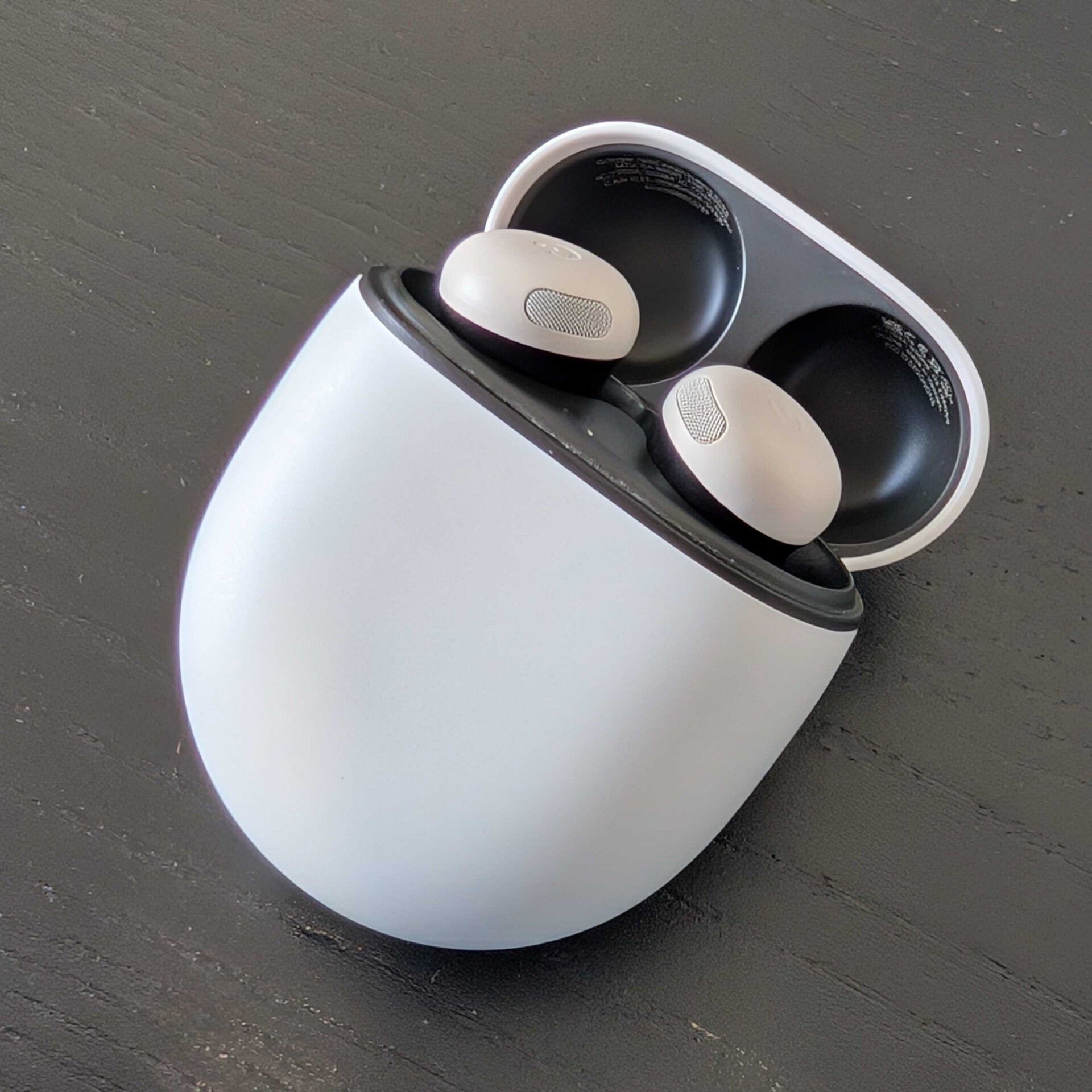
pixel buds pro 2 case other way

Which one of these sets of earbuds is inserted in the case correctly, and which are in backwards? Wrong answers only.

Even if you get your buds swapped around, the case will still successfully grab them with its magnets and give the initial impression that they’re in correctly. It may not be until you actually go to close the case and it won’t fully shut that you’re able to work out that you got your earbuds in the wrong spots.
 

limmk

High Supremacy Member
Joined
Jul 5, 2001
Messages
41,191
Reaction score
8,166


The first post-launch update for the Google Pixel Buds Pro 2 is beginning to roll out for some users.

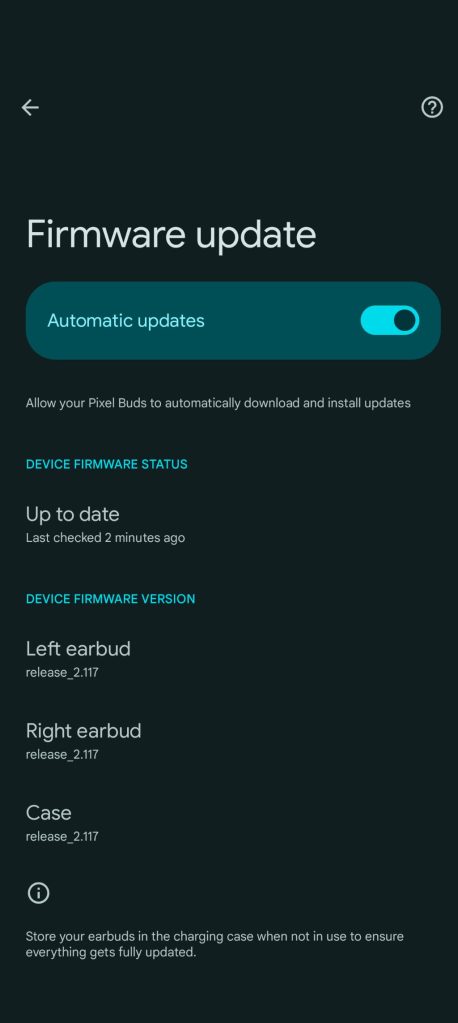
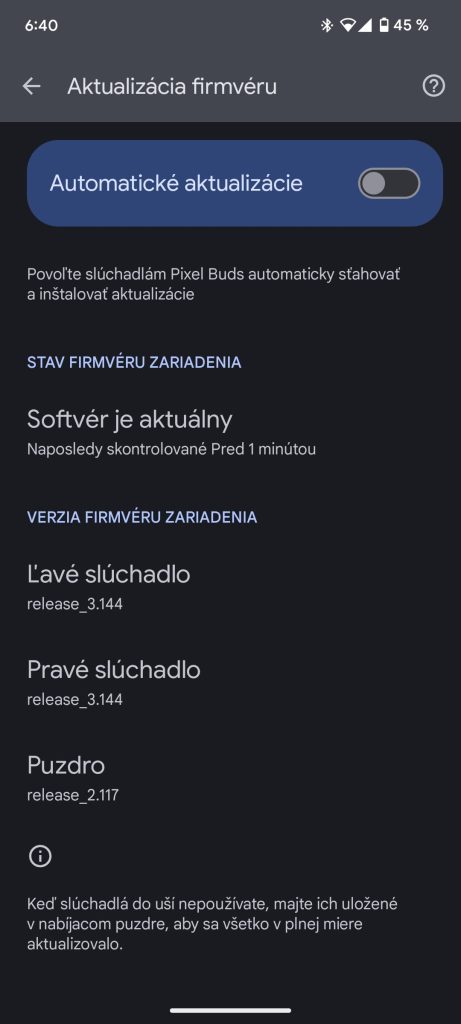
Out of the box, the Pixel Buds Pro 2 in late September received a day one update. Since then, the headphones (Left/Right earbuds + Case ) have been on release_2.117.

On Monday evening/Tuesday morning, the first report of version 3.144 for the Pixel Buds Pro 2 emerged. We’re not yet seeing the new firmware on our pair, so it’s likely rolling out in waves.

pixel-buds-pro-2-update-Sept-2024.jpg
Pixel Buds Pro 2 update

Old vs. new | Credit: u/ InternetForward6269

From the Device details/companion app, go to More settings > Firmware update to check if an update is available. The process is unchanged from earlier models:

  • Updates will be downloaded to your earbuds the next time you use them with your Pixel or Android 6.0+ devices. This takes about 10 minutes, and during this time you can continue using your Pixel Buds.
  • If your earbuds and charging case have sufficient charge, the update will begin installing the next time you place your earbuds to the charging case. This also takes about 10 minutes.
Google has yet to announce the update, but a Product Expert in the Pixel Buds Help forum last week made reference to an “update rolling out over the next few weeks” to address a volume control issue. Specifically, some have not been able to adjust the volume using their phone’s rocker/slider, with only the on-buds control working. This firmware might also address random bud disconnections.

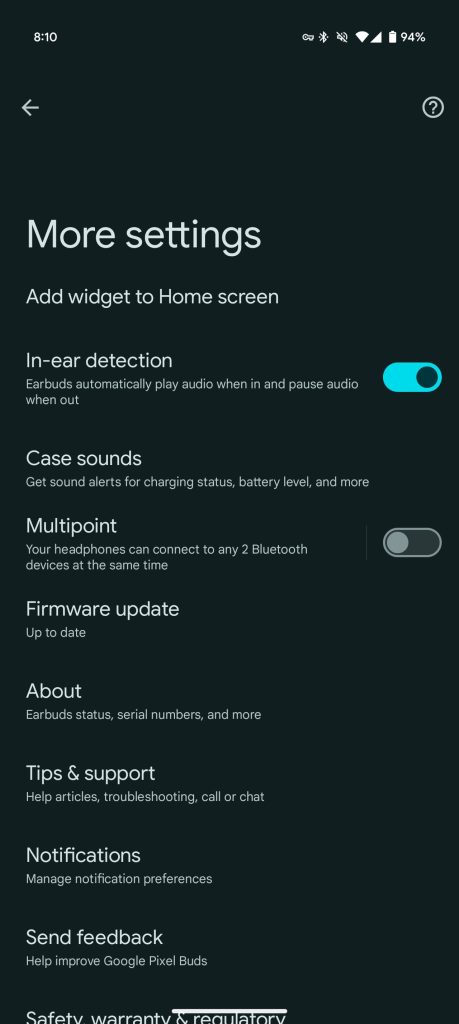
In terms of new features, version 1.0.709452546 of the Pixel Buds app rolled out in early January with reference to a “Bud return” sound alert “When buds are properly placed in the case.” A fullscreen “Case sounds” menu was added to accommodate this upcoming addition.

More Gemini notification capabilities, like summarization, would also be nice.

Pixel-Buds-Pro-2-settings-1.jpg
Pixel-Buds-Pro-2-settings-2.jpg
 

limmk

High Supremacy Member
Joined
Jul 5, 2001
Messages
41,191
Reaction score
8,166


Yesterday, Google started rolling out firmware version 3.144 to the Pixel Buds Pro 2 and the update comes with some new features.

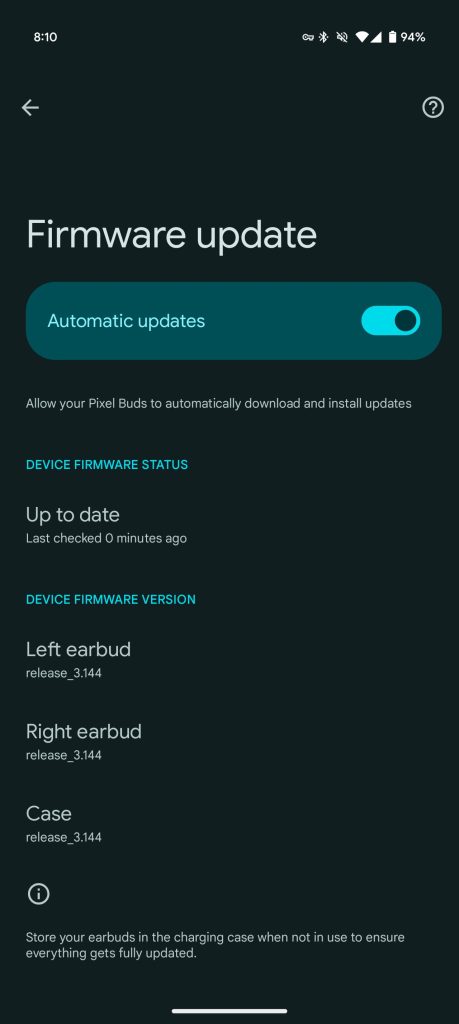
Once the Left/Right earbuds and Case are updated to release_3.144 (from 2.117), we’re seeing a new “Bud return” sound “When buds are properly placed in the case.”

It’s quick, subtle ding when the earbuds are properly placed into the case (and aligned with the contact/charging pins). Google is presumably responding to how you can place the buds on the wrong side. Previously, your only indicator that something went wrong is when you try to close them and cannot.

Bud return — like “Other alerts” for “charging starts, low battery, successful pairing, and errors” — can be toggled off, but it’s pretty quiet and unassuming.

Pixel Buds Pro 2 3.144


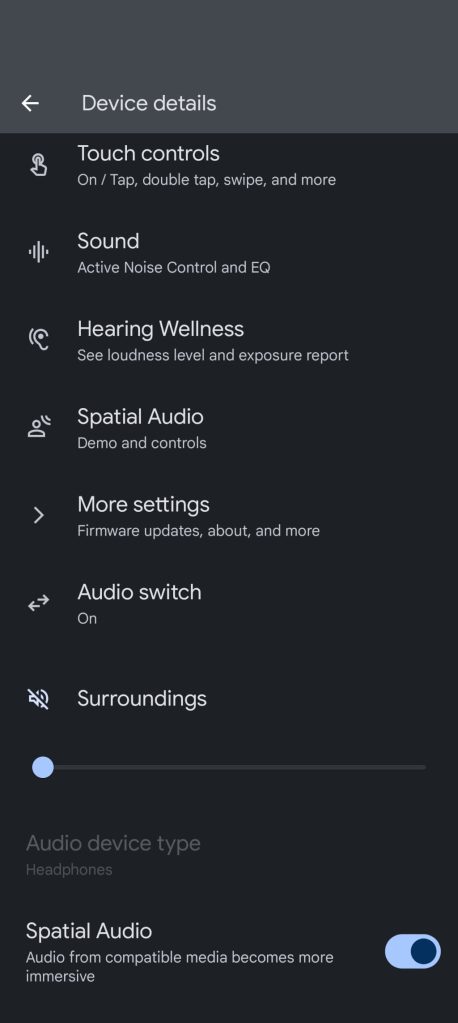
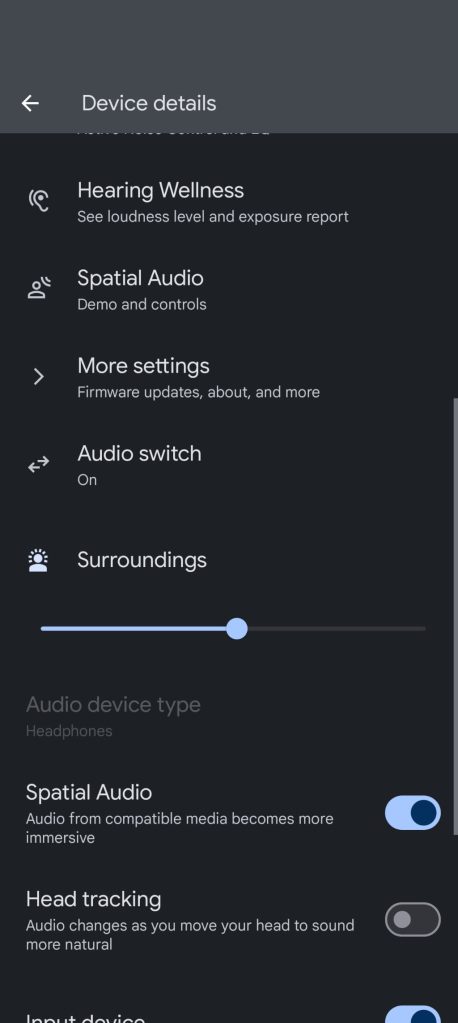
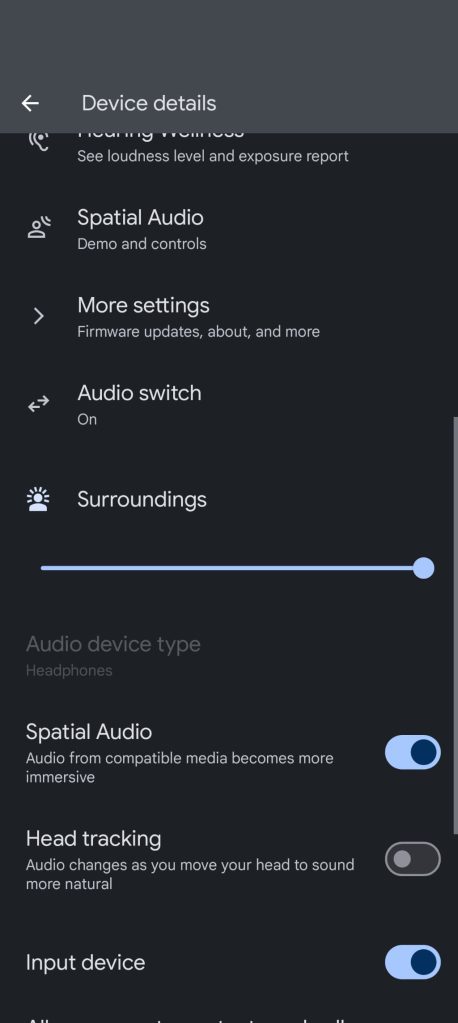
Meanwhile, we’ve received one report today of a new “Surroundings” slider in the Device details page/Pixel Buds Pro 2 companion app. It appears near the bottom after Audio switch.

This might let you control how much ambient sound is let in. Note how the accompanying icon changes depending on the set level. According to the report we have today, this is not yet active, while we’re not yet setting Surroundings on our updated headphones.

Pixel-Buds-Pro-2-Surroundings-slider-1.jpg
Pixel-Buds-Pro-2-Surroundings-slider-3.jpg
Pixel-Buds-Pro-2-Surroundings-slider-2.jpg

Thanks Aadarsha

Google has yet to release an official changelog for this Pixel Buds Pro 2 update, but there are presumably bug fixes with firmware 3.144. As of today, this new release is more widely rolling out. Go to More settings > Firmware update to check, while the web app is also available.

  • Updates will be downloaded to your earbuds the next time you use them with your Pixel or Android 6.0+ devices. This takes about 10 minutes, and during this time you can continue using your Pixel Buds.
  • If your earbuds and charging case have sufficient charge, the update will begin installing the next time you place your earbuds to the charging case. This also takes about 10 minutes
 

limmk

High Supremacy Member
Joined
Jul 5, 2001
Messages
41,191
Reaction score
8,166


Firmware version 3.144 started rolling out to the Pixel Buds Pro 2 on Monday, and Google is now out with an official changelog for the update.

On Wednesday afternoon, Google said “firmware update release_3.144 is now available.” This Pixel Buds Pro 2 “update brings firmware and audio quality improvements.”

Google also acknowledges the “helpful chimes to confirm your earbuds are correctly placed in their case for proper charging.” It’s a quick and subtle sound from the case’s onboard speaker that confirms alignment.

As a reminder, you can disable this “Bud return” sound. Go to the companion app (which you should also make sure is up-to-date, version 1.0.709452546 was released in early January via the Play Store) > More settings > Case Sounds. You’ll also find “Other alerts: When charging starts, low battery, successful pairing, and errors.”

Pixel Buds Pro 2 3.144


That is the extent of Google’s changelog today, which does not go into detail about bug fixes beyond “improvements” in the earlier line.

You have three options for updating:


  • Automatic updates: If you have automatic updates turned on, the update will download automatically the next time you use your Pixel Buds Pro 2 with your Pixel phone or any Android 6.0+ device. Your Pixel Buds Pro 2 can be used during the approximately 10-minute update, or the update will begin the next time they’re placed in the charging case with sufficient battery.
  • Manual updates: If automatic updates are turned off, you can manually initiate the download on your phone once it’s available (it takes about 15 minutes).
  • Alternatively, you can also get the latest firmware directly from the web companion app, even if your phone isn’t linked or nearby. Visit mypixelbuds.google.com to get started.


Make sure both the Left/Right earbuds and Pixel Buds Pro 2 case are on version 3.144 to get all the new features.
 

limmk

High Supremacy Member
Joined
Jul 5, 2001
Messages
41,191
Reaction score
8,166


True wireless earbuds are a must-have for music lovers. They’re practical, transportable, and come in a case that charges them when you’re not using them. You can listen to music while running or stay occupied on a long journey. They let you take your phone calls hands-free, and their noise-canceling (ANC) capabilities help you focus on what you’re doing.

When shopping for wireless earbuds, you’ll find hundreds of options from several manufacturers, all with slightly different designs, audio performance, and features. In my search for the right pair, I narrowed my choices to the Google Pixel Buds Pro 2 and the Bose QuietComfort Ultra Earbuds. I tested both before deciding. I chose Google’s flagship earphones over Bose’s for several reasons.

5​

Google’s flagship earbuds work seamlessly with my Pixel phone​

The whole ecosystem is a pleasure to use​

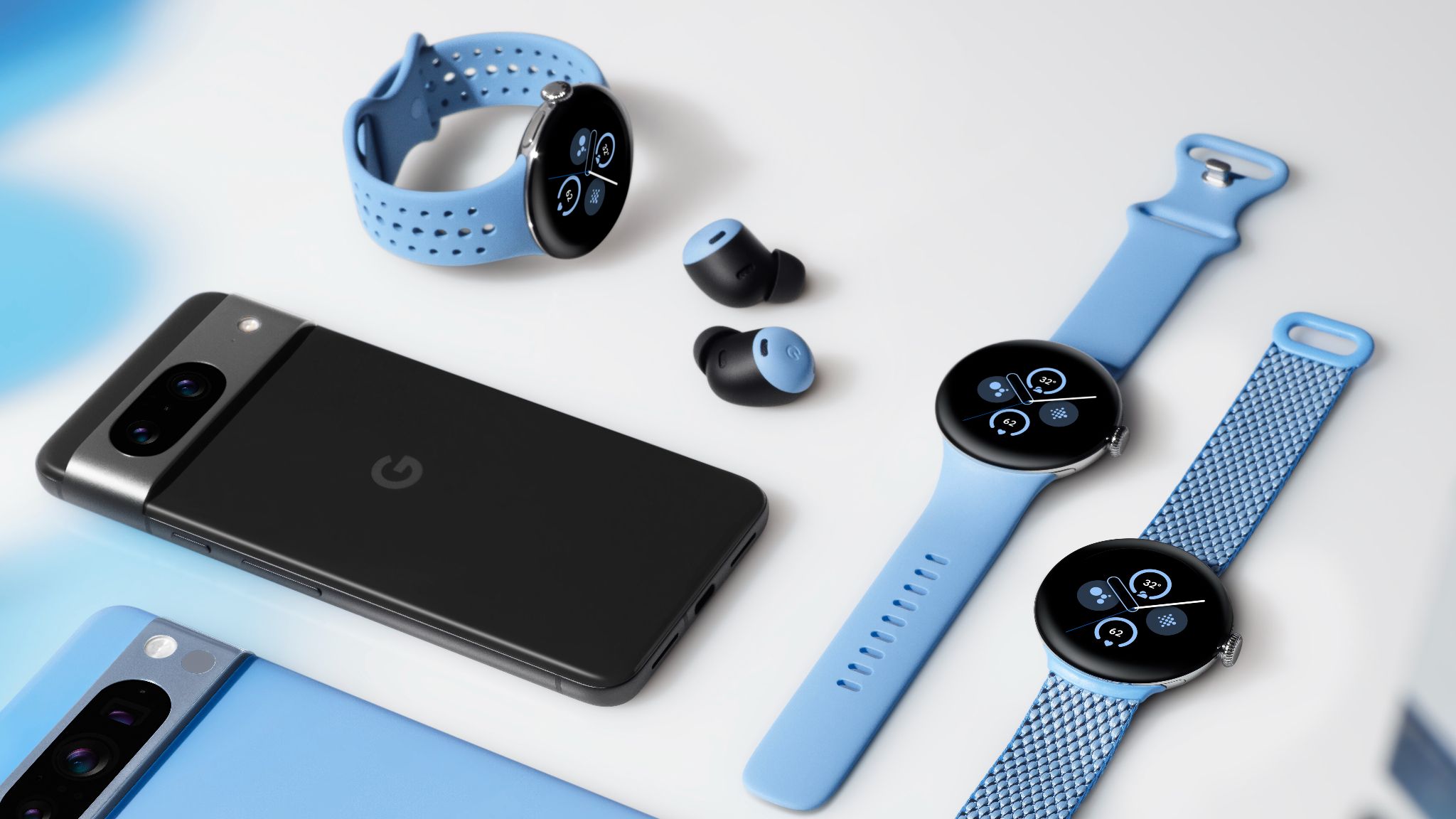
Pixel Buds Pro and Pixel Watch 2 in Bay


To connect to a Google Pixel phone, open the Google Pixel Bud Pro 2 case nearby. To connect the Bose QuietComfort Ultra Earbuds, take them out of the case, and Google Fast pair does the rest. Unlike the Bose QuietComfort Ultra Earbuds, you don’t need a separate app installed on your Pixel smartphone to manage the device. All the controls you need are located within the Bluetooth settings. You can switch between noise-canceling modes, adjust the equalizer settings, turn on features like Conversation Detection (it pauses the music when you start talking), and so on.


4​

The battery lasts longer​

You can listen to more music at a time​

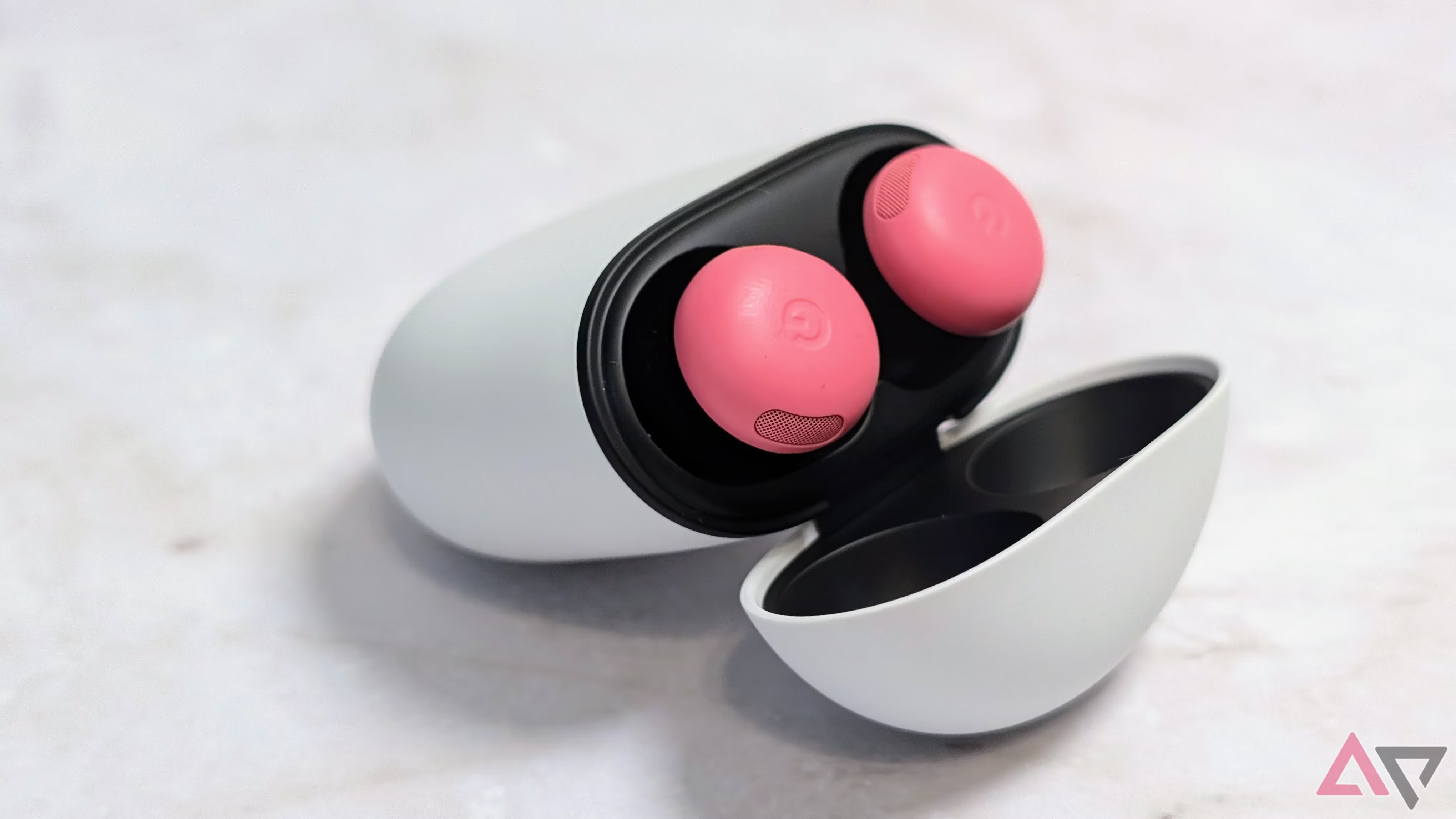
Google Pixel Buds Pro 2 in case open top


The Google Pixel Buds Pro 2 battery provides eight hours of music at a time with the ANC switched on or 12 hours with it turned off. The charging case provides up to 30 hours of music with ANC or 48 hours without it.

For comparison, the Bose QuietComfort Ultra Earbuds last up to six hours of music with noise-canceling at a time, which is still plenty. However, you get up to 24 hours of music with the charging case, so you must plug it in for a charge more regularly.


3​

Google’s earbuds are tiny and more comfortable​

They have a twist-to-adjust stabilizer​

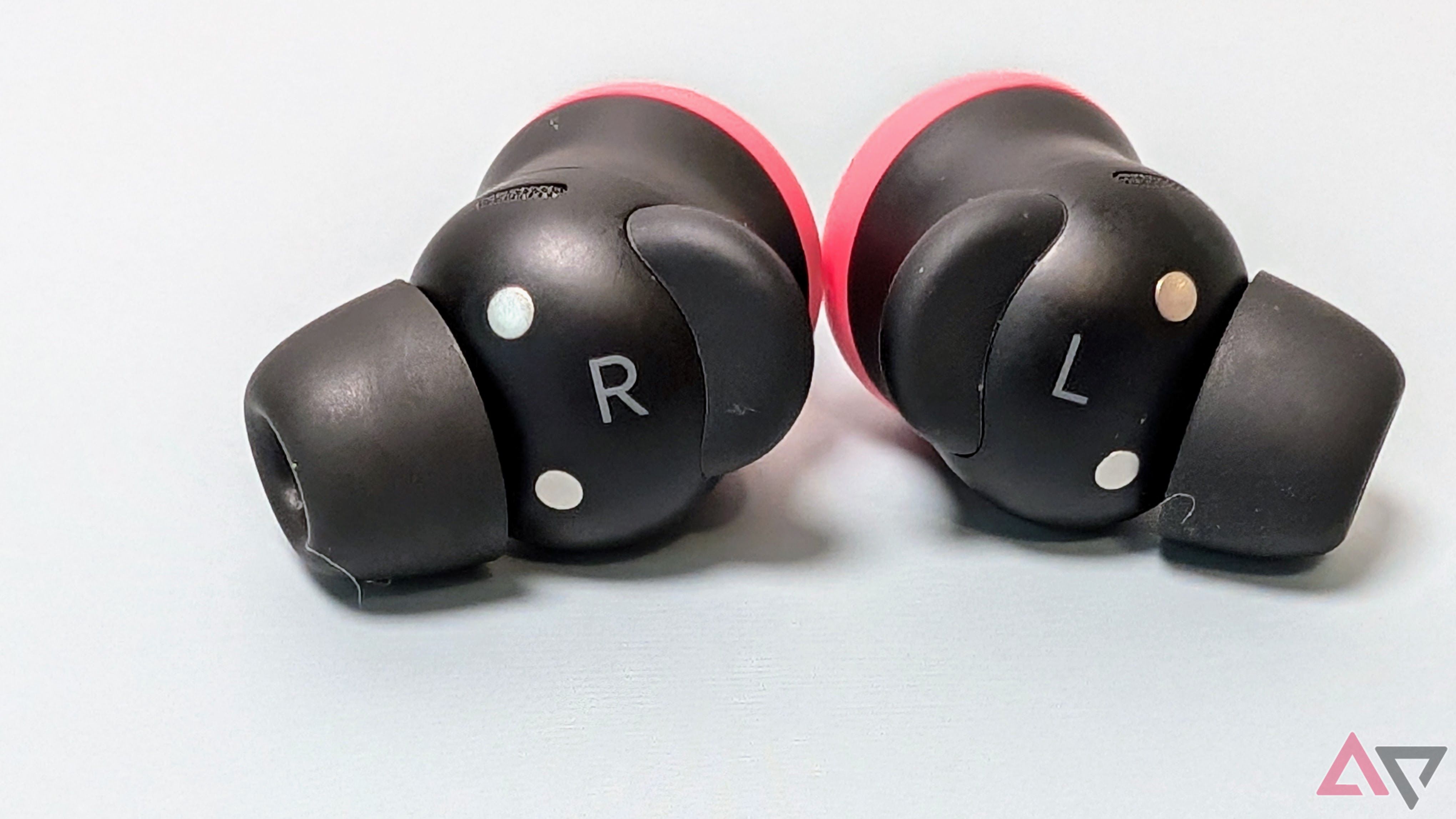
Pixel Buds Pro 2 back


While the Bose QuietComfort Ultra Earbuds look sleek and feel comfortable, I prefer the Google Pixel Buds Pro 2’s design. At 4.7g each, you can barely feel the tiny earbuds in your ear, and I could wear them longer. Bose’s earbuds weigh 6.24g, which isn’t a massive amount more, but it’s enough to make a difference.

I also like that you can twist Google’s earphones into place. The tiny winged stabilizers on each one feel more secure than Bose’s dangling stem design. I found Google’s earbuds better suited to high-intensity workouts.


2​

The charging case is smaller and feels sturdier​

Google’s case is better​

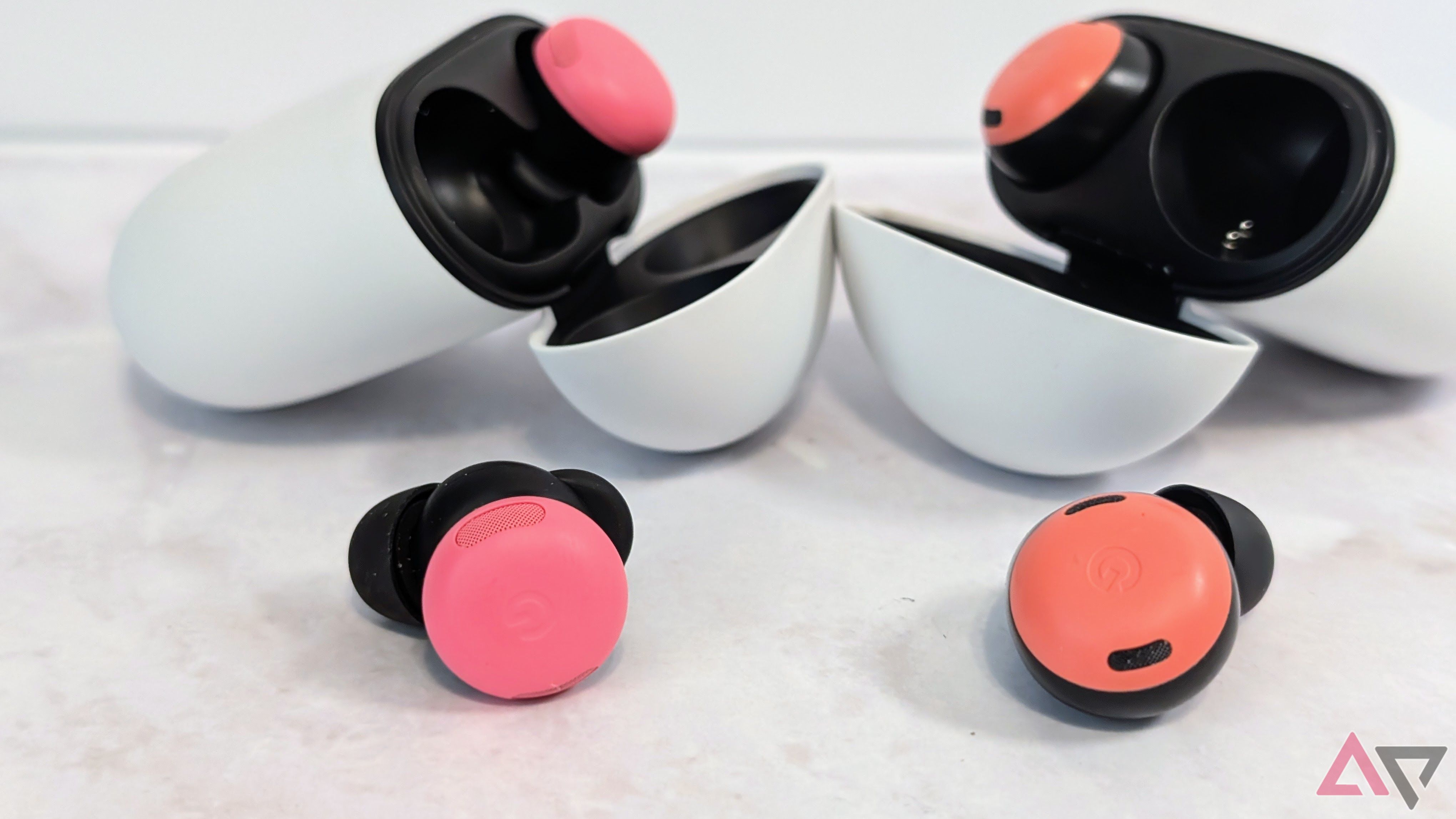
Google Pixel Buds Pro 2 case next to Google Pixel Buds Pro case


I love the design of the Pixel Buds Pro 2 charging case. It’s smaller than the size of my palm and shaped like a pebble. The plastic is super smooth and feels well-made. The case is small, so I can keep it in my pocket without adding bulk to my pants.

The Bose QuietComfort Ultra Earbuds have a big case. It’s not comfortable to keep in a tight jeans pocket all day. The lid also feels flimsy, and while I’ve not heard of it breaking, it feels like it could.


1​

Hands-free Gemini Live​

You don’t need to press the touch controls​

Google Pixel Buds Pro 2 case and single bud next to open Pixel Buds Pro case and single bud


Both sets of earbuds allow you to call the voice assistant built into your phone with a shortcut on the touch controls. The Google Pixel Buds Pro 2 takes that further, giving you access to Gemini Live completely hands-free. All you do is say, “Hey Google, let’s talk Live.” Using the Bose earbuds, you’ll use the touch controls to ask a question, and you must activate the Live feature through the app on your phone. After saying the voice command on the Pixel Buds, you can have a natural two-way conversation with Gemini without touching anything. Get directions, brainstorm ideas, check your emails, and find out more about a topic.

Google Pixel Buds Pro 2 vs. Bose QuietComfort Ultra Earbuds: Which should you buy?​

The Google Pixel Buds Pro 2 and the Bose QuietComfort Ultra Earbuds are among the best-performing wireless earbuds in 2025. They offer great sound quality, a stylish and water-resistant design, and useful extra features like spatial audio and multipoint connectivity.

The Bose QuietComfort Ultra Earbuds beat the Pixel Buds Pro 2 in noise-canceling, as they block out a little more of the outside world. However, that’s not to say the Google Pixel Buds Pro 2 doesn’t perform well in this area. They still do a good job of keeping your focus on the music.

The price tag will likely be a deciding factor for most people. The Bose QuietComfort Ultra Earbuds cost $299, whereas the Google Pixel Buds Pro 2 are slightly more affordable at $230. It’s not a huge gap, but it’s enough to make a difference.

 

limmk

High Supremacy Member
Joined
Jul 5, 2001
Messages
41,191
Reaction score
8,166


Earlier this month, Google shared more detailed instructions on how to clean the “rear vent mesh” on the Pixel Buds Pro 2.

This is not the mesh above and below the ‘G’ logo on the cap of the Pixel Buds Pro 2. Rather, the “rear vent mesh” is on top of the buds (when in your ear).

Google warns of earwax, dirt, dust, and other debris accumulating “in your buds, especially the rear vent mesh or the small opening on the outer part of each earbud, which can greatly affect the audio quality” as some people have noticed. Cleaning can help reduce “audio issues or unwanted noise.”

The Pixel Buds Pro 2 cleaning process involves an extra soft toothbrush, two cups, and micellar water. The latter is “made of chemicals that are attracted to both water and oily solvents,” and used for makeup removal. They “can be purchased online or in any local stores,” like drug stores and Amazon.


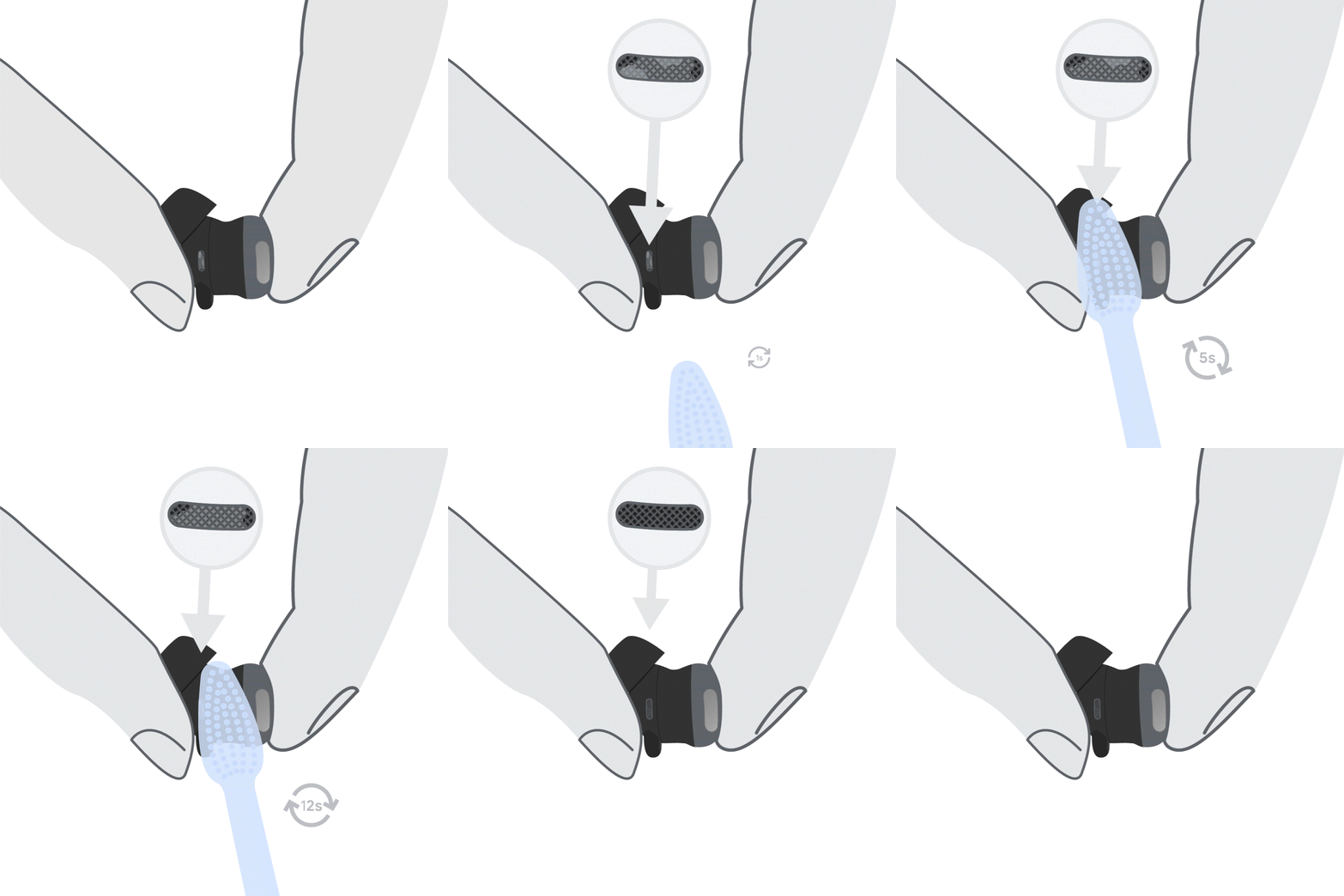
Google’s steps (with accompanying GIFs) are as follows:


  1. Pour regular water on one cup and micellar water on the other cup. Pour just enough to be able to dip your toothbrush.
  2. Dip the toothbrush in micellar water and swish around to make sure that the bristles are saturated. Hold your earbud in one hand and brush the mesh in deep circular motion for 15 seconds.
  3. Blot the earbud on a paper towel to dry the earbud mesh. Repeat steps 2 and 3 twice.
  4. Dip your toothbrush in micellar water, then dip in regular water to rinse. Swirl your toothbrush in the water to make sure the bristles are clean from earwax.
  5. Brush the mesh one last time with deep circular motions for 15 seconds.
  6. Blot the earbud on a paper towel and let air dry for up to 2 hours to ensure they are fully dry.

thread-330665949-9513521588996451459.gif


Google does not recommend using Q-tips or any similar alternatives, Detergent, Sprays, or Alcohol as they “can leave residue and can push debris further into the mesh.” You also shouldn’t clean while charging.

These instructions can also be used to “deep clean the snout mesh and cap mesh while preventing damage to the Pixel Buds.”
 

limmk

High Supremacy Member
Joined
Jul 5, 2001
Messages
41,191
Reaction score
8,166


Along with updates for Pixel phones and the Watch this week, Google is rolling out new firmware for the Pixel Buds Pro 2 today.

This is the second post-launch firmware release for the Pixel Buds Pro 2, with the first coming in January. That brought “firmware and audio quality improvements,” as well as the “Bud return” sound.

Version 3.154 (versus 3.144) just “includes minor bug fixes” for the Pixel Buds Pro 2. That is the extent of today’s changelog.

We’re not seeing this update yet on Android (app > More settings > Firmware update) or mypixelbuds.google.com this afternoon.


  • Automatic updates: If you have automatic updates turned on, the update will download automatically the next time you use your Pixel Buds Pro 2 with your Pixel phone or any Android 6.0+ device. Your Pixel Buds Pro 2 can be used during the approximately 10-minute update, or the update will begin the next time they’re placed in the charging case with sufficient battery.
  • Manual updates: If automatic updates are turned off, you can manually initiate the download on your phone once it’s available (it takes about 15 minutes).
  • Alternatively, you can also get the latest firmware directly from the web companion app, even if your phone isn’t linked or nearby. Visit mypixelbuds.google.com to get started.
 
Last edited:

limmk

High Supremacy Member
Joined
Jul 5, 2001
Messages
41,191
Reaction score
8,166
A new firmware update (version 3.154) is now available for your Pixel Buds Pro 2. This update includes minor bug fixes.

Keeping your Pixel Buds up to date
  • Automatic updates: If you have automatic updates turned on, your Pixel Buds Pro 2 will automatically update when connected to a Pixel or Android 6.0+ device. This download takes about 10 minutes, and you can still use your earbuds during this time. Once downloaded, the update will install when you place the earbuds into the charging case with sufficient battery. If no update is mentioned, your firmware is current.
  • Manual updates: When automatic updates are turned off, a notification will appear on your device when an update is available, but it won't be downloaded or installed on your Pixel Buds Pro 2. You can manually initiate the download on your phone once it's available (takes about 15 minutes).
Version 3.154 (versus 3.144) just “includes minor bug fixes” for the Pixel Buds Pro 2. That is the extent of today’s changelog.

icHvWXS.png
ORQCbVH.png
CRbsQoC.png
bYgqDGl.png
cf8tFJE.png
 
Last edited:

limmk

High Supremacy Member
Joined
Jul 5, 2001
Messages
41,191
Reaction score
8,166


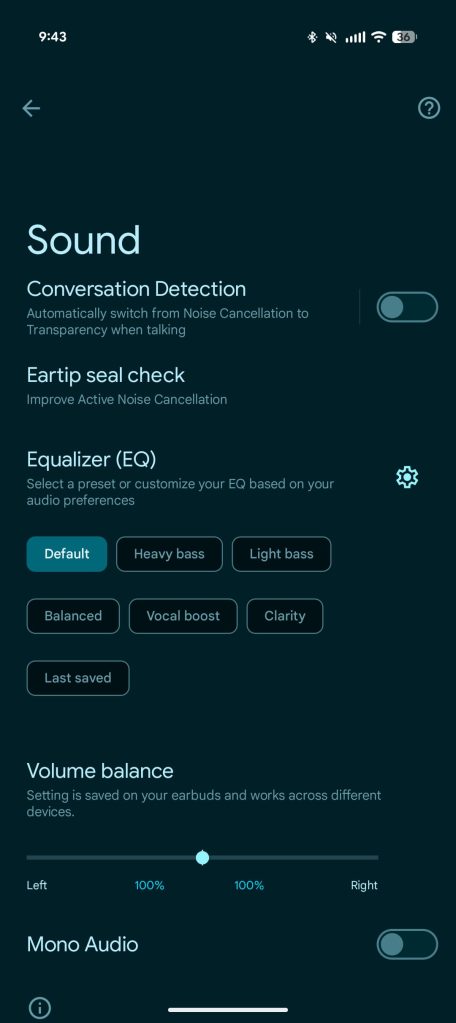
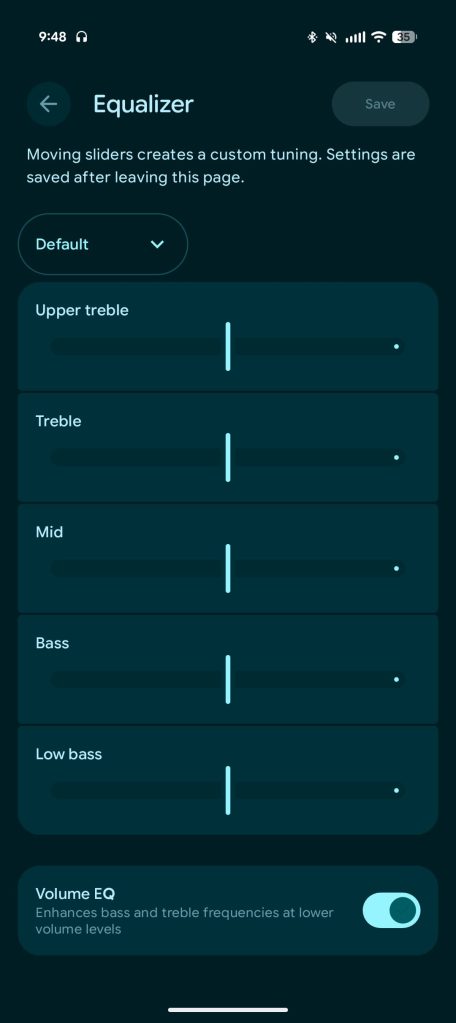
Ahead of the big Pixel Buds Pro 2 update next month and Pixel Buds 2a in October, Google is giving the companion app a M3 Expressive redesign with the Equalizer interface getting a nice modernization.

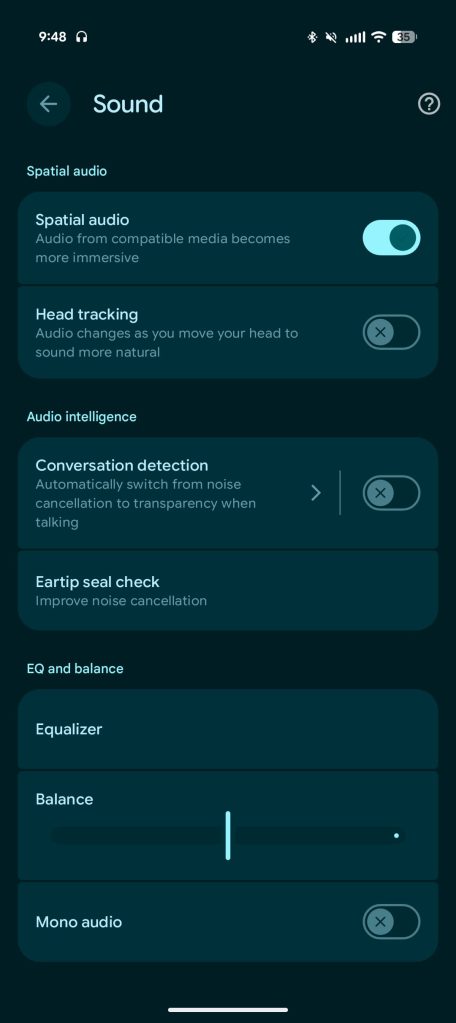
The Sound menu has been reorganized with this page benefiting from Material 3 Expressive’s use of containers to group together related settings.

Old (Android 16)

Pixel-Buds-app-old-1.jpg
Pixel-Buds-app-old-2.jpg


There’s Spatial Audio with Head tracking, and then Audio intelligence (depending on your earbuds): Conversation detection and Eartip seal check.

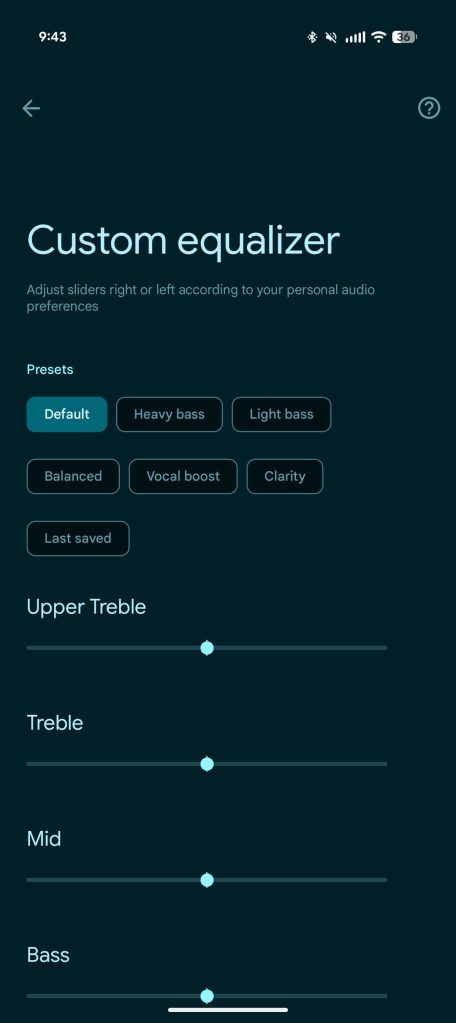
EQ and balance is what’s particularly new today. You have to go into a new Equalizer page to switch presets instead of having them displayed on the main page. Balance and Mono audio are below that.

New (16 QPR1)

Pixel Buds M3 Expressive


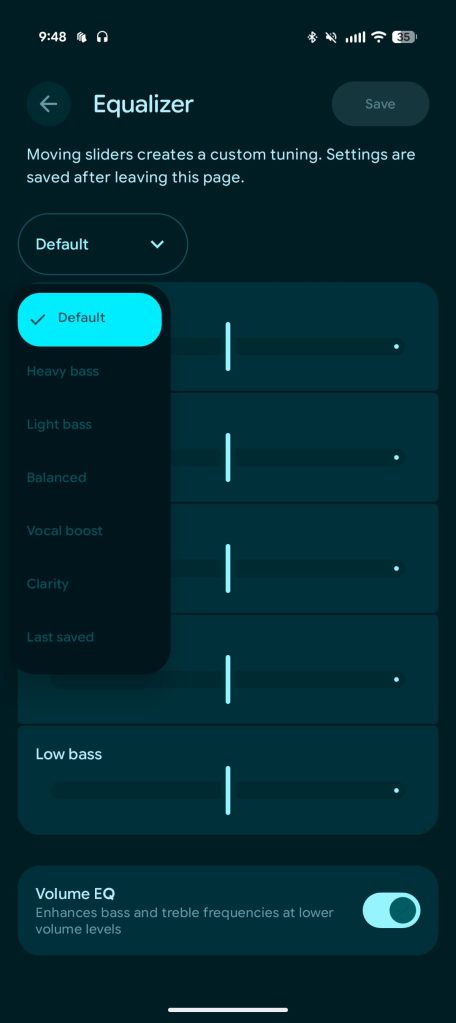
Presets are now accessed from a dropdown menu: Heavy bass, Light bass, Balanced, Vocal boosts, Clarity, and Last saved. There are M3 sliders (if you’re on Android 16 QPR1+) for Upper treble, Treble, Mid, Bass, and Low bass, as well as the Volume EQ toggle.

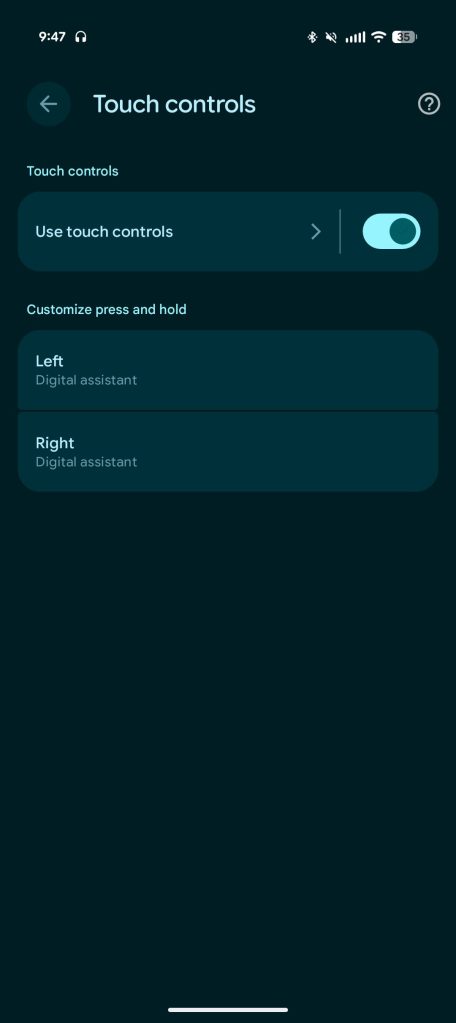
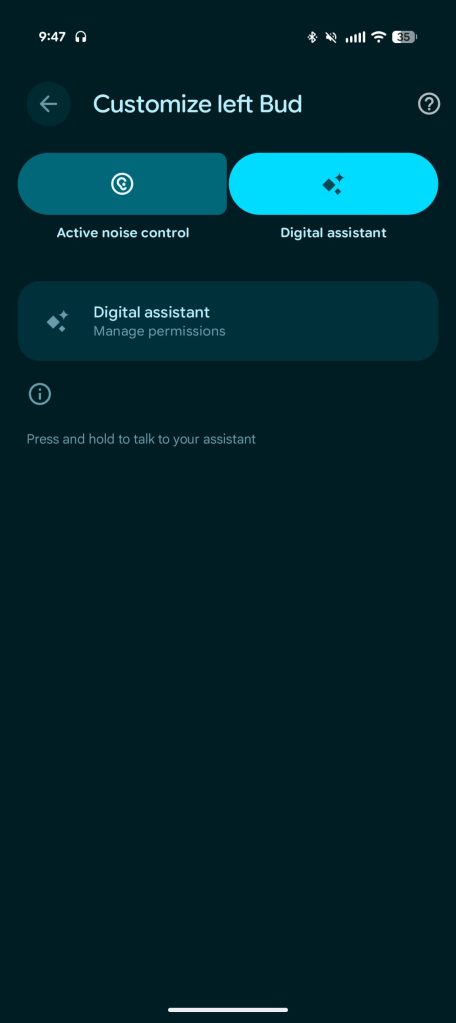
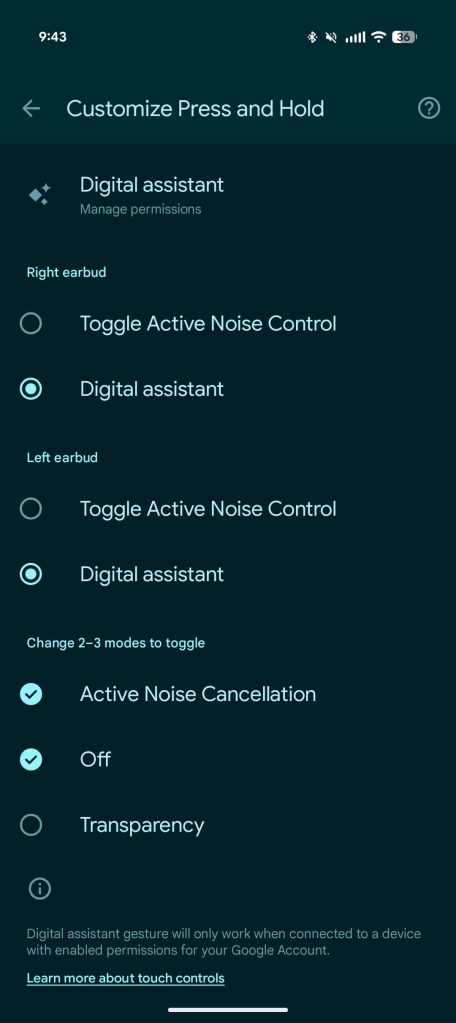
Google has also simplified the Touch controls page with a better interface to “Customize press and hold” as Gemini takes center stage.

Version 1.0.797529601 of the Pixel Buds app with M3 Expressive is rolling out now via the Play Store. It’s not yet widely available.

Old vs. new

Pixel-Buds-app-old-4.jpg
Pixel Buds M3 Expressive
 
Important Forum Advisory Note
This forum is moderated by volunteer moderators who will react only to members' feedback on posts. Moderators are not employees or representatives of HWZ Forums. Forum members and moderators are responsible for their own posts. Please refer to our Community Guidelines and Standards and Terms and Conditions for more information.
Top