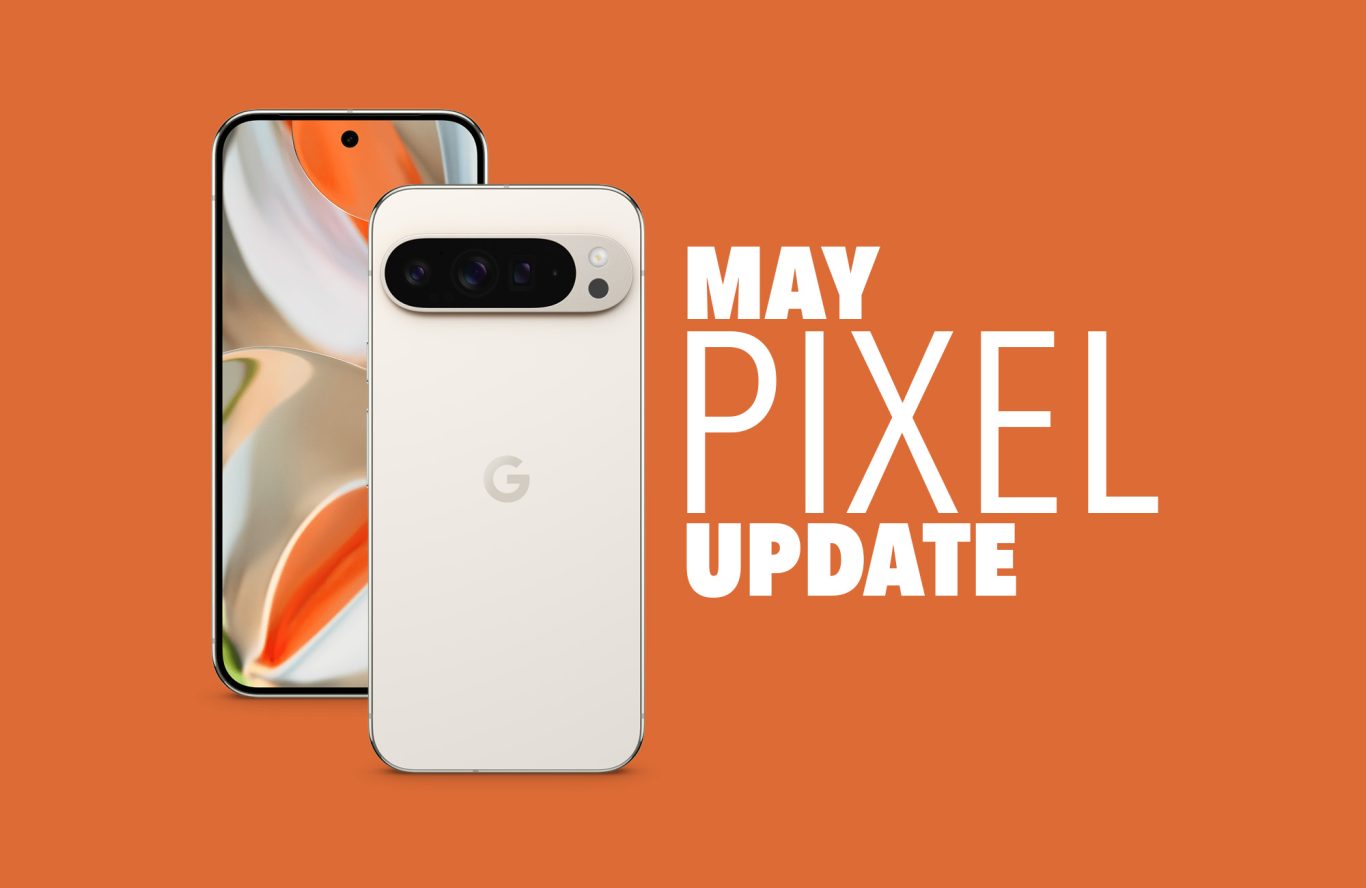
[Google Pixel Update📱] Android 15 May Security Update rolling out

limmk

High Supremacy Member
Joined
Jul 5, 2001
Messages
41,223
Reaction score
8,167


If there’s one thing Google has been consistent with every Pixel phone, it would be issues with the fingerprint scanner. The company’s latest Pixel March update is causing fingerprint headaches for some users.

Fingerprint scanner disappeared​

Multiple reports on Reddit claim that the fingerprint option has disappeared entirely from their phones. This makes it impossible to unlock their devices using biometric authentication. Some users found a temporary fix by restarting their phones multiple times, while others suggested turning the phone off completely, waiting a few seconds, and then turning it back on. If that doesn’t work, they recommend repeating the process.

The issue appears to stem from a bug in the fingerprint sensor firmware update, which was released not too long ago as part of Google’s March update. However, it doesn’t appear to be widespread. According to users on the GrapheneOS forums, only 1 in 1,000 Pixel 9 owners (or 0.1%) have reported the problem. However, we imagine that it is still quite annoying.

Not the first time for Google​

This isn’t the first time a Google update has messed with the Pixel’s fingerprint sensor. Android 14 QPR2 Beta 2 caused similar issues for some users. Both the Pixel 6 and Pixel 7 also had problems with their fingerprint scanners. Google has a history of struggling with biometric security, and this latest update only adds to the frustration.

While the Pixel March update focuses on security improvements, users expect basic features like biometric unlocking to work properly. An update that unintentionally locks people out of their devices is hardly an improvement.

Fingerprint issues aren’t the only problem with the March Pixel update. Users have reported other glitches, including haptic feedback that feels unnaturally strong and weird. There are also random brightness drops that make screens go dim unexpectedly. Lastly, some users are reporting audio issues.

For now, Google hasn’t officially acknowledged the fingerprint bug, but given the number of reports, a fix could arrive in a future patch. In the meantime, if your fingerprint scanner stops working, try the power cycle trick. Turn your phone off completely, wait a few seconds, and turn it back on. If that doesn’t work, you may need to restart multiple times until the sensor kicks back in.
 

limmk

High Supremacy Member
Joined
Jul 5, 2001
Messages
41,223
Reaction score
8,167


Regular software updates are wonderful. Google Pixel phones update every month with new security patches and include Pixel Feature Drops once each quarter. Even though these patches go through lots of testing before being rolled out to the public, a bad one will pop up every once in a while, causing problems that didn't exist before.

That's exactly what happened with the March 2025 Google Pixel update. Users have reported all sorts of issues, from screen brightness problems to broken haptics, network connectivity issues, and more. Google has a web-based flash tool that makes going back "easy," but it takes a fair bit of work to get there if you've never done it before. As always with firmware flashing, I wouldn't recommend doing this if the Pixel you want to downgrade is the only phone you have available to use.

If you still want to take the chance, we recommend charging your phone to 100% and backing things up before going forward. To get flashing, you'll need a computer, USB cable, and developer options enabled on your Pixel phone.

Back it up​

Most likely, you've already got Google backup enabled on your phone, but it's always good to make sure before you do something drastic. For this step, you'll need to have Google One on your Google account. All Google Pixel phones come with a Google One trial, so it's likely you may still have a free trial available even if you don't already pay for it.

Here's how to verify you've got Google One backup enabled on your Google Pixel.

1. Open Settings. You can find the icon in your app drawer or by swiping down twice on the status bar.

2. Select "Back up or copy data" from the list.
 

limmk

High Supremacy Member
Joined
Jul 5, 2001
Messages
41,223
Reaction score
8,167

Summary​

  • The latest March Android 15 Pixel Feature Drop delivers significant updates to features like Do Not Disturb, Gboard, and Gemini, but has also introduced a bug affecting automatic dark mode scheduling.
  • Pixel users are reporting that the "sunset to sunrise" dark mode feature is malfunctioning after the update, with the bug affecting a range of Pixel devices and both stable Android 15 and some Android 16 beta users.
  • While Google has acknowledged the issue, a permanent fix is pending, and users are advised to use custom time scheduling for dark mode as a temporary workaround.


Google's March Android 15 Pixel Feature Drop started rolling out earlier this month, bringing a trove of updates with what might just be the last Android 15-based Pixel Feature Drop.

The update finally makes the long-awaited modes for Do Not Disturb official, complete with enhancements to Gboard, Gemini, Pixel Recorder, Pixel Screenshots, and more.

Inadvertently, though, the update seems to have also introduced an annoying bug for those who prefer to use light mode on their Pixel device during the day, and dark mode during the afterhours.

For those unaware, your Pixel device can automatically go into a system-wide dark mode depending on custom timings. Alternatively, users can also set their device to go into dark mode after sunset, with it automatically reverting to light mode during sunrise. The setting, which first rolled out with Android 11, is accessible via SettingsDisplay & touchDark themeScheduleTurns on from sunset to sunrise.

After updating to the March Pixel Feature Drop, several users have reported issues with the automatic feature, even though manually toggling in and out of dark theme works as intended (via TechIssuesToday).

There's a temporary fix, but your mileage may vary​


User brac20 indicated that the bug is affecting their Pixel 8 Pro, while several others under the post also confirmed the bug's presence on devices like the Pixel 9 Pro XL, Pixel 9 Pro, Pixel 9 Pro Fold, Pixel 6 Pro, and many more.

Apart from stable Android 15 users, it also seems to be affecting a subset of Android 16 beta users. Complaints about the bug have made their way to Google's community threads and IssueTracker, with Google seemingly aware of the bug. "Thanks for reporting this issue. We have passed this to the development team and will update this issue with more information as it becomes available," wrote a Google engineer.

Elsewhere, some users have reported successfully squashing the bug by switching the dark mode schedule to a custom time and then switching back. Others, however, report that this only temporarily fixed the issue for them. It is currently unclear how soon Google might be able to fix the issue. In the meantime, scheduling dark mode for a custom time duration may be the best course of action.

 

limmk

High Supremacy Member
Joined
Jul 5, 2001
Messages
41,223
Reaction score
8,167
PLQkjZS.jpeg


We have entered a new month, so that means yet another new Pixel update is on the way. This time, we have the April Pixel update for all of Google’s still-supported devices. Since last month was a quarterly patch and Pixel Feature Drop, this one shouldn’t be major, although it could contain several bug fixes that may have been introduced in last month’s large update.

As for which devices are receiving the April Pixel update, the full list includes the Pixel 6 and 6 Pro, Pixel 6a, Pixel 7 and 7 Pro, Pixel 7a, Pixel 8 and 8 Pro, Pixel 8a, Pixel Fold, and Pixel Tablet, as well as the Pixel 9, Pixel 9 Pro, Pixel 9 Pro XL, and Pixel 9 Pro Fold. With the Pixel 9a official for today, it has also joined the party with its first builds.

This new April update for Google’s Pixel line-up will begin hitting devices starting today and could then take a week to finish rollout depending on carrier and device. We always hope these things ship immediately after Google pushes factory images, but there really are carrier hang-ups from time-to-time that slow things down. We’ll do our best to update you as rollouts arrive.

Below, we have each build listed for April, depending on carrier and region.

Global
  • Pixel 6: BP1A.250405.007
  • Pixel 6 Pro: BP1A.250405.007
  • Pixel 6a: BP1A.250405.007
  • Pixel 7: BP1A.250405.007.B1
  • Pixel 7 Pro: BP1A.250405.007.B1
  • Pixel 7a: BP1A.250405.007.B1
  • Pixel Tablet: BP1A.250405.007
  • Pixel Fold: BP1A.250405.007.B1
  • Pixel 8: BP1A.250405.007.B1
  • Pixel 8 Pro: BP1A.250405.007.B1
  • Pixel 8a: BP1A.250405.007.B1
  • Pixel 9: BP1A.250405.007
  • Pixel 9 Pro: BP1A.250405.007
  • Pixel 9 Pro XL: BP1A.250405.007
  • Pixel 9 Pro Fold: BP1A.250405.007
Taiwan+EMEA
  • Pixel 9: BP1A.250405.007.A1
  • Pixel 9 Pro: BP1A.250405.007.A1
  • Pixel 9 Pro XL: BP1A.250405.007.A1
  • Pixel 9 Pro Fold: BP1A.250405.007.A1
Verizon
  • Pixel 9: BP1A.250405.007.D1
  • Pixel 9 Pro: BP1A.250405.007.D1
  • Pixel 9 Pro XL: BP1A.250405.007.D1
  • Pixel 9 Pro Fold: BP1A.250405.007.D1
Deutsche Telekom
  • Pixel 9: BP1A.250405.007.C1
  • Pixel 9 Pro: BP1A.250405.007.C1
  • Pixel 9 Pro XL: BP1A.250405.007.C1
  • Pixel 9 Pro Fold: BP1A.250405.007.C1
And the first two builds for the Pixel 9a are: BD4A.250405.003 and BD4A.240925.111.

April 2025 Pixel Bug Fixes​

Biometrics
  • Fix for issues with fingerprint recognition and response under certain conditions.*[1]
Camera
  • Fix for improvements in camera stability when zooming in/out under certain conditions.*[2]
Display & Graphics
  • Fix for issue with screen brightness flickering when using video streaming apps under certain conditions.*[1]
User Interface
  • Fix for issue with overlapping views on lockscreen weather clock under certain conditions.*[1]
  • Fix for issue with Pixel Launcher when creating a new user or switching users under certain conditions.*[1]
——————————————————————————————————
Device Applicability

Fixes are available for all supported Pixel devices unless otherwise indicated below. Some fixes may be carrier/region specific.
*[1] Pixel 6, Pixel 6 Pro, Pixel 6a, Pixel 7, Pixel 7 Pro, Pixel 7a, Pixel 8, Pixel 8 Pro, Pixel 8a, Pixel Fold, Pixel Tablet, Pixel 9, Pixel 9 Pro, Pixel 9 Pro XL, Pixel 9 Pro Fold
*[2] Pixel 6, Pixel 6 Pro, Pixel 6a, Pixel 7, Pixel 7 Pro, Pixel 7a, Pixel Fold


Google (and its carrier partners like Verizon, T-Mobile, and AT&T) will begin pushing these updates over-the-air shortly (Settings>System>System update), but if you don’t want to wait for Google and prefer to update manually, you will soon find each factory image or OTA file at the links below. For instructions on how to flash a factory image, here you go. For instructions on how to flash an OTA .zip file, here you go.

Links:


limmk

High Supremacy Member
Joined
Jul 5, 2001
Messages
41,223
Reaction score
8,167
MAY-2025-PIXEL-UPDATE-DOWNLOAD-copy-1366x888.jpg

There was a part of me that thought we may not see a traditional May Android 15 security update for Pixel devices, knowing that Google is likely to release stable Android 16 in a couple of weeks at Google I/O. That part of me was wrong, as Google has done just that today by releasing the May 2025 Pixel update.

The list of devices receiving the May Pixel update includes the Pixel 6 and 6 Pro, Pixel 6a, Pixel 7 and 7 Pro, Pixel 7a, Pixel 8 and 8 Pro, Pixel 8a, Pixel Fold, and Pixel Tablet, as well as the Pixel 9, Pixel 9 Pro, Pixel 9 Pro XL, and Pixel 9 Pro Fold. The Pixel 9a is seeing a fresh update as well.

Google says that this May update will begin rolling out today and should continue to do so in phases over the next week. The timing often depends on your carrier, whether that’s Verizon, AT&T, T-Mobile, or prepaid, like Google Fi.

The full list of May Android update builds can be found below for your specific Pixel device, with a breakdown for global, specific countries, and select carriers.

Global
  • Pixel 6: BP1A.250505.005
  • Pixel 6 Pro: BP1A.250505.005
  • Pixel 6a: BP1A.250505.005
  • Pixel 7: BP1A.250505.005.B1
  • Pixel 7 Pro: BP1A.250505.005.B1
  • Pixel 7a: BP1A.250505.005.B1
  • Pixel Tablet: BP1A.250505.005
  • Pixel Fold: BP1A.250505.005.B1
  • Pixel 8: BP1A.250505.005.B1
  • Pixel 8 Pro: BP1A.250505.005.B1
  • Pixel 8a: BP1A.250505.005.B1
  • Pixel 9: BP1A.250505.005
  • Pixel 9 Pro: BP1A.250505.005
  • Pixel 9 Pro XL: BP1A.250505.005
  • Pixel 9 Pro Fold: BP1A.250505.005
  • Pixel 9a: BD4A.250505.003
Taiwan+EMEA
  • Pixel 9: BP1A.250505.005.A1
  • Pixel 9 Pro: BP1A.250505.005.A1
  • Pixel 9 Pro XL: BP1A.250505.005.A1
  • Pixel 9 Pro Fold: BP1A.250505.005.A1
Verizon
  • Pixel 9: BP1A.250505.005.D1
  • Pixel 9 Pro: BP1A.250505.005.D1
  • Pixel 9 Pro XL: BP1A.250505.005.D1
  • Pixel 9 Pro Fold: BP1A.250505.005.D1
Deutsche Telekom
  • Pixel 9: BP1A.250505.005.C1
  • Pixel 9 Pro: BP1A.250505.005.C1
  • Pixel 9 Pro XL: BP1A.250505.005.C1
  • Pixel 9 Pro Fold: BP1A.250505.005.C1

2025 May Pixel Update Bug Fixes

As far as bug fixes, there are 3 noteworthy changes from Google that apply to all still-supported Pixel devices. Google is addressing audio, Bluetooth, and quick settings bugs.
Audio
  • Fix for degraded microphone recording quality in certain apps
Bluetooth
  • Fix for Bluetooth pairing issues with certain smartwatches under certain conditions
Framework
  • Fix for secondary language displayed in quick settings under certain conditions
Again, Google (and its carrier partners like Verizon, T-Mobile, and AT&T) will begin pushing these updates over-the-air shortly (Settings>System>System update), but if you don’t want to wait for Google and prefer to update manually, you will soon find each factory image or OTA file at the links below.
 

limmk

High Supremacy Member
Joined
Jul 5, 2001
Messages
41,223
Reaction score
8,167


Pixel users are complaining about battery life after May 2025 update. Quite a few of them seem to have serious battery life issues, on various different models, it’s not just the Pixel 9 series.

Some Pixel users are really not happy with the May 2025 update, they’re complaining about degraded battery life. We’ve spotted a thread on Reddit, which now has quite a few comments, and considerable hits to battery life are noted.

Some users are complaining about “ridiculous” battery life after May 2025 update​

A user who opened up the post did not note what Pixel he’s having, but he did show us the battery stats page. He barely crossed the 3-hour screen-on-time mark, and has less than 20% battery life. It seems like Wi-Fi has been pulling a lot of juice for itself, it could be some sort of a bug.

Another user said that “many people are complaining that the battery is lasting less [following the May update]”. A user called ‘Marlomanger’ said that his Pixel 8 Pro gets “an average screen time of 3,5h. Its ridiculous.

A user, ‘Ryan02134’, claims that his Pixel 7definitely” got a “huge hit in battery performance after the last few updates this year.” Another user, who goes by the ‘Ghost_Protocol147’ handle, is having battery issues with his Pixel 9 Pro Fold. He said the following: “Huh i thought it was only me. It’s not like P9P Fold had any stellar battery life but now it’s really shitty.

Various models are mentioned​

Another user decided to confirm the issues by saying: “Yeah I’m getting shitty battery life after this may update,” and so on. There are quite a few posts here that complain about battery life. There are also some that say no changes occurred following the update. The ones that are complaining are definitely larger in number, and various different Pixels are mentioned.

It does seem to be something wrong with the May 2025 update based on this. Some users are obviously having battery life issues, as it’s possible a new bug has found its way in. Google still didn’t respond to the issue, at least to our knowledge.
 

ThinkMe

High Supremacy Member
Joined
Jun 4, 2011
Messages
42,293
Reaction score
8,370
Since Nexus days, battery life has not been improving......

🤷‍♂️🤷‍♀️
 

limmk

High Supremacy Member
Joined
Jul 5, 2001
Messages
41,223
Reaction score
8,167


In a rather curious announcement on Wednesday morning, Google told users to update Instagram to “fix a battery drain issue on Android devices.”

This “Battery drain on Android devices” post on the Android Help Community is quite short: “Starting today, Instagram is rolling out an updated app that should fix a battery drain issue on Android devices. Please make sure you have the latest version of the Instagram app (build 382.0.0.49.84) to resolve this issue.”

It does not provide any other details about the problem, including whether a particular manufacturer (Pixel, Samsung, etc.) or Android OS version is impacted. Google just specifies version 382.0.0.49.84 of Instagram, which rolled out via the Play Store today, as having the fix.


Update: In response to some reports about Pixel battery drain with the May 2025 OTA, Google directed us today to the above Android announcement.


We haven’t noticed or heard about any particular problem in recent days with Instagram battery drain. Google must consider this a widespread enough issue to warrant such a public announcement, though it is a major application. In general, Instagram is one of those apps that people — rightly or wrongly — prescribe as being responsible for battery drain. Keep in mind that it is both a camera and video consumption app.
 
Important Forum Advisory Note
This forum is moderated by volunteer moderators who will react only to members' feedback on posts. Moderators are not employees or representatives of HWZ Forums. Forum members and moderators are responsible for their own posts. Please refer to our Community Guidelines and Standards and Terms and Conditions for more information.
Top