[GUIDE] Xiaomi Advance User Guide

zhanhuju

Member
Joined
Dec 30, 2022
Messages
467
Reaction score
481

List of tweaks for MIUI/HYPEROS​


Carrier USSD Codes​

1. Enable VoLTE​

On the Dialer Application enter​

*#*#86583#*#*​

(*#*#volte#*#*)​


"VoLTE carrier check was disabled" should appear

volte-Medium.jpg


2. Enable VoWiFi​

On the Dialer Application enter​

*#*#869434#*#*​

(*#*#vowifi#*#*)​


"VoWiFi carrier check was disabled" should appear

vowifi-Medium.jpg

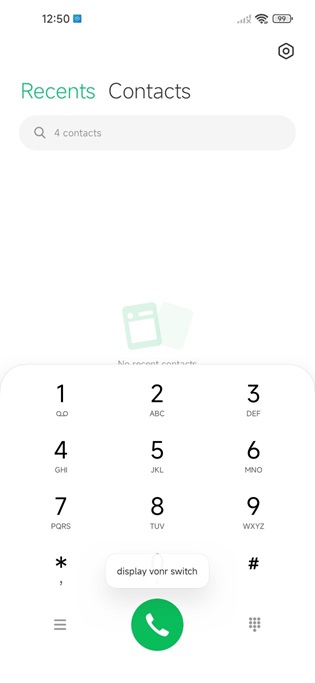
3. Enable VoNR ( For 5G capable VoNR supported phones only )​

On the Dialer Application enter​

*#*#8667#*#*​

(*#*#vonr#*#*)​


"display vonr switch" should appear
vonr-Medium.jpg

4. Configure VoLTE/VoWiFi/VoNR​

Go to SIM Card Settings​

Enable Use VoLTE (VoLTE)​

Enable Make calls using WLAN, Prefer WLAN (VoWiFi)​

Enable Use VoNR (VoNR)​


carrier-Medium.jpg

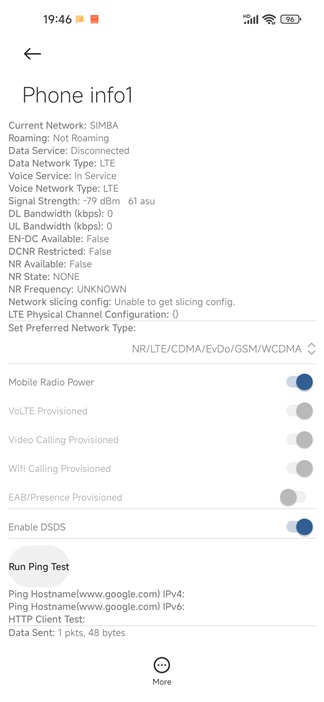
5. Verify configuration​

On the Dialer Application enter​

*#*#4636#*#*​

Go to the Line to configure and verify the settings​

settings.jpg
 
Last edited:

zhanhuju

Member
Joined
Dec 30, 2022
Messages
467
Reaction score
481

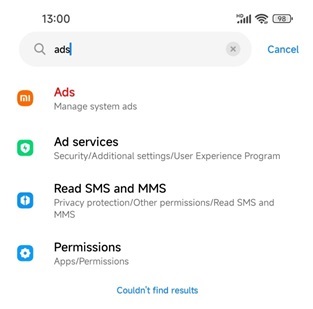
1. Disable System Ads​

In Settings search for "ads"​


ads-Medium.jpg

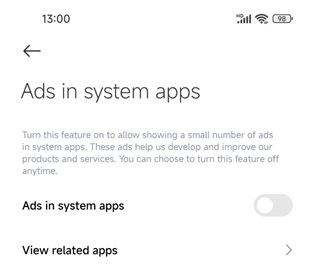
Go to Ads and disable Ads in system apps​

ads-1-Medium.jpg

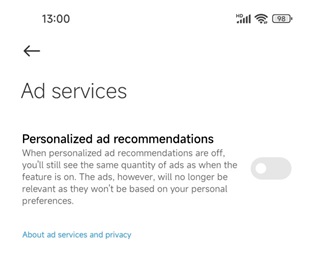
Go to Ad services and disable Personalised recommendations​

ads-2-Medium.jpg


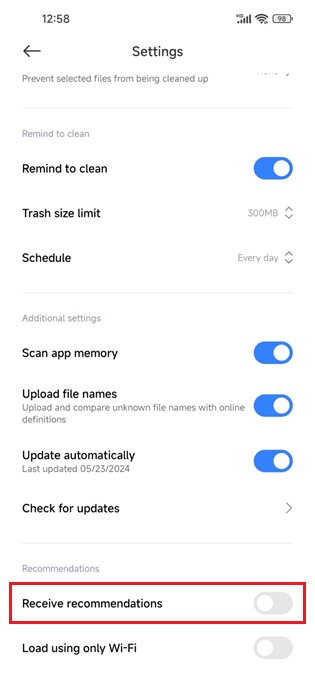
2. Disable Ads in System Apps​

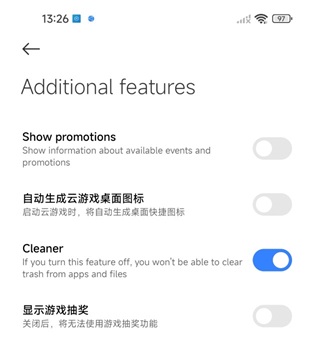
Go to every Apps like Cleaner, find and disable all Recommendations etc​


recommendation-Medium.jpg

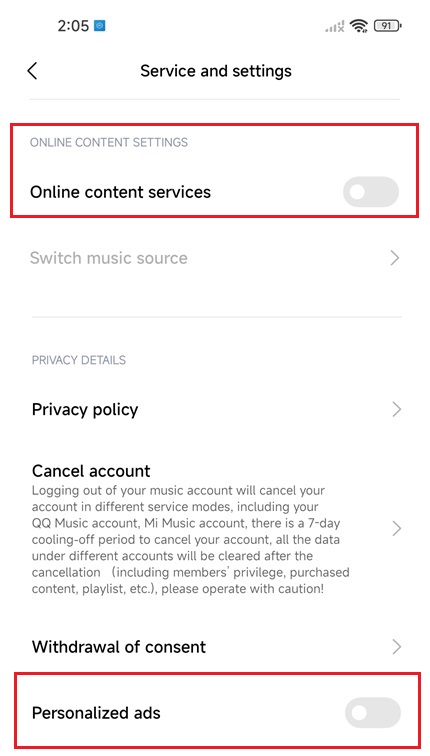
Explore every options find and disable all Ads​

ads-3-Medium.jpg

service.jpg


2. Uninstall Ads Apps​

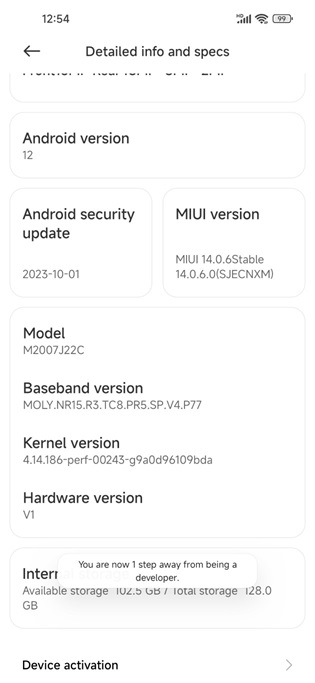
Go to My Device, Detailed info and specs, Keep tapping on MIUI Version/HyperOS Version to enable Developer Mode​


developer-Medium.jpg

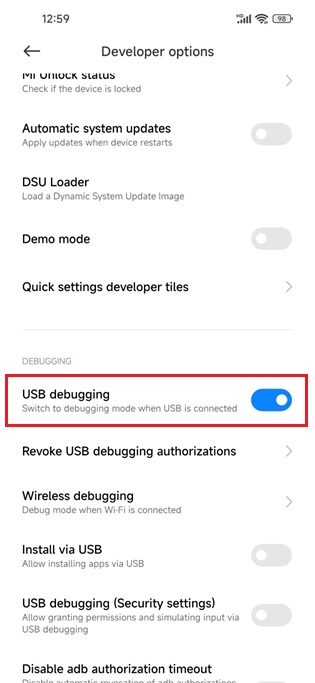
Go to Developer Mode and enable USB Debugging Mode​

usb-debug-Medium.jpg

On a computer Download and Extract android platform tools

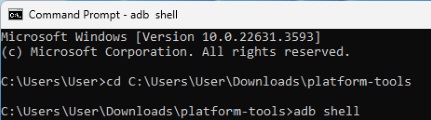
Plug in the phone into the computer and run adb shell​

shell.jpg

There should be a ADB authorisation pop up on the phone, allow it​

Do a second adb shell command to enter the phone​

pm list packages to list all installed apps on the phone​

adb-Medium.png

Uninstall the 2 apps​

com.miui.analytics com.miui.systemAdSolution

with the commands below
pm uninstall --user 0 com.miui.analytics pm uninstall --user 0 com.miui.systemAdSolution
To disable the apps instead use the following commands
pm disable-user --user 0 com.miui.analytics pm disable-user --user 0 com.miui.systemAdSolution

Disable USB debugging at the end​

 
Last edited:

zhanhuju

Member
Joined
Dec 30, 2022
Messages
467
Reaction score
481

3. Slience unwanted Notification Ads​

To disable unwanted Ads in the form of notifications​

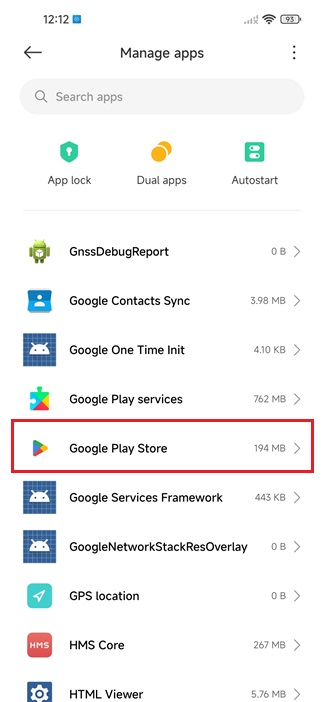
Go to Manage Apps​

Find the App generating the notifications​

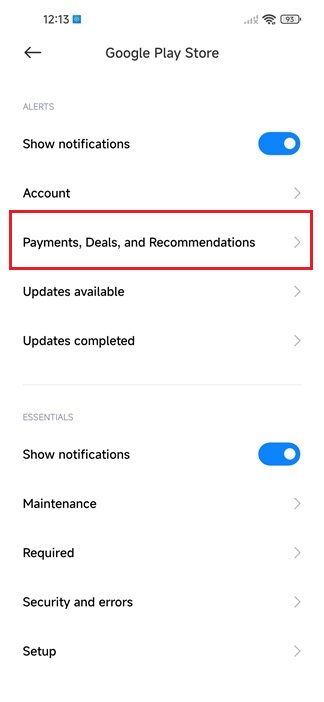
This demostration uses Google Play Store as an example​

manageapps.jpg

Go to notifications​

playstore.jpg

Select and disable the notifications you do not want/need​

contents.jpg

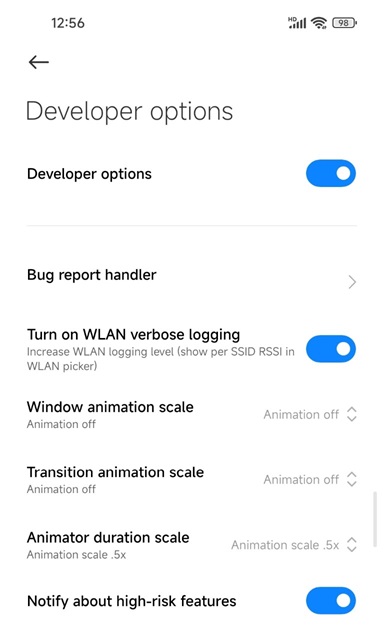
1. Set Developer Options​

In Developer Mode​

Set the options as shown below​

developer-mode-Medium.jpg

Turn on WLAN verbose logging to see the WiFi verbose information when connected to a network​

wifi-verbose-Medium.jpg

Modify animation scale to speed up animation​

Enable Notify about high-risk features for security recommendations​

 
Last edited:
zhanhuju

Member
Joined
Dec 30, 2022
Messages
467
Reaction score
481

If the android phone comes with GMS Android Webview is automatically updated in PlayStore​

Otherwise Android WebView has to be updated manually​

webview-Medium.jpg

Android 8.0+ refers to Android WebView that does not need Trichrome Library

Android 10+ refers to Android WebView that requires Trichrome Library dependency​

Phones that comes without GMS usually use Android WebView that does not need Trichrome Library

After downloading the Android WebView apk​

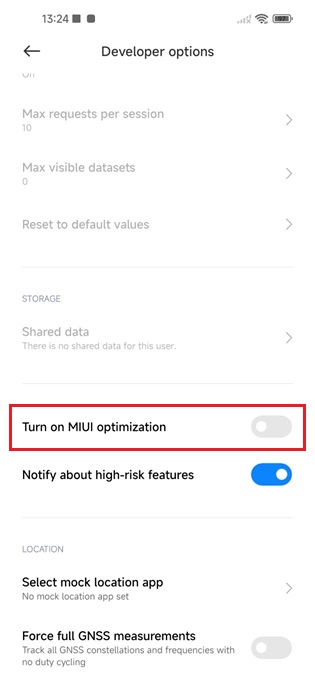
Go to Developer Mode and disable MIUI Optimization​

turnoff-optimization-Medium.jpg

After installing the apk Turn on MIUI optimization​

For phones without GMS to use Whatapp​

Enable autostart and app permission required and turn off battery restriction​

whatsapp-Medium.jpg
 
Last edited:
PES1989

Arch-Supremacy Member
Joined
Mar 16, 2010
Messages
11,789
Reaction score
755
Useful info for everyone. Can consider having this thread being sticky.
 

zhanhuju

Member
Joined
Dec 30, 2022
Messages
467
Reaction score
481

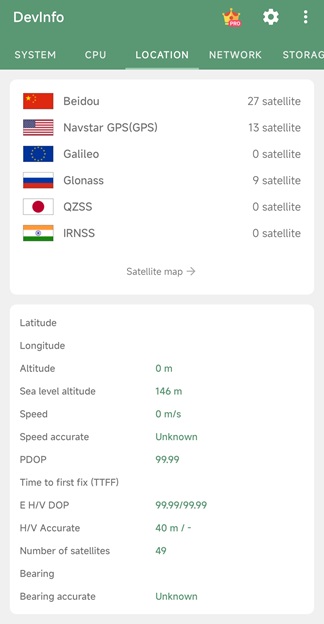
Cool App 1:​

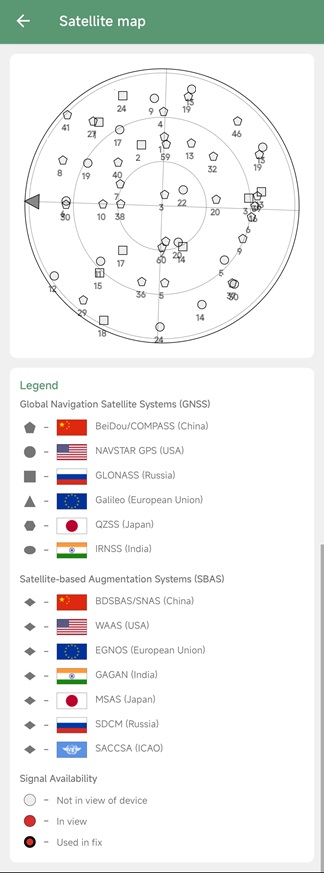
App to test the GPS capability of your phone, how fast it locks onto satellite and how many satellite it can lock onto even indoors​

This app has a lot of Ads but we don't care, we just need to test the location capability hardware of the phone.​

How good the geolocation of your phone depends on the satellite bands/radio the manufacturer included in the SOC of your phone.​

gps.jpg

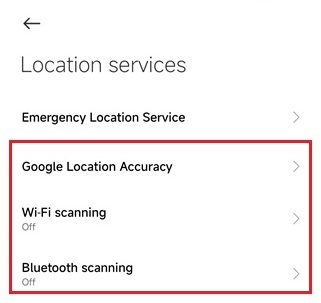
Grant only the location permission of your phone​

Go to location section​

sat.jpg

map.jpg
 

zhanhuju

Member
Joined
Dec 30, 2022
Messages
467
Reaction score
481
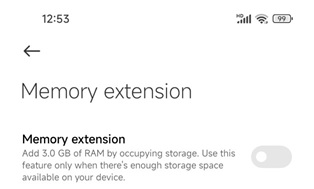
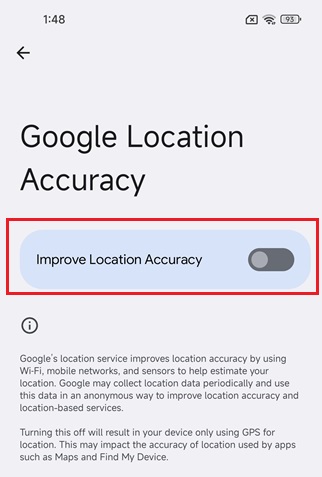
setting.jpg

Controlled by
options.jpg

If you cannot toggle this control, there might be upgrade defects.
You can try a full recovery update or clear cache and data in the settings app
Last resort would be factory reset
 
Important Forum Advisory Note
This forum is moderated by volunteer moderators who will react only to members' feedback on posts. Moderators are not employees or representatives of HWZ Forums. Forum members and moderators are responsible for their own posts. Please refer to our Community Guidelines and Standards and Terms and Conditions for more information.
Top