
(HELP) Mavericks Reinstall boots me back

aptget

Supremacy Member
Joined
May 6, 2001
Messages
8,427
Reaction score
1
I did a clean erase and tried to reinstall Mavericks back to Macbook PRO
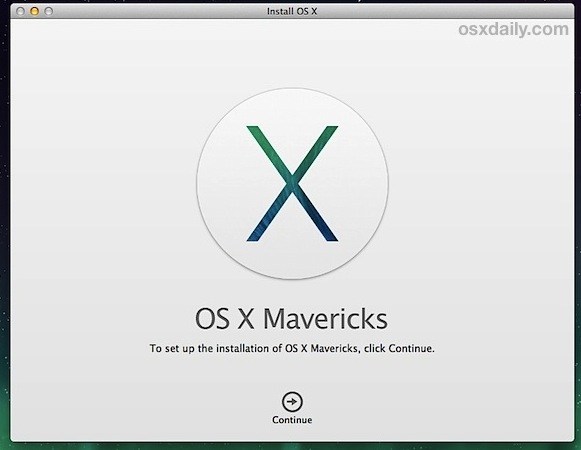
mavericks-install-begins.jpg


Followed instructions to INSTALL OS X (as below)
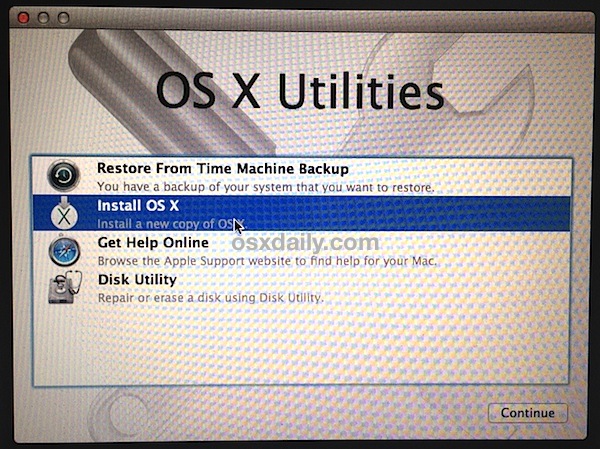
start-clean-install-os-x-mavericks.jpg


After clicking the above, it prompts me which disk I want to install.

There are 2 disks [Macintosh HD] and [Recovery HD]
So I clicked on [Macintosh HD] and it prompts me for my Apple ID

it starts ti prompt me "Downloading additional components. Your computer will restart automactically"
It will show an estimated time of 2 hours or so. Shortly after 2~3 mins it will show "Left 5 mins" and boots me back to this picture AGAIN
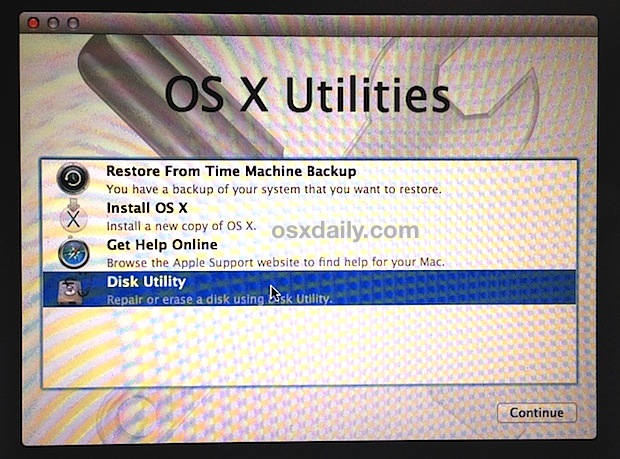
select-disk-utility.jpg


What seems to be the problem ? Can some one guide me along ?
 

davidktw

Arch-Supremacy Member
Joined
Apr 15, 2010
Messages
13,550
Reaction score
1,302
How many times have you tried and gives the same result ?
2 things to look at
1) Can you ensure you have internet connectivity form your MBP ?
2) Try using the Disk Util, remove the old partitions, and erase a fresh new Mac HfS Journal Noncase-sensitive file system

Reboot and try the process again and take note of (1).
 

aptget

Supremacy Member
Joined
May 6, 2001
Messages
8,427
Reaction score
1
I think I have figured out

There is a way to recover via internet

It's downloading Mountain Lion instead

Installed and it's working now. Looks like I have to manually install mavericks from here on
 

davidktw

Arch-Supremacy Member
Joined
Apr 15, 2010
Messages
13,550
Reaction score
1,302
I think I have figured out

There is a way to recover via internet

It's downloading Mountain Lion instead

Installed and it's working now. Looks like I have to manually install mavericks from here on

If you would like Mavericks from scratch, after you have the Mac Appstore, download the installation Dmg file and follow how you can get it onto a USB drive which you can then perform a full offline installation.

How to make your own bootable OS X 10.9 Mavericks USB install drive | Ars Technica
 

PetPet

Moderator
Moderator
Joined
May 24, 2004
Messages
95,222
Reaction score
319
If you would like Mavericks from scratch, after you have the Mac Appstore, download the installation Dmg file and follow how you can get it onto a USB drive which you can then perform a full offline installation.

There's an app for that!

DiskMaker X
 

aptget

Supremacy Member
Joined
May 6, 2001
Messages
8,427
Reaction score
1
thanks all. I went with the usual free mavericks upgrade

sigh... MBp still heats up to 90 degrees, and only watching youtube.

looks like i have to send it back for check/replacements
 

i-Movies

Senior Member
Joined
Jan 29, 2009
Messages
1,614
Reaction score
43
recover from internet will only install the OS that shipped with your Mac computer.
 

aptget

Supremacy Member
Joined
May 6, 2001
Messages
8,427
Reaction score
1
yes thats right cos i tried to recover the usual way and it just pops me back to "install" mavericks. I had to go via internet recovery.

i thought mavericks was causing the heat issues, fresh/new install still the same :( real bad workmanship
 
Important Forum Advisory Note
This forum is moderated by volunteer moderators who will react only to members' feedback on posts. Moderators are not employees or representatives of HWZ Forums. Forum members and moderators are responsible for their own posts. Please refer to our Community Guidelines and Standards and Terms and Conditions for more information.
Top
