iOS 11 Update Guide/Discussions

Status
Not open for further replies.

PetPet

Moderator
Moderator
Joined
May 24, 2004
Messages
95,222
Reaction score
319
Backup your device before updating!

On iCloud

1. Settings
2. Tap on your Apple ID username
3. Tap on iCloud
4. Scroll down -> iCloud backup
5. Tap on Back Up Now

Locally (Not recommended)

1. Plug in your iPhone to iTunes
2. In iTunes, "Back up Now"

How to update your device?

Settings -> General -> Software Update.

If you prefer to use iTunes.

1. Plug in your iPhone to iTunes
2. In iTunes -> iPhone -> Software Update

Also remember to update your apps!

Protip — Update your iOS device and leave it plugged in overnight, in a well ventilated area :)

FAQ

What's new?
iOS 11 Features

In depth review https://arstechnica.com/gadgets/2017/09/ios-11-thoroughly-reviewed/

2FA?
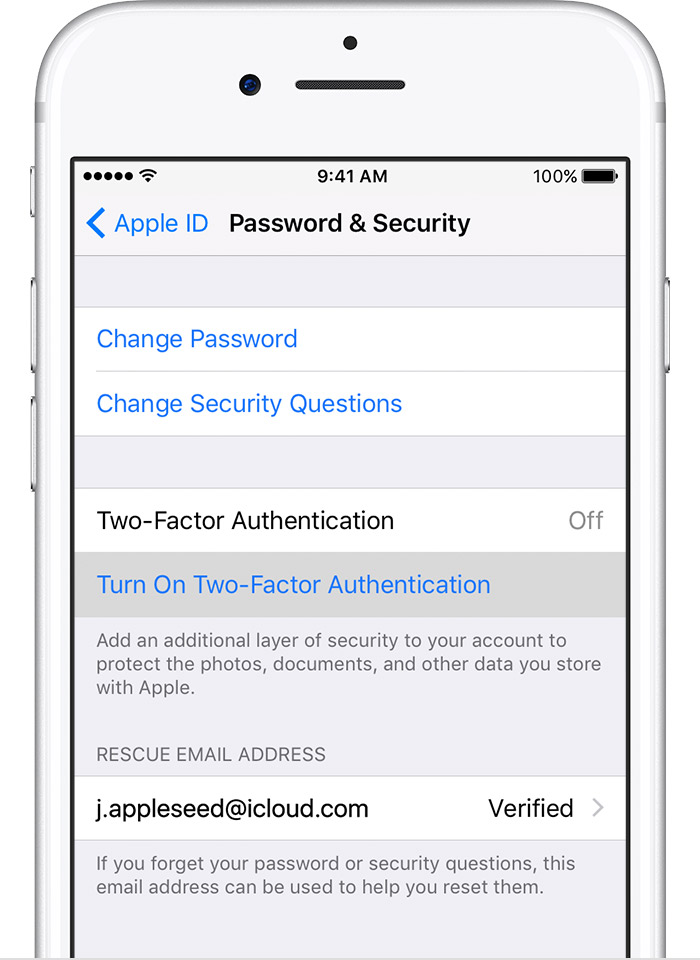
With iOS 11, you'll be upgraded to make use of the newer iteration of 2FA. In this version of 2FA, you'll no longer be required to provide an additional password. To learn more click here

What's the difference between over-the-air (OTA) and iTunes update?
No difference

My phone is warm during/after update :(
This is normal, keep your iPhone plugged in overnight after the update.

My iPhone feels sluggish
Give it a few days!

Do I need to reset anything?
No.

My app doesn't launch!
It's most likely a 32-bits App. 32-bits App are no longer supported in iOS 11. Please contact your App developer to get the App updated.

I'm on iOS 10.1 can I jump straight to iOS 11?
Yes you can.

I already have iOS 11! I'm a beta user!
Well, you might want to remove the beta profile if you don't to continue testing iOS 11

thanks for the linking the vids TrueBeliever_jh


Last edited:

*adiBOY

Supremacy Member
Joined
Mar 5, 2008
Messages
7,573
Reaction score
347
iCloud backup... unless people subscribed to their 200GB and more storage space monthly if not the 5GB space is never enough for backup.
 

arcturuz

Greater Supremacy Member
Joined
Apr 7, 2001
Messages
99,343
Reaction score
12,631
how come when i Go to Settings > [your name] > Password & Security.

i only have the two-step verification option available.

on 10.3.3
 

PetPet

Moderator
Moderator
Joined
May 24, 2004
Messages
95,222
Reaction score
319
how come when i Go to Settings > [your name] > Password & Security.

i only have the two-step verification option available.

on 10.3.3

What do you mean?
Could you provide a screenshot?
 

symbiote28

Master Member
Joined
Sep 18, 2006
Messages
2,592
Reaction score
218
do i need to progressively update to 10.3.3 before to 11? my ipad is on 10.3.2
 

szeli

Arch-Supremacy Member
Joined
Mar 24, 2003
Messages
21,458
Reaction score
3,154
y is local backup to iTunes not recommended?
 

PongRareRare

Senior Member
Joined
Oct 25, 2008
Messages
2,047
Reaction score
92
how come when i Go to Settings > [your name] > Password & Security.

i only have the two-step verification option available.

on 10.3.3

The 2 steps verification is a huge issue for me. My SIM card is in the phone and I can't access the SMS. I have no other phone to put the SIM card in at that time. I waited until the next day. So can I reset my phone now if I only got one phone?
 

Snoweagle

Arch-Supremacy Member
Joined
Sep 6, 2005
Messages
20,309
Reaction score
1,807
Now after iTunes 12.7 update, I'd better back up via iCloud.

Any advise on any important things to check in settings?
 

PetPet

Moderator
Moderator
Joined
May 24, 2004
Messages
95,222
Reaction score
319
do i need to progressively update to 10.3.3 before to 11? my ipad is on 10.3.2

You can jump straight to 11.


Looks fine :)

y is local backup to iTunes not recommended?

Sometimes local iTunes backup could be corrupted :(

The 2 steps verification is a huge issue for me. My SIM card is in the phone and I can't access the SMS. I have no other phone to put the SIM card in at that time. I waited until the next day. So can I reset my phone now if I only got one phone?

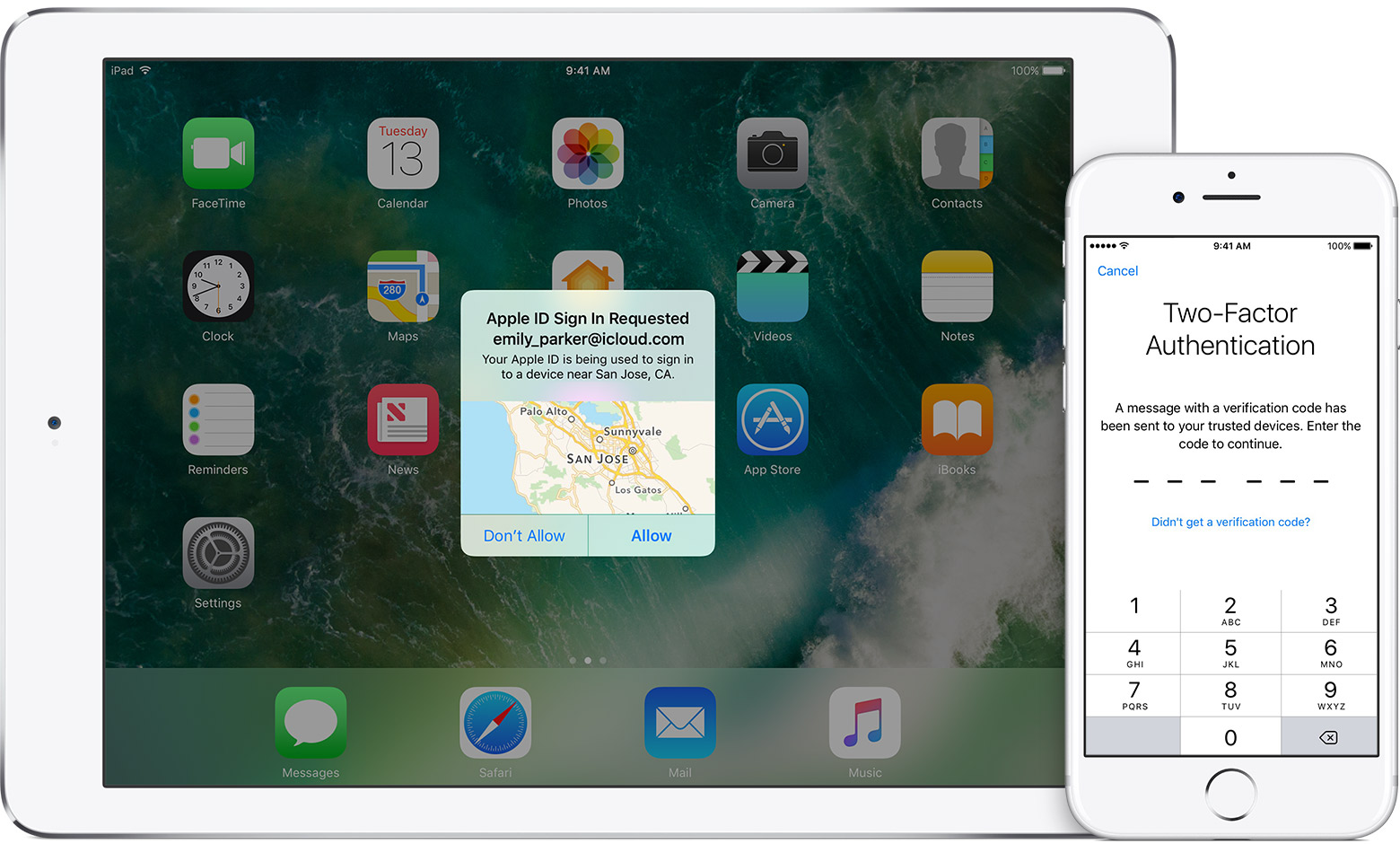
Oh, you wouldn't receive the 2FA via SMS, unless you explicitly select that option after not receiving within a set amount of time.
Instead you'll receive it via your trusted devices (iOS or macOS)

This is how you it should look like, on the iPad.

ios10-3-apple-id-two-factor-hero.jpg

Now after iTunes 12.7 update, I'd better back up via iCloud.

Any advise on any important things to check in settings?

Nothing to check, just turn it on and it'll back up your device :)
 

PongRareRare

Senior Member
Joined
Oct 25, 2008
Messages
2,047
Reaction score
92
Oh, you wouldn't receive the 2FA via SMS, unless you explicitly select that option after not receiving within a set amount of time.
Instead you'll receive it via your trusted devices (iOS or macOS)

This is how you it should look like, on the iPad.

ios10-3-apple-id-two-factor-hero.jpg

Hmm, u mean at that point of time? Maybe I selected that option. But if not, it'll default sign in? Or maybe I didn't set the 'trusted device'? Let me go Apple ID and see see. Thanks!
 

Snoweagle

Arch-Supremacy Member
Joined
Sep 6, 2005
Messages
20,309
Reaction score
1,807
Nothing to check, just turn it on and it'll back up your device :)

I've got tons of photos and videos and I know the 5GB space isnt enough so I turned it off, but I can still backup via iTunes right?
 

PetPet

Moderator
Moderator
Joined
May 24, 2004
Messages
95,222
Reaction score
319
I've got tons of photos and videos and I know the 5GB space isnt enough so I turned it off, but I can still backup via iTunes right?

Yes you can.
I highly recommend upgrading your iCloud storage and turning iCloud Photo Libraries on. It's .99 USD for 50gigs of storage.

This way when you run out of space on your device, you don't have to delete photos and you get to backup your iPhone as well.
 

kopi22

High Supremacy Member
Joined
Dec 13, 2000
Messages
33,222
Reaction score
748
Yes you can.
I highly recommend upgrading your iCloud storage and turning iCloud Photo Libraries on. It's .99 USD for 50gigs of storage.

This way when you run out of space on your device, you don't have to delete photos and you get to backup your iPhone as well.

The .99USD is life time or subscription based??
 

Snoweagle

Arch-Supremacy Member
Joined
Sep 6, 2005
Messages
20,309
Reaction score
1,807
Yes you can.
I highly recommend upgrading your iCloud storage and turning iCloud Photo Libraries on. It's .99 USD for 50gigs of storage.

This way when you run out of space on your device, you don't have to delete photos and you get to backup your iPhone as well.

Noted there with many thanks! :D
 

PetPet

Moderator
Moderator
Joined
May 24, 2004
Messages
95,222
Reaction score
319
The .99USD is life time or subscription based??

Subscription.

Also to add on, if you're on family sharing. You can subscribe to the 200gig plan (and above) to share with your family members. So you don't have to purchase individual plans for everyone.
 
Status
Not open for further replies.
Important Forum Advisory Note
This forum is moderated by volunteer moderators who will react only to members' feedback on posts. Moderators are not employees or representatives of HWZ Forums. Forum members and moderators are responsible for their own posts. Please refer to our Community Guidelines and Standards and Terms and Conditions for more information.
Top