

ferocity
Supremacy Member
- Joined
- Dec 4, 2005
- Messages
- 5,869
- Reaction score
- 590
That one requires Union pay card and min. spend of $80 according to TnC.Need to click the green redeem button
That one requires Union pay card and min. spend of $80 according to TnC.Need to click the green redeem button


why cannot? use forwarder like ezship with china address loCannot order from taobao already.. Anyone got ways to go around?

Anyone's VXE R1 pro Max kept disconnecting from the 1K or 4K dongle? Always need to remove dongle to mouse then retry again. Sometimes, pairing stuck, but may magically connect there later.
its a known issue, my friend who use the same mice also got the problem. Maybe you can find a solution in the comments section.
its a known issue, my friend who use the same mice also got the problem. Maybe you can find a solution in the comments section.
Anyone's VXE R1 pro Max kept disconnecting from the 1K or 4K dongle? Always need to remove dongle to mouse then retry again. Sometimes, pairing stuck, but may magically connect there later.
 !
!Hmm, im using 2.4ghz on the dongle for the 1K polling rate, had it placed above my PC which has Wifi/BT module. My wifi is mostly on 5.0ghz.I'm not an owner. But could be interference from USB3.0, other Bluetooth, or 2.4GHz wifi access point.
Maybe try using a long USB2.0 cable male-female to force USB2.0 & isolate the mouse dongle far from any 2.4Ghz interference nearby.
Also test on another PC/laptop.
If the random d/c still happens means the problem lies within the mouse/dongle system.
Please let us know the outcome.
but did you use any USB2.0 extension cable, or plug the USB extension cable into the computer's USB2.0 ports?Hmm, im using 2.4ghz on the dongle for the 1K polling rate, had it placed above my PC which has Wifi/BT module. My wifi is mostly on 5.0ghz.
I used the provided A-C cable and plug into usb3.0 port.but did you use any USB2.0 extension cable, or plug the USB extension cable into the computer's USB2.0 ports?
I think your 4k receiver need to be further away from your PC. Should try your best to rule out interference and cable issues. Once those are ruled out, then the problem lies within the mouse.I used the provided A-C cable and plug into usb3.0 port.
I think your 4k receiver need to be further away from your PC. Should try your best to rule out interference and cable issues. Once those are ruled out, then the problem lies within the mouse.

There is an option in the VXE Hub called increase long-range performance or something. Try enabling that and see if it works for you.Anyone's VXE R1 pro Max kept disconnecting from the 1K or 4K dongle? Always need to remove dongle to mouse then retry again. Sometimes, pairing stuck, but may magically connect there later.

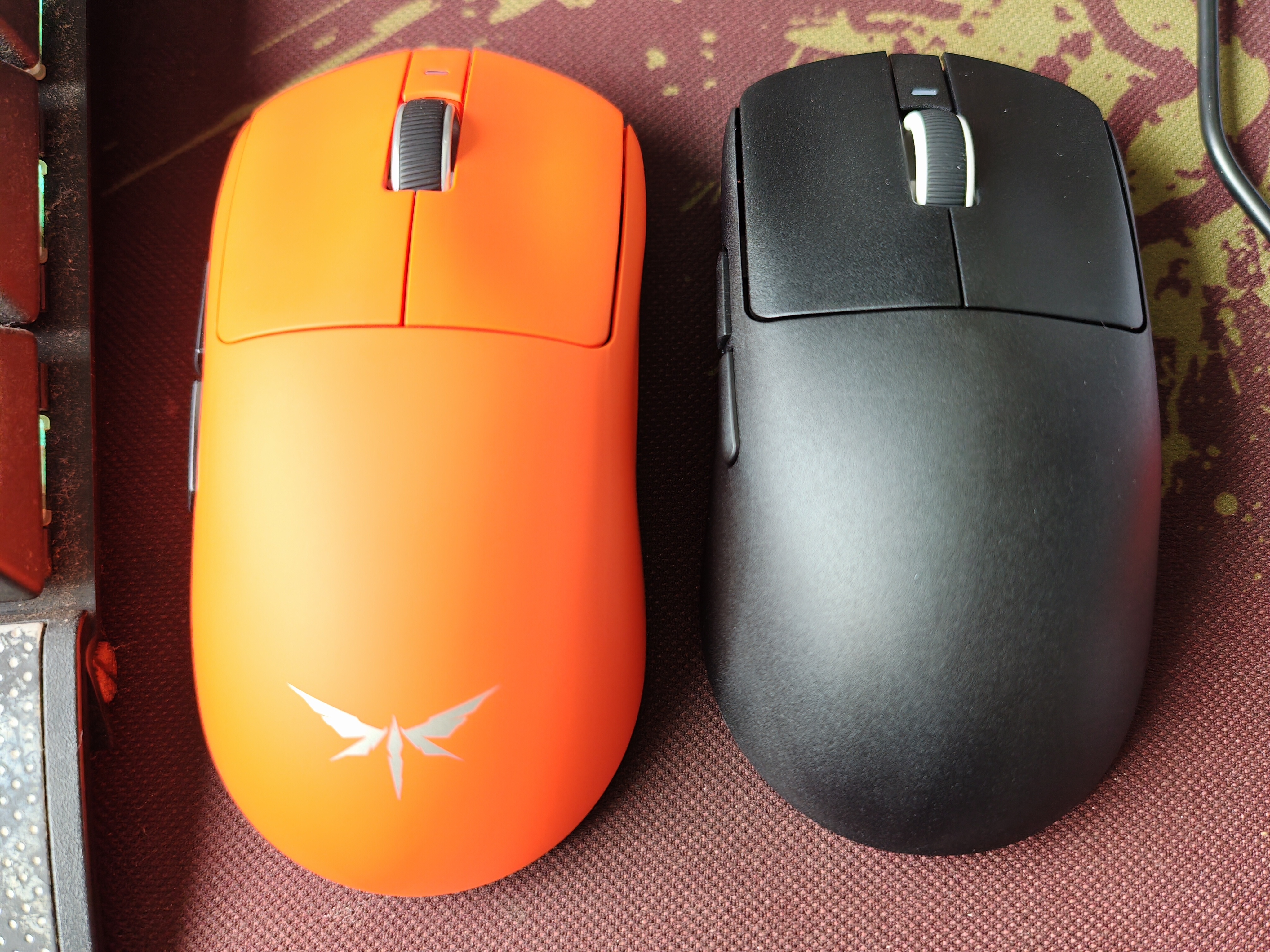
VGN dragonfly 3 pro max vs VXE R1 SE+...
VGN bigger more comfortable for mine pui pui palm.. R1 SE+ this is new set.. Old one got scroll wheel jumping issue. Blowed air using electric blower also can't solve.. Lucky seller 1 to 1 for me.

