

Good day,
I am asking on behalf of my company.
We are using the old punch card method.
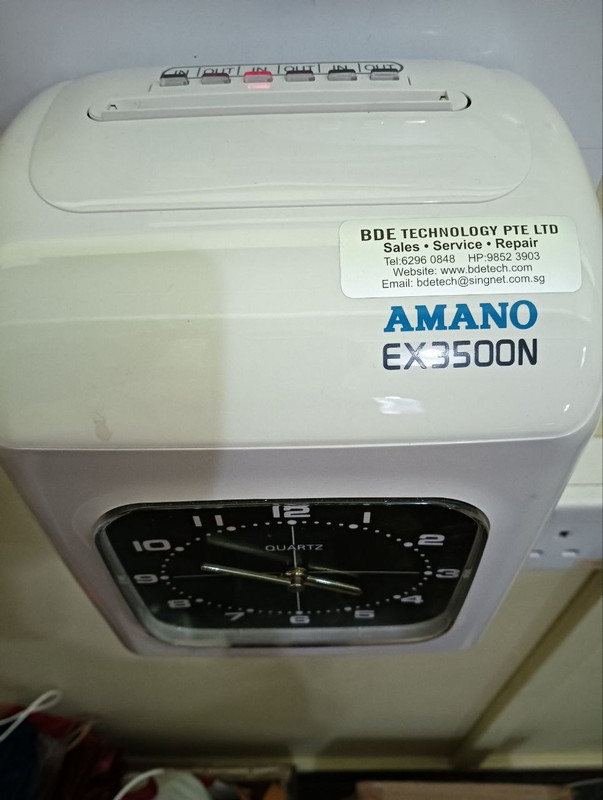
The Machine is the normal analog clock punch card reader from BDE Technology.
The punch cards can be bought from Popular.
Every month before payday, the admin has to scan individual punch card and enter the time, MC, OT etc, manually.
We are trying to find a way to make the process easier and faster.
Currently we are searching for similar device but has the capability to export the data.
We reached out to BDE and they do not supply such a device.
We DO NOT want to switch to biometric scanning or individual employee ID card method.
Can anybody recommend such device:
1) Still uses Punch Card
2) Analog/Digital clock (either is fine)
3) [MOST Importantly] has USB port or an app that lets you export/download clock-in/out data as .csv/excel
Thank you
I am asking on behalf of my company.
We are using the old punch card method.
The Machine is the normal analog clock punch card reader from BDE Technology.
The punch cards can be bought from Popular.
Every month before payday, the admin has to scan individual punch card and enter the time, MC, OT etc, manually.
We are trying to find a way to make the process easier and faster.
Currently we are searching for similar device but has the capability to export the data.
We reached out to BDE and they do not supply such a device.
We DO NOT want to switch to biometric scanning or individual employee ID card method.
Can anybody recommend such device:
1) Still uses Punch Card
2) Analog/Digital clock (either is fine)
3) [MOST Importantly] has USB port or an app that lets you export/download clock-in/out data as .csv/excel
Thank you


