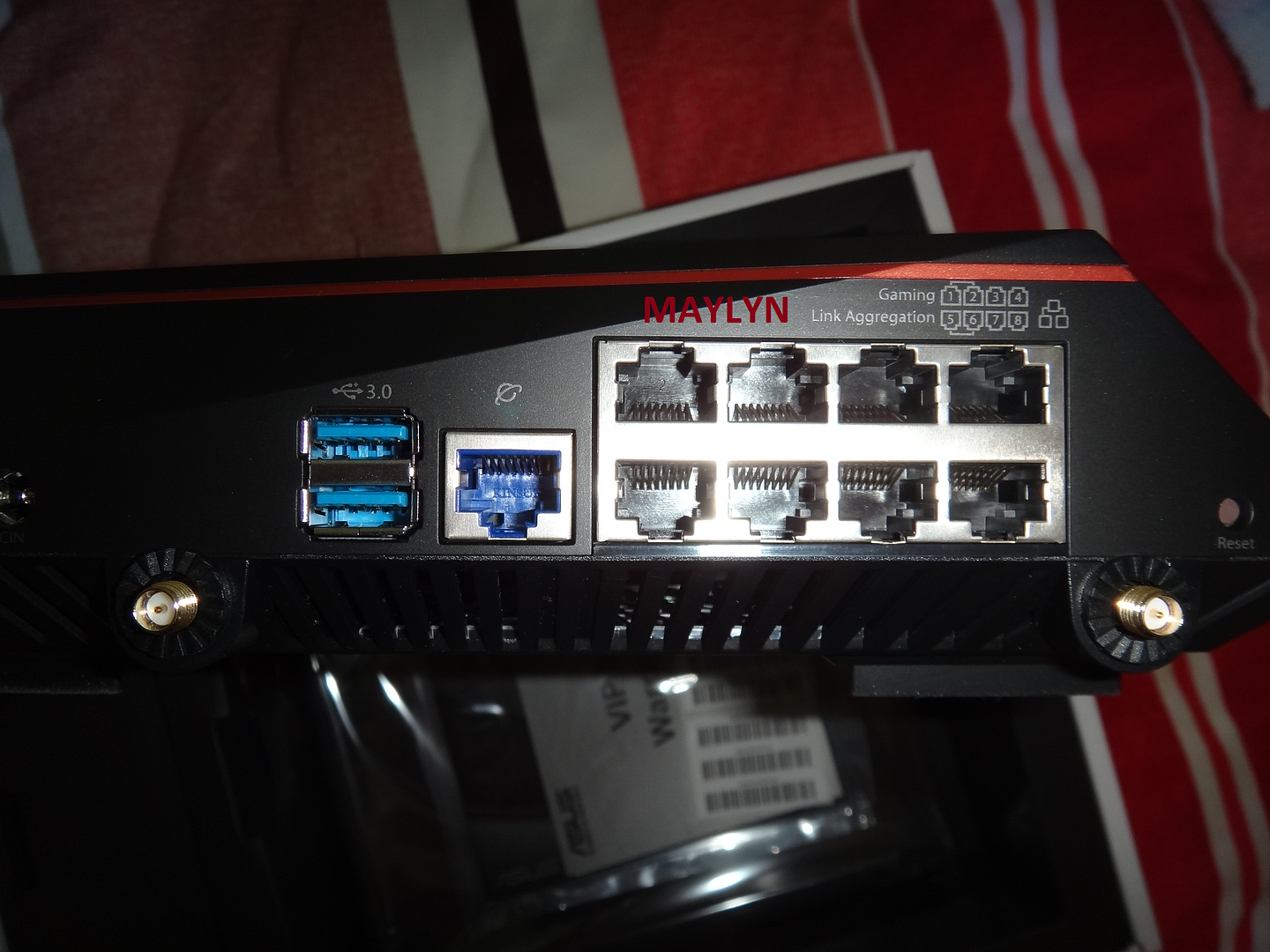
[Maylyn - Networking] ASUS ROG Rapture GT-AC5300

maylyn

Master Member
Joined
Jul 12, 2007
Messages
4,861
Reaction score
77
Triple-Level Game Acceleration - Exclusive to ASUS Rapture GT-AC5300 Only

Some understanding what is Triple-Level Game Acceleration
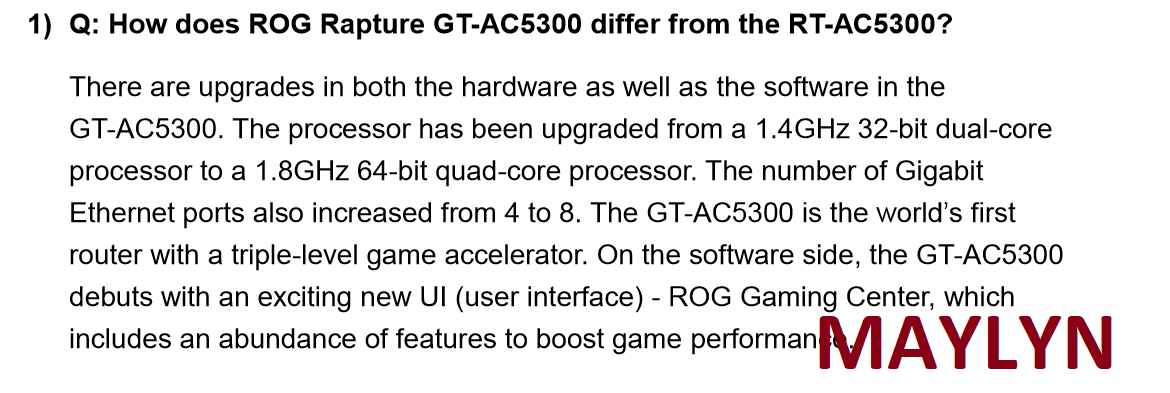


Acceleration Level 1: Gaming Ports Connect a PC or laptop to the dedicated Gaming ports (LAN 1 or 2). For handheld (mobile) games, connect your wireless device to Wi-Fi SSID: ASUS_XX_5G_gaming. (Note: XX refers to the last two digits of the 2.4 GHz MAC address)

Acceleration Level 2: Game Boost Log into the ROG Gaming Center and enable the Game Boost function. Path: ROG Gaming Center => Game Boost

Acceleration Level 3: Game Private Network Path: ROG Gaming Center => Game Private Network
Create an WTFast account for free. Visit: https://www.wtfast.com/

From ASUS TW testing, they are able to achieve lower latency over several games even their Fiber Internet connectivity bandwidth is > 80% saturation.

I have yet to verify the information out neither have try it out as impeding PC parts incoming + overhauling my rig setup.

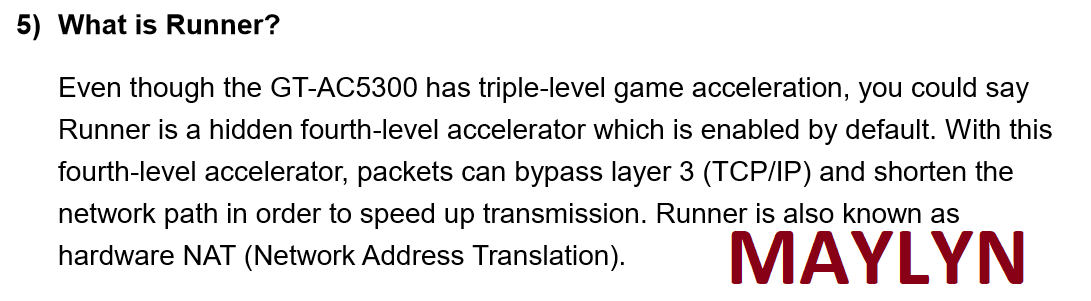
There is fourth acceleration which is enabled by default. It's called Runner (Hardware NAT acceleration with Flow Cache)
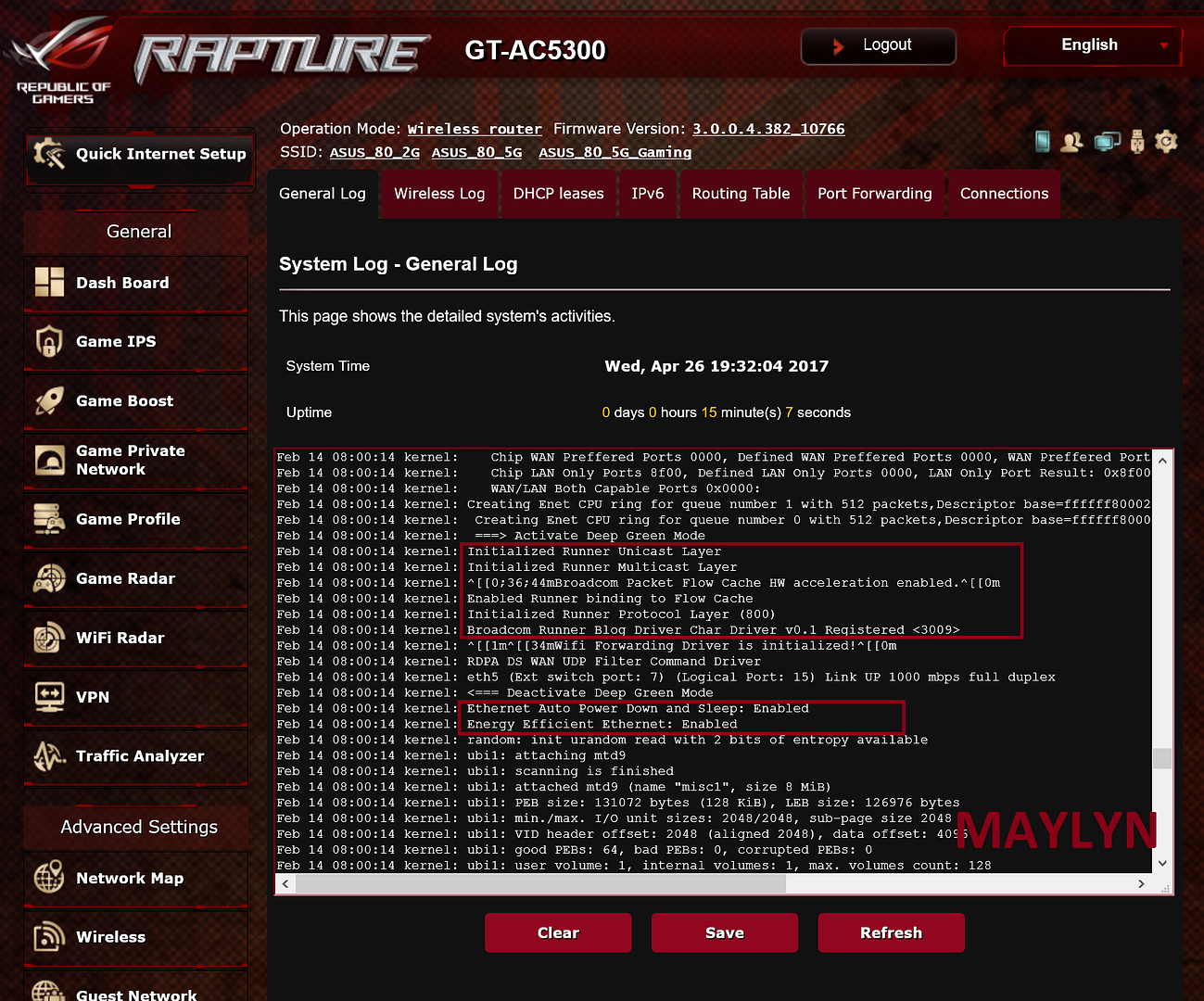


You guys can try it out whether the triple-level gaming acceleration works for you.
 
Last edited:

Magickiller9

Supremacy Member
Joined
Apr 15, 2010
Messages
6,454
Reaction score
0
Let say i've 4 of these and 5 AC68 i'm thinking of building "mesh network" using these. Or would it be better to stick to Linksys mesh system?

With the backend being dual wan
 

renfred89

Arch-Supremacy Member
Joined
Nov 11, 2007
Messages
17,520
Reaction score
19
Let say i've 4 of these and 5 AC68 i'm thinking of building "mesh network" using these. Or would it be better to stick to Linksys mesh system?

With the backend being dual wan

you can't build a mesh network with asus routers, it doesn't work as intended by definition of mesh. you will likely to get frequent wifi drops instead.

Linksys mesh system is a true mesh system by definition and many reviews out there have concurred it's ability.. So what exactly do you intend to make use of the asus routers?
 

Magickiller9

Supremacy Member
Joined
Apr 15, 2010
Messages
6,454
Reaction score
0
you can't build a mesh network with asus routers, it doesn't work as intended by definition of mesh. you will likely to get frequent wifi drops instead.

Linksys mesh system is a true mesh system by definition and many reviews out there have concurred it's ability.. So what exactly do you intend to make use of the asus routers?

Yea hence the " " haha. I need to cover the office area. Was looking a unifi and open mesh etc..but as a temporary measure i'm using AC5300 and AC68 as "AP".

Frankly, it's a very bad way of doing things. But it's the cheapest solution.
 
Last edited:

renfred89

Arch-Supremacy Member
Joined
Nov 11, 2007
Messages
17,520
Reaction score
19
Haha.. I still believe the enterprise grade AP would be a better investment in the long run..

Can't think of a better option for you for a temp office?

Yea hence the " " haha. I need to cover the office area. Was looking a unifi and open mesh etc..but as a temporary measure i'm using AC5300 and AC68 as "AP".

Frankly, it's a very bad way of doing things. But it's the cheapest solution.
 

Zach-Tec

Junior Member
Joined
May 4, 2017
Messages
7
Reaction score
0
Anyone having problems with 5G-1? I previously was using RT-AC5300 with no problem but now switched to GT-AC5300. The signal and coverage did not meet the standards of when I was using RT-AC5300. Sometimes I turn wifi on around 10 feets away with no wall, I only see 2.4G and 5G_Gaming.

I have since exchanged 3 router, believing it was the fault of the router, but things didn't improve.

Any suggestions?
 

renfred89

Arch-Supremacy Member
Joined
Nov 11, 2007
Messages
17,520
Reaction score
19
Check your wireless log to see if there is any error message..

Anyone having problems with 5G-1? I previously was using RT-AC5300 with no problem but now switched to GT-AC5300. The signal and coverage did not meet the standards of when I was using RT-AC5300. Sometimes I turn wifi on around 10 feets away with no wall, I only see 2.4G and 5G_Gaming.

I have since exchanged 3 router, believing it was the fault of the router, but things didn't improve.

Any suggestions?
 

hanliang

Member
Joined
Apr 1, 2009
Messages
104
Reaction score
0
I been through the same madness as you and mine was worst having it reboot constantly . You try contact Asus directly , then send them your config file and sys log.

I am mad, I just put the router at a side and use spare router (AC1300) instead. At least it's range and coverage is better than that of GT-AC5300.
 

Zach-Tec

Junior Member
Joined
May 4, 2017
Messages
7
Reaction score
0
I been through the same madness as you and mine was worst having it reboot constantly . You try contact Asus directly , then send them your config file and sys log.

As I am not the only person using the wifi, I just switched to D-Link 850L. The 5G coverage and speed is more than double of a GT-AC5300.

I might be considering to switch back to RT-AC5300. I don't see any problem using that.
 

maylyn

Master Member
Joined
Jul 12, 2007
Messages
4,861
Reaction score
77
ASUS AiProtection

In the wake of WannaCry ransomware saga,

Have received some useful information from ASUS TW.

ASUS AiProtection can prevent ransomware.

The three main features of ASUS AiProtection:

1). Malicious Site Blocking - to prevent one from opening link have ransomware.
2). Vulnerability Protection - to prevent ransomware to hack and install some scripts on your desktop.
3). Infected devices prevention and block - to prevent ransomware from transferring data from your desktop to remote C&C servers.

More information/FAQ ~> https://www.asus.com/support/faq/1012070/

 
Last edited:

hanliang

Member
Joined
Apr 1, 2009
Messages
104
Reaction score
0
No change log for this firmware ?

I am very sceptical about the firmware nowadays after all the ordeal I have to go through to beta test for a launched product .

ASUS ROG Rapture GT-AC5300 Firmware version 3.0.0.4.382.11243 - 15/05/2017

Release note

- Support CN, APAC, EU and TW regions


Please unzip the firmware file first then check the MD5 code.
MD5: 614EE76087D27FF0E3DD7CCBC8B4431A

Download ~> http://dlcdnet.asus.com/pub/ASUS/wireless/GT-AC5300/FW_GT_AC5300_300438211243.zip
 

eliteguardiangi

Junior Member
Joined
Jun 9, 2012
Messages
45
Reaction score
14
Hello

Just got my ASUS router. No matter how many times I update my firmware. It still go back to the 3.0.0.4.382_9379 version. Any help?
 

eliteguardiangi

Junior Member
Joined
Jun 9, 2012
Messages
45
Reaction score
14
You're trying to downgrade firmware right?

New firmware does not allow downgrade if u do it conventionally. You need to upload the firmware in rescue mode.


I am actually trying to update my firmware to 3.0.0.4.382.12184 using auto update/manual update the latest version but it always goes back to the router base version.

Solved: The latest update got problem. I have no problem updating to 3.0.0.4.382.11243
 

titanium500

Junior Member
Joined
Nov 10, 2003
Messages
5
Reaction score
0
Regret updating the firmware to 3.0.0.4.382.12184 as it is causing me a lot of problem.

Internet is almost non accessible until I turn off the Game Boost.

After that is done, have to reboot the router after a few hours because it will hang. Already did that a few times.
 
Important Forum Advisory Note
This forum is moderated by volunteer moderators who will react only to members' feedback on posts. Moderators are not employees or representatives of HWZ. Forum members and moderators are responsible for their own posts.

Please refer to our Community Guidelines and Standards, Terms of Service and Member T&Cs for more information.
Top