Mythmaker
Arch-Supremacy Member
- Joined
- Nov 29, 2004
- Messages
- 11,772
- Reaction score
- 0
(This used to be in VR-Zone, but I think the forum is dead. I needed to update the download link for some of my friends so I thought I might as well move it here to share with my fellow movie buffs  )
)
Sometimes, we rent/bought and ripped so much movies to store in our HDD that we have difficulty tracking what's what. Maybe you can remember what's each movie about, but not your family.
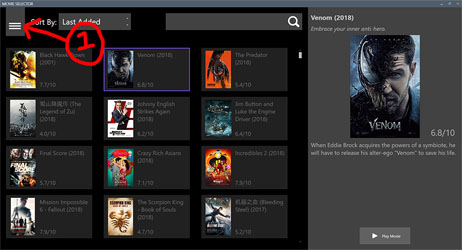
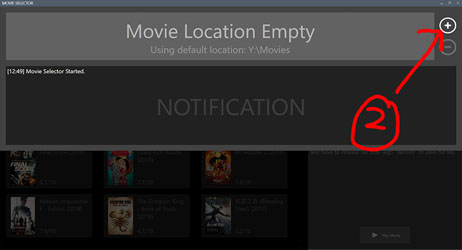
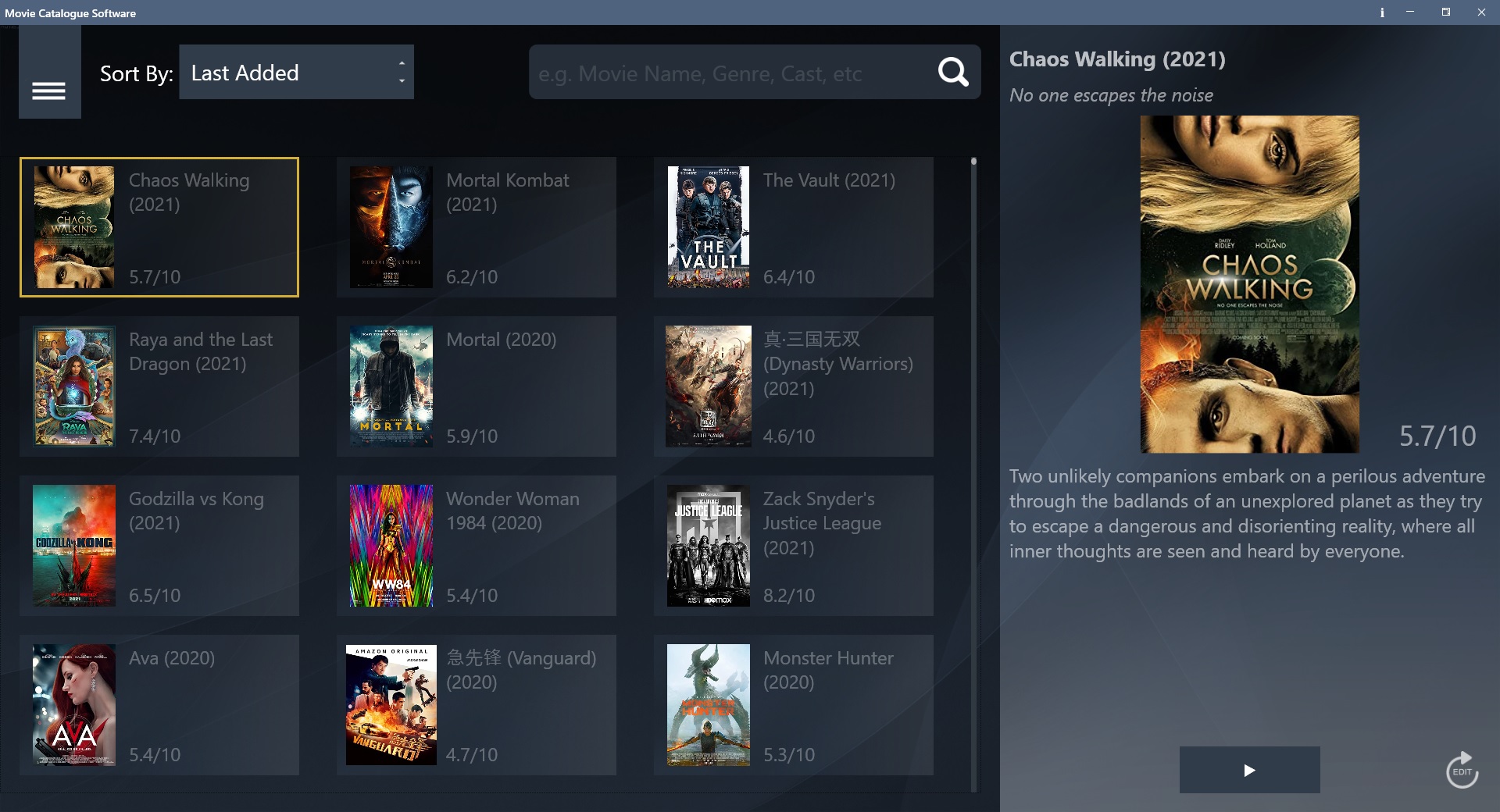
So I wrote a lightweight software (it's just 800+ KB) for Windows some years back for my dad. It's a simple software that grabs the movie details from IMDB so that he can filter the nice ones to watch. I am aware that there are existing implementations in the market (namely kodi), but those are bloated, slow and not elderly friendly.
I'm just sharing my program here; this is not a bug keeping/update thread. In fact, I only update the software when I'm actually free which sadly only occurs about once a year (unless there is an urgent bug like IMDB changing it's data format)
P.S
This is not a software to help you download movies. This is a software that helps you grab information about the movie (movies that you already have) from the internet.
Download:
https://movieselector.s3-ap-southeast-1.amazonaws.com/MCS.zip
The password for unzipping is 1234.
) Sometimes, we rent/bought and ripped so much movies to store in our HDD that we have difficulty tracking what's what. Maybe you can remember what's each movie about, but not your family.
So I wrote a lightweight software (it's just 800+ KB) for Windows some years back for my dad. It's a simple software that grabs the movie details from IMDB so that he can filter the nice ones to watch. I am aware that there are existing implementations in the market (namely kodi), but those are bloated, slow and not elderly friendly.
I'm just sharing my program here; this is not a bug keeping/update thread. In fact, I only update the software when I'm actually free which sadly only occurs about once a year (unless there is an urgent bug like IMDB changing it's data format)
P.S
This is not a software to help you download movies. This is a software that helps you grab information about the movie (movies that you already have) from the internet.
Download:
https://movieselector.s3-ap-southeast-1.amazonaws.com/MCS.zip
The password for unzipping is 1234.
Last edited: