PC - HDR Gaming - Sharing Experience

Yongkit

Supremacy Member
Joined
Oct 9, 2015
Messages
5,780
Reaction score
2,421
Recently i bought a new 27' 4K HDR monitor and just started with HDR gaming using windows 11 version 22H2 auto HDR setting.

Overall the experience was better than I imagined using HDR for gaming.

Watching youtube contents with HDR capable as example below also give me a new experience too:
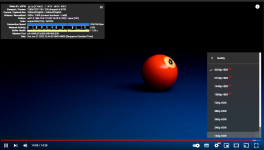
1655823629783.png

I also try using the Geforce Experience to records my gaming session for benchmarking reference and uploaded to youtube, it was able to display "HDR" contents just like the youtube example as above. :)

If you have HDR capable monitor you can test if you are able to see the "HDR" content.


jasonwsc

Member
Joined
Jun 28, 2013
Messages
415
Reaction score
147
Depends on your monitor TBH, if it is some HDR400 monitor with no local dimming then might as well don't have HDR. Everything is just bright, and you can kiss shadows goodbye.

For true HDR you need OLED, Mini LED or at least some local dimming zones.

If your monitor is the Asus ROG Strix XG27UQ then erm yeah, just no. Might as well get the LG 49inch OLED for the same price. Or just get something like the 1440p Gigabyte M27Q P and save half the amount. I just don't think 4K is worth it at 27in.
 

Yongkit

Supremacy Member
Joined
Oct 9, 2015
Messages
5,780
Reaction score
2,421
Depends on your monitor TBH, if it is some HDR400 monitor with no local dimming then might as well don't have HDR. Everything is just bright, and you can kiss shadows goodbye.

For true HDR you need OLED, Mini LED or at least some local dimming zones.

If your monitor is the Asus ROG Strix XG27UQ then erm yeah, just no. Might as well get the LG 49inch OLED for the same price. Or just get something like the 1440p Gigabyte M27Q P and save half the amount. I just don't think 4K is worth it at 27in.
Good comments 👍

Can share any examples of screenshot or video playback from your HDR system and how shadow come into play instead of over bright?

Cause this is still something I am trying to figure out.

And yes mine only entry level hdr400 (windows show 427nits brightness) which definitely unable to compete with high end HDR monitor but it is already exceed my experience using SDR.

Currently I am able to use the auto HDR for non native HDR gaming too through window 11.

May I know if you have any references how to calibrate HDR contents?
 

tsteo77

Senior Member
Joined
Oct 28, 2011
Messages
1,538
Reaction score
216
Good comments 👍

Can share any examples of screenshot or video playback from your HDR system and how shadow come into play instead of over bright?

Cause this is still something I am trying to figure out.

And yes mine only entry level hdr400 (windows show 427nits brightness) which definitely unable to compete with high end HDR monitor but it is already exceed my experience using SDR.

Currently I am able to use the auto HDR for non native HDR gaming too through window 11.

May I know if you have any references how to calibrate HDR contents?
Maybe this reference > https://mashtips.com/windows-11-hdr-calibrate/ can help you calibrate hdr content.
 

watzup_ken

High Supremacy Member
Joined
Nov 21, 2003
Messages
25,672
Reaction score
2,123
I feel the issue may not be that apparent when you are watching HDR content in well lit room. But if the room is dark when the monitor is using HDR and displaying images with contrasting brightness, the blacks are not black but more grey. For example, a scene where there is sunset/ sunrise where the ambient is dark, but the sun is very bright. Edge lit monitors are unable to dim the area that is supposed to be dark/ black, but instead, it has to boost brightness to showcase the brightness of the sun. The difference is most apparent when you have say an OLED or mini LED display that is showing the same video in HDR. I generally switch HDR on monitors off because it seems to mess up the color of the image. This applies to all edge lit monitors, regardless of whatever HDR brightness rating, i.e. HDR400, HDR600 or even 1000.
 

Yongkit

Supremacy Member
Joined
Oct 9, 2015
Messages
5,780
Reaction score
2,421
I feel the issue may not be that apparent when you are watching HDR content in well lit room. But if the room is dark when the monitor is using HDR and displaying images with contrasting brightness, the blacks are not black but more grey. For example, a scene where there is sunset/ sunrise where the ambient is dark, but the sun is very bright. Edge lit monitors are unable to dim the area that is supposed to be dark/ black, but instead, it has to boost brightness to showcase the brightness of the sun. The difference is most apparent when you have say an OLED or mini LED display that is showing the same video in HDR. I generally switch HDR on monitors off because it seems to mess up the color of the image. This applies to all edge lit monitors, regardless of whatever HDR brightness rating, i.e. HDR400, HDR600 or even 1000.

Many thanks for sharing this details as it really help me to understand better.

😆 personally I am a bright preference person, and always turn on all light at home, while my other half prefer to turn off all when not in use. So when I used my pc normally are in well lit room.

I am curious if I do my recording on this HDR monitor, does the video affect those with better HDR monitor (OLED or mini LED display ) as in perhaps they can display better color and image shadow?
 

Yongkit

Supremacy Member
Joined
Oct 9, 2015
Messages
5,780
Reaction score
2,421


using this video as the test, at 0:18 i can see the different using my phone HDR mode compare to my monitor HDR mode.

my phone HDR can see the sun within sun flare but my monitor unable to see the sun in the flare:
 

watzup_ken

High Supremacy Member
Joined
Nov 21, 2003
Messages
25,672
Reaction score
2,123
Many thanks for sharing this details as it really help me to understand better.

😆 personally I am a bright preference person, and always turn on all light at home, while my other half prefer to turn off all when not in use. So when I used my pc normally are in well lit room.

I am curious if I do my recording on this HDR monitor, does the video affect those with better HDR monitor (OLED or mini LED display ) as in perhaps they can display better color and image shadow?
Some times, it is nice to see a nice bright and colorful image. But you have to bear in mind if the monitor gets too bright, you lose darker details. There is/are flipside to everything. ;)

As for HDR recording, I don't think there is a bearing on the monitor used. You basically need to record in a HDR video format from what I understand. At the end of the day, the TV/ monitor will decode and display as per how the manufacturer configures the display.
 

ZrE0_Cha0s

Arch-Supremacy Member
Joined
Jun 21, 2011
Messages
16,704
Reaction score
26
den again which HDR rating consider a good enough for ave user?
As there are quite a number of it and there are a few differences when going up the rating.
 

watzup_ken

High Supremacy Member
Joined
Nov 21, 2003
Messages
25,672
Reaction score
2,123
den again which HDR rating consider a good enough for ave user?
As there are quite a number of it and there are a few differences when going up the rating.
Personally, I find the HDR ratings to be quite pointless. I can’t speak for others, so this is purely my own opinion. The best way to experience HDR is probably with OLED and Mini/Micro LED technology, because on the same image, these display technologies will be able to display super bright and deep darks at the same time. I feel a lot of high end edge lit monitors try to upsell themselves by throwing some higher than usual HDR600 or so numbers, but in reality, the panel does display very bright images, but you get greys when it is supposed to be dark/ black. So as long as you know that the monitor uses edge lit LCD, then I don’t recommend that you spend extra money for the supposed HDR rating.
 

Yongkit

Supremacy Member
Joined
Oct 9, 2015
Messages
5,780
Reaction score
2,421
I think even though I do not have the OLED & Mini/Micro LED tech monitor but I still enjoy using this HDR feature come with the new monitor even it is only HDR400 capable with some tuning.

Nowadays monitor selection is up to individual preference and budget.

reasons I choose this new monitors due to its attractive price as the entry level for 4k experience, and upon longer period of time once I figure out what is missing from current unit, I will be more wiser to choose the right monitor in future. I need to experience it to know what am I missing just like any other pc components I have for now.
 

Yongkit

Supremacy Member
Joined
Oct 9, 2015
Messages
5,780
Reaction score
2,421
This is what I have been tested recording using Geforece Experience with windows 22H2 both Native HDR & AUTO HDR (only able to view the HDR color with HDR monitor or phone (full screen mode) capable of HDR) :


Rogue

Senior Member
Joined
Jan 1, 2000
Messages
5,298
Reaction score
89
It's a waste, either you go broke and get the best or avoid HDR on monitor at all cost. Minimum is an oled equivalent panel with a super high constrast ratio is needed in addition to the other requirements of HDR like >=100 sRGB 10 bpc.

Nice to test out a bit, and pretend but it sucks so hard that you have to keep HDR off most of the time.

Of course, you can go for a TV. But problem is lack of displayport usually...
 

Yongkit

Supremacy Member
Joined
Oct 9, 2015
Messages
5,780
Reaction score
2,421
Playing HDR games on my AW3423DW really was a big jump in visual quality. Using AutoActions on W10 for quite a pleasant experience.

Currently I am using windows 11 ver. 22H2 the auto hdr display is very well adjusted and I am on HDR mode all time.

I do not experience any washout picture quality as experienced by some other users mentioned so far.

I am using 2 monitors (both using DP cable) right now = main HDR ; second display SDR.
 

darkmatt

Supremacy Member
Joined
Oct 9, 2006
Messages
8,983
Reaction score
370
HDR is beautiful. But so many issues with screenshots, snipping tool etc.

Ownself see is good. want to SIC is gg
 
Important Forum Advisory Note
This forum is moderated by volunteer moderators who will react only to members' feedback on posts. Moderators are not employees or representatives of HWZ. Forum members and moderators are responsible for their own posts.

Please refer to our Community Guidelines and Standards, Terms of Service and Member T&Cs for more information.
Top