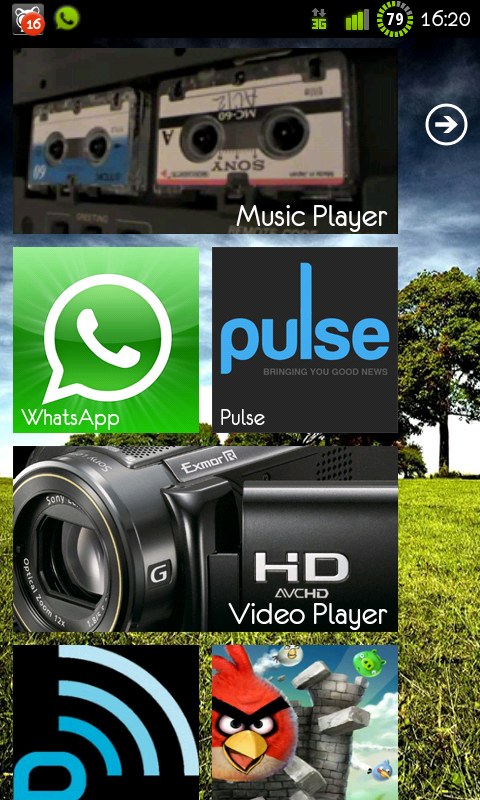
Post your Android screen!

piyozz

Senior Member
Joined
May 2, 2006
Messages
633
Reaction score
23
final_wood.jpg

Where can i d/l the widget showing the wifi, bluetooh and phone connection? the one in your second pic.
 

slopesurfer

Junior Member
Joined
Sep 29, 2007
Messages
75
Reaction score
0
Where can i d/l the widget showing the wifi, bluetooh and phone connection? the one in your second pic.

Hi the app im using is Widgetsoid.

Lock screen: WidgetLocker, Cowon D3 clock, CowonD3Lock
Home screen: LauncherPro, BattStatt, ExtDate widget, Widgetsoid, Custom Dock & Icons
 
Last edited:

xcubepro

Senior Member
Joined
Jul 28, 2000
Messages
2,212
Reaction score
190
Hi the app im using is Widgetsoid.

Lock screen: WidgetLocker, Cowon D3 clock, CowonD3Lock
Home screen: LauncherPro, BattStatt, ExtDate widget, Widgetsoid, Custom Dock & Icons

inspired by slopesurfer's lockscreen.. here's mine! finally went to explore the WidgetLocker app =:p

mylockscreen.jpg
 

GameboyX

Arch-Supremacy Member
Joined
Dec 1, 2010
Messages
20,010
Reaction score
90
ah noob me, i cant find cowon d3 clock on the market, or i cant get it from the market?
 

BarbieDog

Supremacy Member
Joined
Oct 12, 2009
Messages
6,078
Reaction score
0
you all make until so nice
need root phone or not?
i rooting my legend now :\
very difficult
 

lolnoob

Member
Joined
Apr 27, 2010
Messages
390
Reaction score
0
you all make until so nice
need root phone or not?
i rooting my legend now :\
very difficult

Don't need root if you aren't changing your notification bar. You can just find nice widgets, wallpaper and a custom launcher to make it look nice.

homescreend.png


Nothing much here. Just posting it up. ^^
 

BarbieDog

Supremacy Member
Joined
Oct 12, 2009
Messages
6,078
Reaction score
0
which ui you use
launch pro or adw better?
i customising now:\
is that your lockscreen or what?
the arrow below how put one
 

slopesurfer

Junior Member
Joined
Sep 29, 2007
Messages
75
Reaction score
0
i download CowonD3Lock

but cannot run say abortion fail

on my i5700

You need WidgetLocker to use the CowonD3Lock.

Put all your themes.wltheme.zip in /data/com.teslacoilsw.widgetlocker/themes
Go into Tool Mode and longpress the lockscreen
Choose Custom Slider from the menu that appears
Choose from your themes.
 

lolnoob

Member
Joined
Apr 27, 2010
Messages
390
Reaction score
0
how to put the drawer if i don't wanna have a dock?


which ui you use
launch pro or adw better?
i customising now:\
is that your lockscreen or what?
the arrow below how put one

I use ADW. And I just used a custom button. Long press icon.
I have no idea who are you talking to, you never quoted who.

Just play with the settings yourself. Can't help much, it's your phone, your customizations...
 

BarbieDog

Supremacy Member
Joined
Oct 12, 2009
Messages
6,078
Reaction score
0
what long press icon is that?
i don't want to have a dock but i don't know how to go app drawer without dock..
 
Important Forum Advisory Note
This forum is moderated by volunteer moderators who will react only to members' feedback on posts. Moderators are not employees or representatives of HWZ Forums. Forum members and moderators are responsible for their own posts. Please refer to our Community Guidelines and Standards and Terms and Conditions for more information.
Top