Razer Users Official Thread...

ah hui

Master Member
Joined
Dec 10, 2008
Messages
3,419
Reaction score
0
so will deathadder be able to play most fps games, cos it is only mouse that fit my budget..

yes. It will be able to play FPS games. In fact, all razer mice can play FPS games, just depends on what grip you are using and the features you need on the mouse.. what you grip you are using? Palm grip? Claw Grip? Fingertip grip? :) You can get the lower end mice of Razer Abyssus as well. It is more of a mix user for both the left and right handed, while the deathadder is meant for either a right handed or a left handed. :D
 

BL-inside

Suspended
Joined
May 17, 2010
Messages
2,376
Reaction score
0
Razer Mouse Bungee!

Its Here!


IMG-20110816-00172.jpg


Regards,
Jon
 

RyuShinEX

Greater Supremacy Member
Joined
Aug 18, 2007
Messages
75,045
Reaction score
20
mouse bungee useless one.

use the copper wire - the twist twist thingy from the cable/wire on your usb cable when you buy electronics can liao.

cheap and easy solution to the razer wire
 

BL-inside

Suspended
Joined
May 17, 2010
Messages
2,376
Reaction score
0
Just announced at Gamescom...


Razer Tiamat 7.1!

photo-7.jpg


7.1 surround sound with lifelike positional audio
A world’s first, the 10 individual drivers in the Razer Tiamat 7.1 provide immersive, crystal clear surround sound. The reproduced audio is so rich and lifelike that not only will you feel like you’re right there, you’ll have the edge over your enemies. Let ‘em try sneaking up on you now.


2 Sub woofer

40mm. Ti coated diaphragm
Frequency Response: 20Hz – 20,000 Hz
Impedance: 16Ω
Sensitivity: 116 dB ± 3dB @ 1kHz

2 Side
20mm.
Frequency Response: 20Hz - 20,000 Hz
Impedance: 32 Ω
Sensitivity: 120dB ± 3dB @ 1kHz

2 Front
30mm. CCAW Voice Coil
Frequency Response: 20Hz - 20,000 Hz
Impedance: 24 Ω
Sensitivity: 102dB ± 3dB @ 1kHz

2 Rear
20mm.
Frequency Response: 20Hz - 20,000 Hz
Impedance: 32 Ω
Sensitivity: 120dB ± 3dB @ 1kHz

2 Centre
30mm. CCAW Voice Coil
Frequency Response: 20Hz - 20,000 Hz
Impedance: 24 Ω
Sensitivity: 102dB ± 3dB @ 1kHz


Full audio customization
Easily and accurately fine-tune the level of each audio channel, position, and bass depth to your exact enjoyment using the supplied control unit.


Maximum comfort, maximum durability
The Razer Tiamat 7.1’s sturdy construction and padded leatherette ear cups ensure extended headset life and ultimate comfort so you can keep going during those hardcore marathon gaming sessions.


Fully Retractable, noise-filtering unidirectional mic
Frequency Response: 50 – 16,000 Hz
Sensitivity @1kHz: -36 dB ± 2dB
Signal-to-Noise Ratio: 50 dB
Pick-up Pattern: Unidirectional

Regards,
Jon

 

BL-inside

Suspended
Joined
May 17, 2010
Messages
2,376
Reaction score
0
Razer Tiamat 2.2!

photo-2.jpg


Two discrete sub-woofer drivers for heavier-duty bass
The Razer Tiamat 2.2 houses not one, but two sub-woofer drivers for stronger bass support and overall audio performance so you are closer to the action and further from thin, mediocre basslines.


Optimized positional audio

The audio drivers in the Razer Tiamat 2.2 have been designed to simulate a three-dimensional audio effect for deeper immersion with your games. Get a sense of position and depth in your surroundings, so you can hear how far and where exactly an opponent is by his gunfire or footsteps, for the tactical advantage.

Maximum comfort, maximum durability
The Razer Tiamat 2.2’s sturdy construction and snug-fit padded leatherette ear cups ensure extended headset life and ultimate comfort so you can keep terrorizing noobs during those hardcore marathon gaming sessions.

In-Line Volume Control
Headphone Dial
Microphone Dial

Headphones
4 x 40mm neodymium full range drivers:
Frequency Response: 20 – 20,000Hz
Impedance : 60 Ω
Sensitivity : 109 ± 3dB at 1kHz Max

Microphone
Frequency Response: 50 – 16,000 Hz
Sensitivity @1kHz: -36 dB ± 2dB
Signal-to-Noise Ratio: 50 dB
Pick-up Pattern: Unidirectional

Regards,
Jon
 
Last edited:

BL-inside

Suspended
Joined
May 17, 2010
Messages
2,376
Reaction score
0
Razer Battlefield 3™


Razer Imperator Battlefield 3™ Edition


razer-bf3-imperator.jpg


Razer BlackWidow Ultimate Battlefield 3™ Edition

razer-bf3-blackwidow-ultimate.jpg


Razer Scarab Battlefield 3™ Edition

razer-bf3-scarab.jpg


Razer Onza Tournament Battlefield 3™ Edition

razer-bf3-onza-tournament.jpg


Razer Messenger Bag Battlefield 3™ Edition

razer-bf3-messenger-bag.jpg


Battlefield 3™ iPhone 4 Protection Case by Razer

razer-bf3-iphone-case.jpg


Regards,
Jon
 

gAryLin

Senior Member
Joined
Oct 30, 2006
Messages
569
Reaction score
0
Hi guys, anyone using the Razer Death Adder BLack Edition? I bought it a few months ago and now the rubber sides already start to peel.. anyone have the same problem? Damn sian, changed my old deathadder thinking that the side rubber of the black edition lasts longer...
 

Chipero

Master Member
Joined
Jul 13, 2000
Messages
2,980
Reaction score
0
I ish using Razer Destructor black. Still unable to find a suitable mouse and keyboard to use from Razer.
 

Swoopy

Junior Member
Joined
Aug 4, 2011
Messages
8
Reaction score
0
Hi BL,

Wanna ask you how can I know if the Razer product I'm
buying (resale or direct from retailer) has it's warranty covered by Ban Leong? Thanks!
 

crissama

Member
Joined
Dec 18, 2008
Messages
367
Reaction score
0
hi guys , im new to this side of the forums , im using a RZ deathadder original 3500dpi. hardcore FPS gamer here XD
 

wacko

Arch-Supremacy Member
Joined
Jan 1, 2000
Messages
15,543
Reaction score
266
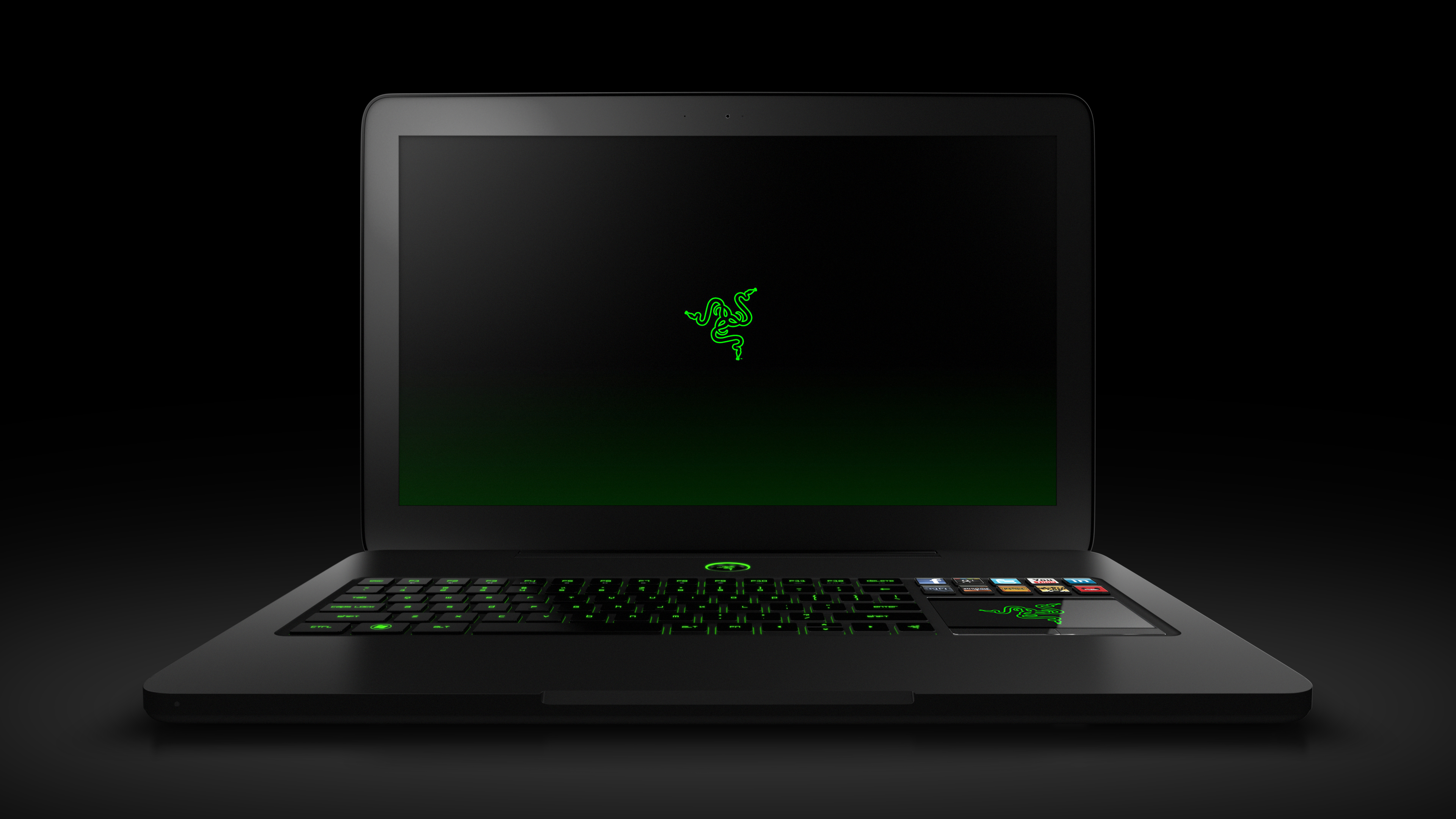
Just announced!

Razer Blade 17" Laptop!

http://assets.razerzone.com/minisite/blade/images/gallery/hires/razer_blade_gaming_laptop_12.jpg[IMG]


Find out more @ [url]http://www.razerzone.com/blade[/url]


Regards,
Jon[/QUOTE]


How can a GT555M equipped laptop be called a gaming laptop?
 

evilrion

High Supremacy Member
Joined
Dec 17, 2006
Messages
40,645
Reaction score
2,040
hey guys, just wondering if you guys ever experience this problem before.
Sometimes when you boot up your computer to windows the mouse is not power on as in no power(the pointer cannot even move when in windows)
and you need to plug out and plug back in then will have power.
 
Important Forum Advisory Note
This forum is moderated by volunteer moderators who will react only to members' feedback on posts. Moderators are not employees or representatives of HWZ Forums. Forum members and moderators are responsible for their own posts. Please refer to our Community Guidelines and Standards and Terms and Conditions for more information.
Top