

TanKianW
Supremacy Member
- Joined
- Apr 21, 2005
- Messages
- 6,729
- Reaction score
- 3,376
FOREWORD:
As the title itself explained. This will be a thread for helping new users on Home Assistant (HA), a very powerful Home Automation and IOTs (remote) management (OSS) software/tool. Most claimed they have use it, but gave up after barely scrapped the surface due to the complexity of it. This could be due to the overwhelming and sometime contradicting/confusing tutorial and information found online. But once mastered, it is competent enough to power industrial automation with extensive customization. I hope to start this thread to help some to overcome that "start-up obstacles and barriers" and "blind hunting" for information. Take note that a whole lot of efforts still boils down to you (user) to "Learn It Yourself", but I will try to compile the less confusing tutorials and point you towards the right direction to get you started.
Example of configuring automation using the infamous "NODE RED" on HA:

Motivations/Objectives: promote OSS, self-learning and self experimenting in tech, D-I-Y and not get over reliance of (provide alternatives to) off-the-shelf solutions like SmartThings or equivalent. Who knows, if I had the spare space/time, I might even be able to introduce some users here to explore setting up their very own local "object recognition" or "machine learning" CCTV (VA) set up using Google Coral AI hardware with Frigate (HACS integration on HA).
More on Google Coral can be found here: https://coral.ai/
*Just in case this thread got moved due to off topic: Some will ask why I started this thread on this section of the forum. To be honest, it might be easier for some of the forumers/home-labers here with a certain level of "tech savvy-ness" and "networking knowledge" to get this going. And the more adventurous or self motivated learning tech individuals mainly comes from users with a higher understanding/interest in networking/network security.
**Recommendations for HA Hardware and Types of HA Installation**
Every implementation starts with proper planning, unless it was planned for failure. Planning and "spec"-ing the right and suitable hardware is key to run the "type" of HA installation. Do watch through before deciding which route you want to go for.
Home Assistant installation methods and their differences:
**Advice for beginners, you should go with the HA Operating System installation. As for advanced users, you can go with either. You should go with Linux Debian if you are running containers. I prefer to go with HA Operating System (even as an advanced user) since I prefer not to put "all (container) eggs in a basket". For my case, I already run several of my networking functions (DNS sinkhole, PLEX, VPNs, proxy server, etc) either on my pfsense appliance or NAS**
Hardware Recommendations:
Beginner's Mistakes (Hardware Sizing being the first!):
**Examples of some Hardware Recommendations for running your Home Assistant (HA):**
Option A: Single Board Computers (SBC) like RasPi 4b and ODROID N2+
RasPi 4B:

ODROID N2+:

Option B: x86-64 Hardware suitable for containers, HAOS or hypervisor installs (Can be any old PC hardware, mini PCs, NAS)
Low powered mini pcs that is suitable to run standalone HAOS, containers or a hypervisor (Eg. J4025, J4125, N5105):

Intel Celeron N5105 ZX01 mini cube pc

OTS NAS like Synology/QNAP that could run Docker containers or DIY NAS like TrueNAS or UnRAID:

OPTION C: Fully setup HA hardware such as HA Blue and Yellow (Kickstarter):
HA Blue (Build-in ODROID SBC)

HA Yellow (Build-in RasPi CM4)

_____________________________________________________________________________________________________________
<<NOTE: I will be relating some of the set up with my earlier thread on pfsense since that will serve as the networking back bone (infrstructure) of my HA server. If interested, can check out the link below:>>
https://forums.hardwarezone.com.sg/threads/starting-pfsense-for-new-users.6390714/
As the title itself explained. This will be a thread for helping new users on Home Assistant (HA), a very powerful Home Automation and IOTs (remote) management (OSS) software/tool. Most claimed they have use it, but gave up after barely scrapped the surface due to the complexity of it. This could be due to the overwhelming and sometime contradicting/confusing tutorial and information found online. But once mastered, it is competent enough to power industrial automation with extensive customization. I hope to start this thread to help some to overcome that "start-up obstacles and barriers" and "blind hunting" for information. Take note that a whole lot of efforts still boils down to you (user) to "Learn It Yourself", but I will try to compile the less confusing tutorials and point you towards the right direction to get you started.
Example of configuring automation using the infamous "NODE RED" on HA:
Motivations/Objectives: promote OSS, self-learning and self experimenting in tech, D-I-Y and not get over reliance of (provide alternatives to) off-the-shelf solutions like SmartThings or equivalent. Who knows, if I had the spare space/time, I might even be able to introduce some users here to explore setting up their very own local "object recognition" or "machine learning" CCTV (VA) set up using Google Coral AI hardware with Frigate (HACS integration on HA).
More on Google Coral can be found here: https://coral.ai/
*Just in case this thread got moved due to off topic: Some will ask why I started this thread on this section of the forum. To be honest, it might be easier for some of the forumers/home-labers here with a certain level of "tech savvy-ness" and "networking knowledge" to get this going. And the more adventurous or self motivated learning tech individuals mainly comes from users with a higher understanding/interest in networking/network security.
**Recommendations for HA Hardware and Types of HA Installation**
Every implementation starts with proper planning, unless it was planned for failure. Planning and "spec"-ing the right and suitable hardware is key to run the "type" of HA installation. Do watch through before deciding which route you want to go for.
Home Assistant installation methods and their differences:
**Advice for beginners, you should go with the HA Operating System installation. As for advanced users, you can go with either. You should go with Linux Debian if you are running containers. I prefer to go with HA Operating System (even as an advanced user) since I prefer not to put "all (container) eggs in a basket". For my case, I already run several of my networking functions (DNS sinkhole, PLEX, VPNs, proxy server, etc) either on my pfsense appliance or NAS**
Hardware Recommendations:
Beginner's Mistakes (Hardware Sizing being the first!):
**Examples of some Hardware Recommendations for running your Home Assistant (HA):**
Option A: Single Board Computers (SBC) like RasPi 4b and ODROID N2+
RasPi 4B:
ODROID N2+:
Option B: x86-64 Hardware suitable for containers, HAOS or hypervisor installs (Can be any old PC hardware, mini PCs, NAS)
Low powered mini pcs that is suitable to run standalone HAOS, containers or a hypervisor (Eg. J4025, J4125, N5105):
Intel Celeron N5105 ZX01 mini cube pc
OTS NAS like Synology/QNAP that could run Docker containers or DIY NAS like TrueNAS or UnRAID:
OPTION C: Fully setup HA hardware such as HA Blue and Yellow (Kickstarter):
HA Blue (Build-in ODROID SBC)
HA Yellow (Build-in RasPi CM4)
_____________________________________________________________________________________________________________
<<NOTE: I will be relating some of the set up with my earlier thread on pfsense since that will serve as the networking back bone (infrstructure) of my HA server. If interested, can check out the link below:>>
https://forums.hardwarezone.com.sg/threads/starting-pfsense-for-new-users.6390714/
Last edited:






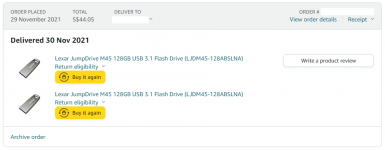


 And yes, it is cheaper than some premium drives, especially when you factor capacity in, at 256GB and above they are much better value.

