[SUMMARY] Gaming Monitor Recommendations

watzup_ken

High Supremacy Member
Joined
Nov 21, 2003
Messages
25,672
Reaction score
2,123
you need a good sunglasses 😎 I am looking for one too now 🤣
If I wear sunglasses while gaming, I don't think I can see in the dark area. If that is the case, might as well don't use HDR right? :ROFLMAO: Having said that, after using HDR for some time, I feel it certainly uplifts the visuals in games. So now I have been using the 27M2V for gaming.
 
Last edited:

Yongkit

Supremacy Member
Joined
Oct 9, 2015
Messages
5,793
Reaction score
2,428
If I wear sunglasses while gaming, I don't think I can see in the dark area. If that is the case, might as well don't use HDR right? :ROFLMAO: Having said that, after using HDR for some time, I feel it certainly uplifts the visuals in games. So now I have been using the 27M2V for gaming.
Yes I felt the same as HDR on 4K is a very different experience altogether even without turn RT.
 

watzup_ken

High Supremacy Member
Joined
Nov 21, 2003
Messages
25,672
Reaction score
2,123
Yes I felt the same as HDR on 4K is a very different experience altogether even without turn RT.
I feel the cost of RT is too high at this point. You can get the best GPU out there now, but it will still crawl running RT natively in new titles. And I foresee this will continue to be the case with next few gen of GPUs. HDR wise, one will need to invest in the monitor/ display, and there is little need to continue to pay for better hardware to use it.
 

Yongkit

Supremacy Member
Joined
Oct 9, 2015
Messages
5,793
Reaction score
2,428
I feel the cost of RT is too high at this point. You can get the best GPU out there now, but it will still crawl running RT natively in new titles. And I foresee this will continue to be the case with next few gen of GPUs. HDR wise, one will need to invest in the monitor/ display, and there is little need to continue to pay for better hardware to use it.
Agreed and I am glad I hop on the hdr train sooner. With the right windows hdr tool and slightly tuning system it will work wonder and better than any SDR display with limited display bandwidth of the era DP 1.2.
 

royfrosty

High Supremacy Member
Joined
Jul 23, 2009
Messages
27,484
Reaction score
1,356
After awhile, I don't bother myself with all these confusing metrics. :ROFLMAO: There are too many different metrics, and whatever the manufacturer tells you, you need to take with a grain of salt. For example, Samsung advertised their miniLED 49 inch with a whooping HDR2000 , which (1) does not exist, and, (2) the display does not get anywhere near 2000 nits. The InnoCN 27M2V is rated HDR1000, but most reviews point to a peak brightness of about 700+ nits. In any case, 700 nits is already blinding to me. The scene where Kratos walkthrough the portal door for fast travel, there is a momentary white screen which was so bright,it caught me by surprise the first time I played the game on the 27M2V. I cannot imagine how bright it will be with 1000 nits and more for indoor usage.
Exactly. I'm on hdr600 I already feel it's so bright lol. I can only imagine those hdr1000. I'm just all glad and happy monitor are going this direction and improve further in our visual game play! That is all that matters to me now... At least.
 

Yongkit

Supremacy Member
Joined
Oct 9, 2015
Messages
5,793
Reaction score
2,428
Exactly. I'm on hdr600 I already feel it's so bright lol. I can only imagine those hdr1000. I'm just all glad and happy monitor are going this direction and improve further in our visual game play! That is all that matters to me now... At least.

The good things about the windows HDR calibration tool was it allow you to control the HDR nits brightness with multiple profile, I have try 450nits/420nits/400nits and we do not need to max out the HDR brightness to blind ourselves :cool:

I believe you can always experience lower HDR nits to find the balance for yourself.
 

Phen8210

High Supremacy Member
Joined
Jul 29, 2011
Messages
28,883
Reaction score
8,214
For me, the best is 4K60HDR on OLED panels.

I usually see a lot of debate about brightness, but it's more for times when headroom is required and doesn't mean that everything will playback at the highest value, if it does that, the display algorithm/config or HDR content is scuffed. I would say the minimum for a decent HDR experience you must have an OLED panel as a priority, and maybe less emphasis on brightness, I will explain why.

In the spots of a video that is supposed to light up due to HDR, that spot actually has some sort of an offset, but they are not fixed values, the amount of brightness increment for that spot depends on the content and your display limitation, a display with 1000 nits doesn't mean that all the lit up spots are going to display at that value.

Also, when combined with OLED, it makes the edges of the lit spot look much cleaner and more detailed due to OLED individual pixel lighting up. It honestly makes non-OLED + low-nits HDR panels look like they are just changing colors to mimic light and contrast. Even on a high-nits display that is not OLED, you don't get to see the crispness of the edges at those lit-up spots.

For example, if I capture a torchlight that is shining brightly in HDR, it will capture more of that information than compared to SDR. Obviously, this will be hurting the eyes when played back in a display that is capable of displaying the information that was captured, but device manufacturers will usually set a max offset so that the displays don't go +1000 nits on a lit spot. HDR was never meant to comfort the eyes, and it is not intended for a comfortable viewing experience, but this is the true reality of HDR.

For people that do not like what was mentioned, it's like wanting to use HDR, but don't like HDR for what it is. This brings us back to the basics on what the term Dynamic Range means, and what is High Dynamic Range (HDR)? In HDR, the range of colors and brightness levels of content captured and displayed are WAY wider* than in SDR.

The most accurate reflection for HDR experience is not on a conventional-sized monitor, the monitor market is quite neglected in that segment. So it might be best to not judge HDR based off those experiences. However, I think some of the larger-sized ones might be decent.

The thing is that TVs and even Smartphones like IP14PM, and S23 Ultra, are more capable of outputting HDR accurately, and at a completely different league, and when using HDR on these i think many will have a very different take on HDR.

 
Last edited:

watzup_ken

High Supremacy Member
Joined
Nov 21, 2003
Messages
25,672
Reaction score
2,123
For me, the best is 4K60HDR on OLED panels.

I usually see a lot of debate about brightness, but it's more for times when headroom is required and doesn't mean that everything will playback at the highest value, if it does that, the display algorithm/config or HDR content is scuffed. I would say the minimum for a decent HDR experience you must have an OLED panel as a priority, and maybe less emphasis on brightness, I will explain why.

In the spots of a video that is supposed to light up due to HDR, that spot actually has some sort of an offset, but they are not fixed values, the amount of brightness increment for that spot depends on the content and your display limitation, a display with 1000 nits doesn't mean that all the lit up spots are going to display at that value.

Also, when combined with OLED, it makes the edges of the lit spot look much cleaner and more detailed due to OLED individual pixel lighting up. It honestly makes non-OLED + low-nits HDR panels look like they are just changing colors to mimic light and contrast. Even on a high-nits display that is not OLED, you don't get to see the crispness of the edges at those lit-up spots.

For example, if I capture a torchlight that is shining brightly in HDR, it will capture more of that information than compared to SDR. Obviously, this will be hurting the eyes when played back in a display that is capable of displaying the information that was captured, but device manufacturers will usually set a max offset so that the displays don't go +1000 nits on a lit spot. HDR was never meant to comfort the eyes, and it is not intended for a comfortable viewing experience, but this is the true reality of HDR.

For people that do not like what was mentioned, it's like wanting to use HDR, but don't like HDR for what it is. This brings us back to the basics on what the term Dynamic Range means, and what is High Dynamic Range (HDR)? In HDR, the range of colors and brightness levels of content captured and displayed are WAY higher than in SDR.

The most accurate reflection for HDR experience is not on a conventional-sized monitor, the monitor market is quite neglected in that segment. So it might be best to not judge HDR based off those experiences. However, I think some of the larger-sized ones might be decent.

The thing is that TVs and even Smartphones like IP14PM, and S23 Ultra, are more capable of outputting HDR accurately, and at a completely different league, and when using HDR on these i think many will have a very different take on HDR.
I feel every panel technology will have their own nuances. OLED is definitely great for HDR content, and even responsiveness. The lack of brightness to me is generally a none issue with HDR content because of the deep blacks, it will still remain very contrasty, particularly in a dark or dimly lit room. But when you use it for work, the lack of brightness in a bright room can be a problem for some. Like I generally prefer brightness of around 250 to 300 nits. Like the LG OLED monitor, I think I will find it too dim for my liking for day to day usage in the day where I prefer natural light in the room. And I believe with a mostly light colored or white background, it may not be able to sustain the rated brightness level. That is what I read and the impression I got. So I went with MiniLED instead with high refresh rate instead. But again, this is not a flawless technology, but I think it addresses most of my requirements and still handles HDR really well.
 

Phen8210

High Supremacy Member
Joined
Jul 29, 2011
Messages
28,883
Reaction score
8,214
I feel every panel technology will have their own nuances. OLED is definitely great for HDR content, and even responsiveness. The lack of brightness to me is generally a none issue with HDR content because of the deep blacks, it will still remain very contrasty, particularly in a dark or dimly lit room. But when you use it for work, the lack of brightness in a bright room can be a problem for some. Like I generally prefer brightness of around 250 to 300 nits. Like the LG OLED monitor, I think I will find it too dim for my liking for day to day usage in the day where I prefer natural light in the room. And I believe with a mostly light colored or white background, it may not be able to sustain the rated brightness level. That is what I read and the impression I got. So I went with MiniLED instead with high refresh rate instead. But again, this is not a flawless technology, but I think it addresses most of my requirements and still handles HDR really well.

Yeap, that's correct.

If full white SDR is 200 nit max you are probably screwed during daylight by the windows, but that's like what we have for that LG OLED 27, and others about 250. So this is what I mean by the monitor market being neglected.

I think when OLED in SDR can go up to like 300-400 nits, and then in HDR allow offset to be at least up to 300 more, then that would be sweet for a start.
 

hyperfuse

Master Member
Joined
Sep 23, 2019
Messages
4,332
Reaction score
1,813
I feel every panel technology will have their own nuances. OLED is definitely great for HDR content, and even responsiveness. The lack of brightness to me is generally a none issue with HDR content because of the deep blacks, it will still remain very contrasty, particularly in a dark or dimly lit room. But when you use it for work, the lack of brightness in a bright room can be a problem for some. Like I generally prefer brightness of around 250 to 300 nits. Like the LG OLED monitor, I think I will find it too dim for my liking for day to day usage in the day where I prefer natural light in the room. And I believe with a mostly light colored or white background, it may not be able to sustain the rated brightness level. That is what I read and the impression I got. So I went with MiniLED instead with high refresh rate instead. But again, this is not a flawless technology, but I think it addresses most of my requirements and still handles HDR really well.
I use my aw3423dwf for work 80 percent of the time writing emails and stuff. Using in sdr mode and I have to tone down the brightness. It's not even max. I think 90 to 93 brightness level. It's bright enough for sure. Qd oled is the way to go. Lg woled then maybe is dimmer.
 

watzup_ken

High Supremacy Member
Joined
Nov 21, 2003
Messages
25,672
Reaction score
2,123
Yeap, that's correct.

If full white SDR is 200 nit max you are probably screwed during daylight by the windows, but that's like what we have for that LG OLED 27, and others about 250. So this is what I mean by the monitor market being neglected.

I think when OLED in SDR can go up to like 300-400 nits, and then in HDR allow offset to be at least up to 300 more, then that would be sweet for a start.
I agree 300 to 400 nits is good enough. Sub 300 nits for a over 1K monitor is a hard pill to swallow.
 

watzup_ken

High Supremacy Member
Joined
Nov 21, 2003
Messages
25,672
Reaction score
2,123
I use my aw3423dwf for work 80 percent of the time writing emails and stuff. Using in sdr mode and I have to tone down the brightness. It's not even max. I think 90 to 93 brightness level. It's bright enough for sure. Qd oled is the way to go. Lg woled then maybe is dimmer.
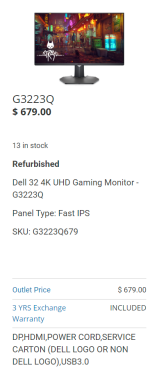
I considered this monitor before I decided to go with the Innocn 27M2V. The key considerations that made me go with the 27M2V are,
1. Aspect ratio - I actually got the monitor so that I can connect my PS5 to it, as oppose to connecting to my TV in the hall. I also have an ultrawide monitor, but since PS5 can't do 3440 x 1440, the image is just being stretched.

2. Price - When I saw this Dell monitor, it was going for about 1.4K. But the Innocn was going for a little of 1K. No local warranty, but it was clearly more affordable for me

3. Burn in - I also have concerns about burn in with OLED since unlike mobile OS like iOS or Android, where I feel is more optimized for OLED displays, Windows tend to have a lot of static images and the screen is on for longer hours if I use for work.
 

hyperfuse

Master Member
Joined
Sep 23, 2019
Messages
4,332
Reaction score
1,813
I considered this monitor before I decided to go with the Innocn 27M2V. The key considerations that made me go with the 27M2V are,
1. Aspect ratio - I actually got the monitor so that I can connect my PS5 to it, as oppose to connecting to my TV in the hall. I also have an ultrawide monitor, but since PS5 can't do 3440 x 1440, the image is just being stretched.

2. Price - When I saw this Dell monitor, it was going for about 1.4K. But the Innocn was going for a little of 1K. No local warranty, but it was clearly more affordable for me

3. Burn in - I also have concerns about burn in with OLED since unlike mobile OS like iOS or Android, where I feel is more optimized for OLED displays, Windows tend to have a lot of static images and the screen is on for longer hours if I use for work.
That's where the 3 year warranty comes in.

Plus there is alot of ways to mitigate static images. Nothing to worry to be honest
 

Deceased

Senior Member
Joined
Sep 26, 2021
Messages
836
Reaction score
490
That's where the 3 year warranty comes in.

Plus there is alot of ways to mitigate static images. Nothing to worry to be honest
Though not everyone is keen to put so much effort to mitigate the burnt in issue. Still have to hide task bars/set screensavers/remove icons etc.

Some users like myself just prefer to not have to worry about such issues without changing the way we use our pc/laptop.

I guess mini led is the better option in this case. Hopefully soon to come there will be better tech that can have oled without burn in.
 

hyperfuse

Master Member
Joined
Sep 23, 2019
Messages
4,332
Reaction score
1,813
Though not everyone is keen to put so much effort to mitigate the burnt in issue. Still have to hide task bars/set screensavers/remove icons etc.

Some users like myself just prefer to not have to worry about such issues without changing the way we use our pc/laptop.

I guess mini led is the better option in this case. Hopefully soon to come there will be better tech that can have oled without burn in.
for me i didnt really mitigate at all. i just put screensaver when idle for 2 mins. that takes me 10 secs to set. nothing else i set.

The 3 years warranty for burn in is there because alienware is confident that QD Oled is less susceptible to burn in as compared to LG woled tech. Otherwise a company wont shoot their own foot by offering such an extensive warranty.

So to me, burn in on a QD oled is not a reason at all.

QD oled > mini led in terms of responsiveness and black contrast. Per pixel illumination is still better than mini led 100 percent.

So for me and alot others, QD oled for sure. if in future there is a 34 inch 240hz ultrawide in mini led and QD oled, i wont bat a lid to choose QD oled for sure, its just superior in all aspect.
 

Yongkit

Supremacy Member
Joined
Oct 9, 2015
Messages
5,793
Reaction score
2,428
Though not everyone is keen to put so much effort to mitigate the burnt in issue. Still have to hide task bars/set screensavers/remove icons etc.

Some users like myself just prefer to not have to worry about such issues without changing the way we use our pc/laptop.

I guess mini led is the better option in this case. Hopefully soon to come there will be better tech that can have oled without burn in.
Many might overlook the OLED is only good value when the warranty still intact, going for second hand OLED monitor after the pre-owned warranty expire is totally not worth the worry of higher risk for burn in not too mentioned no one guarantee it won't happen anytime.

Also I am expecting OLED monitor is going cheaper in next 2 or 3 years time after the first batch of OLED monitor reveal last year and since more manufacturer or OEM is also pushing the technology sooner or later.

While mini LED IPS definitely have less worry on burn in after warranty period and mostly safe for user looking for pre-owned monitor at cheaper prices.
 
Important Forum Advisory Note
This forum is moderated by volunteer moderators who will react only to members' feedback on posts. Moderators are not employees or representatives of HWZ. Forum members and moderators are responsible for their own posts.

Please refer to our Community Guidelines and Standards, Terms of Service and Member T&Cs for more information.
Top