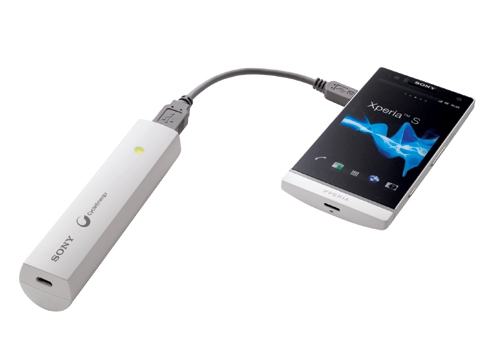
The Official Xperia S thread

DigDub

Greater Supremacy Member
Joined
May 21, 2002
Messages
84,007
Reaction score
13,753
anyone had a problem with iphone enabled earphones not working? I've a pair of x10i, then I plug it in, does nothing. Normal bundled earphones are fine.

most 3 buttons headsets won't work. single button is ok.
 

PsyNidE

Arch-Supremacy Member
Joined
Mar 28, 2002
Messages
19,935
Reaction score
0
anyone had a problem with iphone enabled earphones not working? I've a pair of x10i, then I plug it in, does nothing. Normal bundled earphones are fine.
then try klipsch s4a .. it is meant for android. has the 2 versions, one with mic and the one w/o
 

carlover76

Supremacy Member
Joined
Oct 27, 2002
Messages
7,492
Reaction score
50
here is mine
if u can order from japan lor
mine is cheaper cum bigger mah too
and smaller


eneloop stick booster *uUSB*o—Í•tƒnƒ“ƒfƒB“dŒ¹*v | *¤•iƒ‰ƒCƒ“ƒiƒbƒv | eneloop*iƒGƒlƒ‹*[ƒv*j | Panasonic

stick_mainimg03.jpg


????????????????2?????? | ??????

bsmpa04_im5.jpg


bsmpa04_im10.jpg


eneloop mobile booster *uUSB*o—Í•t*[“dŠí*EƒŠƒ`ƒEƒ€ƒCƒIƒ“ƒoƒbƒeƒŠ*[*v | *¤•iƒ‰ƒCƒ“ƒiƒbƒv | eneloop*iƒGƒlƒ‹*[ƒv*j | Panasonic
mobaboo_img08.jpg

It is not the size or capacity of the portable charger that I look for when I buy portable charger but the output current, most portable charger output is either 500mah or 1A.

The innergie portable charger output is 2.1A.
 

Dixon.

Supremacy Member
Joined
Jul 6, 2010
Messages
5,850
Reaction score
76
I think it's the same package as the telcos, which will include the handset, USB cable, Quick Charger (EP850), HDMI cable, 2 x Xperia SmartTags and screen protector.

think no more freebies like keyboard and docks from the telcos.
 

PsyNidE

Arch-Supremacy Member
Joined
Mar 28, 2002
Messages
19,935
Reaction score
0
If you guys wish to prolong the lifespan of your on/off button (each time you press it to enable back the screen), download the Tap Tap App and give it a device admin access.

You can then configure it to Disable/Enable the display, without having to touch the power on/off button each time.
 

rssd21

Supremacy Member
Joined
May 1, 2011
Messages
7,258
Reaction score
224
If you guys wish to prolong the lifespan of your on/off button (each time you press it to enable back the screen), download the Tap Tap App and give it a device admin access.

You can then configure it to Disable/Enable the display, without having to touch the power on/off button each time.

Sounds like a great solution. Will try it later. :D
 

abe_teo

Senior Member
Joined
Jul 30, 2000
Messages
1,174
Reaction score
0
Ugh, I've to admit, this is one of the more frustrating phones I've tried to upgrade to.

I have to say, I love the hardware, the screen is amazing, the UI is solid, the feel is good. Some slight niggles about how the power on/off button is in a really stupid location, the need to open/close dust cover for the micro-usb port, but it's all stuff I could live with. Then I started using the damn thing.

I was moving over from a Sensation XE, and so, started by importing contacts. Was wondering why my contacts weren't imported from google, as usually, when I change androids, my contacts will appear magically once I sign into my google account. Took me an hour to figure out that the XS has an automatic filter, and I had to unfilter to see my contacts.

Then I tried importing my itunes playlists to the phone, using Sony's software. All songs copied, but the playlists were missing. I fiddled around with the software, and somehow, through some random send here/send there, I was able to get one playlist out of 5 onto the phone. Others just refused to go. Finally, did it using Winamp to transfer my playlists and songs.

Then, the last straw came when I was trying to use my headsets to listen to music. So my Klipsh does not work, neither does my Denon headset. I've realised that pressing the volume down button kinda makes it work, only that the mic on the headsets will not work if you do this. So only the Sony headset provided will work with this. Which is really disappointing because I read about how the Xperia S will now have wider support for most headsets, including iphone compatible ones.

I don't think upgrading should be so painful? When I changed other Android phones, things just worked. A quick sync, a quick login, and all my stuff is there. This is the first time I spent an entire night figuring out how to get the phone to do the things I want. Even moving from my old iphone to an Android was not this painful.

So now, my sim card is back in my Sensation XE, and I have a very expensive paperweight. Anyone want to buy a slightly used Xperia S?

 

ragnarok95

Senior Moderator
Senior Moderator
Joined
Mar 9, 2004
Messages
125,336
Reaction score
6,595
When i copy my music over...i just go to my itune folder and copy the songs over to the XS... simple...
 

abe_teo

Senior Member
Joined
Jul 30, 2000
Messages
1,174
Reaction score
0
When i copy my music over...i just go to my itune folder and copy the songs over to the XS... simple...
yeah... I figured that out in the end too, but I got like 50gb of songs, so that won't fit, and I only wanted to move certain playlists over, and got so frustrated with the Sony software, which was claiming that the playlists were copied even though I couldn't find it anywhere on the phone....
 

pilotsnoopy

Senior Member
Joined
May 15, 2006
Messages
2,374
Reaction score
7
Ugh, I've to admit, this is one of the more frustrating phones I've tried to upgrade to.

I have to say, I love the hardware, the screen is amazing, the UI is solid, the feel is good. Some slight niggles about how the power on/off button is in a really stupid location, the need to open/close dust cover for the micro-usb port, but it's all stuff I could live with. Then I started using the damn thing.

I was moving over from a Sensation XE, and so, started by importing contacts. Was wondering why my contacts weren't imported from google, as usually, when I change androids, my contacts will appear magically once I sign into my google account. Took me an hour to figure out that the XS has an automatic filter, and I had to unfilter to see my contacts.

Then I tried importing my itunes playlists to the phone, using Sony's software. All songs copied, but the playlists were missing. I fiddled around with the software, and somehow, through some random send here/send there, I was able to get one playlist out of 5 onto the phone. Others just refused to go. Finally, did it using Winamp to transfer my playlists and songs.

Then, the last straw came when I was trying to use my headsets to listen to music. So my Klipsh does not work, neither does my Denon headset. I've realised that pressing the volume down button kinda makes it work, only that the mic on the headsets will not work if you do this. So only the Sony headset provided will work with this. Which is really disappointing because I read about how the Xperia S will now have wider support for most headsets, including iphone compatible ones.

I don't think upgrading should be so painful? When I changed other Android phones, things just worked. A quick sync, a quick login, and all my stuff is there. This is the first time I spent an entire night figuring out how to get the phone to do the things I want. Even moving from my old iphone to an Android was not this painful.

So now, my sim card is back in my Sensation XE, and I have a very expensive paperweight. Anyone want to buy a slightly used Xperia S?

is it white in colour? did telco give you the dock etc?
 

scubyti

Senior Member
Joined
Jul 12, 2005
Messages
996
Reaction score
0
If you guys wish to prolong the lifespan of your on/off button (each time you press it to enable back the screen), download the Tap Tap App and give it a device admin access.

You can then configure it to Disable/Enable the display, without having to touch the power on/off button each time.


i downloaded tap tap tap.
what are the settings you configure under proximity sensor?
somehow, i cannot unlock(wake) the screen when i tap on proximity sensor when the screen is off.

please help. :D
 
Important Forum Advisory Note
This forum is moderated by volunteer moderators who will react only to members' feedback on posts. Moderators are not employees or representatives of HWZ Forums. Forum members and moderators are responsible for their own posts. Please refer to our Community Guidelines and Standards and Terms and Conditions for more information.
Top