The Samsung Galaxy Note 5 Thread

babystitch

Master Member
Joined
Apr 7, 2004
Messages
3,528
Reaction score
0
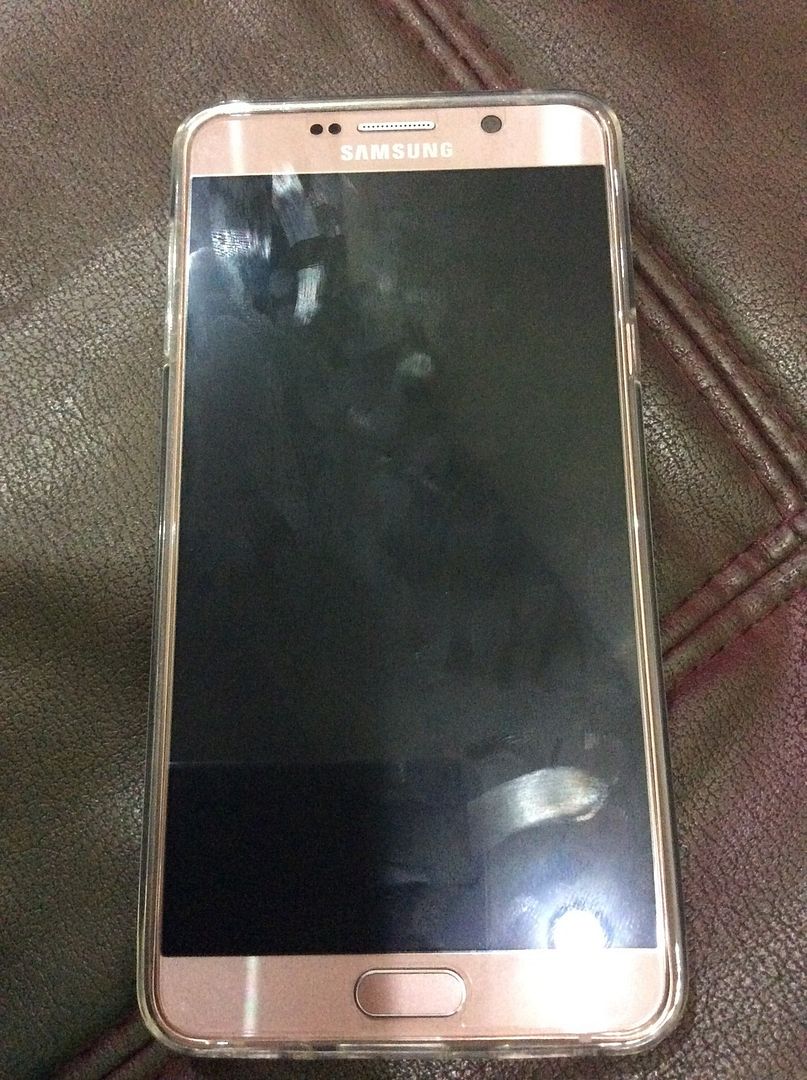
Thanks to those previously responded to my questions. Very few ppl bought pink gold is it? Very nice leh~ Ignore my fingerprints ok

image.jpg1_2.jpg

very nice! i got a few friends who bought pink.. i got silver.. haha..
 

babystitch

Master Member
Joined
Apr 7, 2004
Messages
3,528
Reaction score
0
Just got my pink gold note 5~ brought home and charged at 9pm, fully charged at around 10.15pm and plugged it out, used wifi until 12+am~~ now 2.45am battery left 75% liao. Is this normal anot? batt drain so fast....

ok la.. considered quite good leh..
been using for a month..
my morning usage (1hr travelling) includes playing tsum tsum, surf net, listen to music... drop about 25-30%.. so quite normal leh
 

Habrosus

High Supremacy Member
Joined
Jul 23, 2005
Messages
29,355
Reaction score
13,283
No beeping sound :D Just the led will pause for 0.5 secs only when screen is off. Screen on will get the animation and sound.

But when charged wirelessly using the normal ports, animation and beep only come up once, constant red led on with no pauses.
.....

IMO, this shouldn't happen, as it's not happening with the 2 Note5 that I've been using on the wireless charging pad.

Once you put the phone down, it should just show charging, then fast charging, the red light comes on after the screen goes off, then nothing should change until the phone is charged 100%.

Not sure about yours, but with 1 out of 3 of my Choetech being a lemon, I would say there may be something wrong with the charging pad if such interruptions don't happen with the one being used.

Another possibility may be the phone not being placed down properly, as in my case. Once I put down the phone carelessly, it charged then beeped and blinked every few seconds. I'd then picked up the phone and placed it down at a position I felt was right (centralized) and it hasn't happened again.
 
Last edited:

Kjonxx

Senior Member
Joined
Aug 8, 2005
Messages
950
Reaction score
1
Damn I accidentally inserted my S Pen backwards and now the phone is not detecting the pen after removing it. Any idea how much does it cost to repair?
 

jskywalker

Member
Joined
Sep 20, 2000
Messages
458
Reaction score
0
No beeping sound :D Just the led will pause for 0.5 secs only when screen is off. Screen on will get the animation and sound.

But when charged wirelessly using the normal ports, animation and beep only come up once, constant red led on with no pauses.

This difference I think is because Qualcomm wants to reduce heating of battery and charging pad during fast wireless charging.

Normal 1 to 2 ampere input to T518 will not heat up the battery or charging pad during wireless charging.

Only fast wireless charging will heat up the battery and charging pad. At least, that's my case and observation.

Either the charging adapter or cable is not good enough.

So far to fast charge wirelessly, I'm only successful with the original SAMSUNG adapter, SAMSUNG Fast Charge pad and a good cable.

I tried many other "fast charger" all not able to Fast Charge Wirelessly with SAMSUNG Fast Charge pad.
 

human_shieldz

Supremacy Member
Joined
Sep 5, 2005
Messages
7,825
Reaction score
301
IMO, this shouldn't happen, as it's not happening with the 2 Note5 that I've been using on the wireless charging pad.

Once you put the phone down, it should just show charging, then fast charging, the red light comes on after the screen goes off, then nothing should change until the phone is charged 100%.

Not sure about yours, but with 1 out of 3 of my Choetech being a lemon, I would say there may be something wrong with the charging pad if such interruptions don't happen with the one being used.

Another possibility may be the phone not being placed down properly, as in my case. Once I put down the phone carelessly, it charged then beeped and blinked every few seconds. I'd then picked up the phone and placed it down at a position I felt was right (centralized) and it hasn't happened again.

That's exactly what i have! I've never placed it salah position before, i'm a one place one charge person lol. The only time i shift it around is cos i feel its' not connecting properly for the fast charge, which i now found it, is likely the charging adaptor issue. Ordered my 6 ports and the wall charger and on their way liao :s13:
 

Jackygogogo

Great Supremacy Member
Joined
Feb 9, 2005
Messages
54,687
Reaction score
1
Seriously thinking of selling off note 5 and purchase the latest batch if it has rectified the design flaw. This flaw is there and potential an accident waiting to happen. If you have made enemies or there are mischievous kids around better don't anyhow leave it unattended.
 

tkl23786

Master Member
Joined
May 11, 2015
Messages
3,279
Reaction score
158
Damn I accidentally inserted my S Pen backwards and now the phone is not detecting the pen after removing it. Any idea how much does it cost to repair?

It will not be cheap (not sure of the price) as the entire Mobo need to be changed as there is a flap of plastic attached to the Mobo which is to detect the S Pen. When you insert backwards and pull the S Pen out, that flap of plastic is broken, thus, screwing up the Mobo.

In other news, the new batch of Note 5 have a protective cap to protect that flap of plastic. So, even if you insert S pen backwards and pull out, that flap of plastic is now protected and the Mobo is not going to be screwed.
 

tkl23786

Master Member
Joined
May 11, 2015
Messages
3,279
Reaction score
158
Seriously thinking of selling off note 5 and purchase the latest batch if it has rectified the design flaw. This flaw is there and potential an accident waiting to happen. If you have made enemies or there are mischievous kids around better don't anyhow leave it unattended.

But you need to know which batch (and onwards) of Note 5 has the protective cap. Otherwise, you may end up with an older batch without the protective cap.
 

human_shieldz

Supremacy Member
Joined
Sep 5, 2005
Messages
7,825
Reaction score
301
It will not be cheap (not sure of the price) as the entire Mobo need to be changed as there is a flap of plastic attached to the Mobo which is to detect the S Pen. When you insert backwards and pull the S Pen out, that flap of plastic is broken, thus, screwing up the Mobo.

In other news, the new batch of Note 5 have a protective cap to protect that flap of plastic. So, even if you insert S pen backwards and pull out, that flap of plastic is now protected and the Mobo is not going to be screwed.

Must have rushed out the first batch before coming up with a solution to the problem. They should service it for free since they have acknowledged this problem now. All they needed to do was make the head of the S-Pen a bit bigger and problem solved. Dunno which genius overlooked it lol.
 

Jun Hao

Senior Member
Joined
Feb 28, 2009
Messages
986
Reaction score
2
Must have rushed out the first batch before coming up with a solution to the problem. They should service it for free since they have acknowledged this problem now. All they needed to do was make the head of the S-Pen a bit bigger and problem solved. Dunno which genius overlooked it lol.
I'm thinking if checking the manufacturing date tells us anything. Maybe we can compare the dates with the pink gold since they've just been released in SG last month, which means they should have the new S Pen slot design.

You can check yours by keying in *#12580*369#
Mine shows 20151112
 

human_shieldz

Supremacy Member
Joined
Sep 5, 2005
Messages
7,825
Reaction score
301
I'm thinking if checking the manufacturing date tells us anything. Maybe we can compare the dates with the pink gold since they've just been released in SG last month, which means they should have the new S Pen slot design.

You can check yours by keying in *#12580*369#
Mine shows 20151112

I think your best solution is to just ask the sales guy lol. By the time you check, it would mean you've already bought the phone and taking it out of the box.
 

Jun Hao

Senior Member
Joined
Feb 28, 2009
Messages
986
Reaction score
2
I think your best solution is to just ask the sales guy lol. By the time you check, it would mean you've already bought the phone and taking it out of the box.

No la, I bought the phone last month. Just thinking if there's a way to find out our set is from the newer batch, at least we can put our mind at ease when passing our phones to other people haha
 

tkl23786

Master Member
Joined
May 11, 2015
Messages
3,279
Reaction score
158
I'm thinking if checking the manufacturing date tells us anything. Maybe we can compare the dates with the pink gold since they've just been released in SG last month, which means they should have the new S Pen slot design.

You can check yours by keying in *#12580*369#
Mine shows 20151112

Mine is 20150805.

Bought it in 1st week of September last year.

News about the new protective cap only surfaced in mid-January. So, it is logical to deduce that only those 201601xx batch onwards have the protective cap.... i think...

Those who have the pink gold Note 5 can help us to check the manufacturing date (and if you are brave, insert the S pen backwards too)
 

KouAnKyuuKa

Arch-Supremacy Member
Joined
Nov 24, 2006
Messages
18,233
Reaction score
67
IMO, this shouldn't happen, as it's not happening with the 2 Note5 that I've been using on the wireless charging pad.

Once you put the phone down, it should just show charging, then fast charging, the red light comes on after the screen goes off, then nothing should change until the phone is charged 100%.

Not sure about yours, but with 1 out of 3 of my Choetech being a lemon, I would say there may be something wrong with the charging pad if such interruptions don't happen with the one being used.

Another possibility may be the phone not being placed down properly, as in my case. Once I put down the phone carelessly, it charged then beeped and blinked every few seconds. I'd then picked up the phone and placed it down at a position I felt was right (centralized) and it hasn't happened again.

Either the charging adapter or cable is not good enough.

So far to fast charge wirelessly, I'm only successful with the original SAMSUNG adapter, SAMSUNG Fast Charge pad and a good cable.

I tried many other "fast charger" all not able to Fast Charge Wirelessly with SAMSUNG Fast Charge pad.

Wow. Thanks for responding. I did some investigation and found that it's my thick otterbox defender that's causing the charge to go on and off. :s13:

When I removed the casing completely, the LED stops flashing. I also tried wireless fast charge without the silicone backing and LED also stopped flashing.

But when I press power button, at times, it will still interrupt the charging (with partial or without casing at all). Does it happens to you guys too?:s11:

Edit: Mine shows 20160112 -> Bought from singtel. Sales person also cannot answer my question if my phone belongs to the newer batch with S-Pen wrong insertion protection.
 
Last edited:

Habrosus

High Supremacy Member
Joined
Jul 23, 2005
Messages
29,355
Reaction score
13,283
Edit: Mine shows 20160112 -> Bought from singtel. Sales person also cannot answer my question if my phone belongs to the newer batch with S-Pen wrong insertion protection.

Was the newer batch brought in officially by Samsung Singapore? You got yours from the official Singtel Shop?

If so, the least that sales person could do was to check with his superior, then maybe we'll know if that outlet is staffed with people with limited knowledge of their products. :s22:
 

human_shieldz

Supremacy Member
Joined
Sep 5, 2005
Messages
7,825
Reaction score
301
No la, I bought the phone last month. Just thinking if there's a way to find out our set is from the newer batch, at least we can put our mind at ease when passing our phones to other people haha

Well, passing your phone to other's is always a risk, not only for this case. At least, you can give excuse not to pass someone your phone :p
 

KouAnKyuuKa

Arch-Supremacy Member
Joined
Nov 24, 2006
Messages
18,233
Reaction score
67
Was the newer batch brought in officially by Samsung Singapore? You got yours from the official Singtel Shop?

If so, the least that sales person could do was to check with his superior, then maybe we'll know if that outlet is staffed with people with limited knowledge of their products. :s22:

Yes. Bought in official Singtel shop in Tampines Mall.

I did asked her to consult her colleagues, but she say they have no way to know if the batch that my phone was in has the necessary modifications done to prevent pen gate issue.


Probably information was not passed down to ground crew.

I dun wish to test it myself :s13:
 

human_shieldz

Supremacy Member
Joined
Sep 5, 2005
Messages
7,825
Reaction score
301
Yes. Bought in official Singtel shop in Tampines Mall.

I did asked her to consult her colleagues, but she say they have no way to know if the batch that my phone was in has the necessary modifications done to prevent pen gate issue.


Probably information was not passed down to ground crew.

I dun wish to test it myself :s13:

Why didn't they just make the head of the stylus bigger lol.
 
Important Forum Advisory Note
This forum is moderated by volunteer moderators who will react only to members' feedback on posts. Moderators are not employees or representatives of HWZ Forums. Forum members and moderators are responsible for their own posts. Please refer to our Community Guidelines and Standards and Terms and Conditions for more information.
Top