
I've encountered some problems to run UEFI boot from USB to install Windows 8.
I'm using the following setup:
Intel Core i5-3570K + Asrock Z77 Extreme6
BIOS Version 2.60
Genuine Windows 8 files copied into ADATA S102 Pro 16GB USB Flash Drive using Windows 7 USB/DVD Download Tool
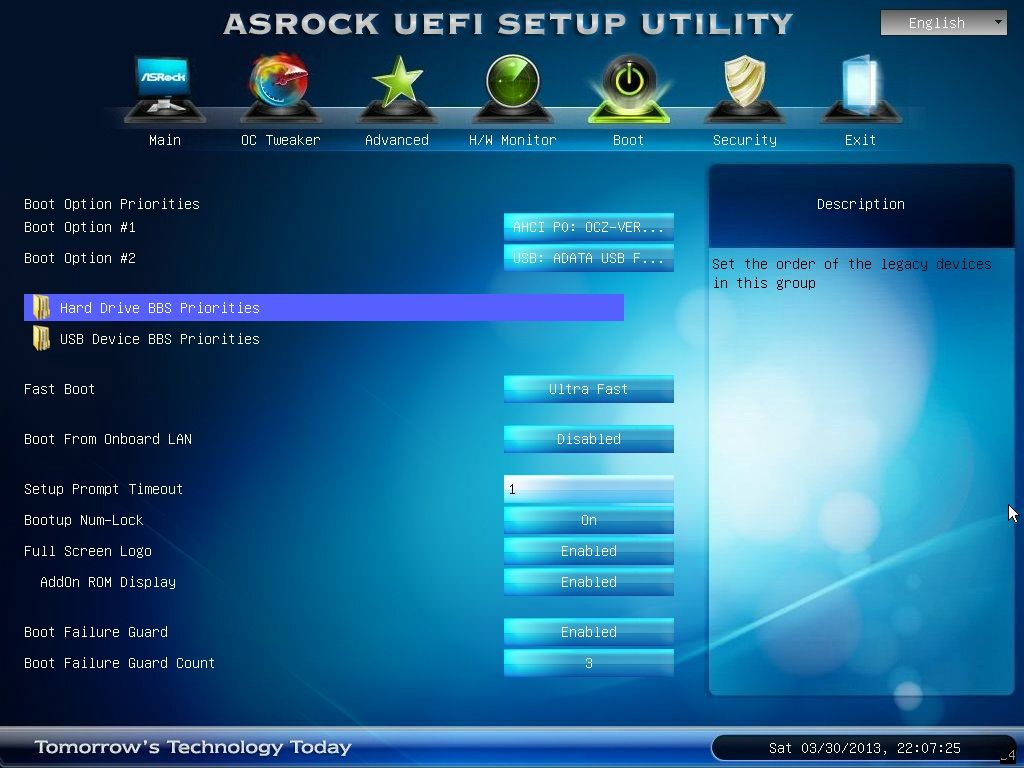
Below as you can see, the boot options does not have UEFI boot from my flash drive.
However, I've tried it on another setup:
Intel Celeron G1610 + MSI Z77A-G45
BIOS Version 2.A
Genuine Windows 8 files copied into ADATA S102 Pro 16GB USB Flash Drive using Windows 7 USB/DVD Download Tool (same flash drive used)
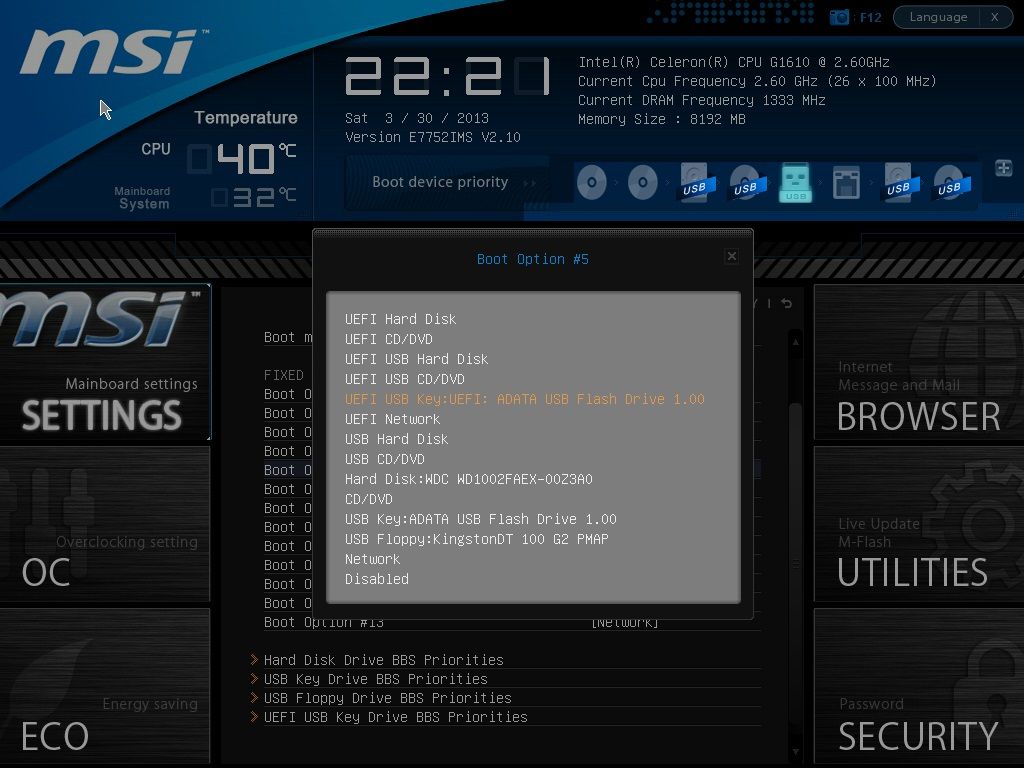
In this setup with the same flash drive used, the boot options allows me to choose UEFI boot from my flash drive.
Any kind souls can help what should I do to enable UEFI boot for the first setup?
I'm using the following setup:
Intel Core i5-3570K + Asrock Z77 Extreme6
BIOS Version 2.60
Genuine Windows 8 files copied into ADATA S102 Pro 16GB USB Flash Drive using Windows 7 USB/DVD Download Tool
Below as you can see, the boot options does not have UEFI boot from my flash drive.
However, I've tried it on another setup:
Intel Celeron G1610 + MSI Z77A-G45
BIOS Version 2.A
Genuine Windows 8 files copied into ADATA S102 Pro 16GB USB Flash Drive using Windows 7 USB/DVD Download Tool (same flash drive used)
In this setup with the same flash drive used, the boot options allows me to choose UEFI boot from my flash drive.
Any kind souls can help what should I do to enable UEFI boot for the first setup?
Last edited:


