clueless_gentleman
Junior Member
- Joined
- Feb 9, 2015
- Messages
- 6
- Reaction score
- 0
Hello guys and girls, long time lurker in hwz, first time poster.
Need advise on what to do with my pc.
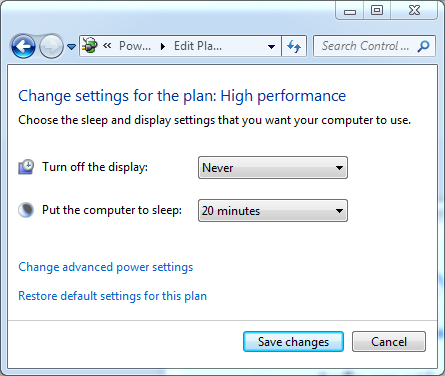
I think my graphic card is beginning to die on me. Was playing final fantasy 14 and monitor just went to sleep, had to do a hard reset a few times but pc won't start. 15 mins later i unplugged all my external hard drives and finally can my pc reboot.
After reboot, plugged in the external hard drives again and it works fine. Can surf, can watch movies and etc. Whenever i tried to play games again, it can load the game but once i tried to do some events (in game) monitor goes to sleep again and i had to repeat the process.
What made me suspect it's the cards;
a) monitor goes to sleep and can't wake it up via hitting keyboard or moving mouse, had to hard reset.
b) once i saw on screen while pc rebooting fonts for windows splash page becomes blurry.
This might not be definitive signs and any input is greatly appreciated on how to definitely tell it's a graphic card issue.
Lastly i hope experts here can give me advice on whether should i just change to a new graphic card, upgrade my gpu and get an ssd or get another gaming pc with a budget 1.3k. Which one is more cost efficient?
I have a ;
Intel (r) core (TM) i5 2400 cpu @3.10 GHz 3.30 Ghz
8gb ram
GTX 770 (driver 347.25)
Windows 7 (64 bit)
tl;dr Help me diagnose what issues i'm having with my pc and need advise on which is more cost efficient, upgrading current rig or get a new rig?
Thank you and apologies for the long post!
Need advise on what to do with my pc.
I think my graphic card is beginning to die on me. Was playing final fantasy 14 and monitor just went to sleep, had to do a hard reset a few times but pc won't start. 15 mins later i unplugged all my external hard drives and finally can my pc reboot.
After reboot, plugged in the external hard drives again and it works fine. Can surf, can watch movies and etc. Whenever i tried to play games again, it can load the game but once i tried to do some events (in game) monitor goes to sleep again and i had to repeat the process.
What made me suspect it's the cards;
a) monitor goes to sleep and can't wake it up via hitting keyboard or moving mouse, had to hard reset.
b) once i saw on screen while pc rebooting fonts for windows splash page becomes blurry.
This might not be definitive signs and any input is greatly appreciated on how to definitely tell it's a graphic card issue.
Lastly i hope experts here can give me advice on whether should i just change to a new graphic card, upgrade my gpu and get an ssd or get another gaming pc with a budget 1.3k. Which one is more cost efficient?
I have a ;
Intel (r) core (TM) i5 2400 cpu @3.10 GHz 3.30 Ghz
8gb ram
GTX 770 (driver 347.25)
Windows 7 (64 bit)
tl;dr Help me diagnose what issues i'm having with my pc and need advise on which is more cost efficient, upgrading current rig or get a new rig?
Thank you and apologies for the long post!