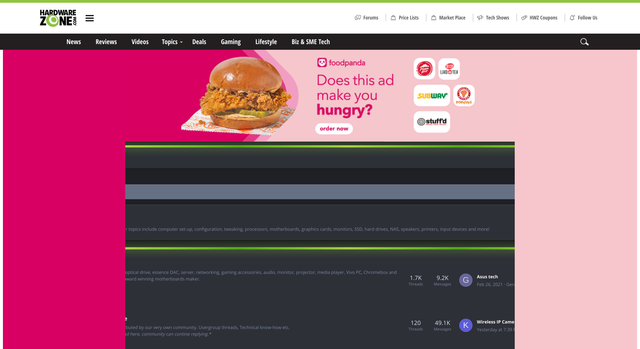
Webmasters: Please test the overlay ads under 100% view

Joined
Nov 25, 2018
Messages
146
Reaction score
16
Everytime there is a new ad campaign on HWZ Forums, the 100% view becomes completely unusable. This is not the first time.
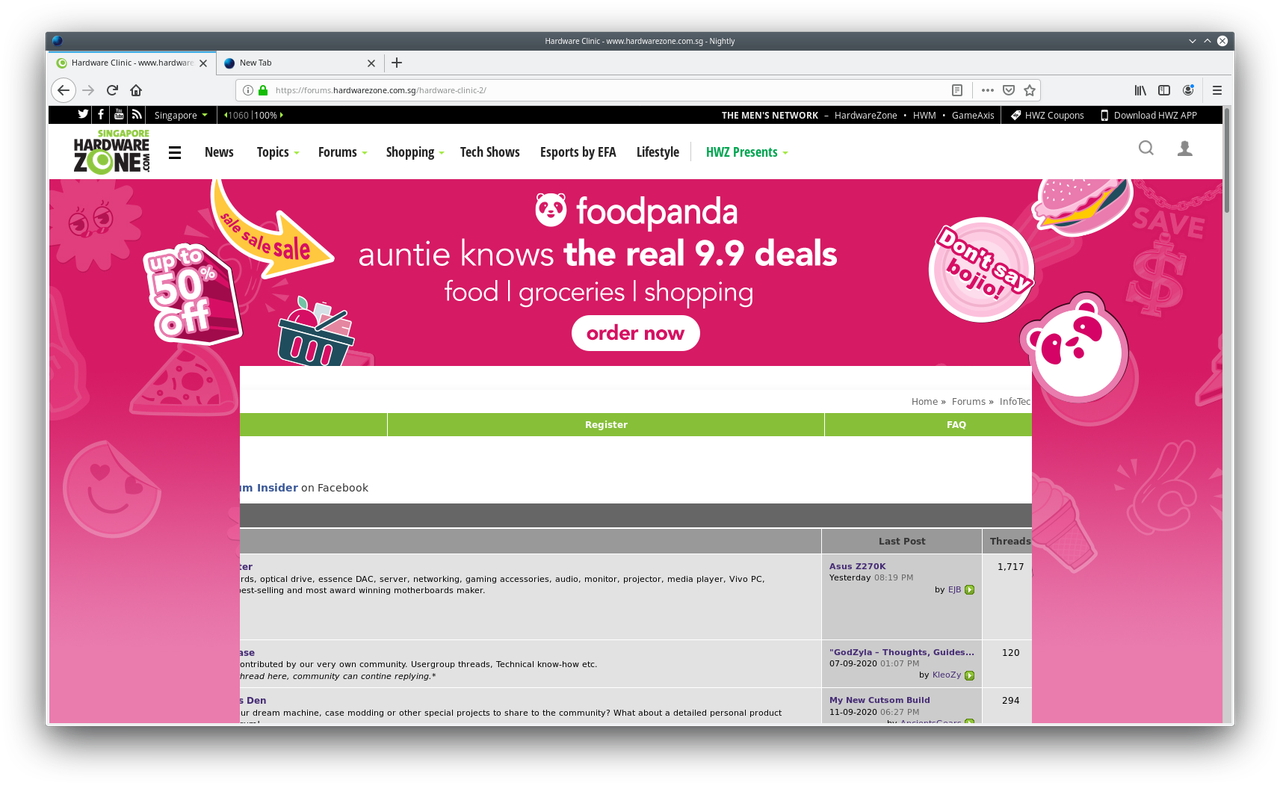
cover.png


Not everybody uses 1080p display where the default 1060 is optimal.
 
Joined
Nov 25, 2018
Messages
146
Reaction score
16
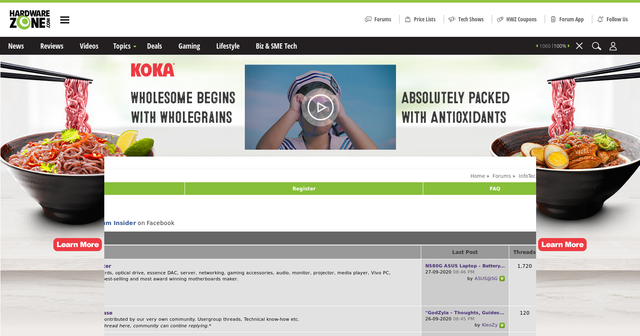
I am really starting to wonder if the feedback here ever makes it to the webmasters, because the same thing is happening again.

cover.png
 

yusoffb01

Arch-Supremacy Member
Joined
Jun 17, 2008
Messages
16,845
Reaction score
1,784
just use ublock origin or change your dns to
94.140.14.14
94.140.15.15
 

Dragon

*
Administrator
Joined
Jan 1, 2000
Messages
37,621
Reaction score
1,551
Thank you for the feedback. :)

I have relayed the issue to our engineers. There are planned changes coming to our forums towards end of the year and hopefully this issue can be resolved by then.
 

reddevil0728

Great Supremacy Member
Joined
Dec 16, 2005
Messages
66,304
Reaction score
5,875
Thank you for the feedback. :)

I have relayed the issue to our engineers. There are planned changes coming to our forums towards end of the year and hopefully this issue can be resolved by then.
Any chance of turning this off for the time being? End of the year seems like a long time for the fix
 

Dragon

*
Administrator
Joined
Jan 1, 2000
Messages
37,621
Reaction score
1,551
Any chance of turning this off for the time being? End of the year seems like a long time for the fix

Turn off the ad? That is quite a tall order considering it is a paid advertisement. :)

Meanwhile the possible workaround is user can try blocking ads from his/her client end, that is by the browser. I would like to help but given my position and role, it will be a conflict of interest for me to provide further details on how to perform this. However, you guys may continue to discuss on possible interim solutions.
 

reddevil0728

Great Supremacy Member
Joined
Dec 16, 2005
Messages
66,304
Reaction score
5,875
Turn off the ad? That is quite a tall order considering it is a paid advertisement. :)

Meanwhile the possible workaround is user can try blocking ads from his/her client end, that is by the browser. I would like to help but given my position and role, it will be a conflict of interest for me to provide further details on how to perform this. However, you guys may continue to discuss on possible interim solutions.
actually using the method you are hinting is definitely a workaround. but that is causing issues lately. when the page loads, it be showing a white page for sometime before the rest loads. last time isn't like that
 

Vegitto

Great Supremacy Member
Joined
Jul 19, 2002
Messages
71,723
Reaction score
10,039
actually using the method you are hinting is definitely a workaround. but that is causing issues lately. when the page loads, it be showing a white page for sometime before the rest loads. last time isn't like that

My workaround is disabling javascript for the white page issue.
However it also renders the "adding of smilies in your posts via clicking" inactive.

Not a problem if u are able to memorise the code of the smilies that u commonly use though
 
Joined
Nov 25, 2018
Messages
146
Reaction score
16
Thank you for the feedback. :)

I have relayed the issue to our engineers. There are planned changes coming to our forums towards end of the year and hopefully this issue can be resolved by then.

I'm starting to run out of patience. It's close to the fourth month into 2021 and the ads are still not fixed.

broken.png
 

Dr.Vijay

Administrator
Administrator
Joined
Jan 1, 2000
Messages
28,166
Reaction score
3,134
Apologies for not addressing this yet.

Kindly stick to normal view if the overlay ads / interstitial ads are coming up often and your 100% forum view gets cut off.

The ads are standard industry formats, however, they aren't designed to detect the forum width and re-task themselves.

Meanwhile, the 100% view was made available more for convenience in viewing certain threads/content type and not as a default viewing mode.

That said, we'll check with the ad-ops team to see if there are any remedies. If there is, we'll accord it for deluxe members.
 
Joined
Nov 25, 2018
Messages
146
Reaction score
16
Even after the move to Xenforo, this is still happening.


I think I have waited long enough. Adblock will be used starting today.
 

Atilas

High Supremacy Member
Joined
Feb 23, 2014
Messages
31,567
Reaction score
18,348
Not sure if this has been reported before.

I am using the option of fluid width. Sometimes, there are ads that appear at the two sides of the forum, covering the parts of the thread list.

I could not do anything else, except to refresh until these side ads disappear.
 

Some-one

Great Supremacy Member
Joined
Jan 1, 2000
Messages
52,831
Reaction score
3,805
Not sure if this has been reported before.

I am using the option of fluid width. Sometimes, there are ads that appear at the two sides of the forum, covering the parts of the thread list.

I could not do anything else, except to refresh until these side ads disappear.
Experience the same thing also
 

Dr.Vijay

Administrator
Administrator
Joined
Jan 1, 2000
Messages
28,166
Reaction score
3,134
Not sure if this has been reported before.

I am using the option of fluid width. Sometimes, there are ads that appear at the two sides of the forum, covering the parts of the thread list.

I could not do anything else, except to refresh until these side ads disappear.

Hi Atilas,

I've moved your post to this thread, but as mentioned above, it's not yet resolved.

Also, the primary use is still designed for normal page width - not at 100%, which is more for convenience, but it doesn't yet work nicely with page take over ads.
 
Important Forum Advisory Note
This forum is moderated by volunteer moderators who will react only to members' feedback on posts. Moderators are not employees or representatives of HWZ Forums. Forum members and moderators are responsible for their own posts. Please refer to our Community Guidelines and Standards and Terms and Conditions for more information.
Top