Buyer's Guide II: Extreme, High-End, Mid-Range, Budget, and Entry Level Systems - Part 2

Status
Not open for further replies.

alpha_helix

Senior Member
Joined
Aug 11, 2006
Messages
598
Reaction score
0
Hey nippon, you recommended me the corsair H80 cooler yesterday, i just wanna know, this cooler isnt able to cool the GPU right? are there any coolers like corsair (totally no maintenance needed) that also cools the GPU?
 

nipp0n

Banned
Joined
Jul 24, 2009
Messages
2,382
Reaction score
0
Hey nippon, you recommended me the corsair H80 cooler yesterday, i just wanna know, this cooler isnt able to cool the GPU right? are there any coolers like corsair (totally no maintenance needed) that also cools the GPU?

Lol it is called cpu cooler for a reason. I think there's gpu cooler also but I don't think there is a need for gpu cooler. I think buy more case fans, good air flow inside the case and a good casing should be good enough to cool the gpu.
 
Last edited:

alpha_helix

Senior Member
Joined
Aug 11, 2006
Messages
598
Reaction score
0
haha oops i think i missed oout the 'CPU cooler' part, but cause i went to read more on liquid cooling, many talked about cooling the GPU also, so i thought since im considering to get one liquid cooler, might as well look for something that can cool both the GPU and CPU at the same time?

is there such a thing? Or is the CPU the only thing that should be cooled?
 

MoneyFace =p

High Supremacy Member
Joined
Dec 17, 2010
Messages
35,373
Reaction score
401
Hi,

Gonna build a new PC for Xmas, would like to have some advise on the config. Mainly would like to have max specs for the following games:

Diablo 3
Assassin's Creed 3
NFS Most Wanted
Hitman: Absolution

Budget: $1,500 (excluding kb/mouse/monitor/speakers)

Hope to have SSD for O/S if can keep within budget (optional)

Thanks! I'll exclude ODD and O/S cos will be reusing existing.

This really fits my budget! With the balance $200, which better GPU can I get?

Hi nippon,

Can you advise a better CPU+MB combo (preferbly ASUS MB) with OC capablility?

Paint yourself to a blue and black themed holiday season! :s12:

A very large capacity SSD will have more practical use than overclocking capability, which only offers little improvements to actual game fps.

CPU+MB: Intel Core i5-3470 + ASRock B75M-DGS @ $325
RAM: Corsair Vengeance DDR3-1600 CL9 8GB Dual Channel Kit [Blue] @ $68
GPU: Gigabyte GTX 670 2GB WindForce @ $589
Great cooling performance. Max those games on Full HD.
SSD: Plextor M5S 256GB @ $249
Large capacity SSD enough to contain your arsenal of games installations without worrying over space constraint.
HDD: Hitachi Deskstar 7K1000.C 1TB @ $94
WD Black-grade performance with 3 years full warranty.
Rock solid ODD made by Lite-On.
PSU: FSP Raider 450W [80 Plus Bronze] @ $75
5 years warranty PSU with actual 80 Plus Silver-Gold efficiency.
FSP Raider 650 W Power Supply Review | Hardware Secrets

CASE: Sharkoon T28 [Blue] @ $89

Total: $1489

Alternatives:
HDD: Western Digital Blue 1TB
If any of above is OOS.

Optional:
ODD: HP 24X CD/DVD Writer [Retail] @ $25
If your current one still runs on IDE interface in the top image below.

Assembly: $10

Buy + Build at PC Themes, #04-15.

sata-ide.jpg
 
Last edited:

MoneyFace =p

High Supremacy Member
Joined
Dec 17, 2010
Messages
35,373
Reaction score
401
haha oops i think i missed oout the 'CPU cooler' part, but cause i went to read more on liquid cooling, many talked about cooling the GPU also, so i thought since im considering to get one liquid cooler, might as well look for something that can cool both the GPU and CPU at the same time?

is there such a thing? Or is the CPU the only thing that should be cooled?
Those they have discussed are custom ones where you need to get the radiator, reservoir, pump, tubings, coolant, etc... separately and you can cool whichever you want. On the other hand, the Corsair Hydro, Antec Kuhler are AIO sealed loop kits which is only used to cool processor. Some enthusiasts also chose to use these AIO kit to replace GPU cooler, but you need to find one with appropriate sized waterblock and nuts and bolts.
 

MoneyFace =p

High Supremacy Member
Joined
Dec 17, 2010
Messages
35,373
Reaction score
401
mine is asus gtx 460 directcu top, i think that's backplate you r referring to behind the pcb. PCIe power connectors from top if you are facing front panel.
Try fitting in graphics card before inserting the USB 3.0 header.
 

honeystars89

Junior Member
Joined
Jan 28, 2009
Messages
3
Reaction score
0
Hi guys!
I am totally lost about building pcs and i need some help. My budget is 850 and I plan to play games such as dota 2 and skyrim. I do not need an OS, keyboard, mouse or speakers. However, my room is too far away from my black singnet modem thingy and thus I don't think a wired connection is an option for me. Is there any other way? Possibly using a wifi stick? Currently I am using a laptop with Wireless N in my room and the signal strength is pretty stable. This does not have to be included in the budget. Sorry for the noob terms. Thanks in advance!
 

MoneyFace =p

High Supremacy Member
Joined
Dec 17, 2010
Messages
35,373
Reaction score
401
Hi guys!
I am totally lost about building pcs and i need some help. My budget is 850 and I plan to play games such as dota 2 and skyrim. I do not need an OS, keyboard, mouse or speakers. However, my room is too far away from my black singnet modem thingy and thus I don't think a wired connection is an option for me. Is there any other way? Possibly using a wifi stick? Currently I am using a laptop with Wireless N in my room and the signal strength is pretty stable. This does not have to be included in the budget. Sorry for the noob terms. Thanks in advance!
CPU+MB: Intel Core i5-3330 + ASRock B75M-DGS @ $312
RAM: Kingston ValueRAM DDR3-1600 CL11 4GB X2 @ $52
GPU: PowerColor HD 7850 2GB @ $259
Max out Skyrim on Full HD.
Good performance boost with latest Catalyst 12.11 driver.
AMD Catalyst 12.11 Performance Analysis Review | techPowerUp
Free game bundle.
http://forums.hardwarezone.com.sg/70930966-post3.html

HDD: Hitachi Deskstar 7K1000.C 500GB @ $65
WD Black-grade performance with 3 years full warranty.
ODD: HP 24X CD/DVD Writer [Retail] @ $25
Rock solid ODD made by Lite-On.
PSU: FSP Raider 450W [80 Plus Bronze] @ $75
5 years warranty PSU with actual 80 Plus Silver-Gold efficiency.
FSP Raider 650 W Power Supply Review | Hardware Secrets

CASE: Sharkoon T5 Value @ $65

Total: $853

Optional:
WIFI: TP-Link TL-WN722N 150 Mbps 4dB High Gain [USB] @ $26 (Fuwell)
Highly-rated on Newegg.
High gain antenna ensures strong signal strength even from far.


Assembly: $10

Buy + Build at PC Themes, #04-15.
 
Last edited:

honeystars89

Junior Member
Joined
Jan 28, 2009
Messages
3
Reaction score
0
Wow! Many thanks for the quick reply moneyface! I'm not sure if I am missing something but is the wifi thingy included? Or do I have to buy it separately somewhere else? Thanks again!

EDIT: Just saw it! Sorry! Ignore this!
 

nipp0n

Banned
Joined
Jul 24, 2009
Messages
2,382
Reaction score
0
Hi guys!
I am totally lost about building pcs and i need some help. My budget is 850 and I plan to play games such as dota 2 and skyrim. I do not need an OS, keyboard, mouse or speakers. However, my room is too far away from my black singnet modem thingy and thus I don't think a wired connection is an option for me. Is there any other way? Possibly using a wifi stick? Currently I am using a laptop with Wireless N in my room and the signal strength is pretty stable. This does not have to be included in the budget. Sorry for the noob terms. Thanks in advance!

CPU & Mobo; i5-3470 & Asrock B75M-DGS @ $325
Ram: G.Skill 1333mhz 2x4GB @ $48
ODD: LG DVD RW @ $25
HDD: Hitachi 500GB @ $65
GPU: Powercolor 7850 2GB @ $259
Case & PSU: Asgard XP/Bitfenix Merc Alpha & Seasonic S12 520W @ $129
Wifi adapter: TP Link TL-WN722N 150mbps High-gain usb adapter @ $26 (Fuwell)

Total: $851
Buy and build at PC Themes if you need help in assembly. If not, you can buy from Tradepac as they offer the cheapest price.
 

catzilla123

Arch-Supremacy Member
Joined
Dec 30, 2008
Messages
14,147
Reaction score
110
Intel HD Graphics 2500 can't play Diablo 3 adequately.
GPU : Batman Arkham City, Crysis 2, Diablo 3 - AMD A10-5800K et A8-5600K : APU desktop, deuxime ! - HardWare.fr

And your kind of usage don't really require the power of quad core Core i5.

CPU+MB: Intel Core i5-3330 + ASRock B75M-DGS @ $312
RAM: Kingston ValueRAM DDR3-1600 CL11 4GB @ $26
4GB is ample.
Add more only if really insufficient with very high load readings from Windows Task Manager.

GPU: PowerColor HD 7750 1GB @ $140
SSD: Crucial m4 64GB @ $96
Offers very high random read speed (typical light usage read type) that is sustainable much better than any SandForce driven SSDs (due to dirty TRIM on SandForce SSDs), and with much better reliability too.
HDD: Hitachi Deskstar 7K1000.C 1TB @ $94
ODD: HP 24X CD/DVD Writer [Retail] @ $25
Rock solid ODD made by Lite-On.
CASE+PSU: Cooler Master Eilte 344 + Silverstone Strider Essential 500W [80 Plus] @ $109

Total: $802

Alternatives:
HDD: Western Digital Blue 1TB
If Hitachi HDD is OOS.

Assembly: $10

Buy + Build at PC Themes, #04-15.

Regular deals

Urgently need help. I purchased the comp from PC Themes last Saturday and yesterday when i switched on my computer the PSU is emitting a burnt smell. For the benefit of doubt that the smell would be coming from somewhere else i shut the comp down and the burnt smell came 10 mins after i switched it on again. Did PC Themes sell me a lemon?

What am i supposed to do now experts please advise.
 

nipp0n

Banned
Joined
Jul 24, 2009
Messages
2,382
Reaction score
0
Urgently need help. I purchased the comp from PC Themes last Saturday and yesterday when i switched on my computer the PSU is emitting a burnt smell. For the benefit of doubt that the smell would be coming from somewhere else i shut the comp down and the burnt smell came 10 mins after i switched it on again. Did PC Themes sell me a lemon?

What am i supposed to do now experts please advise.

What psu u using? Maybe can call PC themes if they can do an exchange. If not, you have to bring to distro to change it.
 

catzilla123

Arch-Supremacy Member
Joined
Dec 30, 2008
Messages
14,147
Reaction score
110
What psu u using? Maybe can call PC themes if they can do an exchange. If not, you have to bring to distro to change it.

> Silverstone Strider Essential 500W [80 Plus]

Yep later call them. Buy 2nd day cock up liao. Jin pek chek.

I hope my mobo not damaged by the faulty psu.
 

truewt

Master Member
Joined
Jan 21, 2004
Messages
4,797
Reaction score
2
hi bros,

Can give advise on my next rig purchase.

I've set aside about 2k -> gona take out 500 from this to get a new table and monitor..

Any recommendations for monitor? Preferably ~24 inches. I'm not too versed about it but I read the new LG23IPS is pretty good? Would want something ~300 bucks and hopefully low power consumption.. If any bros can recommend a good table would be good too! My current table is sort of fcked up due to the low height of the table -_-

For the main rig setup, I have a couple of things that can be carried over to the main set up. I do not need HDD (combined total of ~4TB space - 2TB Hitachi, 1TB Seagate, 500GB+200GB+300GB here and there other HDDs), SDD (ADATA but not sure what model and series and speed, will check back), DDR3 RAM (have G. Skill 2x4GB + kingston 2x2GB, maybe switching out the kingston 2x2GB for something else?).

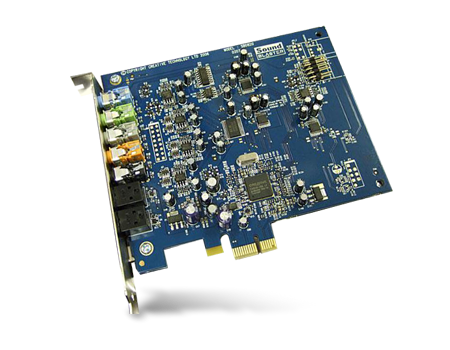
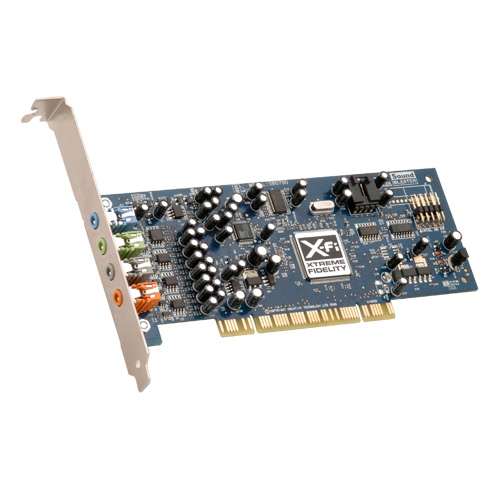
So I'd need to get a need CPU+Mobo combo (not sure i7-3770K is overkill? or i5-3570K is sufficient and then go for better board?), GPU, PSU, GOOD CASING with decent ventilation (current setup with Ikonik EN2 but I feel isn't big enough and the vents can't distro the heat off, after installing the Gskill RAM, everything gets damn hot). Please include any cooling required (like fans, whatever!) Maybe get a Sound card along as well.

Currently my set up IS fine but just hand itchy want to up the systems. The HDD section gets really hot (I think I have 5-6 HDDs constantly churning + 1 SSD) and my 2TB drive like going to die again when I use HDD Sentinel to track the health of the HDD. Damn sian and I feel it's because of all the cluster-f of heat in the HDD section, and I don't have a fan to blow things out.

Any bros can give suggestions? TIA!!! :D:D
 

nipp0n

Banned
Joined
Jul 24, 2009
Messages
2,382
Reaction score
0
hi bros,

Can give advise on my next rig purchase.

I've set aside about 2k -> gona take out 500 from this to get a new table and monitor..

Any recommendations for monitor? Preferably ~24 inches. I'm not too versed about it but I read the new LG23IPS is pretty good? Would want something ~300 bucks and hopefully low power consumption.. If any bros can recommend a good table would be good too! My current table is sort of fcked up due to the low height of the table -_-

For the main rig setup, I have a couple of things that can be carried over to the main set up. I do not need HDD (combined total of ~4TB space - 2TB Hitachi, 1TB Seagate, 500GB+200GB+300GB here and there other HDDs), SDD (ADATA but not sure what model and series and speed, will check back), DDR3 RAM (have G. Skill 2x4GB + kingston 2x2GB, maybe switching out the kingston 2x2GB for something else?).

So I'd need to get a need CPU+Mobo combo (not sure i7-3770K is overkill? or i5-3570K is sufficient and then go for better board?), GPU, PSU, GOOD CASING with decent ventilation (current setup with Ikonik EN2 but I feel isn't big enough and the vents can't distro the heat off, after installing the Gskill RAM, everything gets damn hot). Please include any cooling required (like fans, whatever!) Maybe get a Sound card along as well.

Currently my set up IS fine but just hand itchy want to up the systems. The HDD section gets really hot (I think I have 5-6 HDDs constantly churning + 1 SSD) and my 2TB drive like going to die again when I use HDD Sentinel to track the health of the HDD. Damn sian and I feel it's because of all the cluster-f of heat in the HDD section, and I don't have a fan to blow things out.

Any bros can give suggestions? TIA!!! :D:D

Do you intend to overclock? What is the purpose of the rig? What speakers are you using?
 
Last edited:

truewt

Master Member
Joined
Jan 21, 2004
Messages
4,797
Reaction score
2
Do you intend to overclock? What is the purpose of the rig? What speakers are you using?
No intention to OC because I'm a noob in this field.

Using Altec Lansing 2.1 but not sure what model.. can check later when I got back home.

Thanks!
 

nipp0n

Banned
Joined
Jul 24, 2009
Messages
2,382
Reaction score
0
No intention to OC because I'm a noob in this field.

Using Altec Lansing 2.1 but not sure what model.. can check later when I got back home.

Thanks!

If you don't intend to overclock, no need to go for K processor.

CPU & Mobo: i5-3470 & Asrock H77Pro4/MVP @ $370
ODD: Reuse?
Ram: Reuse (8GB is sufficient)
HDD: Reuse
SSD: Reuse
GPU: Gigabyte GTX 670 2GB Windforce @ $589
PSU: FSP 550W Platinum Modular @ $139
Case: NZXT Phantom 410 @ $155
Monitor: Dell U2312HM @ $255 (Tradepac)

Total: $1508
Buy and build from PC Themes unless otherwise stated. NZXT Phantom 410 comes with 3 fans (1 top, front and rear) should be enough to cool down the rig. I don't think you will need a sound card unless you are using good and quality speakers. If you are using quality headphone and you want a better sound card than onboard audio, you can consider Asus Xonar DGX @ $79 (Fuwell).
 

KeYoKe

High Supremacy Member
Joined
Jul 14, 2005
Messages
37,539
Reaction score
9,631
If you don't intend to overclock, no need to go for K processor.

CPU & Mobo: i5-3470 & Asrock H77Pro4/MVP @ $370
ODD: Reuse?
Ram: Reuse (8GB is sufficient)
HDD: Reuse
SSD: Reuse
GPU: Gigabyte GTX 670 2GB Windforce @ $589
PSU: FSP 550W Platinum Modular @ $139
Case: NZXT Phantom 410 @ $155
Monitor: Dell U2312HM @ $255 (Tradepac)

Total: $1508
Buy and build from PC Themes unless otherwise stated. NZXT Phantom 410 comes with 3 fans (1 top, front and rear) should be enough to cool down the rig. I don't think you will need a sound card unless you are using good and quality speakers. If you are using quality headphone and you want a better sound card than onboard audio, you can consider Asus Xonar DGX @ $79 (Fuwell).

i will suggest changing GPU to a hd7970. MSI HD7970 Power Edition @ 559 or Powercolor HD7970v3 @ 549
 
Status
Not open for further replies.
Important Forum Advisory Note
This forum is moderated by volunteer moderators who will react only to members' feedback on posts. Moderators are not employees or representatives of HWZ Forums. Forum members and moderators are responsible for their own posts. Please refer to our Community Guidelines and Standards and Terms and Conditions for more information.
Top