Your browser is avoiding IPv6.
What we found
What causes a preference for IPv4
Why this worries us
This document explains why we worry when IPv4 is preferred over IPv6.
What we found.
This section applies only when we offered to show you this page from inside the test.
First of all, we detected you had a working IPv6 connection. We also found that your IPv6 connection, was using a "real" IPv6 address; meaning not a Teredo or a 6to4 address.
Second, we detected that when given the choice, your browser decided it would prefer to use IPv4 instead of IPv6. This has some concerns for us.
Causes for preferring IPv4
There are several possible reasons why a browser might prefer IPv4 instead of IPv6.
Google's "Chrome" has a "fast fallback" mechanism. On the first try to a site, it will prefer IPv6. If connections take longer than a third of a second, IPv4 is attempted in parallel; and the better of the two will be used for that site. (
more info)
Firefox (recent builds) does the same as Chrome. (
more info)
The latest Windows 7 and Windows 8 updates will periodically test to see if IPv6 works. If the health check fails, then many applications (including Internet Explorer) will use IPv4, to insulate you from any local IPv6 misconfiguration. (
more info)
Apple's latest Lion and Mountain Lion updates will prefer whichever is "faster" for a given destination. (
more info)
Why this worries us
When you use the Internet, a connection is made between your computer, and the service you're connecting to. To connect, you have to have the other side's IP - Internet Protocol - number. And, when you connect, they see yours, so they can send traffic back to you and your applications.
The Internet protocol that we've been using for the 1990's and the 2000s, has run out of these unique numbers. We can keep going, but with some limitations, by sharing multiple machines with one number. Often times, we do this at home or at work.
What is changing is that the Internet Service Providers are all facing the fact that they will have to implement this type of address sharing, on a much larger scale. Some buzzwords you may hear:
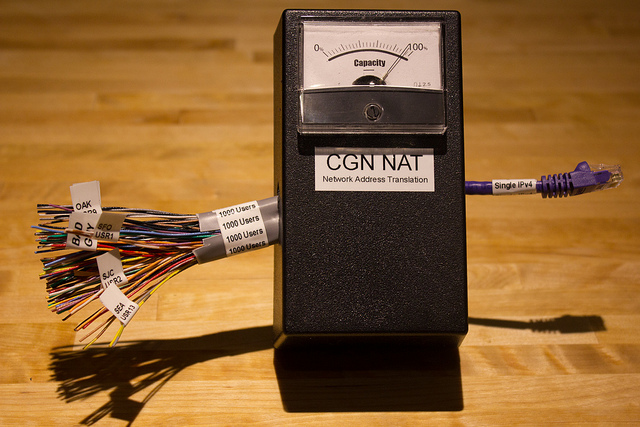
NAT, CGN, Carrier Grade NAT, LSN, Large Scale NAT. They all look something like this:
The thing to watch for here:
Many houses sharing one public address.
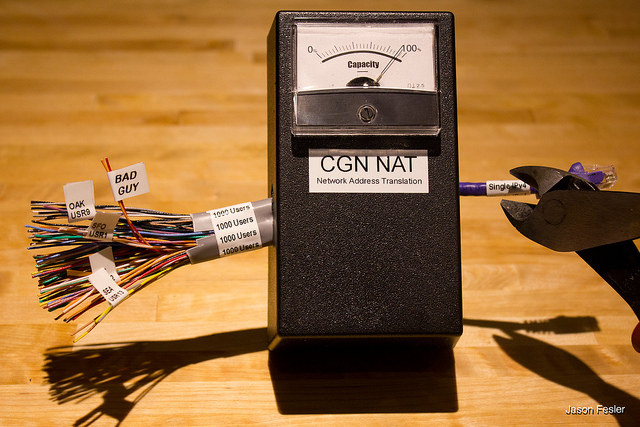
What happens if one of those homes has a bored hacker, or (more likely) a compromised machine owned by someone who doesn't stay up to date, and doesn't run antivirus software? What happens when that machine starts to attack your favorite web sites? What about your banking site?
Those sites will have to ultimately protect themselves, by blocking the traffic. Unfortunately, they only see the shared address, so their blocking it looks like this:
This is not a good situation. And the main way to avoid it, is to make sure that your IPv6 is working; and to make sure that IPv6 is the preferred protocol.
Most OS's and Browsers will automatically have a strong bias towards a working IPv6 connection instead of the (possibly shared address) IPv4 connection. If yours does not, and you want to see this changed, let the browser company know. You might also find other browsers on the same OS will work the way you'd expect, if you need a work-around.
Why else should I care about IPv4 being preferred instead of IPv6, when I have both available?
Sites that determine your location automatically, will get this wrong more frequently when you share an IPv4 address with people in other cities.
The box that shares an address between you and the other hundreds of houses, may become performance constrained (cpu, network, TCP ports)
The box is a potential central point of failure for your internet access
Sharing IPv4 addresses is an extra expense for the ISP that they will be passing on to their customers


does this have something to do with the plug in/plug out of the lan cable on the other ports?

 More juicy stuff to come