

You are using an out of date browser. It may not display this or other websites correctly.
You should upgrade or use an alternative browser.
You should upgrade or use an alternative browser.
Asus ROG Ally
- Thread starter ThinkMe
- Start date
More options
Who Replied?
Psycovirus
Senior Member
- Joined
- Jan 3, 2007
- Messages
- 1,789
- Reaction score
- 381

Ninjavan Pickup not today sadly. So delivery probably next week
Scratch that, mine has been picked up by Ninjavan. Hopefully be able to deliver tomorrow.
Last edited:

Witch King
Master Member
- Joined
- Sep 23, 2014
- Messages
- 3,024
- Reaction score
- 747
Mine still packed
Asked if I can just go pick up myself but they won't allow. Lazada won't allow.
Ninjavan Pickup not today sadly. So delivery probably next week
Scratch that, mine has been picked up by Ninjavan. Hopefully be able to deliver tomorrow.
https://retroresolve.com/asus-offers-update-on-current-rog-ally-hardware-issues/
Remember to set the custom fan curve else seems high chance to fry the sd card.
Remember to set the custom fan curve else seems high chance to fry the sd card.

- Joined
- Jul 5, 2001
- Messages
- 44,763
- Reaction score
- 8,492
Last edited:
- Joined
- Jul 5, 2001
- Messages
- 44,763
- Reaction score
- 8,492
Psycovirus
Senior Member
- Joined
- Jan 3, 2007
- Messages
- 1,789
- Reaction score
- 381
From ATRiX, arrived first thing in the morning. The box has small amount of damage but its ok.
Case was collected yesterday at the Asus event.

Edit: MFD: 2023-05
Case was collected yesterday at the Asus event.
Edit: MFD: 2023-05
Witch King
Master Member
- Joined
- Sep 23, 2014
- Messages
- 3,024
- Reaction score
- 747
Mine still in shorting facility.

Psycovirus
Senior Member
- Joined
- Jan 3, 2007
- Messages
- 1,789
- Reaction score
- 381
I asked them yesterday. They told me they do not have stock for walk-ins yet. All are a lotted for pre-orders. Maybe you can check at Challenger, Harevy Norman, Best Denki, Courts and the likes, they also carry the ROG Ally. Anyway, the other guy on the thread say you get Charger Dock when you purchase with POSB/DBS so maybe you can give them a call and check too?able to walk in at bugis to buy?
Last edited:
jaykill_92
Member
- Joined
- Jul 7, 2009
- Messages
- 112
- Reaction score
- 13
Just got the notification from Ninjavan saying they'll be delivering mine today - Lazada Atrix store!
Psycovirus
Senior Member
- Joined
- Jan 3, 2007
- Messages
- 1,789
- Reaction score
- 381

I am currently using it as a portable "laptop" mode with a portable monitor plugged into Sabrent Dock and with a wireless mechanical keyboard and mouse. I am using the included ASUS adapter, but it shows me this message "does not support full performance".
I hope they fix the issue. I read that they are aware of it.
Update took about 2 hours... System Updates, BIOS updates, Window Updates, Drive Updates.

Also, when updating BIOS, remove Ally from any dock, just plug in original adapter and restart, it will go into BIOS update mode automatically. I was using the dock and the Ally will only shutdown when trying to update BIOS
EDIT : Also, it works great as a laptop replacement! Very smooth performance, web browsing, etc.

Op_Valkyrie
Arch-Supremacy Member
- Joined
- Nov 9, 2009
- Messages
- 13,167
- Reaction score
- 1,309
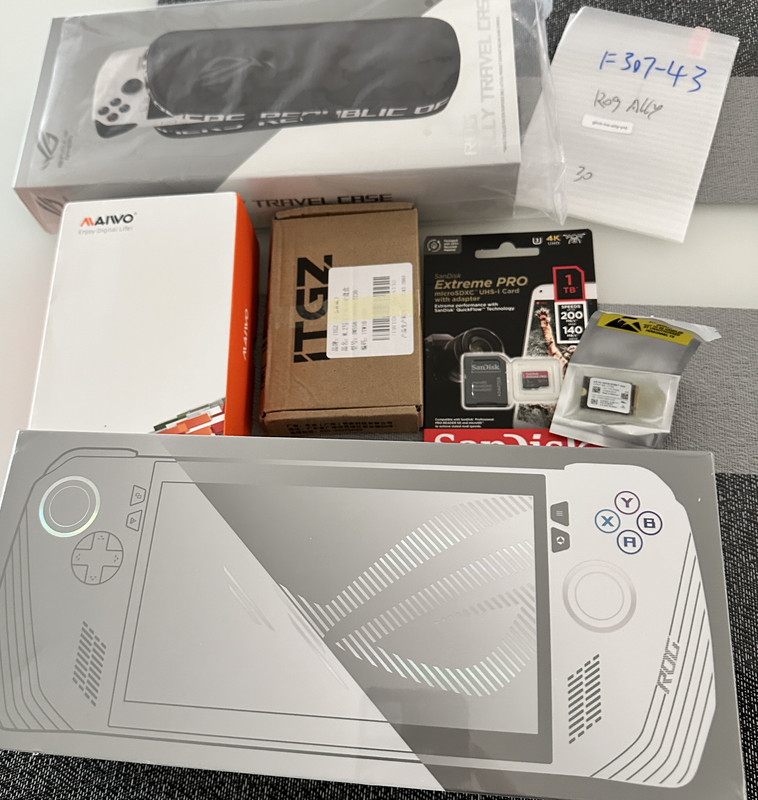
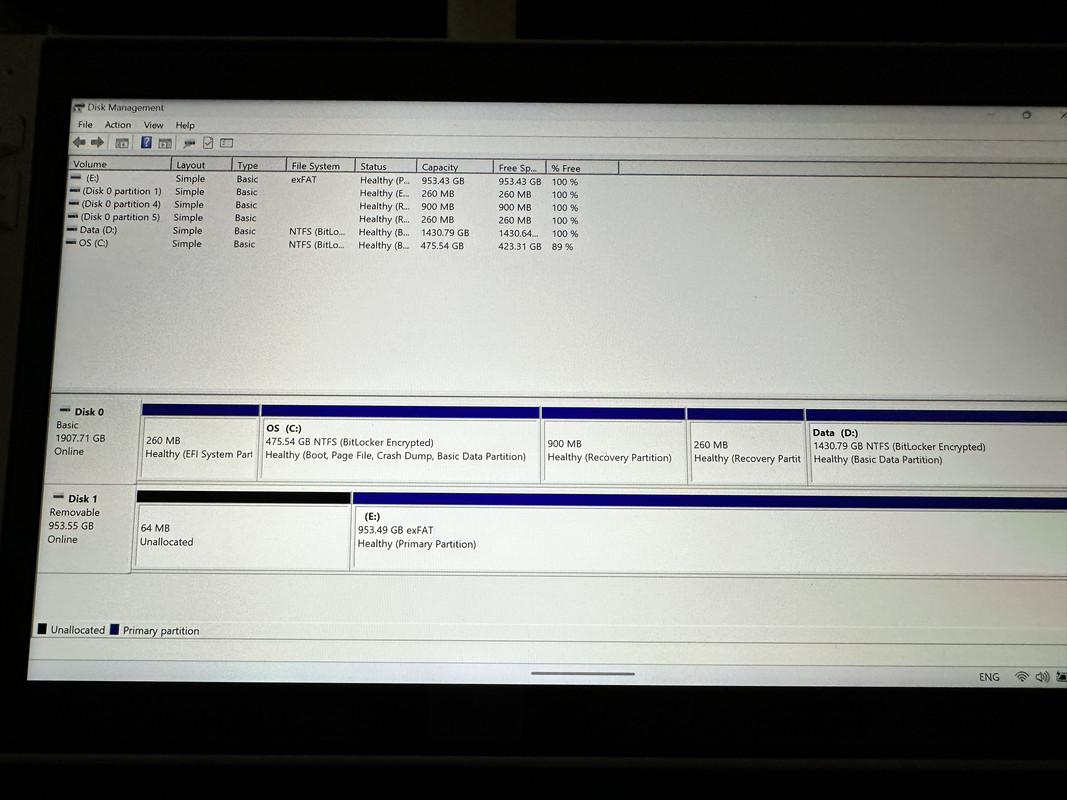
Finally here, can start my nvme cloning to 2TB and initial setup! Just nice for the weekend

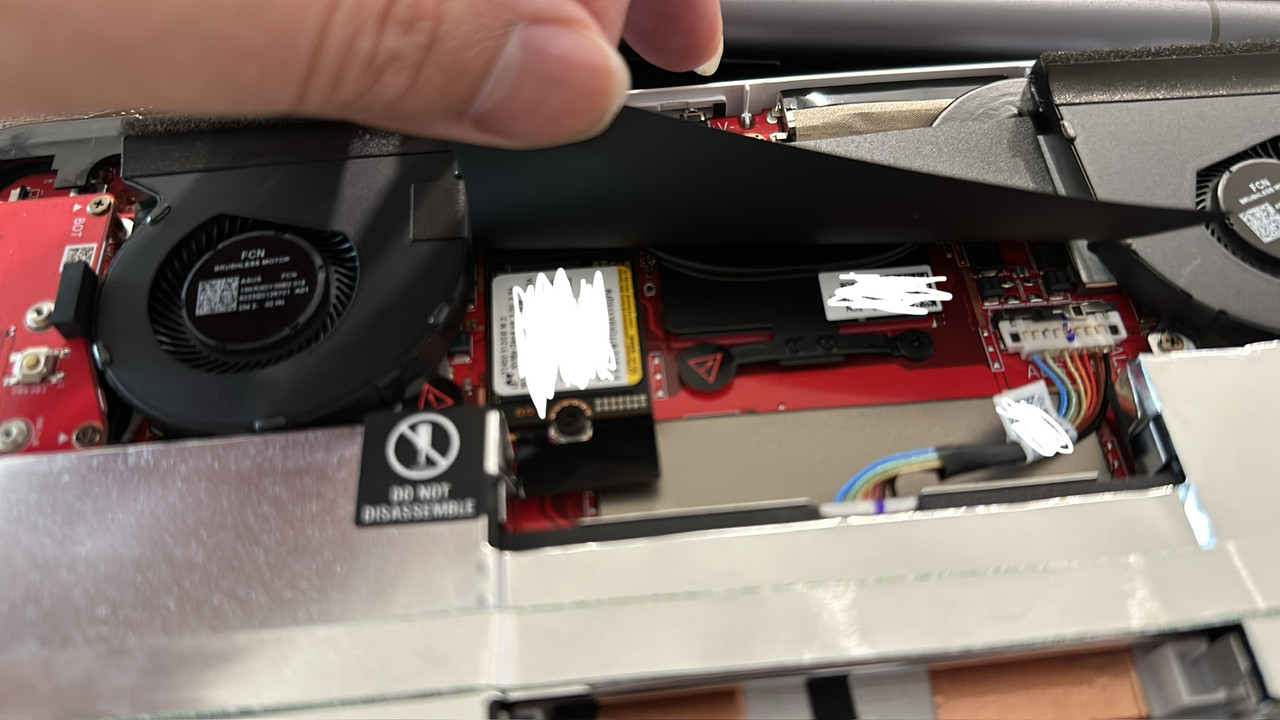
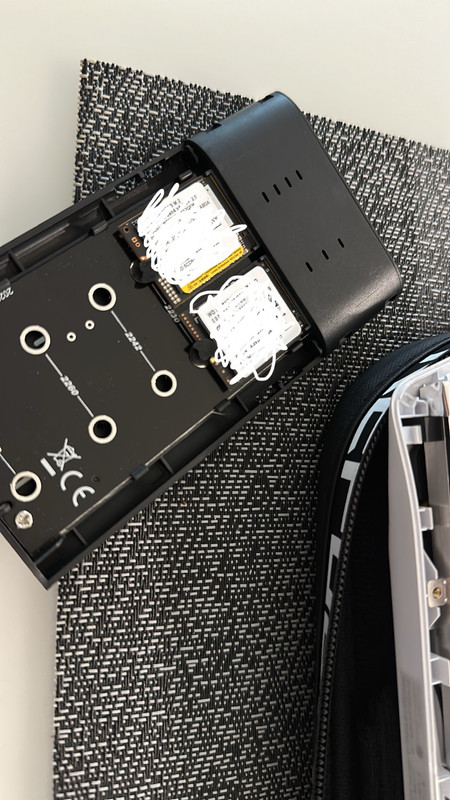
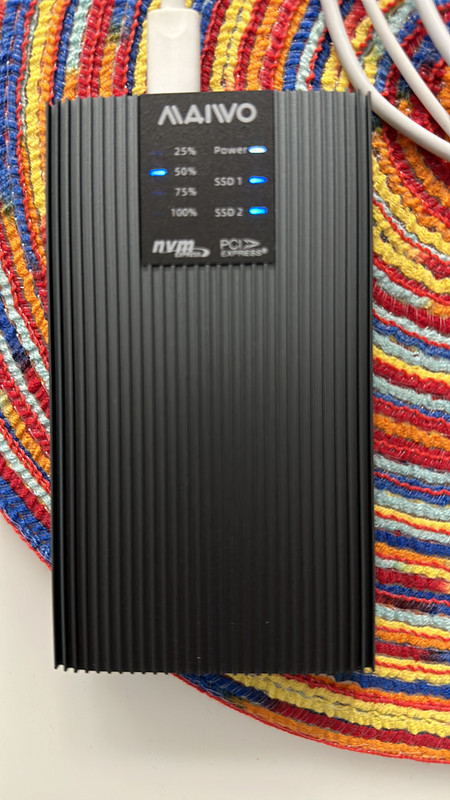
Maxed up!
Last edited:

noobzpro
Arch-Supremacy Member
- Joined
- Mar 13, 2010
- Messages
- 12,141
- Reaction score
- 121
Found this online so sharing it
I USED to HATE the ROG ALLY!
NOW I LOVE IT!
Here are a few steps I took to make it what it should have been out of the box. If this is redundant to the group, I'm sorry, but it may save someone from returning and instead enjoying it like I am now.
The Ally is EXTREMELY poorly set up from a software perspective. It has all the juice in the world but no way to use it out of the box. I did a few things to get the most out of it.
1. Go to the Windows update setting many times in a row until no more updates are available.
2. Register with the MyAsus app and download all available updates.
3. Go into the AMD Software app and update all drivers there
4. Go into Armory Crate and update all settings there ( Also appears they released something today the fixed the crackling speakers )
5. Go into BIOS or VRAM setting in Armory Crate and set this feature to AUTO (HUGE IMPROVEMENT IN GAMES!)
6. Go into windows features and turn off Virtual Machine platform then search core isolation in windows and turn that off as well. (10-20 FPS boosts)
7. You will need to play around with ALOT of settings in games to find a sweet spot. ( I have been searching online key phrases like... Best settings for Hogwarts Legacy, Call of Duty Warzone etc, on ROG ALLY )
Hope this helps someone
*******EDIT********. When you turn off core isolation and virtual machine platform it will force you to reset your pin when you log back in. You’ll have to click reset pin twice and then it will go. It will also delete your finger print info so you’ll have to go to windows search bar and search finger print and simply reset it.
I USED to HATE the ROG ALLY!
NOW I LOVE IT!
Here are a few steps I took to make it what it should have been out of the box. If this is redundant to the group, I'm sorry, but it may save someone from returning and instead enjoying it like I am now.
The Ally is EXTREMELY poorly set up from a software perspective. It has all the juice in the world but no way to use it out of the box. I did a few things to get the most out of it.
1. Go to the Windows update setting many times in a row until no more updates are available.
2. Register with the MyAsus app and download all available updates.
3. Go into the AMD Software app and update all drivers there
4. Go into Armory Crate and update all settings there ( Also appears they released something today the fixed the crackling speakers )
5. Go into BIOS or VRAM setting in Armory Crate and set this feature to AUTO (HUGE IMPROVEMENT IN GAMES!)
6. Go into windows features and turn off Virtual Machine platform then search core isolation in windows and turn that off as well. (10-20 FPS boosts)
7. You will need to play around with ALOT of settings in games to find a sweet spot. ( I have been searching online key phrases like... Best settings for Hogwarts Legacy, Call of Duty Warzone etc, on ROG ALLY )
Hope this helps someone
*******EDIT********. When you turn off core isolation and virtual machine platform it will force you to reset your pin when you log back in. You’ll have to click reset pin twice and then it will go. It will also delete your finger print info so you’ll have to go to windows search bar and search finger print and simply reset it.
Important Forum Advisory Note
This forum is moderated by volunteer moderators who will react only to members' feedback on posts. Moderators are not employees or representatives of HWZ Forums. Forum members and moderators are responsible for their own posts.
Please refer to our Community Guidelines and Standards and Terms and Conditions for more information.
