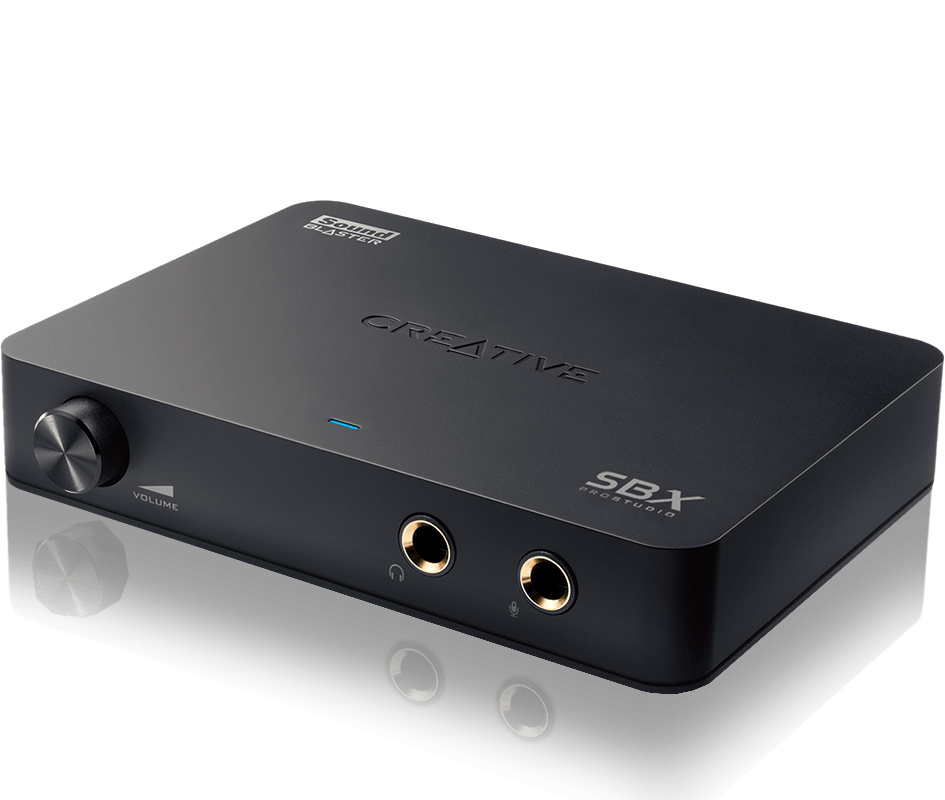
Alright, i will be getting back my Audioengine A5+ speakers tomorrow but i did testing on the omni+dac.
I use Pc usb to omni to toslink Audioengine D1 to speakers. (Using earphone to test it for now)
Just using Audioengine D1 by itself brings clear mids and clarity but it might be the songs i am test, there's a bit of low bass.
Next, I fix omni to pc through USB 3.0 and issues starting popping out. Crackling and stuttering sounds. So i switch over to USB 2.0 port and TATA! everything is gone.
One of the best thing i found is that under sound control panel i can finally switch the default format to 2 channel, 24 bit, 96000Hz (Studio quality) whereby previously for onboard it will stutter/lag pretty badly. One thing to note is that Omni uses software processing instead of hardware dsp. Disappointing but it works really gooooooood quality sound together with D1 dac!
So now i find pc to omni and then to AE D1 dac. Wow, i mean, wow. Now i really know what it means to play at 24bit sound quality! Immersive i would say.
First test, meddling with omni sound settings.
Surround Off
Bass Off
Smart Volume Off
Dialog Plus Off
Crystalizer - 60% (I think this is the option which increase the sound quality)
Game scout mode Off
Speaker - Stereo ( i only use 2speakers, not a fan of surround unless it is on my headset.)
Decorder - Off or Dolby digital life (Off for now)
Line in/Mic in/ all other not needed stuff Off for now.
EQ - Either off or i am using my custom EQ for more bass.
By using this setup, just the crystalizer is worth it, plus omni is definitely much better than onboard realtek HD. No need to compare.
Personally, the audioengine D1 24bit Dac is really good for music and if you just want music, don't need to get Omni. If you are like me, i play different music genre with different EQ, i use different enhancement for my headset, AE speakers or my bluetooth Jaybird earphone. I play games and prefer a bit more bass and punch. (Going to try the game scout mode on omni)
For me it is worth it just for all the sound improvement Omni provides. I will keep this setup until another better USB sound card comes out which can do hardware sound processing and with a bigger sound improvement.
Cheers!
I think I will explain what those features are for:
Surround - For Gaming but only suitable for 5.1 speaker and above.
2.1 not recommended it can drown the SQ
Bass - Off is recommended as it may make bass sound distorted
Smart Volume - This is useless feature since it helps to "soften" or lower
the volume
Dialog Plus - For speaker with 5.1 so the Dialog will be in the center not
from all speaker
Crystalizer - Just leave it at default settings. What it done is not say make
it sound better but rather upscale it and clean it up.
However this tech have it's scrutiny especially how it works.
Game scout mode - This is gaming feature, if you are not gaming turn it off
Speaker - Stereo Depend on your speaker, if you are using 2.0/2.1 than stereo will do
Decorder - Off or Dolby digital life
This is for use with AVR/Soundbar so it can send Dolby surround to it.
Line in/Mic in/ all other not needed stuff Off for now.
Usually these are turned off, unless you have mic, phone you want to plug it in.
EQ - Either off or i am using my custom EQ for more bass.
Take note of one more setting is the build in dual mic on the soundcard.
Usually the mic don't cause any interference so you can turn it off or on.
Pretty much Omni surround is intended for gaming than Music.
The other model I mention the X-fi premium Music feature like game scout are missing. Sound interface wise you don't need to fiddle with so much settings.