Google / Android Apps New Features, Tips & Tricks

limmk

High Supremacy Member
Joined
Jul 5, 2001
Messages
43,307
Reaction score
8,365


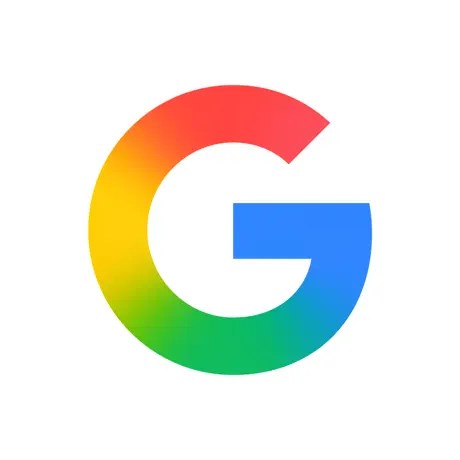
After introducing on iOS earlier this week, the Google app for Android is now widely getting the new ‘G’ icon with an update today.

Instead of four distinct sections for the G, red now bleeds into yellow, yellow into green, and green into blue. This gradient results in a more modern look that evokes Gemini and the company’s other AI branding, including Search AI Mode.

Meanwhile, the G is ever so slightly smaller in Android’s circular app icon. Google last updated the logo in 2015, with changes to the company’s primary look very rare.

Old vs. new

Google-2015-G-logo.webp

Google icon update


This new G icon is available on Android with the version 16.18 update to the Google app, which is now widely rolling out via the Play Store to the stable channel after entering beta on Monday (when it became available on the iPhone and iPad app).

On Android, you’ll also see the new logo on the app’s splash screen, but it’s not live anywhere else, including the widget or Pixel Launcher. It remains to be seen how visible this change is on very small surfaces. Similarly, Google has yet to update the ‘G’ online, including the web favicon. Officially, the company has yet to talk or explain the new look, with “Google” presumably not seeing any changes.
 

limmk

High Supremacy Member
Joined
Jul 5, 2001
Messages
43,307
Reaction score
8,365


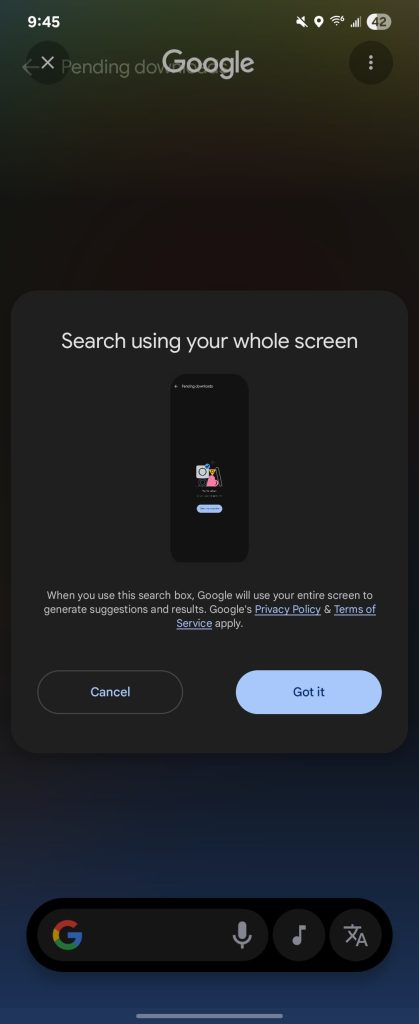
The “search box” in Circle to Search in Android will now use your whole screen to “generate suggestions and results.”

Previously, launching Circle to Search and tapping the pill-shaped field would let you enter a new text query, like any other Search box on Android.

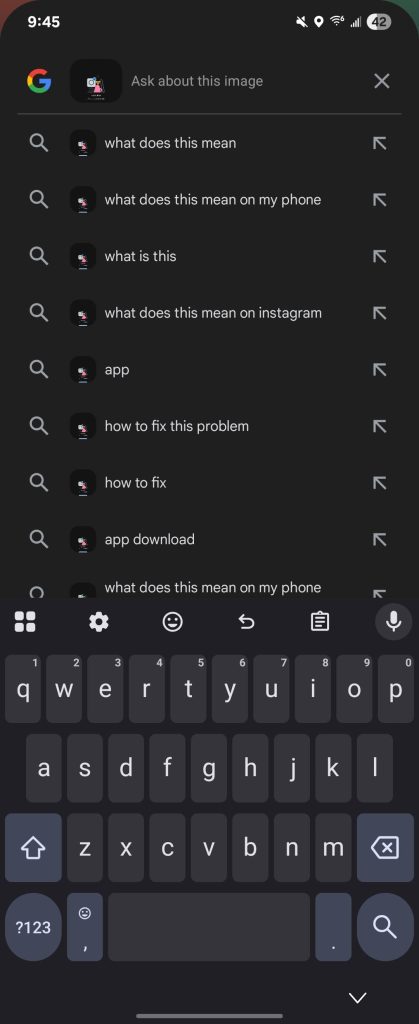
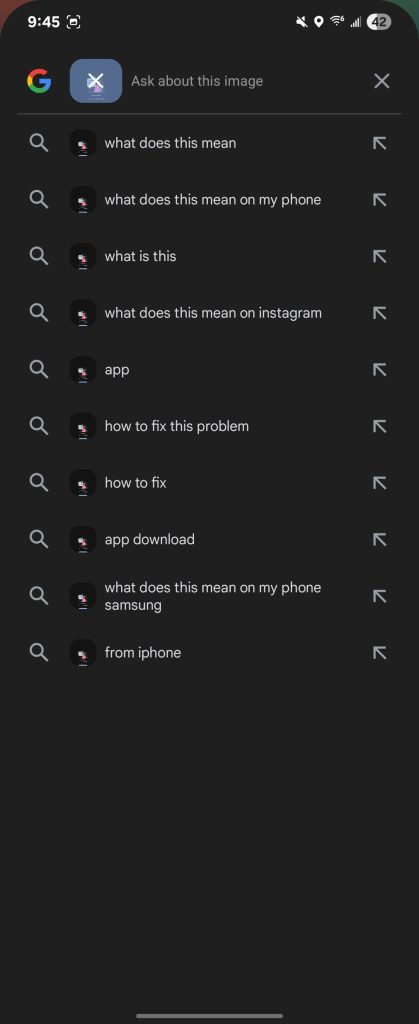
Google is now changing the behavior so that CtS will capture your entire screen and automatically add it to the upcoming text query. Instead of a general text search, you’ll now “Ask about this image.”

If you just want to “Search anything” (like before), you have to first remove the image by tapping on it twice in the box. Some users might not like the extra step to perform a regular search from anywhere on your device.


Circle to Search whole screen
Circle-to-Search-text-box-3.jpg


This new approach complements Circle to Search’s targeted queries without users having to manually expand the capture area, though this update appears to make that easier by letting you just tap anywhere to cover the entire screen.

We’re seeing this new whole screen Circle to Search behavior today with the beta version of the Google app (16.18). When this first rolls out to your device, an introductory “Search using your whole screen” prompt appears that explains this change.
 

limmk

High Supremacy Member
Joined
Jul 5, 2001
Messages
43,307
Reaction score
8,365


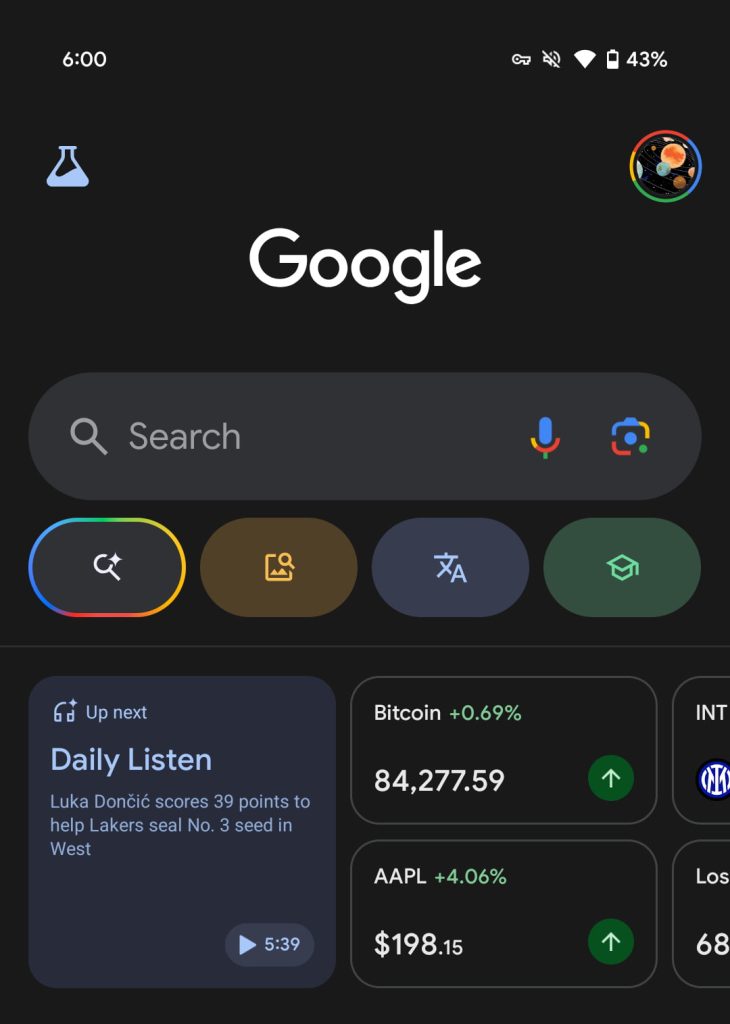
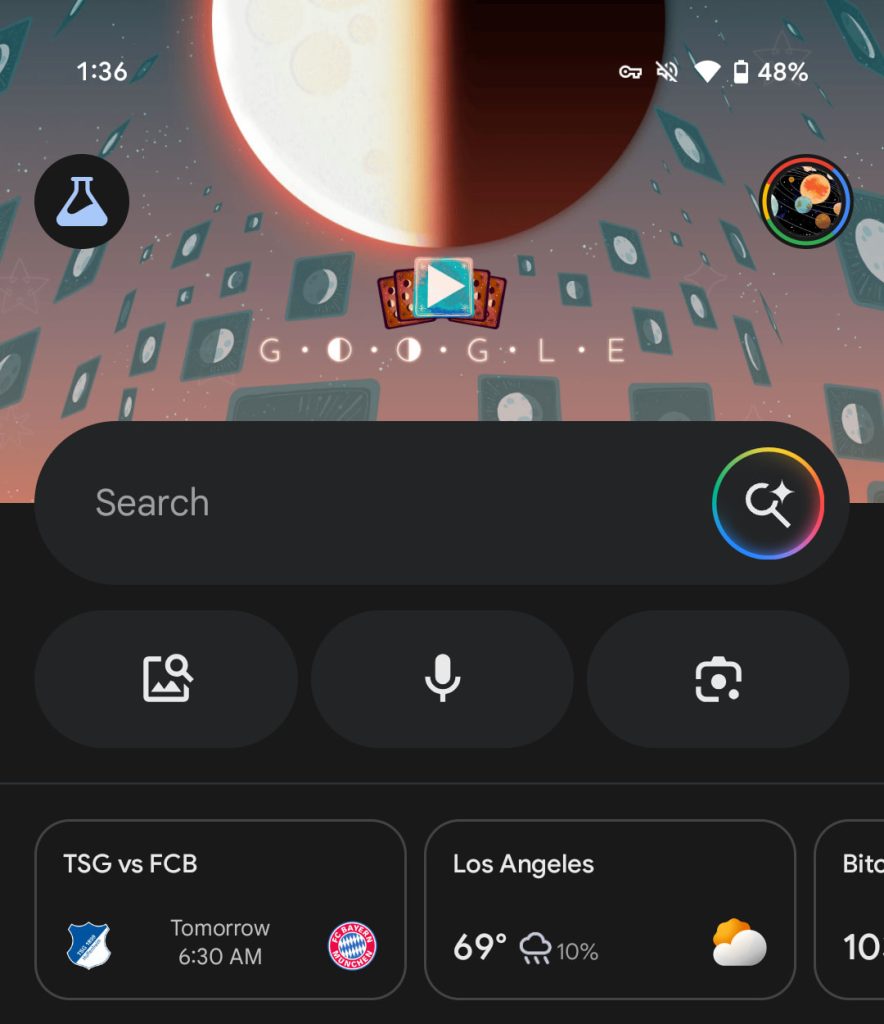
With all users stateside able to test, the shortcut for launching AI Mode is now in the Google app’s Search bar on Android and iOS.

Instead of the voice input microphone and Lens shortcuts, the Google Search bar now features AI Mode at the right. This magnifying glass badged by the Gemini sparkle is placed inside a rotating circle with the Google colors. It’s similar but not identical to the new gradient ‘G’ icon.

Compared to the previous AI Mode pill, this animation is persistent, with the shortcut always available as you scroll down the Discover feed.

Old vs. new

Google-Search-AI-Mode-Android-launch-1.jpg
Google AI Mode Search bar


As part of this change, the multi-color shortcuts carousel underneath the Search bar has been replaced. (If you’re not testing AI Mode, the old interface remains.) You still have Screenshots, but Translate, Homework, and Sound Search have been removed. Voice input and Google Lens take their place without a splash of color.

Besides providing more persistent AI Mode access, this simplifies the top portion of the Google app. Google first tested this look in April, but is now rolling out to all testers. It went live for all iOS users earlier this month, and more on Android (including on the beta) are now seeing it.

This shortcut joins the AI Mode filter when you’re already on a Search results page, while Google is still testing one for the homescreen widget that is not yet in the stable channel.

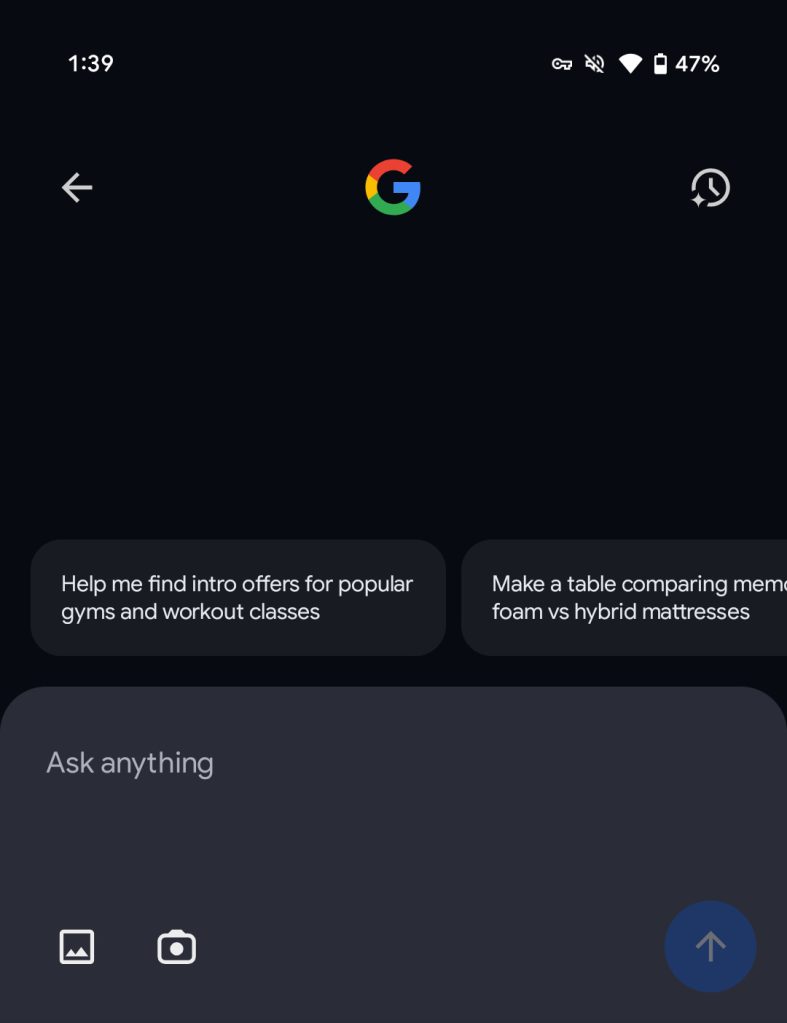
In other recent updates, the fullscreen “Ask AI Mode” interface now has a shortcut in the top-right corner to access history without having to first perform a search.

Google AI Mode Search bar
Google-AI-Mode-Search-bar-Android-3.jpg
 

limmk

High Supremacy Member
Joined
Jul 5, 2001
Messages
43,307
Reaction score
8,365


A ‘more fun’ Google Play Store redesign might be coming​


google play

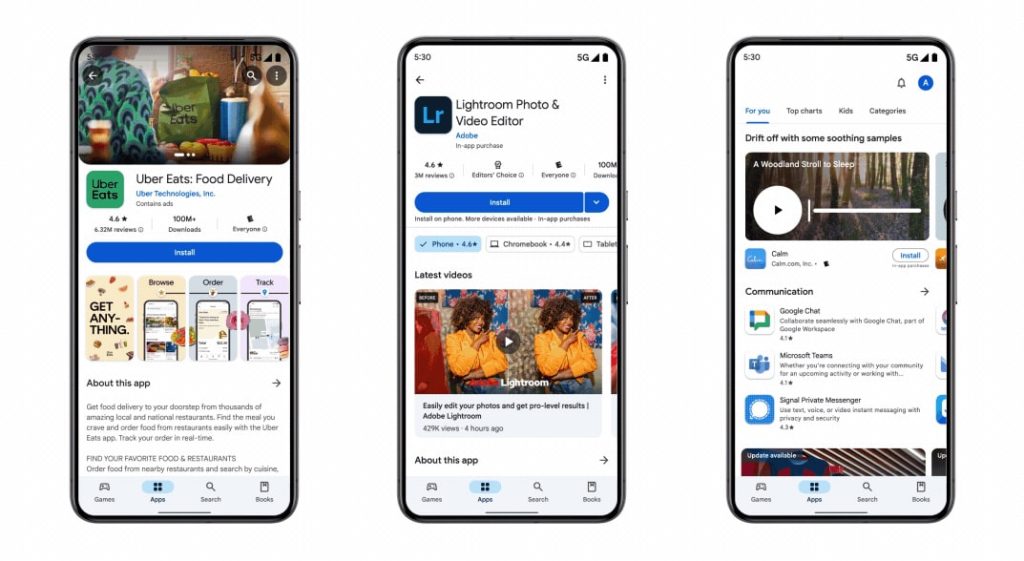
Last year, Google Play kicked off efforts like Collections to be “more than a store.” The next step in that might be a broader Google Play Store redesign, especially of the Apps feed.

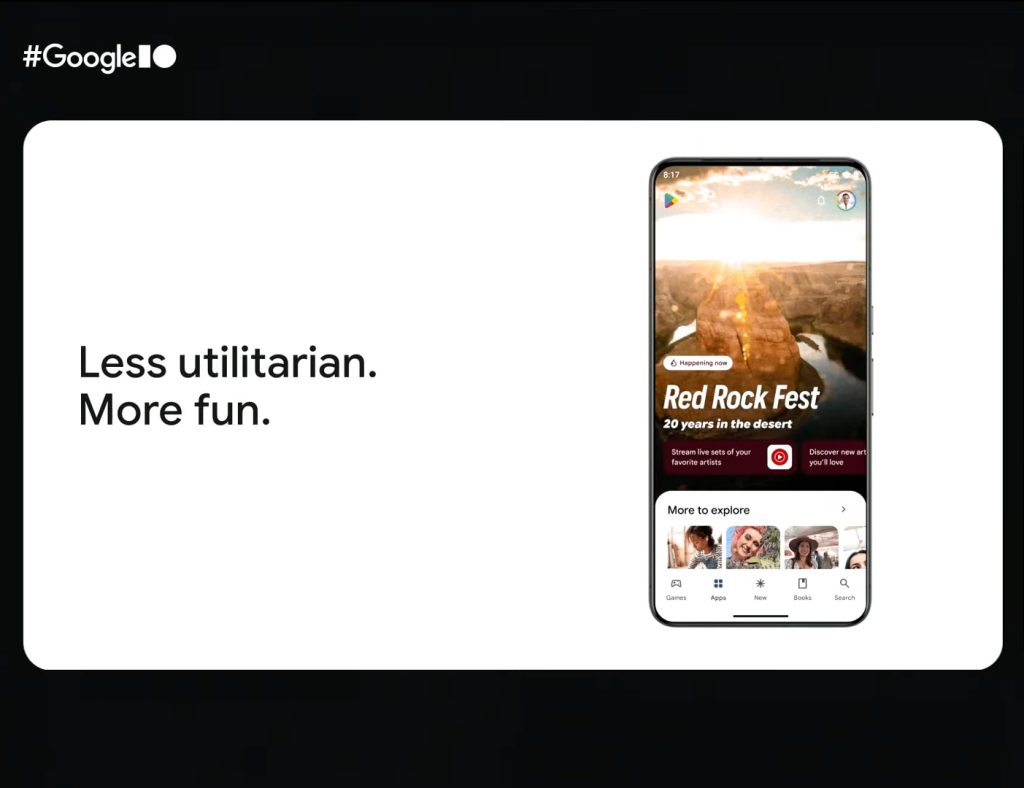
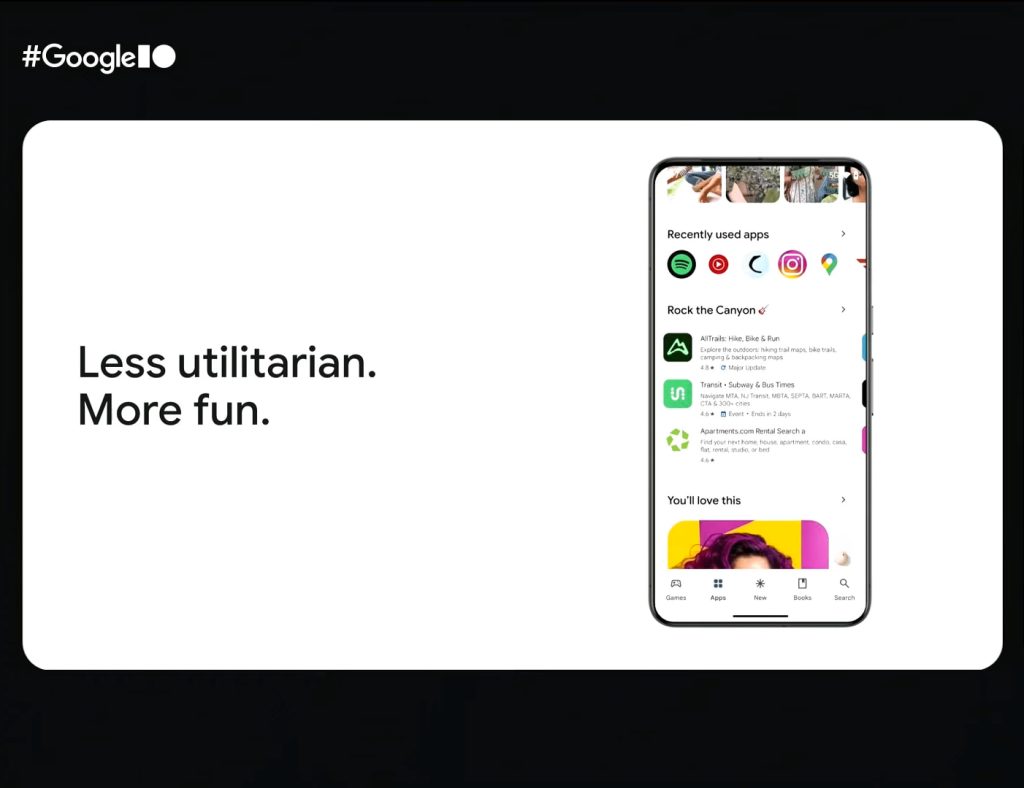
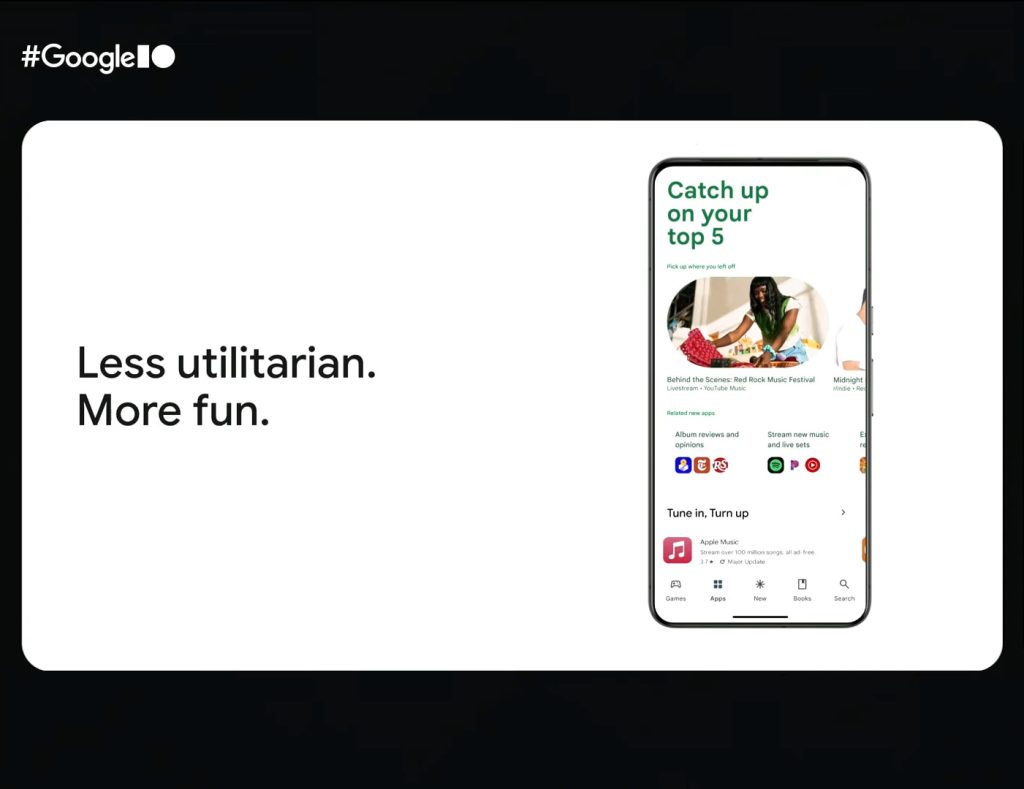
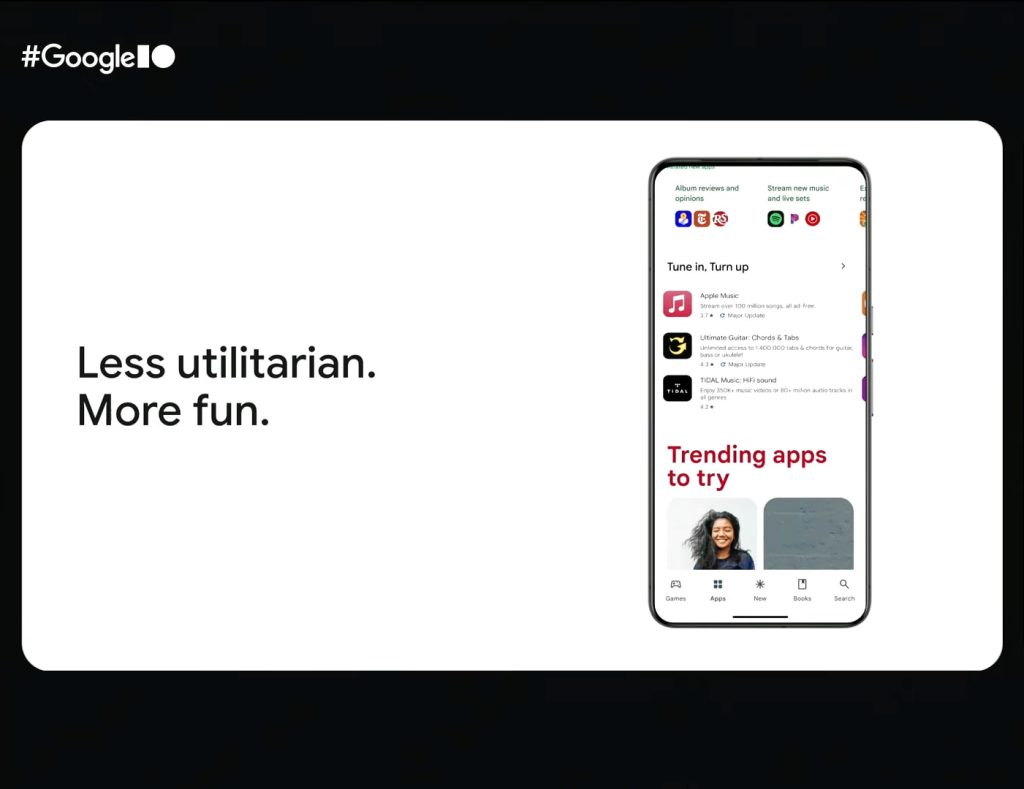
During the “What’s new in Google Play” session at I/O 2025, the company showed off a Play Store redesign. Renders (versus actual screenshots) often make their way to session slides. However, in the context of this talk, this is more likely a design that Google is actively working on than not.

We see this particular design twice. During the introduction, Google is talking about making Play “Less utilitarian” and “More fun.” To wrap up this particular section, Google calls the store a “dynamic discovery engine.”

We see the main Apps feed (or what Google refers to as “App Home”) featuring a full bleed video/image, or edge-to-edge design for the status and app bars. It’s promoting a music event that’s “Happening now” and how an app (YouTube Music) will let you experience it. Today’s design makes use of a standard rectangular carousel.

You get the Google Play logo in the corner with notifications and your profile switcher on the other side. The carousel with For you, Top charts, Other devices, Kids, and Categories do not appear. It’s unclear where they’ll go.

  • Google Play fun redesign
  • Google Play fun redesign
  • Google Play fun redesign
  • Google Play fun redesign

As you scroll, you’re pulling up a sheet with “More to explore” carousel and “Recently used apps.” This is reminiscent of Collections, with Google announcing this week how content from that dedicated experience is soon coming directly to the Play Store. Collections is also finally coming to more countries.

We still get carousels for apps, but there are new large ones like “You’ll love this” and “Related new apps” that group applications by categories like “Album reviews and opinions” and “Stream new music and live sets.”

Finally, there are very large headers like “Catch up on your top 5” and “Trending apps to try.”

In app listings, Google showed off a “hero content carousel” as the very first thing on the page, while we see audio samples directly in the carousel card.

Google-Play-hero-carousel-audio-1.jpg
 

limmk

High Supremacy Member
Joined
Jul 5, 2001
Messages
43,307
Reaction score
8,365
TL;DR
  • Google is preparing to launch a “Pixel themes” feature, as evidenced by new strings and a button we managed to surface in Android 16 QPR1 Beta 1.
  • This button is part of the Pixel wallpaper app, and it aims to launch a “Pixel Customization Packs” app, which isn’t currently available.
  • It’s unclear whether Google will offer only preset customization options or a full theme store.


Many Android devices let you apply custom themes, often available through OEM theme stores, to change the look and feel of the UI. These theme packs typically modify things like the wallpaper, the lock screen, home screen icons, system sounds, and sometimes even the overall visual design of apps. While Pixel devices allow for some of these customizations, they must be done individually, as Google doesn’t currently offer comprehensive theme packs. That could change soon, though, as we’ve spotted evidence in the latest Android 16 beta suggesting Google is working on a dedicated Pixel themes feature.

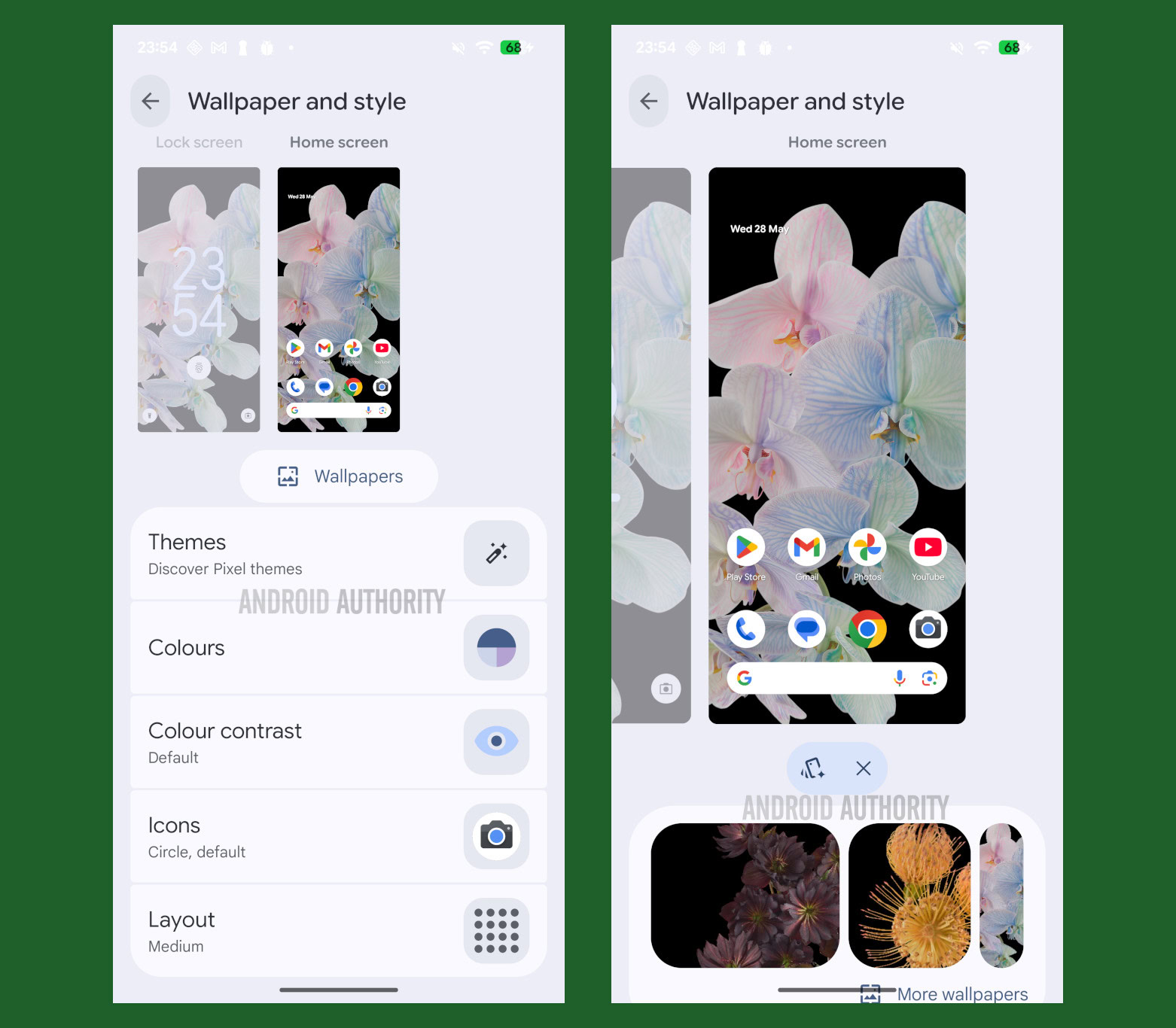
Last week, Google released Android 16 QPR1 Beta 1, which includes an updated version of the Pixel’s ‘Wallpaper & Style’ app. The updated ‘Wallpaper & Style’ app sports a fresh visual design and introduces a slider to adjust the default lock screen clock’s size, alongside support for the Pixel’s new Magic Portrait wallpapers.

Under the hood, we found new strings in the updated ‘Wallpaper & Style’ app that suggest it will gain a new “Themes” entry in a future release. This “Themes” entry is set to appear at the top of the list in both the Lock Screen and Home Screen tabs, with a description reading, “Discover Pixel themes.” The string containing this description is named “theme_packs_description,” which suggests these themes will bundle multiple customization options.

Code:
<string name="pack_theme_title">Themes</string>
<string name="theme_packs_description">Discover Pixel themes</string>
<string name="pack_theme_preview_card_content_description">Themes preview</string>

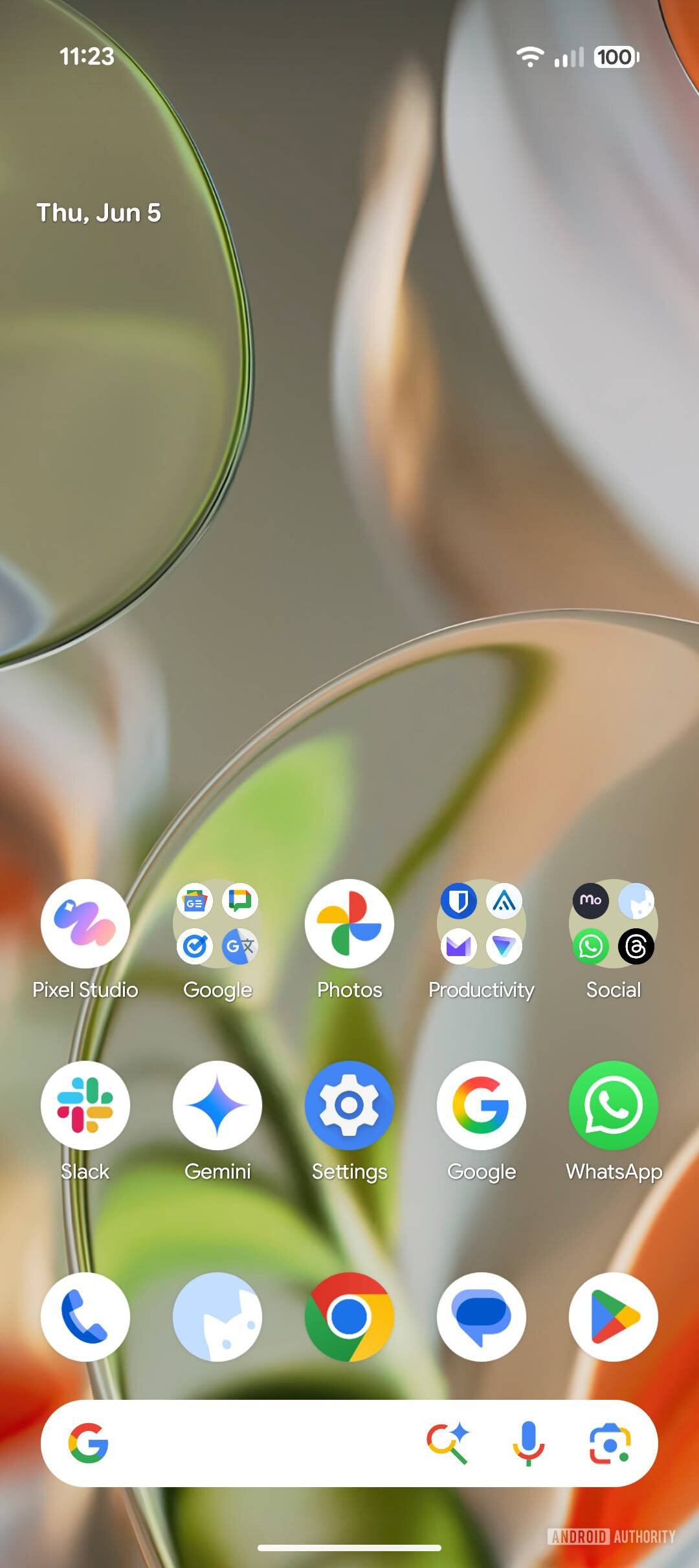
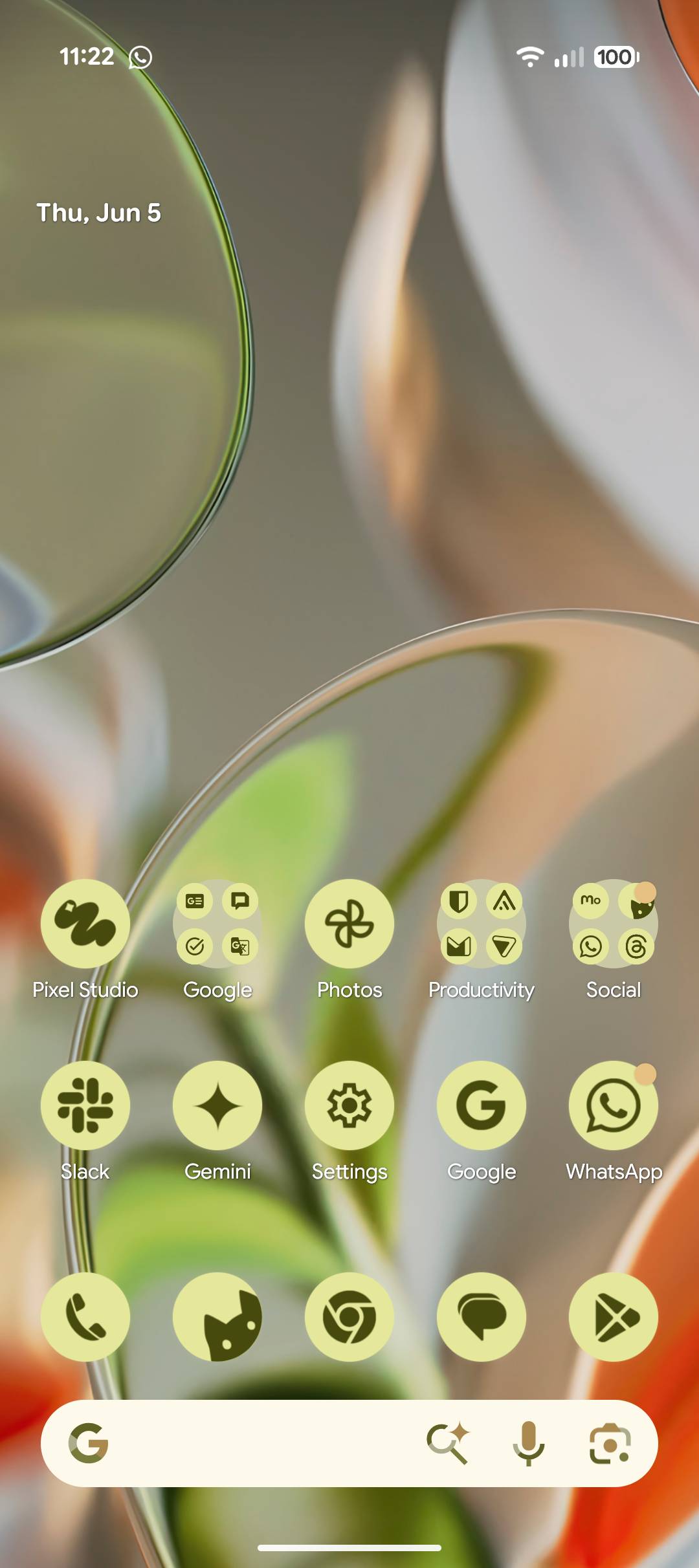
With some tinkering, I managed to surface the “Themes” button in the ‘Wallpaper & Style’ app on a Pixel phone running Android 16 QPR1 Beta 1. I also managed to make a new themes-related chip appear underneath the wallpaper preview.

Pixel themes button in Pixel wallpaper app


However, neither the button nor the chip currently work. According to system logs, the button attempts to launch an app called “Pixel Customization Packs” (with the package name ‘com.google.android.apps.pixel.customizationbundle’), which isn’t available in Android 16 QPR1 Beta 1. The chip, meanwhile, is supposed to surface theme recommendations from the aforementioned app. Since the app in question is missing, we don’t yet know what or how many themes it will include. Furthermore, it’s unclear what aspects these themes will customize or whether users will be able to create and share their own.

Google’s approach to customization thus far has focused on making things simple for the user. This often means providing preset options or tweaking the UI on their behalf. While we would be pleasantly surprised if Google were to follow OEMs like OPPO and Xiaomi in opening up a custom theme store, we’re not holding our breaths. Still, it’s exciting to see Google finally embrace theme support for its Pixel phones, and we’re looking forward to seeing what these Pixel themes look like.

 

limmk

High Supremacy Member
Joined
Jul 5, 2001
Messages
43,307
Reaction score
8,365


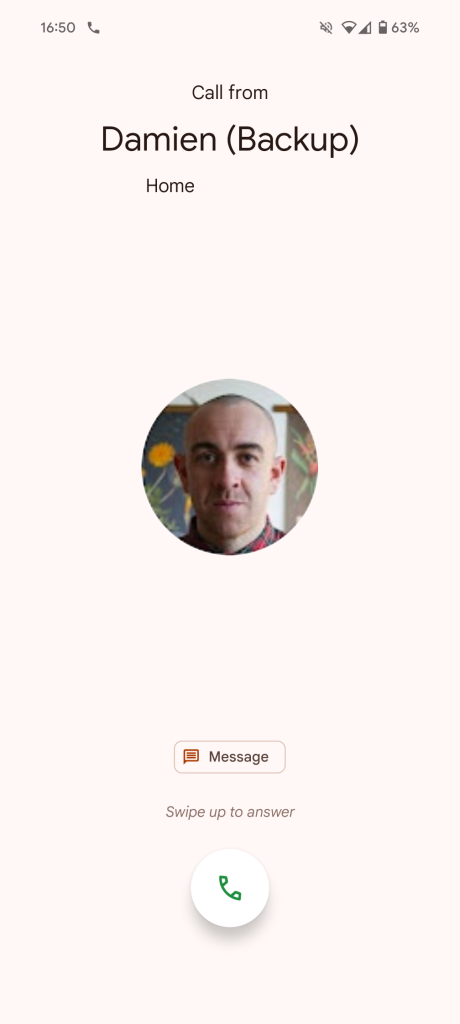
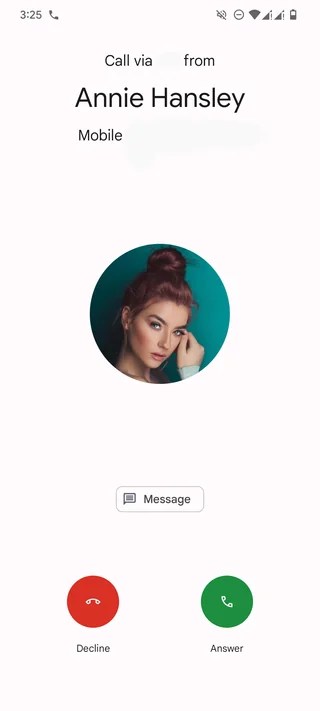
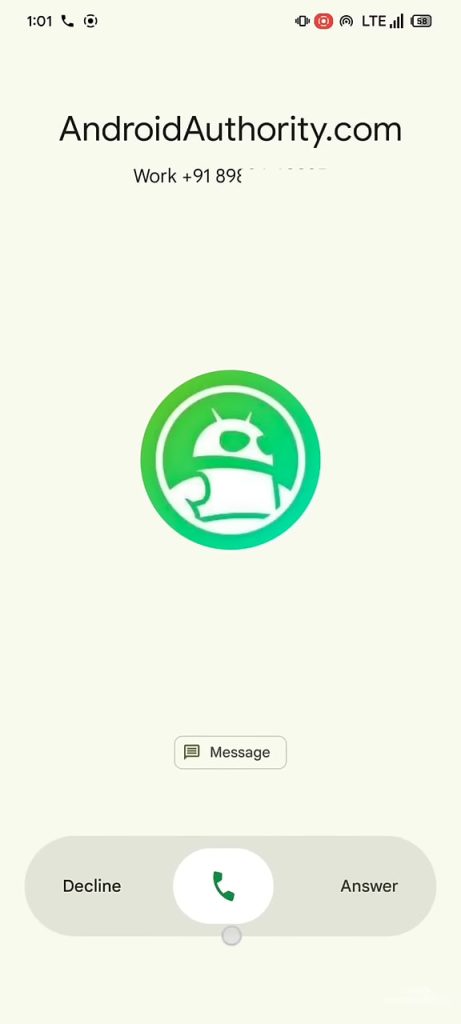
The Phone by Google app is moving closer to a redesign of the incoming call screen that lets you pick between “Single tap” or “Horizontal swipe.”

At the moment, you answer calls with a “Swipe up to answer” (vertical) gesture. Last year, Google tested more straightforward “Decline” and “Answer” buttons for some. These red/green circles are nearly identical to the interface on Wear OS.

Earlier this year, Phone by Google started working on a pill-shaped UI where you swipe left for Decline and right for Answer. This has yet to go live since it was enabled in March with version 166.

L-R: Current, testing/limited rollout, enabled

Current-Google-Phone-incoming-call-UI.png
New-Google-Phone-incoming-call-UI-1.webp
Google-Phone-incoming-call-redesign.jpg


Today, Phone by Google 177 (currently in beta) contains strings about settings for the “Incoming call gesture” (“answer_method”). Your options are:
  • <string name=”answer_method_swipe_entry”>Horizontal swipe</string>
  • <string name=”answer_method_tap_entry”>Single tap</string>
The design that Google was spotted testing back in September is presumably the latter option, while “Horizontal swipe” matches the upcoming pill approach.

Letting users decide which option they prefer is a nice customization and accessibility choice that will presumably appear in Phone Settings. This will presumably coincide with a broader Material 3 Expressive redesign of the app.
 

limmk

High Supremacy Member
Joined
Jul 5, 2001
Messages
43,307
Reaction score
8,365
TL;DR
  • Pixel devices could soon receive a shortcut to Search’s AI Mode on the home screen.
  • The shortcut will appear within the Pixel Launcher’s search widget and launch the Google app’s AI Mode interface.
  • We’ve enabled it in Android 16 QPR1 beta to give you an early look.


Update, June 6, 2024 (10:35 AM ET): We’re still not seeing this AI Mode shortcut actively appearing in Android 16 QPR1 Beta 1 on any of our devices where we haven’t manually forced this early look, but we’ve now heard from at least one user who claims to already be seeing it live.

ai search google widget


Discord user scuttlefield reports getting their AI Mode button ahead of what seems to be nearly everyone else. For the moment, we can’t say if that’s a glitch, they’re just very lucky, or if Google is being positively glacial with its approach to making the change available. If you happen to see it on any of your phones, too, give us a shout down in the comments.

Original article, June 5, 2024 (10:34 AM ET): Google introduced Search’s AI Mode earlier this year to help users find answers to complex, multi-part questions. Currently, you can access it on the web or by heading to the Google app on your phone and tapping the AI Mode button. However, Google is working on a new shortcut to give Pixel users quicker access to the feature.

Google plans to add an AI Mode shortcut to the Pixel Launcher’s search widget, giving Pixel users access to the feature right on the home screen. We first spotted references to this shortcut in the second Android 16 beta and got a look at its icon. Although it’s still not live in the Android 16 QPR1 beta, we’ve now enabled it manually to give you an early look.

Google Search AI Mode home screen shortcut 1
Google Search AI Mode home screen shortcut 2


As we showcased in a mockup earlier this year, the AI Mode shortcut appears to the left of the voice search and Lens shortcuts in the Pixel Launcher’s search widget. The AI Mode icon features Google’s signature colors, but adapts to the system colors if you enable the “Themed icons” option. Tapping on it opens the Google app’s AI Mode interface, making it easier for Pixel users to start an AI Mode search from the home screen.

The AI Mode home screen shortcut could reach Pixel devices with Android 16. However, since it’s not live in the first Android 16 QPR1 beta, Google might delay its rollout to a subsequent release. We’ll update this post as soon as the shortcut is widely available.
 

limmk

High Supremacy Member
Joined
Jul 5, 2001
Messages
43,307
Reaction score
8,365
TL;DR
  • Google Pixel devices will soon receive a new battery health assistance feature to help manage the battery’s long-term health and performance.
  • The feature will adjust the battery’s maximum voltage and charging speed as it ages to prolong device usability.
  • We’ve enabled the feature before the official release to get an early look at its settings page.


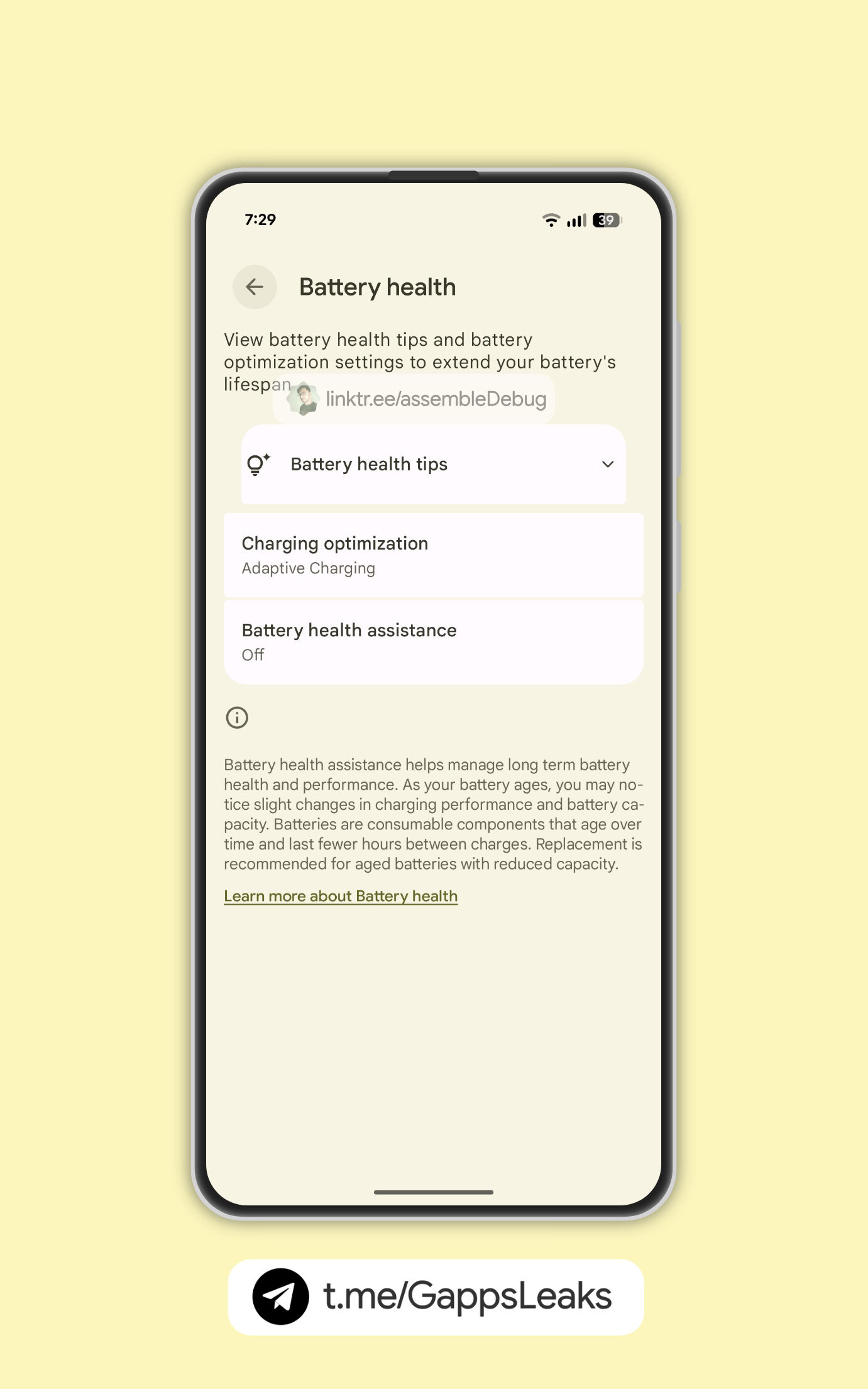
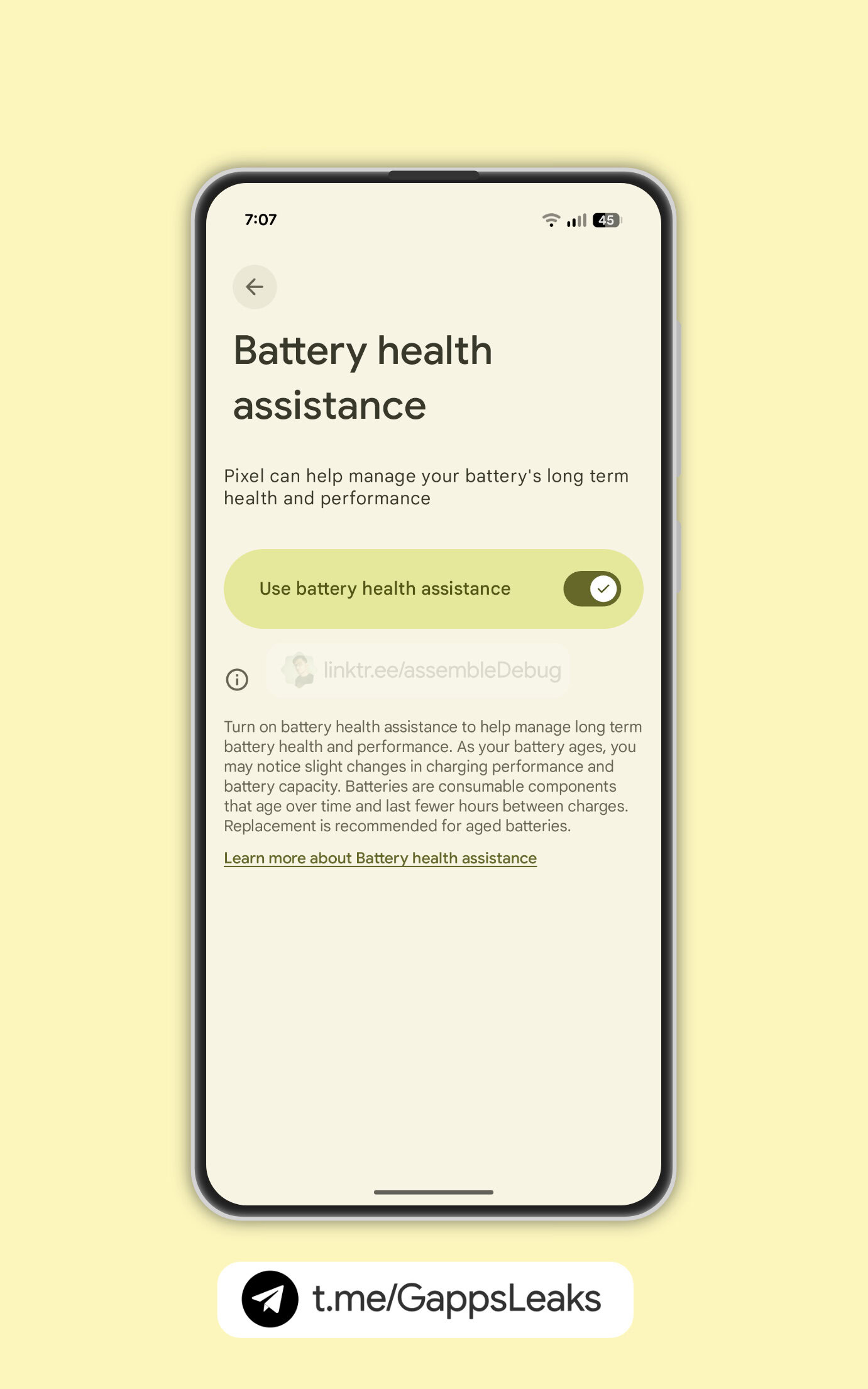
Google plans to introduce a new battery health feature on Pixel devices to help manage the battery’s long term health and performance. Details about the upcoming battery health assistance feature were first spotted shortly after Google unveiled the Pixel 9a. At the time, we learned that it would automatically adjust the battery’s maximum voltage and charging speed as it ages to prolong usability. We now have an early look at its settings page ahead of the official rollout.

Google recently released an update for the Settings Services app with all the necessary elements to enable the battery health assistance feature on Pixel devices. Although the feature is still not live for users, Android Authority contributor AssembleDebug manually enabled it on a Pixel 9 to grab the following screenshots.

Pixel Battery health assistance screenshots (3)
Pixel Battery health assistance screenshots (2)
Pixel Battery health assistance screenshots (1)


As expected, Google will add the battery health assistance feature to the Battery health settings page on Pixel phones. The page highlights that the feature will help “manage long term battery health and performance,” and users may notice “slight changes in charging performance and battery capacity” as the battery ages. Tapping the battery health assistance option will open a new page with a toggle to turn the feature on or off.

Google has previously confirmed that the battery health assistance feature will not be limited to the Pixel 9a. The company said the feature will roll out to older Pixel phones as an optional setting this March, suggesting it may be mandatory on the Pixel 9a. If so, the battery health assistance toggle may not be available on the budget-friendly phone.
Battery health assistance is expected to roll out to Pixel devices with the stable Android 16 update. We’ll update this post as soon as it’s available widely.
 

limmk

High Supremacy Member
Joined
Jul 5, 2001
Messages
43,307
Reaction score
8,365


Following yesterday’s announcement, Google is widely rolling out the new Pixel VIPs widget to the Pixel 6+ on Android 16 (and QPR1).

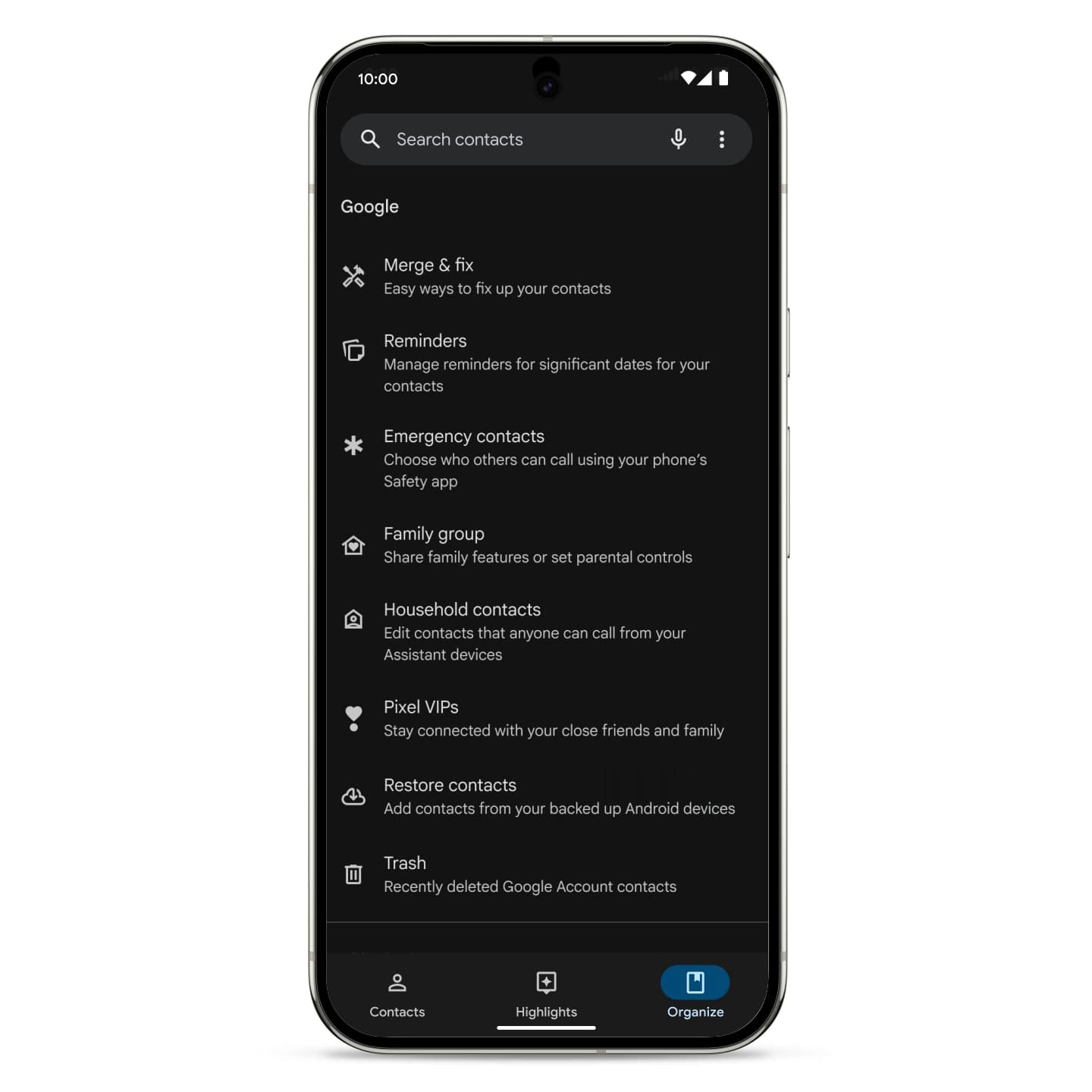
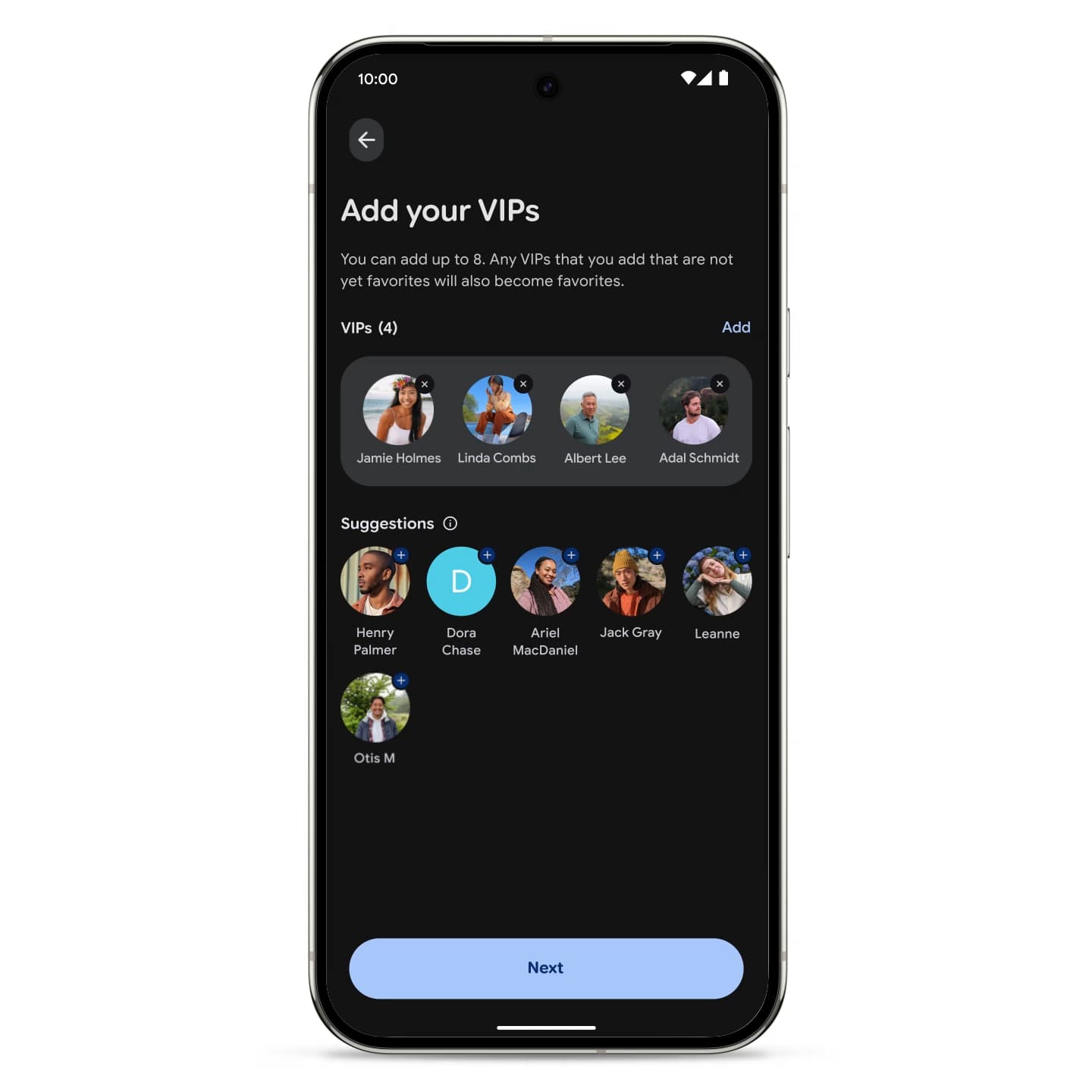
Once rolled out, open Google Contacts and go to the Organize tab. The new “Pixel VIPs” page lets you choose up to eight contacts with several suggestions offered. They will automatically become your favorites and can bypass DND (Do Not Disturb). The rounded rectangle design is identical to the Favorite contacts widget (which gets replaced today), but it is resizable.

Google-Pixel-VIPs-widget-4.jpg

Google-Pixel-VIPs-widget-5.jpg


You have to grant permissions before adding the widget:

  • SMS: Allow to view the last message with your VIPs
  • WhatsApp: Allow to view the last message and call with your VIPs
  • Location: Allow to get activity suggestions personalized for you and your VIPs
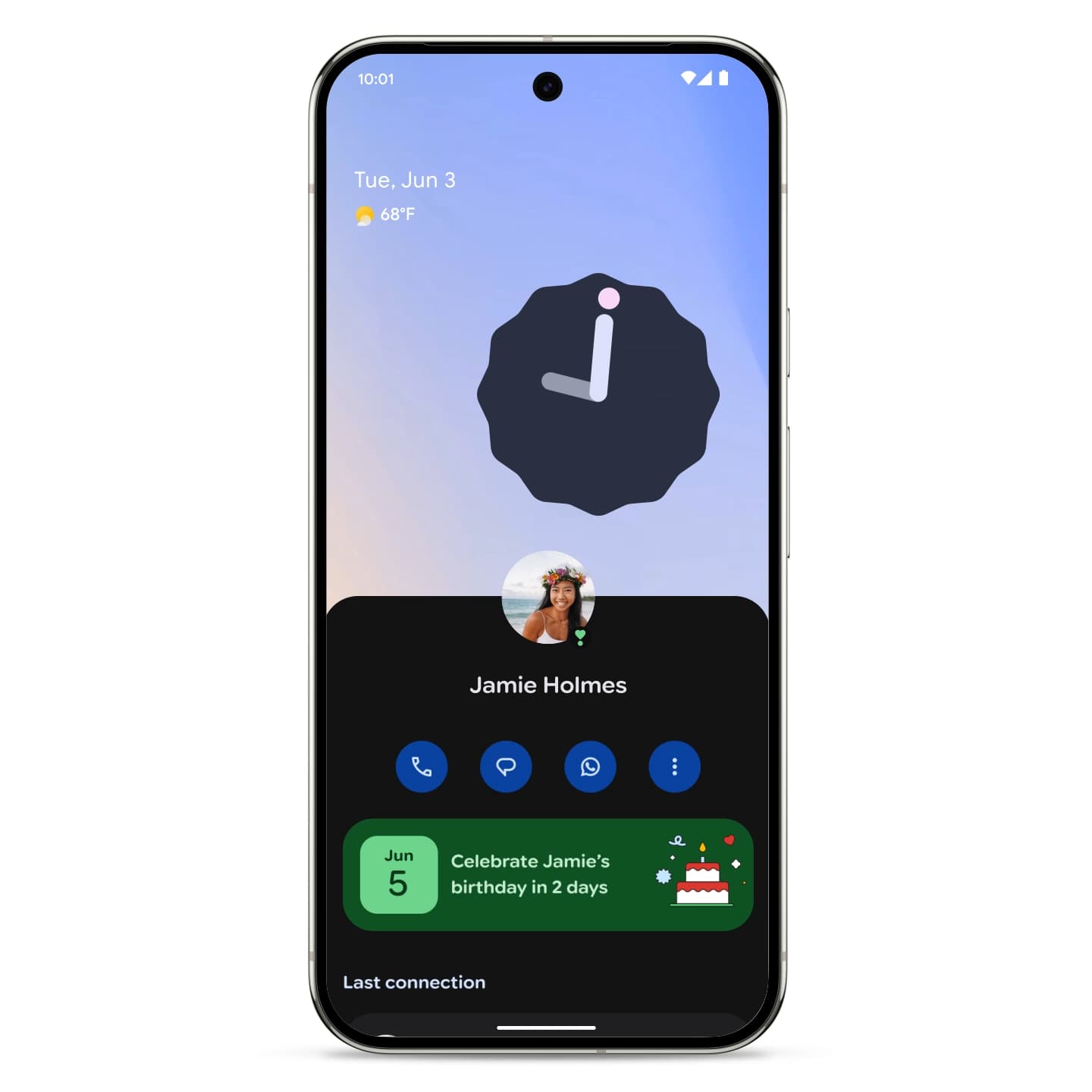
When tapping on your homescreen, the VIP page slides up a sheet from the bottom of the screen. (This information cannot be accessed from inside Google Contacts.) You get a row of shortcuts for calling, messaging, video, etc., as well as a shortcut to open their full Contacts page. First up is a prominent card if you have upcoming birthdays and anniversaries.

Last connection can show the most recent phone call (date and duration), and Google Messages or WhatsApp chat (including pictures). A tap opens that conversation thread.

The Local updates section shows a map (if you’re sharing location in Google Maps/Find Hub). Otherwise, you get weather and time/date based on their address in Contacts.

  • Google Pixel VIPs widget
  • Google Pixel VIPs widget
  • Google Pixel VIPs widget

Google Pixel VIPs widget
Notes is the most interesting feature here. You can add text memos, with a Google Keep-like interface.

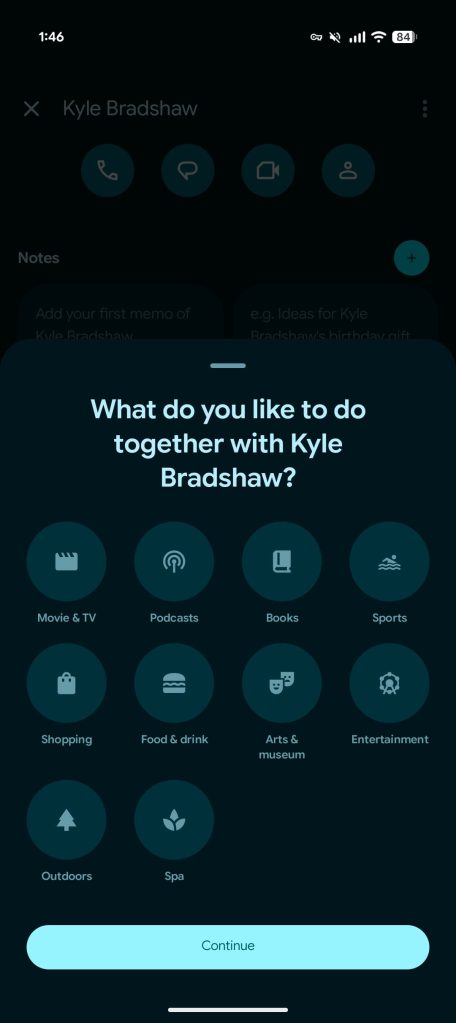
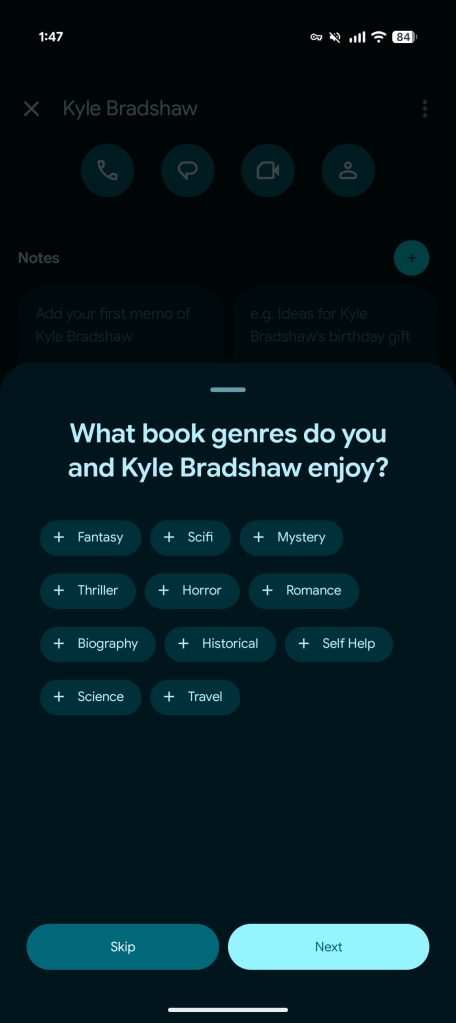
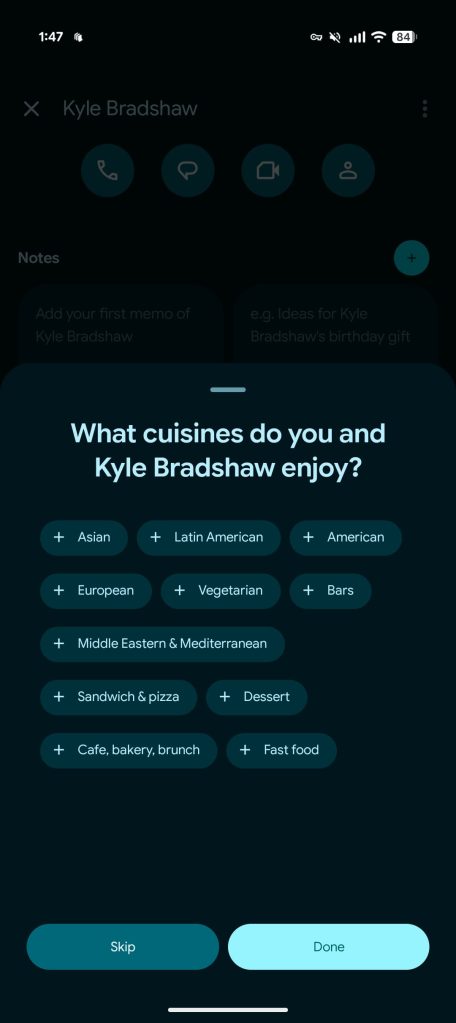
Things to do together will show cards of movies & TV shows and popular locations. To customize, Google asks “what do you like to do together”: Movies & TV, Podcasts, Books, Sports, Shopping, Food & drink, Arts & museum, Entertainment, Outdoors, Spa. You can also specify movie/show and book genres, as well as cuisines. You have the ability to thumbs up/down and share each card.

On the privacy front, this information is saved locally:

Pixel VIPs allows you to input various preferences such as what type of food, books, and music you like. This information is saved to your device only. Google may use this information to provide you with suggestions like restaurants near you or books to discuss with your VIPs.
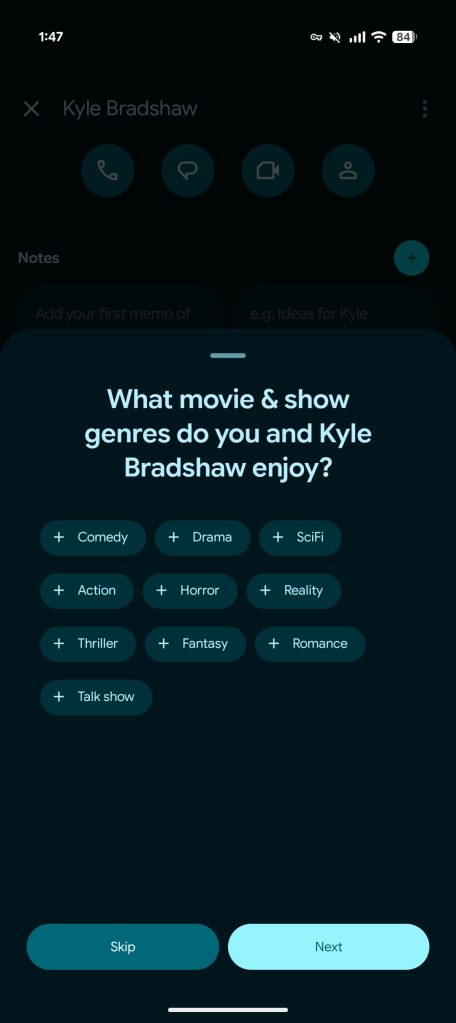
Pixel-VIPs-interests-1.jpg
Pixel-VIPs-interests-2.jpg
Pixel-VIPs-interests-3.jpg
Pixel-VIPs-interests-4.jpg

Crisis alerts will let you “receive alerts based on your VIPs’ real-time location (if they share it) or address if you’ve provided it in your contacts or directly in the VIPs overlay.”

Make sure the responsible service and Google Contacts are up-to-date in the Play Store. We’re seeing it widely rolled out this afternoon after force stopping the Contacts app.
 
Important Forum Advisory Note
This forum is moderated by volunteer moderators who will react only to members' feedback on posts. Moderators are not employees or representatives of HWZ Forums. Forum members and moderators are responsible for their own posts. Please refer to our Community Guidelines and Standards and Terms and Conditions for more information.
Top