Google Apps New Features, Tips & Tricks

limmk

High Supremacy Member
Joined
Jul 5, 2001
Messages
38,377
Reaction score
7,864


Google is reportedly adding a new audio source toggle to the Pixel’s Connected Cameras feature. This fixes the annoyance, where audio can only come from the camera currently in use. When the new ‘Use connected camera audio’ toggle is enabled, the audio source will switch to the connected camera when active.

Earlier this year, Google released the Connected Cameras feature for Pixel phones. As the name says, this will allow Pixel owners to use another Pixel or GoPro as an extra camera for live streams. This allows for more camera angles. However, there was one annoyance with the Pixel Connect Camera feature, where the audio can only come from the camera that’s currently in use. It appears that Google is finally addressing this.

Pixel’s Connected Camera audio limitation is getting a fix​

Android Authority reports that they have discovered that the latest version of Google Camera Services, with version 3.1.807663885.00, now allows you to set your main phone as the audio source. The Connect Camera UI now has a three-dot menu that includes a ‘Use connected camera audio’ toggle.

When the toggle is enabled, the audio will come from your connected camera when you switch to it. You can disable this if you want to switch video streams, but always want the audio to come from your primary device. There’s a description notifying users about this in the same toggle menu.

Pixel Connected Camera audio


There’s a new audio source toggle​

There were negative reactions to this Connected Camera audio limitation when it launched earlier this year. It’s a positive development that Google has acknowledged this and is finally addressing it. This should be handy if you’re streaming a podcast or interview. It allows you to use audio from the closest camera while switching between different angles.

This development comes over a month after the tech giant brought Connected Cameras to older Pixel phones. However, it only supports livestreams via YouTube, Instagram, Snapchat, and TikTok.
 

limmk

High Supremacy Member
Joined
Jul 5, 2001
Messages
38,377
Reaction score
7,864
TL;DR
  • The latest Pixel Camera update (version 10.x) now requires Google Play Services, causing crashes on de-Googled systems like GrapheneOS.
  • The app fails to launch because it can’t find a font that’s only provided through Google Play Services.
  • Users can fix the issue by rolling back to an older version (9.9.106.773153235.19) of the app or by using sandboxed Play Services on GrapheneOS.


Earlier today, we reported that the latest Pixel Camera update (version 10.x) was crashing on de-Googled operating systems like GrapheneOS. The issue stems from a newly introduced dependency, with the app now requiring Google Play Services to function. Without Google Play Services, it simply crashes or refuses to fire up. We’ve since learned why that dependency exists, and the reason is surprisingly trivial.

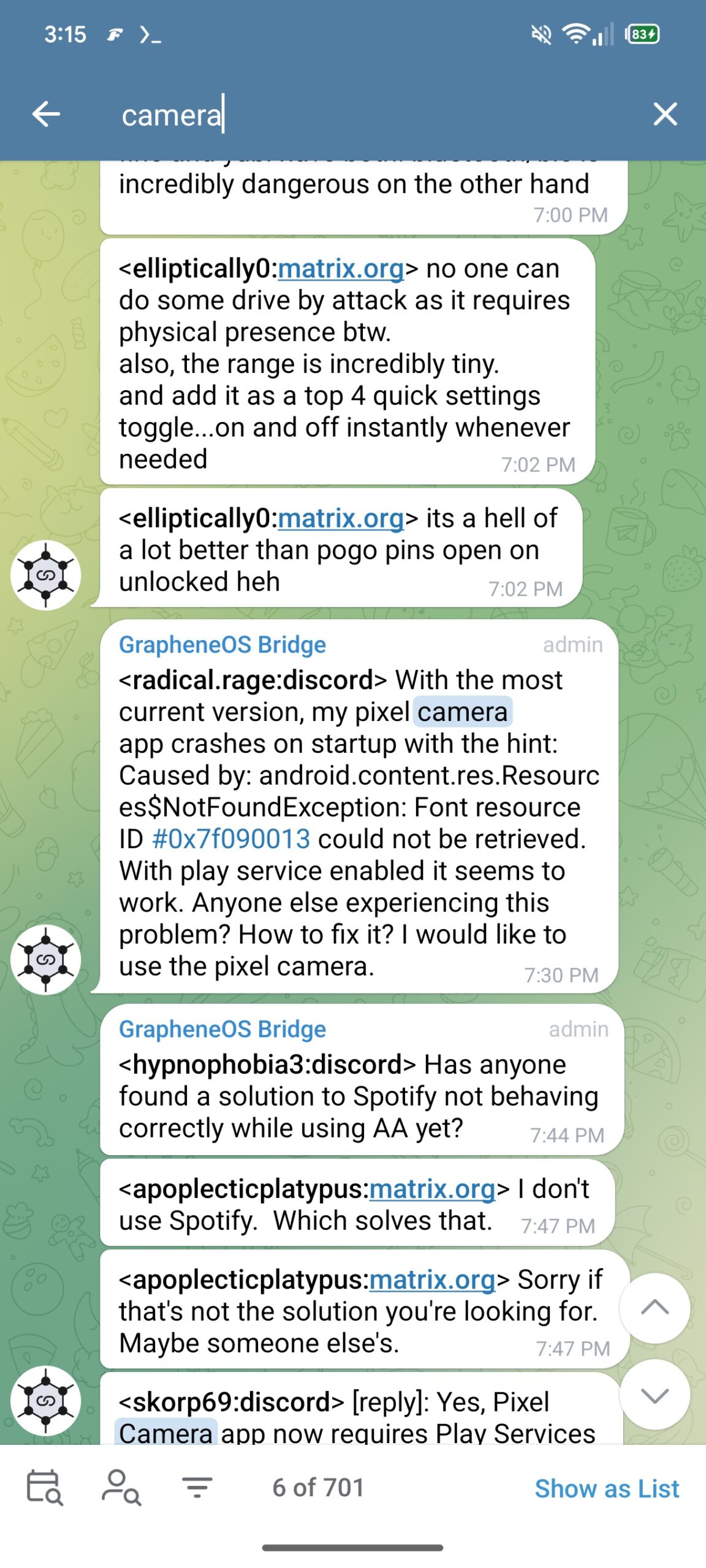
As Android Authority contributor Assemble Debug points out, the problem boils down to a missing font. Based on a crash log shared by a user in the GrapheneOS Telegram group, Assemble Debug concluded that the app now calls for Google Sans Flex, a font provided only through Play Services.

Telegram GrapheneOS Pixel Camera crash 1
Pixel Camera app code 1
Pixel Camera app code 2


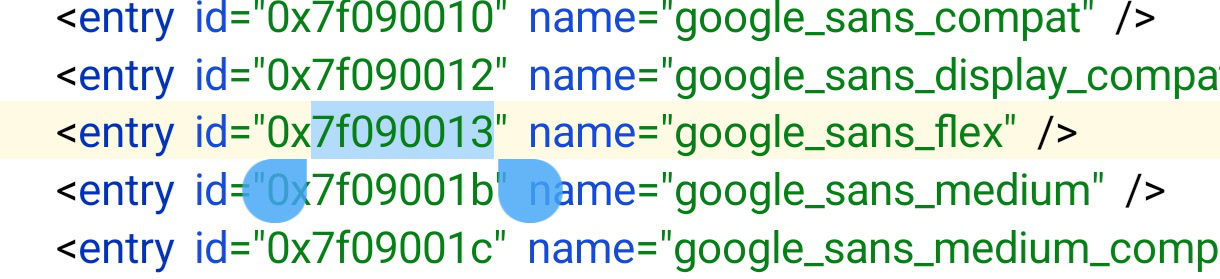
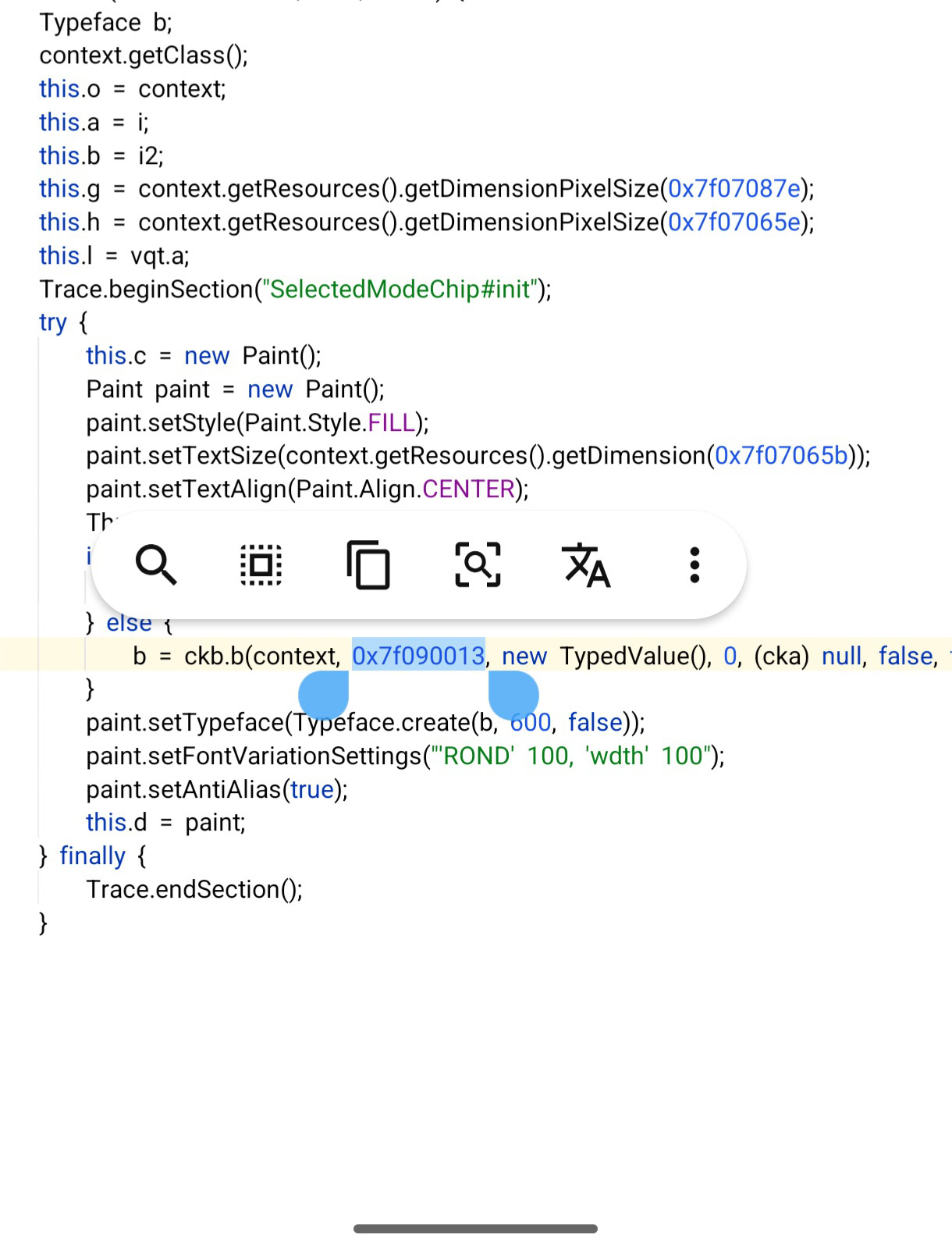
The latest Pixel Camera update introduces a new font resource ID (0x7f090013) for Google Sans Flex. The previous version of the Pixel Camera app (version 9.9) did not include references to this font, and the app worked fine on GrapheneOS and other de-Googled Android builds.

However, in version 10, the Pixel Camera app now relies on Google Play Services as the font provider. This is why the app crashes without Play Services.

Code:
<font-family
app:fontProviderAuthority="com.google.android.gms.fonts"
app:fontProviderPackage="com.google.android.gms"
app:fontProviderQuery="Google Sans Flex" />

It’s an amusingly small change that’s causing users a big headache, but it also shows that Google’s apps are becoming increasingly dependent on its own services.

If you’re facing the issue, the simplest fix is to roll back to version 9.9.106.773153235.19 (Build ID 68469120) of the Pixel Camera app. However, users will need to uninstall the current version first, then block updates to prevent future issues. And as we noted in our previous article, those running sandboxed Play Services can still use the latest version of the Pixel Camera app without problems.
 

limmk

High Supremacy Member
Joined
Jul 5, 2001
Messages
38,377
Reaction score
7,864


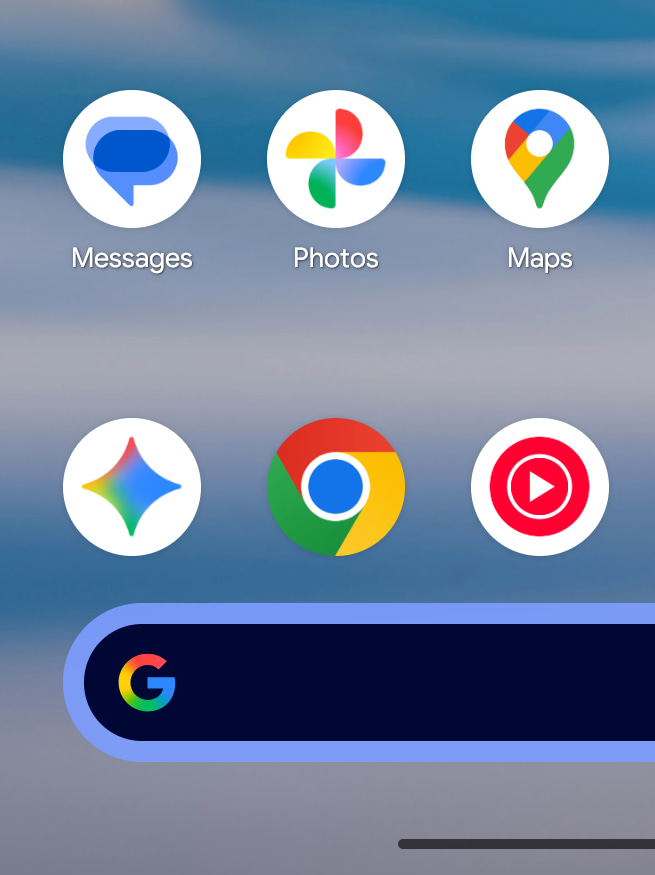
Following the ‘G’ and Gemini icons, Google is updating its logos for the AI era. Here’s a sneak peek at the new gradient icons for Google Photos and Maps.


In May, the Google (Search) app got a new icon that got rid of the four solid color sections for a gradient. This came to the Gemini spark a month later.

This September, Google finally detailed its thinking behind the gradient icon redesigns: “While staying true to Google’s iconic four colors, the brighter hues and gradient design symbolize the surge of AI-driven innovation and creative energy across our products and technology.”

The gradient G also expanded beyond Search to represent “all of Google” (the brand and company). Additionally, the company said how it will “continue this update across more products, platforms and services over the coming months.”

Google Maps and Photos are up next, with a source sharing the redesigned gradient icons with us today.

Old vs. new

Google-Maps-old-icon.webp

Google Maps gradient icon


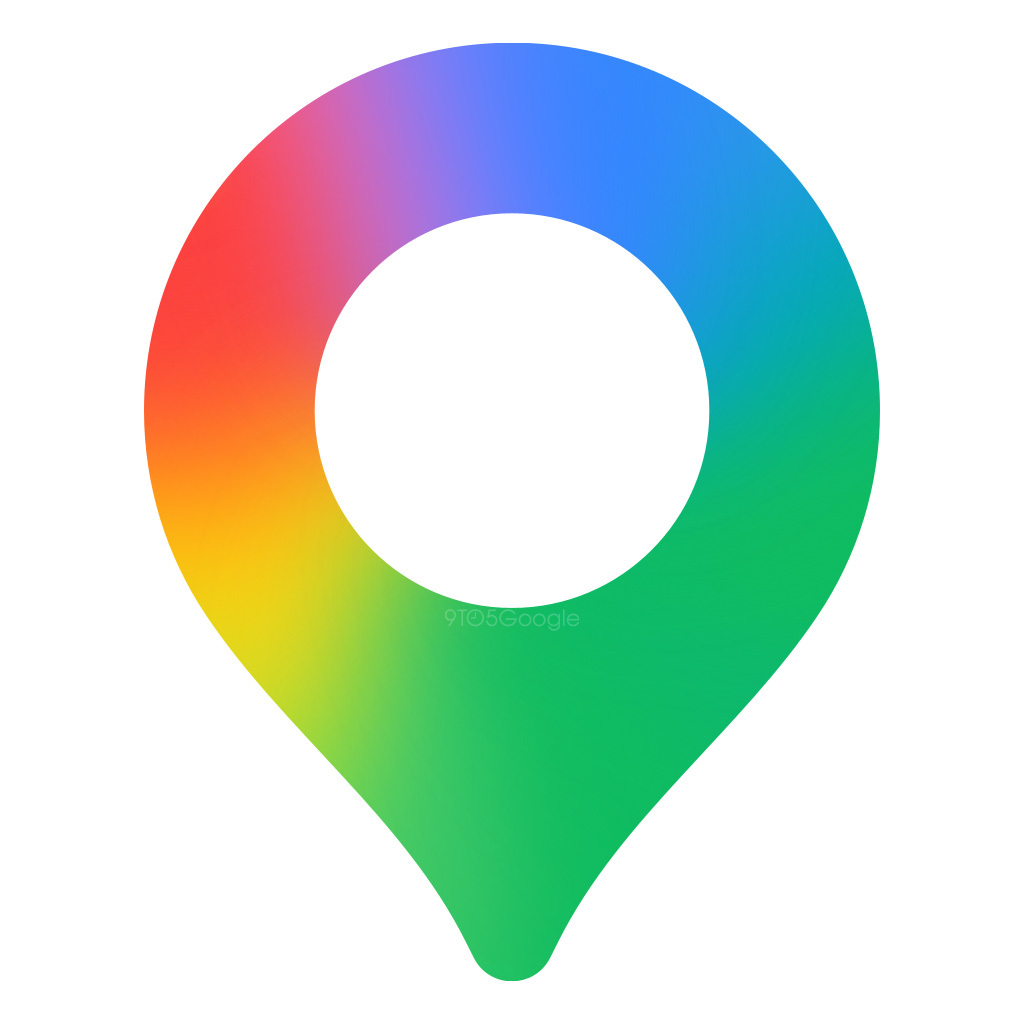
The new Google Maps icon is still a pin, but the shape has been modernized and is thinner. The inner circle is significantly larger, with Google getting rid of the diagonal partitions, which had two shades of blue. This reflects how Gemini is available in place listings.

Meanwhile, the Google Photos icon keeps the same shape, with the gradient effect radiating from inside out. When blown up, the inner portion looks transparent, but it should be fine as a small app icon on your homescreen. Google Photos offers Remix, photo-to-video (Veo) generations, and conversational editing, as well as the Gemini-powered Ask Photos. Nano Banana is also coming to Google Photos.

Google-Photos-old-icon-.webp

Google Photos gradient icon


It’s unclear when these new icons are launching, but it could be at any time given the existing presence of AI features.
 

limmk

High Supremacy Member
Joined
Jul 5, 2001
Messages
38,377
Reaction score
7,864


Google has released a new “Theme packs” app on the Play Store for its devices that “Personalize your Pixel in one tap.”

Instantly unlock a complete refresh that updates your wallpaper, icons, sounds, GIFs, and more with seasonal theme packs.

Specifically, this updates your Wallpaper, Color (Dynamic Color theme), App icons, Clock, Sounds (Ringtone, Alarm, and Notifications), Gboard (probably GIFs), and more.

The “first seasonal theme pack” is Wicked: For Good! with three styles: “For Good,” “Glinda,” and “Elphaba.”

Pixel-Theme-packs-4.webp

Pixel-Theme-packs-5.webp

Pixel-Theme-packs-6.webp


The app icon on the Play Store (com.google.android.apps.pixel.customizationbundle) is a color swatch on a purple background. Per an earlier leak, you should be able to access this from Wallpaper & style, but nothing is live today after installing the application.

You get to preview the available Theme packs before tapping “Download” in the top-right corner. Afterwards, you can enable/disable what gets applied: Add sounds, Use wallpaper, etc.

Update: This app is available on the Pixel 6 and newer. It was released to the Play Store on November 4, 2025.

It’s unclear when Theme packs will launch. At this point, Google doesn’t stick to the first Monday releases for monthly updates. Late last week, Google released a second October 2025 security patch, which could possibly impact when the next update is coming.
 

limmk

High Supremacy Member
Joined
Jul 5, 2001
Messages
38,377
Reaction score
7,864


Pixel devices are getting a set of new ringtones, notification alerts, and alarm sounds via an update to the Sounds app.

Update: Sounds 3.3 (825845788) is now widely rolling out to older Pixel devices, and properly appearing in the updates list.


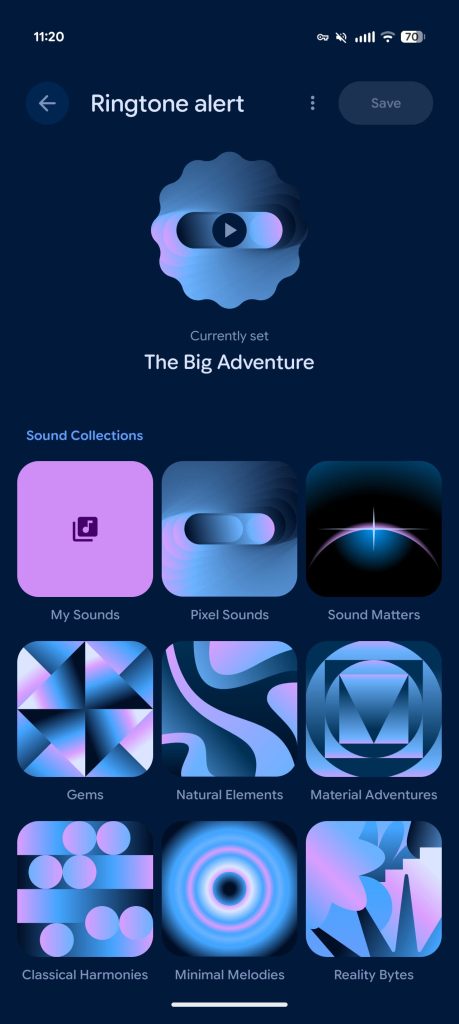
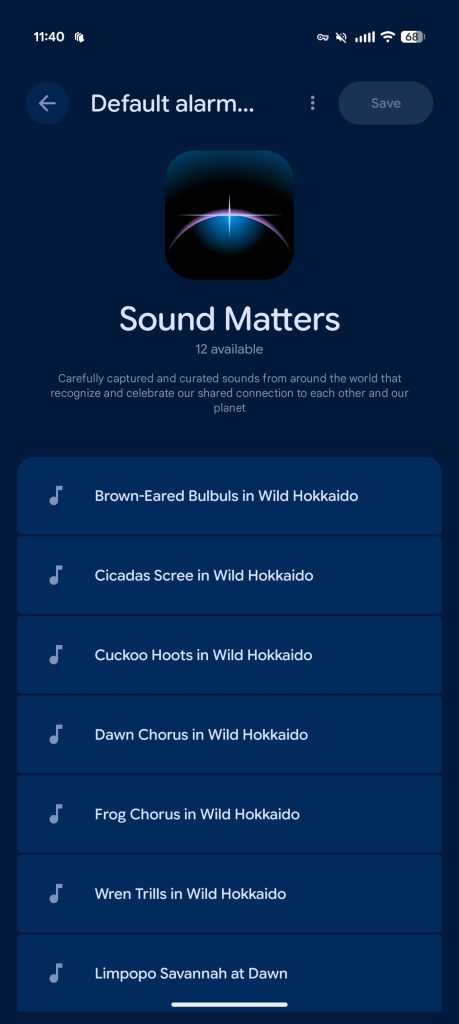
With Android 16 QPR1, Settings app > Sound & vibration > Ringtone alert, Notification alert, and Default alarm sound got a Material 3 Expressive redesign (as seen above) with version 3.3 (767017003) of the Pixel-exclusive “Sounds” app.

Google is now rolling out Sounds 3.3 (825845788) with each of the 11 collections moving from colorful gradient covers to abstract artwork themed with Dynamic Color. Other minor visual changes see better top/app bar spacing and proper placement for the three-dot overflow menu.

Old vs. new

Pixel-Sounds-old-1.jpg

Pixel-Sounds-new-1.jpg


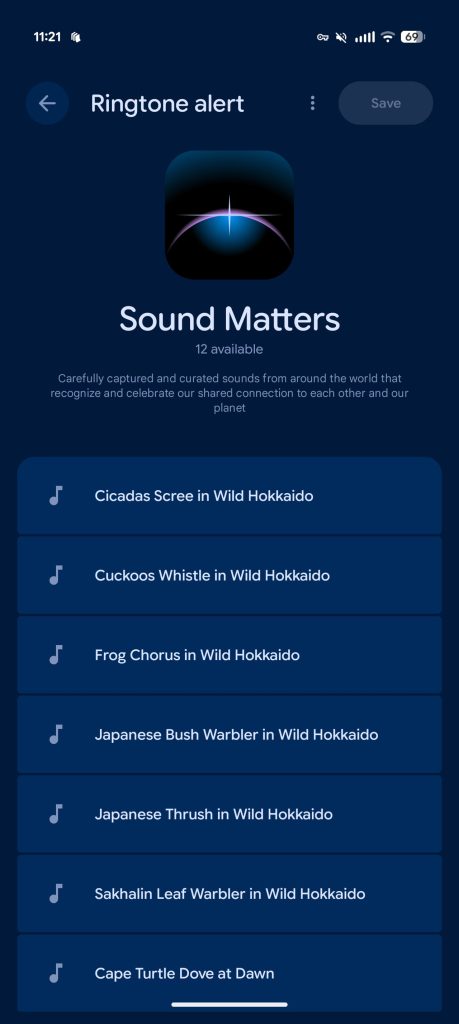
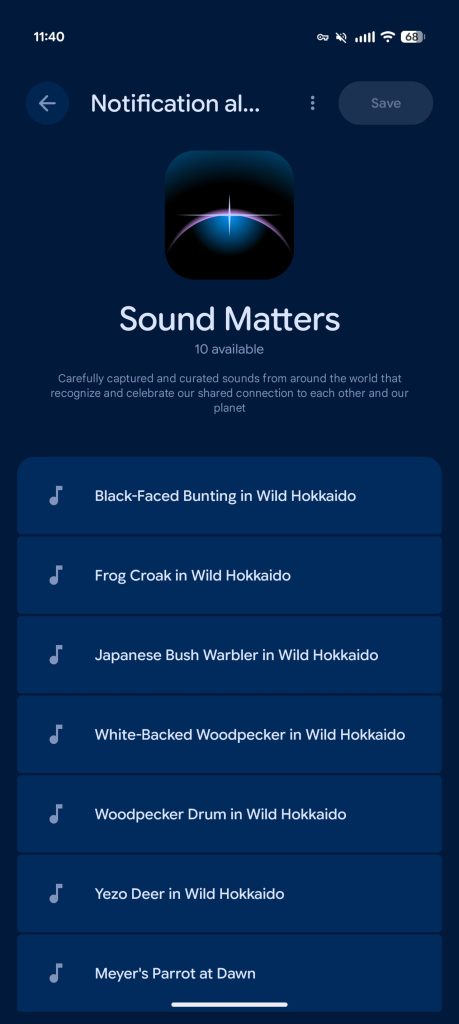
Sound Matters — “Carefully captured and curated sounds from around the world that recognize and celebrate our shared connection to each other and our planet” — adds a total of 18 new options. This collection was introduced last year.

Ringtones:

  • Cicadas Scree in Wild Hokkaido
  • Cuckoos Whistle in Wild Hokkaido
  • Frog Chorus in Wild Hokkaido
  • Japanese Bush Warbler in Wild Hokkaido
  • Japanese Thrush in Wild Hokkaido
  • Sakhalin Leaf Warbler in Wild Hokkaido
Notification alerts:

  • Black-Faced Bunting in Wild Hokkaido
  • Frog Croak in Wild Hokkaido
  • Japanese Bush Warbler in Wild Hokkaido
  • White-Backed Woodpecker in Wild Hokkaido
  • Woodpecker Drum in Wild Hokkaido
  • Yezo Deer in Wild Hokkaido
Alarms:

  • Brown-Eared Bulbuls in Wild Hokkaido
  • Cicadas Scree in Wild Hokkaido
  • Cuckoo Hoots in Wild Hokkaido
  • Dawn Chorus in Wild Hokkaido
  • Frog Chorus in Wild Hokkaido
  • Wren Trills in Wild Hokkaido
Pixel-Sounds-Hokkaido-1.jpg

Pixel-Sounds-Hokkaido-2.jpg

Pixel-Sounds-Hokkaido-3.jpg


So far, we’re only seeing the Sounds 3.3 (825845788) update on the Pixel 10 series. It’s not appearing on older devices we checked.

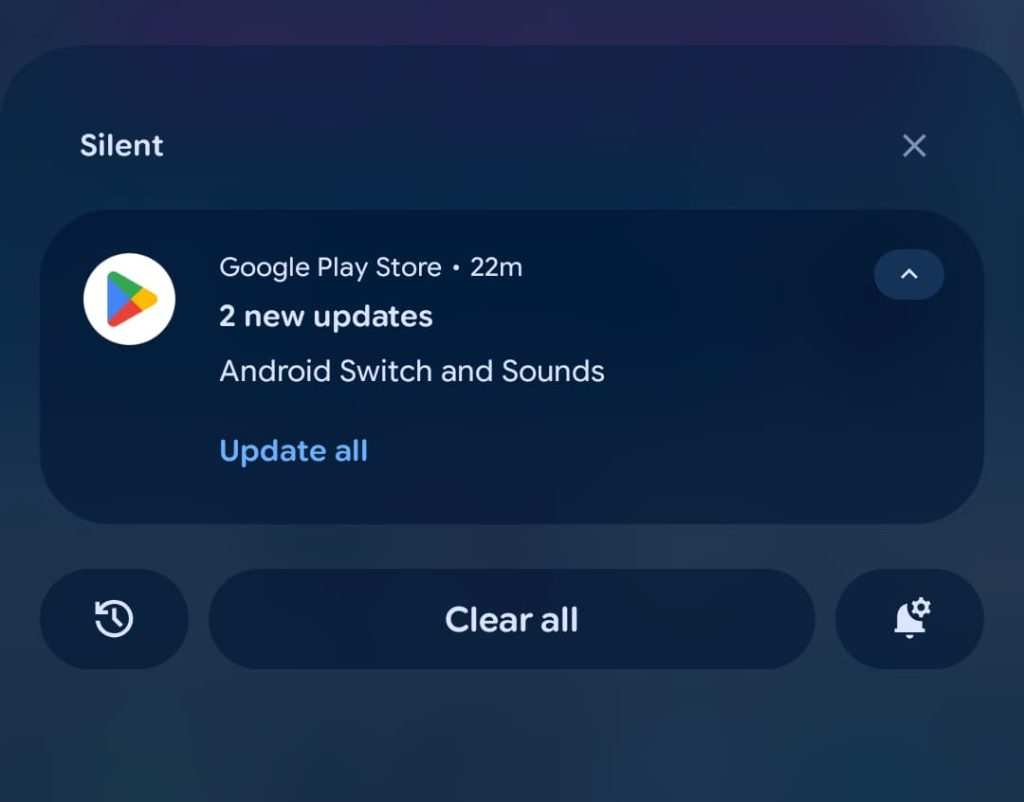
The Sounds app suffers from a Google Play Store bug where system applications might not appear in the list of available updates/Downloads.

As such, you have to visit the Play Store listing directly: https://play.google.com/store/apps/details?id=com.google.android.soundpicker.

Pixel-10-Sounds-update-bug-1.jpg

Pixel-10-Sounds-update-bug-2.jpg
 

limmk

High Supremacy Member
Joined
Jul 5, 2001
Messages
38,377
Reaction score
7,864


Following our report at the start of this month, Google Photos for Android is rolling out its new gradient redesign of the homescreen icon.

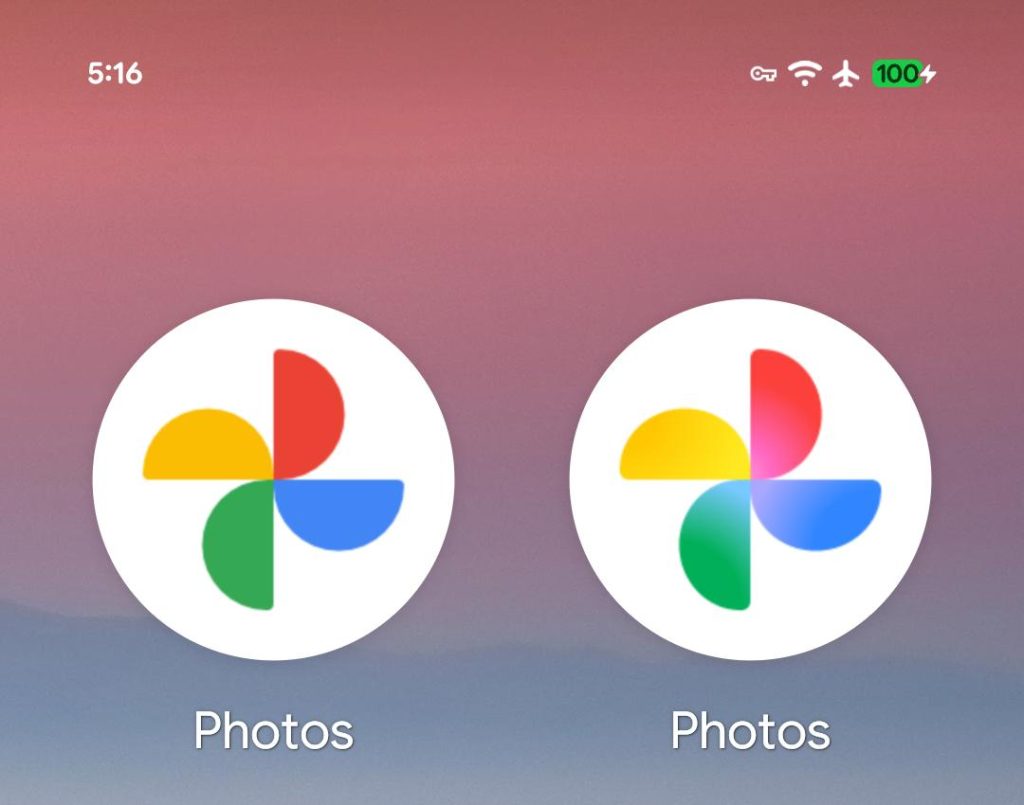
The rounded semi-circle pinwheel shape is unchanged today. What’s new is a gradient fade that starts at the center where everything is lighter and then radiates out to the existing colors.

This redesign is not the most obvious to spot. At homescreen size, you’ll just notice how the center has a slight glow. That said, it’s not an easy icon to update to the new company style. The “brighter hues and gradient design” symbolize the “surge of AI-driven innovation and creative energy across” Google. It’s meant to stay “true to Google’s iconic four colors.”

Old vs. new


Google-Photos-gradient-redesign-2.jpg


The new icon reflects the slew of AI-powered features that Google Photos has gained recently. This includes the conversational “Help me edit,” Nano Banana, Ask Photos search, Remix, and more.

Google Photos 7.55 is rolling out with this new icon.

This follows the new ’G’ for Google Search (which later went company-wide), the Gemini spark, and then Google Home. We also reported that Google Maps is getting a new icon.

Google-Photos-gradient-redesign-old.jpg

Google-Photos-gradient-redesign-new.jpg
 

limmk

High Supremacy Member
Joined
Jul 5, 2001
Messages
38,377
Reaction score
7,864
TL;DR
  • Google Maps is now getting the new Power Saving Mode announced in the November Pixel Drop.
  • The low-power navigation mode is exclusive to the Pixel 10 series.
  • It tackles display-induced battery drain by switching to a simple, low-power interface that shows only essential information like your next turn.


Google is finally rolling out the new Power Saving Mode in Google Maps for Pixel 10 phones. The feature was announced as part of the November Pixel Drop and is now appearing for more users. As the name suggests, the new mode aims to extend your phone’s battery life during navigation.

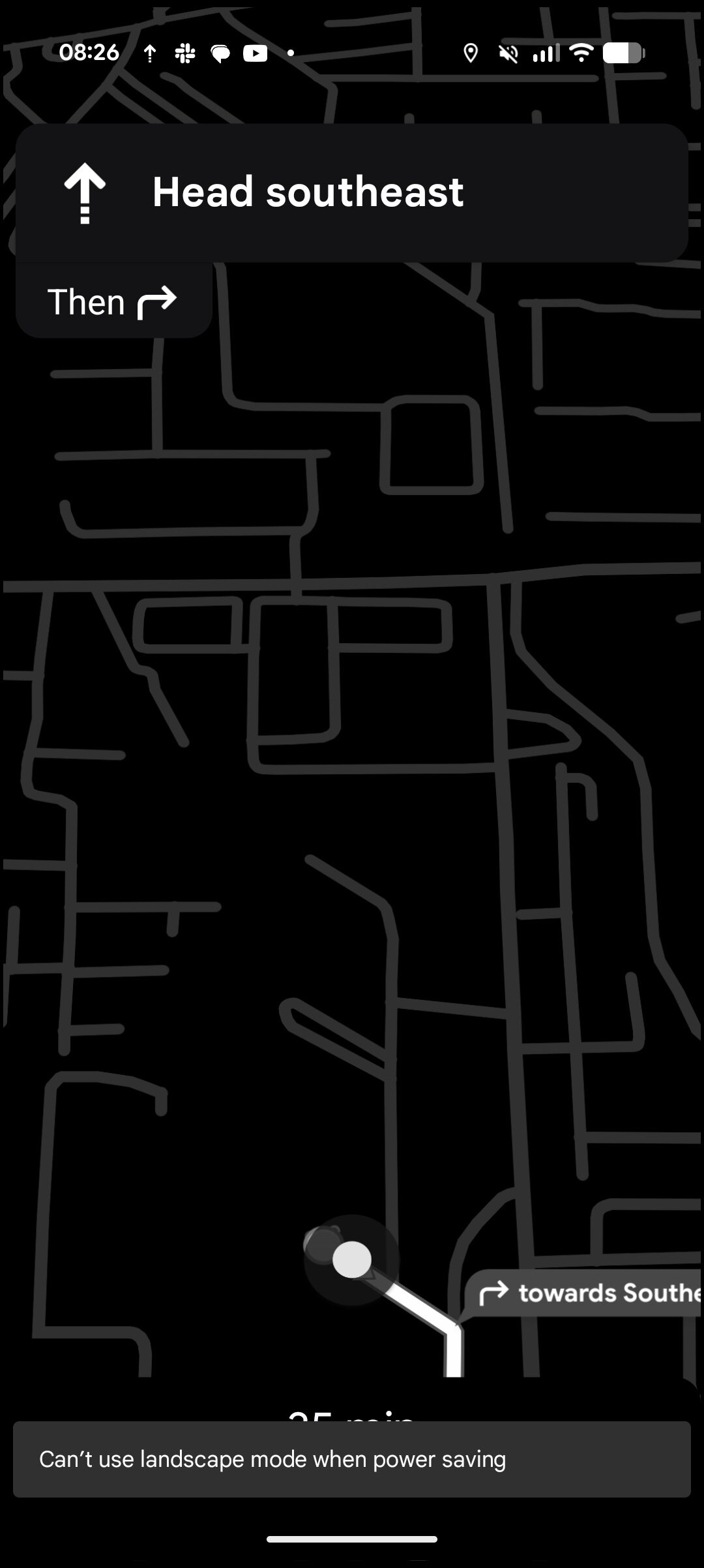
Turn-by-turn navigation can be a pretty power-hungry feature because it relies on constant GPS access, mobile data, and a bright display that stays on for the duration of your route. The new mode tackles the display-induced battery drain by switching to a simple, low-power interface that shows only essential information like your next turn.

The feature uses a new Android capability called AOD Min Mode, allowing Google Maps to run on the Always-On Display using minimal power. It drops the interface to black-and-white visuals with reduced brightness and refresh rate. This is particularly efficient on OLED screens, like those on the Pixel 10 series, since black pixels are effectively turned off.

Google Maps Power Saving Mode 1
Google Maps Power Saving Mode 2


Google says Pixel 10 phones can gain up to four extra hours of navigation time using the new Power Saving Mode. The catch is that it only works in driving mode and does not support navigation for walking, biking, or public transit. It also doesn’t support your phone’s landscape orientation and only works in portrait orientation.

How to use Power Saving Mode in Google Maps on your Pixel 10?​

Google Maps Power Saving Mode


The wider rollout of the feature means you should now see the option appear in Google Maps automatically. Here’s how to use it:
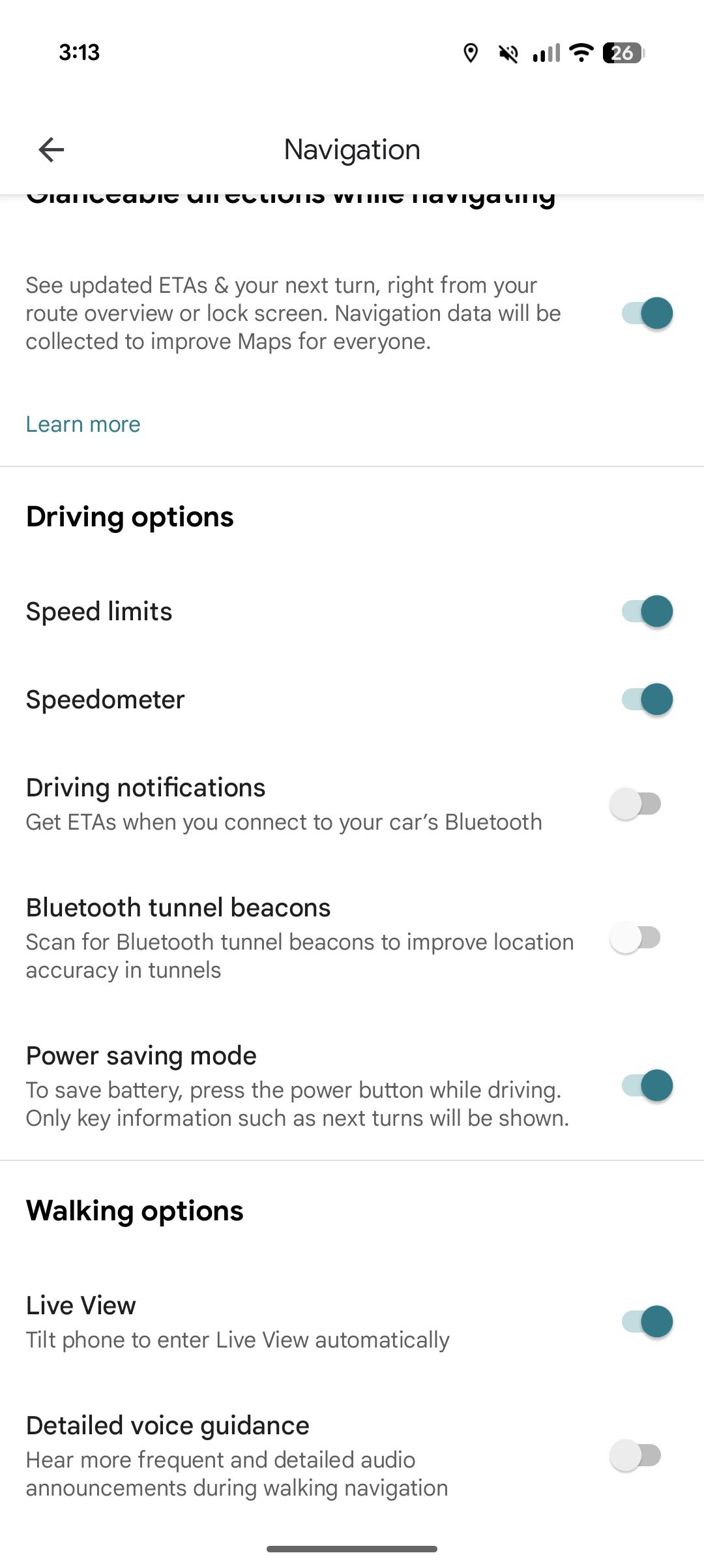
  • Open Google Maps
  • Go to Settings
  • Scroll to Navigation
  • Look under the Driving options section for Power Saving Mode
There’s also a contextual pop-up when you request driving directions. A small card appears, explaining the feature, and tapping “Learn more” takes you directly to the same settings page.
To activate Power Saving Mode during navigation:
  • Start turn-by-turn driving navigation
  • Press the power button to turn off the display
  • Navigation will continue in the low-power mode on the lock screen
  • Tap the screen or press the power button again to exit the mode
Power Saving Mode in Google Maps will remain exclusive to the Pixel 10 series for the time being. Google hasn’t shared any plans to bring it to older Pixel models or other Android phones.

 

limmk

High Supremacy Member
Joined
Jul 5, 2001
Messages
38,377
Reaction score
7,864
TL;DR
  • Some Pixel 10 series owners have reported a strange bug after downloading the update that enables AirDrop support.
  • Affected users report that their phones get disconnected from Wi-Fi if they merely open the Quick Share menu.
  • We’ve asked Google about this bug and whether a fix is on the way.


Google shocked the smartphone world earlier this week when it announced that Quick Share for Android now supports AirDrop on iPhones. That means you can now easily share files locally between Android and Apple devices without downloading extra apps. However, it looks like some users have encountered an unfortunate bug following this major update.

Some Pixel 10 series owners have reported (spotted via PiunikaWeb) that simply opening the Quick Share sharing menu results in their phones being disconnected from Wi-Fi. Affected users had installed the Quick Share extension update that enables AirDrop support. At least one user noted that their list of Wi-Fi networks was “completely empty” if they opened the Wi-Fi menu while Quick Share was open.

Users have also posted threads on the Pixel Phone Help forum and Google Issue Tracker. Unfortunately, a product expert in the former forum closed the thread and told users to report the issue via the Google Issue Tracker. Meanwhile, a Google representative in the Issue Tracker marked the problem as “won’t fix (obsolete)” and sent users back to the Pixel Phone Help forum. Go figure.

I wouldn’t be surprised if Quick Share disables Wi-Fi when actively sending or receiving a file. After all, the service uses a direct Wi-Fi connection to transfer files. So disabling Wi-Fi might be necessary to achieve the best result in some situations (although my Wi-Fi connection stays intact when transferring files). However, the fact that this seems to happen without actively transmitting a file definitely seems to be a bug. For what it’s worth, we haven’t noticed this issue on a Pixel 10 series unit.

As for a workaround, some users have noted that this bug disappears if you uninstall the Quick Share extension update. Of course, this isn’t a permanent solution if you really care about sharing with Apple devices.

In any event, we’ve asked Google’s representatives for a statement on the matter and whether a fix is incoming. We’ll update our article as soon as the company gets back to us.
 
Important Forum Advisory Note
This forum is moderated by volunteer moderators who will react only to members' feedback on posts. Moderators are not employees or representatives of HWZ. Forum members and moderators are responsible for their own posts.

Please refer to our Community Guidelines and Standards, Terms of Service and Member T&Cs for more information.
Top