Google Pixel 8 series

Do you think Google will give you a free Pixel Watch 2 if you preorder a Pixel 8 Pro?

  • Yes

    Votes: 24 21.1%
  • No

    Votes: 90 78.9%

  • Total voters
    114
  • Poll closed .

Blueberrytea

Master Member
Joined
Dec 10, 2017
Messages
2,928
Reaction score
670
Side step abit. What casing are you using and if your tempered glass fits your casing? I'm using ringke casing but a different brand tempered glass and it's too big for my casing.
Using ringke tempered glass , case currently is original google case
 

Blueberrytea

Master Member
Joined
Dec 10, 2017
Messages
2,928
Reaction score
670
Yeah I read on a similar reddit thread that the default settings might already default to using the system graphics driver anyway.

Let's wait to hear back from @Blueberrytea if his wife's S24U really has better touch performance under similar conditions.
S24u no affect... I'm guessing is touch response
 

Blueberrytea

Master Member
Joined
Dec 10, 2017
Messages
2,928
Reaction score
670
You mean S24U touch response very good on MLBB?
It's better than on my p8 pro... My problem is when playing in landscape mode... Camera on the left rear I also facing problem with multi touch and response from top right corner... If press/tab harder can detect... Wonder is it tgsp too thick? Last one and this ringke tgsp I feel Abit thick
 

Loser

Arch-Supremacy Member
Joined
May 7, 2019
Messages
23,593
Reaction score
10,487
It's better than on my p8 pro... My problem is when playing in landscape mode... Camera on the left rear I also facing problem with multi touch and response from top right corner... If press/tab harder can detect... Wonder is it tgsp too thick? Last one and this ringke tgsp I feel Abit thick
If you're just talking about multi-touch I also have the same issue as you.

Top right corner is unresponsive. I think it has to be software issue.
 

Blueberrytea

Master Member
Joined
Dec 10, 2017
Messages
2,928
Reaction score
670
Go into settings > system > dev opt > graphic driver pref > change 'default' to 'sys graphic driver' and observe its performance
Need try try this

Also saw force peak refresh rate for improved touch responsiveness I very tempted to enable... Anyone tried ?
 

Loser

Arch-Supremacy Member
Joined
May 7, 2019
Messages
23,593
Reaction score
10,487
Need try try this

Also saw force peak refresh rate for improved touch responsiveness I very tempted to enable... Anyone tried ?
Waiting for your feedback. :o

It means locks the refresh rate to 120hz leh.
 

Blueberrytea

Master Member
Joined
Dec 10, 2017
Messages
2,928
Reaction score
670
If you're just talking about multi-touch I also have the same issue as you.

Top right corner is unresponsive. I think it has to be software issue.
And I thought I'm the only one... Hope google address it over the next ota
 

Loser

Arch-Supremacy Member
Joined
May 7, 2019
Messages
23,593
Reaction score
10,487
Yes I did

And separate game I on driver setting and force refresh rate same touch not responsive top right corner
Same issue, I flip over the difference is minimal on the top right corner so should be software issue. Maybe got to do with edge detection.

But otherwise the touch input is ok for general gameplay?
 

limmk

High Supremacy Member
Joined
Jul 5, 2001
Messages
41,227
Reaction score
8,169
Yes I did

And separate game I on driver setting and force refresh rate same touch not responsive top right corner
Same issue, I flip over the difference is minimal on the top right corner so should be software issue. Maybe got to do with edge detection.

But otherwise the touch input is ok for general gameplay?

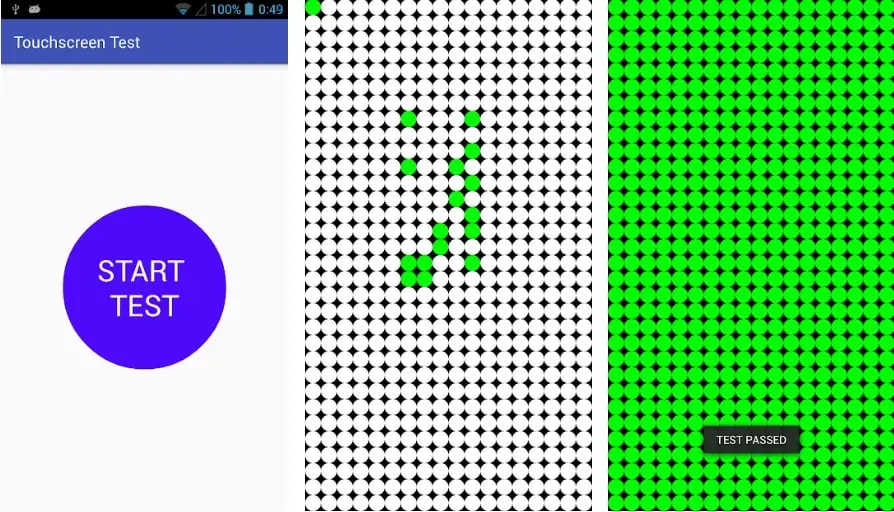
Touch Screen Test

Touch Screen Test is a simple yet effective application that will help you examine your smartphone's touchscreen in no time. All you need to start is download and install the application from the PlayStore and start the test after launching the application on your Android device.

touch screen test
 

Blueberrytea

Master Member
Joined
Dec 10, 2017
Messages
2,928
Reaction score
670
Same issue, I flip over the difference is minimal on the top right corner so should be software issue. Maybe got to do with edge detection.

But otherwise the touch input is ok for general gameplay?
Yes but when I need to purchase items while moving sometimes it doesn't registers... I tried stop all movements and tap top right I can... But while moving and tap it doesn't always work so I feel the same as you... So hopefully it's software related
 

Blueberrytea

Master Member
Joined
Dec 10, 2017
Messages
2,928
Reaction score
670

Touch Screen Test

Touch Screen Test is a simple yet effective application that will help you examine your smartphone's touchscreen in no time. All you need to start is download and install the application from the PlayStore and start the test after launching the application on your Android device.

touch screen test
Just tried a touchscreen test app thanks... Swiping is all fine but when i tap specifically at the edges of the phone I noticed not all correctly registered so i confirm is edge detection problem
 
Last edited:

Loser

Arch-Supremacy Member
Joined
May 7, 2019
Messages
23,593
Reaction score
10,487
Yes but when I need to purchase items while moving sometimes it doesn't registers... I tried stop all movements and tap top right I can... But while moving and tap it doesn't always work so I feel the same as you... So hopefully it's software related
It's exactly the same issue I have.

Other than that the skills input output is ok hor?
 
Last edited:

Blueberrytea

Master Member
Joined
Dec 10, 2017
Messages
2,928
Reaction score
670
It's exactly the same issue I have.

Other than that the skills input output is ok for?
Skills inpit ok...I would say 95% is ok, not life or death situation like ghost touch back in my s20fe days... Just the edges not as responsive ... Hopes google rectify it or at least gives us end users option to toggle edge detection sensitivity 🙏🙏🙏
 

Loser

Arch-Supremacy Member
Joined
May 7, 2019
Messages
23,593
Reaction score
10,487
Skills inpit ok...I would say 95% is ok, not life or death situation like ghost touch back in my s20fe days... Just the edges not as responsive ... Hopes google rectify it or at least gives us end users option to toggle edge detection sensitivity 🙏🙏🙏
You must be using gesture navigation like me.
 
Important Forum Advisory Note
This forum is moderated by volunteer moderators who will react only to members' feedback on posts. Moderators are not employees or representatives of HWZ Forums. Forum members and moderators are responsible for their own posts. Please refer to our Community Guidelines and Standards and Terms and Conditions for more information.
Top