Google Pixel 9 series

Which Pixel 9 series devices are you most interested in?

  • Pixel 9

  • Pixel 9 Pro

  • Pixel 9 Pro XL

  • Pixel 9 Pro Fold

  • Other [comment]


Results are only viewable after voting.

Loser

Arch-Supremacy Member
Joined
May 7, 2019
Messages
23,790
Reaction score
10,582
Shhh GIFs | Tenor
Yay! Love your new DP man.:s19:
 

Loser

Arch-Supremacy Member
Joined
May 7, 2019
Messages
23,790
Reaction score
10,582
Ok. Removed my screen protector and then finger print recognize is working fine.

thought I can finally use the Spigen screen protector only to realize after the first paste that I bought the wrong size. fml.
Wait what do you mean you bought the wrong size? And you only realized that after you pasted it?

Spigen one got installation tray one leh, if it's the wrong size it won't even fit your phone.
 

limmk

High Supremacy Member
Joined
Jul 5, 2001
Messages
43,266
Reaction score
8,342

I tested the Pixel 9's excellent new underwater camera mode in the blue Hawaii waters​

Pixel phones have a new underwater camera mode, and I put it to the test in Hawaii.

In the latest Pixel Drop (formerly known as Pixel Feature Drops) from October, Google launched a new underwater camera mode for the most recent phones in the Pixel 9 series. This feature uses software optimizations to enhance photos and videos captured underwater to make them look as good as possible.

To be clear, Pixels supported underwater enhancements as far back as the Pixel 7 series. Here’s an official blog post about how Googler José Ricardo Lima used a Pixel 7 Pro to capture some underwater shots in Maui, Hawaii, for example. The recent Pixel Drop, though, allows the underwater mode to work on the Pixel 9, Pixel 9 Pro, Pixel 9 Pro XL, and Pixel 9 Pro Fold with any underwater case, not just specific cases Google has vetted. This makes the feature much more accessible to people, as you don’t need an expensive diver-quality case to see those optimizations (the one Lima used for that blog post costs many hundreds of dollars).

The big question, though, is how good this new feature is. I was in Maui recently for the launch of the Qualcomm Snapdragon 8 Elite chipset. I had my Pixel 9 Pro with me, so I decided to slap it into an inexpensive underwater phone case ($21.59 from Amazon) and see what this new camera mode was all about.

Turning on and using the underwater camera mode​

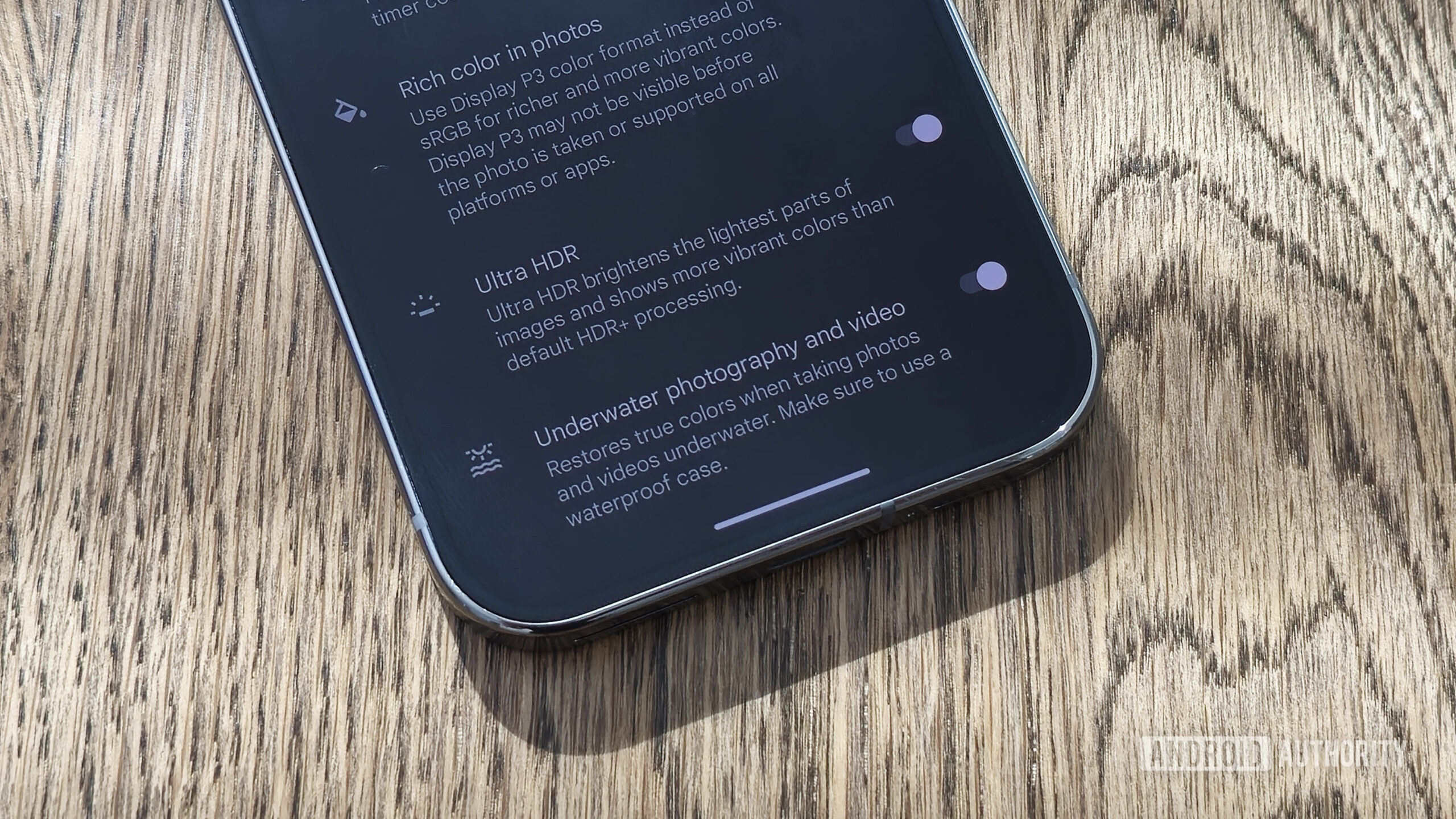
Google Pixel 9 Pro Underwater Camera Mode Switch


Before you jump into the ocean to test this feature out, know that you need to turn it on. Because this feature no longer requires a specific case to work properly, your Pixel won’t be able to determine if you want to use the underwater mode automatically. This seems like something Gemini Nano could eventually solve by simply looking through your viewfinder and determining, “Yep, this phone is not on dry land,” but that’s not the case today. For now, before you start shooting, you need to open the Camera app on your Pixel, tap the Settings icon in the lower left, and then visit More Settings > Advanced > Underwater photography and video, and toggle it on.

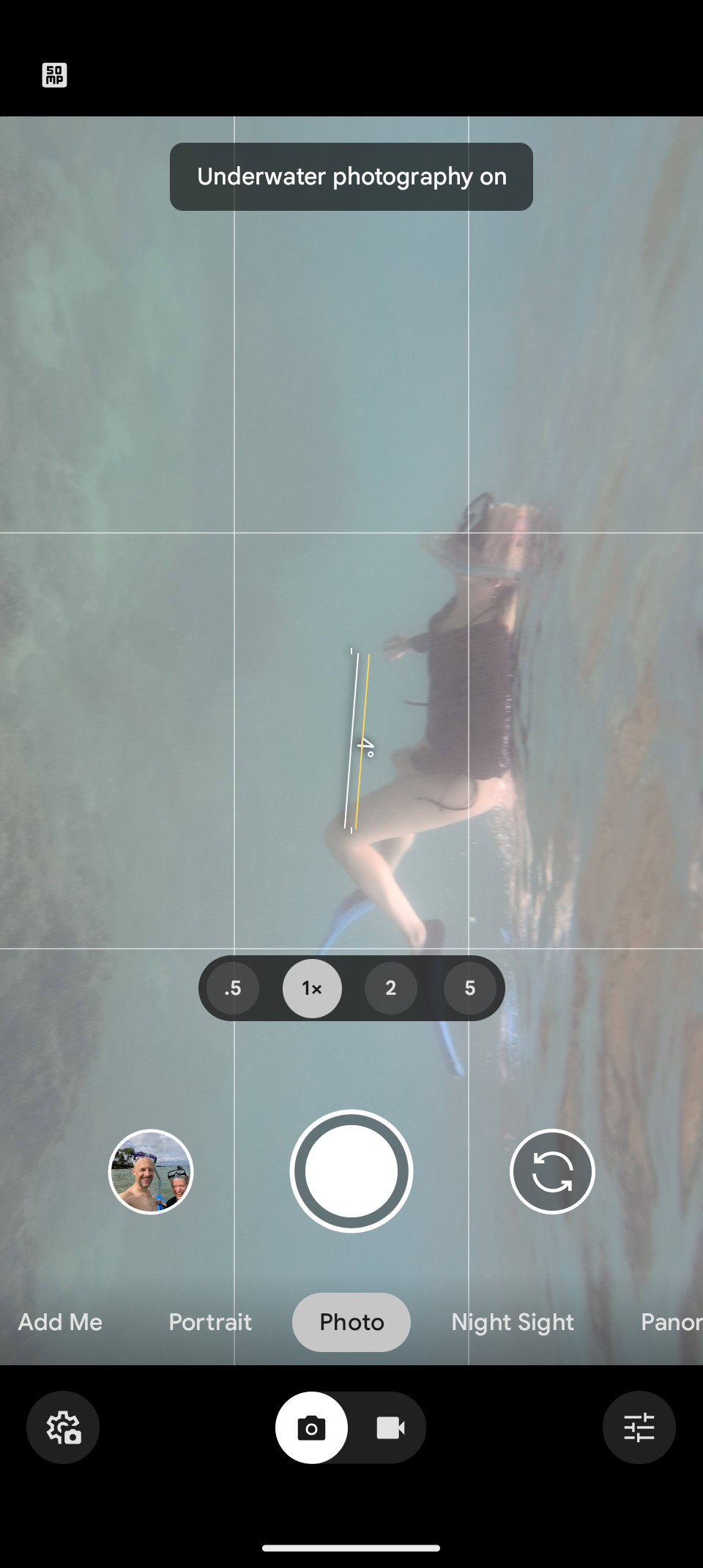
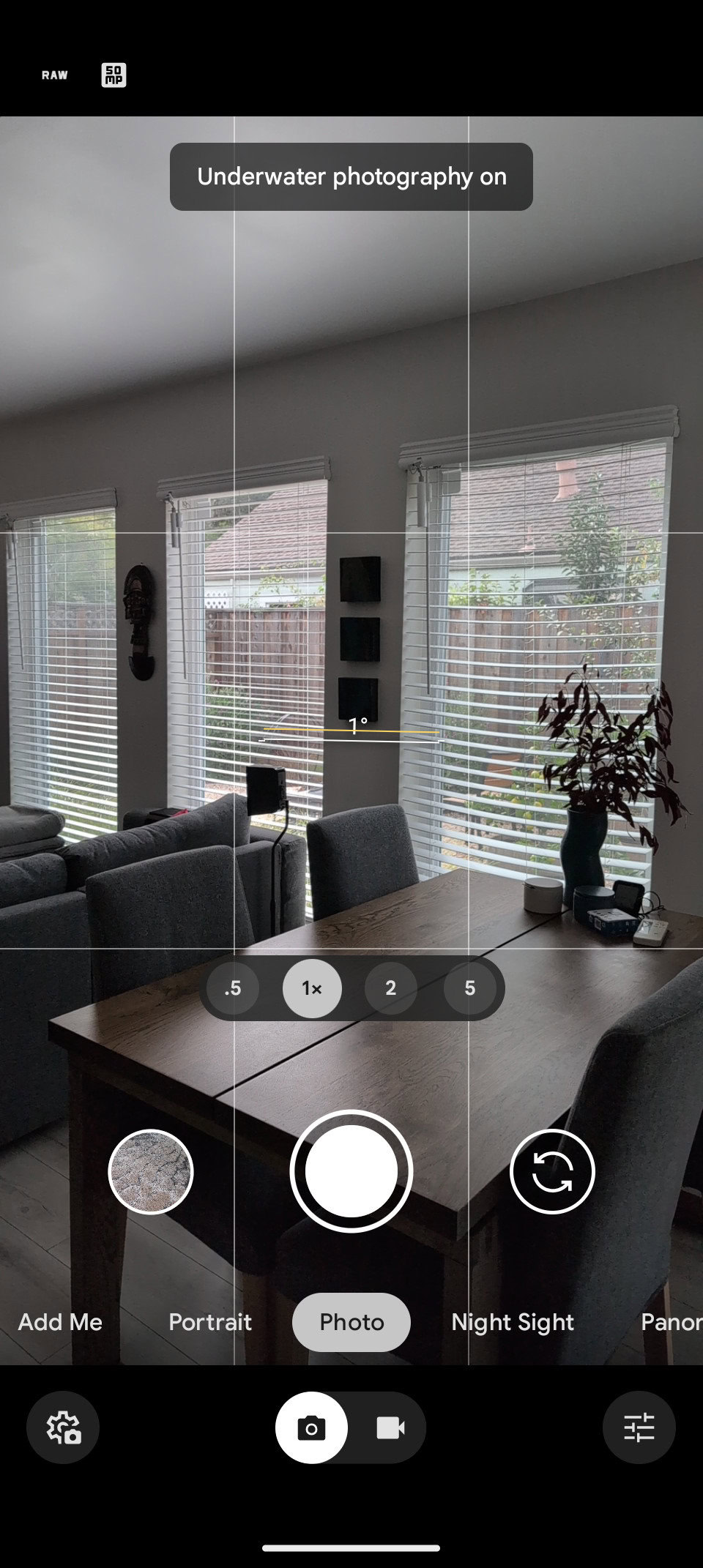
It’s important to note that this activates the feature indefinitely. Thankfully, Google gives you a permanent alert in the viewfinder to remind you it’s on, so you don’t forget to turn it off when your underwater adventure is over.

Pixel Underwater Camera Mode on While in Ocean

Mode on, under the water

Pixel Underwater Camera Mode on While not in Ocean

Mode still on, on solid land

Once you activate the feature and are in a body of water, you can do pretty much anything you would typically do with your Pixel camera. That includes regular photos and videos, Night Sight, Panorama shots, Cinematic Blur, etc. This is nice as it doesn’t limit your creativity once you’re splashing and diving.

Once you activate the feature and are in a body of water, you can do pretty much anything you would typically do with your Pixel camera. That includes regular photos and videos, Night Sight, Panorama shots, Cinematic Blur, etc. This is nice as it doesn’t limit your creativity once you’re splashing and diving.

Remember that touchscreens don't work underwater, so you'll need to plan ahead to make sure your camera is in the correct mode.

The trick, though, is that you can’t use the touchscreen when you are submerged. You’ll need to rely on camera shortcuts using the phone’s physical buttons. For reference, this includes launching the camera app (even if the phone is locked) by double-tapping the power button and then using either of the volume keys to activate the shutter. Unfortunately, without using the touchscreen, there’s no way to change modes, zoom in or out, swap lenses, etc.. This means you need to bring the phone out of the water to make these adjustments and then submerge yourself again to get the desired shot. But if you just want to grab quick snaps, you can do what you need while actually in the water.

To my embarrassment, I didn’t work this all out on the beach — I was actually snorkeling while trying to figure it all out. Heed my words: Get this all sorted before you put on your swimsuit. You’ll have a much better time.

Pixel 9 Pro underwater photos​

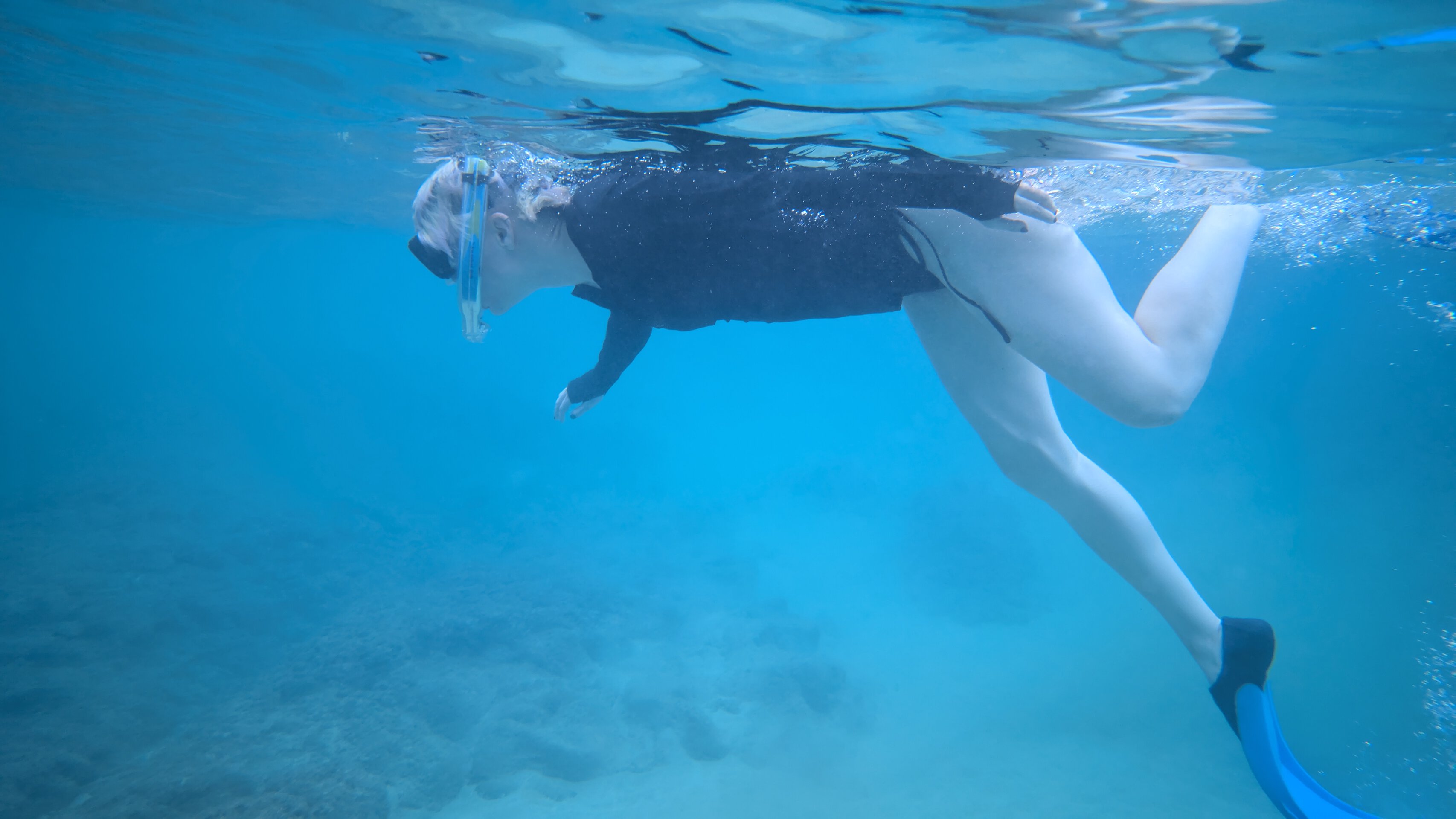
Pixel 9 Pro Diver Underwater Mode On


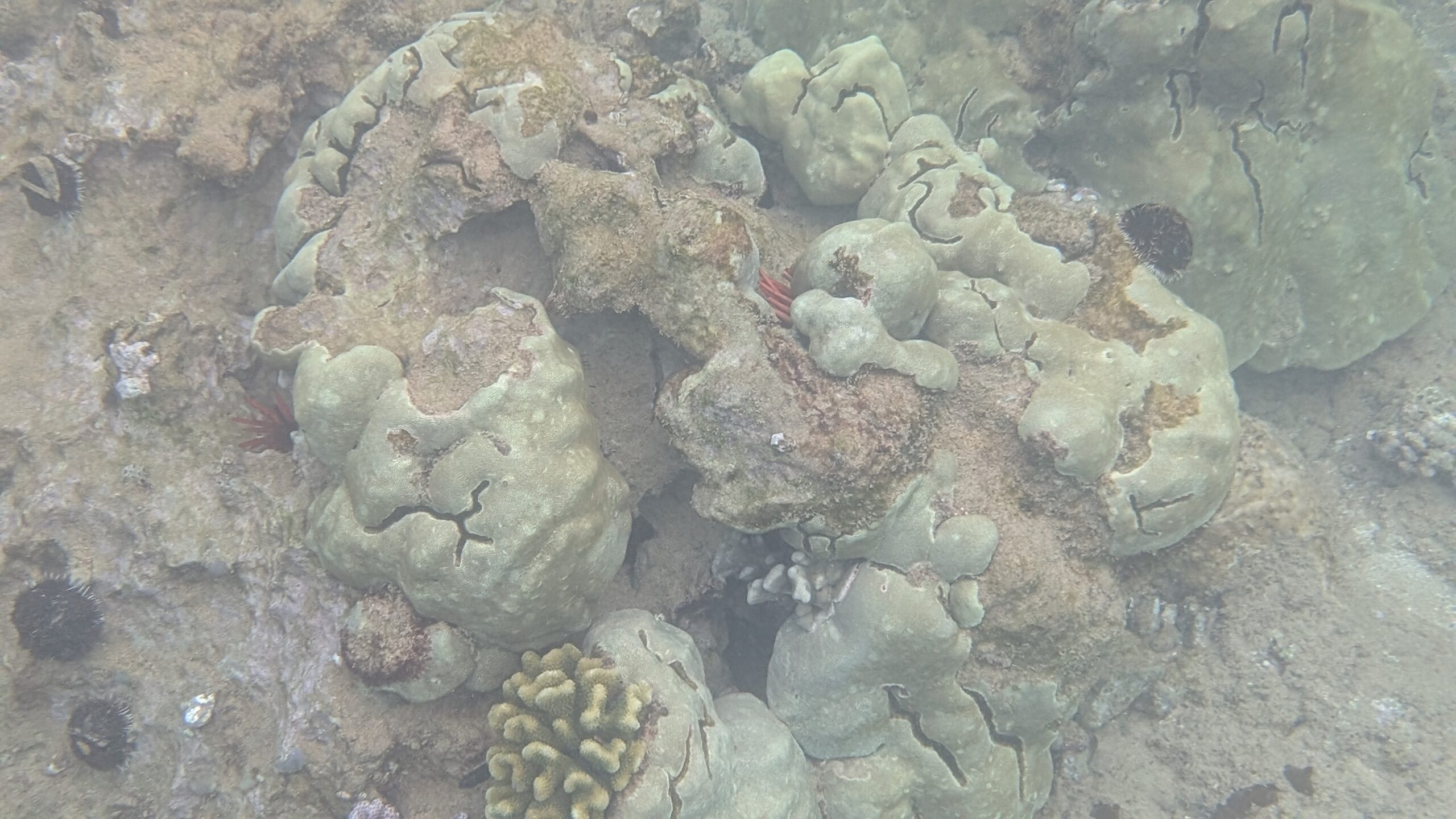
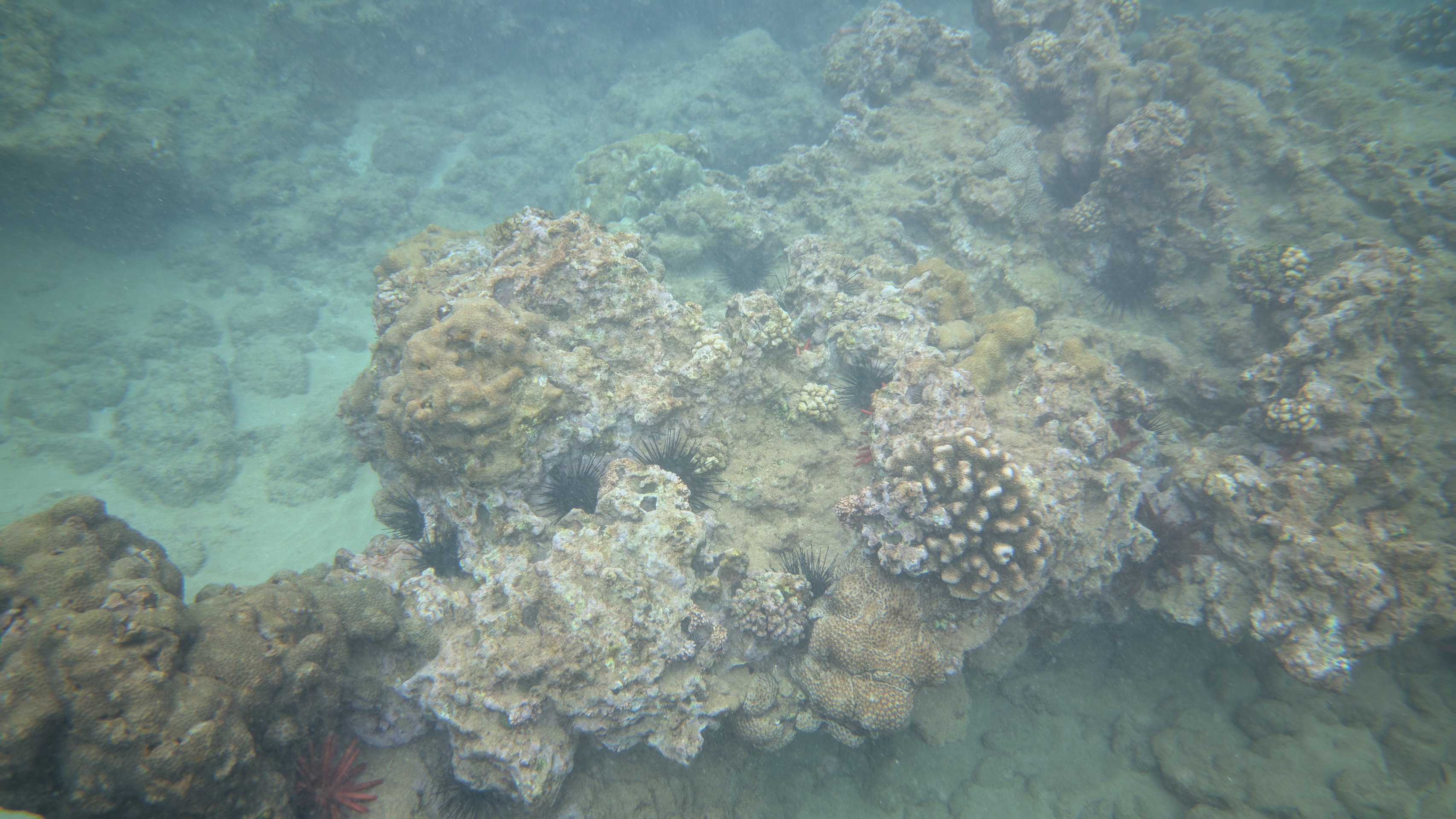
I tried to get photos with the underwater mode off and on to get a good idea of what it does. Because of the previously discussed touchscreen limitations — and the natural buoyancy of the human body — this was not easy to do. As such, please forgive me for not getting perfectly aligned shots to show side-by-side comparisons.

First, check out these two photos to see if you can spot what the underwater camera mode enhances:
Pixel-9-Pro-Coral-Reef-Underwater-Mode-Off-scaled.jpg
Underwater Mode On

Pixel-9-Pro-Coral-Reef-Underwater-Mode-On.jpg

Underwater Mode Off

These images are compressed, but by looking at the originals, I see that clarity is slightly higher with the underwater mode activated. The water also looks more blue overall.

// androidauthority

 

jeffprobst

Greater Supremacy Member
Joined
Nov 25, 2001
Messages
88,623
Reaction score
13,499
Wait what do you mean you bought the wrong size? And you only realized that after you pasted it?

Spigen one got installation tray one leh, if it's the wrong size it won't even fit your phone.
literally what i said. lol. i never paid close attentional. sticked already than realised the size is wrong. lol. so waiting for the new screen protector to arrived.

anyway, manage to changed my phone cover to caseology nano pop.
 

Loser

Arch-Supremacy Member
Joined
May 7, 2019
Messages
23,790
Reaction score
10,582
literally what i said. lol. i never paid close attentional. sticked already than realised the size is wrong. lol. so waiting for the new screen protector to arrived.

anyway, manage to changed my phone cover to caseology nano pop.
You bought the pro XL protector for your smaller pro?

Any pikatures of your nanopop? :o
 

PinkGlory

Member
Joined
Oct 2, 2013
Messages
235
Reaction score
7
If we didn't buy the pixel 9 pro xl directly from google store, are we able to register the warranty at the google store? Asking just in case if there are problems with the phone. Also, if we buy from third parties, will it also come with the free 1 year subscription of the google one AI premium plan?
 

limmk

High Supremacy Member
Joined
Jul 5, 2001
Messages
43,266
Reaction score
8,342
If we didn't buy the pixel 9 pro xl directly from google store, are we able to register the warranty at the google store? Asking just in case if there are problems with the phone. Also, if we buy from third parties, will it also come with the free 1 year subscription of the google one AI premium plan?
If you buy the Pixel 9 Pro XL from a third party instead of the Google Store, you can still register for warranty, but it depends on the seller and region. for Google One AI premium, the free 1-year subscription is usually only included with purchases directly from the Google Store, so it might not apply if bought elsewhere. better to confirm with the seller to be sure!
 

Loser

Arch-Supremacy Member
Joined
May 7, 2019
Messages
23,790
Reaction score
10,582
If we didn't buy the pixel 9 pro xl directly from google store, are we able to register the warranty at the google store? Asking just in case if there are problems with the phone. Also, if we buy from third parties, will it also come with the free 1 year subscription of the google one AI premium plan?
IMEI number is auto registered with local warranty center CDTI no need to manually register.

The 1 year AI advanced also tied to IMEI so as long as phone is not activated, on the first launch of the google one app they will check and offer you the 1 year trial.

As long as it's confirmed local set.
 
Last edited:

perperdino

Arch-Supremacy Member
Joined
Apr 15, 2009
Messages
21,844
Reaction score
199
If we didn't buy the pixel 9 pro xl directly from google store, are we able to register the warranty at the google store? Asking just in case if there are problems with the phone. Also, if we buy from third parties, will it also come with the free 1 year subscription of the google one AI premium plan?
previously bought p4 and the battery bloated under a year,
went to aperia mall service ctr and they didnt even bother checking warranty card cos all products under 1year intl warranty and p4 released less than a year back then

same should apply for p9
 

PinkGlory

Member
Joined
Oct 2, 2013
Messages
235
Reaction score
7
IMEI number is auto registered with local warranty center CDTI no need to manually register.

The 1 year AI advanced also tied to IMEI so as long as phone is not activated, on the first launch of the google one app they will check and offer you the 1 year trial.

As long as it's confirmed local set.
This would apply if I buy thru Shopee? It only says Google Authorised Retailer. I have no idea if the seller is in Singapore or China. How do I know the 1 year trial has been offered to me?
 
Important Forum Advisory Note
This forum is moderated by volunteer moderators who will react only to members' feedback on posts. Moderators are not employees or representatives of HWZ Forums. Forum members and moderators are responsible for their own posts. Please refer to our Community Guidelines and Standards and Terms and Conditions for more information.
Top