

mynickname
High Supremacy Member
- Joined
- May 11, 2012
- Messages
- 32,829
- Reaction score
- 10,389
Let me know if you need the suction cups or anything. I still have the kit when I added an SSD to my iMac back in 2013.
Let me know if you need the suction cups or anything. I still have the kit when I added an SSD to my iMac back in 2013.
Let me know if you need the suction cups or anything. I still have the kit when I added an SSD to my iMac back in 2013.

Kool man!
Managed to open with my fingers. Just need to be patient and slowly test different corners and different strengths. Once you get a litte corner away from the magnet, the rest comes off easily. Just need to be careful as it is glass.
The whole concept of using all round magnets is simply brilliant! Simple and very effective!
So you manage to extract your HDD liao?
Yes, and dismantled the HDD into different components too... rofl.
Have arranged for Apple to take the machine back for recycling.
Think I will try to dismantle it this weekend......so Apple will pick it up from you and have to send it down urself?
Details here:
https://secure2.reverselogistic.com/apple/takeback/index.action
Fill up form, the recycling company guy (not based in singapore) will email you.
Need to find a box to put the device in, and he'll arrange for DHL to come pick up.

Gum sia for the link
Manage to remove my hdd today liao. It's easier then I thought but I struggle with the screw abit coz I dun have the torx screwdriver.
Once manage to get rid of the screw, removing the HDD was a breeze.
I think my HDD should be still working, so if I want to access the drive, all I need is a USB to Sata cable and a power adaptor right?
USB to 3.5 Inch sata cable.......saw this on taobao....duno can use or not

this is available from Challenger
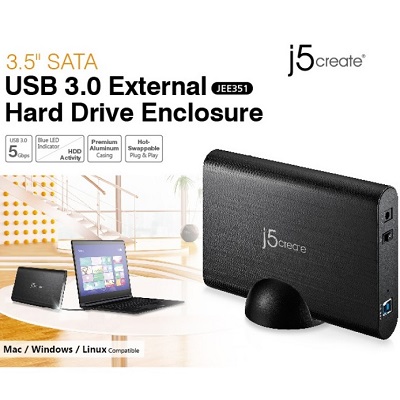
Bro, while looking through carousell, I found this https://carousell.com/p/usb-sata-cable-101475695
Just remember that 3.5 hdd require separate power supply whereas 2.5 hdd usually do not.
If you have the time go to SLS L5 and 6. There are two shops opp the glass elevators. I think one is World computer system and the other universal computer. Their website: www.universalcomputer.com.sg. Don't know whether shops still there, I have not been there long time liao.
new iMac is coming tomorrow.
How can I migrate my old iMac to the new iMac? Should I open up the glass panel and extract the hdd or bring it to Apple repair shop?

If you bring to repair shop, you are prepared to pay for the recovery of hdd/data? If you are up to it, try to extract hdd on your own. I had brought mine to repair shop to replace hdd; arranged to collect back the old hdd. Managed to retrieve data using data rescue.
First time sent to Apple service centre, the staff kept my old hdd as under warranty repair. 2nd time, I paid for hdd though still under apple care at the ASC at SLS so got the old hdd back.
Heard you can use target disk mode to copy files for old to new but have not tried it myself.


