

MoneyFace =p
High Supremacy Member
- Joined
- Dec 17, 2010
- Messages
- 35,380
- Reaction score
- 402
Woah didn't post much still can get points thanks boss!Additional points added.
Last round of bonus points addition will probably be on Friday!


Woah didn't post much still can get points thanks boss!Additional points added.
Last round of bonus points addition will probably be on Friday!
Thanks boss! So Friday is game over? I cannot reach 750 by then, got more magic bullet?

So you getting the Dell Power Companion or Dell Bluetooth speaker?Good evening everyone, come in to mark attendance.
Think last day will be this Sunday.

Getting used to it...Good evening guys. seems like getting less and less people here

Same guy whom had Dell desktop ?
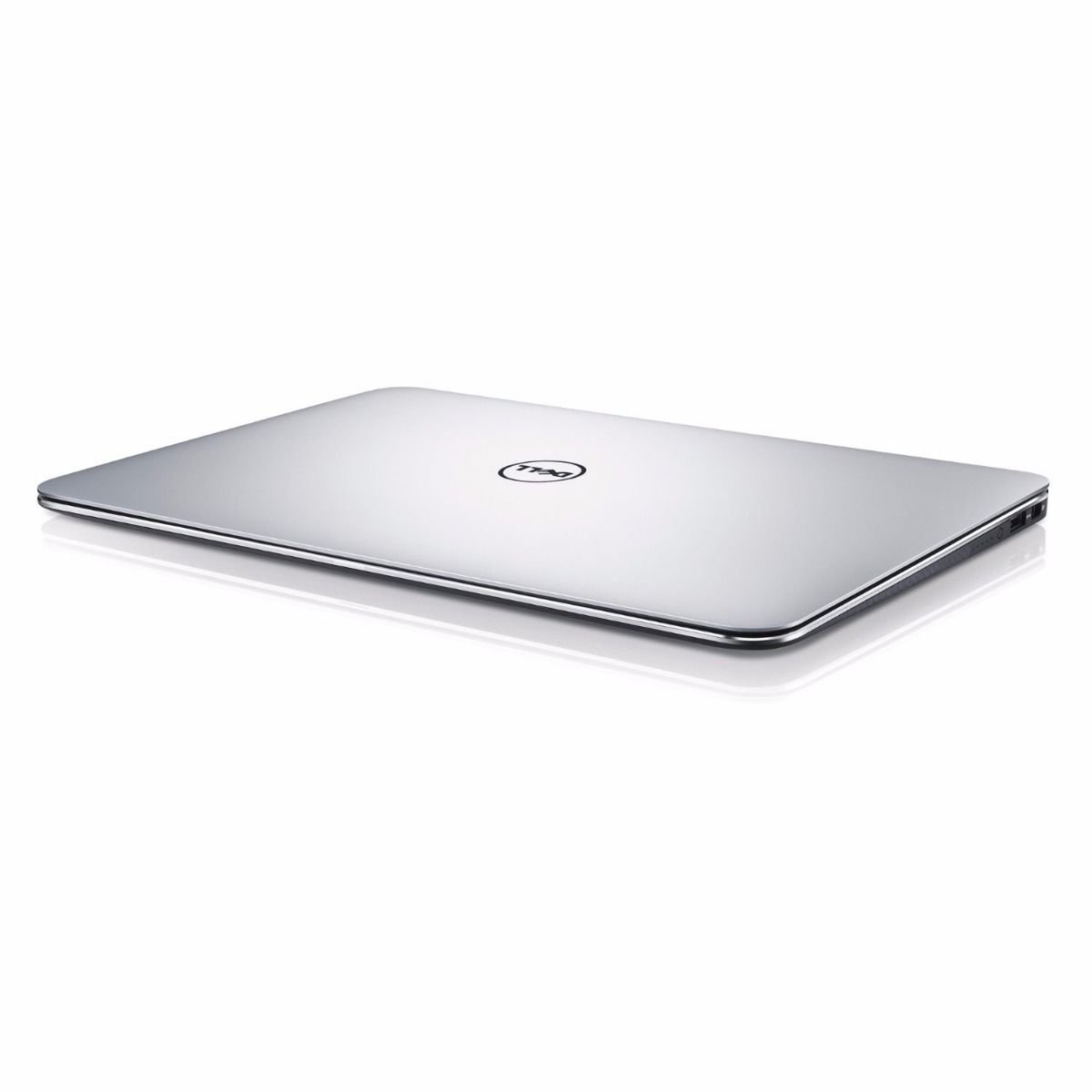
Now this new Dell Ultrabook XPS 13 that he bought~
With Quad HD Touch display and InfinityEdge display weight at 1.29KG, only 9-15mm~
Too slim and sleek, from far looked like a magazine. His maid might have thought this Dell XPS 13 as another old issue of HWM, stack with old newspaper sell to Karang Guni~


Good finding. I believe this Dell XPS 13 is the only Windows laptop to offer such feature right?The Dell XPS 13 also features a very handy button on the left side which you can push to check the remaining battery life on your device even when its powered off.
I feel that Dell has really put themselves in the shoes of their consumer as this little feature is small yet a very helpful one. There is no more need to power up your laptop or having the need to remember whether your laptop has enough juice to last you throughout the day (it should, at max capacity).
All you need is a push of a button to determine its remaining life and it will tell you whether you have to plug in AC.
Remember to do the review at notebook subforum.. If not kena warn by mods

So you getting the Dell Power Companion or Dell Bluetooth speaker?
Paiseh pa jiao..I had mentioned this around 5pm..

Good evening guys. seems like getting less and less people here
At least still have you and kimsix around more crowd....Yalor, left 2 mans show le....
Anyway congratulate to you and Moneyface first...

Thanks boss! So Friday is game over? I cannot reach 750 by then, got more magic bullet?
The Dell XPS 13 also features a very handy button on the left side which you can push to check the remaining battery life on your device even when its powered off.
I feel that Dell has really put themselves in the shoes of their consumer as this little feature is small yet a very helpful one. There is no more need to power up your laptop or having the need to remember whether your laptop has enough juice to last you throughout the day (it should, at max capacity).
All you need is a push of a button to determine its remaining life and it will tell you whether you have to plug in AC.
At least still have you and kimsix around more crowd....
Perhaps take this final week as opportunity to train up for next campaign?Going to exit soon but will still come in see see look look....
Don't worry... They have a dongle for that!
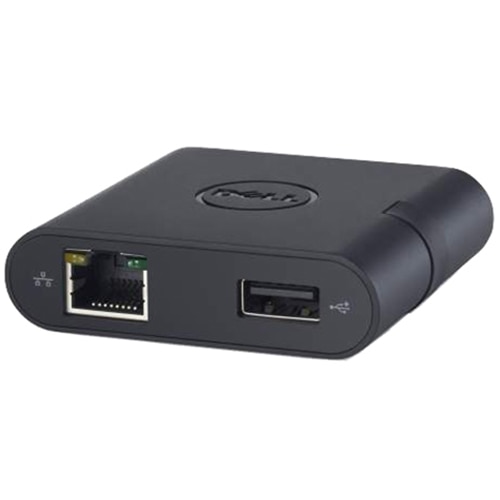
And they are telling you, if you want LAN, pay more for this.
Honestly speaking, i will rather buy a cheap USB 3.0 based Gigabit LAN adapter from eBay to resolve than to fall for Dell's Joverchewist trap. I believe the omitting of LAN port is by design, in order to achieve the ultrabook's slim profile since LAN port takes up a hefty amount of thickness. Then again, they could have copy other brand's ultrabook design with such kind of enlargeable LAN port with flap.


 .
.
I feel I will be last one talking to myself
So back to xps13, what I envision the use of ultrabook? To work on office documents, while multitask on web browser, email, and play some back ground music.
With this uses, I feel Dell make 16gb of ram available, the 256gb pcie ssd should be fast and adequate for it. The qhd+ screen makes text look clean and sharp. As for the touchscreen, perhaps Dell can put in a digitizer to use as note taking, as the standalone 13.3 touch screen is small and limited if it is for finger input only.
Dell can put in a finger print sensor on the screen too. The technology is coming and will alleviate the windows hello missing due to the low 720p webcam height limitation
http://www.engadget.com/2015/07/21/your-next-phone-could-have-a-fingerprint-reader-on-its-screen/
Paiseh i forgot you haven't redeem yet. But gonna say goodbye to you very soon....wassup? i come in liao.
